2D game engine · Windows · Linux
Make 2D games with light and shadow in them.
An editor to build rooms in, Rengy Script for what happens in them, and nothing else to install.
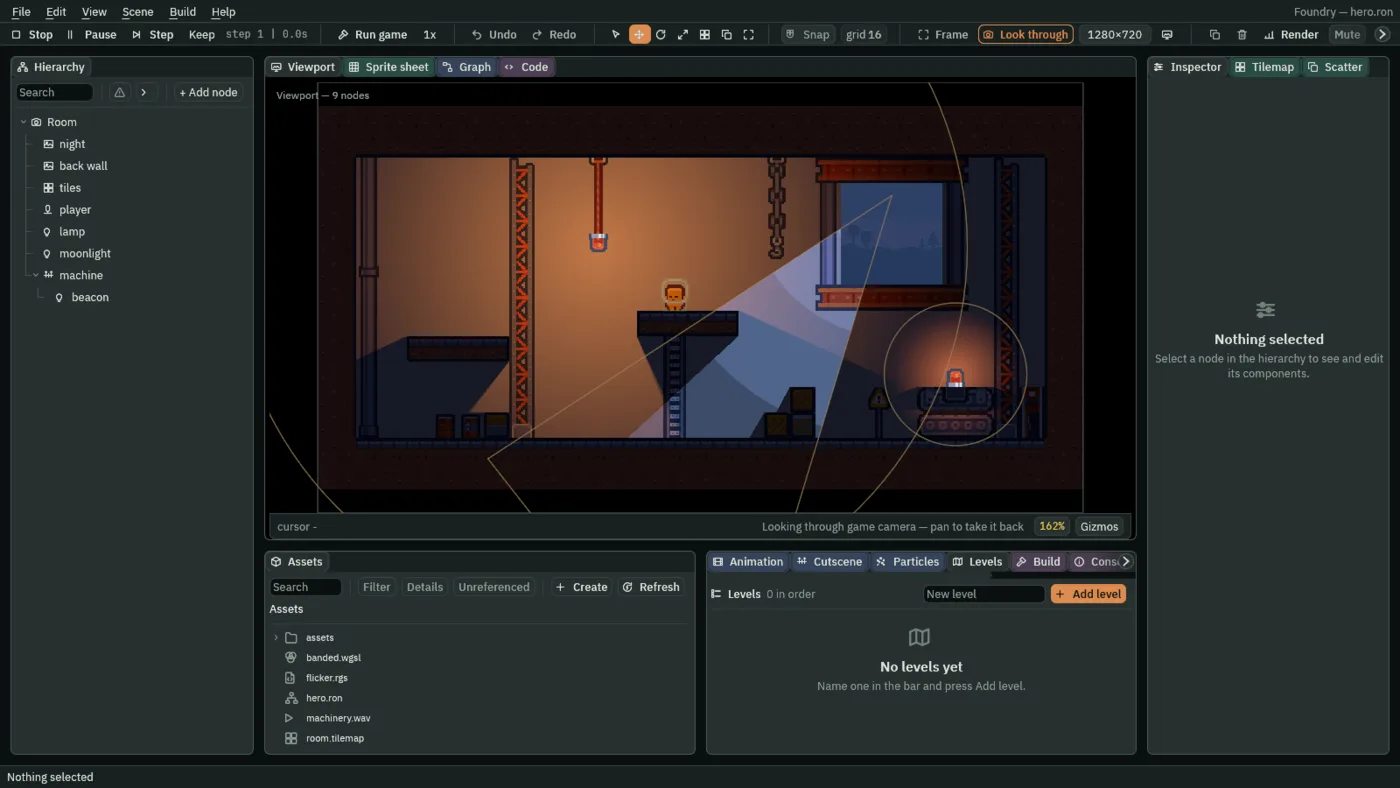
What you build with it
Rooms that are lit, tiled and playable.
-
Light and shadow
Lamps in a dark room, and shadows from the things you mark to cast them.
-
Tilemaps
Paint a room from one tile sheet. A solid layer makes its own collision.
-
Characters
Walk and jump on built-in keys, climb steps, and land on ledges you jump up through.
-
Scripts
Components of your own, in Rengy Script, with fields you tune in the Inspector.
Rengy Script
A script you can read, checked as you type.
- Fields are Inspector rows.
brightnessis a Brightness slider, because of its range, and the///line above it is the row’s tooltip. - Change it while the room plays. Save a script while Play runs, and the next step runs what you saved.
- The editor knows the language. The Code panel completes what you type and checks every script as you type it, underlining a mistake in red.
/// Makes the Light on this node flicker like a flame.
component Flicker {
    /// How bright the flame burns between flickers.
    #[range(0.0..4.0)]
    brightness: f32 = 1.4,
    /// How far below that a flicker dips.
    #[range(0.0..1.0)]
    dip: f32 = 0.4,
    #[hidden]
    clock: f32 = 0.0,

    fn loop(dt: f32) {
        clock = clock + dt;
        // Two waves that never line up, so the flicker never repeats.
        let wave = (clock * 11.0).sin() * (clock * 7.3).sin();
        let level = brightness - dip * wave.abs();
        set_number("LightComponent", "intensity", level);
    }
}
Ship it
Export a game that runs without Rengy.
Press Export in the Build panel, and the editor writes your game to a folder: your project, and a copy of the player named after it. Nothing is compiled. Zip the folder and send it.
Windows
The Windows editor exports
my-game.exe, a game for Windows.Linux
The Linux editor exports
my-game, a game for Linux. For both, export once from each.
Download
Rengy 0.1.0, for Windows and Linux.
The editor, the player your exports carry, and five demo projects. Nothing else to install.
Windows
Unzip it anywhere and double-click
rengy-editor.exe. There is no installer.Download for Windows rengy-0.1.0-windows.zip · 39 MB
Linux
Built for Fedora 44 and newer: run
sudo dnf install ./rengy-0.1.0-1.fc44.x86_64.rpm, then open Rengy from your applications menu.Download for Linux rengy-0.1.0-1.fc44.x86_64.rpm · 34 MB
Start here
Getting started
Install Rengy, make a project, block out a room, and press Play on your first script. 20 minutesThe editor
Every panel and what it is for, how to arrange them, how to run your game, and the keys worth learning first. 10 minutesTutorials
Built in the editor you installed, a chapter at a time: Ship Evader, Crypt Knight, Light and Shadow, Particle Effects, Interfaces, Animation and Cutscenes, Navigation and AI, Physics and Mechanisms, Sound and Music, Cameras and Framing and Worlds and Levels. 11 tutorialsReference
All 92 components with every field, and every Rengy Script builtin. Look things up