Features
Everything Rengy does, by area.
Each one links the guide, chapter or reference page that has it.
TBD Not available yet, so it links nowhere.
Editor
One window for building, playing and exporting.
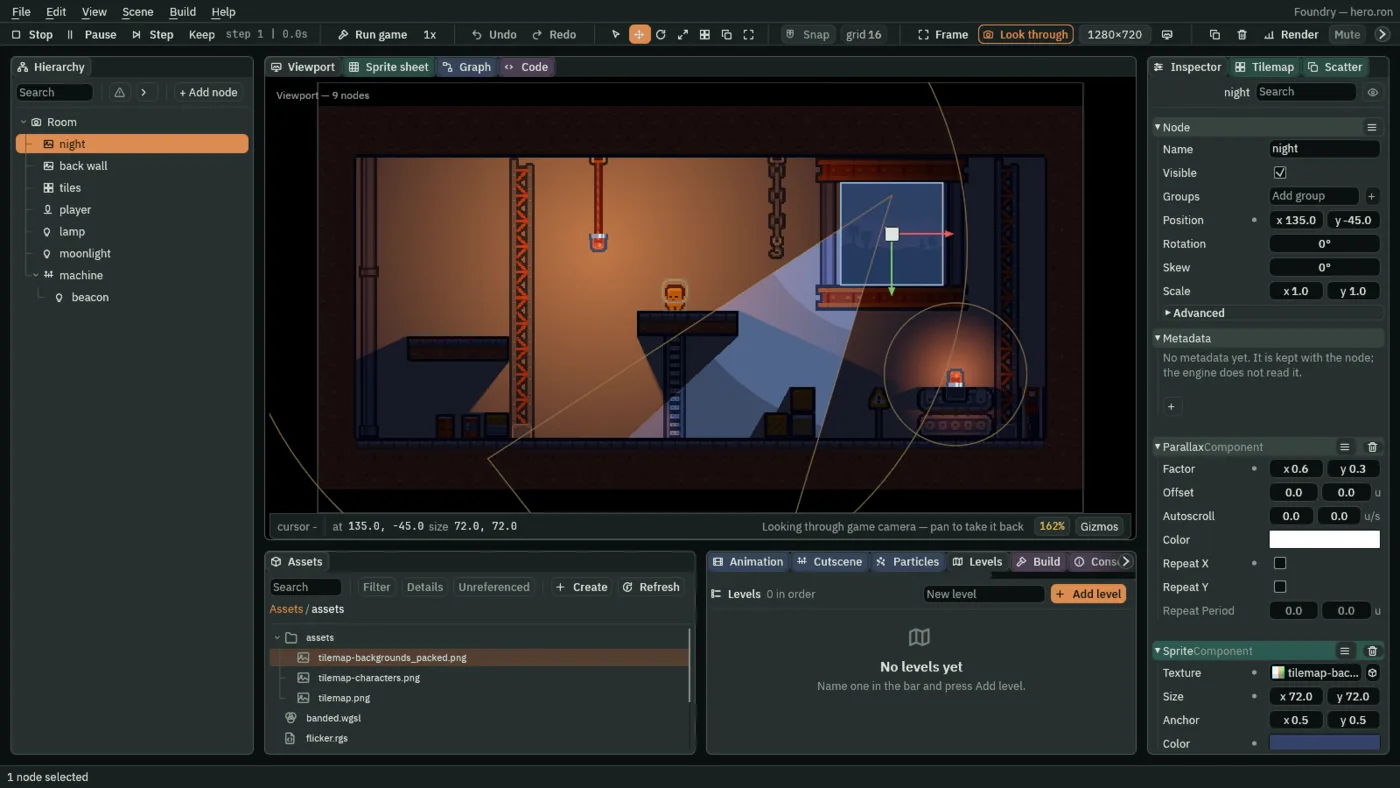
Panels you arrange
Dock, stack and float panels. Each project keeps its own layout.
Play, pause and step
Run the room inside the editor, one step at a time when you need to.
Run game
Your project in a window of its own, through the same player an export ships.
The Problems panel
Nodes set up to do nothing, and files that have gone, listed while you build.
Artifacts
Save a node and its children once, place copies, and let one copy keep values of its own.
Import presets
TBDPictures sized and compressed to settings you chose once for their kind.
Scripting
Rengy Script: components you write, checked as you type.
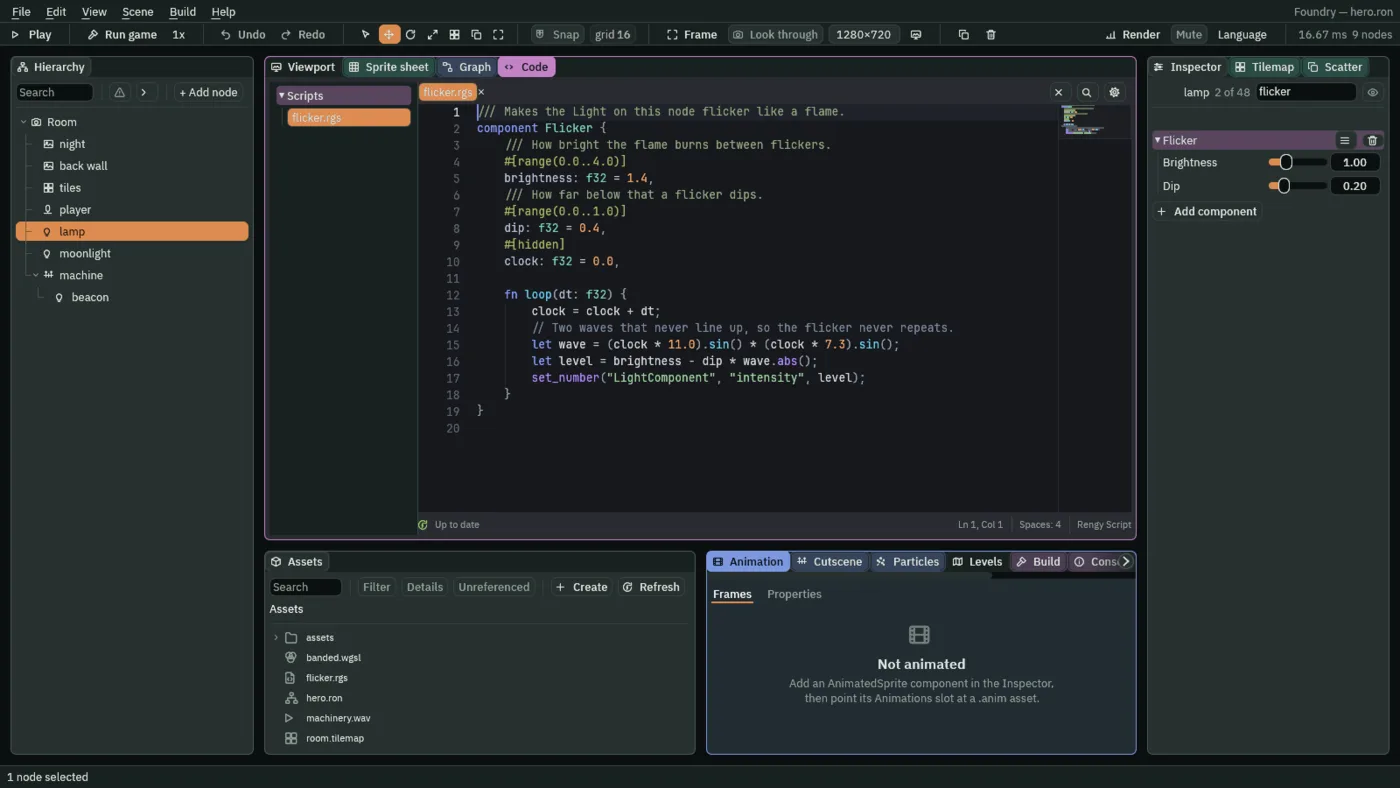
Components you write
A script is a component. Its fields are Inspector rows.
Hooks
React when a node is created, moves, is entered or lands.
Waiting, in place
awaita delay, a signal or an anneal, and carry on from that line.Anneals and pulses
Move, turn, scale or fade a node over time, along any of 45 curves.
Signals
Nodes tell each other things without knowing who listens.
Guide: Characters and physics Tutorial: Worlds and Levels: Cause and effect Reference: Signal
Spawning
Copies of a saved node made by a script while the game runs: lasers, enemies, explosions.
Guide: Rengy Script Tutorial: Ship Evader: Firing Reference: Spawner
Controls by name
Name your controls as actions, bind keys to them, and read them from a script.
Timers
A countdown that tells a script when it runs out.
Light and shadow
Lamps that light a dark room, and shadows from the things you mark to cast them.
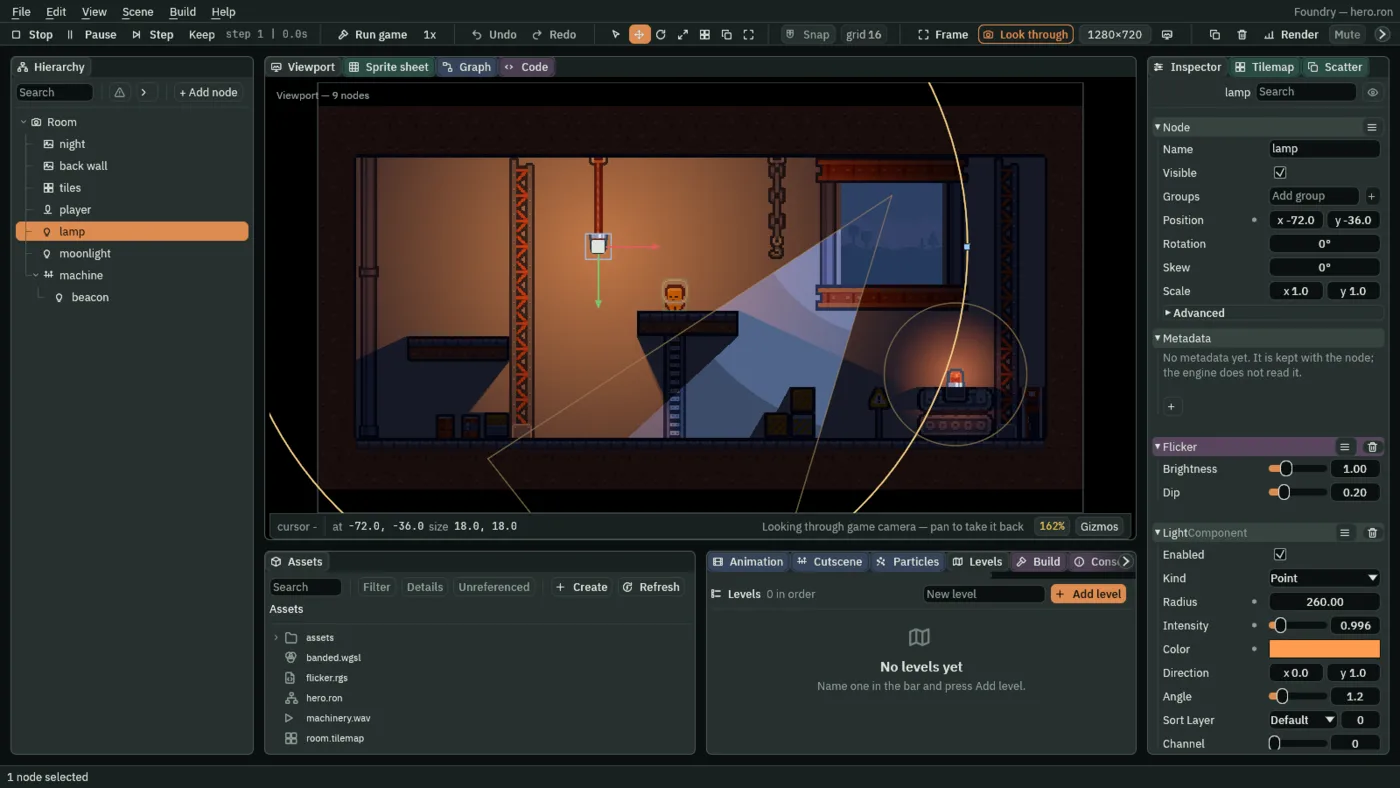
Point, cone, directional, sprite and freeform lights
Radius, colour, intensity and softness in the Inspector. A cone fades at its edge, and moonlight washes the whole room from one direction.
Guide: Lighting and shadows Tutorial: Light and Shadow: A lantern Reference: Light
Shadows from occluders and tiles
Give a thing an Occluder, a box or an outline you draw, or mark a tile layer, and it casts a shadow that moves and turns with it, hard or soft. Nothing is baked.
Guide: Lighting and shadows Tutorial: Light and Shadow: Shadows Reference: Occluder
Ambient light
How dark a lit room is where no lamp reaches.
Guide: Lighting and shadows Tutorial: Light and Shadow: Light starts from darkness Reference: AmbientLight
Light channels
Lights that add a glow past a wall’s own colour, take light away, or paint their colour over the room.
Guide: Lighting and shadows Tutorial: Light and Shadow: Sprites in the light Reference: Light
Normal maps made in the editor
Generate a normal map from a picture’s import settings, and the lamps rake across its bricks, in the editor and in an exported game.
Guide: Lighting and shadows Tutorial: Light and Shadow: Depth from normal maps Reference: Sprite
What lighting costs
The stats overlay counts light draws, shadows and light passes, and the Render menu previews a phone’s tier.
Guide: Debugging Tutorial: Light and Shadow: Light on a phone
Light shaders
Give one light a shader of its own: toon bands, or a candle’s wavering ring.
Guide: Effects and shaders Tutorial: Light and Shadow: Your own falloff Reference: LightShader
World
Rooms built from tiles, drawn terrain and layers of depth.
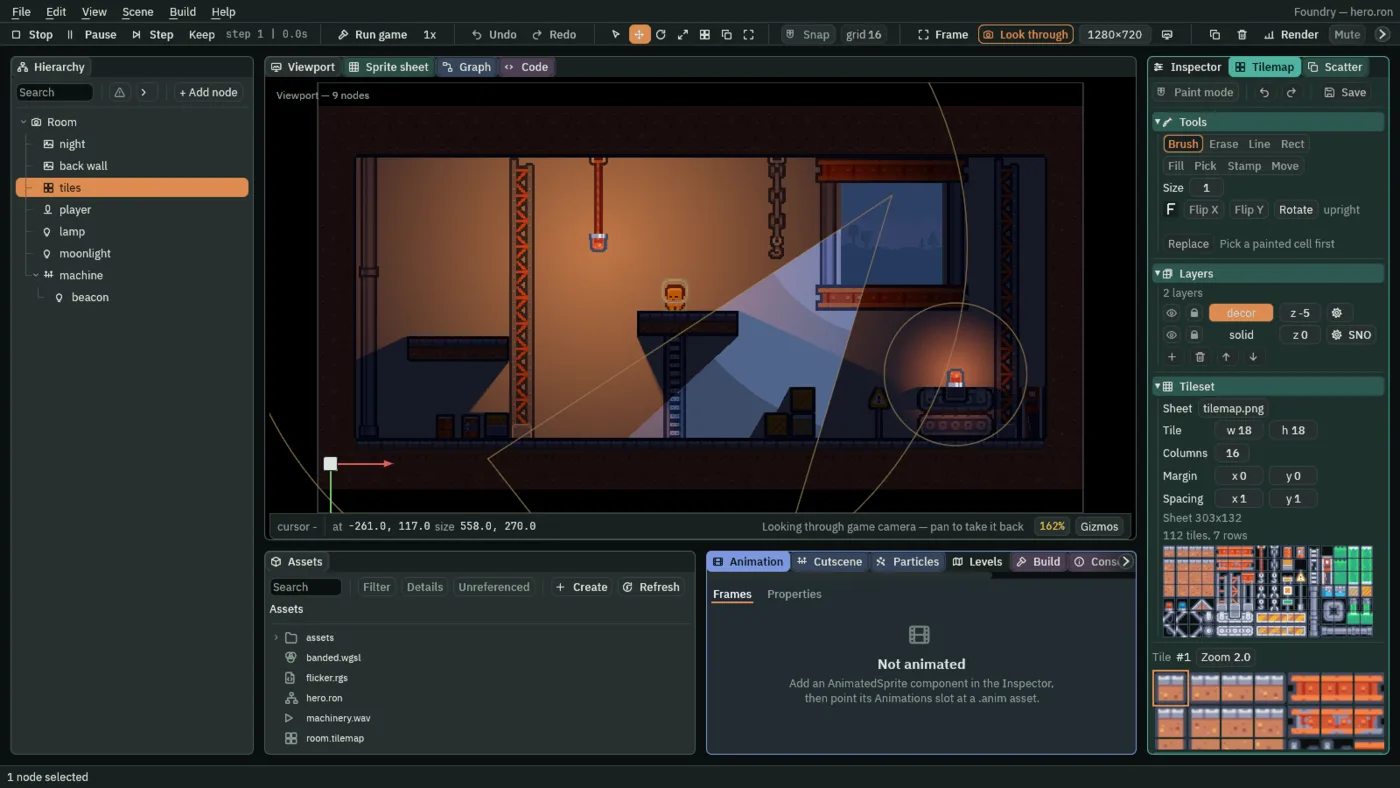
Scenes as trees
A node, its components, and its children. That is the whole model.
Sprites from sheets
Name each part of a sheet once, and stretch a framed panel without smearing its corners.
Tilemaps
Paint a room on layers. A terrain lays its own corners, and a solid layer makes its own collision.
Guide: Tilemaps Tutorial: Worlds and Levels: A tilemap Reference: TileMap
Terrain you draw
A ledge’s edge art, fill and collision, all from one line of points.
Guide: Terrain and shapes Tutorial: Worlds and Levels: Hills Reference: SpriteShape
Masks
Show a sprite only inside another shape, or only outside it.
Guide: Terrain and shapes Tutorial: Worlds and Levels: In the dark Reference: SpriteMask
Filled outlines
Water, scree or a far cliff: an outline of points filled with a colour, or a picture stretched across it or tiled.
Guide: Terrain and shapes Tutorial: Worlds and Levels: Water and stone Reference: Polygon
Meshes
Triangles you colour and map point by point, typed in or made from a Polygon in one press.
Guide: Terrain and shapes Tutorial: Worlds and Levels: Made to measure Reference: Mesh
Many copies in one draw
One shape drawn at every placement, each turned, sized and tinted its own way: grass painted over a hill with a brush.
Guide: Terrain and shapes Tutorial: Worlds and Levels: The meadow Reference: MultiMesh
Sorting groups
A cart and its wheel drawn as one, so nothing slips between them, even among figures that sort by Y.
Guide: Terrain and shapes Tutorial: Worlds and Levels: Stacked and grouped Reference: SortingGroup
Words in the room
Signs and name tags standing in the world, in a font of your own, with an outline and a shadow.
Tutorial: Worlds and Levels: Words in the world Reference: WorldText
Rooms built when asked
One node stands in for a room until a script asks for it; then the room is built from its artifact, in the editor and in an exported game alike.
Tutorial: Worlds and Levels: Spawning and streaming Reference: Placeholder
Cameras that stay in the room
Follow the player, and stop at the walls.
Guide: Cameras Tutorial: Cameras and Framing: The town’s walls Reference: Confiner
A camera rig
Follows the player with a dead zone, a look-ahead and a settle, and blends to a locked shot for a boss, in the editor and in an exported game.
Tutorial: Cameras and Framing: Following Reference: CameraRig
Parallax
Backdrops that move at a fraction of the camera’s speed, or drift on their own and repeat as a whole.
Guide: Cameras Tutorial: Cameras and Framing: Depth Reference: Parallax
Pixel-perfect
A whole-number zoom picked for any window size.
Guide: Sprites and art Tutorial: Cameras and Framing: Crisp pixels Reference: PixelPerfect
Motion
Characters that walk and jump, and areas that notice what comes into them.
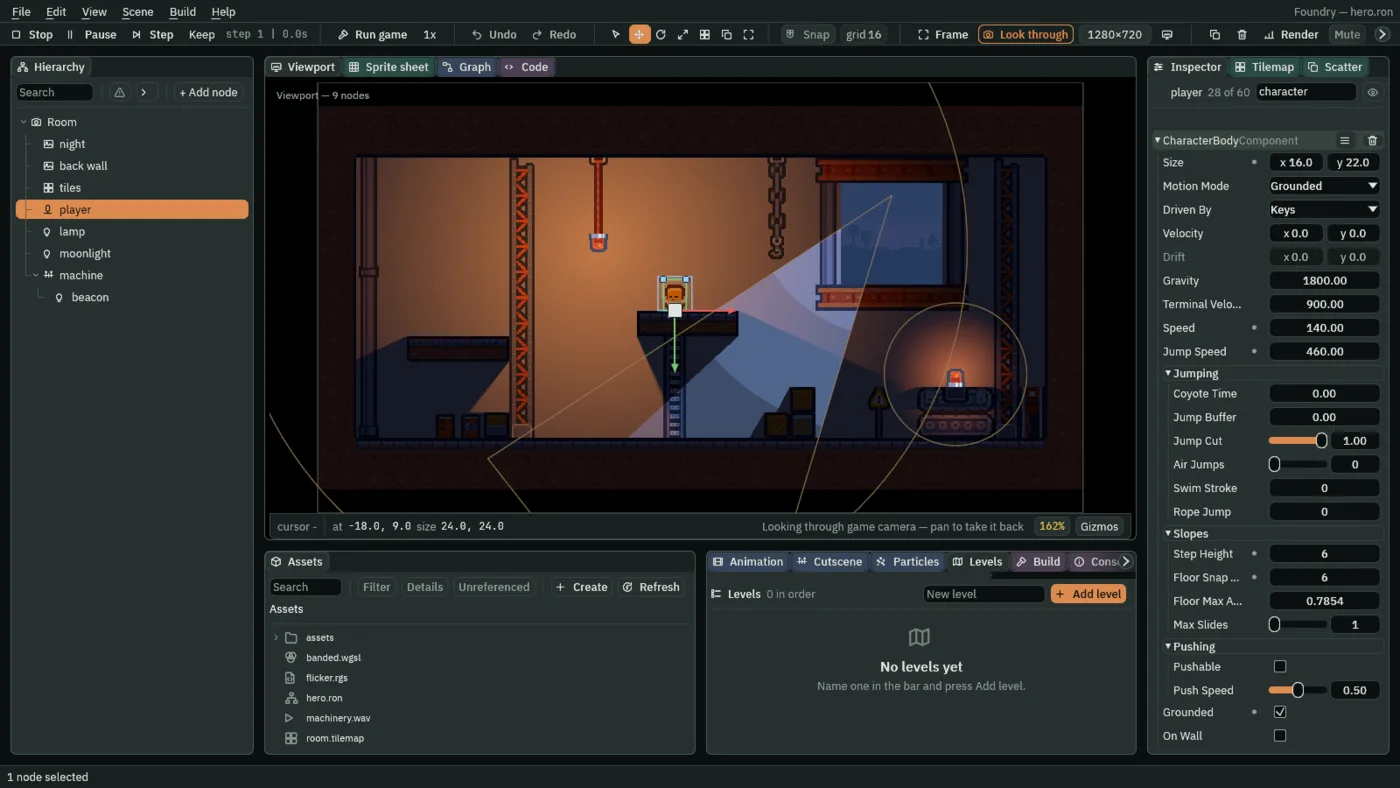
Character bodies
Walk and jump on your project’s controls or on a script’s say, with coyote time, a jump buffer, a short hop and a second jump in the air, climb steps, and land on ledges you jump up through.
Guide: Characters and physics Tutorial: Crypt Knight: The knight Reference: CharacterBody
Areas and triggers
Pressure plates, pickups and checkpoints that notice another Area coming in.
Sprite animation
Clips packed from your pictures, played frame by frame.
Keyframes
Keys on a timeline for any field: move, turn, fade or dim a node, with eases, loops and a rest pose.
Tutorial: Animation and Cutscenes: Keyframes Reference: PropertyAnimation
State machines
Idle, run, jump: a graph decides which clip plays.
Tutorial: Animation and Cutscenes: A state machine Reference: StateMachine
Bones
Rigs that reach, and ragdolls that fall.
Tutorial: Animation and Cutscenes: A marionette Reference: Bone
Cutscenes
Show, move, play and fade, on one timeline.
Tutorial: Animation and Cutscenes: The opening Reference: Timeline
Joints
Things on chains, springs and hinges.
Tutorial: Physics and Mechanisms: The pendulum Reference: Joint
Paths and navigation
Things that patrol a curve or find their way.
Forces
Wind, magnets, conveyors and water.
Tutorial: Physics and Mechanisms: The updraft Reference: Effector
Effects
Your own shaders on sprites and lights, and the room bent or drawn again.
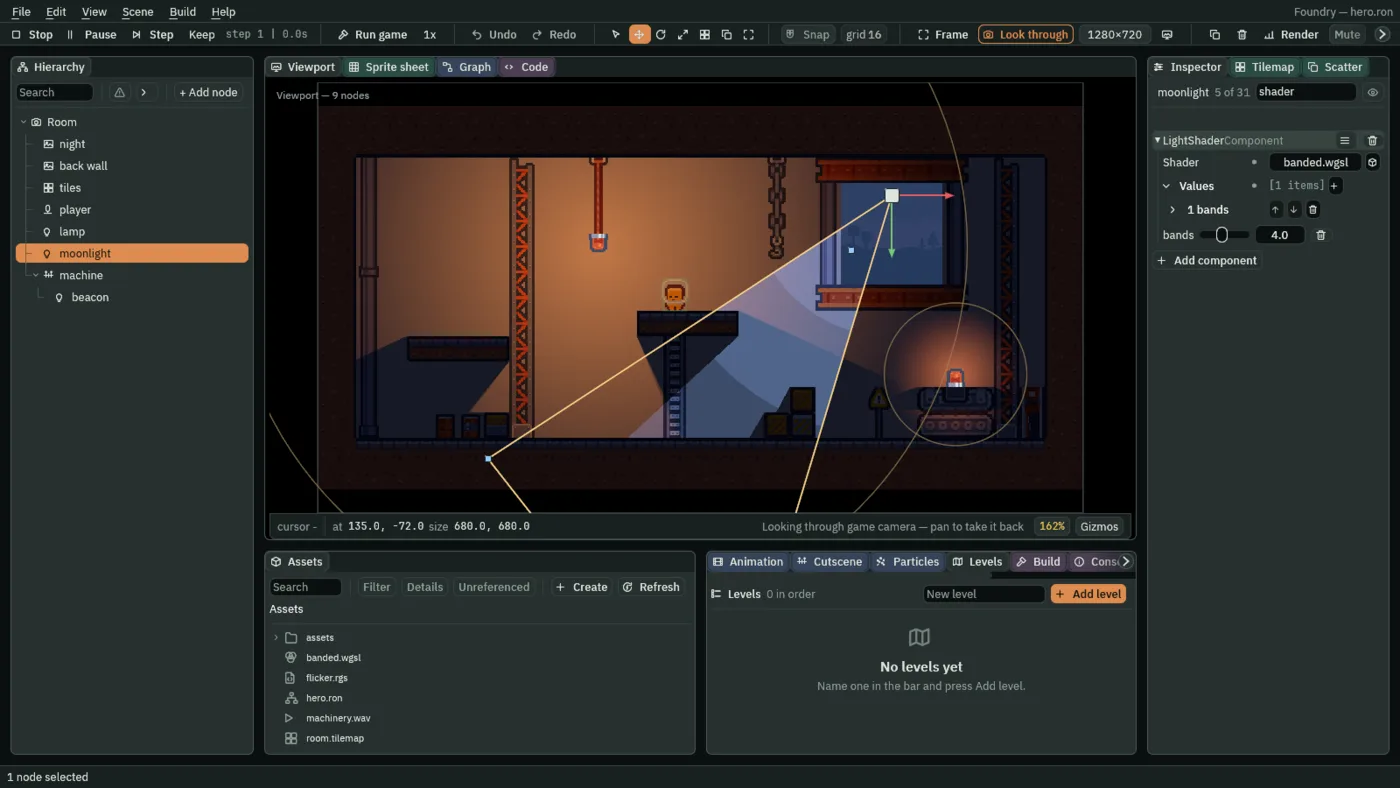
Shader materials
Your own shader code on a sprite, with its parameters as Inspector rows.
Guide: Effects and shaders Tutorial: Cameras and Framing: Through the glass Reference: ShaderMaterial
What is behind a sprite
Heat haze, water and glass: a shader that bends the room behind it.
Guide: Effects and shaders Tutorial: Cameras and Framing: Through the glass Reference: ScreenCopy
Minimaps and monitors
The room drawn a second time, into a picture a sprite shows.
Guide: Effects and shaders Tutorial: Cameras and Framing: A map in the corner Reference: Viewport
Clip rectangles
Crop sprites, shapes and lines to a rectangle: a portrait in its frame, a bar that fills.
Bloom and colour grades
A glow on whatever is brightest, widened by its Spread without a pass more, and a colour grade over the scene.
Guide: Effects and shaders Tutorial: Ship Evader: Effects Reference: PostVolume
Particles
Smoke, rain, fire, sparks and fireflies from one emitter, every number in the Inspector, and a panel that counts how many are alive.
Tutorial: Particle Effects: One emitter Reference: ParticleEmitter
Particles that look real
Colour, size, speed and spin across a particle’s life, flipbook sheets, streaks, trails and a drifting noise field.
Tutorial: Particle Effects: Curves and gradients Reference: ParticleEmitter
A room that opens already smoking
Prewarm runs an emitter before the first frame, so chimneys, fog and fireflies are there when the room opens.
Tutorial: Particle Effects: Bursts and prewarm Reference: ParticleEmitter
Particle forces
Attractors that pull particles in, push them away or swirl them round, in Play and in an exported game.
Tutorial: Particle Effects: Forces Reference: ParticleAttractor
Particles that land
Rain that stops on the roofs and bounces off the street: particles meet the room’s colliders and solid tiles.
Tutorial: Particle Effects: Collision Reference: ParticleEmitter
Particles that make particles
A particle that dies spawns an effect where it died: a splash for every raindrop, a burst for every firework shell.
Tutorial: Particle Effects: Particles that make particles Reference: ParticleEmitter
Particles and scripts
A script fires a burst, restarts a puff, switches an emitter on and off, and hears particles cross a region.
Guide: Rengy Script Tutorial: Particle Effects: Particles and scripts
Particle materials
A shader on an emitter reads four numbers each particle carries: sparks each in a colour of its own.
Guide: Effects and shaders Tutorial: Particle Effects: Light, glow and your own look Reference: ShaderMaterial
Trails
A ribbon behind anything that moves, tapering and fading, in Play and in an exported game.
Tutorial: Particle Effects: Light, glow and your own look Reference: Trail
What particles cost
The stats overlay counts every particle drawn, and a phone’s budget is the pixels big soft particles cover.
Guide: Debugging Tutorial: Particle Effects: Particles on a phone
Sound
Sounds with a place in the room, a mix that changes with it, and music that follows the game.
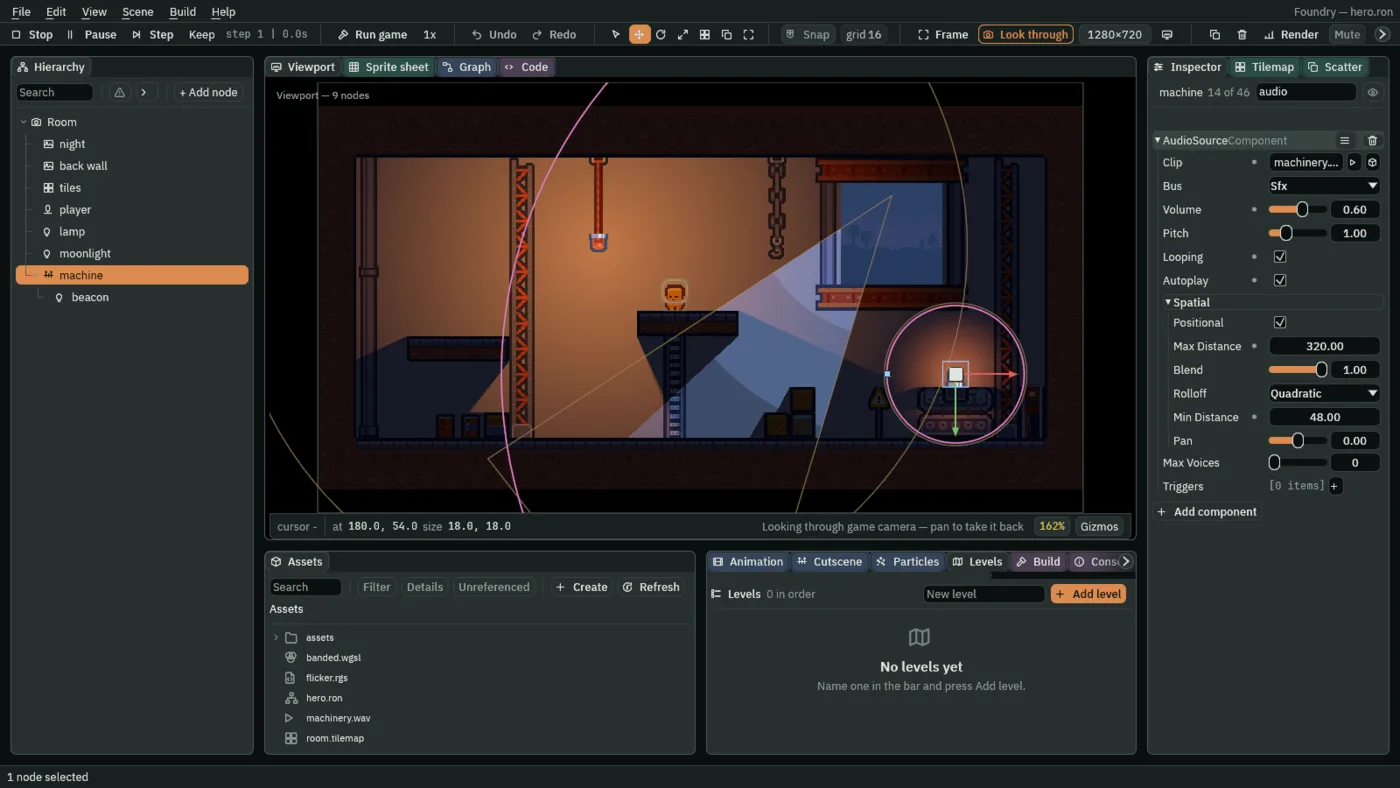
Positioned sounds
Louder as the listener gets closer, and heard from the side they are on.
Guide: Audio Tutorial: Sound and Music: Near and far Reference: AudioSource
Sounds from a script
A pickup that chimes, a machine that falls quiet, a gate that winds up as it opens: a script plays, stops and changes named sounds.
Guide: Audio Tutorial: Sound and Music: Sounds from a script
Music
A level’s track or a script’s, one at a time: a new one takes over, and asking for the one playing leaves it playing.
Bus volumes
Master, Music and Sfx, each set from a script or a slider on an options screen.
Mixes and sound zones
Effects on each bus, named mixes to slide between, places that change the mix while you stand in them, and one bus ducking under another.
Guide: Audio Tutorial: Sound and Music: Echoes and water Reference: AudioMix
Music that reacts
Named moods with rules for moving between them, a cut, a crossfade or at the loop’s end, and layers a script turns up and down in step.
Interface
Menus and HUDs, drawn in an exported game too.
Canvases and anchors
Layouts that hold at any screen size.
Your own font
Every label in a TTF of your own, set once for the project.
Stacks and grids
Rows, columns and grids that place their children, and plates that grow with their words.
Buttons
Pressed by a click, by Enter or Space, or by a key of their own, each reporting an action a script hears.
Sliders
A value dragged with the mouse or stepped with the keys, read by a script as it moves.
Toggles and dropdowns
Tick boxes and lists a script hears, each choice saved and applied the next time the game opens.
Focus
Move between widgets with the keys, and Tab through a screen.
One palette
A theme on a canvas, applied in one step, colours every panel, word and button by its role.
Tooltips
Words that open after a delay beside what they describe, on a plate of your own.
Dialogs and menus
A question that dims the game behind it, and a menu of rows with keys of their own.
Drag and drop
Items carried under the pointer between slots, the drops a slot refuses put back.
Scrolling lists
A view the wheel, its bar and the keys scroll, that keeps its newest line in view.
Text fields
Names typed into a field, with accents, a caret and a selection; numbers and passwords too.
Rings and meters
Radial bars that fill either way, round a hole or in segments.
No mouse needed
Every screen by the keys or a gamepad, a ring round the focused control, and where the ring may go.
Touch controls
TBDA thumbstick and buttons drawn on the screen.
Localization
Every string in a table, every language a column, switched while the game runs and kept between runs.
Tutorial: Interfaces: Two languages Reference: LocalizedText
Shipping
From the editor to a folder you can zip and send.

Export a game
A folder holding your game, for the system the editor runs on. Whoever you send it to needs no Rengy.
Win or lose
A script ends a level as won or lost: a goal to reach, a time limit to beat.
Scenes that hand over
A title, the game and a game-over screen, each a scene of its own, with a script moving between them.
Debugging tools
A Console that folds repeats, a frame’s costs, and a script call that pauses Play at the moment it matters.
Android
Android: source buildPreview a room at a phone’s quality tier, and keep it cheap to draw. A phone build needs the engine source, and a project of scenes and scripts cannot be built yet.
Levels in order
Rooms played one after another in the order the Levels panel lists, each with its own music and a screen to open after the last, in the editor and in an exported game.
Saving
Keep a player’s best score and settings between runs.
Save slots
Named slots that keep a run, text as well as numbers, and forget it when asked.