Tutorials · Light and Shadow · Chapter 12
Your own falloff
By the end
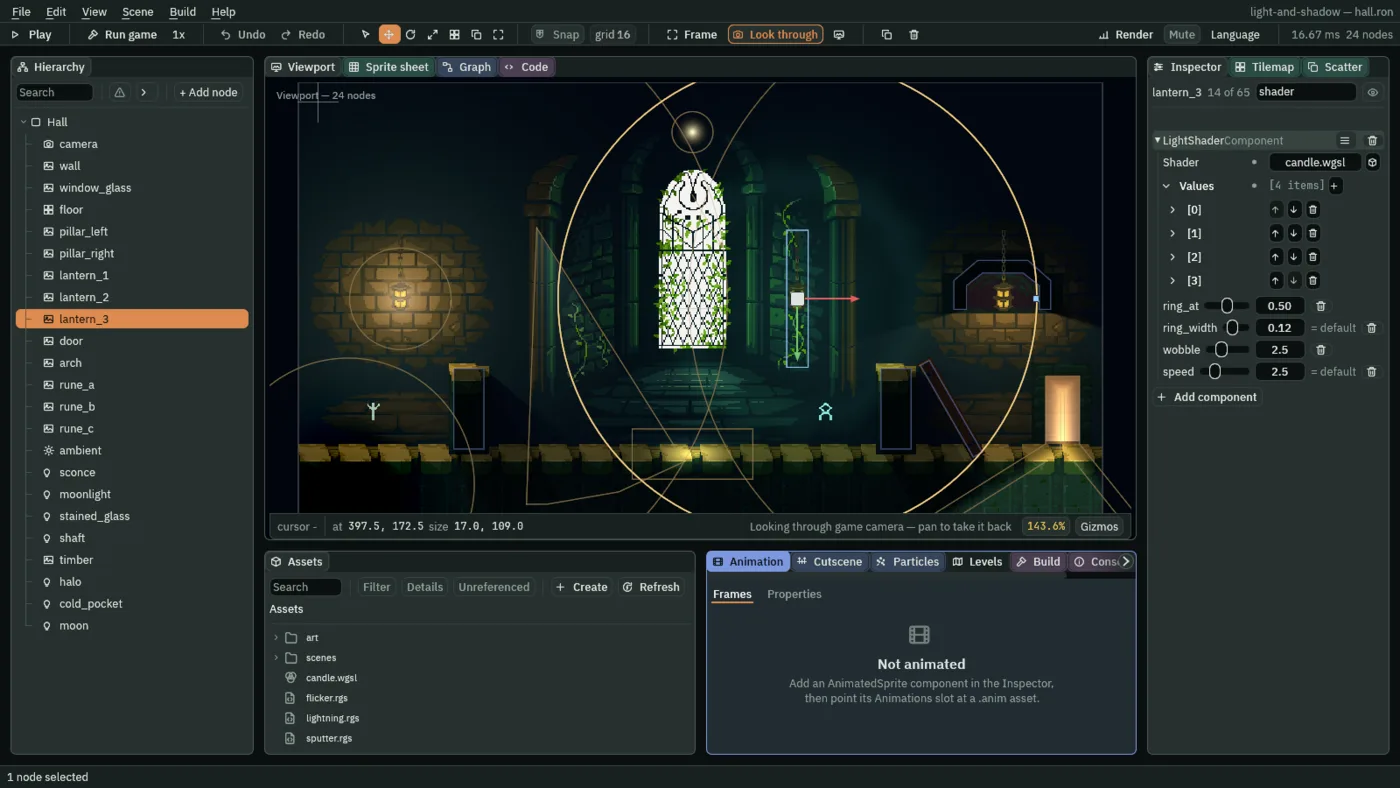
candle.wgsl, a light shader of your own- A Light Shader on the third lantern, with its values set
- How a light shader is read, and what it gives up
On this page
A light that fades your way
A light shader replaces how one light fades. You write it as shader code, in WGSL, the language graphics cards read, in a .wgsl file. The editor compiles it as it loads it, and so does an exported game: there is nothing to install and nothing to build. Effects and shaders covers shaders in general; this one is a candle.
- In Assets, click Assets in the path bar, so the shader is written beside
project.rengy, then press Create, choose New shader, typecandleand press Enter. The editor writescandle.wgsland gives it a.meta. - Double-click
candle.wgslto open it in the Code panel, replace everything in it with the text below, and press Ctrl+S.
//! param ring_at: float = 0.55 range 0.1 0.9
//! param ring_width: float = 0.12 range 0.02 0.4
//! param wobble: float = 3.0 range 0 8
//! param speed: float = 2.5 range 0 10

// The third lantern's candle: a hot core that falls off as the built-in light
// does, and a bright ring part of the way out that wavers like a flame in a
// draught.

// Before the light is measured, each point is lit from a few units away,
// swaying back and forth over time, so the ring's edge wavers.
fn light_vertex(world: vec2<f32>) -> vec2<f32> {
    let t = time() * speed();
    let sway = vec2<f32>(sin(world.y * 0.15 + t), cos(world.x * 0.15 + t * 1.3));
    return world + sway * wobble();
}

fn light(l: Light) -> vec4<f32> {
    // How far out this point is: 0 at the flame, 1 at the radius.
    let reach = l.distance / max(l.radius, 0.001);
    // 1 on the ring, falling to 0 a ring_width either side of it.
    let band = 1.0 - smoothstep(0.0, ring_width(), abs(reach - ring_at()));
    let glow = l.attenuation + band * 0.6 * max(1.0 - reach, 0.0);
    return vec4<f32>(l.color * l.energy * glow, 1.0);
}
How the shader is read
//! param NAME: float = DEFAULT range LOW HIGH- A value the Inspector shows as a slider from
LOWtoHIGH, which starts atDEFAULT. The shader reads it asNAME():ring_at(). fn light_vertex(world: vec2<f32>) -> vec2<f32>- Where each point of the light is measured from. The light, and what it draws, do not move: a point is lit as if it were somewhere else. Here it sways by
wobble()world units over time, so the ring’s edge wavers. Keep the sway small next to the Radius. fn light(l: Light) -> vec4<f32>- The colour the light adds at a point. It replaces the built-in fade whole.
l.distance,l.radius- How far this point is from the light, and the light’s Radius, in world units.
l.attenuation- The built-in fade:
1at the light, falling to0at its Radius. l.color,l.energy- The Light’s Color and Intensity.
time()- Seconds since the game started.
The part that makes the candle is these lines of light:
    // How far out this point is: 0 at the flame, 1 at the radius.
    let reach = l.distance / max(l.radius, 0.001);
    // 1 on the ring, falling to 0 a ring_width either side of it.
    let band = 1.0 - smoothstep(0.0, ring_width(), abs(reach - ring_at()));
    let glow = l.attenuation + band * 0.6 * max(1.0 - reach, 0.0);
    return vec4<f32>(l.color * l.energy * glow, 1.0);
reach is how far out the point is: 0 at the flame, 1 at the Radius. band is 1 on the ring and falls to 0 a ring_width() either side of it, which smoothstep does as a soft ramp. glow is the built-in fade plus the band, the band scaled by 0.6 and fading out toward the Radius, so the ring never outshines the flame. The last line is the light’s colour, times its Intensity, times glow.
The candle on the lantern
- Select
lantern_3, press Add component, and choose LightShaderComponent. It works on the Light already on the node. - Click its Shader slot and choose
candle.wgsl, or drag the file onto the slot. Under Values is a row for eachparam:ring_at,ring_width,wobbleandspeed, each readingunset, which means the file’s own default applies. - Press Set the 4 missing parameter(s). The light now holds all four, at the file’s own
0.55,0.12,3.0and2.5, and each row reads= default. - Set ring_at to
0.5and wobble to2.5. Leave ring_width and speed as they are: the light holds them at the file’s own0.12and2.5. - Press Ctrl+S.
- Shader
- The light shader this light is drawn with: a
.wgslfile in the project,candle.wgslhere. Left empty, the light fades the built-in way, and so does a light whose shader will not compile. - Values
- The values this light holds for the shader’s
params, one item each. Aparamit holds none for readsunset, and the file’s own default applies; one whose value equals the default reads= default. Set the 4 missing parameter(s) holds every unset one at its default, and the bin at the end of a row lets one go again. Four here:ring_at,ring_width,wobbleandspeed, each defined below. - Name, Value
- Each item’s two parts. Name is the
paramit sets,ring_atfor the first; the Inspector fills it in from the shader, so you do not type it. Value is the number, drawn as a slider over the param’s range. A Value holds four numbers whatever the param’s kind: afloatparam reads the first, and the other three stay0. - ring_at
- Where the ring sits, as a share of the Radius:
0at the flame,1at the Radius.0.1to0.9;0.5here, halfway out. The file’s own is0.55. - ring_width
- How far the ring fades away either side of itself, in the same share of the Radius.
0.02to0.4;0.12here, which is also the file’s own. - wobble
- How far, in world units, the ring’s edge sways.
0to8;0holds it still,2.5here. The file’s own is3.0. - speed
- How fast it sways.
0to10;2.5here, which is also the file’s own.
A row reads unset while the scene holds no value for it and the file’s default applies. It reads = default when the scene holds a value equal to the default, as the picture shows for ring_width and speed. Both draw the same.
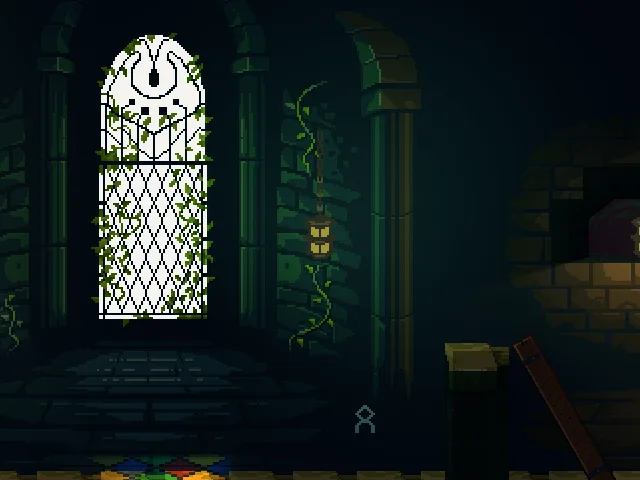
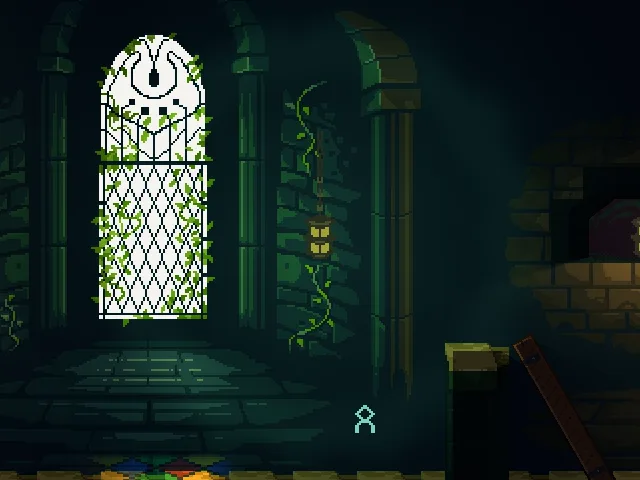
The ring is a soft band, brightest where it crosses something pale. On this dark wall it reads as a gentle swell in the light, not a line, and the three pictures that follow move it.
ring_at 0.3: the ring nearer the lantern.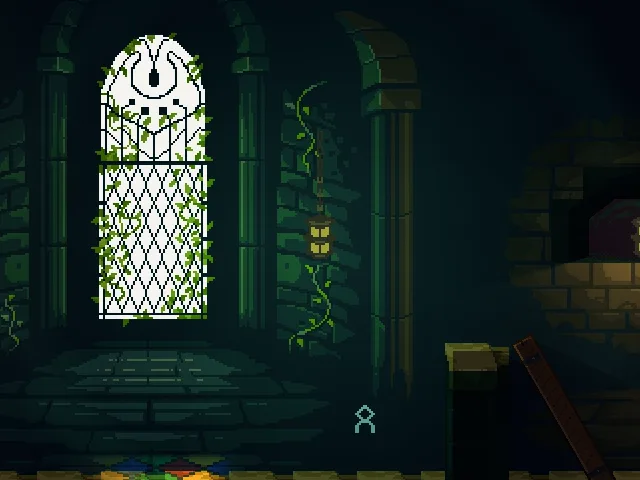
ring_at 0.8: the ring near the edge of the light.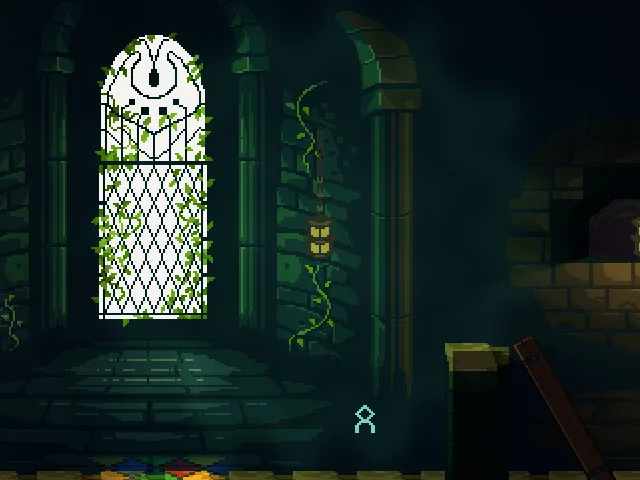
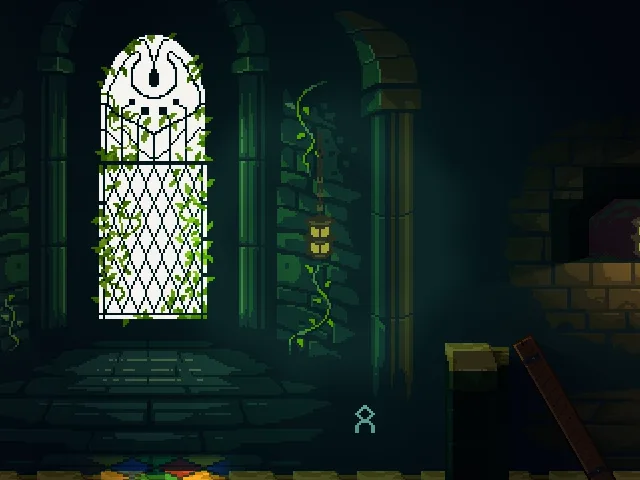
wobble 8: the ring’s edge pulled out of true.A still picture cannot show a ring waver, so the last one shows how far it can sway: at 8 the ring’s edge is wavy. At the 2.5 you set, the sway is small next to the ring’s width, and a still picture of it looks almost like wobble 0. In the game the ring’s edge moves.
What it costs
The candle
| Field | Value |
|---|---|
| Shader | candle.wgsl |
| ring_at | 0.5 |
| ring_width | 0.12, the file’s own |
| wobble | 2.5 |
| speed | 2.5, the file’s own |