Tutorials · Light and Shadow · Chapter 3
Shadows
By the end
- An Occluder on each pillar, 24 by 64, inside its 32 by 72 picture
- The left pillar’s shadow fanning away from the lantern across the floor
- Why the floor layer’s Occluder flag stays off, and how far a shadow reaches
On this page
Something to block the light
Light passes through everything until something blocks it, and a sprite blocks nothing, however solid it looks. An Occluder is what blocks. Occluder lists its fields.
- Select
pillar_left, press Add component, typeoccluder, and choose OccluderComponent. - Set its Size to
24and64. Leave Outline empty. - Do the same on
pillar_right: OccluderComponent, Size24and64. - Press Ctrl+S.
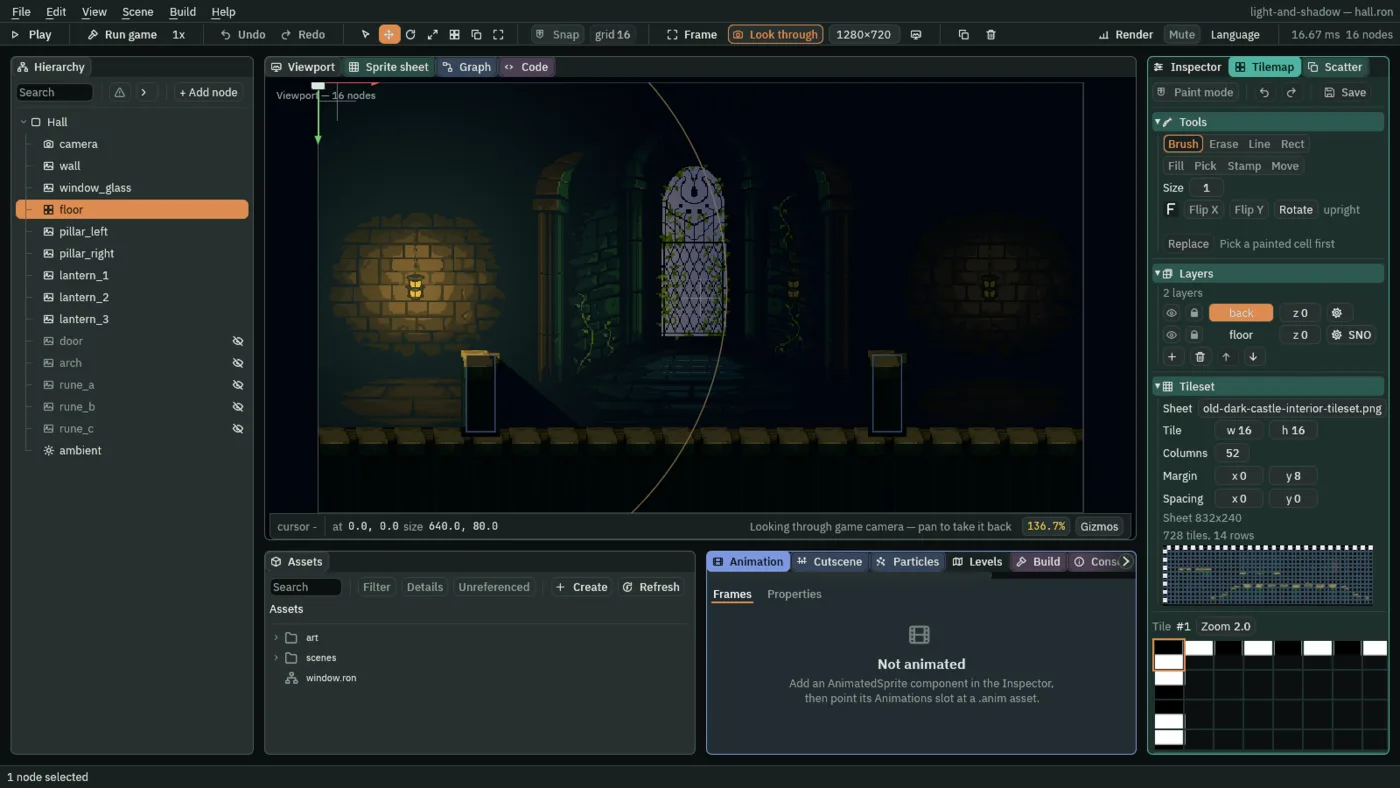
In the Viewport a selected box Occluder shows a handle at each corner of its box: drag one to set its Size. The box grows about the node, so the opposite corner moves the other way.
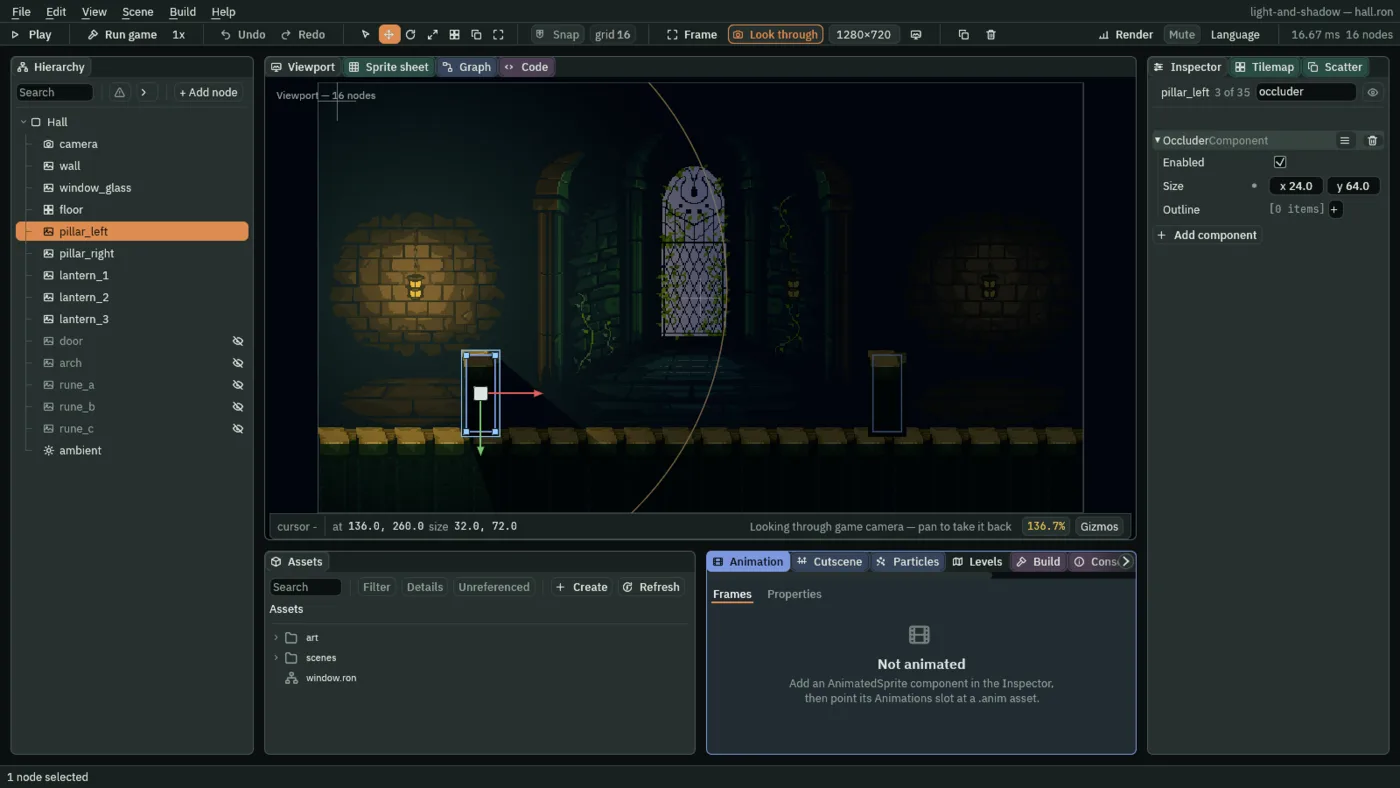
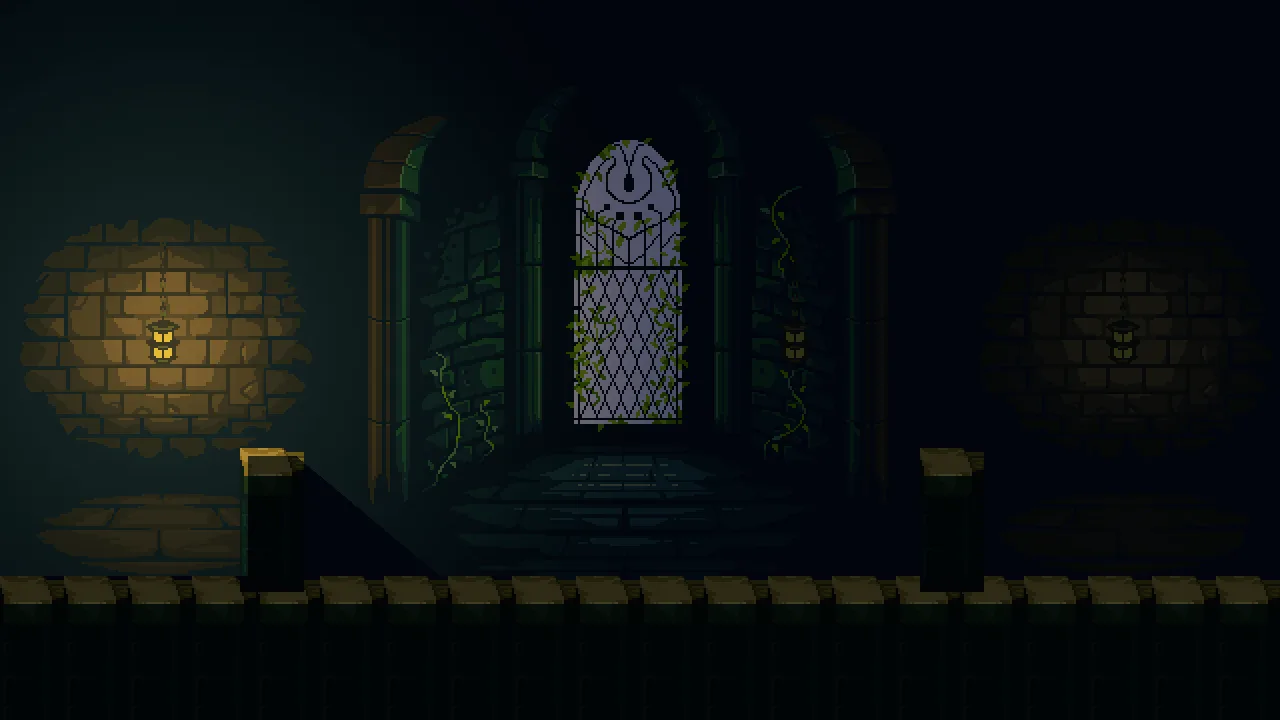
The Viewport draws an Occluder’s box in blue, inside the pillar’s own outline: it is the box that blocks, not the picture. The hall shows the difference.
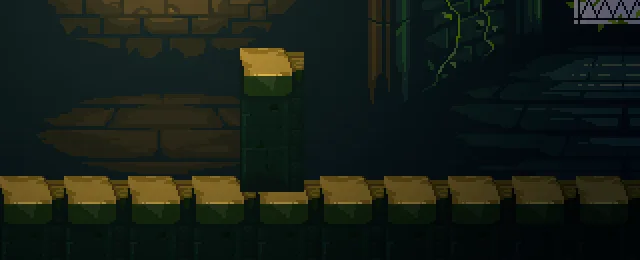
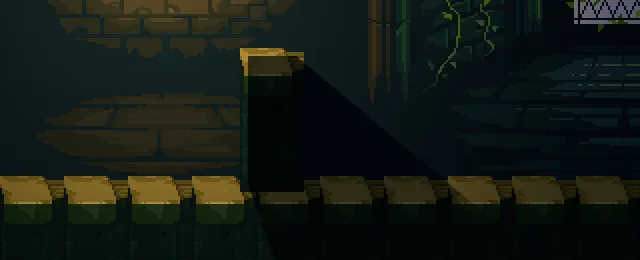
- Enabled
- Whether this blocks light. Off, the node is a picture again, and light passes through it.
- Size
- The box that blocks, in world units, centred on the node. It turns and scales with the node. Make it a little smaller than the thing it stands for, as the next section shows:
24by64here, four units inside the pillar’s32by72picture on every side. - Outline
- Three points or more, which replace the box when there are any. Empty here: chapter 8 draws one for the arch.
Why the box is smaller than the pillar
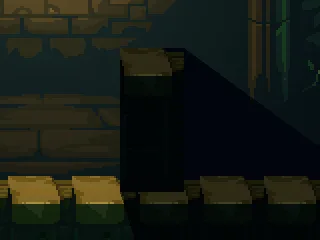
32 by 72, the picture’s own: the whole pillar is black.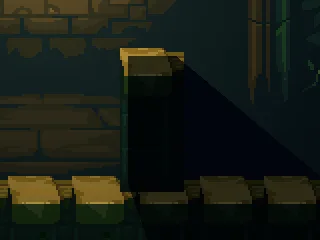
24 by 64, the value you set: the cap’s lit end and the rim facing the lamp stay lit.A shadow ends where the light does
A shadow is only light that did not arrive. It is as dark as the ambient, plus any other light that reaches it, and never darker: a second light shining into it lights it, as chapter 4 shows. And it runs out to the light’s Radius and no further, because past the Radius there is no light for the pillar to block.
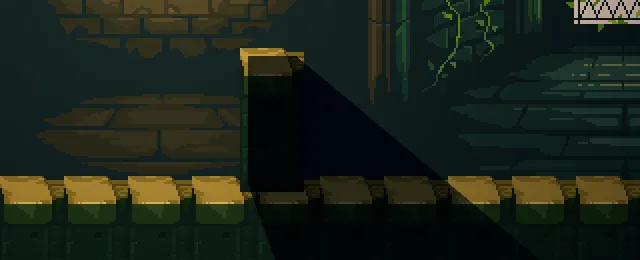
400: the shadow runs on with the light.The floor stays lit
Tiles cast shadows too, when their layer is marked Occluder. The floor’s layer is not, and the hall shows why it must not be.
- Select
floorand open the Tilemap panel, the tab beside the Inspector. - Under Layers, find the
floorrow and click the gear at its right end. Tick Occluder: the gear’s label gains anOand readsSNO. - Look at the hall.
- Click the gear again and untick Occluder, so the label reads
SN. - Press Ctrl+S.
- Occluder
- A tile layer’s flag, in its gear’s menu: its tiles cast shadows from every light that reaches them. The gear’s label shows the initials of the flags that are on:
Sfor Solid,1for One-way,Nfor Blocks nav andOfor Occluder.
The pillar’s shadow
| Field | Value |
|---|---|
Occluder on pillar_left and pillar_right | Size 24, 64, inside a 32 by 72 picture |
| Outline | empty |
The floor layer’s Occluder flag | off |
| How far the shadow reaches | the light’s Radius, 260 |