Tutorials · Light and Shadow · Chapter 11
Living light
By the end
flicker.rgs, and a Flicker on each lanternlightning.rgs, and a Lightning on the ambient and on the moonlight, flashing togethersputter.rgs, a script that switches the second lantern off and on:set_flag- What a pulse, an anneal and a wait do, and why each light’s Calm is its own colour
On this page
Light that moves
So far the hall holds still. A script can change any number on a light while the game runs, and that is all a flame or a flash needs. This is the tutorial’s first Rengy Script: three short files that the editor runs as they are, with nothing to install and nothing to build.
A flame that flickers
- In Assets, click Assets in the path bar over the tree, so the script is written at the project’s top, beside
art,scenesandwindow.ron, then press Create, choose New script, typeflicker, and press Enter. - In the Code tab, replace everything in
flicker.rgswith the script below, and press Ctrl+S.
/// A lantern's flame. Its brightness wavers at random between `low` and
/// `high`, toward a new aim every `gap` seconds, and its reach breathes out to
/// `reach` and back, `breath` seconds each way.
component Flicker {
    /// The dimmest the flame gets.
    #[range(0..4)]
    low: f32 = 1.0,
    /// The brightest the flame gets.
    #[range(0..4)]
    high: f32 = 1.3,
    /// Seconds from one aim to the next.
    #[suffix("s")]
    gap: f32 = 0.12,
    /// How far the light reaches at the top of a breath.
    #[suffix("u")]
    reach: f32 = 270.0,
    /// Seconds to breathe out, and as long to breathe back in.
    #[suffix("s")]
    breath: f32 = 1.6,
    /// Seconds until the next aim.
    #[hidden]
    next: f32 = 0.0,

    fn on_create() {
        // There and back for ever: from the radius the light has, out to
        // `reach`, and back.
        pulse_number("LightComponent", "radius", reach, breath, .InOutSine);
    }

    fn loop(dt: f32) {
        next -= dt;
        if next <= 0.0 {
            // A new aim somewhere between the dimmest and the brightest,
            // reached by the time the next one is chosen.
            anneal_number("LightComponent", "intensity", random(low, high), gap, .InOutSine);
            next = gap;
        }
    }
}
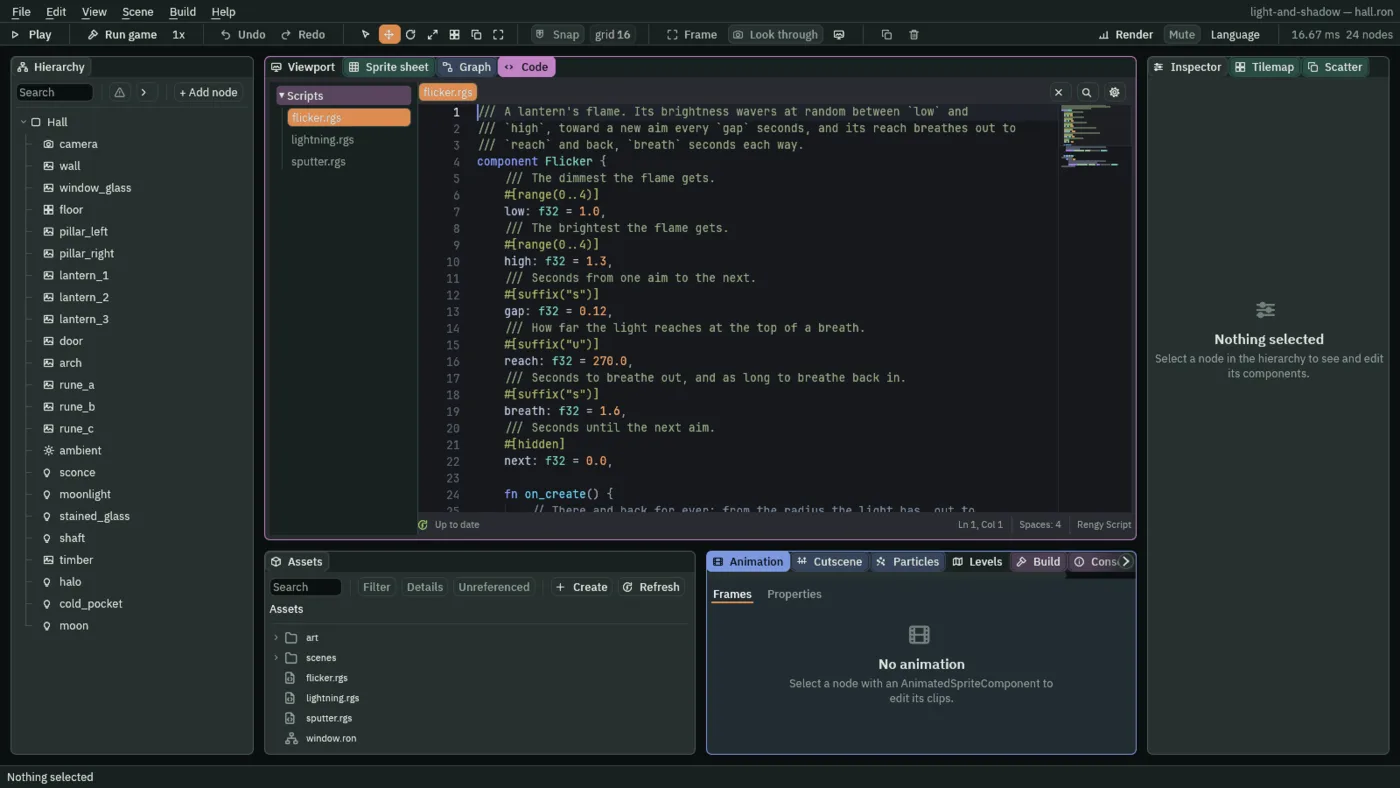
on_create runs once, when the node is made, and starts a pulse on the Light’s Radius: out to reach and back, over breath seconds each way, for ever. loop runs every step, with dt, the seconds since the last. It counts next down, and when it reaches 0 it picks a new aim for the Light’s Intensity, somewhere between low and high, and eases toward it over gap seconds, which is the time until the next aim.
- pulse_number
- Takes a number field of another component on the node to a value and back, for ever. Here the Light’s Radius, out to
reachand back,breathseconds each way, along.InOutSine, which starts and ends slowly. - anneal_number
- Takes a number field to a value over a time, along a curve. Here the Light’s Intensity, to its new aim, in
gapseconds. - random
- A number from
lowup to but not includinghigh, new at every call and different every time you press Play, so a flame never repeats itself.
- Select
lantern_1, press Add component, and choose Flicker. Set Low to1.7, High to2.7, Gap to0.12, Reach to270and Breath to1.6. - Select
lantern_2, add Flicker, and set1.4,2.4,0.15,260and1.9. - Select
lantern_3, add Flicker, and set1.0,1.8,0.1,198and1.3. - Press Ctrl+S.
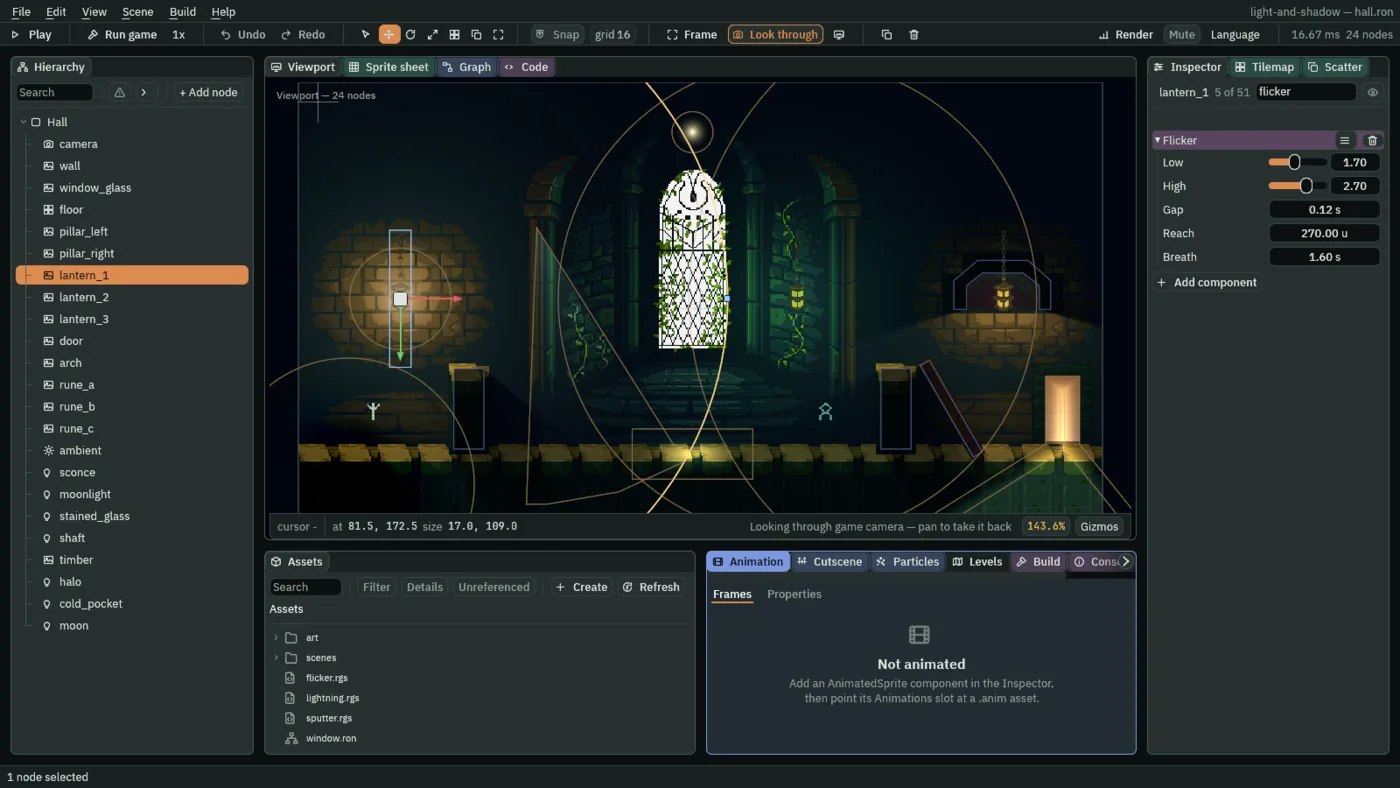
- Low, High
- The dimmest and the brightest Intensity the flame aims for, from
0to4. Put the lantern’s own Intensity between them, as the three lanterns do:1.7and2.7round the first lantern’s2.2, so the first aim does not jump. - Gap
- Seconds from one aim to the next.
0.12is a quick flame;0.5would be a lazy one. - Reach
- The Radius at the top of a breath, in world units. A little over the Light’s own:
270on the first lantern’s260, so the pool swells by ten units and falls back. - Breath
- Seconds to breathe out, and as long to breathe back in:
1.6here. The three lanterns breathe at different paces,1.6,1.9and1.3, so they never beat together.
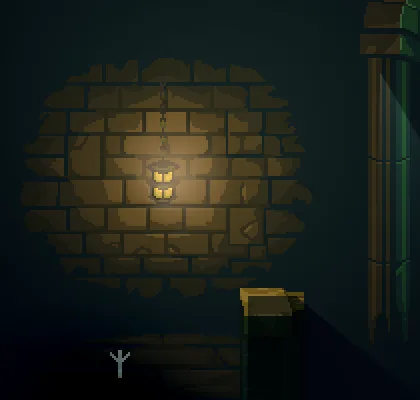
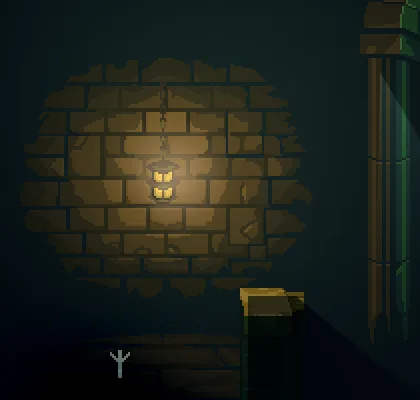
The two pictures are alike on purpose: a flicker is small. Intensity wavers within about a fifth of the lantern’s own, and the Radius by ten units. In motion it reads as flame; in a still it is a shade.
A storm beyond the window
- In Assets, press Create, choose New script, type
lightning, and press Enter. - In the Code tab, replace everything in
lightning.rgswith the script below, and press Ctrl+S.
/// A storm beyond the window. Every `every` seconds the colour of this node's
/// light flashes to `flash` and fades back to `calm`, then flashes again, more
/// briefly, and fades for longer. `target` names which light: the
/// AmbientLightComponent on the room's ambient, the LightComponent on the
/// moonlight. Two nodes with the same `every` flash together.
component Lightning {
    /// The component whose colour flashes.
    target: String = "LightComponent",
    /// The colour at the height of a flash.
    #[color]
    flash: Vec4,
    /// The colour between flashes: the light's own.
    #[color]
    calm: Vec4,
    /// Seconds from one storm to the next.
    #[suffix("s")]
    every: f32 = 7.0,

    fn loop() {
        await wait(every);
        await anneal_colour(target, "color", flash, 0.05, .Linear);
        await anneal_colour(target, "color", calm, 0.4, .OutQuad);
        await wait(0.12);
        await anneal_colour(target, "color", flash, 0.04, .Linear);
        await anneal_colour(target, "color", calm, 0.8, .OutQuad);
    }
}
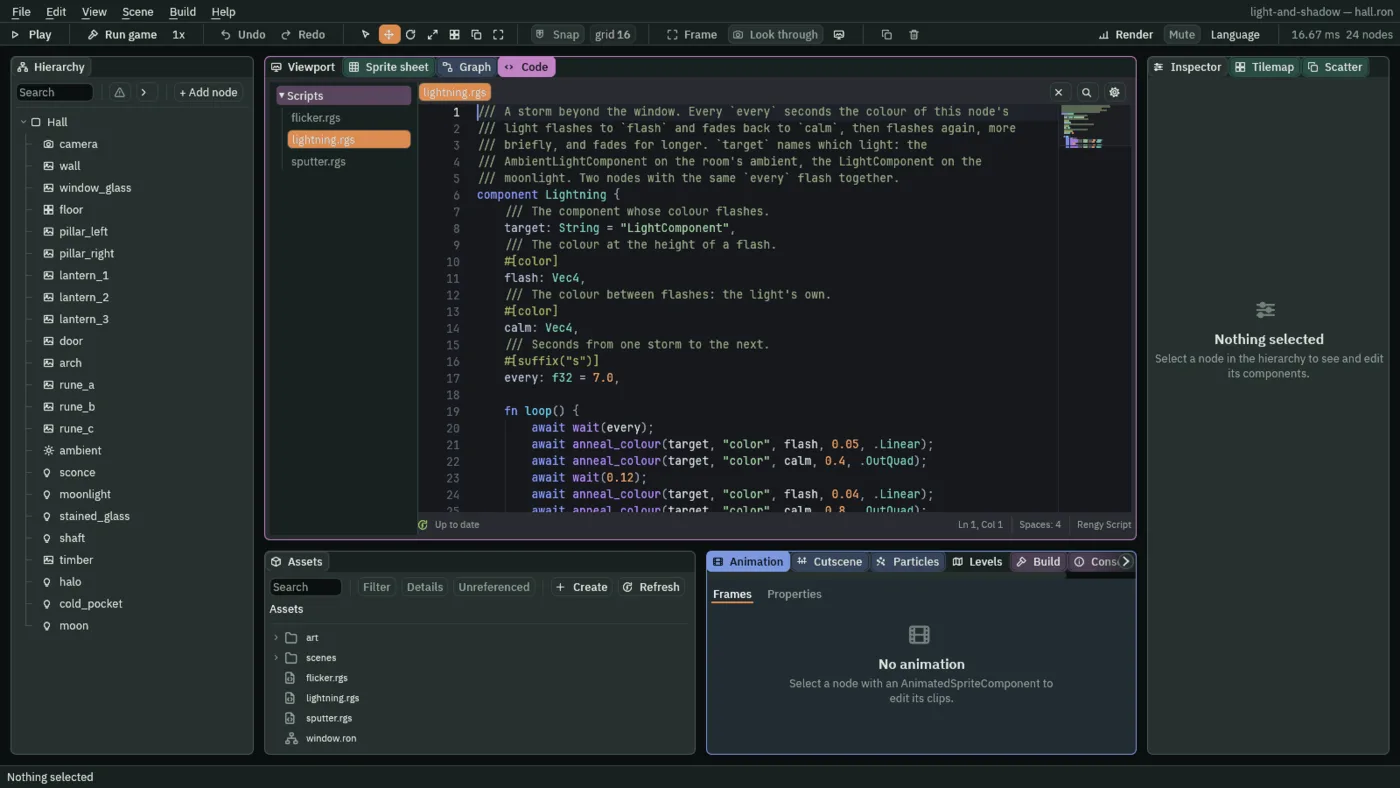
loop here waits. await wait(every) holds this hook for every seconds and carries on from that line. Then the light’s Color is annealed to flash in 0.05 seconds, a snap, and the next line waits for it to finish: back to calm in 0.4, which starts fast and slows. A pause of 0.12, a second snap to flash in 0.04, a longer fade of 0.8, and loop starts again, to wait every seconds more.
- Select
ambient, press Add component, and choose Lightning. Set Target toAmbientLightComponent, Flash to0.45,0.5,0.7, alpha1, Calm to0.08,0.09,0.16, alpha1, and Every to7. - Select
moonlight, add Lightning, and set Target toLightComponent, Flash to1,1,1, alpha1, Calm to0.5,0.6,1.0, alpha1, and Every to7. - Press Ctrl+S.
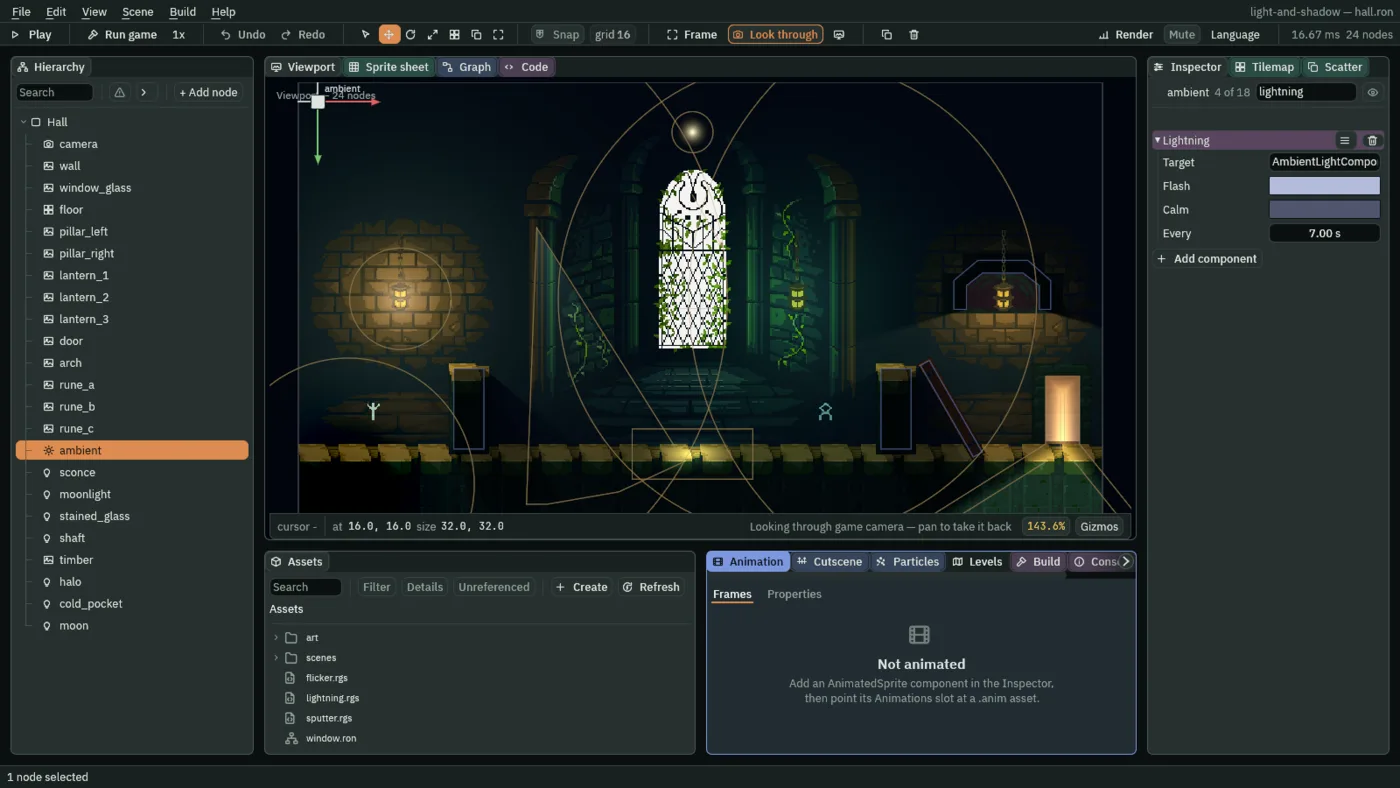
- Target
- The name of the component whose Color flashes, on this node:
AmbientLightComponenton the ambient,LightComponenton the moonlight. - Flash
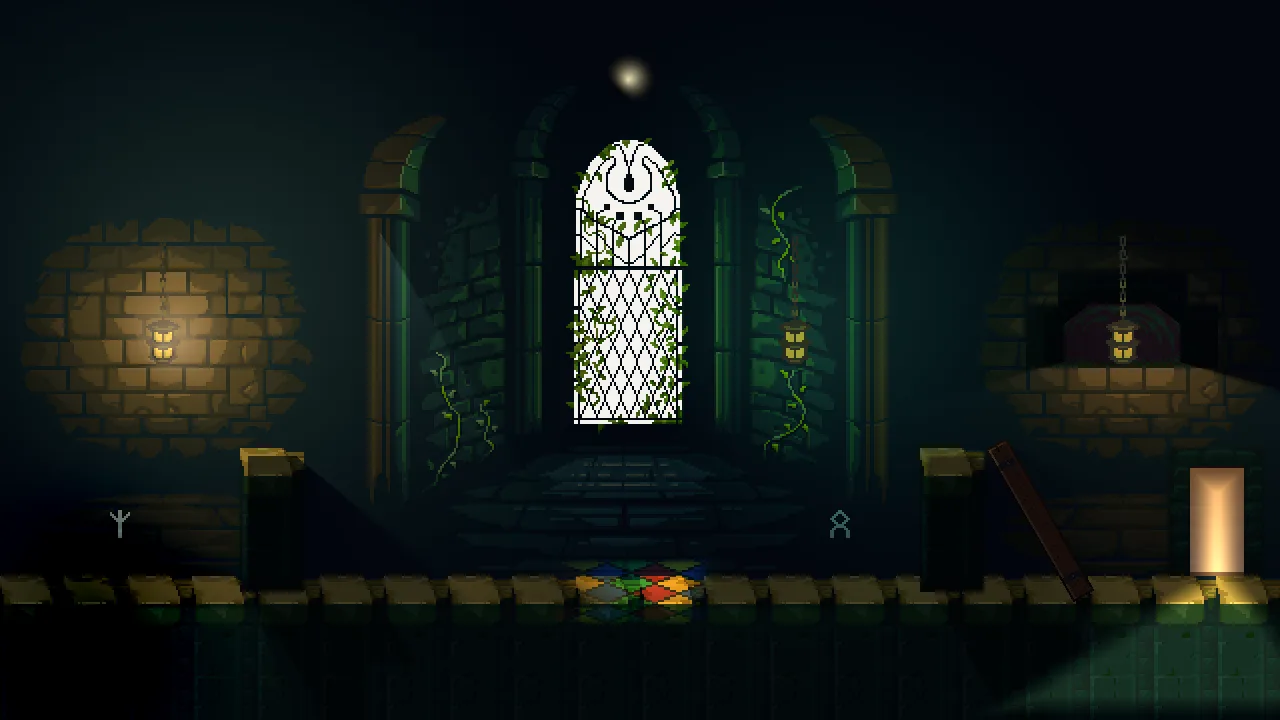
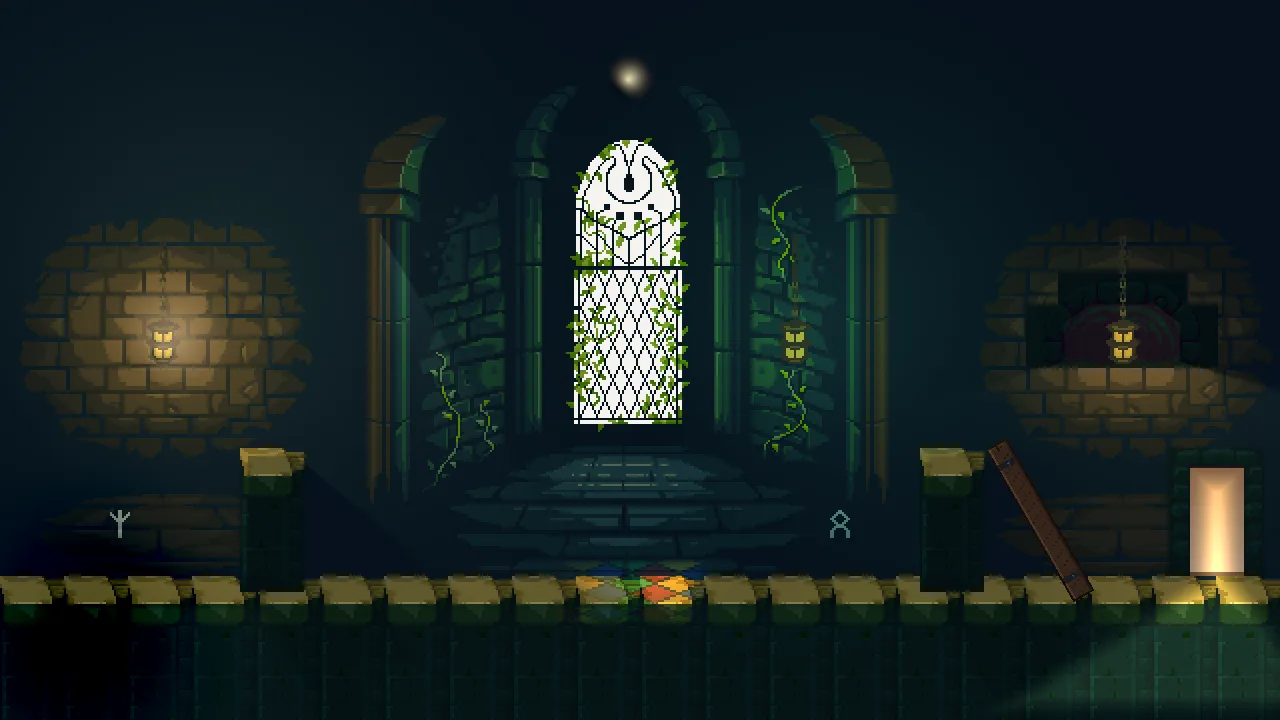
- The colour at the height of a flash. The ambient’s is
0.45,0.5,0.7: a cold pale blue, lifting the whole hall. The moonlight’s is1,1,1, white. - Calm
- The colour between flashes, which is the light’s own: the ambient’s
0.08,0.09,0.16and the moonlight’s0.5,0.6,1.0. - Every
- Seconds from one storm to the next:
7. The first flash comes seven seconds after the game starts. - wait
- Suspends the hook for that many seconds, then carries on from the same line. It is awaited:
await wait(every). - anneal_colour
- Takes a colour field of another component on the node to a colour over a time, along a curve. Awaited here, so each line starts when the one before it has finished.
A lantern that sputters
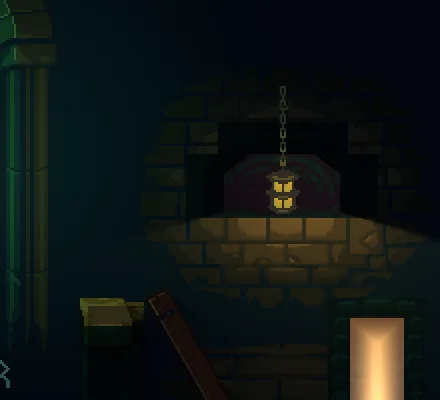
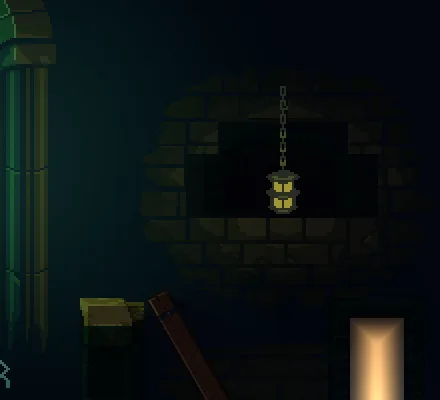
A script can switch a light off and on as well as change its numbers. A lantern whose wick is drowning sputters: now and then it goes out, comes back, and goes out once more, before it settles.
- In Assets, press Create, choose New script, type
sputter, and press Enter. - In the Code tab, replace everything in
sputter.rgswith the script below, and press Ctrl+S.
/// A lantern that sputters. Most of the time it burns steadily; every few
/// seconds its wick gutters, and the light goes out and comes back twice in
/// quick succession, as if it were drowning in its oil.
component Sputter {
    /// The shortest steady spell between two sputters, in seconds.
    #[suffix("s")]
    calm_min: f32 = 2.5,
    /// The longest steady spell between two sputters, in seconds.
    #[suffix("s")]
    calm_max: f32 = 6.0,
    /// How long the light stays out each time it gutters, in seconds.
    #[suffix("s")]
    blink: f32 = 0.08,

    fn loop() {
        await wait(random(calm_min, calm_max));
        set_flag("LightComponent", "enabled", false);
        await wait(blink);
        set_flag("LightComponent", "enabled", true);
        await wait(blink * 2.0);
        set_flag("LightComponent", "enabled", false);
        await wait(blink);
        set_flag("LightComponent", "enabled", true);
    }
}
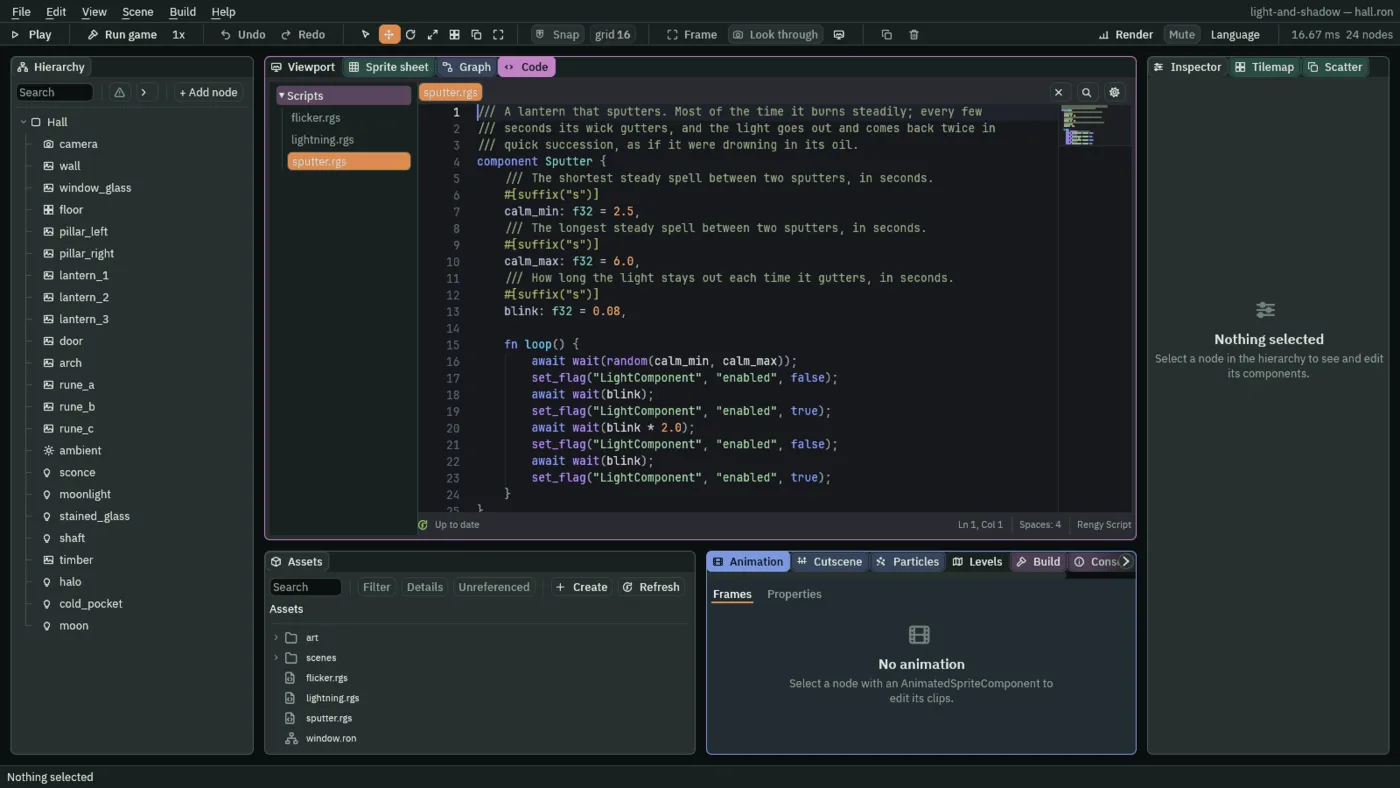
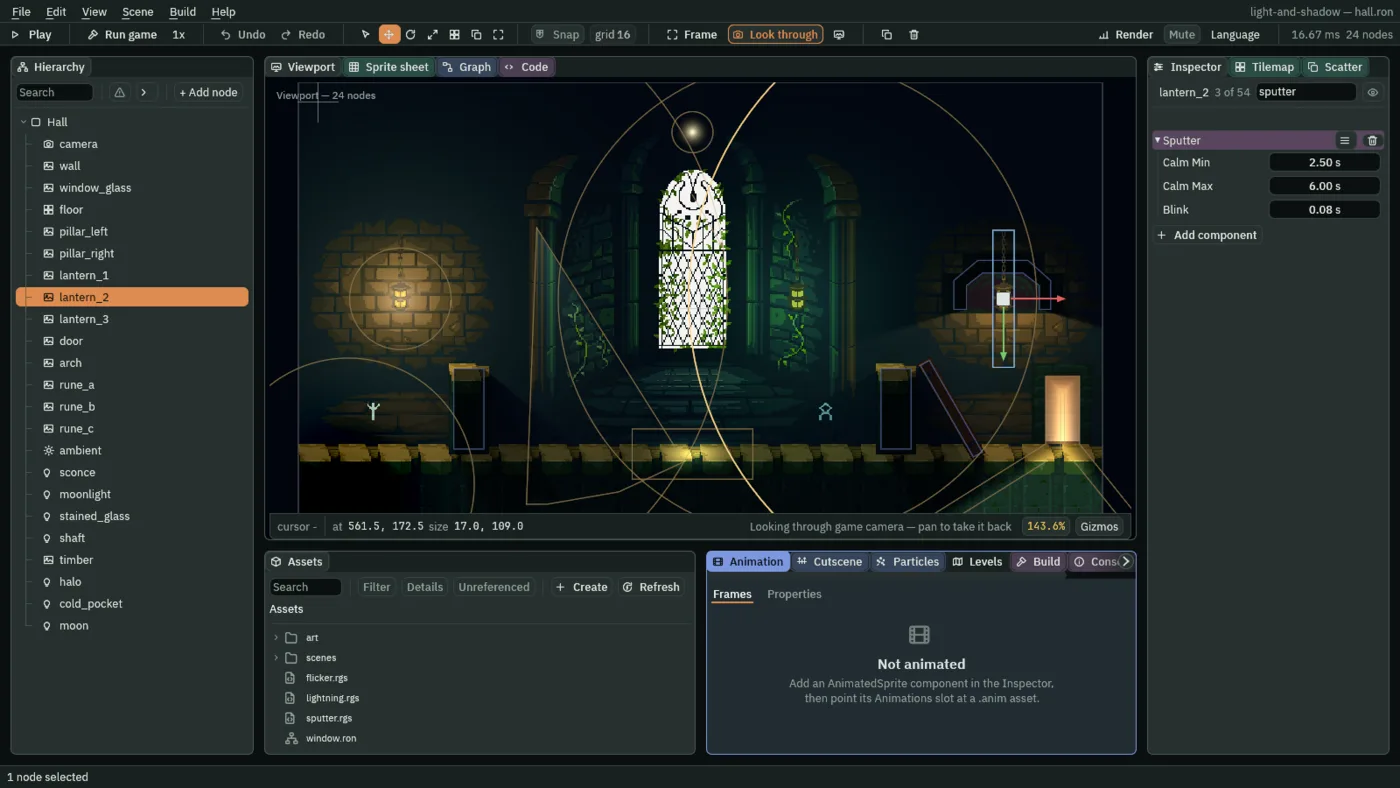
loop waits a steady spell, a random number of seconds between Calm Min and Calm Max. Then set_flag writes the Light’s Enabled to false, loop waits one Blink, and set_flag writes it back to true. It waits two blinks, goes out and back once more, and starts again.
- set_flag
- Writes a true or false onto a field of another component on this node, as
set_numberwrites a number. Here the Light’s Enabled:falseswitches the light off andtrueon. - Calm Min, Calm Max
- The shortest and the longest steady spell between two sputters, in seconds. The script waits a
randomtime between them, so no two spells are alike:2.5and6. - Blink
- How long the light stays out each time, in seconds.
0.08is about five frames; the pause between the two blinks is twice that.
- Select
lantern_2, press Add component, and choose Sputter. Set Calm Min to2.5, Calm Max to6and Blink to0.08. - Press Ctrl+S.
What it costs
A script costs the GPU nothing: the lights it changes are drawn as they always were, at their new values. A pulse or an anneal, once started, runs by itself every step, so the scripts here do almost no work of their own. A light switched off is not drawn at all, with no draw and no shadow, so a sputter costs nothing while the lantern is out.
The flicker, the lightning and the sputter
The flicker
| Field | lantern_1 | lantern_2 | lantern_3 |
|---|---|---|---|
| Low | 1.7 | 1.4 | 1.0 |
| High | 2.7 | 2.4 | 1.8 |
| Gap | 0.12 | 0.15 | 0.1 |
| Reach | 270 | 260 | 198 |
| Breath | 1.6 | 1.9 | 1.3 |
The lightning
| Light | Target | Flash | Calm | Every |
|---|---|---|---|---|
ambient | AmbientLightComponent | 0.45, 0.5, 0.7, alpha 1 | 0.08, 0.09, 0.16, alpha 1 | 7 |
moonlight | LightComponent | 1, 1, 1, alpha 1 | 0.5, 0.6, 1.0, alpha 1 | 7 |
The sputter
| Field | Value |
|---|---|
| Node | lantern_2, beside its Flicker |
| Calm Min | 2.5 |
| Calm Max | 6 |
| Blink | 0.08 |