Tutorials · Light and Shadow · Chapter 8
A shaft through the door
By the end
- The doorway and the arch shown
- An Occluder on the arch with a 12-point Outline, so the second lantern’s light gets out below its niche
- A Freeform light,
shaft, spilling from the doorway across the floor, and why its Falloff stops helping at about13 - A fallen timber leaning by the doorway, its Occluder turned with it, and its shadow turned too
On this page
The doorway and the arch
The starter hides two pieces of the hall until they are needed. The door is a doorway at the hall’s right end, with a lit room beyond it. The arch is a niche of stones round the second lantern.
- In the Hierarchy, click the crossed eye beside
door, and the crossed eye besidearch, so that both are Visible. - Press Ctrl+S.
An occluder of the arch’s own shape
The arch is a picture, and a picture blocks no light, so the second lantern shines through its own niche. Give it an Occluder first as a plain box, as chapter 3 gave the pillars, to see what goes wrong.
- Select
arch, press Add component, and choose OccluderComponent. - Set its Size to
96and48: the size of the arch’s picture. Leave Outline empty.
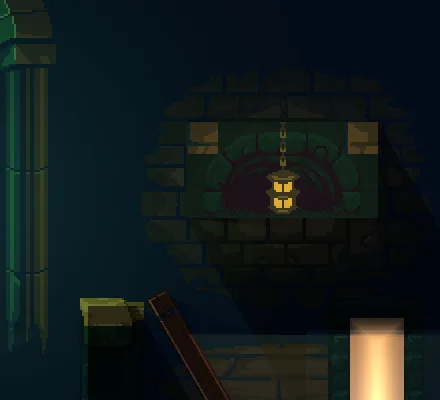
So the arch gets its real shape: a U of stones, open at the bottom, that a lantern can hang inside. An Outline is a list of points that cast in place of the box.
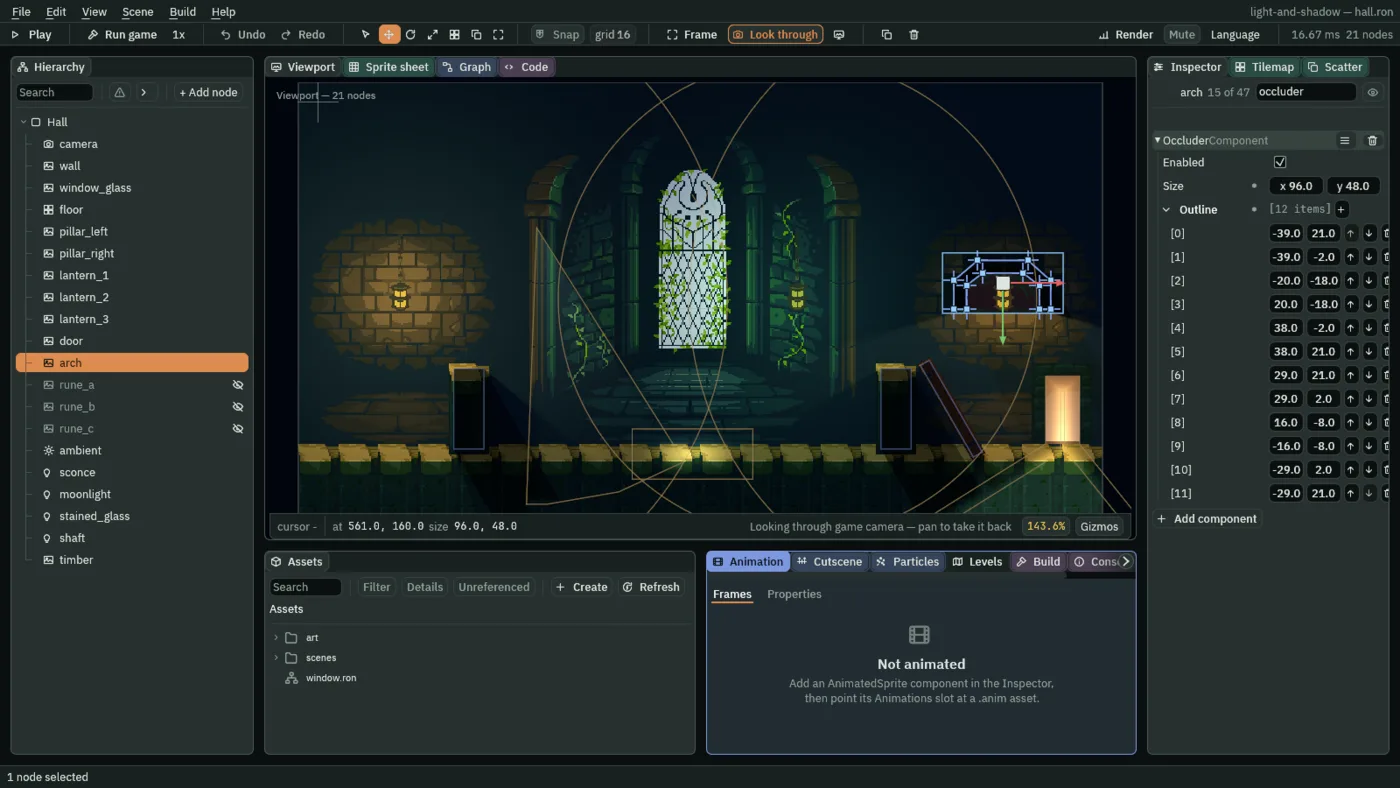
- Beside Outline, press the + twelve times. Twelve points appear in the list, numbered
[0]to[11]. - Type the twelve points of the table below, each as its x and its y: the arch’s stones, outside and then inside.
- Press Ctrl+S.
| Point | x | y |
|---|---|---|
[0] | -39 | 21 |
[1] | -39 | -2 |
[2] | -20 | -18 |
[3] | 20 | -18 |
[4] | 38 | -2 |
[5] | 38 | 21 |
[6] | 29 | 21 |
[7] | 29 | 2 |
[8] | 16 | -8 |
[9] | -16 | -8 |
[10] | -29 | 2 |
[11] | -29 | 21 |
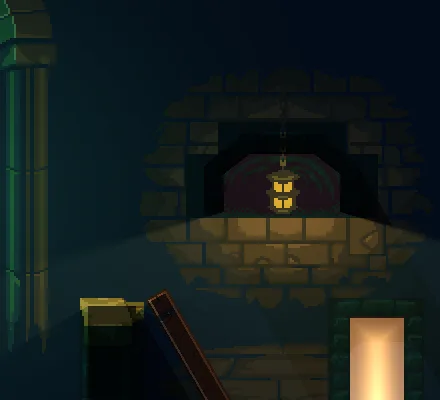
- Outline
- The points that cast, in place of the box, in the node’s own units from its middle:
0,0is the node, and-39,21is thirty-nine to the left and twenty-one down. Three or more replace the box, and fewer fall back to it. They turn and scale with the node. Either direction round works. The Viewport draws the shape that casts, in blue: the box when there is no Outline, the Outline when there is, never both. The pale rectangle round the arch is its picture’s own frame.
In the Viewport each point of the arch’s Outline is a square handle, as a Freeform light’s are, next: drag one to move it, double-click an edge to add a point there, and hover a point and press Backspace to take it away. The steps type the twelve points, to get them exact.
A shape of light
A Point light is a circle, a Cone a wedge and a Sprite light a rectangle. A Freeform light is any shape you draw, which is what light through a doorway is: the doorway’s opening, and then a fan of light across the floor before it.
- Select
Hall, press + Add node, and choose Light. Rename itshaft. - Set its Position to
608and256: the middle of the doorway. - Set Kind to Freeform. Set Radius to
0, Intensity to2.0and Color to1.0,0.78,0.5, alpha1. - Under the Freeform group, beside Outline, press the + six times, and type the six points of the table below: the doorway’s opening, and then the spill across the floor.
- Set Falloff to
12. - Press Ctrl+S.
| Point | x | y |
|---|---|---|
[0] | -13 | -22 |
[1] | 14 | -22 |
[2] | 14 | 32 |
[3] | 72 | 104 |
[4] | -128 | 104 |
[5] | -13 | 32 |
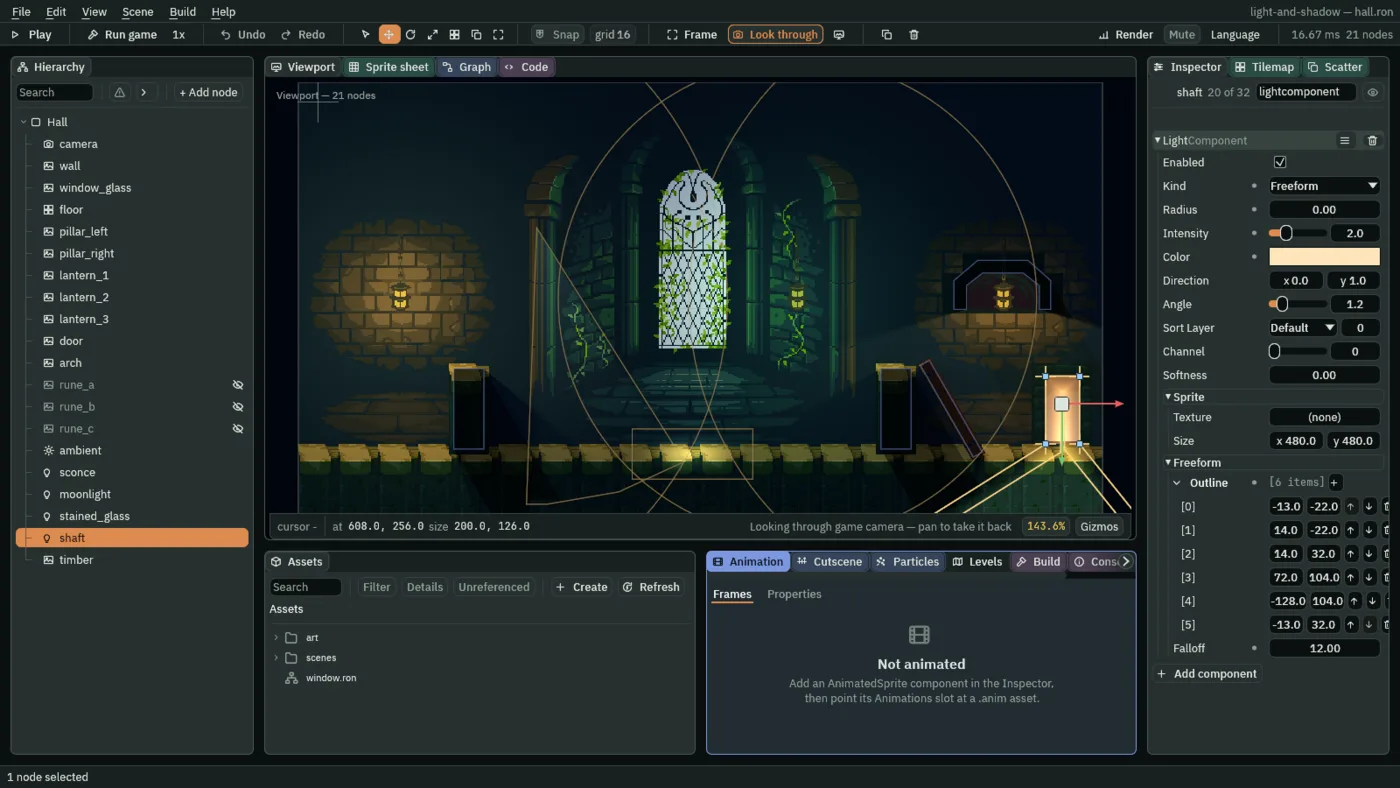
In the Viewport each point of a Freeform light’s Outline is a square handle too, and works as the arch’s do: drag one to move it, double-click an edge to add a point there, and hover a point and press Backspace to take it away. The Viewport also draws a second line inside the shape: where the light reaches full brightness.
- Kind Freeform
- Lights a shape you draw.
- Outline
- The shape, as points in the node’s own units. Fewer than three points light nothing. The shaft’s first four points are the doorway’s opening,
27units across, and the last two open it into a fan. - Falloff
- How far in from the outline the light reaches full brightness, in world units.
0is a hard-edged cut-out; above it the light fades in across that band. It does not grow when the node is scaled, since it is a softness in the room and not a part of the shape.4to12looks right here, and the next note says why12is about the most. - Radius
- For a Freeform light, only how far its shadows reach, as for a Sprite light.
0casts none.
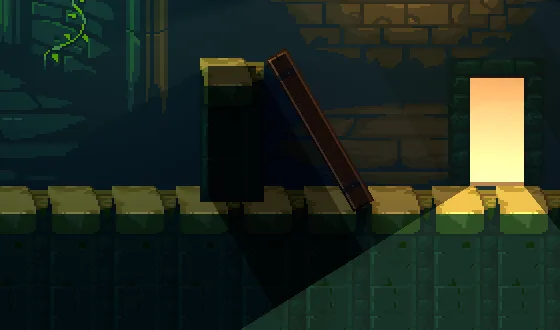
0: a hard-edged cut-out.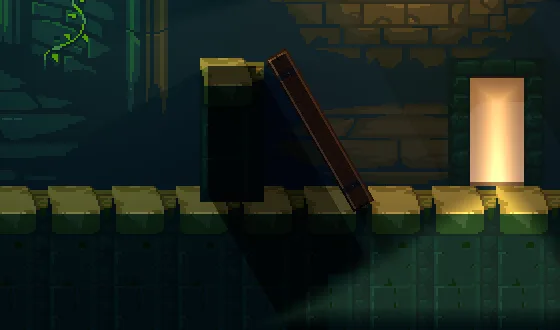
12, the value you set: the band fades the shaft in from its edge.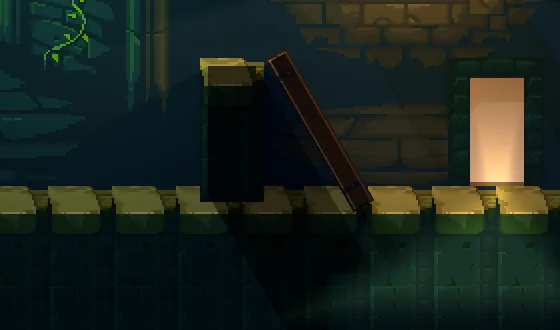
20: the doorway’s opening dims.A turned box
A fallen roof timber leans against the right pillar by the doorway. An occluder is a box that turns and scales with its node, so a leaning timber casts the shadow of a leaning box, not that of an upright one of the same size.
- Select
Hall, press + Add node, and choose Sprite. Rename ittimber. - Set its Position to
520and260, and its Rotation to-30. - In its SpriteComponent, drag
art/timber.pngfrom Assets onto Texture, set Size to12and88, the picture’s own size, and Sort Layer to4. - Press Add component, choose OccluderComponent, and set its Size to
8and84. Leave Outline empty. - Press Ctrl+S.
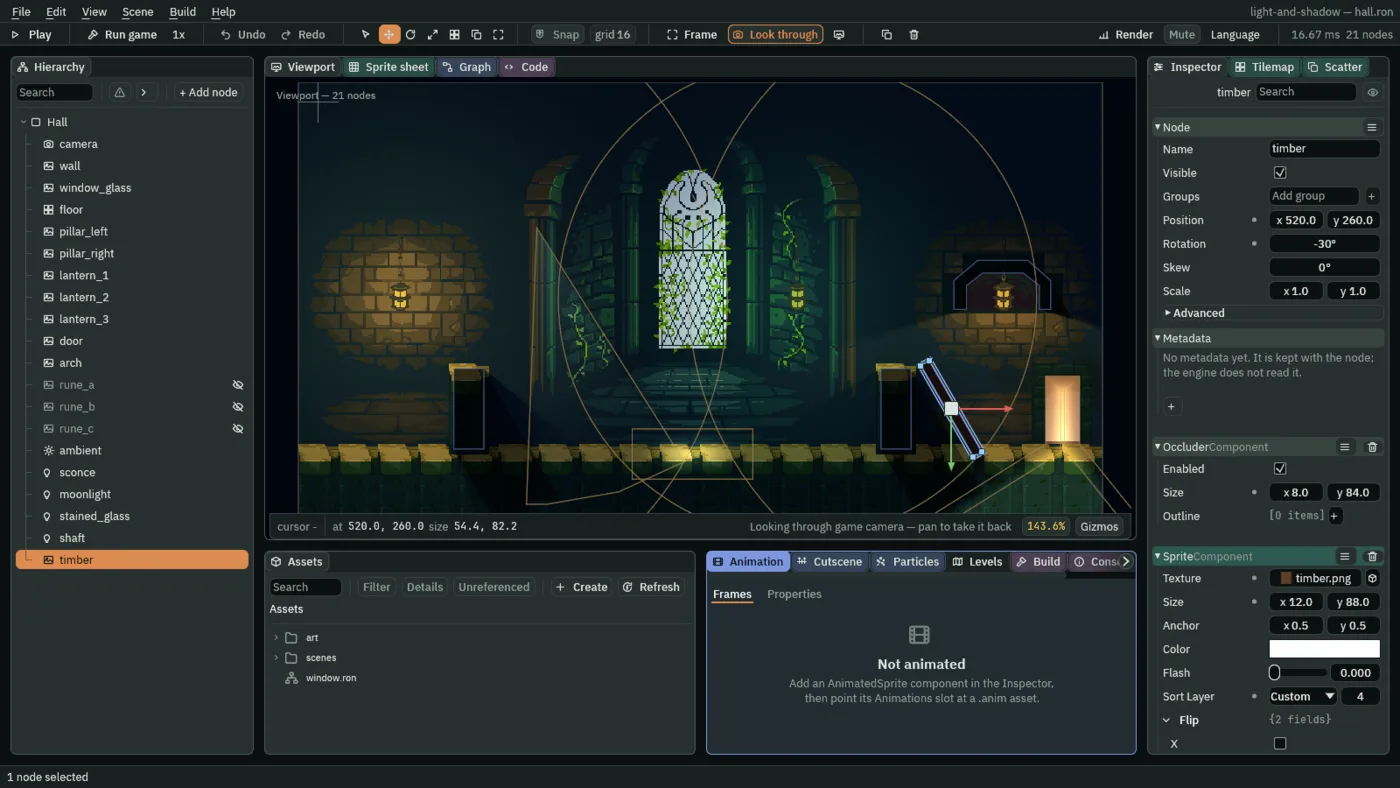
- Rotation
- How far the node is turned, in degrees as the Inspector shows it. A negative turn leans the top to the left and a positive one to the right:
-30here. Everything on the node turns with it, the Sprite and the Occluder’s box together. - Size, the Occluder’s
- The box that casts, in world units, before the node turns it:
8by84, inside the timber’s12by88picture, so a rim of the picture stays outside the box and lit, as chapter 3 showed for the pillars. In the Viewport the turned box has a handle at each corner: drag one to set the Size. - Texture, Size, the Sprite’s
- The picture the node draws, and how big it draws, in world units. A new Sprite does not take its picture’s size, so set it to the picture’s own:
12by88. - Sort Layer, the Sprite’s
- The order sprites are drawn in, lowest first, so a higher one draws in front.
4puts the timber in front of the wall, the door and the floor, and behind the pillars, which are at5. It is not a light’s Sort Layer, which stays at0as in chapter 4: that one matters only where two lights overlap on a Replace channel, and even there by a few levels.
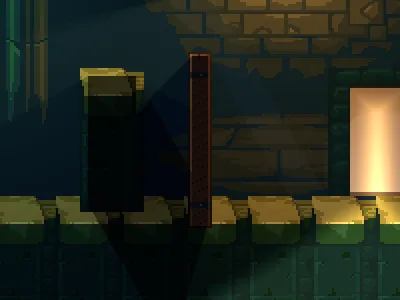
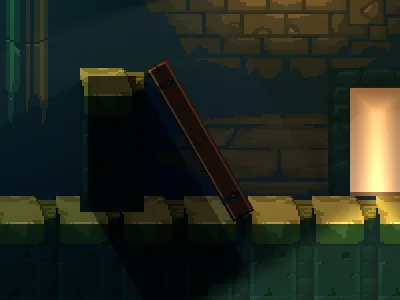
-30, as you set it: the shadow leans with the box.What it costs
A Freeform light is one draw, and its band a few more triangles. An Occluder with an Outline costs by its points: every edge that has a light on its outward side is projected into a shadow, so the arch’s twelve points cost more than the box’s four. Give an Outline the points the shape needs and no more. A Freeform light, like a light with a shader of your own, is not changed by normal maps, which chapter 10 adds.
The doorway shaft
Every value of the three things this chapter built, to build them again in your own game. The light first.
| Field | Value |
|---|---|
| Kind | Freeform |
| Outline | the six points: -13, -22; 14, -22; 14, 32; 72, 104; -128, 104; -13, 32 |
| Falloff | 12 |
| Radius | 0 |
| Intensity | 2.0 |
| Color | 1.0, 0.78, 0.5 |
And the arch’s Occluder.
| Field | Value |
|---|---|
| Size | 96, 48 |
| Outline | the twelve points: -39, 21; -39, -2; -20, -18; 20, -18; 38, -2; 38, 21; 29, 21; 29, 2; 16, -8; -16, -8; -29, 2; -29, 21 |
And the fallen timber, a Sprite with an Occluder.
| Field | Value |
|---|---|
| Position | 520, 260 |
| Rotation | -30 |
| Sprite Texture | timber.png |
| Sprite Size | 12, 88 |
| Sprite Sort Layer | 4 |
| Occluder Size | 8, 84 |
| Occluder Outline | empty |