Tutorials · Light and Shadow · Chapter 4
Soft shadows, many lights
By the end
- Softness
6on the first lantern, and what a soft light costs - The second and third lanterns lit, orange and green
- Where their light overlaps, an olive-gold, and why Sort Layer changes nothing here
On this page
A wider lamp
A real flame has a width. Light from its two sides reaches a little way round an edge, so a shadow’s edge blurs instead of cutting. A light’s Softness is that width.
- Select
lantern_1, and set the Softness of its Light to6. - Press Ctrl+S.
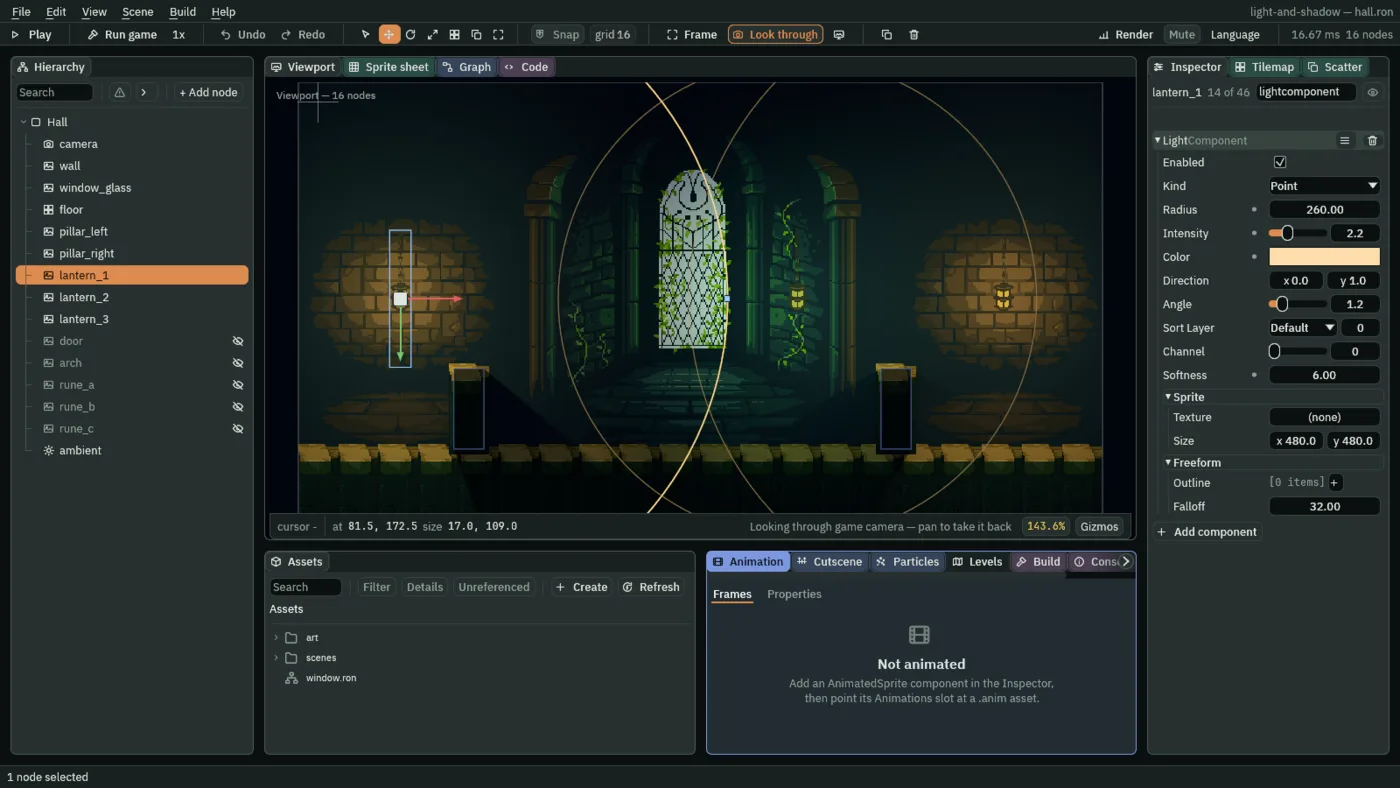
lantern_1 with Softness 6. The other two lanterns, which you light next, are already lit in this picture.- Softness
- How wide the light’s source is, in world units.
0is a point, and a hard shadow edge. Above0the light is drawn from three points in a row, side to side across the lantern, spread over that width, and their three shadows overlap into a soft edge, softer the further the shadow runs from the pillar.4to8suits a lantern here;24is a window, not a flame.
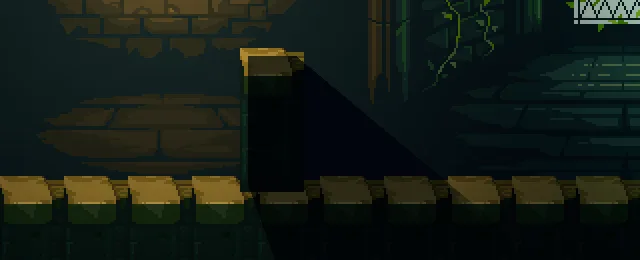
0: a hard edge.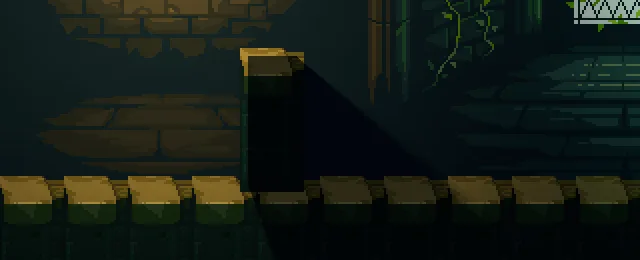
6, the value you set.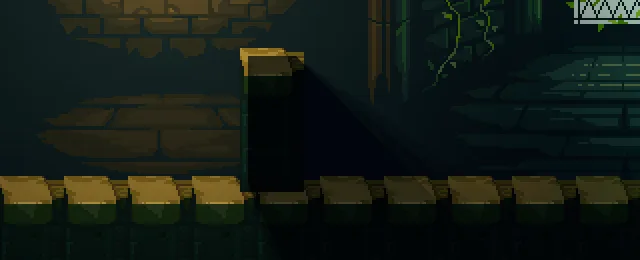
24: the edge blurs away.The pictures show one more thing, by what does not change. The bricks and the floor caps are as bright at 24 as at 0: a soft lantern is as bright as a hard one of the same Intensity, and only the edge of its shadow is different. Compare the first lantern’s pool here with the one in chapter 3: it is the same pool.
Two more lanterns
- Select
lantern_2, press Add component, and choose LightComponent. Keep Kind on Point. Set Radius to250, Intensity to2.0, Color to1.0,0.66,0.38, alpha1, and Softness to6. - Select
lantern_3and add a LightComponent the same way: Kind Point, Radius190, Intensity1.4, Color0.6,1.0,0.65, alpha1, and Softness0. - Leave Sort Layer at
0on all three. - Press Ctrl+S.
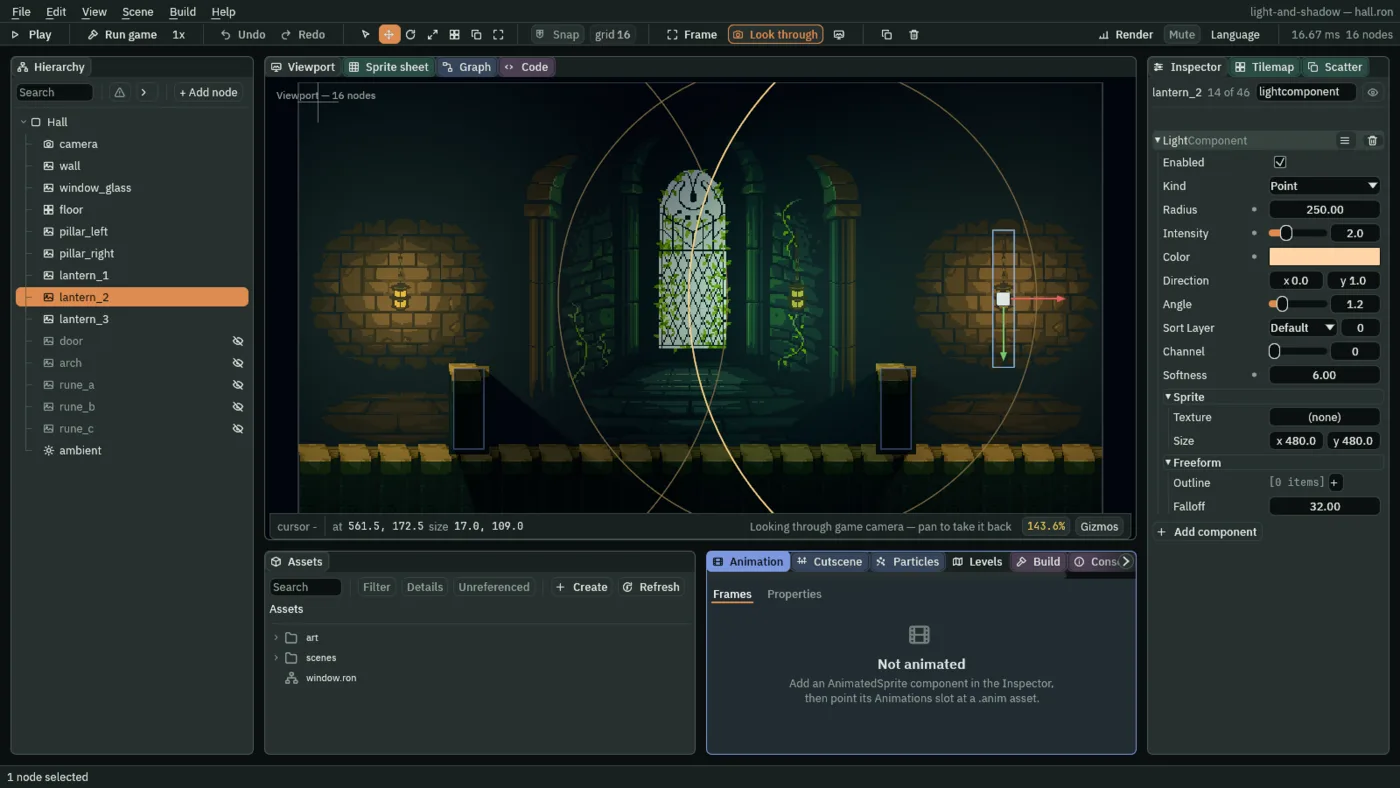
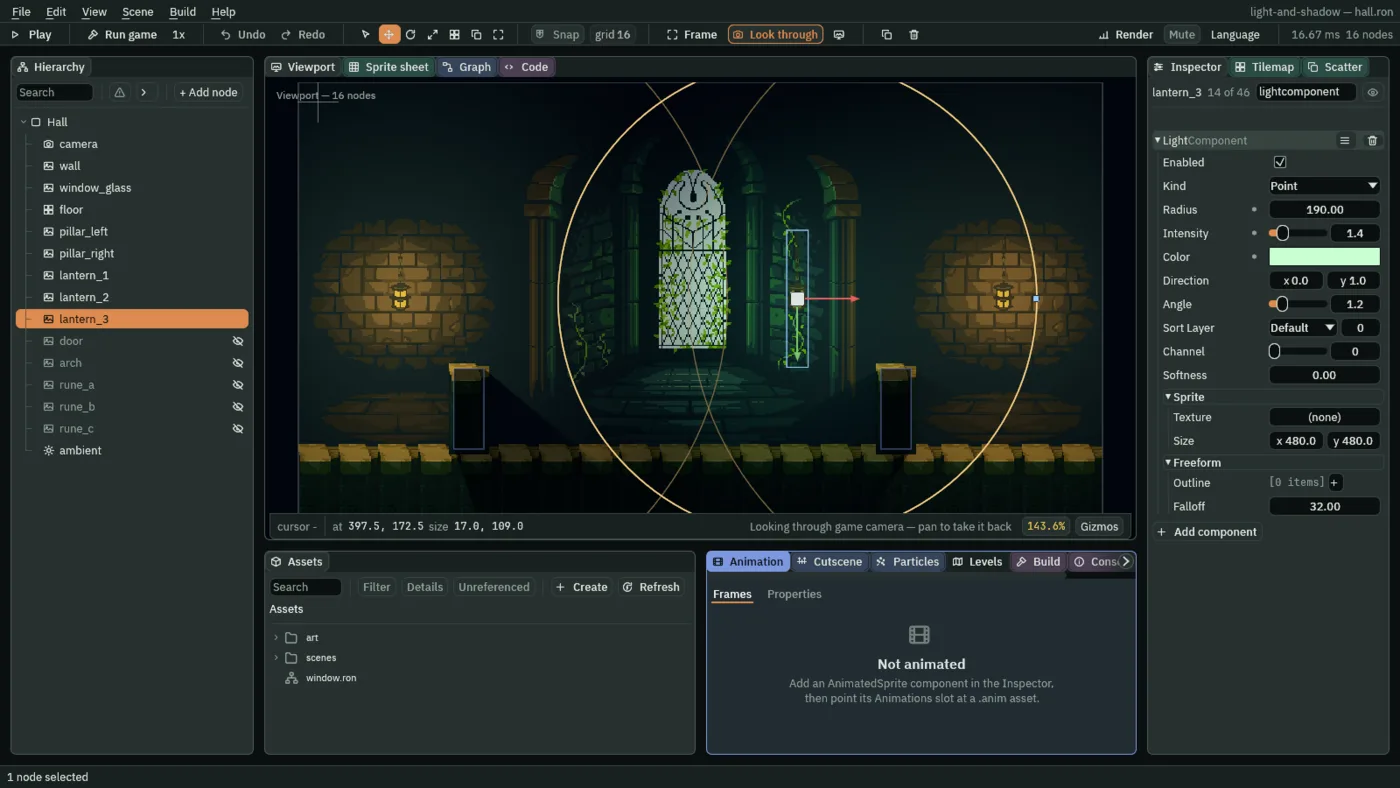
How lights add
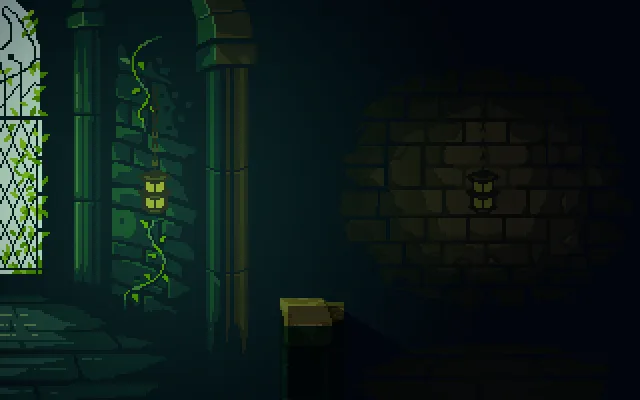
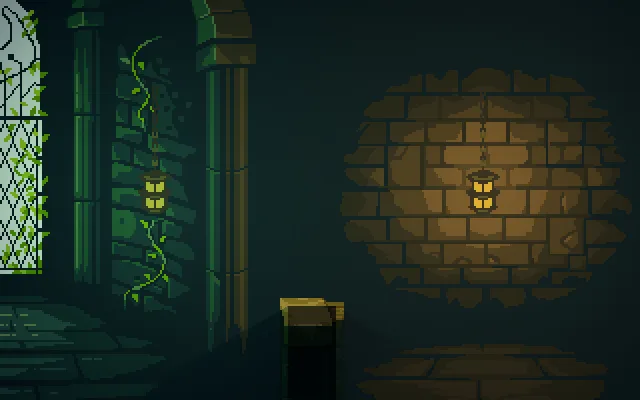
Lights on one channel add up before they reach the sprites. Two lights on one brick make it brighter than either. A shadow cast by one light is lit by any other light that reaches it. And colours add: green and orange add toward yellow, and on these brown bricks the mix reads olive-gold.
- Sort Layer
- The order lights are drawn in, lowest first. Lights on one channel add up, and adding has no order, so on this channel it changes nothing in the hall. The one place it shows is a Replace channel, in chapter 9: there colours still add, but where two lights overlap, the last one drawn decides how much of the scene is replaced. Leave it at
0here.
Part 1 ends here
That is the hall at night: a cold ambient, three lanterns and the pillars’ shadows. You can stop here. Part 2 shapes the light: a cone from a sconce, moonlight through the window, stained glass on the floor, a shaft through a doorway, and sprites that glow or show only in the light.
The three lanterns
| Lantern | Radius | Intensity | Color | Softness |
|---|---|---|---|---|
lantern_1 | 260 | 2.2 | 1.0, 0.72, 0.42 | 6 |
lantern_2 | 250 | 2.0 | 1.0, 0.66, 0.38 | 6 |
lantern_3 | 190 | 1.4 | 0.6, 1.0, 0.65 | 0 |
The soft shadow
| Field | Value |
|---|---|
| Softness | 6, a source six world units wide, drawn three times |