Tutorials · Particle Effects · Chapter 11
Collision
By the end
- The rain landing on the roofs and the street and hopping a little: Collision on
rain, Bounce0.15, Friction0.4 - The forge’s sparks given the same module: Bounce
0.5, Friction0.3 - What counts as solid to a particle, and what Collision costs
On this page
Rain that lands
So far a particle has passed through everything: the rain falls through the roofs, the street and the ground under it, and is gone only when its Lifetime ends. Collision gives an emitter’s particles something to land on. Two numbers say what happens when they do.
- Select
rain. In its Collision group, tick Collision, and set Bounce to0.15and Friction to0.4. - Select
forge_sparks. In its Collision group, tick Collision, and set Bounce to0.5and Friction to0.3. - Press Ctrl+S, and then F5. Watch the roofs and the street, and press F5 again to stop.
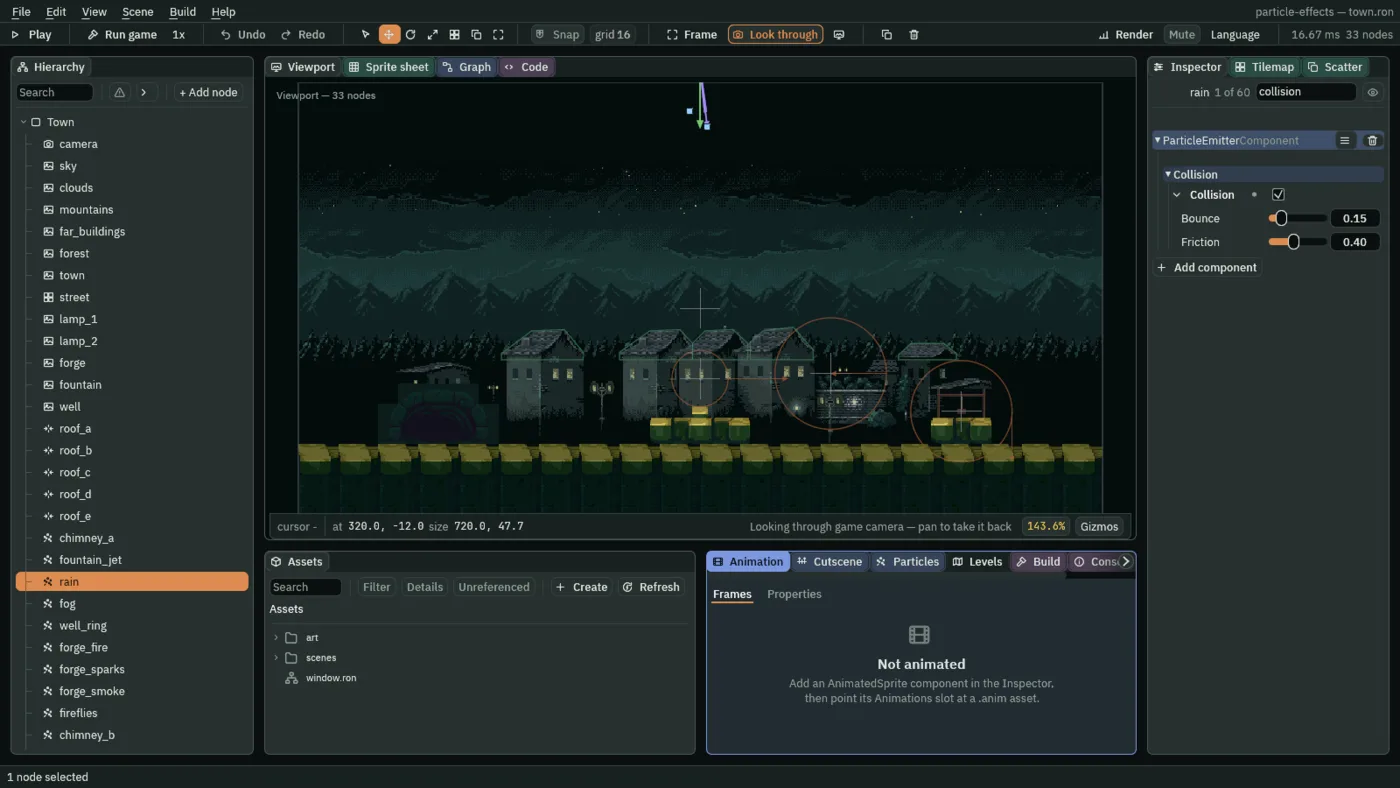
0.15 and 0.4.- Collision
- Whether this emitter’s particles meet the room’s solid things. Unticked, they pass through everything and the room’s solids are never looked at. Ticked, each particle is tested against the solids near it every step, and bounces off one it meets, or stops on it. Tick it on what lands, the rain and the sparks, and leave it off on what does not: smoke, fog and fireflies.
- Bounce
- How much of its speed into a surface comes back out, from
0to1. At0a particle sticks where it lands, and at1it springs back as fast as it came. A drop that falls at340units a second and bounces at0.15leaves at about51, and under Gravity200that carries it up by about6units: the height is the speed it leaves at, squared, over twice the Gravity.0.1to0.3suits rain here, and0.15is what you set; the sparks have0.5. - Friction
- How much of its speed along a surface a touch takes away, from
0to1. At0the surface is ice and the particle slides on as fast as it came, and at1it stops dead where it lands.0.4suits rain here, and0.3suits sparks that should skid.
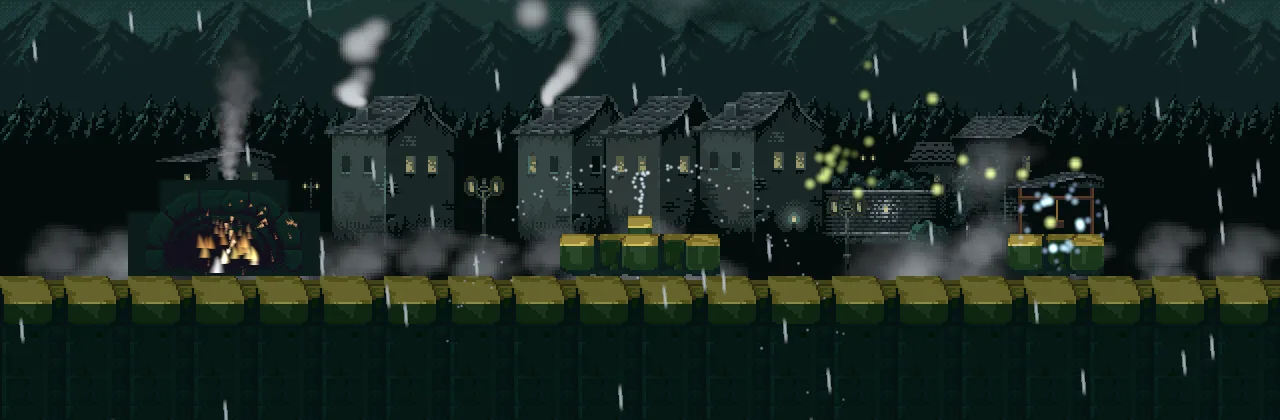
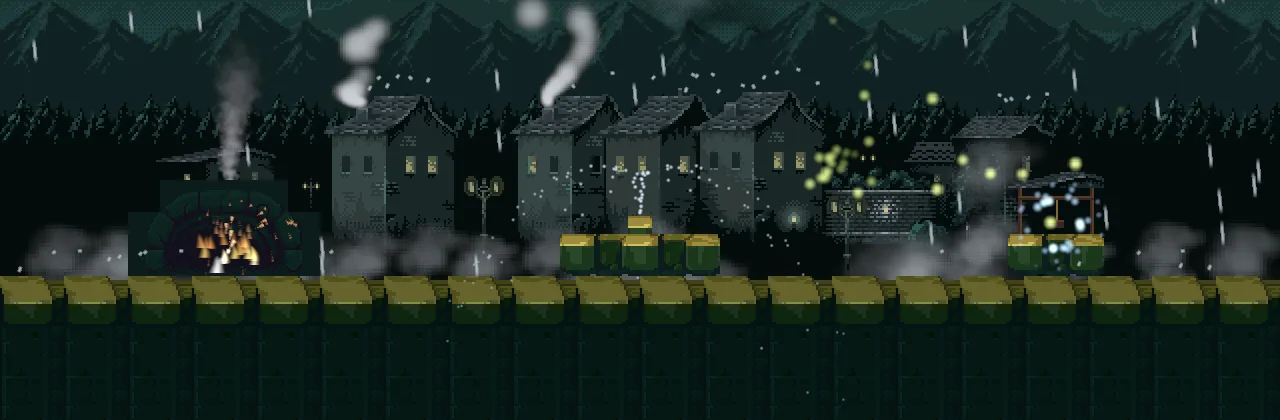

0: each drop sticks where it lands, a line of dots along the ridges.
0.15: each drop hops a few units and falls again.What counts as solid
Two kinds of thing stop a particle: every Collider in the room whose Solid is ticked, and every solid tile of a Tile Map with Collision ticked. A Collider with Solid unticked, a detector, lets particles through, as it lets a character through.
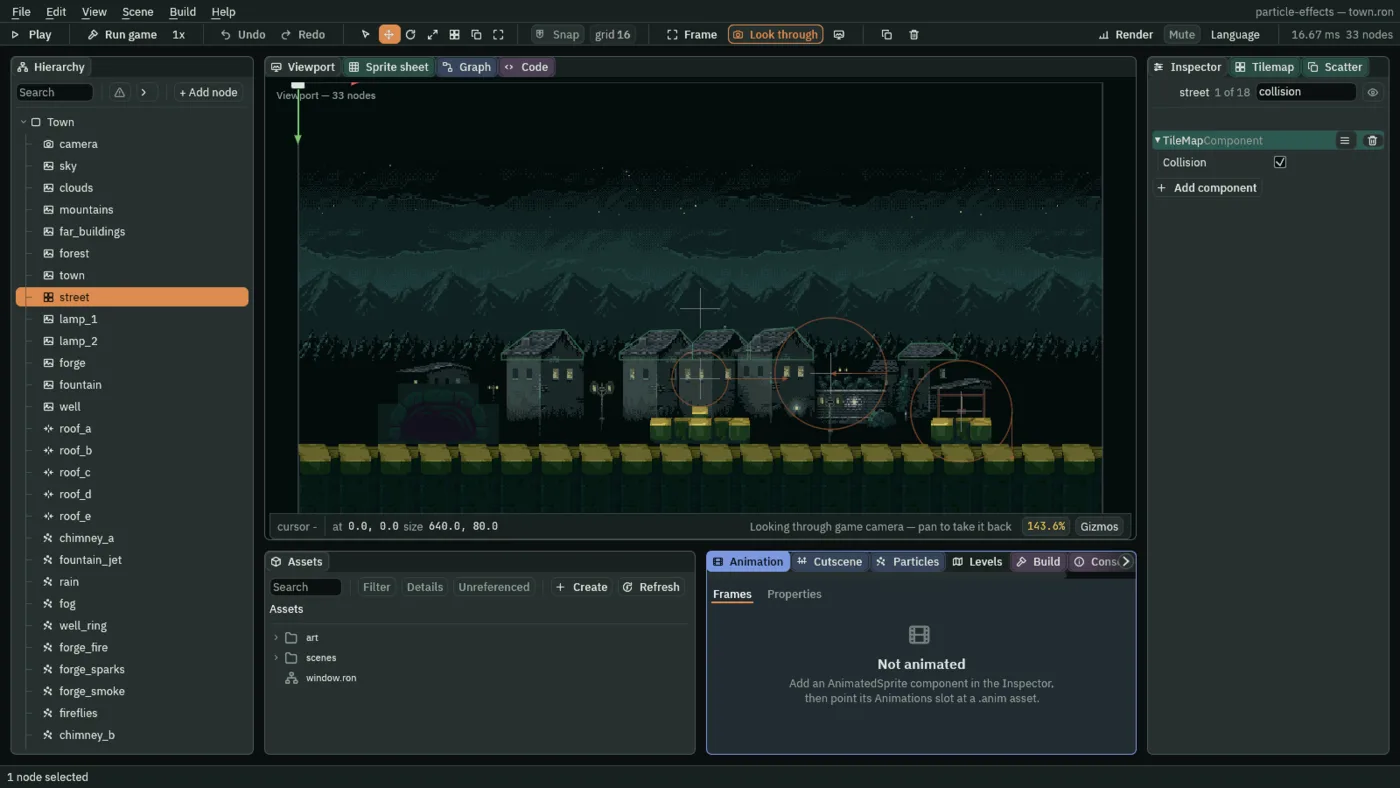
The starter’s five roofs, roof_a to roof_e, are Colliders, and each has an Outline of six points traced on the town picture’s own pixels, so that the rain lands on the slates and not on a box. An Outline replaces the Collider’s box. Its points are in units from the node, and its Step of 4 cuts the slanted sides into small boxes four units long, so a drop lands on a staircase that follows the roof. The Viewport draws each roof as its Outline, a thin green line round the slates, brighter on the roof you have selected. It does not draw the Collider’s Size, 64 by 64, which the Outline replaced and which nothing lands on.
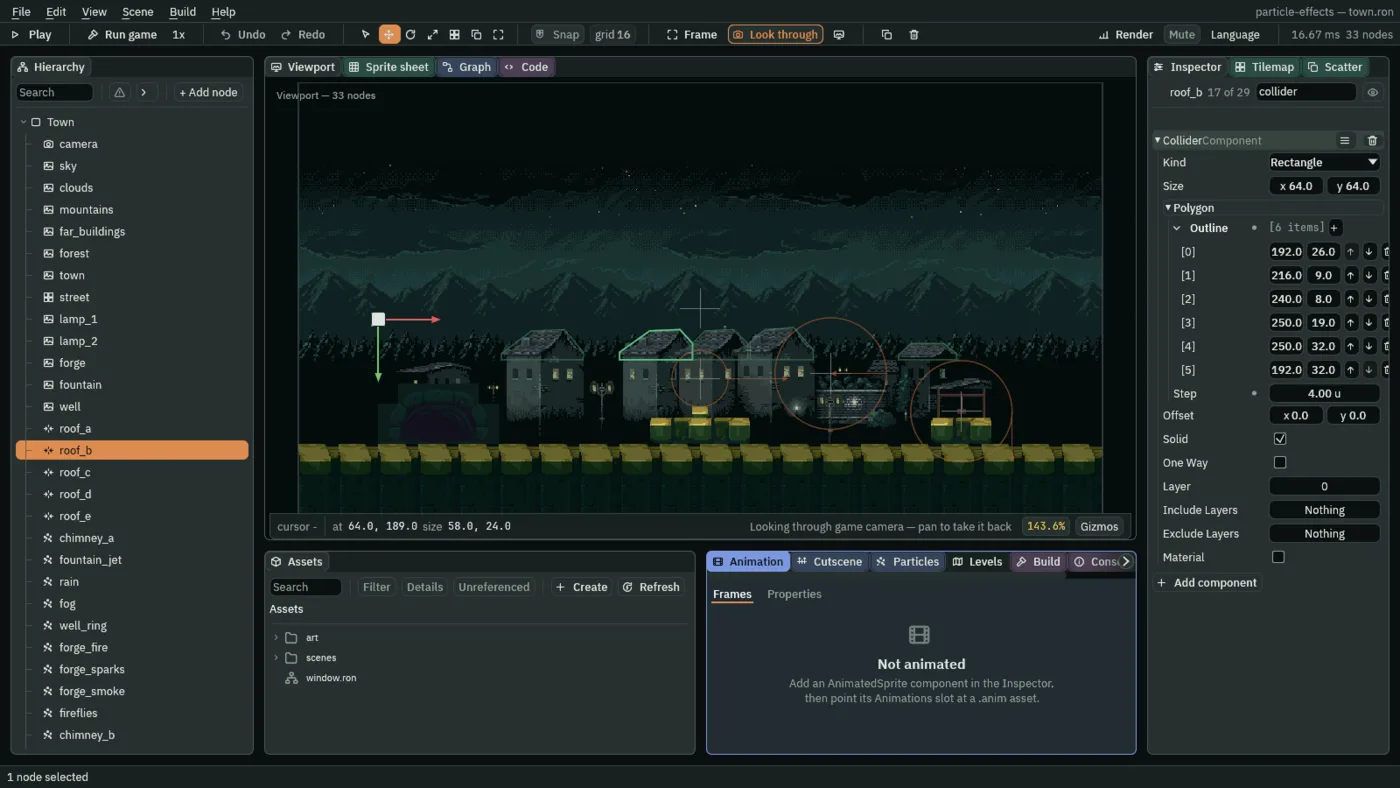
roof_b’s Collider: an Outline of six points, Solid ticked.The street is a Tile Map. With its Collision ticked its solid tiles are solid to a particle as to a character.
The rain and the sparks
| The rain | Value |
|---|---|
| Position | 320, -12 |
| Rate | 120 |
| Lifetime | 1.1 |
| Speed | 340 |
| Direction | 0.12, 1 |
| Spread | 0.04 |
| Gravity | 200 |
| Start Color | 0.7, 0.82, 0.9, alpha 0.7 |
| End Color | 0.7, 0.82, 0.9, alpha 0.5 |
| Start Size | 2 |
| Capacity | 144 |
| Sort Layer | 8 |
| Texture | raindrop.png |
| Stretch | Length Scale 1, Speed Scale 0.012 |
| Shape | Line, Length 720 |
| Collision | ticked, Bounce 0.15, Friction 0.4 |
| The forge sparks | Value |
|---|---|
| Position | 114, 276 |
| Lifetime | 1.4 |
| Speed | 110 |
| Direction | 0.3, -1 |
| Spread | 0.9 |
| Gravity | 180 |
| Start Color | 1, 0.9, 0.6, alpha 1 |
| End Color | 1, 0.4, 0.1, alpha 0 |
| Start Size | 4.5 |
| Capacity | 32 |
| Trail | 3 |
| Sort Layer | 4 |
| Blend | Add |
| Texture | spark-sheet.png |
| Texture Sheet | Columns 4, Rows 1, First 0, Last 3, Driver Speed, Max 160 |
| Align To Velocity | ticked |
| Drag | 0.6 |
| Size By Speed | a curve from 0.6 at 0 to 1.4 at 1 |
| Color By Speed | a gradient from 1, 0.35, 0.1 at 0 to 1, 1, 0.9 at 1 |
| Speed Range | 0, 160 |
| Collision | ticked, Bounce 0.5, Friction 0.3 |