Tutorials · Particle Effects · Chapter 3
Gravity and drag
15 minutes Uses: ParticleEmitter
By the end
- A fountain’s jet,
fountain_jet, arcing over its basin: Gravity260 chimney_a’s smoke rising slowly in a plume: Gravity-6, Drag0.3- What Gravity and Drag each do to a particle’s speed, and why a particle with drag settles at one speed
On this page
A fountain
The town’s fountain is a picture of stone and a spout, with no water. Water is a stream of small bright particles thrown up and pulled back down, so it is another emitter, on a node at the spout.
- Select
Town, press + Add node, and choose Particles. Rename itfountain_jet. - Set its Position to
320and258, the fountain’s spout. - Set Rate to
80, Speed to150, Spread to0.35and Capacity to112. Lifetime stays at1.2, Direction at0,-1, straight up, and End Size at2, as a new Particles node has them. Set Start Size to3. - Set Start Color to
0.75,0.9,1, alpha0.9, and End Color to0.6,0.78,0.95, alpha0.2: a pale blue that goes clearer as it falls. - Set Sort Layer to
3, so that the water is drawn in front of the fountain’s stones. Chapter 4 says what it means. - In the Sprite group, drag
art/soft-dot.pngonto Texture. - Set Gravity to
260.
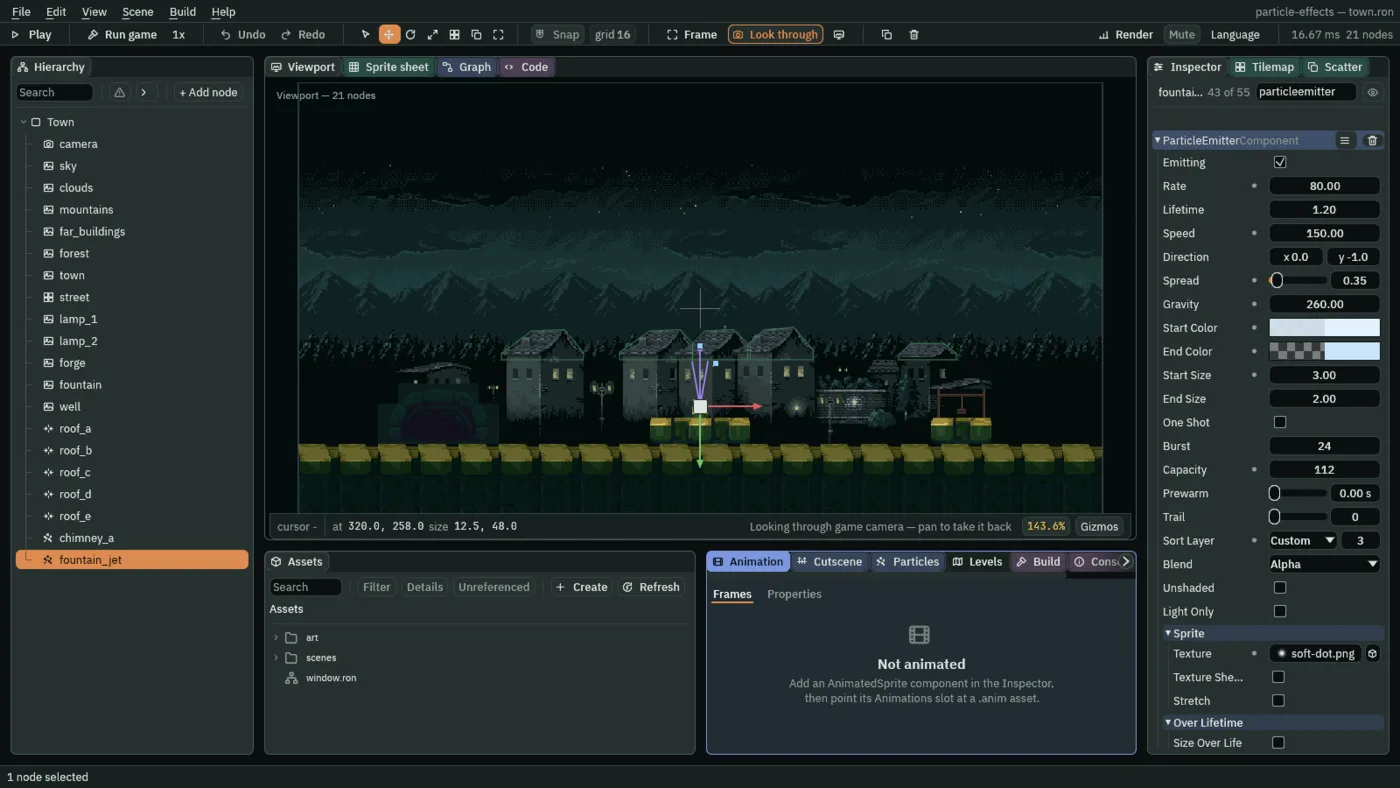
Rate times Lifetime is 96, so a Capacity of 112 has room to spare.
What pulls it down
- Gravity
- How hard particles are pulled down, as an acceleration: world units a second, every second. Positive pulls down and negative pushes up, which is why the default
-40sends smoke up.260here, so the water rises, slows, and falls back into the basin;150to400suits water at this scale, and-40to-3suits smoke and steam.
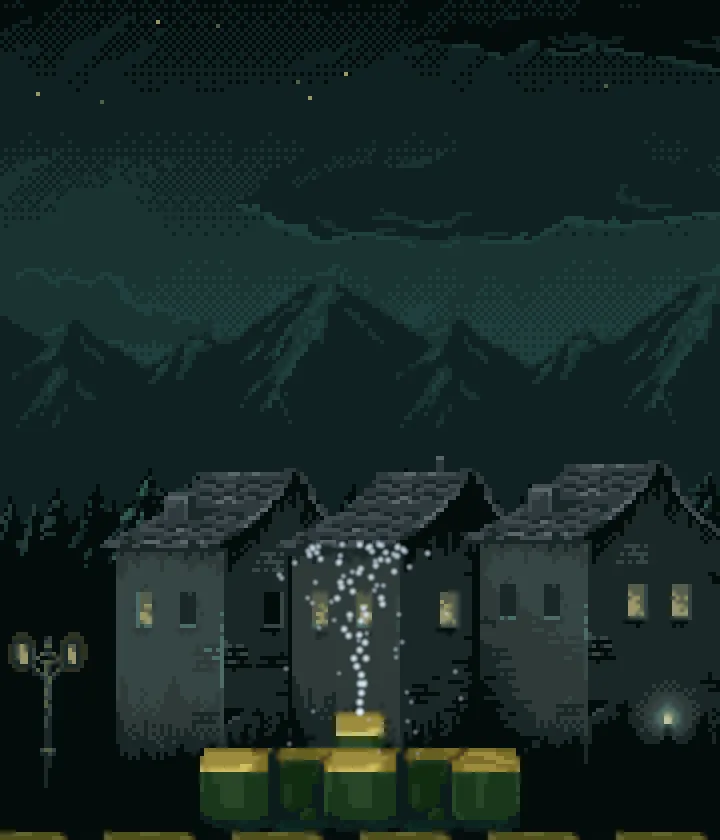
260, a jet that rises and falls back to the fountain.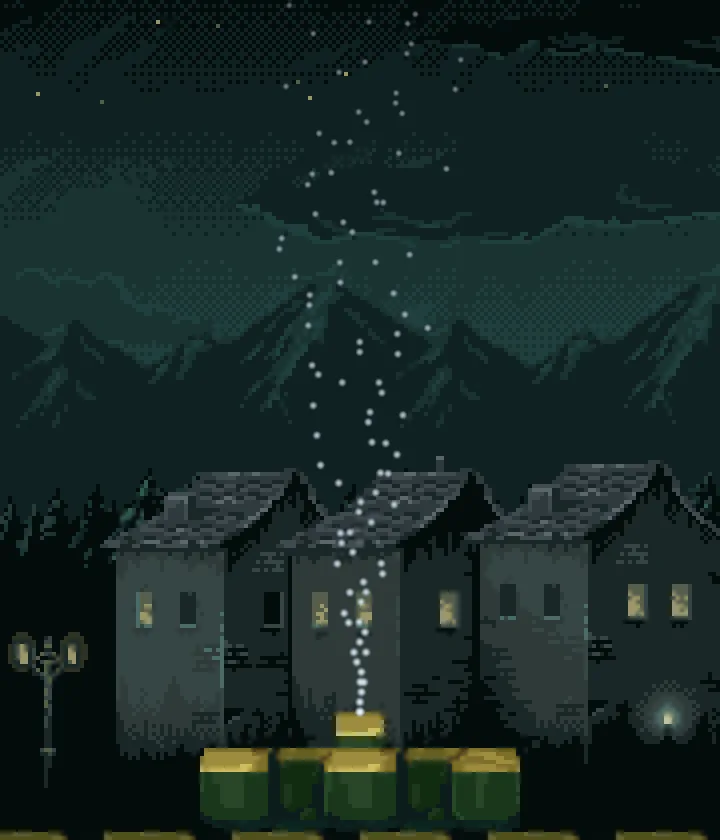
0: straight out of the top of the picture; nothing pulls the water back.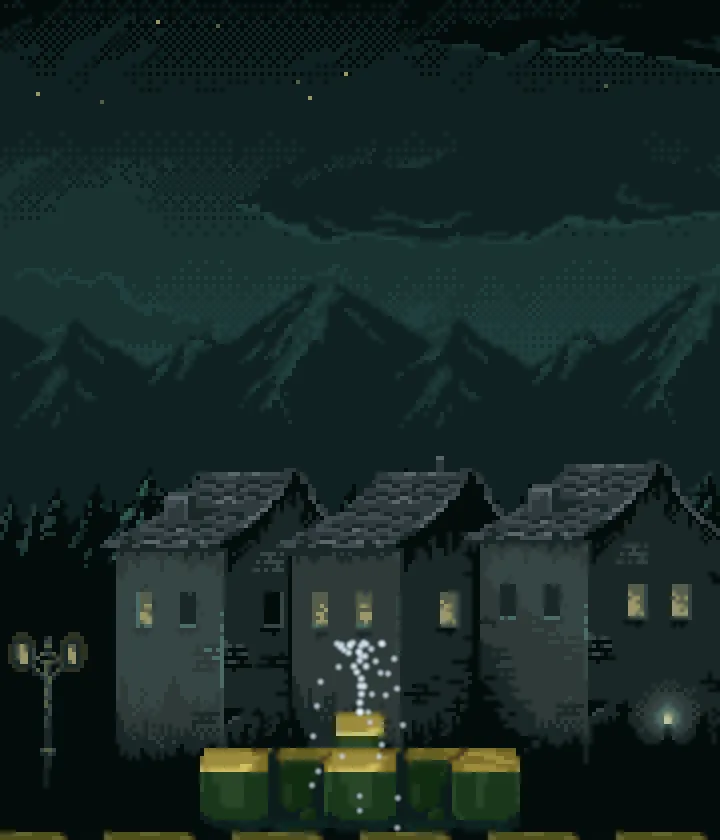
600: a low crown, and the drops fall on through the stones.Air that holds it back
Chapter 1’s smoke shot off the top of the window because its default Gravity of -40 kept pushing it faster. Smoke does not do that. A real puff rises, slows in the air and drifts. Two numbers on chimney_a give it that.
- Select
chimney_a. Set Gravity to-6and Drag to0.3.
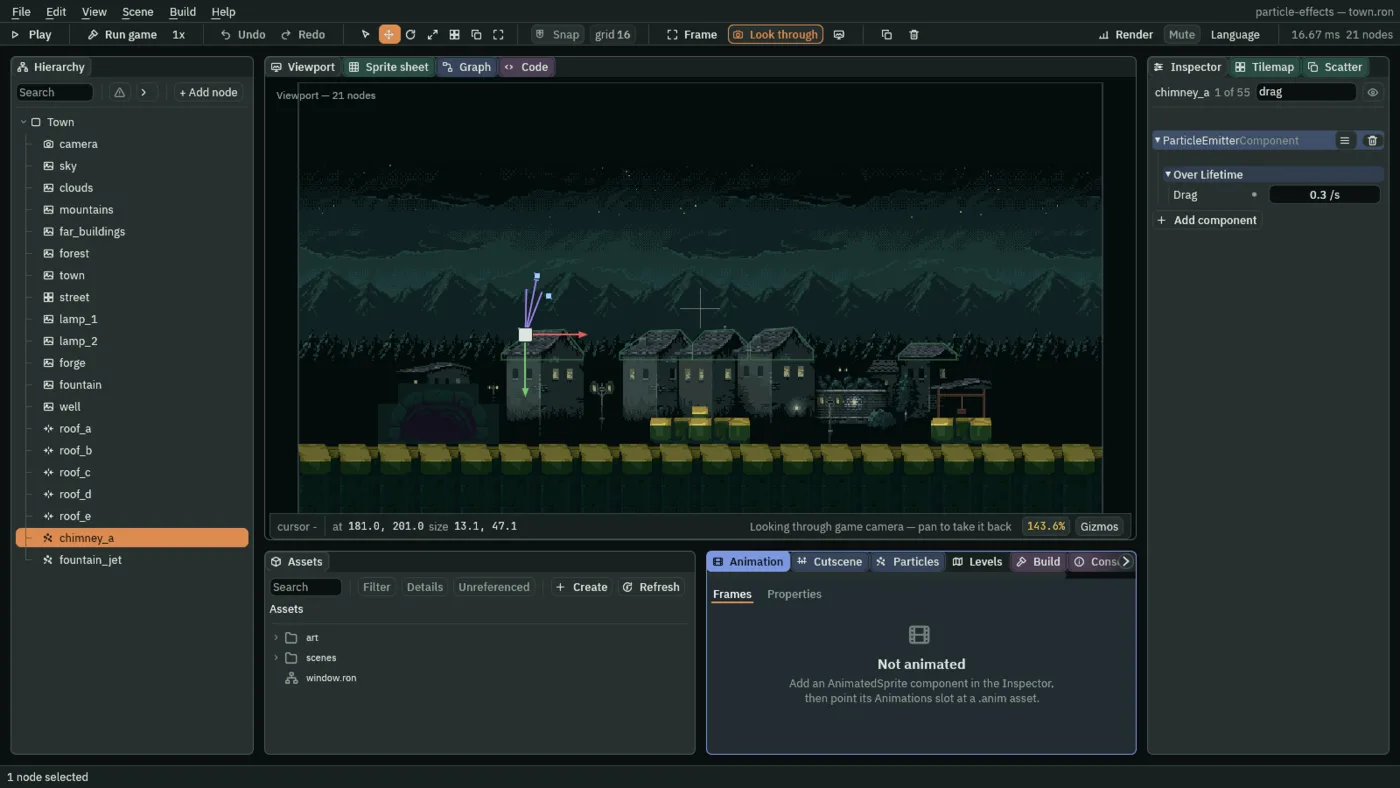
0.3 a second.- Drag
- How fast the air takes a particle’s speed away, in a share of its speed each second. After
1 / Dragseconds a particle has lost about two thirds of its speed, so0.3lets smoke drift on for its whole life, and1.5slows it to a third in under a second.0is no air at all.0.2to1suits smoke and dust here, and0.3is what you set.
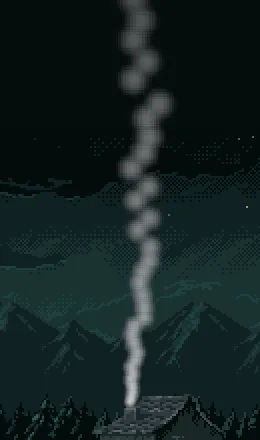
-40, a column to the top of the window.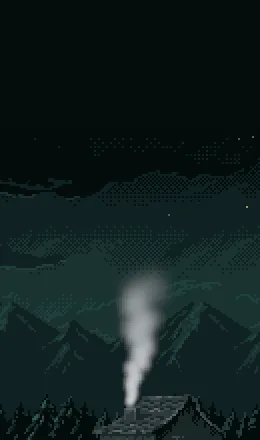
-6 and Drag 0.3: a plume that rises slowly and spreads.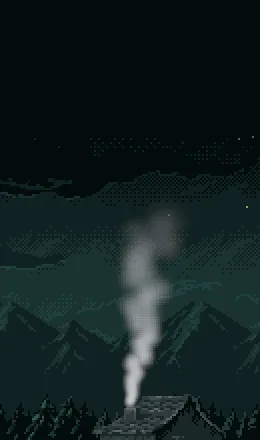
0: it climbs further, at a speed that only grows.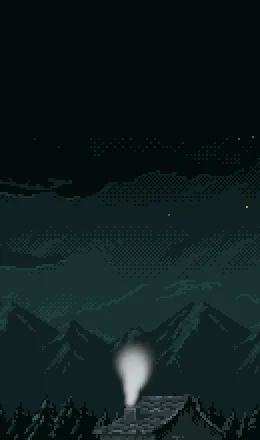
1.5: it stalls just above the chimney.The fountain and the chimney smoke
| The fountain | Value |
|---|---|
| Position | 320, 258 |
| Rate | 80 |
| Lifetime | 1.2 |
| Speed | 150 |
| Direction | 0, -1 |
| Spread | 0.35 |
| Gravity | 260 |
| Start Color | 0.75, 0.9, 1, alpha 0.9 |
| End Color | 0.6, 0.78, 0.95, alpha 0.2 |
| Start Size | 3 |
| End Size | 2 |
| Capacity | 112 |
| Sort Layer | 3 |
| Texture | soft-dot.png |
| The chimney smoke | Value |
|---|---|
| Position | 181, 201 |
| Rate | 12 |
| Lifetime | 3.5 |
| Speed | 18 |
| Direction | 0.2, -1 |
| Spread | 0.35 |
| Gravity | -6 |
| Drag | 0.3 |
| Start Color | 0.62, 0.65, 0.68, alpha 0.7 |
| End Color | 0.45, 0.48, 0.5, alpha 0 |
| Start Size | 8 |
| End Size | 26 |
| Capacity | 48 |
| Texture | soft-dot.png |