Tutorials · Particle Effects · Chapter 12
Particles that make particles
By the end
splash.artifact, and every raindrop leaving a small splash where it diesfirework.artifactand a launcher,fireworks: a shell that rises behind the roofs and bursts into a ring of sparks that keeps its speed- On Death and Inherit Velocity, and what keeps a sub-emitter from running away
On this page
A splash for every drop
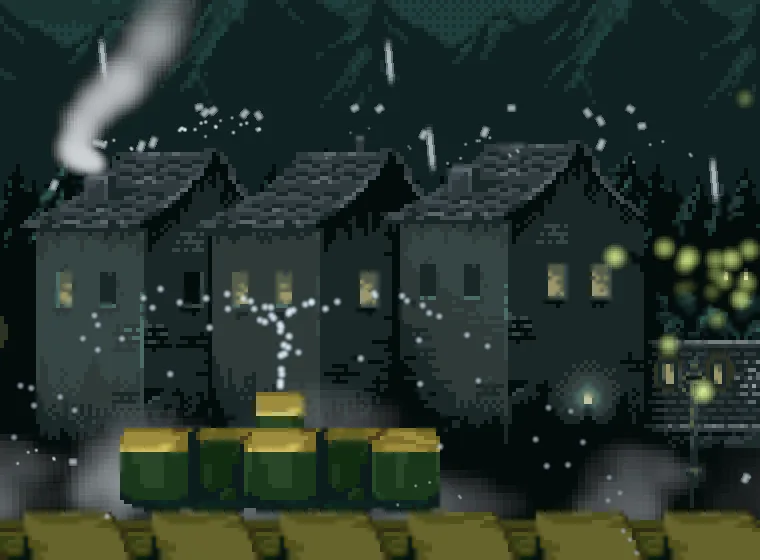
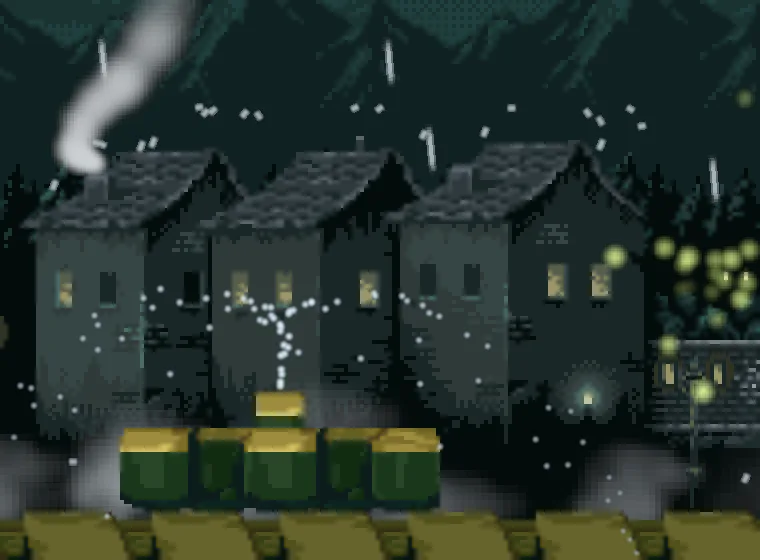
A particle cannot make a particle, but an emitter can make an emitter. A sub-emitter is an emitter you save as an artifact, a file, and name in another emitter’s On Death. Where one of that emitter’s particles dies, the room places a copy of the artifact, and the copy fires its burst. The artifact is the splash. The rain is what makes it.
- Select
Town, press + Add node, and choose Particles. Rename itsplash, and set its Position to0and0. - Tick One Shot, and set Burst to
5, Capacity to5, Lifetime to0.35, Speed to45, Spread to2.4and Gravity to300. Direction stays at0,-1. - Set Start Color to
0.75,0.88,0.95, alpha0.8, and End Color to the same colour with alpha0. Set Start Size to1.5, End Size to1, and Sort Layer to8, the rain’s own layer. In the Sprite group, dragart/soft-dot.pngonto Texture. - Right-click
splashin the Hierarchy and choose Save as artifact…. In the save dialog, make a folder calledartifacts, open it, and save the file assplash.artifact. Delete thesplashleft in the scene. - Select
rain. In the Sub-emitter group, dragartifacts/splash.artifactfrom Assets onto On Death. - Press Ctrl+S, and then F5. Look at the roofs, and press F5 again to stop.
To look at the artifact again, double-click artifacts/splash.artifact in Assets. It opens on its own, as a scene of one node.
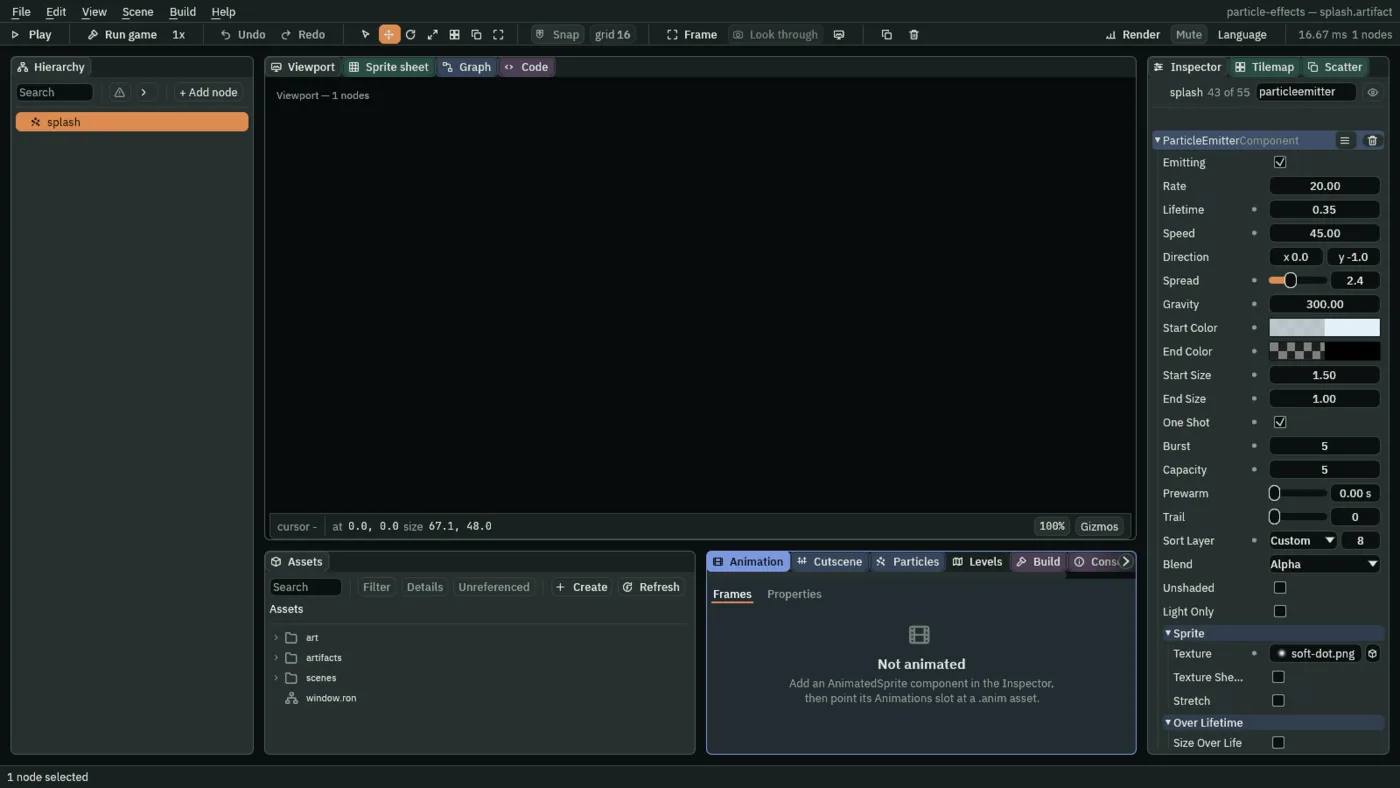
A one-shot emitter fires its Burst once, when it is placed, and then has nothing left to do. Its Rate is not used.
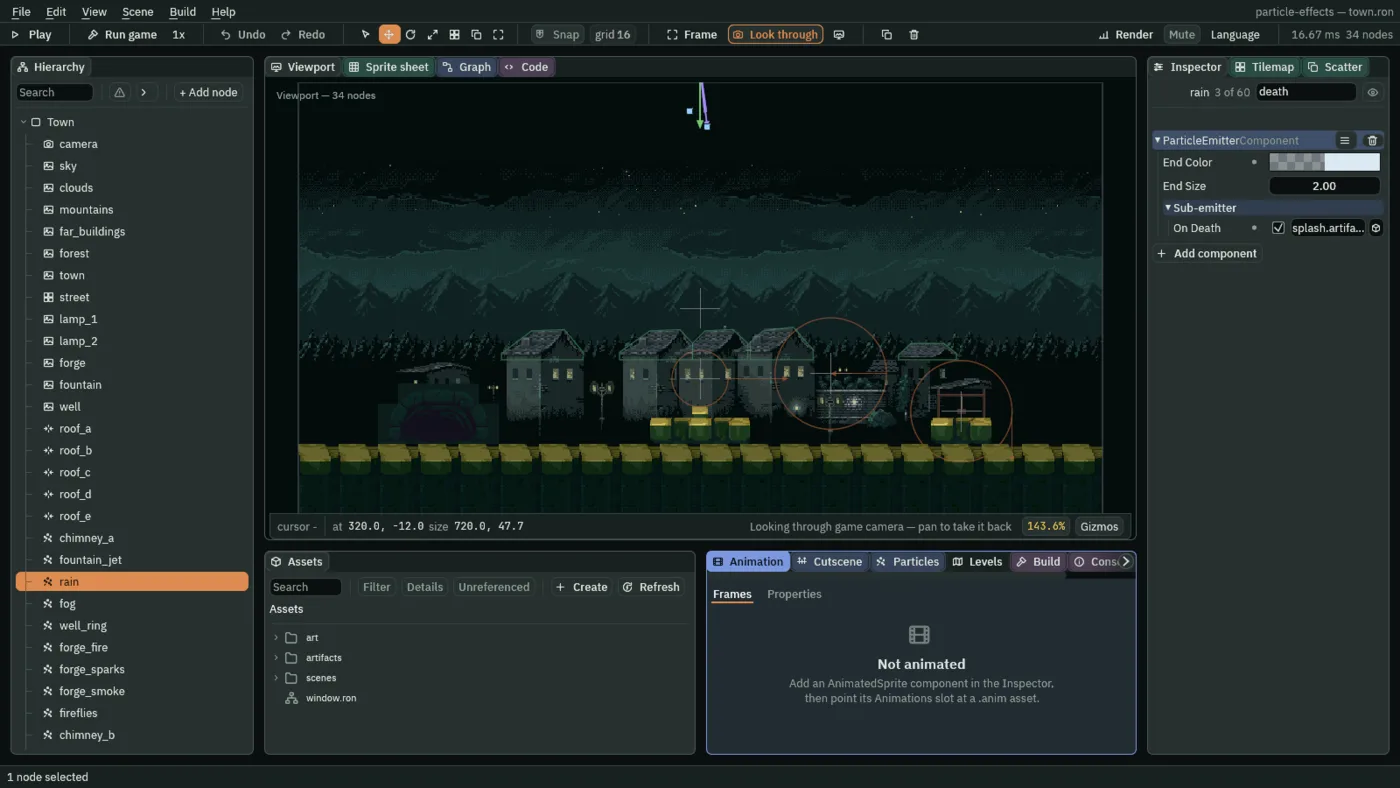
splash.artifact. The box cuts its name short.- On Death
- An artifact to place where each of this emitter’s particles dies, launched with the velocity the dying particle had. Empty places nothing. The artifact’s own emitter says what the copy does:
splash.artifactthrows five drops of water. Drag an artifact onto the slot, and click the slot to clear it.
Fireworks
A firework is two emitters. A launcher throws up shells, one at a time, and each shell, where it dies, places a burst: firework.artifact, a one-shot emitter that fires its sparks in a ring.
- Select
Town, press + Add node, and choose Particles. Rename itfirework, and set its Position to0and0. - Tick One Shot, and set Burst to
48, Capacity to48, Lifetime to1.4, Speed to90, Spread to7, Gravity to40and Drag to0.8. - Set Start Color to
1,0.9,0.7, alpha1, and End Color to1,0.6,0.3, alpha0. Set Start Size to5; End Size stays at2. Set Sort Layer to-22and Blend to Add. In the Sprite group, dragart/soft-dot.pngonto Texture. - In the Inherit group, set Inherit Velocity to
0.5. - Right-click
firework, choose Save as artifact…, and save the file asartifacts/firework.artifact. Delete thefireworkleft in the scene. - Select
Town, add another Particles node, and rename itfireworks. Set its Position to470and236. - Set Rate to
0.4, Lifetime to1.3, Speed to180, Direction to-0.08and-1, Spread to0.15, Gravity to90and Capacity to4. - Set Start Color to
1,0.85,0.6, alpha1, and End Color to1,0.6,0.3, alpha0.8. Set Start Size to3, Trail to4, Sort Layer to-22and Blend to Add. Dragart/soft-dot.pngonto Texture. - In the Sub-emitter group, drag
artifacts/firework.artifactfrom Assets onto On Death. - Press Ctrl+S, and then F5. Look at the sky over the roofs, and press F5 again to stop.
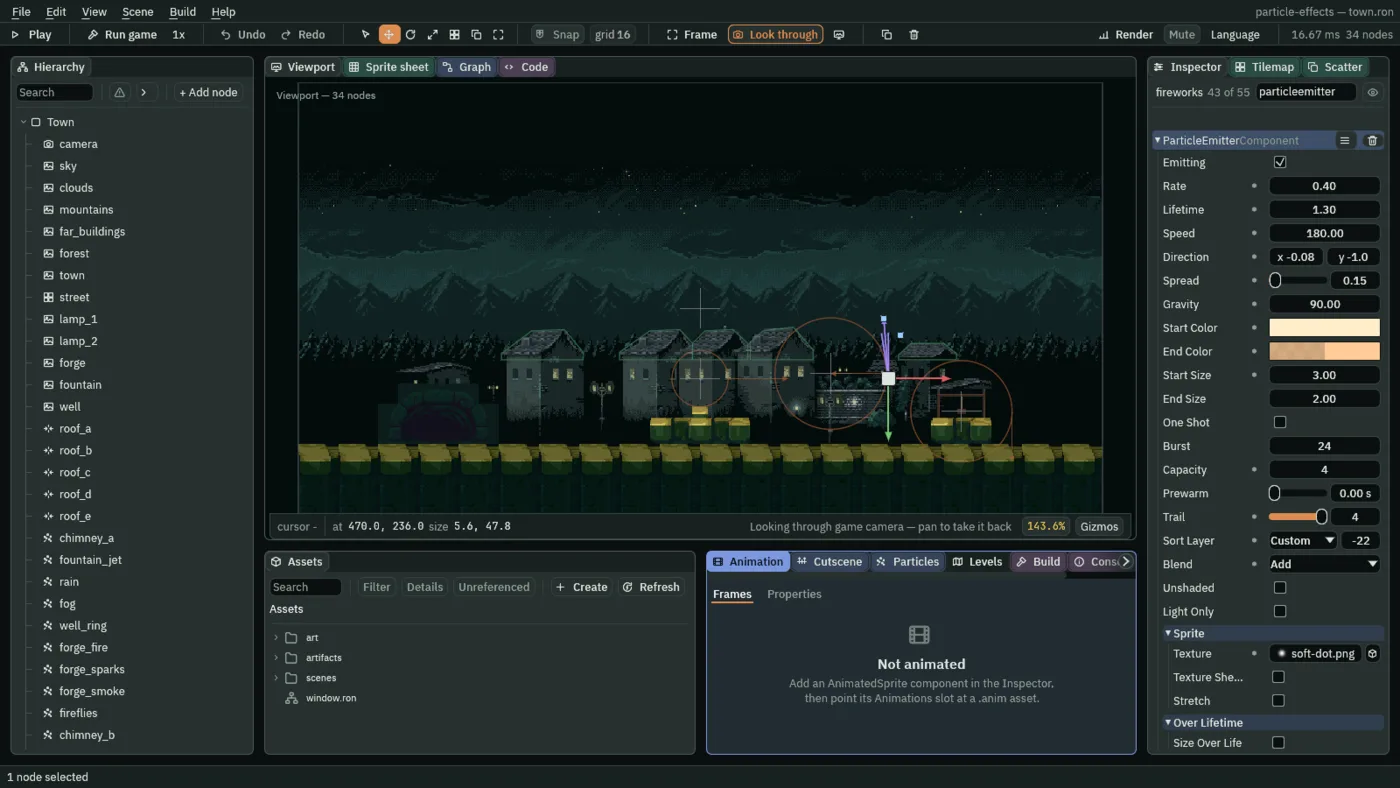
The launcher’s Rate of 0.4 is a shell every 2.5 seconds, and its Lifetime of 1.3 is how long a shell climbs before it dies and places the burst. The shell is a small soft dot with a tail of four earlier positions, Trail 4, and it rises behind the roofs: its Sort Layer of -22 is behind the houses, which are at -20, and in front of the forest and the mountains. What you see of it is a thin dotted trail climbing out of the clouds.
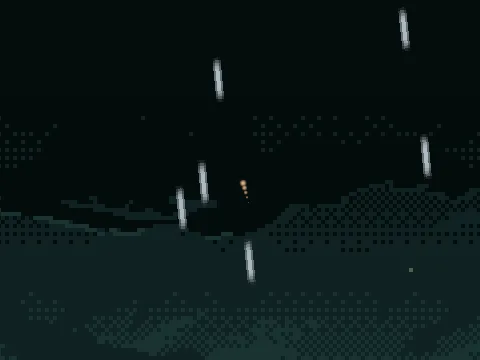
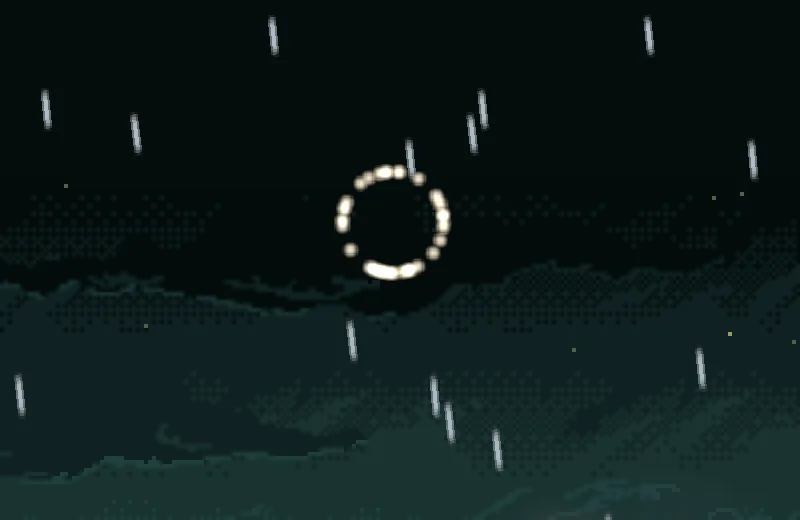
The burst is a ring because Spread 7 is a little more than a whole circle, 6.28, so the sparks leave in every direction, and because every spark leaves at the same Speed, 90. All the sparks are the same distance from the middle at any moment, so they form a circle.
- Inherit Velocity
- How much of its emitter’s own velocity each new particle takes, from
0to1. For a copy placed by On Death the emitter’s velocity is the dying particle’s: a shell still climbing when it dies gives its burst that climb. At0the particles ignore it, and at1they carry all of it, so a burst is carried along as if its shell had never stopped.0.3to0.5reads as thrown, and0.5is what the firework has. The splash keeps0: a drop that lands has nothing to give.
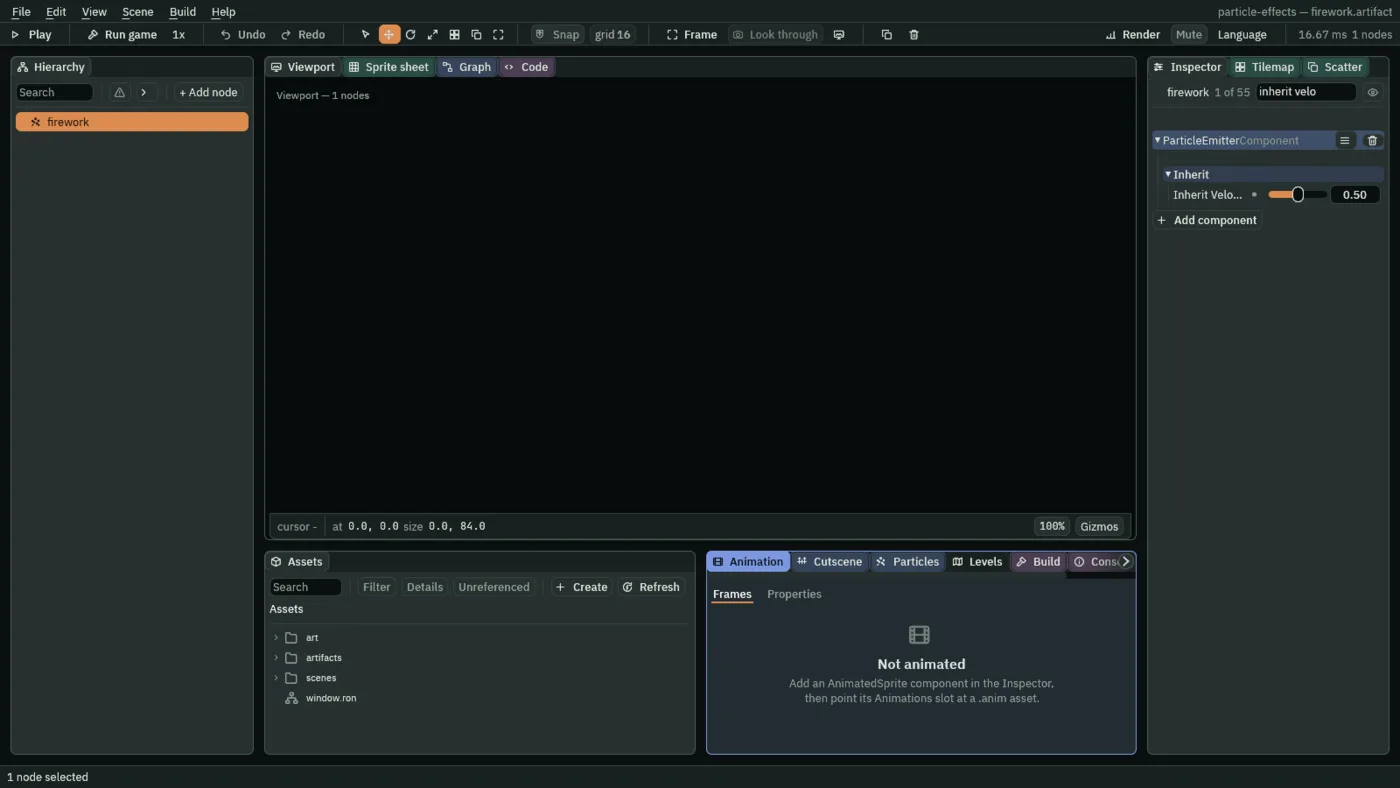
0.5. The box cuts the name short.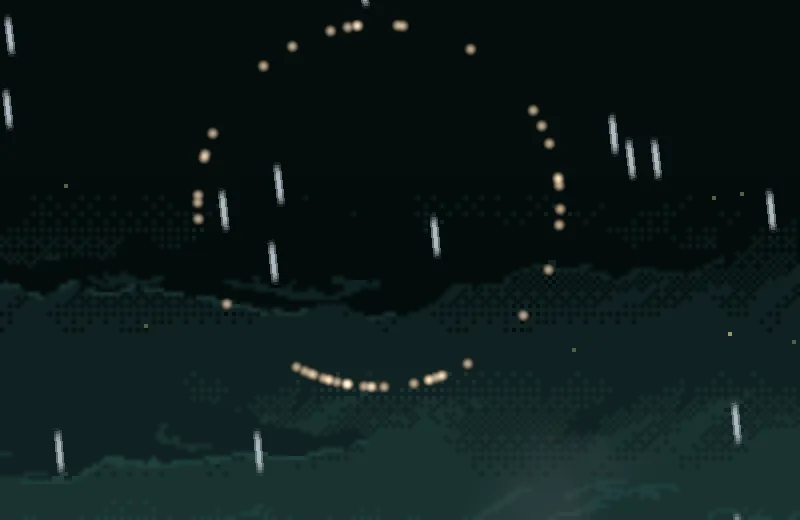
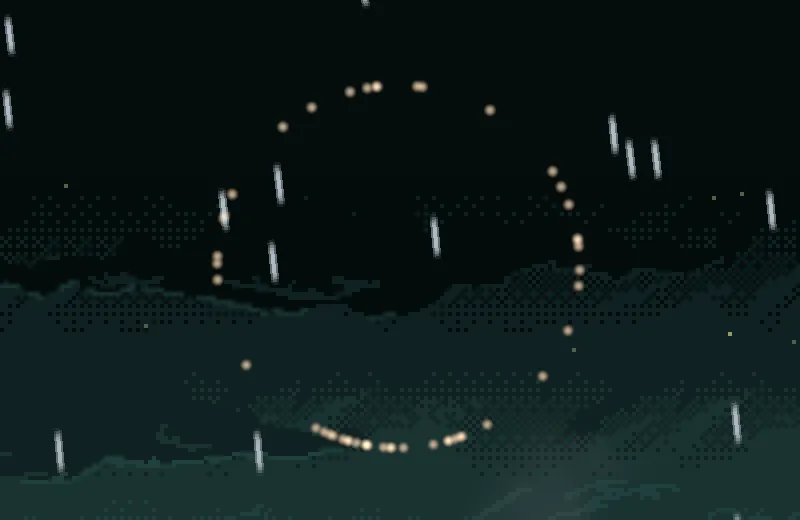
0: the same ring, about 15 units lower, centred where the shell died.The splash, the firework and the rain
| The splash | Value |
|---|---|
| Lifetime | 0.35 |
| Speed | 45 |
| Spread | 2.4 |
| Gravity | 300 |
| Start Color | 0.75, 0.88, 0.95, alpha 0.8 |
| End Color | 0.75, 0.88, 0.95, alpha 0 |
| Start Size | 1.5 |
| End Size | 1 |
| One Shot | ticked |
| Burst | 5 |
| Capacity | 5 |
| Sort Layer | 8 |
| Texture | soft-dot.png |
| The firework | Value |
|---|---|
| Lifetime | 1.4 |
| Speed | 90 |
| Spread | 7 |
| Gravity | 40 |
| Drag | 0.8 |
| Start Color | 1, 0.9, 0.7, alpha 1 |
| End Color | 1, 0.6, 0.3, alpha 0 |
| Start Size | 5 |
| One Shot | ticked |
| Burst | 48 |
| Capacity | 48 |
| Sort Layer | -22 |
| Blend | Add |
| Texture | soft-dot.png |
| Inherit Velocity | 0.5 |
| The launcher | Value |
|---|---|
| Position | 470, 236 |
| Rate | 0.4 |
| Lifetime | 1.3 |
| Speed | 180 |
| Direction | -0.08, -1 |
| Spread | 0.15 |
| Gravity | 90 |
| Start Color | 1, 0.85, 0.6, alpha 1 |
| End Color | 1, 0.6, 0.3, alpha 0.8 |
| Start Size | 3 |
| Capacity | 4 |
| Trail | 4 |
| Sort Layer | -22 |
| Blend | Add |
| Texture | soft-dot.png |
| On Death | firework.artifact |
| The rain | Value |
|---|---|
| Position | 320, -12 |
| Rate | 120 |
| Lifetime | 1.1 |
| Speed | 340 |
| Direction | 0.12, 1 |
| Spread | 0.04 |
| Gravity | 200 |
| Start Color | 0.7, 0.82, 0.9, alpha 0.7 |
| End Color | 0.7, 0.82, 0.9, alpha 0.5 |
| Start Size | 2 |
| Capacity | 144 |
| Sort Layer | 8 |
| Texture | raindrop.png |
| Stretch | Length Scale 1, Speed Scale 0.012 |
| Shape | Line, Length 720 |
| Collision | ticked, Bounce 0.15, Friction 0.4 |
| On Death | splash.artifact |