Tutorials · Particle Effects · Chapter 1
One emitter
By the end
- A Particles node,
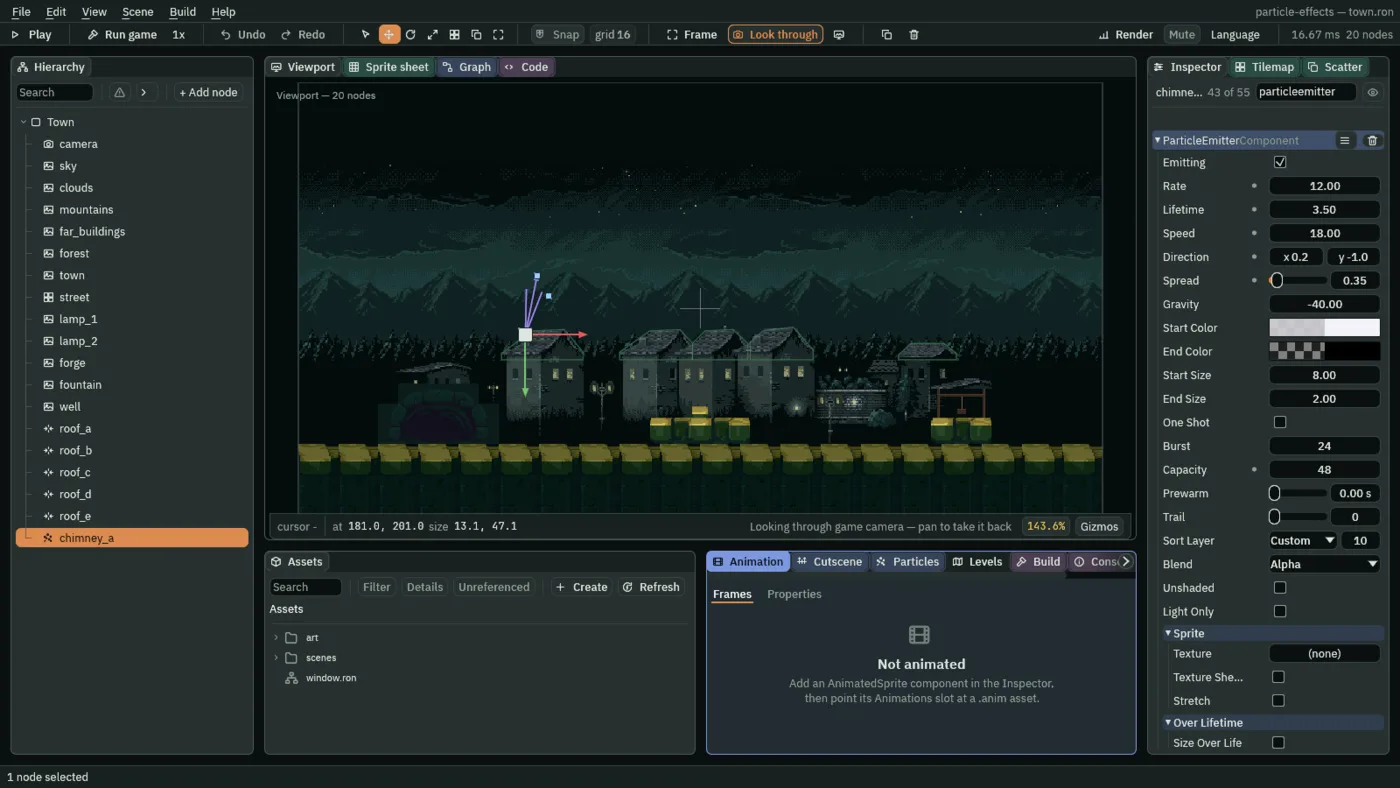
chimney_a, smoking from the first chimney: Rate12, Lifetime3.5, Speed18, Direction0.2,-1, Spread0.35, Capacity48 - How many particles are alive at once, and what a full pool does
- The Particles panel: Preview, Restart, Burst and the live count
On this page
Open the starter
Particle Effects does not start from an empty folder. It starts from a project with the town built and nothing moving in it, so that everything you add from here is something that moves.
- Download particle-effects.zip, the starter (the overview says what is in it), and unzip it somewhere outside your other projects. You get one folder,
particle-effects. - Open Rengy. In the launcher, choose Open project… and pick the
particle-effectsfolder. - The editor opens the project’s startup scene,
scenes/town.ron. On the toolbar, click Look through, so that the Viewport shows the town as the game’s camera sees it. - Press F5 and look. Press F5 again to stop.
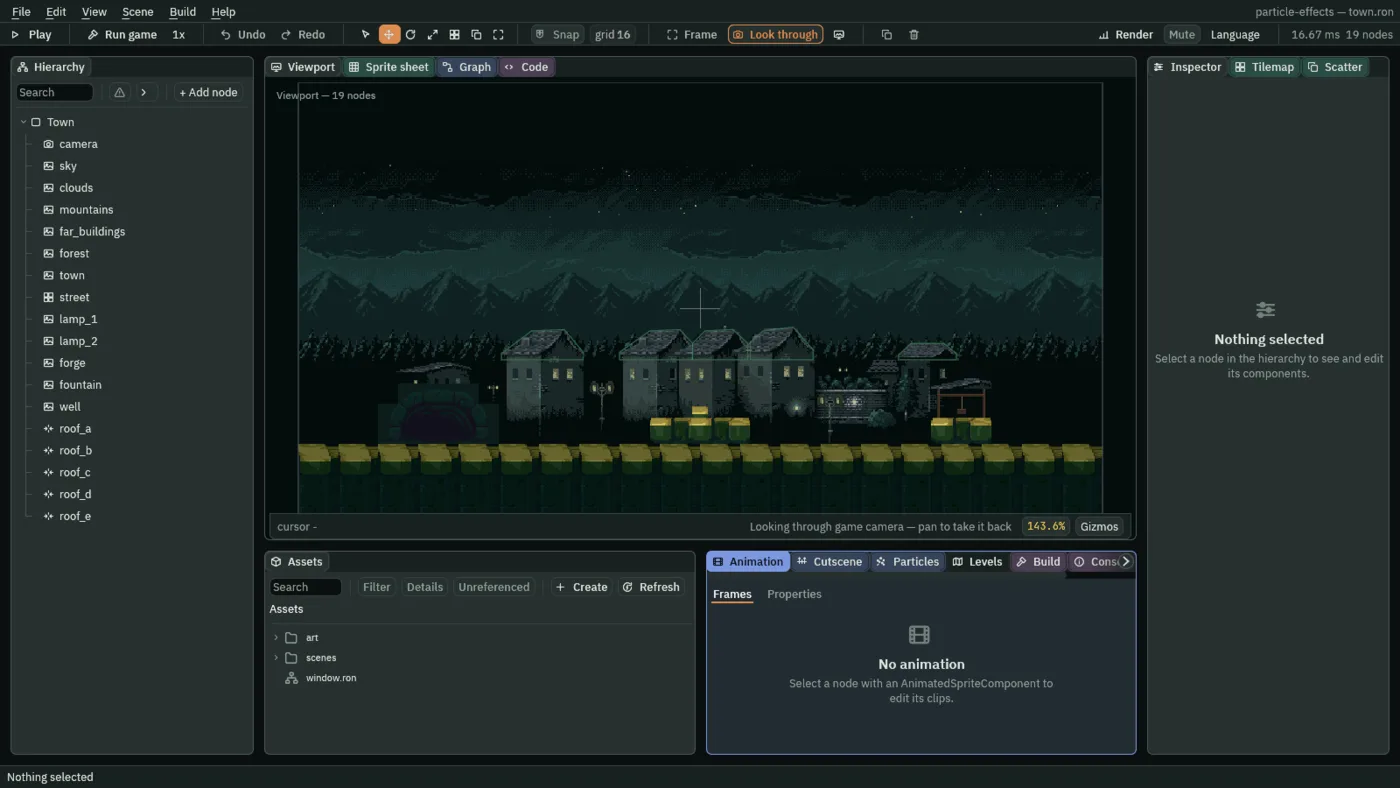
The Hierarchy holds Town, and eighteen nodes under it. camera frames the town. sky, clouds, mountains, far_buildings, forest and town are the painted layers, from the back to the houses. street is a tile layer, the paving along the bottom, with Collision on. lamp_1 and lamp_2 are the two street lamps, and forge, fountain and well are pictures of the forge’s mouth, the fountain and the well. roof_a to roof_e are five Colliders laid along the roofs, which chapter 11’s rain lands on.
The scenes folder holds six more scenes beside town.ron, small stages for chapter 16 to finish. The camera shows 640 by 360 world units, drawn at twice their size in a 1280 by 720 window. Every position on these pages is in those world units, with 0, 0 at the top left and y growing downward.
A Particles node
An emitter is a component, a Particle Emitter, and it goes on a node of its own. A Particles node is a node that has one. It makes particles: small pictures, each born, drawn, moved a little every frame and dropped when its life is over. A chimney’s smoke is about forty of them alive at once, and still one node.
- Select
Town, press + Add node, and choose Particles. Rename itchimney_a. - Set its Position to
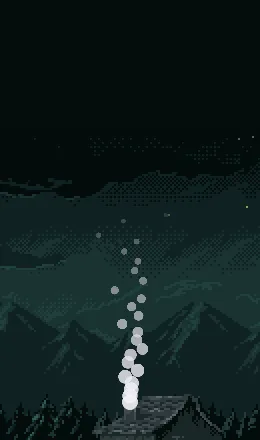
181and201, the top of the first chimney. - Press F5. A short fan of white dots rises from the chimney and thins out. Those are the emitter’s defaults. Press F5 again to stop.
The Inspector lists every row of the emitter, dozens of them. Type particleemitter into its search box and it shows only the rows of the Particle Emitter, the first of them Emitting. The next three sections set six of them, and the chapters after this one set the rest.
- Emitting
- Whether new particles are born. Untick it and the particles alive finish their lives and no more come, so an emitter can be switched off without losing its settings. Leave it ticked here: chapter 13 switches one on and off from a script.
How many, how long, how fast
Three numbers make the stream: how many particles are born each second, how long each one lives, and how fast it leaves the node.
- Set Rate to
12, Lifetime to3.5and Speed to18.
- Rate
- How many particles are born each second. A smoke needs few:
6to20suits a chimney here, and12is what you set. A continuous emitter’s only: a one-shot fires its Burst instead, which chapter 9 covers. - Lifetime
- How many seconds each particle lives. It sets how far a particle gets before it goes:
2to4suits smoke, and3.5is what you set. Rate times Lifetime is how many are alive at once. - Speed
- How fast each particle leaves the emitter, in world units a second. The town is
640units wide, so18is a slow start;10to30suits a chimney. It is only the start: Gravity and Drag go on changing a particle’s speed all its life.
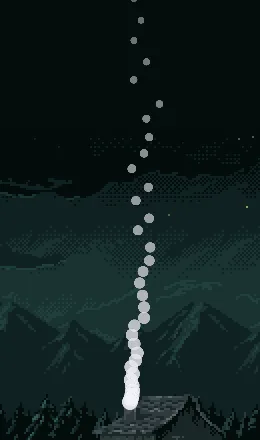

4: the same column, sparse.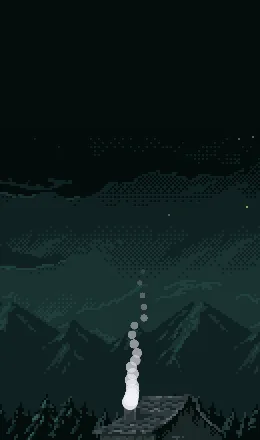
1.5: each dot is gone before it has climbed far.Which way
- Set Direction to
0.2and-1, and Spread to0.35.
With the node selected, two small blue squares float above it in the Viewport, and you can drag both. The farther one, at the end of the aim, is Direction: swing it to turn the stream. The nearer one is Spread: pull it to open or close the fan.
- Direction
- Which way particles are fired, as two numbers, x and y. Only the way counts, not the length:
0,-2is the same as0,-1. The y axis runs down the screen, so-1is up and1is down.0.2,-1leans about eleven degrees to the right, as a breeze would bend smoke; keep x between-0.3and0.3for a chimney. - Spread
- How wide the fan is that particles are fired across, in radians, centred on Direction.
0is a single line,0.35about twenty degrees, and6.28a whole circle; the field stops at7.0.2to0.5suits smoke, and0.35is what you set.

0: every dot on one line, leaning as Direction leans.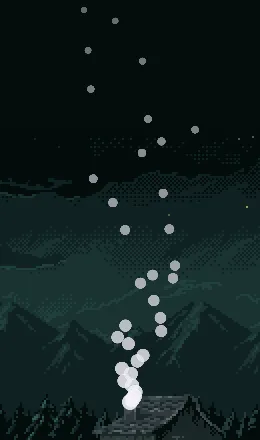
1.5: a wide fan.How many at once
An emitter keeps its particles in a pool, made when the room opens, and Capacity is its size. A chimney that makes 12 a second, each living 3.5 seconds, has about 42 alive at once, so its pool needs room for 42, and a few more.
- Set Capacity to
48. - At the bottom of the window, click the Particles tab. With
chimney_aselected it names the emitter and counts its particles. - Press F5, wait four seconds, and read the count. Press F5 again to stop.
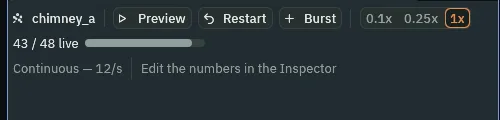
43 of 48 alive.- Capacity
- The most particles this emitter can have alive at once. Size it to Rate times Lifetime, with a little room:
48here, for the42the chimney keeps alive. A pool is made at this size when the room opens, so a bigger one costs memory even while it is empty, but only the particles alive are drawn.
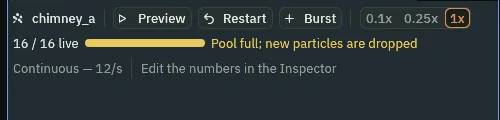
16: the pool full, and the panel says so.
16: a gap in the column where particles were not born.The Particles panel
The panel you just read the count from does more than count. It works on whichever emitter is selected, and its buttons let you watch and poke one without pressing F5.
- Preview
- Steps the selected emitter’s particles in the Viewport while Play is off, so you see a change without playing the game. It reads Pause while it runs, and pressing it again stops it.
- Restart
- Empties the emitter’s pool and starts it again, as the room opening does. It also lets a one-shot fire again.
- Burst
- Fires the emitter’s Burst count at once, whatever its mode, so a stream like the chimney’s gets a puff on top of it.
0.1x,0.25x,1x- The preview’s speed.
0.1xslows an effect that is too quick to read to a tenth of its speed.
The chimney smoke
| Field | Value |
|---|---|
| Position | 181, 201 |
| Rate | 12 |
| Lifetime | 3.5 |
| Speed | 18 |
| Direction | 0.2, -1 |
| Spread | 0.35 |
| Capacity | 48 |
Every other field is as a new Particles node has it. Chapters 2, 3, 8 and 9 add to it.