Tutorials · Particle Effects · Chapter 4
Where particles are born
By the end
- Rain from a line across the sky (
rain), fog from a box along the street (fog), a ring on the well’s rim (well_ring) - The fountain’s jet from a cone
- Shape and its fields, and Sort Layer
On this page
Shapes
Every emitter so far was born at its node, one point. Shape spreads out where particles are born, and only where: Direction and Spread still aim them. The rain is the first user of it. It falls from the whole width of the sky, so it is born along a line just above the window.
- Select
Town, press + Add node, and choose Particles. Rename itrain. - Set its Position to
320and-12, just above the top of the window. - Set Rate to
120, Lifetime to1.1, Speed to340, Direction to0.12and1, down and a little to the right, Spread to0.04and Gravity to200. - Set Start Color to
0.7,0.82,0.9, alpha0.7, and End Color to0.7,0.82,0.9, alpha0.5: the same pale blue, only a little clearer at the end. - Set Start Size to
2. End Size stays at2. - Set Capacity to
144and Sort Layer to8, and dragart/soft-dot.pngonto Texture. - Open the Emission Shape group. Set Shape to Line and Length to
720.
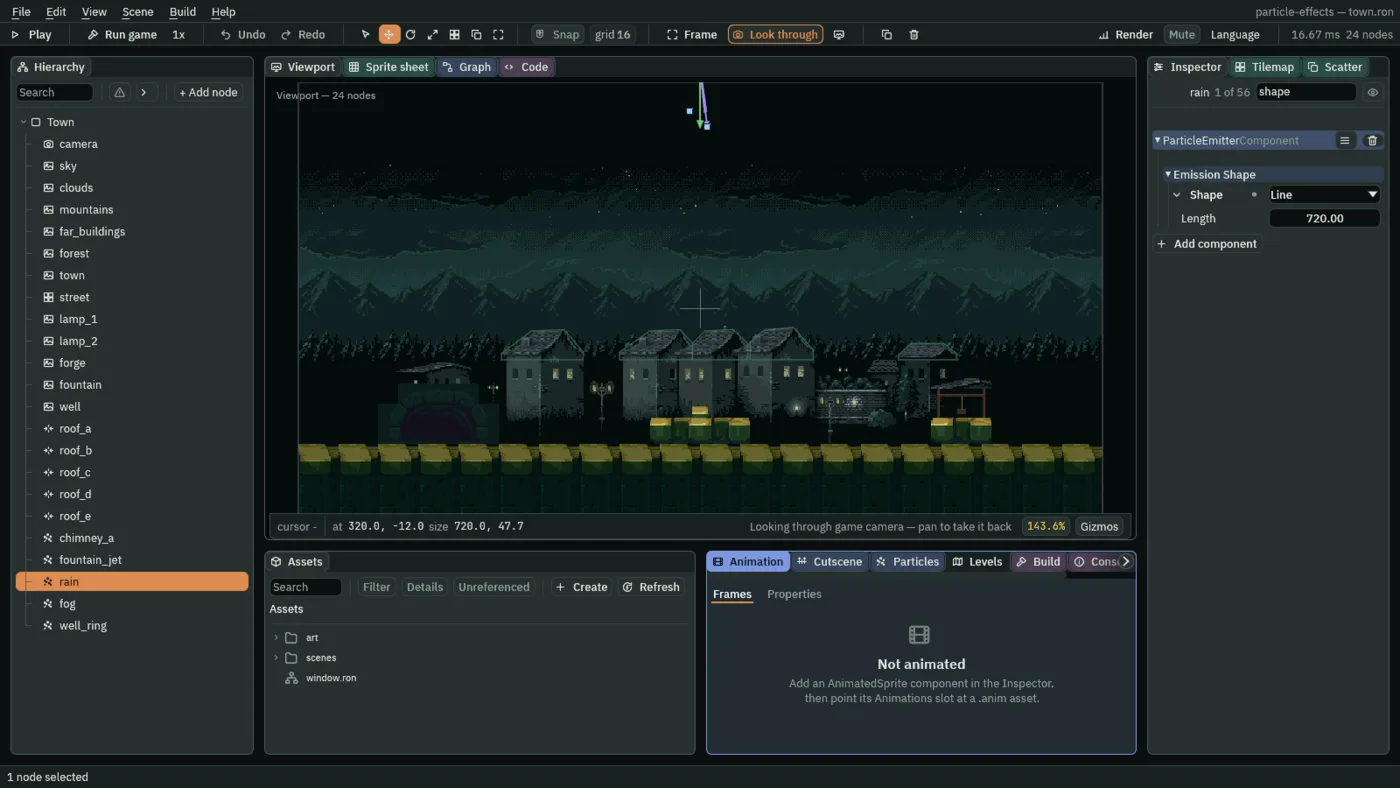
720.The rain node sits above the top of the window, and so does its line, so the Viewport shows only the tip of the node’s own green arrow at the top edge, the thin violet lines of its aim, and the two small blue squares at their ends. The Line itself, which the Viewport draws as a violet line, and its handles lie up out of the picture with it. The pictures that follow show a Line and the other shapes in plain view.
- Shape
- Where in the emitter’s neighbourhood each particle is born. It decides nothing else: Direction and Spread still say which way a particle flies, even from a Cone. Point is the node itself, as before. Line is a straight line along the world’s x, centred on the node. Box is a rectangle. Circle is a disc. Cone is a wedge that opens along Direction. Each but Point has numbers of its own, below. In the Viewport a selected emitter’s shape is drawn in violet, with handles you can drag.
- Length
- A Line’s length from one end to the other, in world units.
720is the window’s640and a little more, so no end of the rain shows. - Size
- A Box’s full width and full height, in world units: x and y. The fog’s is
680and20, a long thin strip. - Radius
- A Circle’s radius, or how far down a Cone’s wedge the particles are born, in world units. The well’s ring is
12. - Angle
- A Cone’s full opening, in radians, centred on Direction, as Spread is.
0.25is about fourteen degrees. - Edge Only
- On a Box or a Circle: tick it and particles are born on the outline alone, and the middle stays empty. A Box’s outline is walked by length, so a long side gets more than a short one.
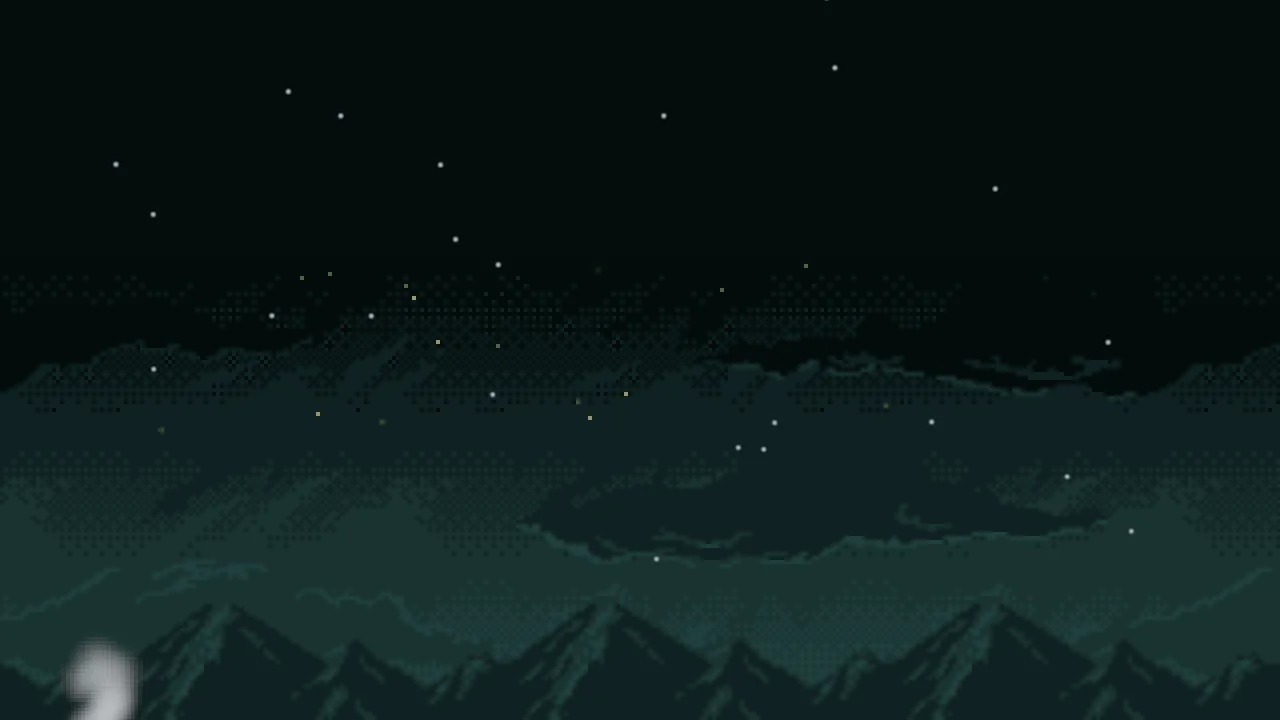
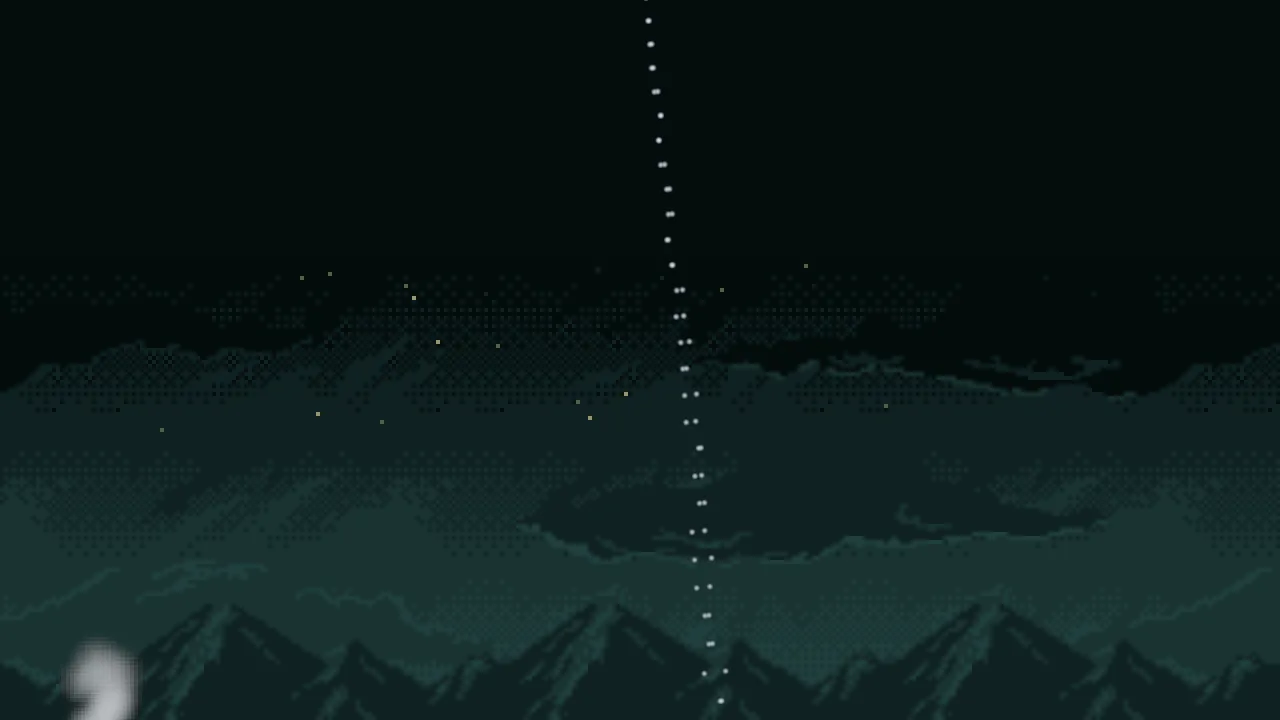
To see where each shape puts a particle, here is the rain’s emitter held still, moved into the open sky and given a Speed and a Gravity of 0, so that nothing moves, a Lifetime of 3, a Size of 6 and a solid colour, so that about a hundred and eighty big dots stand where they were born. Each picture changes only the Shape, and these numbers are not the town’s: they are chosen to make each shape large.
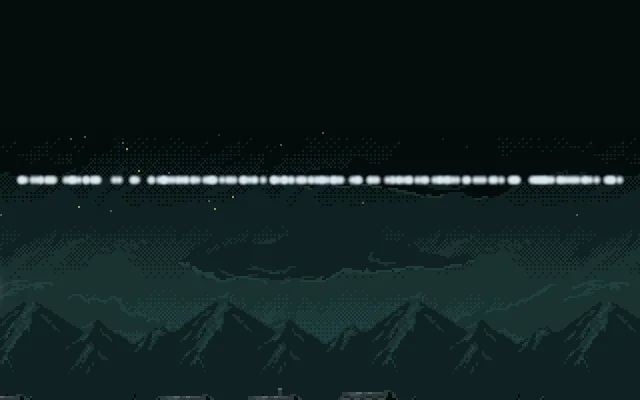
300: a straight line, centred on the node.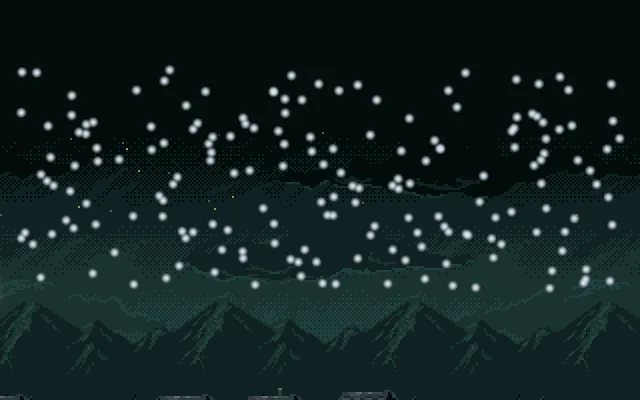
300 and 110: dots all through a rectangle.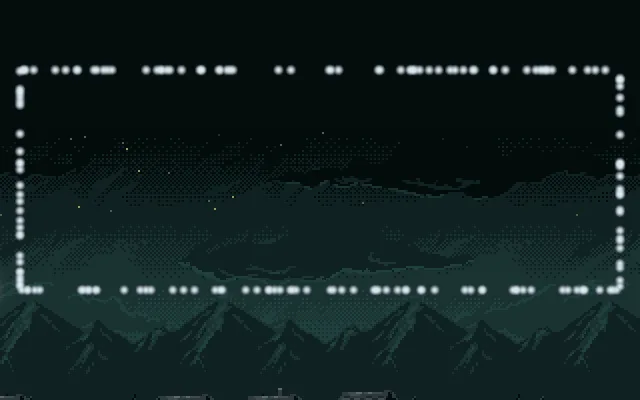
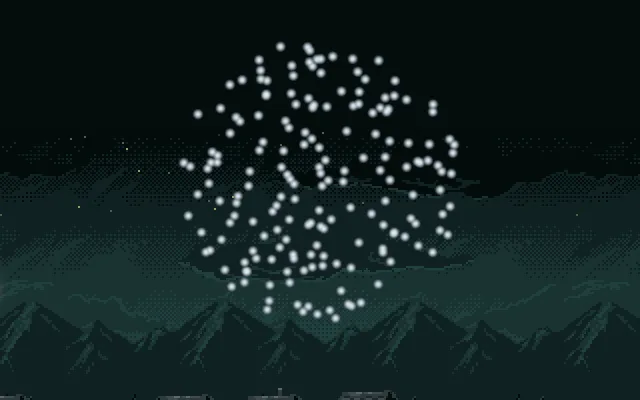
70: dots all through a disc.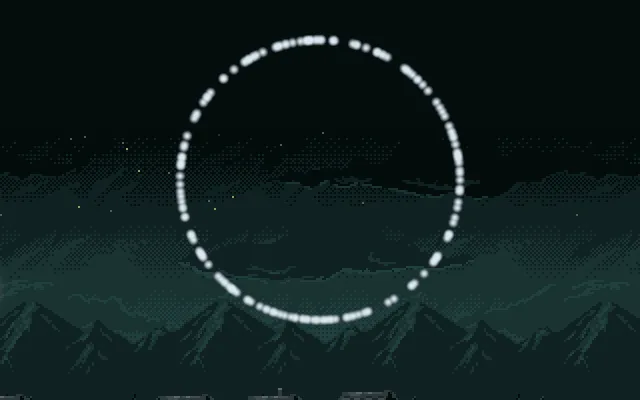
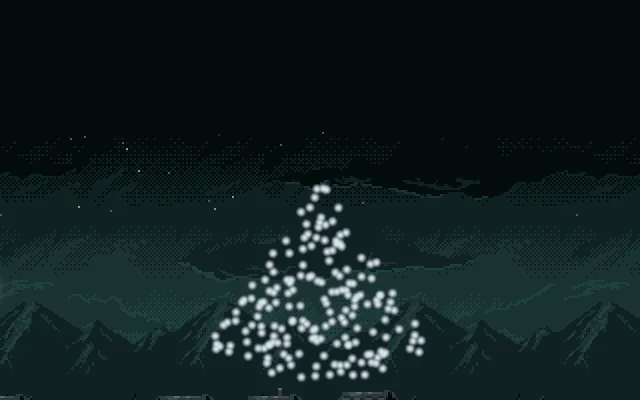
1.2, Radius 100, Direction 0, 1: a wedge from the node, opening down.Fog from a box
Fog lies along the whole street, so its emitter is a long thin box on the street’s top edge. Its puffs are large and faint, and they drift only slowly to the right.
- Select
Town, add a Particles node, and rename itfog. Set its Position to320and284. - Set Rate to
8, Lifetime to7, Speed to6, Direction to1and0, to the right, and Gravity to0. Spread stays at0.6. - Set Start Color to
0.55,0.62,0.66, alpha0.25, and End Color to0.55,0.62,0.66, alpha0. - Set Start Size to
48and End Size to72. - Set Capacity to
64, Sort Layer to-5and Blend to Screen, and dragart/smoke-puff.pngonto Texture. - Open Emission Shape. Set Shape to Box, Size to
680and20, and leave Edge Only unticked. - Press Ctrl+S.
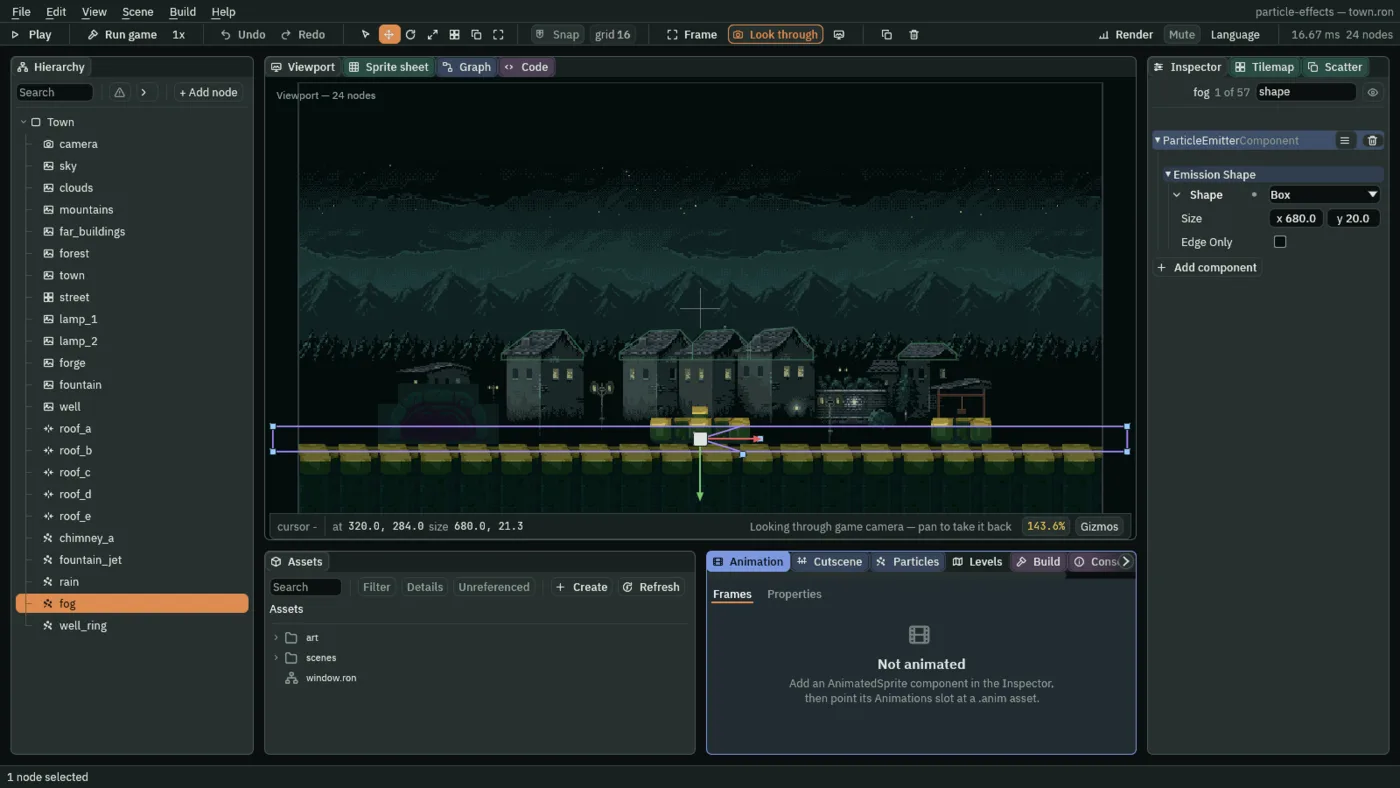
680 and 20.
Blend Screen lightens what is behind it and never darkens it, so fog over a dark street only ever brightens it. Alpha would look almost the same here, because this fog is so faint that the two came out the same to the eye. The pale smoke-puff.png, a ragged puff drawn for smoke, is what gives the fog its wisps.
A ring on the well’s rim
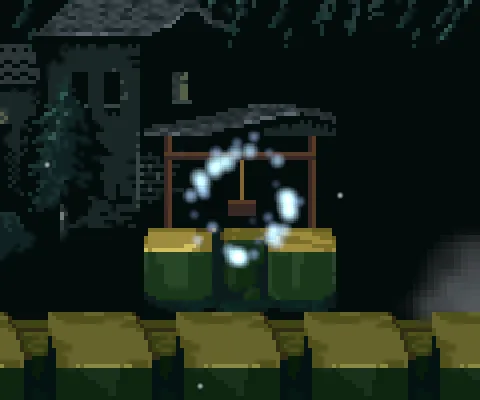
The well gets a ring of light round its mouth. That is not a stream from a point, and not a box: it is a circle, with its middle left empty.
- Select
Town, add a Particles node, and rename itwell_ring. Set its Position to528and262, the well’s mouth. - Set Rate to
36, Speed to4, Spread to7and Gravity to-8. Lifetime stays at1.2and Direction at0,-1. - Set Start Color to
0.55,0.9,1, alpha1, and End Color to0.3,0.5,1, alpha0. - Set Start Size to
7and End Size to3. - Set Capacity to
48, Sort Layer to4and Blend to Add, and dragart/soft-dot.pngonto Texture. - Open Emission Shape. Set Shape to Circle, Radius to
12and tick Edge Only. - Press Ctrl+S.
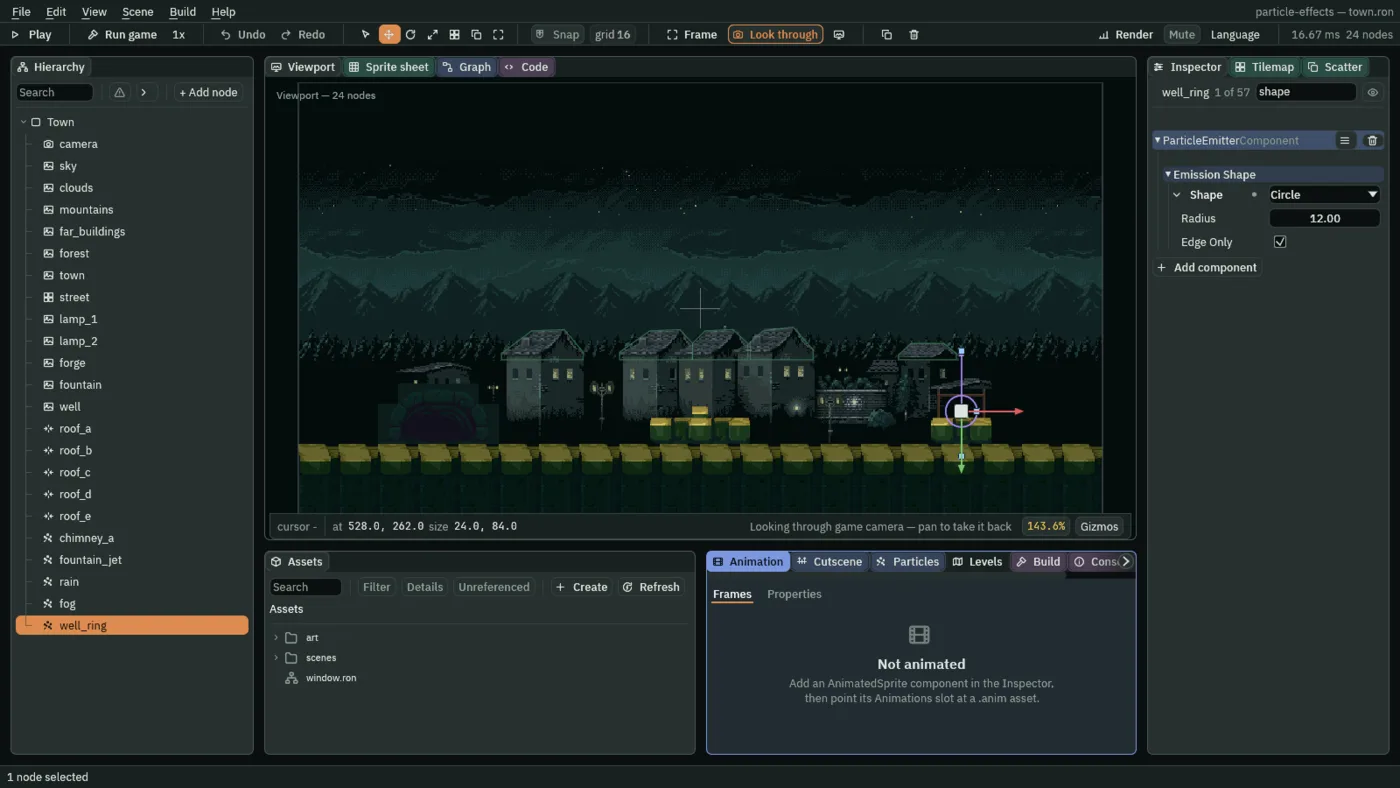
12, Edge Only ticked.Spread 7 is more than a whole turn, so the sparks leave in every direction, but at Speed 4 they barely leave at all: they drift up on the faint Gravity of -8 and fade. That keeps a ring a ring. Blend Add makes them glow where they cross.
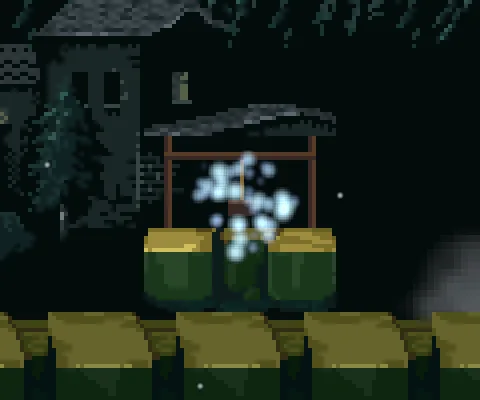
The fountain from a cone
The last shape is for a jet. A fountain’s water leaves its spout across a small opening, not from a single point, and a Cone is a wedge opening along Direction, so it opens upward with the jet.
- Select
fountain_jet. Open Emission Shape, set Shape to Cone, Angle to0.25and Radius to3.
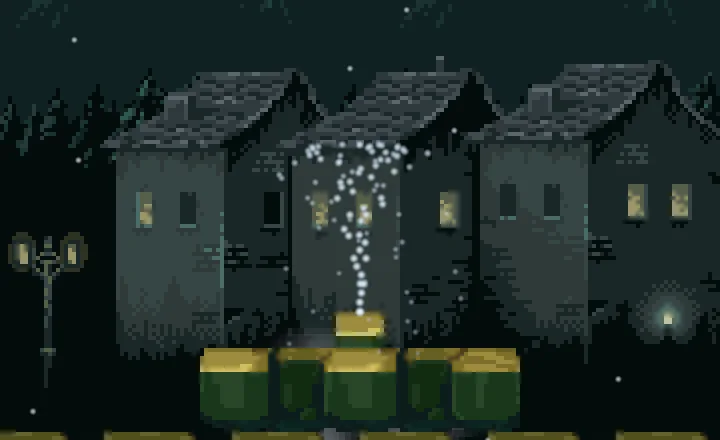
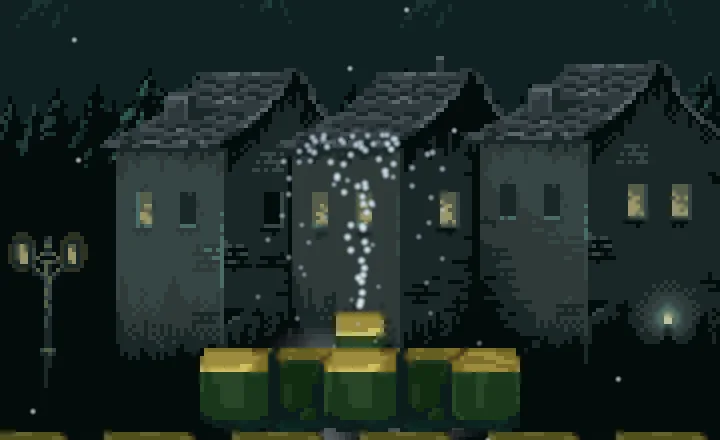
The two read alike, and that is the lesson: a wedge 3 units long is tiny beside a jet 43 units high, so it only loosens the stem of the water. A Cone earns its place when it is large, as in the pictures above: it is the shape for a spray that fans out of a nozzle or a doorway.
In front, behind
The fog has to lie behind the fountain, the well and the forge, but in front of the houses. You set that when you made it, with its Sort Layer of -5.
- Sort Layer
- The order things are drawn in: lower first, so further back, and a higher one is drawn over a lower. An emitter is one layer for all its particles. A new emitter starts at
10, in front of nearly everything. The numbers the town uses are in the table below, and-5lays the fog between the houses and the fountain.
| Sort Layer | What is drawn there |
|---|---|
-30 to -26 | The painted sky, clouds, mountains, far buildings and forest |
-20 | The houses, town |
-5 | The fog |
0 | The street’s paving |
2 | The forge, the fountain and the well |
3 | The fountain’s jet, and the second lamp |
4 | The well’s ring |
8 | The rain |
10 | The chimney’s smoke |

10: the fog drawn over the fountain’s stones and the well.The rain, the fog, the ring and the fountain
| The rain | Value |
|---|---|
| Position | 320, -12 |
| Rate | 120 |
| Lifetime | 1.1 |
| Speed | 340 |
| Direction | 0.12, 1 |
| Spread | 0.04 |
| Gravity | 200 |
| Start Color | 0.7, 0.82, 0.9, alpha 0.7 |
| End Color | 0.7, 0.82, 0.9, alpha 0.5 |
| Start Size | 2 |
| End Size | 2 |
| Capacity | 144 |
| Sort Layer | 8 |
| Texture | soft-dot.png |
| Shape | Line, Length 720 |
| The ground fog | Value |
|---|---|
| Position | 320, 284 |
| Rate | 8 |
| Lifetime | 7 |
| Speed | 6 |
| Direction | 1, 0 |
| Spread | 0.6 |
| Gravity | 0 |
| Start Color | 0.55, 0.62, 0.66, alpha 0.25 |
| End Color | 0.55, 0.62, 0.66, alpha 0 |
| Start Size | 48 |
| End Size | 72 |
| Capacity | 64 |
| Sort Layer | -5 |
| Blend | Screen |
| Texture | smoke-puff.png |
| Shape | Box, Size 680, 20, Edge Only unticked |
| The well’s ring | Value |
|---|---|
| Position | 528, 262 |
| Rate | 36 |
| Lifetime | 1.2 |
| Speed | 4 |
| Direction | 0, -1 |
| Spread | 7 |
| Gravity | -8 |
| Start Color | 0.55, 0.9, 1, alpha 1 |
| End Color | 0.3, 0.5, 1, alpha 0 |
| Start Size | 7 |
| End Size | 3 |
| Capacity | 48 |
| Sort Layer | 4 |
| Blend | Add |
| Texture | soft-dot.png |
| Shape | Circle, Radius 12, Edge Only ticked |
| The fountain | Value |
|---|---|
| Position | 320, 258 |
| Rate | 80 |
| Lifetime | 1.2 |
| Speed | 150 |
| Direction | 0, -1 |
| Spread | 0.35 |
| Gravity | 260 |
| Start Color | 0.75, 0.9, 1, alpha 0.9 |
| End Color | 0.6, 0.78, 0.95, alpha 0.2 |
| Start Size | 3 |
| End Size | 2 |
| Capacity | 112 |
| Sort Layer | 3 |
| Texture | soft-dot.png |
| Shape | Cone, Angle 0.25, Radius 3 |
Check it works
Part 1 ends here: a town with smoke, water, rain, fog and a ring of light. Curves and gradients begins making them look real.