Tutorials · Particle Effects · Chapter 13
Particles and scripts
By the end
fireworks.rgs: a salvo of3shells every4seconds, fired withburstwish.rgs: the well’s ring of light, lit where a firefly crosses the fireflies’ Trigger, throughon_particle_entercough.rgs: the soot puff restarted every3to6secondsshooting_star.rgs: a star thrown across the sky by a script, its sparks carrying its speed, its emitter switched withset_flag
On this page
Particles a script drives
So far the town has run on numbers. A script can do what numbers cannot: fire a burst at a moment of its choosing, restart a one-shot, switch an emitter on and off, and hear particles cross a region. This chapter holds the tutorial’s first Rengy Script: four short files, which the editor runs as they are, with nothing to install and nothing to build.
Each is made the same way. You make the script in Assets, paste the text below into the Code tab, and add the script to a node as a component. A script belongs to the node it is added to and works on that node’s own components, so each goes on the node whose emitter it drives. Where a script needs another node, you hand it one in a field.
Fireworks on a timer
Chapter 12 left fireworks, the launcher, firing a shell now and then on its own Rate. A salvo of three at once, on a beat, needs a script.
- In Assets, click Assets in the path bar over the tree, so the script is written at the project’s top, beside
art,artifactsandscenes, then press Create, choose New script, typefireworks, and press Enter. - In the Code tab, replace everything in
fireworks.rgswith the script below, and press Ctrl+S. - Select
fireworksand untick Emitting: from now on it fires only when the script says. Set Spread to0.5, so that three shells leave in slightly different directions. - Press Add component and choose Fireworks. Every and Shells start at the script’s own
4and3: leave them.
/// Fireworks on a timer. Every `every` seconds the launcher fires `shells`
/// shells at once, fanned out by its emitter's Spread; each shell bursts where
/// it dies, as the emitter's On Death says.
component Fireworks {
    /// Seconds from one salvo to the next.
    #[suffix("s")]
    every: f32 = 4.0,
    /// How many shells a salvo fires.
    shells: f32 = 3.0,

    fn loop() {
        await wait(every);
        burst(shells);
    }
}
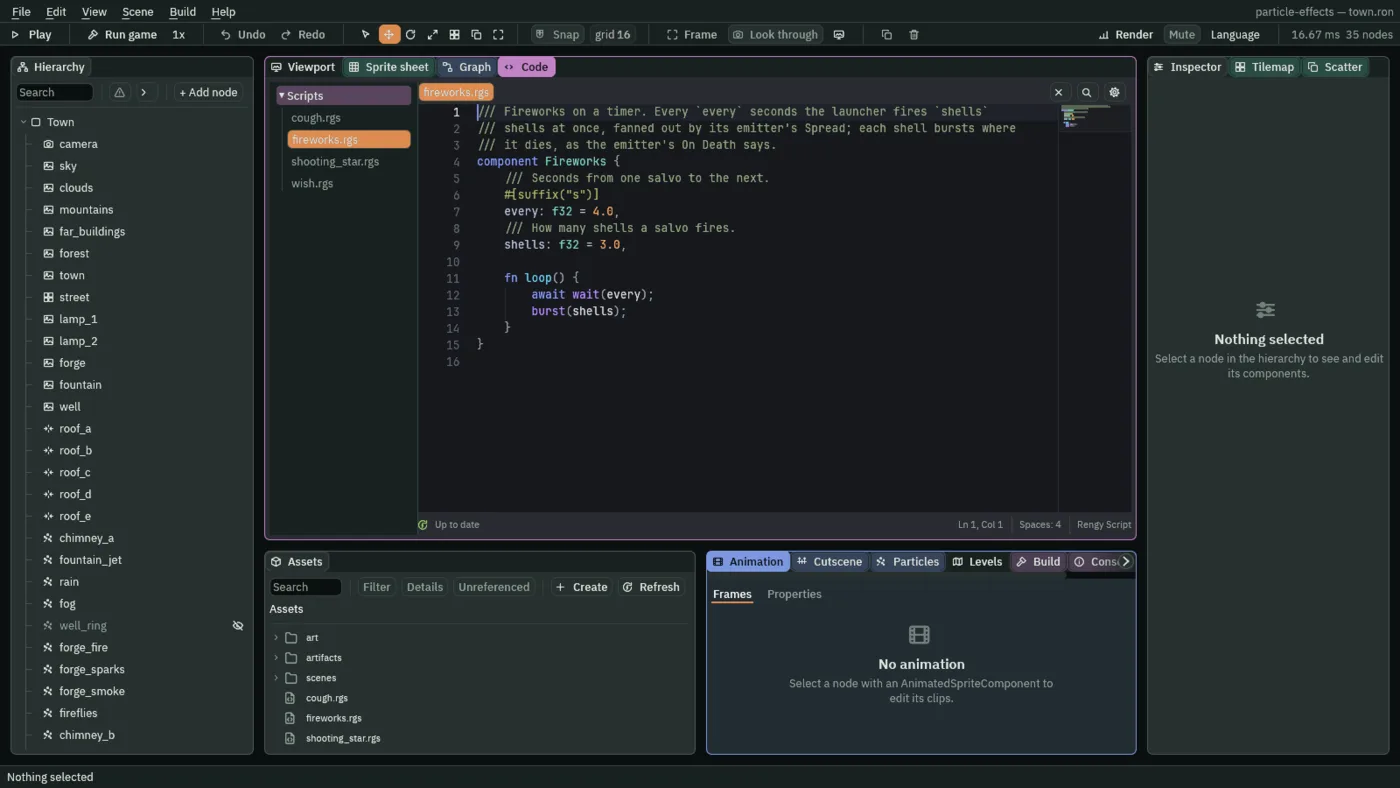
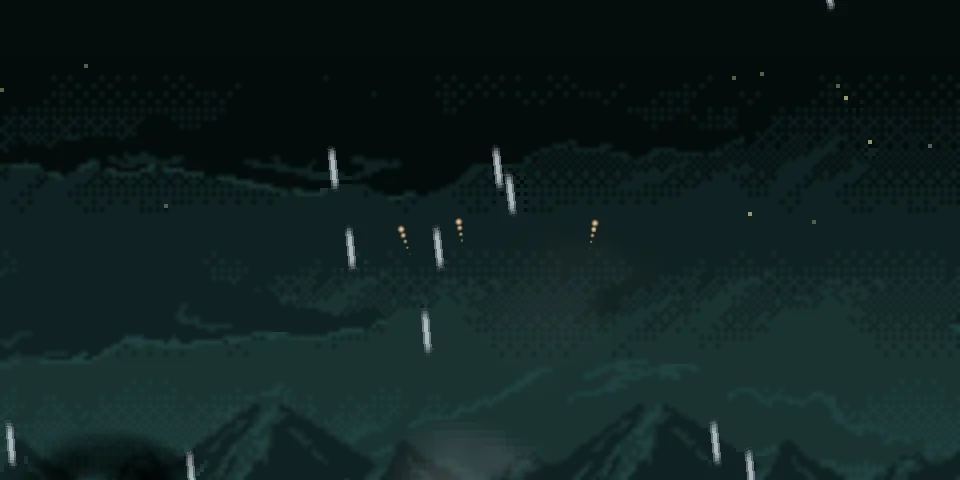
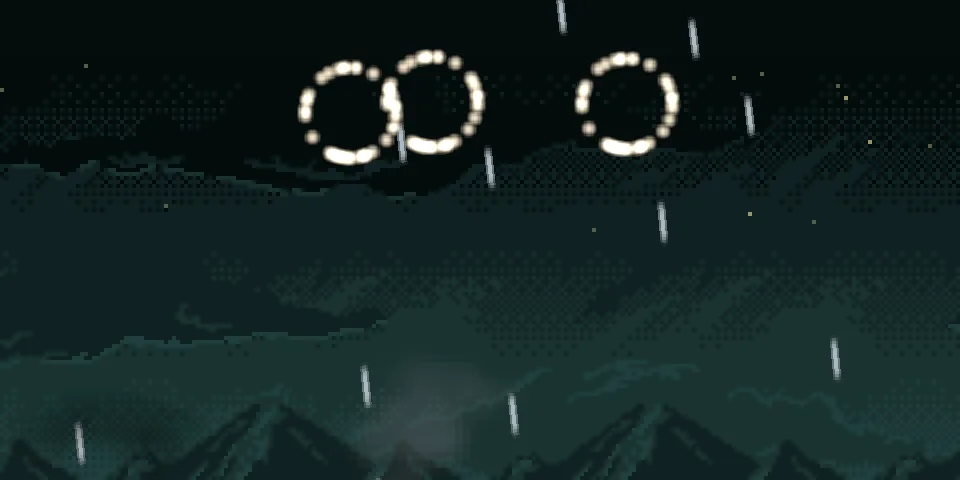
loop runs for as long as the town does. await wait(every) pauses it for every seconds, and when it comes back, burst(shells) adds that many particles to this node’s own emitter at once. Then loop runs again from the top. With Emitting unticked the stream makes none of its own, so this burst is the only way a shell is ever born. Each shell bursts where it dies, as chapter 12’s On Death says.
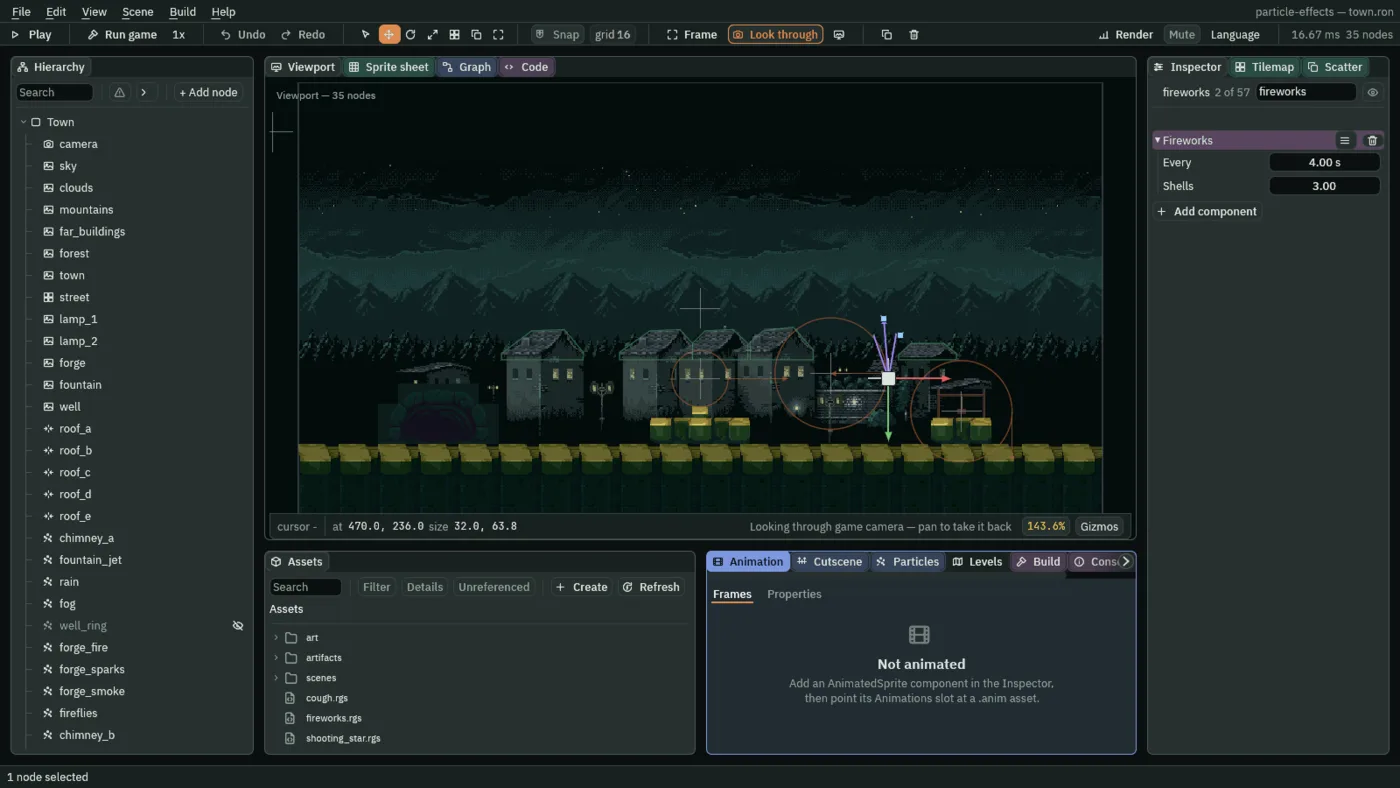
- burst
- Fires that many particles from the script node’s own emitter right now, whatever its mode: a stream gets a puff on top of its flow, a one-shot another round. Here
shells, three shells at once. - Every
- Seconds between one salvo and the next,
4here.3to8suits fireworks over a town this size: under that the sky is never empty, and over it the town waits too long. - Shells
- How many shells a salvo fires,
3. They are fanned across the emitter’s Spread,0.5, so each flies a little differently.2to5reads as a salvo; a dozen would be a crowd.
A well that hears the fireflies
The well’s ring of light, well_ring, has burned since chapter 4. Now it will light only when a firefly drifts into the well’s mouth. For that the fireflies need a Trigger, a region that tells their node’s scripts which particles cross it, and a script that listens.
- Make
wish.rgsthe same way, with the script below: Create, New script,wish, Enter, replace its text in the Code tab, and press Ctrl+S. - Select
fireflies. In its Trigger group tick Trigger, and set Offset to0and30, Shape to Circle with a Radius of18, and Report to Enter. - Select
well_ringand untick its Visible: the script lights it, so it starts dark. - Select
firefliesagain, press Add component, and choose Wish. Click the empty Ring slot and choosewell_ringfrom the list, or dragwell_ringfrom the Hierarchy onto the slot. Glow starts at the script’s own3: leave it.
/// A wishing well. A firefly that drifts into the well's mouth, this emitter's
/// Trigger, lights the well's ring of light where it crossed in, for `glow`
/// seconds; another firefly arriving lights it again.
component Wish : Emitter {
    /// The node whose particles make the well's ring of light.
    #[node_path]
    ring: i32 = 0,
    /// Seconds the ring stays lit after the last firefly crossed in.
    #[suffix("s")]
    glow: f32 = 3.0,
    /// Seconds left before the ring goes dark.
    #[hidden]
    left: f32 = 0.0,

    fn on_particle_enter(at: Vec2) {
        move_node(node(ring), at);
        set_visible(node(ring), true);
        left = glow;
    }

    fn loop() {
        if left > 0.0 {
            left -= dt;
            if left <= 0.0 {
                set_visible(node(ring), false);
            }
        }
    }
}
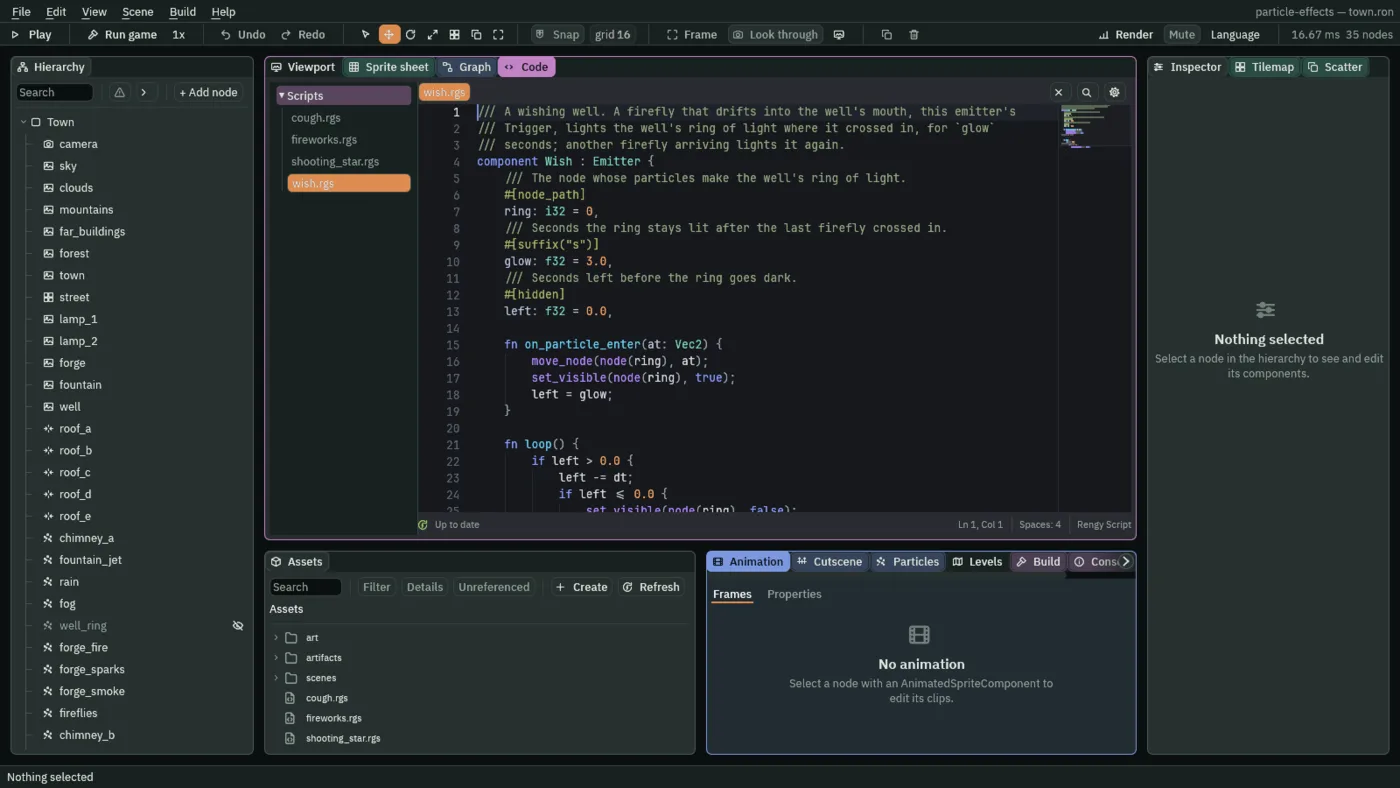
component Wish : Emitter says the script belongs on a node with a Particle Emitter, and gives it the two hooks an emitter has, on_particle_enter and on_particle_exit. The engine calls on_particle_enter once for every particle that crosses into the Trigger, with at, where it crossed, and it does so before that step’s loop. Here the hook moves the ring node to at, shows it, and sets left to glow, the seconds the ring has to live. loop runs every step and counts left down by dt, the seconds since the last step; when it reaches nothing it hides the ring again. A firefly that crosses while the ring is lit sets left back to glow, so the ring stays lit as long as they keep arriving. left is marked hidden: it is the script’s own counter, and the Inspector does not show it.
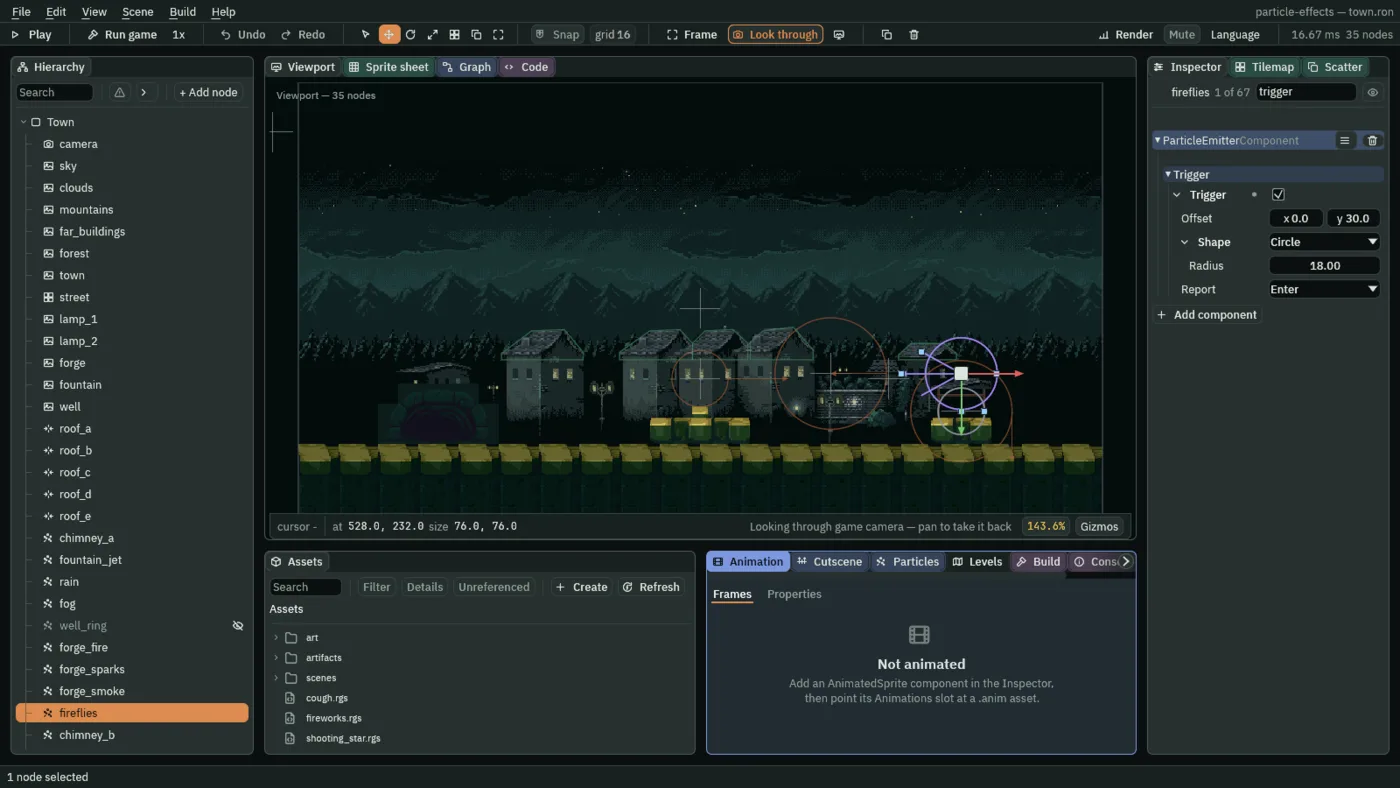
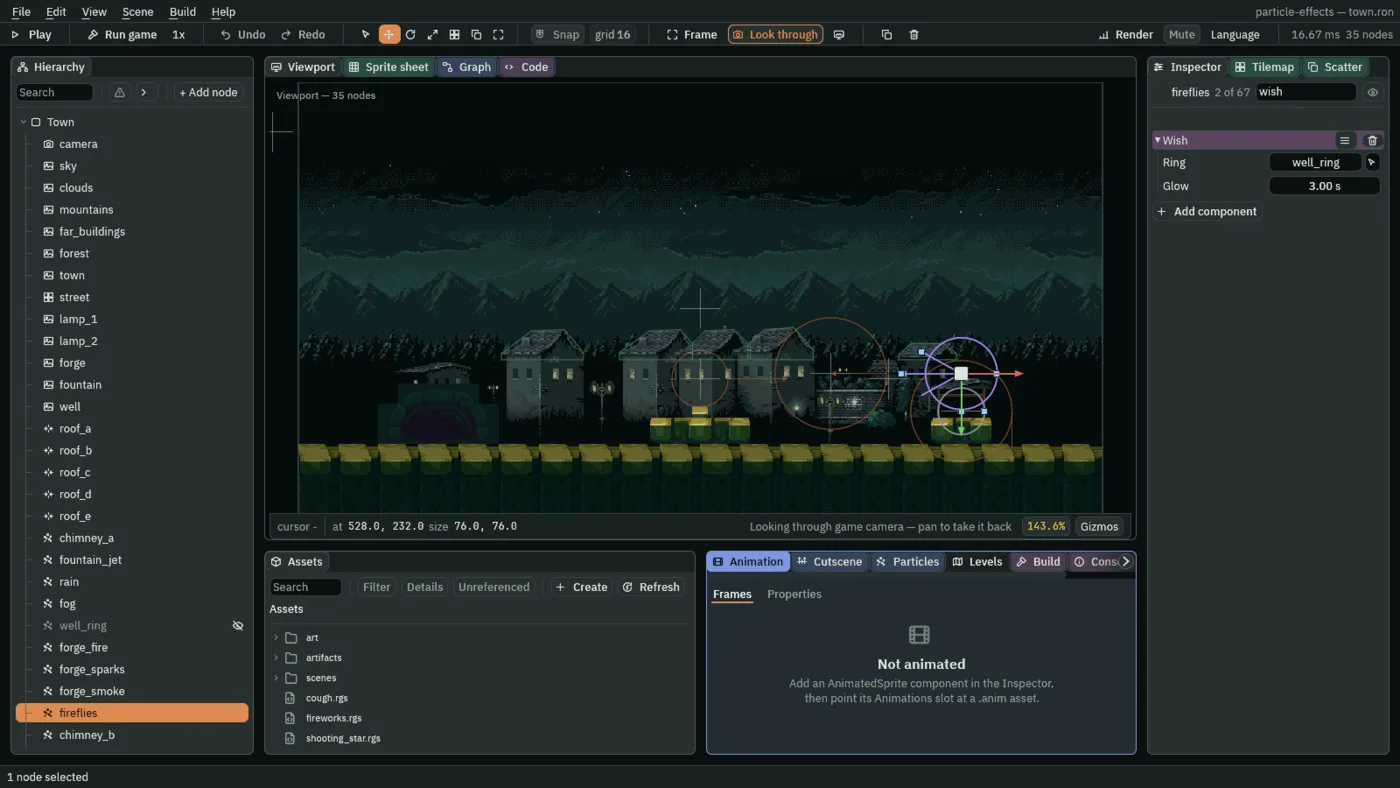
- Trigger
- A region that reports the emitter’s own particles crossing it, to the scripts on the emitter’s node. Nothing happens to a particle that crosses: it flies on through. Unticked, no region exists and no hook runs. Its three settings follow.
- Offset
- Where the region sits, measured from the emitter’s node, in world units.
0,30puts it 30 units below the fireflies’ node, which hangs just over the well’s mouth, so the region covers the mouth:ygrows downward. The region stays where it is while particles drift through it. - Shape (the trigger’s)
- The region’s outline. A Circle asks “inside?” with one distance from its centre, its Radius,
18here, about the width of the well’s mouth. A Box asks it with a rectangle, its Size the full width and height. This is a second Shape, beside the one chapter 4 set: that one decides where particles are born, and this one where they are heard. - Report
- Which crossings call a hook: Enter, a particle crossing in; Exit, a particle crossing out; Both. Enter here, so each firefly that drifts in is heard once. One call is made for each crossing.
- on_particle_enter
- A hook: code the engine runs for you, here once for each particle that crosses into the Trigger, with
at, where it was. on_particle_exit is its twin for particles crossing out, and runs when Report is Exit or Both. - move_node, set_visible and node
- Move another node, and show or hide it.
nodefinds that other node from a node field, herering, which is how a script reaches a node that is not its own. - Ring
- The node the script lights:
well_ring. It is a node field, filled by picking from the list or dropping a node on it. - Glow
- Seconds the ring stays lit after the last firefly crossed in:
3here.1to5reads well. Under a second the ring blinks, and over five it is lit most of the night.
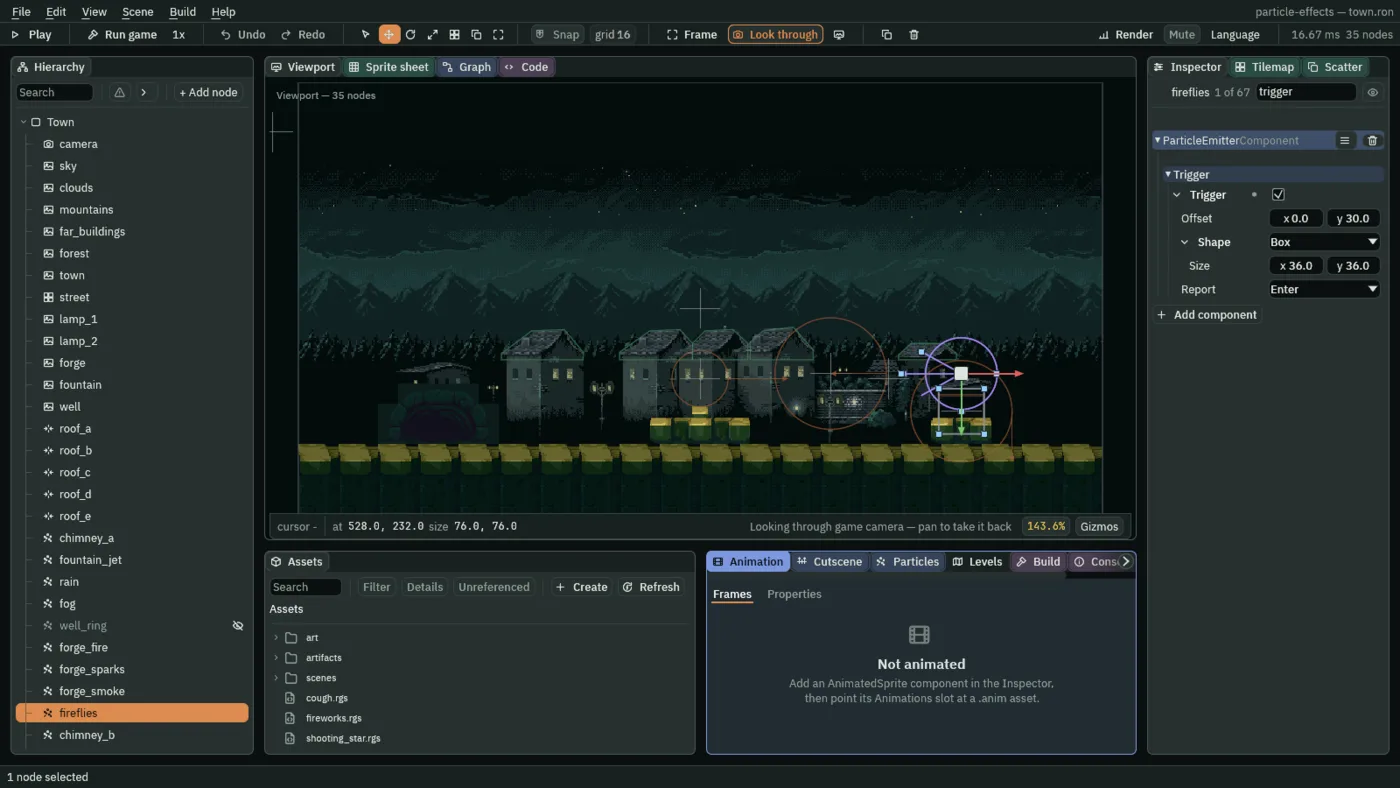
36 by 36: a handle at each corner, which drags its Size.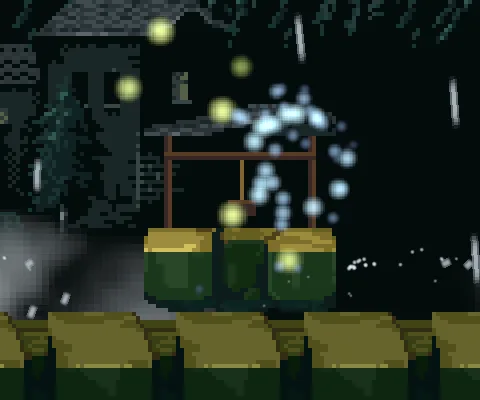
A chimney that coughs
Chapter 9’s soot puff, soot_puff, is a one-shot: it fires its burst once, when the room opens, and is spent. A script can fire it again.
- Make
cough.rgsthe same way, with the script below, and press Ctrl+S. - Select
soot_puff, press Add component, and choose Cough. Calm Min and Calm Max start at the script’s own3and6: leave them.
/// A chimney that coughs. Every few seconds, somewhere between `calm_min` and
/// `calm_max`, this node's one-shot emitter is restarted, so it fires its
/// burst of soot again.
component Cough {
    /// The shortest wait between two coughs, in seconds.
    #[suffix("s")]
    calm_min: f32 = 3.0,
    /// The longest wait between two coughs, in seconds.
    #[suffix("s")]
    calm_max: f32 = 6.0,

    fn loop() {
        await wait(random(calm_min, calm_max));
        restart();
    }
}
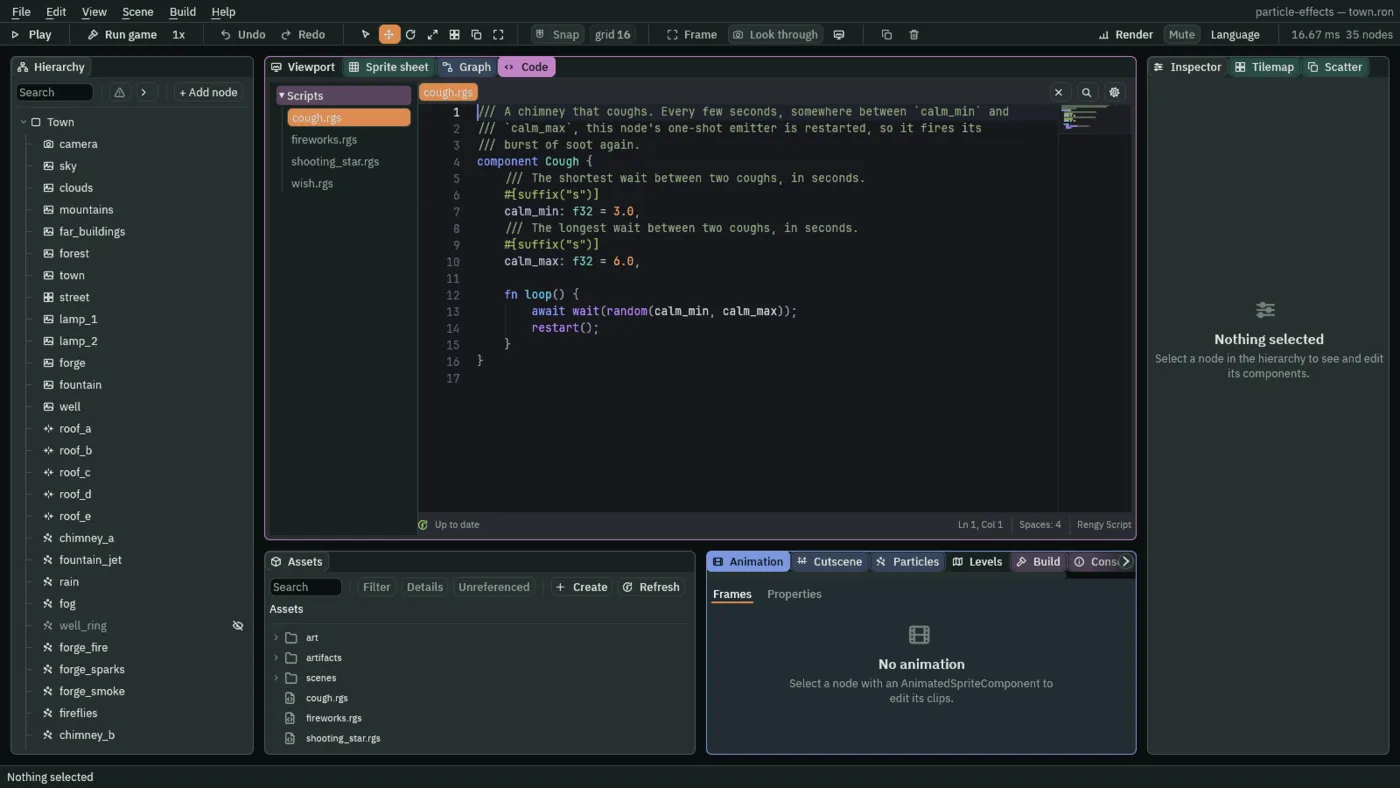
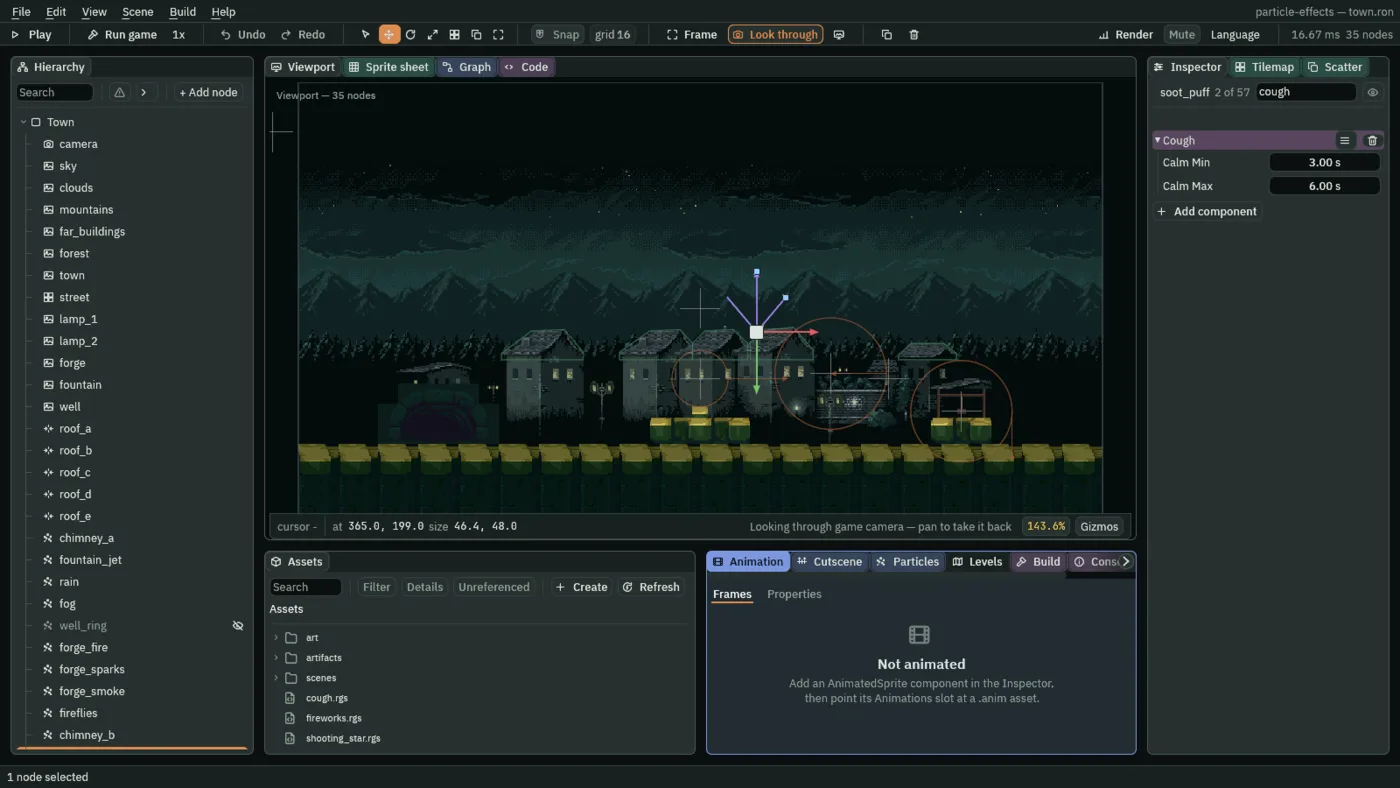
loop waits a random time, between calm_min and calm_max seconds, and then calls restart(); and loop runs again. So the third chimney coughs every three to six seconds, never on a fixed beat.
- restart
- Empties the script node’s emitter and fires it again from the start: a one-shot fires its whole Burst once more, and a stream starts over. It is what the Particles panel’s Restart does, but a script’s
restart()does not prewarm. - random
- A random number between the two you give it, so
random(calm_min, calm_max)is a wait somewhere between3and6. The same town gives the same numbers every run, so the first cough always comes at the same moment. - wait
- Pauses a script for that many seconds. It is written
await wait(…), and the rest ofloopcarries on after it. - Calm Min and Calm Max
- The shortest and the longest wait between coughs, in seconds:
3and6. A wider spread feels more like a living chimney; equal numbers make a metronome.
A shooting star
The last script moves a node. A star leaves the left edge, crosses the sky in a second, and leaves a trail of sparks, then waits five seconds in the dark and goes again. The star is a Particles node, and the script is what carries it.
- Make
shooting_star.rgsthe same way, with the script below, and press Ctrl+S. - Select
Town, press + Add node, and choose Particles. Rename itshooting_starand set its Position to-20and40, just off the left edge of the window. Untick Emitting. - Set Rate to
120, Lifetime to0.8, Speed to14, Spread to7and Gravity to0. - Set Start Color to
0.9,0.95,1, alpha1, End Color to0.5,0.6,1, alpha0, Start Size to5and End Size to1.5. - Set Capacity to
100, Sort Layer to-25, Blend to Add and Texture tosoft-dot.png. In the Inherit group set Inherit Velocity to1. - Press Add component and choose ShootingStar. Set From to
-20and40, and To to420and110. Seconds and Rest start at the script’s own1and5: leave them.
/// A shooting star. Every `rest` seconds this node leaps back to `from`, its
/// emitter off so the leap throws no sparks, then streaks to `to` in
/// `seconds` with its emitter on. Its sparks carry its speed, as the
/// emitter's Inherit Velocity says, so they ride along its path.
component ShootingStar {
    /// Where each crossing starts.
    from: Vec2,
    /// Where it ends.
    to: Vec2,
    /// Seconds a crossing takes.
    #[suffix("s")]
    seconds: f32 = 1.0,
    /// Seconds of dark sky between crossings.
    #[suffix("s")]
    rest: f32 = 5.0,

    fn loop() {
        set_flag("ParticleEmitterComponent", "emitting", false);
        move_to(from);
        await wait(rest);
        set_flag("ParticleEmitterComponent", "emitting", true);
        await anneal_to(to, seconds, .InQuad);
    }
}
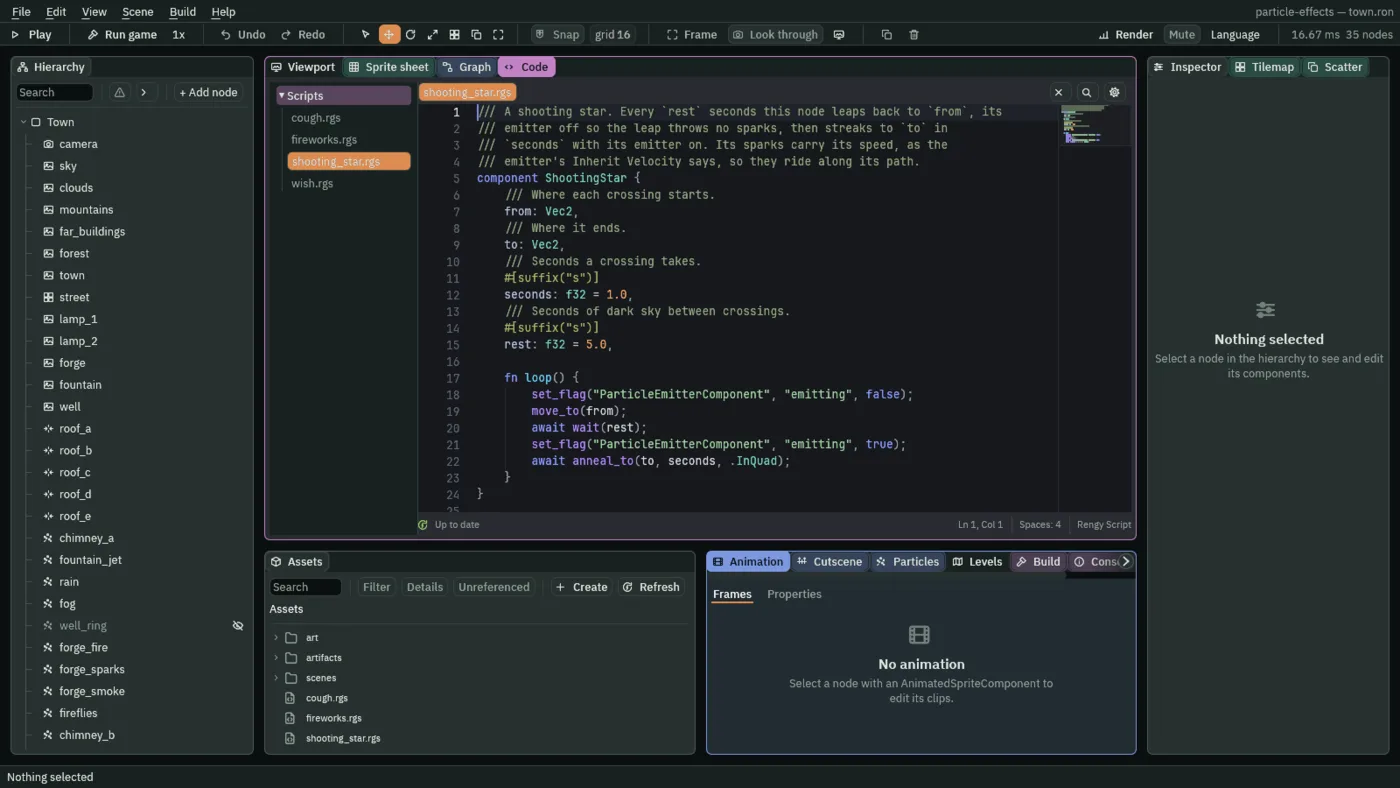
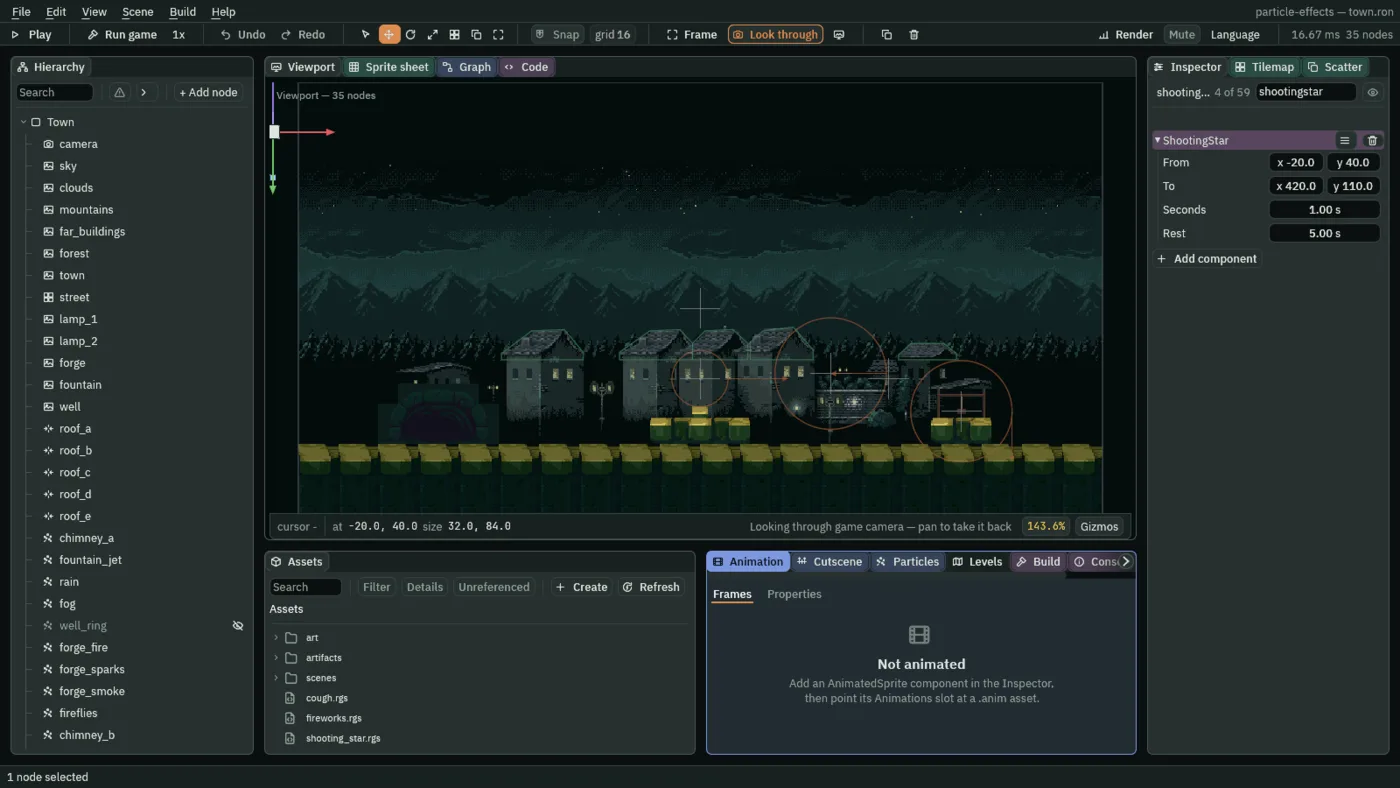
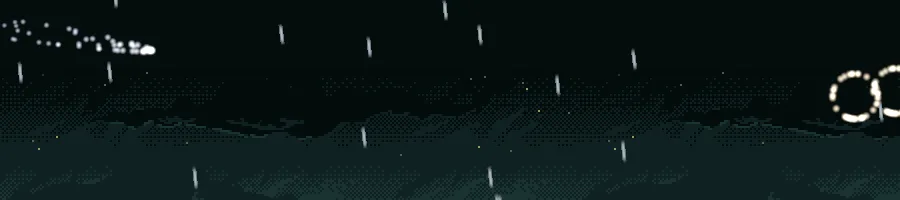
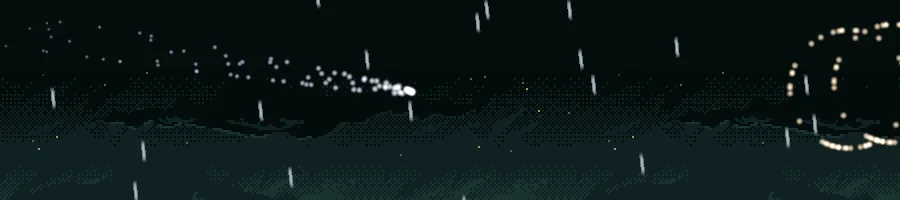
Each pass of loop is one crossing. set_flag switches the emitter off, by writing false onto its Emitting. move_to(from) puts the node back at the start in a single move. wait(rest) is the dark sky between crossings. set_flag then switches the emitter on, and anneal_to carries the node to to over seconds, along .InQuad, which starts slowly and speeds up. It is the node that moves, and a particle is born moving with its node, as far as Inherit Velocity says.
- set_flag
- Writes true or false onto a field of another component on this node: here
"ParticleEmitterComponent"and"emitting", the emitter’s Emitting. A script can switch an emitter on and off this way, or any other tick box. - move_to and anneal_to
move_toputs the node at a place at once.anneal_tocarries it there over a time, along an easing:.InQuadstarts slowly and gathers speed, as a falling star does.- Inherit Velocity
- The share of the emitter node’s own velocity that a new particle carries, from
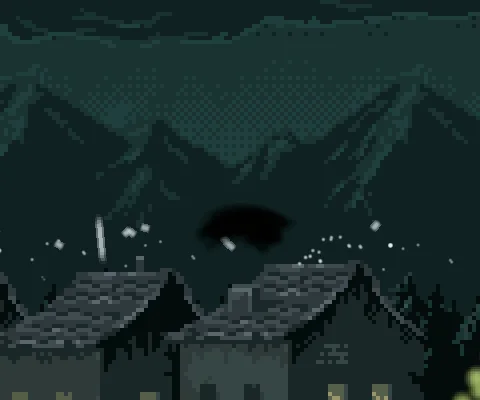
0to1. At0a particle is thrown only by Speed and Direction, and hangs where it was born. At1it also takes all of the node’s speed at birth.0.3to0.5is where sparks off something that runs read as thrown, and the star takes1: its sparks ride along with it. - From, To
- Where each crossing starts and ends, in world units:
-20,40just off the left edge, and420,110, past the middle of the town and lower. - Seconds, Rest
- Seconds a crossing takes,
1, and seconds of dark sky between crossings,5. A star every5to10seconds is a rarity; every second it is a meteor shower.
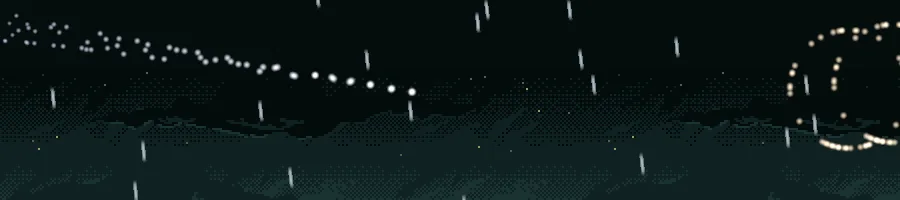
0: the sparks hang where they were born, a dotted line along the path.The recipes
The fireworks
| Field | Value |
|---|---|
| Node | fireworks, a Particles node, Position 470, 236 |
| Emitting | unticked |
| Rate | 0.4 |
| Lifetime | 1.3 |
| Speed | 180 |
| Direction | -0.08, -1 |
| Spread | 0.5 |
| Gravity | 90 |
| Start Color | 1, 0.85, 0.6, alpha 1 |
| End Color | 1, 0.6, 0.3, alpha 0.8 |
| Start Size | 3 |
| Capacity | 4 |
| Trail | 4 |
| Sort Layer | -22 |
| Blend | Add |
| Texture | soft-dot.png |
| On Death | firework.artifact |
| Fireworks | Every 4, Shells 3 |
The wishing well
| Field | Value |
|---|---|
fireflies, Trigger | ticked: Offset 0, 30, Shape Circle with Radius 18, Report Enter |
fireflies, Wish | Ring well_ring, Glow 3 |
well_ring | Visible unticked |
The fireflies and the ring are as chapters 4 and 8 left them.
The coughing chimney
| Field | Value |
|---|---|
soot_puff, Cough | Calm Min 3, Calm Max 6 |
The puff is as chapter 9 left it, a one-shot.
The shooting star
| Field | Value |
|---|---|
| Node | shooting_star, a Particles node, Position -20, 40 |
| Emitting | unticked |
| Rate | 120 |
| Lifetime | 0.8 |
| Speed | 14 |
| Spread | 7 |
| Gravity | 0 |
| Start Color | 0.9, 0.95, 1, alpha 1 |
| End Color | 0.5, 0.6, 1, alpha 0 |
| Start Size | 5 |
| End Size | 1.5 |
| Capacity | 100 |
| Sort Layer | -25 |
| Blend | Add |
| Texture | soft-dot.png |
| Inherit Velocity | 1 |
| ShootingStar | From -20, 40, To 420, 110, Seconds 1, Rest 5 |