Tutorials · Ship Evader · Chapter 9
Score and HUD
By the end
- The pack’s font, for every label in the game
- A HUD: a canvas over the field, holding the score, the best and three life icons
- A score kept for the whole game, and a best saved between launches
- Labels that scripts write, and only when their number changes
- A hidden STAGE banner, ready for the next chapter
On this page
The game’s font
- Choose File → Project settings… and open its Font tab.
- Set Face to
fonts/kenvector_future.ttf, the pack’s font, and press Enter. - Set Size to
48, and leave Distance field unticked.
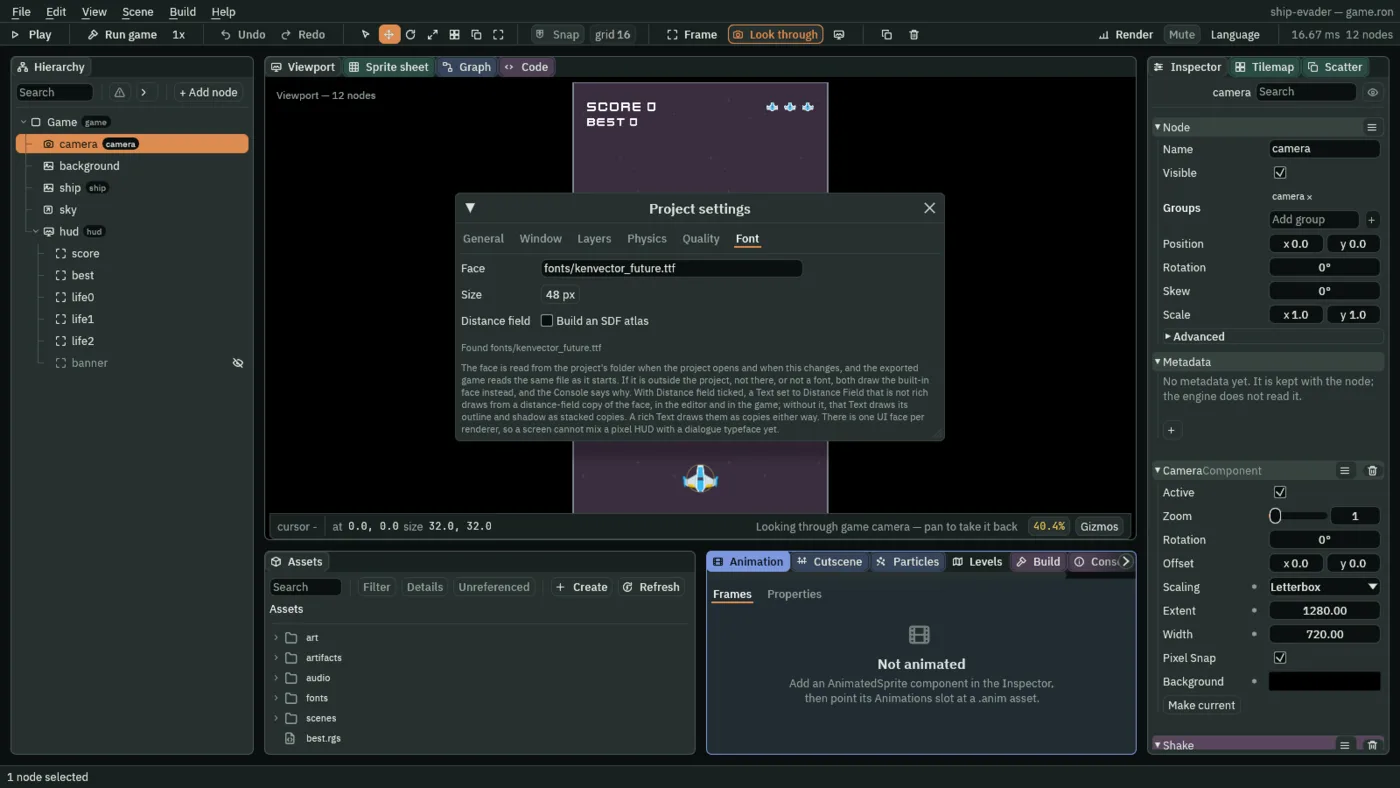
Size is how many pixels the letters are drawn from. 48 suits the biggest label, the STAGE banner, and every label is drawn from the same letters at its own scale, so the HUD’s scales below keep the letters sharp in a 540 × 960 window.
- Close the window with the × at the right of its title bar: it floats over the Viewport.
Counting the score
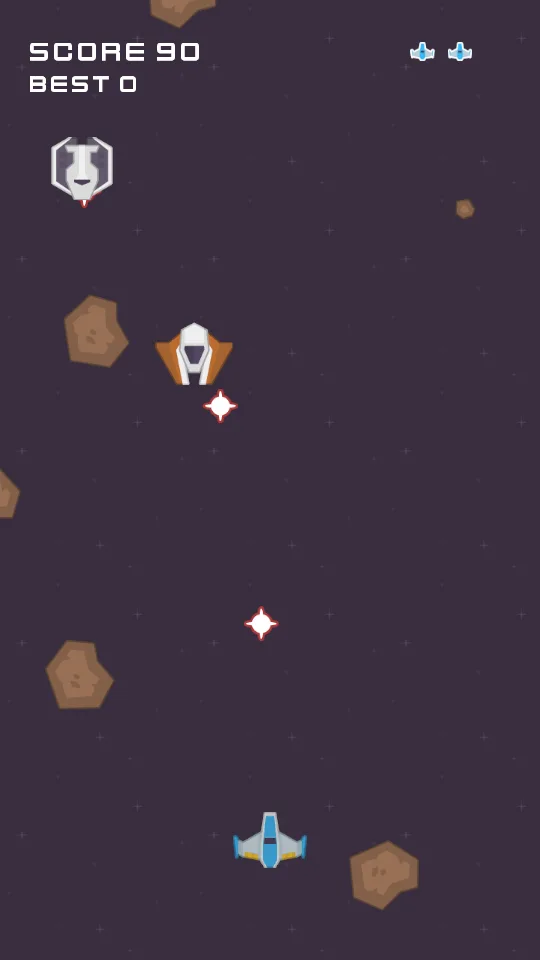
The score is a kept number, as the lives are. An enemy shot down adds its points; the ship adds 10 for every whole second it is alive.
- Click the Code tab, then
enemy.rgsin its Scripts list, replace everything in it with the script below, and press Ctrl+S.
/// An enemy's hits: each laser that meets it costs it a hit point, the last one
/// removes it and adds its points to the score, a hit it lives through flashes
/// it white, and meeting the ship removes it too, for no points.
component Enemy : Area {
    /// How many lasers it takes to remove it.
    hit_points: i32 = 1,
    /// How long the white flash of a hit takes to fade.
    #[suffix("s")]
    flash_time: f32 = 0.12,
    /// What shooting it down adds to the score.
    points: f32 = 100.0,

    /// When its Area meets another that it notices, on the node `other`: a
    /// laser's or the ship's.
    fn on_enter(other: NodeId) {
        // The groups `other` is in say which it is.
        if in_group(other, "shot") {
            hit_points -= 1;
            if hit_points <= 0 {
                // Shot down: its points go on the score. The game keeps the
                // score as it keeps the lives, so the HUD can show it.
                add_number("score", points);
                destroy_self();
            } else {
                // A hit it lives through washes it white at once, and the
                // white fades back to its own colours over flash_time.
                set_number("SpriteComponent", "flash", 1.0);
                anneal_number("SpriteComponent", "flash", 0.0, flash_time, .Linear);
            }
        } else if in_group(other, "ship") {
            // Rammed: it goes, and scores nothing. The ship loses a life.
            destroy_self();
        }
    }
}
add_number adds to a kept number, and counts a number nothing has kept yet as 0. It adds rather than reading and keeping the sum, so two enemies shot down on one step both count. In ship.rgs, add one line to the comment at the top, two fields after blink_fade, and the seconds at the end of loop, after the firing:
/// The player's ship: it flies where `move` points, never leaves the field,
/// fires lasers while `fire` is held, and keeps its position for whatever aims
/// at it. Whatever its Area meets costs it a life: it flashes white, then
/// blinks, and nothing can hit it while it does. On its last life it is gone.
/// Each whole second it stays alive adds 10 to the score.
component Ship : Area {
    /// What each whole second alive adds to the score.
    points_a_second: f32 = 10.0,
    /// Seconds alive since the last whole one was scored.
    #[hidden]
    alive: f32 = 0.0,
        // Points for staying alive, a whole second's worth at a time, so the
        // score stays a whole number. The ship counts its own seconds: once it
        // is gone its loop runs no more, and the count stops.
        alive += dt;
        if alive >= 1.0 {
            // Take the second away rather than start again at 0: what is over
            // it counts toward the next one, so the count never falls behind.
            alive -= 1.0;
            add_number("score", points_a_second);
        }
- Press Ctrl+S to save
ship.rgs. - Click the Viewport tab, then double-click
artifacts/diver.artifact, select its node,diver, and press Ctrl+S: the editor gives a node its script’s new fields when you select it, so the artifact stores the Enemy’s new Points,100. - Double-click
artifacts/gunner.artifact, selectgunner, set its Enemy’s Points to300, press Enter, and press Ctrl+S. - Double-click
scenes/game.ron, selectship, and press Ctrl+S: the scene stores the Ship’s two new fields.
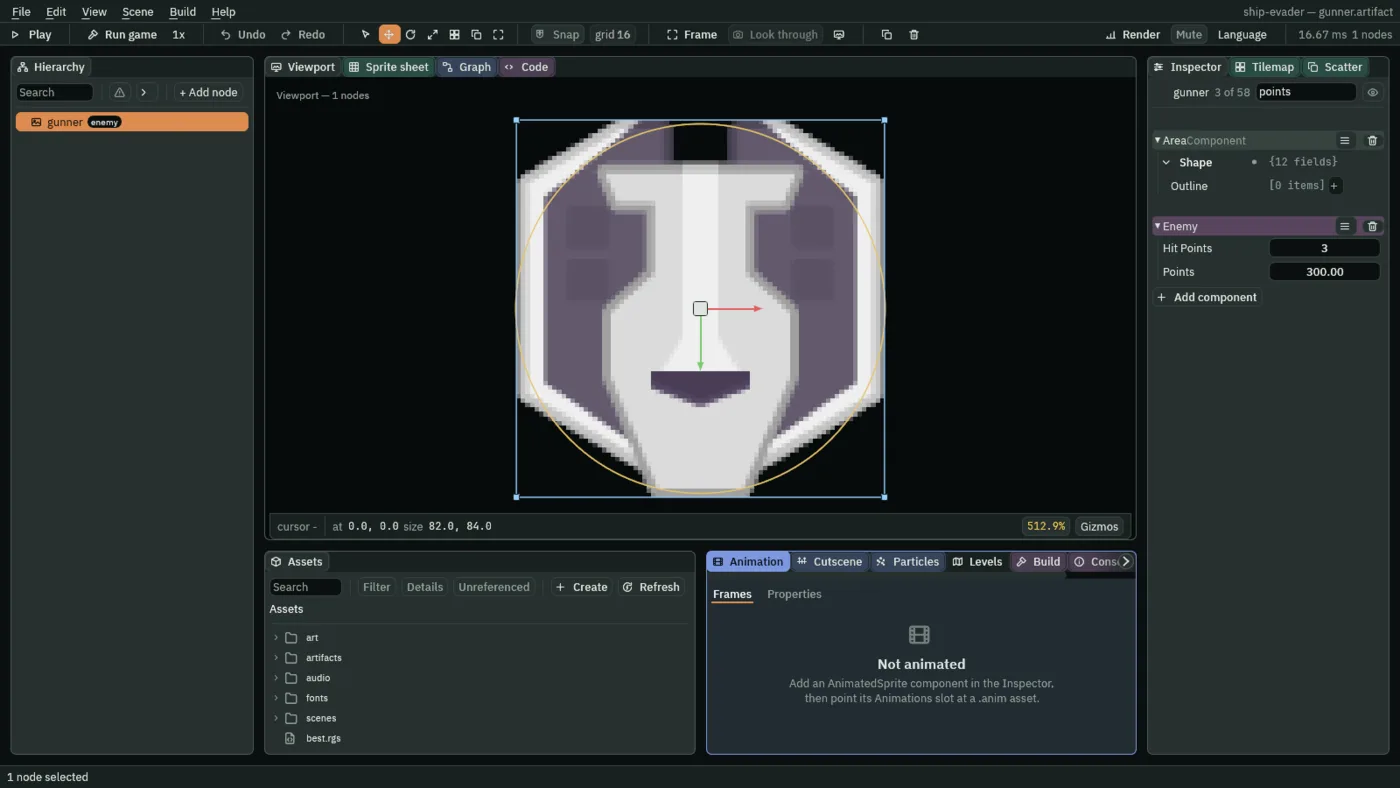
A file stores a script’s new field only once it is opened in the editor, its node selected, and the file saved, which is why each file holding an Enemy or the Ship is saved again. One left unsaved still plays, on the field’s default.
A canvas over the field
A HUD is drawn on a canvas: screen space over the field, laid out in units of its own and never moved by the camera or a shake. Its children are placed by Rects, anchored to its corners or its centre.
- Select
Game, press + Add node, choose Node, and rename ithud. - Give it the group
hud, and press Enter. - Press Add component and choose CanvasComponent.
- Set Reference Size to
720and1280, Scale Mode to ScaleWithHeight, and keep Use Safe Area ticked, Space on Screen and Layer at0.
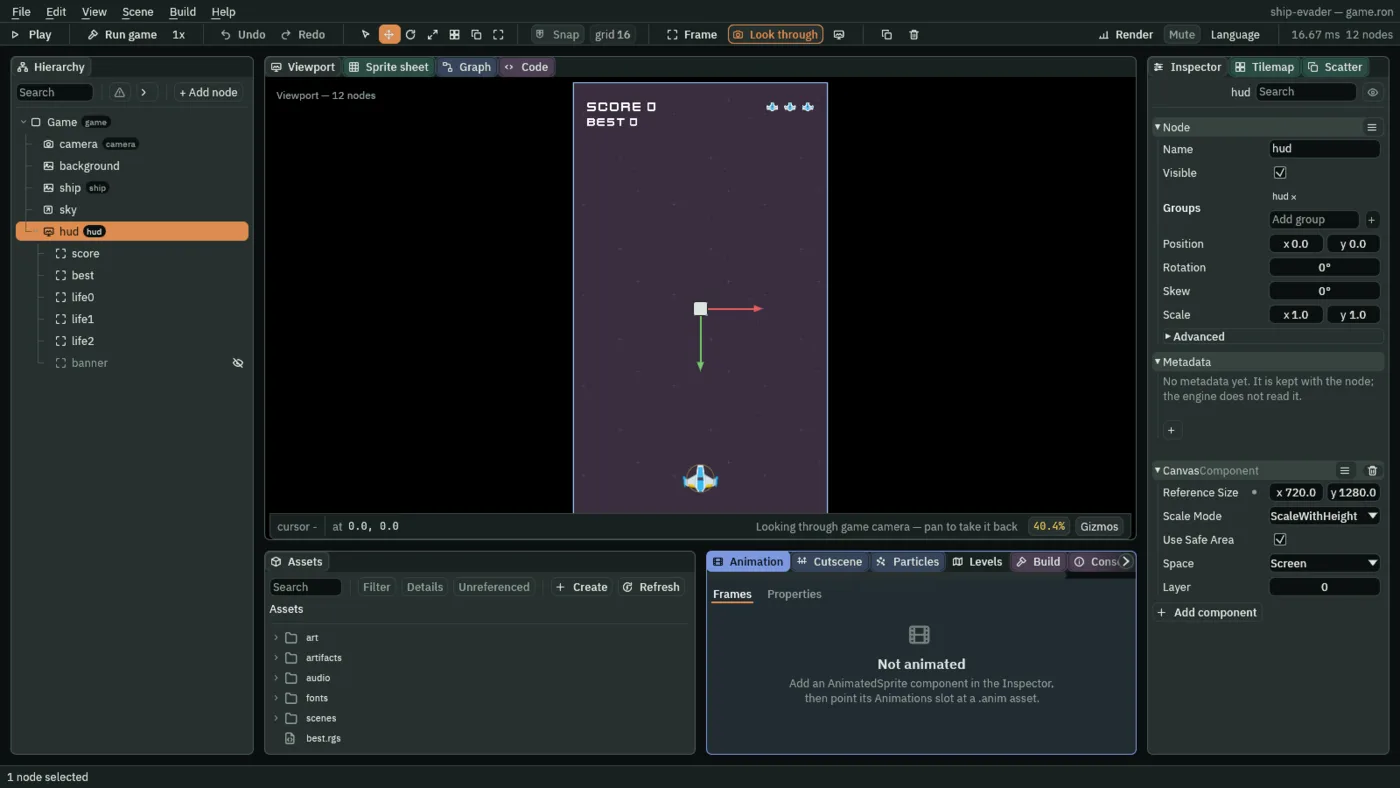
Make it with Node and not the Canvas preset, which adds a Theme the game does not use. A Reference Size of the field’s own 720 by 1280 means a canvas unit is a world unit, in a window of any size.
The score and the best
Two scripts write the labels: one the kept score, one the saved best.
- In Assets, press Create, choose New script, type
score, and press Enter. - Make
bestthe same way. - In the Code tab’s Scripts list, click
score.rgs, replace everything in it with the first script below, and press Ctrl+S. - Click
best.rgsin the same list, replace everything in it with the second, and press Ctrl+S.
/// The score, on the HUD: the points the game keeps under the name "score",
/// written onto this node's Text as SCORE and the number, whenever it changes.
component Score {
    /// The score the label says. Below any score, so the first step writes it.
    #[hidden]
    shown: f32 = -1.0,

    fn loop() {
        let score = kept_number("score", 0.0);
        // Only when the score changes: the text is written each time it is
        // set, the same text included, and the score stands still on most
        // steps.
        if score != shown {
            shown = score;
            set_text("TextComponent", "text", "SCORE " + text(score));
        }
    }
}
/// The best score, on the HUD: the one saved under the name "best", written
/// onto this node's Text as BEST and the number. It changes only when the
/// saved value does, which is when a game ends.
component Best {
    /// The best the label says. Below any score, so the first step writes it.
    #[hidden]
    shown: f32 = -1.0,

    fn loop() {
        // The saved best, not the score: a score passing it during the game
        // is not a best until the game ends and saves it.
        let best = saved_number("best", 0.0);
        if best != shown {
            shown = best;
            set_text("TextComponent", "text", "BEST " + text(best));
        }
    }
}
- set_text and text
- Write text into a component’s text field, here the Text’s; and write a number as text,
1200with no decimal point.+joins two texts. shown- The number the label says. The label is written only when the number changes, which is most steps never.
- saved_number
- Reads the best saved so far, as the game’s root does in the last chapter. BEST shows the saved best, not the score, so a score passing it is not a best until the game ends and saves it.
- Click the Viewport tab, select
hud, press + Add node, and choose Label. - Rename it
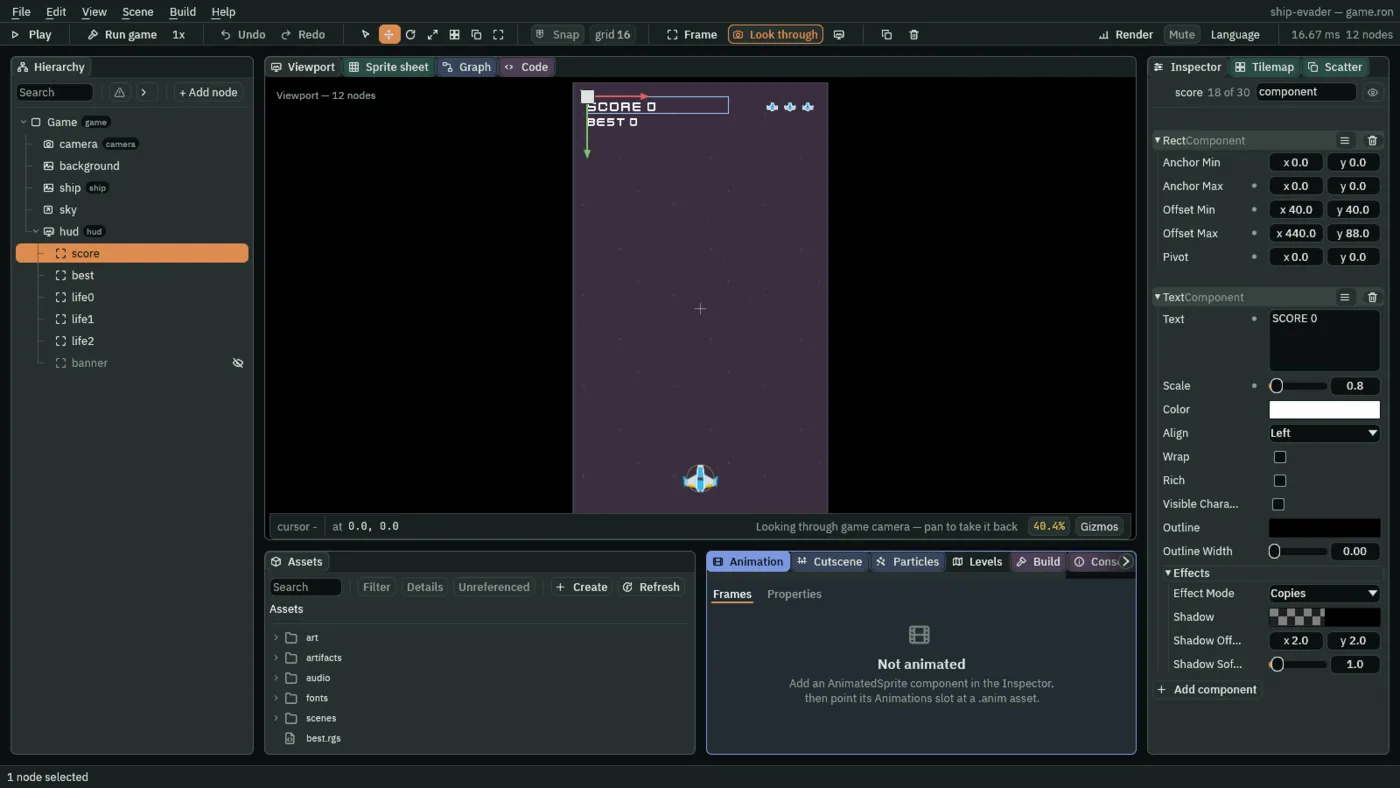
score. - In its Rect, set Anchor Min and Anchor Max to
0and0, the top-left corner; Offset Min to40and40; Offset Max to440and88; and Pivot to0and0. - In its Text, set Text to
SCORE 0, Scale to0.8and Align to Left, keeping Color white. - Press Add component and choose Score.
- Select
hudand add another Label under it, calledbest: anchors0and0, Offset Min40and88, Offset Max440and128, Pivot0and0; TextBEST 0, Scale0.7, Align Left. - Press Add component and choose Best.
Three lives, top right
Each life is an icon of its own with a fixed place, so losing one leaves the others where they are. A script on each hides it once the lives fall to its index.
- In Assets, press Create, choose New script, type
life, and press Enter. - In the Code tab’s Scripts list, click
life.rgs, replace everything in it with the script below, and press Ctrl+S.
/// One of the lives on the HUD: an icon, shown while the ship still has that
/// life and hidden once it is lost.
component Life {
    /// Which life this is, counting from 0 at the left. The icons are 0, 1 and
    /// 2, and the ship loses the rightmost first.
    // A number with decimals, though it only ever counts, because it is
    // compared with the lives, which the game keeps as one.
    index: f32 = 0.0,
    /// The lives it last counted. Below any count, so the first step decides.
    #[hidden]
    counted: f32 = -1.0,

    fn loop() {
        let lives = kept_number("lives", 3.0);
        // Only when the lives change, as the labels do.
        if lives != counted {
            counted = lives;
            // An icon at or above the lives left is a life lost: with 2 left,
            // icons 0 and 1 stay and icon 2 goes. Each icon has a place of its
            // own on the canvas, so hiding one leaves the others where they
            // are.
            if index >= lives {
                hide();
            } else {
                show();
            }
        }
    }
}
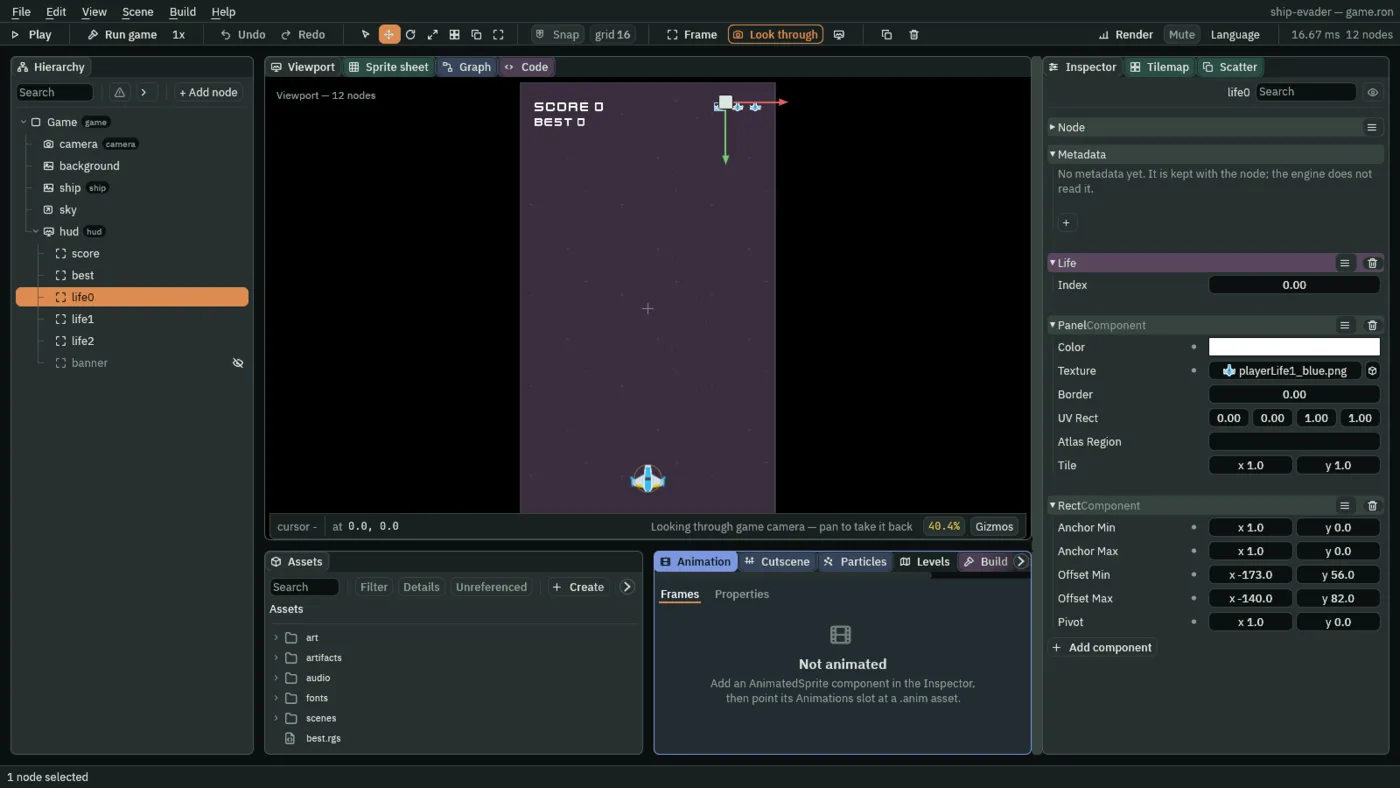
- Click the Viewport tab, select
hud, press + Add node, and choose Panel. - Rename it
life0. - In its Rect, set Anchor Min and Anchor Max to
1and0, the top-right corner; Offset Min to-173and56; Offset Max to-140and82; Pivot to1and0. - In its Panel, click Color.
- If the button at the top left of the picker that opens reads U8, press it, so it reads F: the picker then shows each value from 0 to 1, as this tutorial gives every colour, until you close the editor.
- Make it white:
1,1,1, alpha1. - Drag
art/playerLife1_blue.pngfrom Assets onto Texture, and set Border to0. - Press Add component and choose Life, keeping Index
0. - Right-click
life0and choose Duplicate. - Rename the copy
life1, set its Offset Min to-123and56, Offset Max to-90and82, and its Index to1. - Duplicate
life1aslife2: Offset Min-73and56, Offset Max-40and82, Index2.
A banner for later
- Select
hud, add a Label under it, calledbanner, and untick its Visible. - Set its Anchor Min and Anchor Max to
0.5and0.5, the centre; Offset Min to-300and-50; Offset Max to300and50; Pivot0.5and0.5. - Set its Text to
STAGE 1and its Align to Center. - Set its Scale to
1.3, press Enter, and press Ctrl+S.
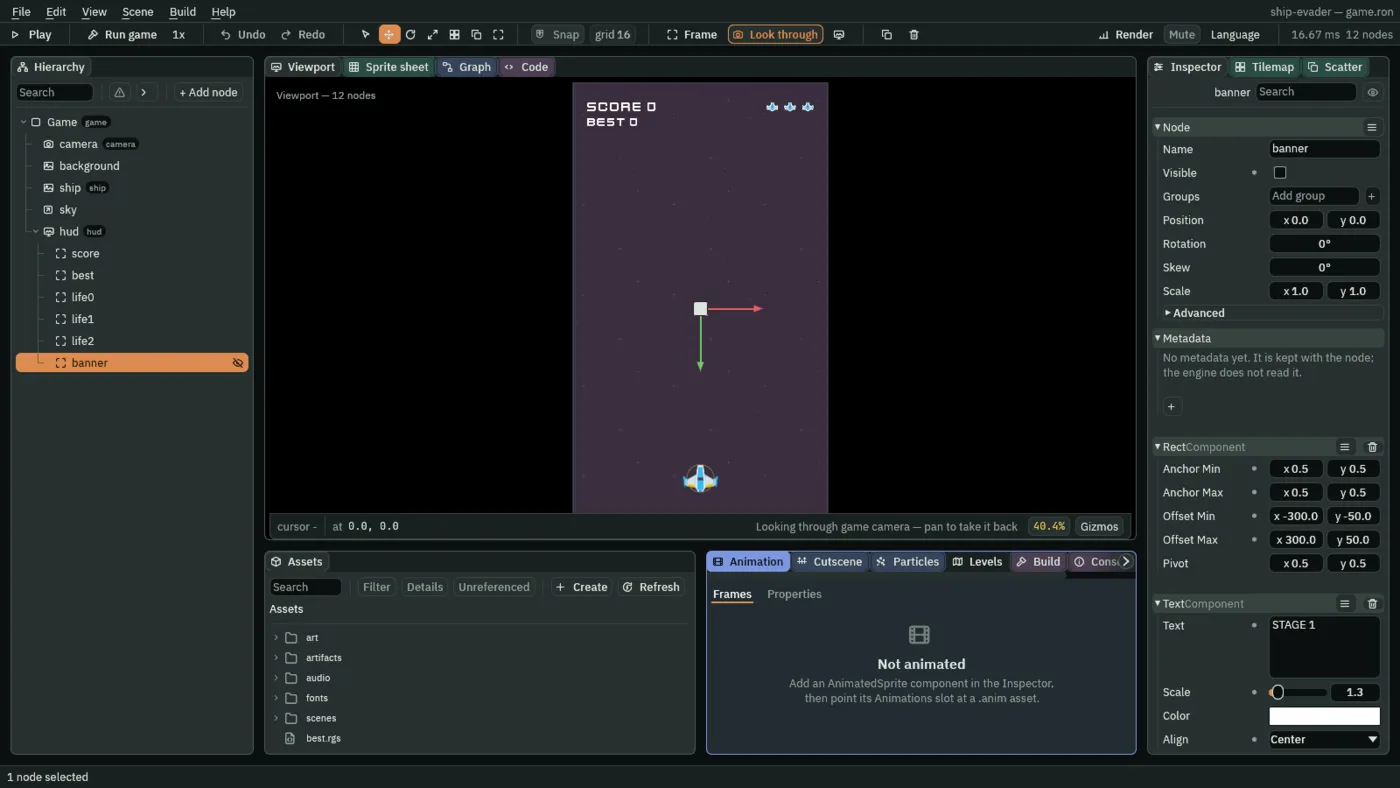
It does nothing yet. The next chapter gives it a script and a group, and it fades in each time the game moves up a stage.
Kept and saved
The score is kept: it lasts until the game closes, through a new game. The best is saved: it lasts from one launch to the next. The game’s root, as the last chapter made it, saves the better of the two with save_number as each game ends, and sets the score back to 0 for the next.