Tutorials · Ship Evader · Chapter 7
Enemies
By the end
- Groups on the ship, the lasers, the rocks and the enemies, and a laser that tells a rock from an enemy
- A diver and a gunner, each an artifact carrying two scripts
- Enemies that take a number of hits, flashing white on each one they live through
- A gunner that weaves, and fires shots aimed at where the ship was
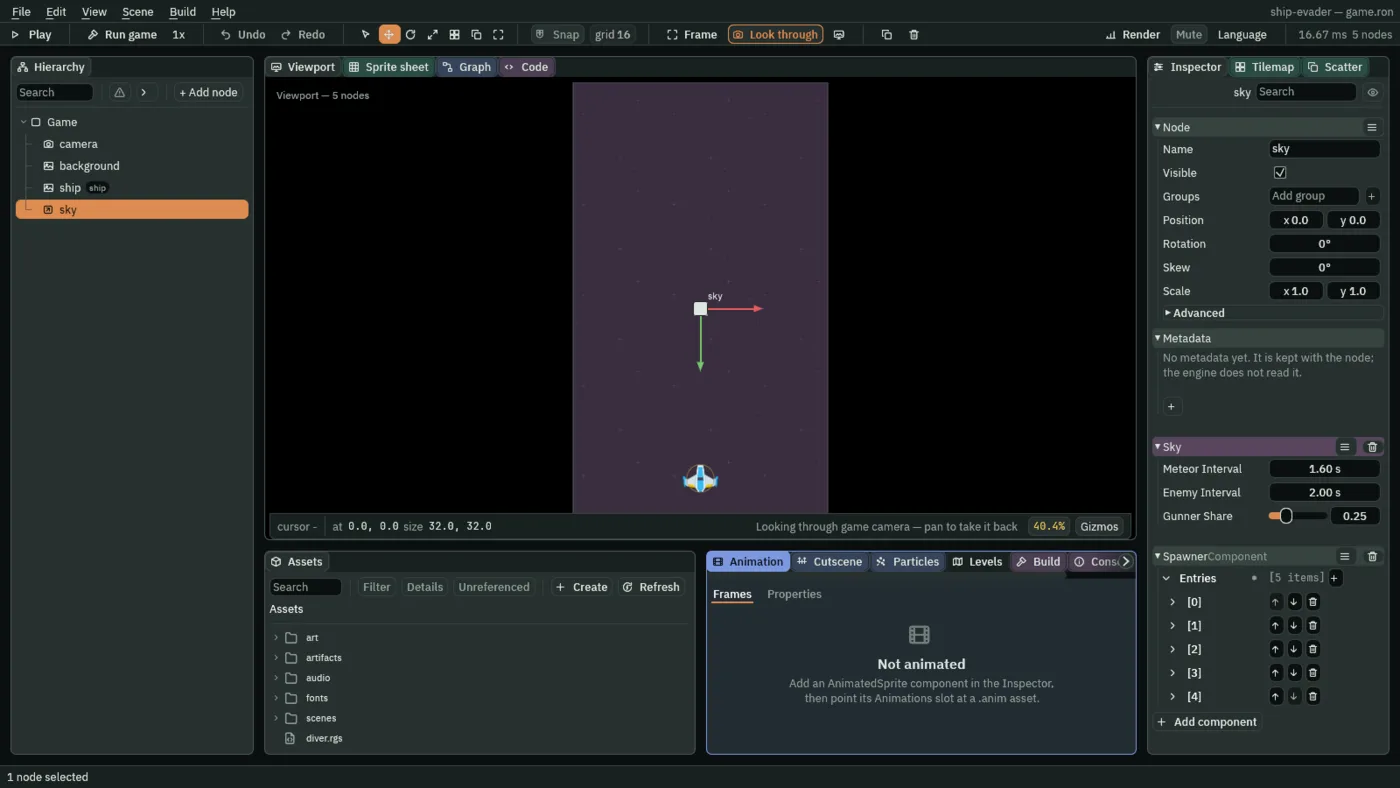
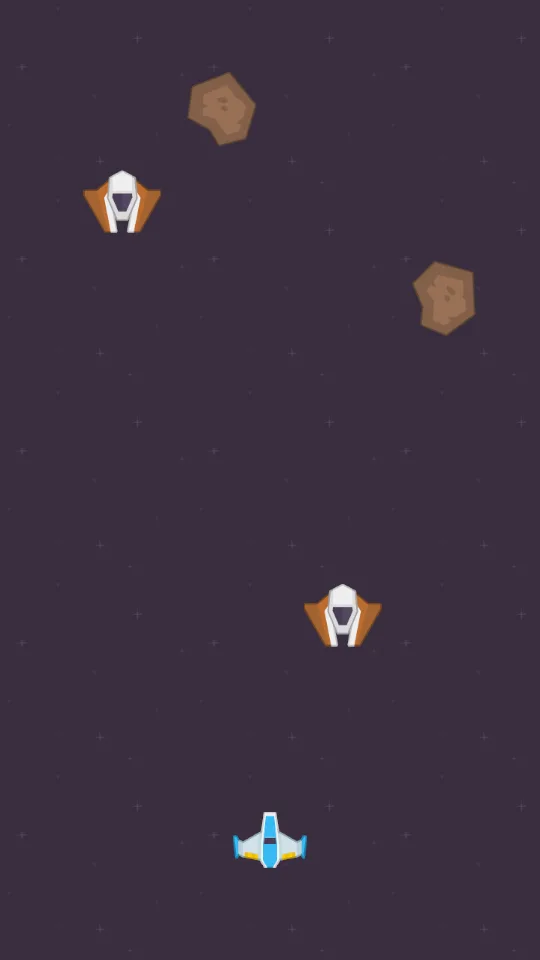
- A sky that sends an enemy every 2 s, about one in four of them a gunner
On this page
Layers decide whether, groups decide what
Layers decide whether two Areas meet. Once they have, a hook needs to know what it met: a laser leaves a spark on a rock and not on an enemy. A group is a name on a node, and a script asks whether a node is in one. Groups has the whole of it.
- Double-click
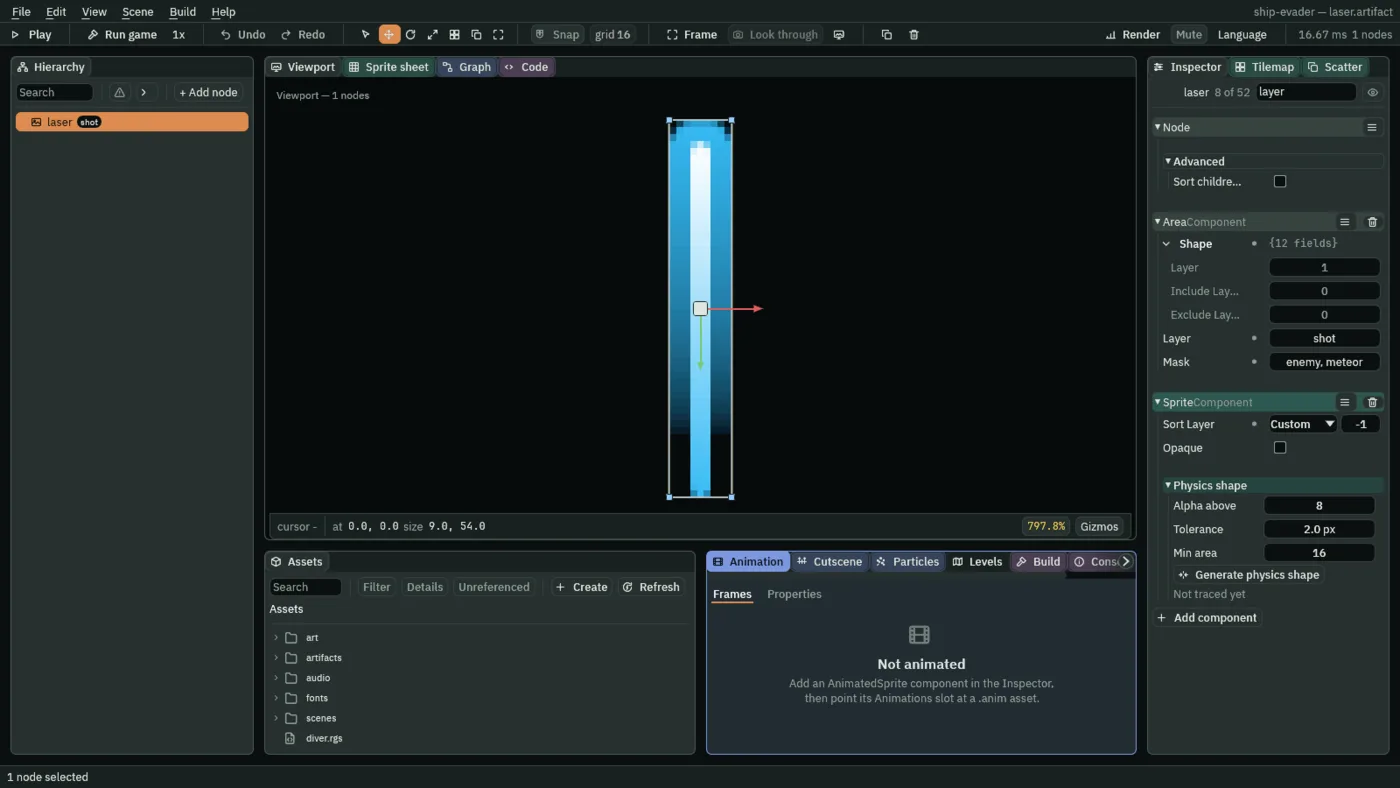
artifacts/laser.artifactin Assets, selectlaser, typeshotinto Groups in the Inspector, and press Enter. - Open the Area’s Mask and tick enemy beside meteor: a laser now notices enemies too.
- Choose File → Save.
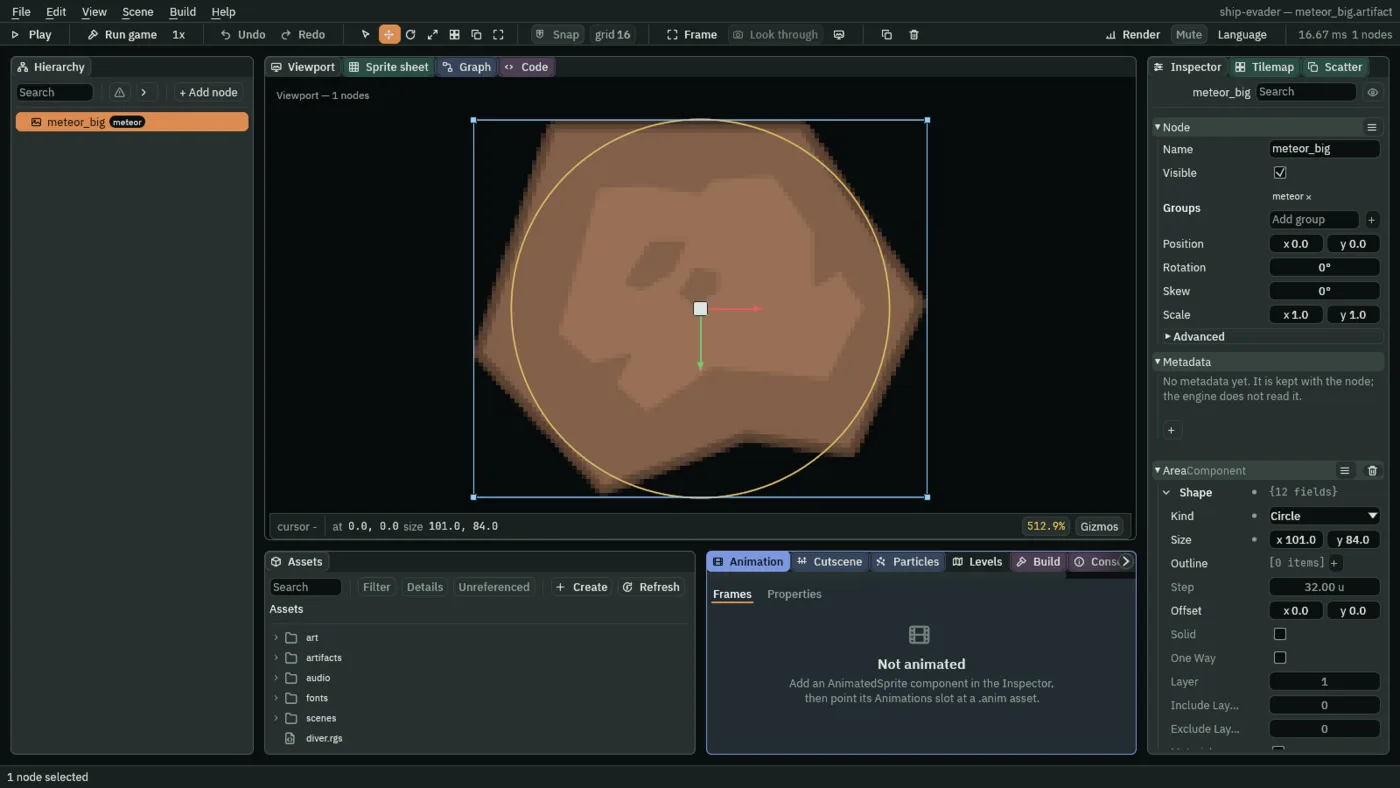
- Open each of the three rock artifacts in turn, select its node, give it the group
meteor, and press Enter, then Ctrl+S.
Click the Code tab, then laser.rgs in its Scripts list, replace everything in it with this, and press Ctrl+S. Its hook now names what it met, other, and only a rock gets a spark:
/// A laser: it flies up the field and removes itself 100 units past the top,
/// or where it meets something, leaving a spark there when that is a meteor.
component Laser : Area {
    /// How fast the laser flies.
    #[suffix("u/s")]
    speed: f32 = 900.0,

    fn loop(dt: f32) {
        // Up is toward negative y: the world's y grows downward.
        translate(vec2(0.0, -speed * dt));
        // camera_view().y is the top edge of the field.
        if position().y < camera_view().y - 100.0 {
            destroy_self();
        }
    }

    /// When the laser's Area meets another that it notices, on the node
    /// `other`: an enemy's or a meteor's.
    fn on_enter(other: NodeId) {
        // The groups `other` is in say which it is.
        if in_group(other, "meteor") {
            spawn("spark", position());
        }
        destroy_self();
    }
}
in_group answers whether a node is in a group. other is a NodeId: which node the laser’s Area met.
What a hit does to an enemy
Both enemies take hits the same way, so that is one script, enemy, which each of them carries beside a script of its own for how it moves. Make it:
- In Assets, press Create, choose New script, type
enemy, and press Enter. The editor writesenemy.rgsinto the project folder. - Click the Code tab, then
enemy.rgsin its Scripts list, replace everything in it with the script below, and press Ctrl+S.
/// An enemy's hits: each laser that meets it costs it a hit point, the last one
/// removes it, a hit it lives through flashes it white, and meeting the ship
/// removes it too.
component Enemy : Area {
    /// How many lasers it takes to remove it.
    hit_points: i32 = 1,
    /// How long the white flash of a hit takes to fade.
    #[suffix("s")]
    flash_time: f32 = 0.12,

    /// When its Area meets another that it notices, on the node `other`: a
    /// laser's or the ship's.
    fn on_enter(other: NodeId) {
        // The groups `other` is in say which it is.
        if in_group(other, "shot") {
            hit_points -= 1;
            if hit_points <= 0 {
                destroy_self();
            } else {
                // A hit it lives through washes it white at once, and the
                // white fades back to its own colours over flash_time.
                set_number("SpriteComponent", "flash", 1.0);
                anneal_number("SpriteComponent", "flash", 0.0, flash_time, .Linear);
            }
        } else if in_group(other, "ship") {
            destroy_self();
        }
    }
}
hit_points: i32- A whole number: how many lasers it takes. The diver keeps the default, 1; the gunner takes 3.
- set_number and anneal_number
- Set a number field at once, and move it to a value over a time. The Sprite’s Flash washes its picture toward white: 1 is white, 0 its own colours. A hit it lives through sets it to 1 and fades it back over
flash_time.
The diver
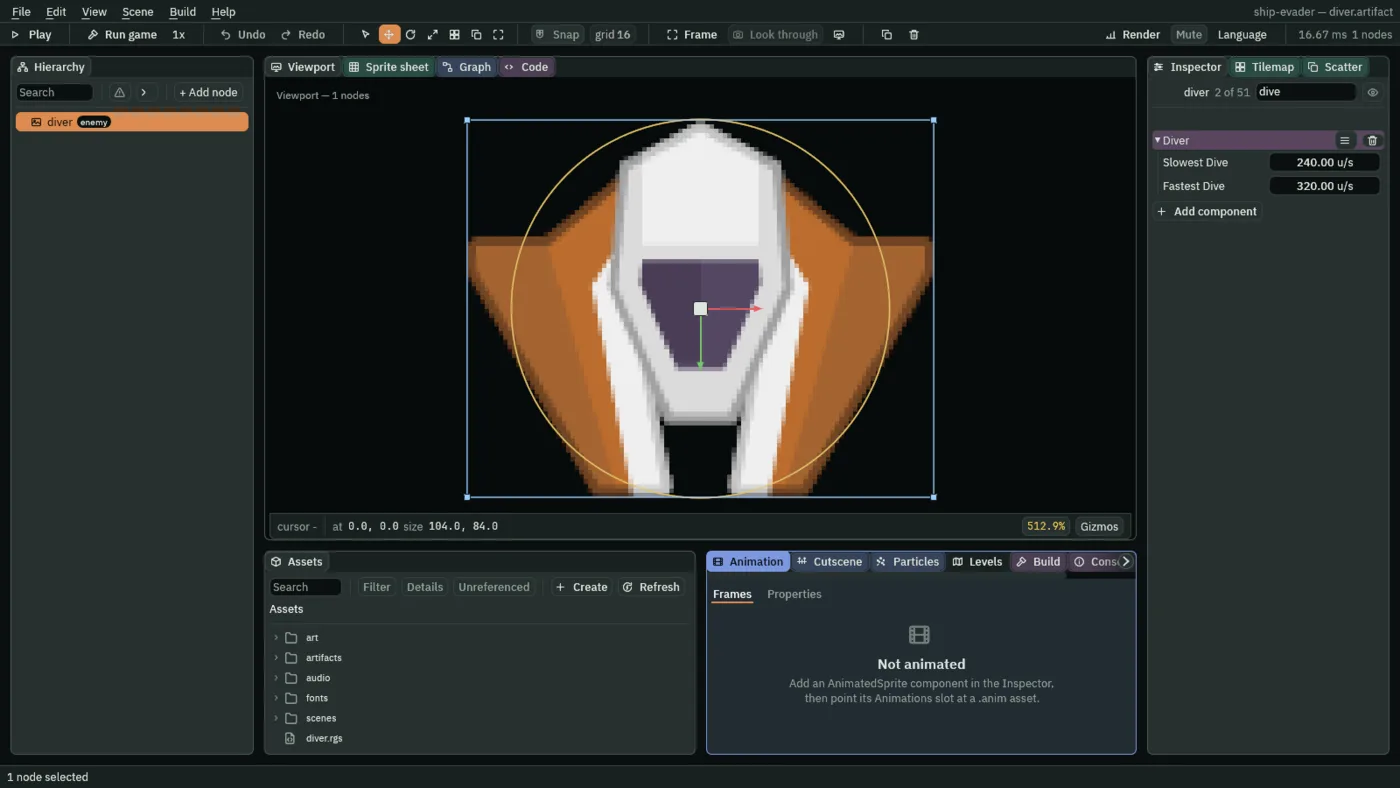
The diver dives straight down at a speed it rolls as it arrives. Make a script called diver:
- In Assets, press Create, choose New script, type
diver, and press Enter. The editor writesdiver.rgsinto the project folder. - Click the Code tab, then
diver.rgsin its Scripts list, replace everything in it with the script below, and press Ctrl+S.
/// A diver: it dives straight down at a speed of its own, and removes itself
/// once it is 100 units past the bottom.
component Diver {
    /// The slowest it may dive.
    #[suffix("u/s")]
    #[range(1..)]
    slowest_dive: f32 = 240.0,
    /// The fastest it may dive.
    #[suffix("u/s")]
    #[range(1..)]
    fastest_dive: f32 = 320.0,
    /// How fast it dives, rolled when it is made.
    #[hidden]
    dive_speed: f32 = 0.0,

    fn on_create() {
        dive_speed = random(slowest_dive, fastest_dive);
    }

    fn loop(dt: f32) {
        // Down is toward positive y: the world's y grows downward.
        translate(vec2(0.0, dive_speed * dt));
        // camera_view().w is the bottom edge of the field. `#[range(1..)]` on
        // both dive speeds means every diver gets past it.
        if position().y > camera_view().w + 100.0 {
            destroy_self();
        }
    }
}
- Double-click
scenes/game.ronin Assets to go back to the game, and click the Viewport tab. - Select
shipand dragart/enemyRed2.pnginto the Viewport. - Double-click its row in the Hierarchy, type
diver, and press Enter. - Set its Position to
0and0; leave its Sprite at 104 by 84 and set Sort Layer to2, over the rocks. - Give it the group
enemy, and press Enter. - Add an AreaComponent: Shape Circle, Size
104and84. - Tick enemy and untick ship in its Layer, since a new Area starts on ship, and tick shot in its Mask, leaving ship ticked there.
- Add Diver (Slowest Dive
240, Fastest Dive320) and Enemy (Hit Points1, Flash Time0.12). A node can carry as many scripts as it needs. - Save it as
artifacts/diver.artifact, and delete the copy left in the scene.
The gunner’s shot
A gunner fires a shot at where the ship is. The ship says where that is by keeping its position under a name, every step, for any script to read. Click the Code tab, then ship.rgs in its Scripts list, add the three lines shown under fn loop(dt: f32) {, make the comment at the top of the file the one in the second part, and press Ctrl+S:
    fn loop(dt: f32) {
        // Kept under the name "ship" for the rest of the game, every step: a
        // gunner's shot reads it to aim at the ship.
        keep_point("ship", position());
/// The player's ship: it flies where `move` points, never leaves the field,
/// fires lasers while `fire` is held, and keeps its position for whatever aims
/// at it.
component Ship {
keep_point keeps a point under a name for the rest of the game, and kept_point reads it back. What one step keeps is read on the next: every hook reads kept values as the step began. Keeping values says why. Now the shot, a script called enemy_shot:
- In Assets, press Create, choose New script, type
enemy_shot, and press Enter. The editor writesenemy_shot.rgsinto the project folder. - Click the Code tab, then
enemy_shot.rgsin its Scripts list, replace everything in it with the script below, and press Ctrl+S.
/// An enemy shot: it flies toward where the ship was when it was fired, and
/// removes itself when it meets the ship, or once it is 100 units past any
/// edge of the field.
component EnemyShot : Area {
    /// How fast the shot flies.
    #[suffix("u/s")]
    speed: f32 = 260.0,
    /// Which way it flies, and how fast, set when it is made.
    #[hidden]
    velocity: Vec2 = vec2(0.0, 0.0),

    fn on_create() {
        // Where the ship was as the last step began: the ship keeps its
        // position every step under the name "ship", and a value kept on one
        // step is read on the next. Should nothing have kept it, the shot
        // flies straight down.
        let target = kept_point("ship", position() + vec2(0.0, 1.0));
        velocity = (target - position()).normalized() * speed;
    }

    fn loop(dt: f32) {
        translate(velocity * dt);
        // The field's edges: left (view.x), top (view.y), right (view.z) and
        // bottom (view.w).
        let view = camera_view();
        let at = position();
        if at.x < view.x - 100.0
            || at.y < view.y - 100.0
            || at.x > view.z + 100.0
            || at.y > view.w + 100.0
        {
            destroy_self();
        }
    }

    /// When its Area meets the ship's, the only one it notices.
    fn on_enter() {
        destroy_self();
    }
}
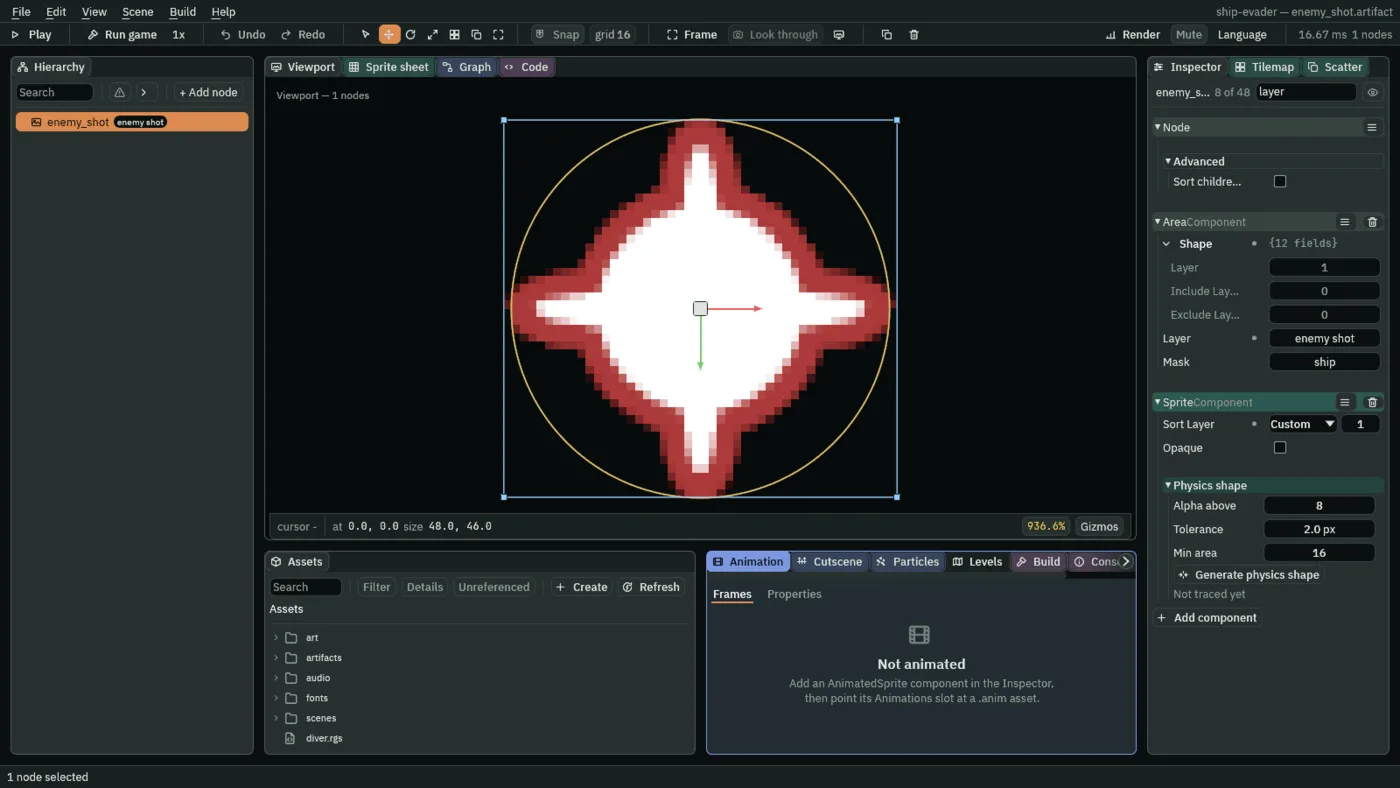
It aims once, as it arrives: the line from where it is to where the ship was, made one unit long with .normalized() and times its speed. Then it flies straight, and goes once it is 100 units past any edge.
- Click the Viewport tab, select
ship, and dragart/laserRed08.pnginto the Viewport. - Double-click its row in the Hierarchy, type
enemy_shot, and press Enter. - Set its Position to
0and0, and its Sprite’s Sort Layer to1, so a shot comes out from under its gunner. It stays 48 by 46. - Give it the group
enemy shot, and press Enter. - Add an AreaComponent: Shape Circle, Size
48and46. - Tick enemy shot and untick ship in its Layer, and leave its Mask as it starts, with only ship ticked.
- Add EnemyShot: Speed
260. - Save it as
artifacts/enemy_shot.artifact, and delete the copy.
The gunner
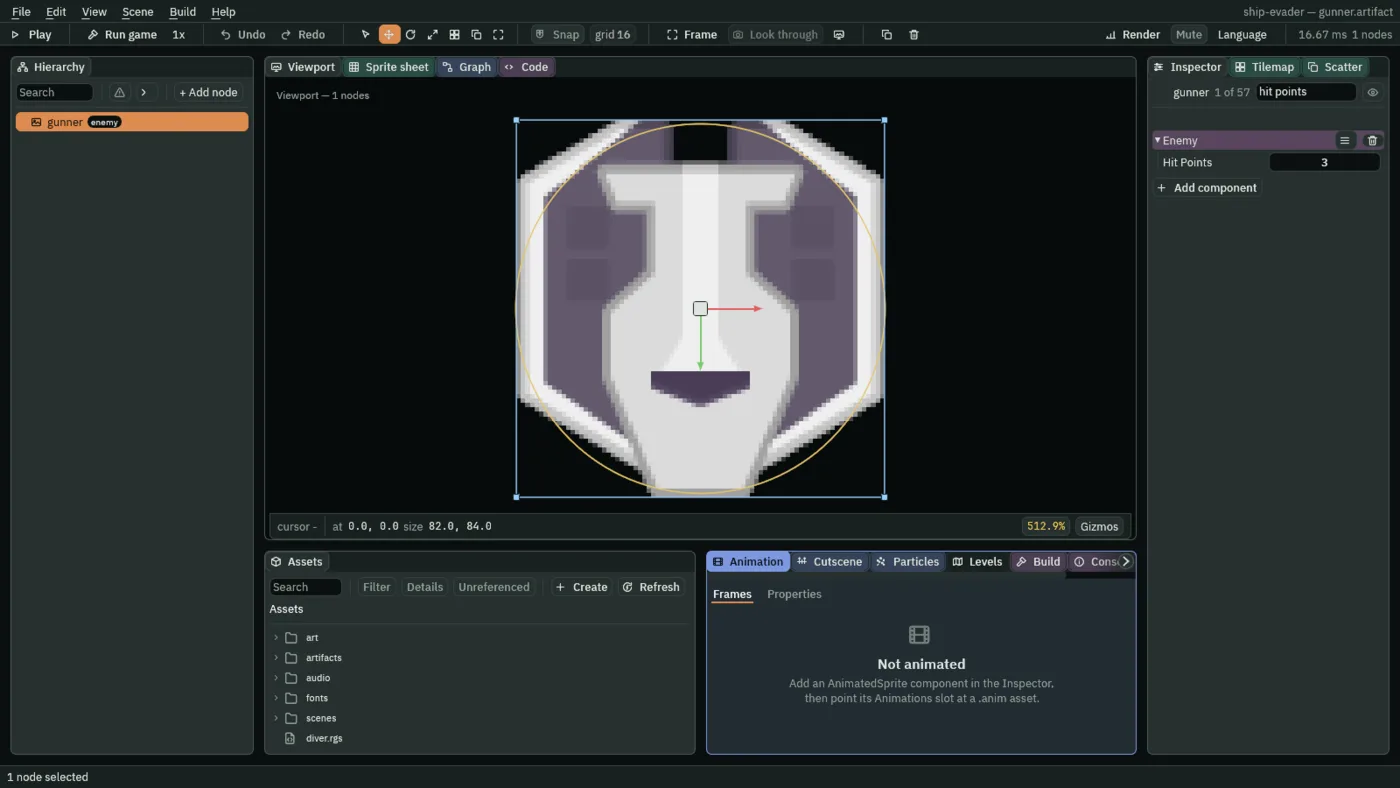
The gunner drifts down, weaving from side to side, and fires every 1.5 s once it is on screen. Make a script called gunner:
- In Assets, press Create, choose New script, type
gunner, and press Enter. The editor writesgunner.rgsinto the project folder. - Click the Code tab, then
gunner.rgsin its Scripts list, replace everything in it with the script below, and press Ctrl+S.
/// A gunner: it drifts down the field weaving from side to side, fires a shot
/// every 1.5 s from the moment it is on screen, and removes itself once it is
/// 100 units past the bottom.
component Gunner {
    /// How fast it drifts down.
    #[suffix("u/s")]
    #[range(1..)]
    fall_speed: f32 = 70.0,
    /// How far it weaves to either side of its lane.
    #[suffix("u")]
    weave: f32 = 120.0,
    /// Seconds it takes to weave from one side to the other.
    #[suffix("s")]
    #[range(0.5..)]
    sweep_time: f32 = 2.4,
    /// Seconds between two shots.
    #[suffix("s")]
    shot_interval: f32 = 1.5,
    /// The x it weaves about, set when it is made.
    #[hidden]
    lane: f32 = 0.0,
    /// Seconds since it was made.
    #[hidden]
    age: f32 = 0.0,
    /// Seconds until its next shot, counted down while it is on screen.
    #[hidden]
    shot_countdown: f32 = 0.0,

    fn on_create() {
        // Its lane is where it came in, but at least `weave` in from the left
        // and right edges (view.x and view.z), so that all of its weave is on
        // screen. It comes in above the top, out of sight, so nobody sees it
        // step across into its lane.
        let view = camera_view();
        lane = clamp(position().x, view.x + weave, view.z - weave);
    }

    fn loop(dt: f32) {
        let view = camera_view();

        // It sways along a sine wave: a whole turn of the wave, tau() radians,
        // is two sweeps, one each way. `#[range(0.5..)]` on `sweep_time` means
        // this never divides by zero.
        age += dt;
        let turns = age / (2.0 * sweep_time);
        let sway = weave * (turns * tau()).sin();
        // Down is toward positive y: the world's y grows downward.
        move_to(vec2(lane + sway, position().y + fall_speed * dt));

        // On screen: below the top edge (view.y) and above the bottom one
        // (view.w).
        if position().y > view.y && position().y < view.w {
            shot_countdown -= dt;
            if shot_countdown <= 0.0 {
                // The shot aims itself at the ship.
                spawn("enemy_shot", position());
                shot_countdown = shot_interval;
            }
        }

        // `#[range(1..)]` on `fall_speed` means every gunner gets this far.
        if position().y > view.w + 100.0 {
            destroy_self();
        }
    }
}
The weave is a sine curve: .sin() of an angle swings between -1 and 1, and tau is a whole turn, so the gunner sways weave units each way, two sweeps a turn. Its lane, the x it sways about, is held at least weave in from either edge with clamp, so all of its weave is on screen.
- Click the Viewport tab, select
ship, and dragart/enemyBlack4.pnginto the Viewport. - Double-click its row in the Hierarchy, type
gunner, and press Enter. - Set its Position to
0and0, leave it at 82 by 84, and set Sort Layer to2. - Give it the group
enemy, and press Enter. - Add an AreaComponent: Circle,
82by84. - Tick enemy and untick ship in its Layer, and tick shot in its Mask, leaving ship ticked there.
- Add a SpawnerComponent with one entry: Name
enemy_shot, Artifactartifacts/enemy_shot.artifact. The entry lives inside the gunner’s artifact, as the laser’s spark does in the laser’s. - Add Enemy, and set its Hit Points to
3; add Gunner, keeping Fall Speed70, Weave120, Sweep Time2.4and Shot Interval1.5. - Save it as
artifacts/gunner.artifact, and delete the copy.
The ship joins in
- Select
shipingame.ron, give it the groupship, and press Enter. - Add an AreaComponent: Circle, Size
99and75. - Leave its Layer as it starts, with only ship ticked, and tick enemy, enemy shot and meteor in its Mask, unticking ship there.
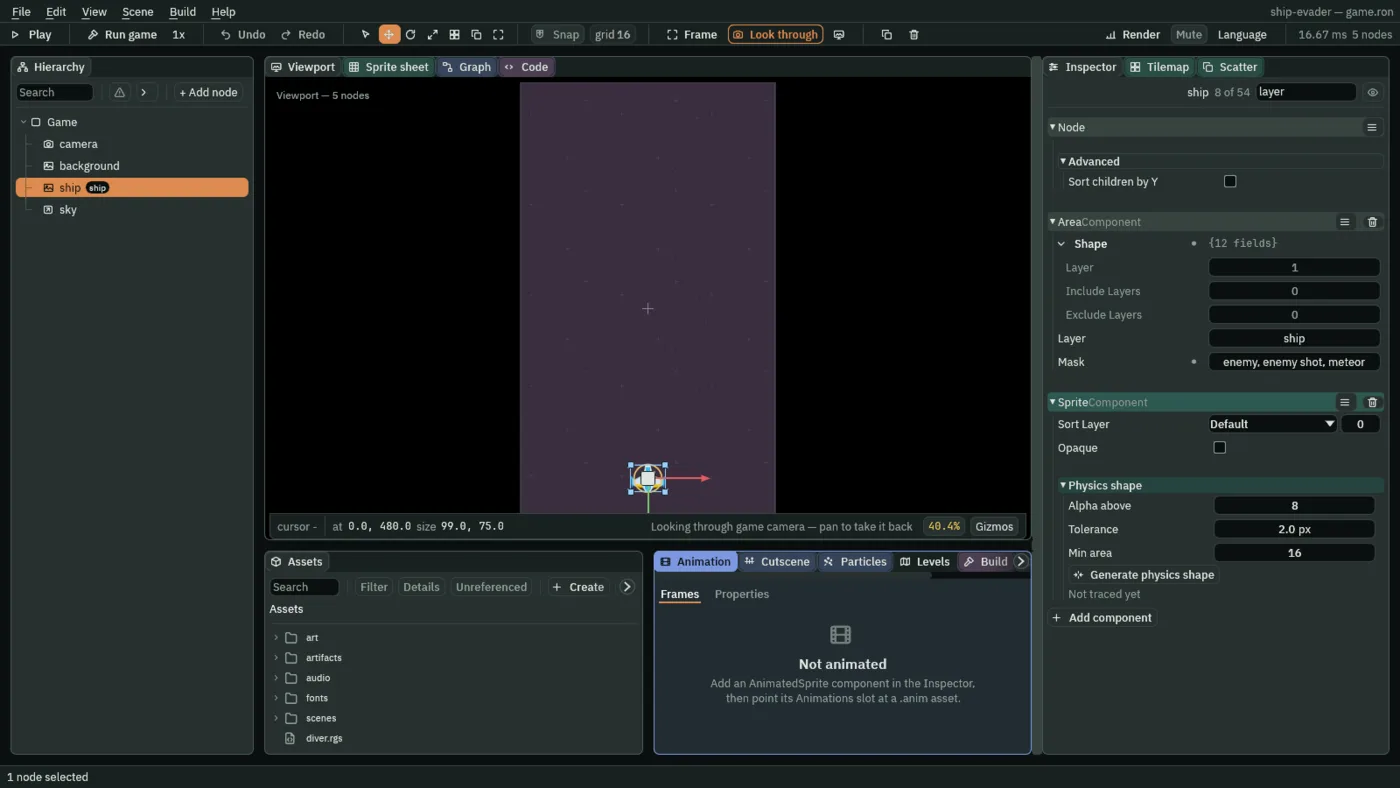
Nothing happens to the ship yet when it is hit: the next chapter gives it lives. But an enemy that rams it now notices it, and is gone.
The sky sends enemies
- Select
skyand add two entries to its Spawner:diverwithartifacts/diver.artifact, andgunnerwithartifacts/gunner.artifact. - Click the Code tab, then
sky.rgsin its Scripts list, replace everything in it with the script below, and press Ctrl+S. - Click the Viewport tab and press Ctrl+S to save the scene too: the Sky gains Enemy Interval
2.0and Gunner Share0.25.
/// The sky: it drops a meteor at once and then one every 1.6 s, each of a
/// random size, and an enemy at once and then one every 2.0 s, some of them
/// gunners, each somewhere along the top of the field.
component Sky {
    /// Seconds between two meteors.
    #[suffix("s")]
    #[range(0.1..)]
    meteor_interval: f32 = 1.6,
    /// Seconds until the next meteor.
    #[hidden]
    meteor_countdown: f32 = 0.0,
    /// Seconds between two enemies.
    #[suffix("s")]
    #[range(0.1..)]
    enemy_interval: f32 = 2.0,
    /// The share of the enemies that are gunners: 0 is none of them, and 1 is
    /// every one.
    #[range(0.0..1.0)]
    gunner_share: f32 = 0.25,
    /// Seconds until the next enemy.
    #[hidden]
    enemy_countdown: f32 = 0.0,

    fn loop(dt: f32) {
        meteor_countdown -= dt;
        if meteor_countdown <= 0.0 {
            // Anywhere from the left edge (view.x) to the right one (view.z),
            // 50 units above the top (view.y): up is toward negative y.
            let view = camera_view();
            let at = vec2(random(view.x, view.z), view.y - 50.0);
            // Each of the three sizes as likely as the others.
            let size = random(0.0, 3.0);
            if size < 1.0 {
                spawn("meteor_big", at);
            } else if size < 2.0 {
                spawn("meteor_medium", at);
            } else {
                spawn("meteor_small", at);
            }
            // `#[range(0.1..)]` on both intervals means the sky never drops
            // something on every step.
            meteor_countdown = meteor_interval;
        }

        enemy_countdown -= dt;
        if enemy_countdown <= 0.0 {
            // Along the top, the way a meteor comes in.
            let view = camera_view();
            let at = vec2(random(view.x, view.z), view.y - 50.0);
            // random(0.0, 1.0) is below 0.25 a quarter of the time, so a share
            // of 0.25 makes one enemy in four a gunner.
            if random(0.0, 1.0) < gunner_share {
                spawn("gunner", at);
            } else {
                spawn("diver", at);
            }
            enemy_countdown = enemy_interval;
        }
    }
}