Tutorials · Ship Evader · Chapter 4
The ship
By the end
- An input map of three actions:
moveon WASD and the arrow keys,fireon Space andpauseon Esc - The ship in the scene, near the bottom of the field
- A first script,
ship.rgs, that flies the ship and keeps it inside the field - How a script becomes a component, with fields the Inspector shows
On this page
Name the controls
A script never asks whether W is down. It asks about an action, a name such as move or fire, and the project’s input map says which keys run it. A player could then fly with the arrows instead of WASD, and no script would change. Input has the whole of it.
- Choose View → Input map…. With no input map saved yet, the window starts on six actions of its own:
left,right,up,down,jumpandaction. This starter map binds W and Up twice, toupand tojump, as a platformer wants, and the window notes it in grey under the list; your own actions replace it.
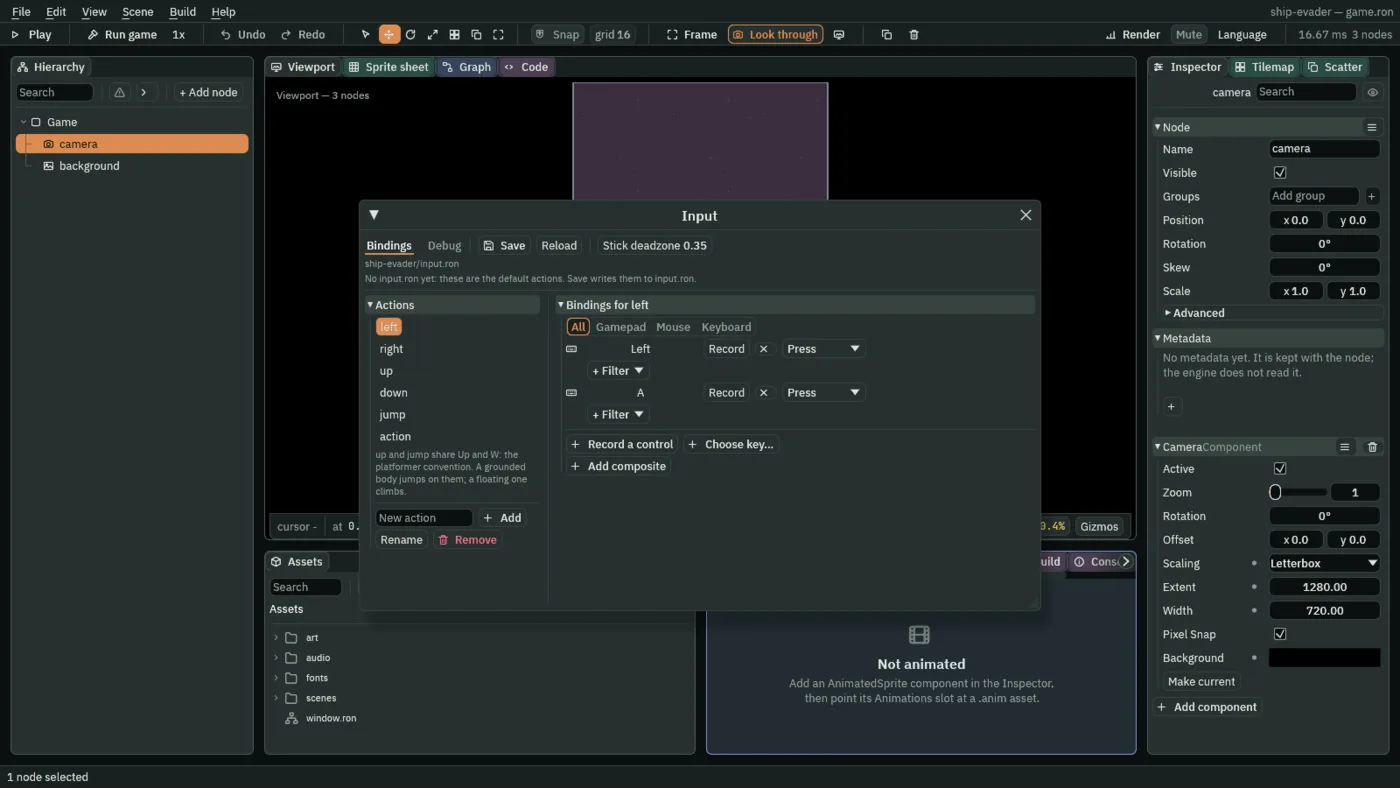
- Select each of the six in turn and press Remove.
jumpwould otherwise share Space withfire. - Type
moveinto New action and press Add. - With
moveselected, press Add composite and choose WASD, then press Add composite again and choose Arrow keys. The list shows two Vector2 rows: W, S, A and D, and Up, Down, Left and Right. - Add an action called
fire, press Record a control, and press Space. - Add an action called
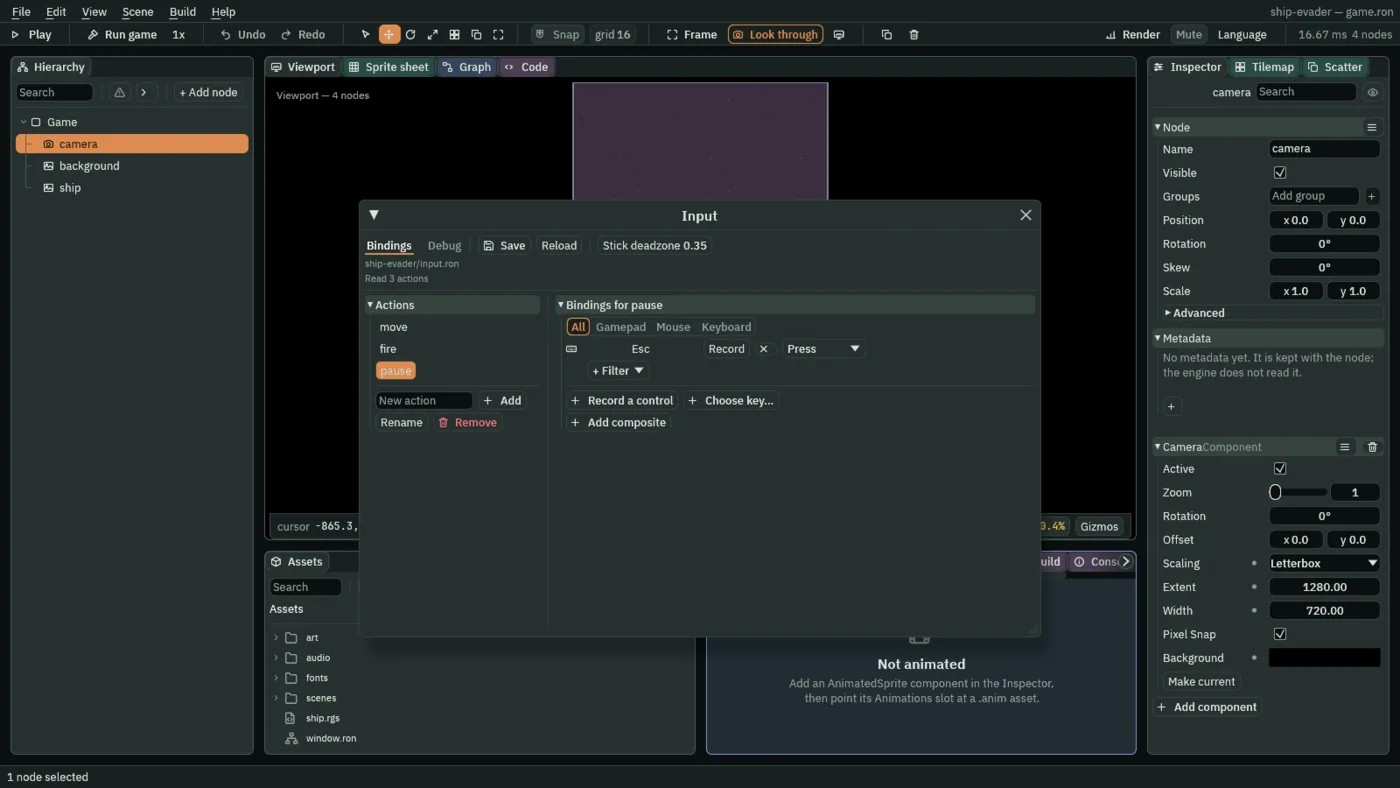
pause, press Choose key…, typeesc, and choose Esc. Esc cancels a recording, so it can only be chosen from the list. Nothing readspauseuntil chapter 15. - Press Save. The window writes
input.roninto the project.
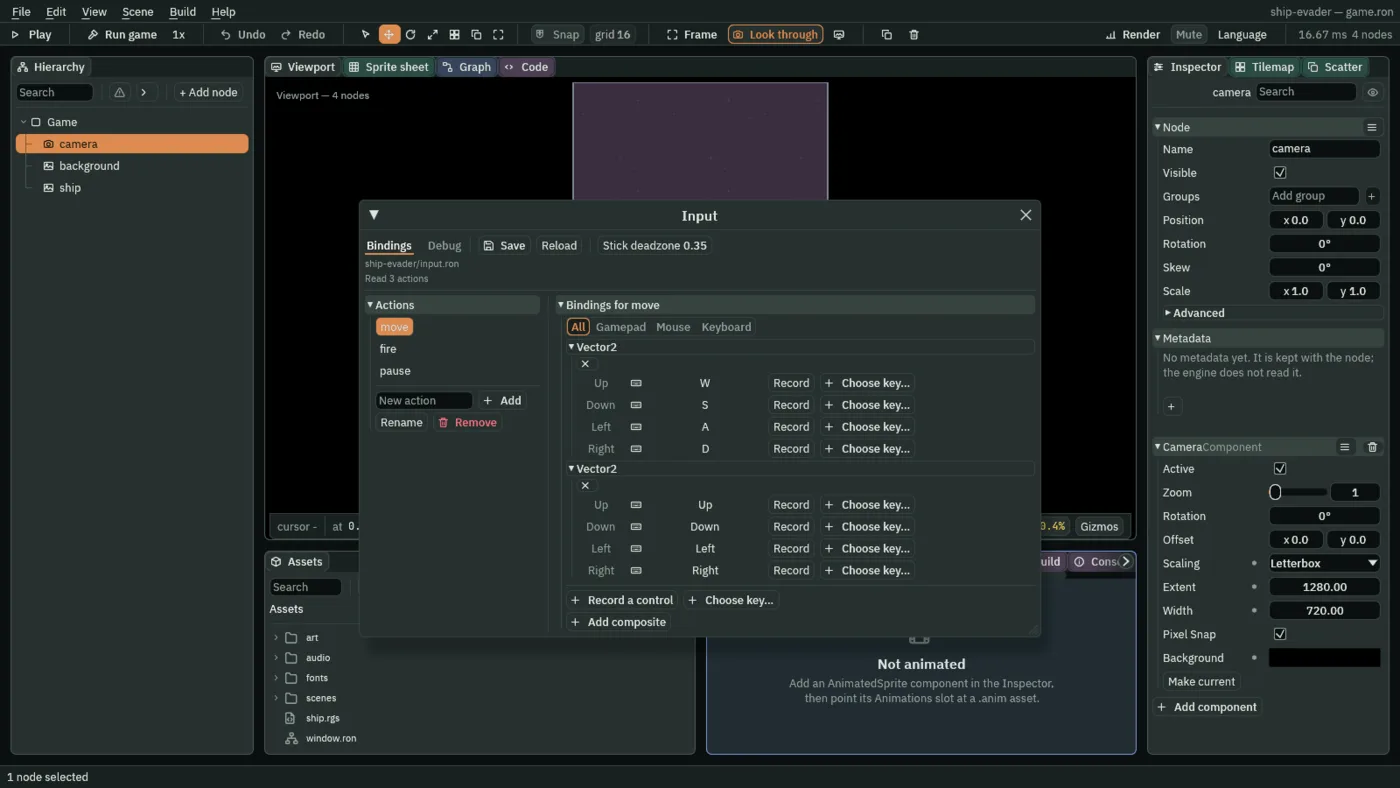
A composite stands in for a stick: four keys read as one direction, which a script gets as a vector. With two composites on move, either set of keys flies the ship.
Put the ship in
- Close the Input window with the × at the right of its title bar: it covers the Viewport, where the ship goes.
- Select
backgroundin the Hierarchy. A picture dropped into the Viewport lands beside the selected node, under the same parent, so this puts the ship underGame. - Drag
art/playerShip1_blue.pngfrom Assets into the Viewport. It lands as a node calledplayerShip1_blue, at the picture’s own size, 99 by 75. - Double-click its row in the Hierarchy, type
ship, and press Enter. F2 renames only after a click in the Hierarchy. - Set its Position to
0and480: in the middle, 160 units above the bottom edge. - Leave its Sprite’s Sort Layer at
0, above the background’s-10.
A first script
Rengy Script is a small language for what happens in a game. A script is one component: its fields are rows in the Inspector, and its hooks run as the game does. Rengy Script covers the language; this chapter needs only what follows.
- In Assets, press Create, choose New script, type
ship, and press Enter. The editor writesship.rgsinto the project folder. - Click the Code tab above the Viewport, then
ship.rgsin its Scripts list, which shows every script in the project. - Replace everything in it with the script below, and press Ctrl+S. The panel says Up to date once the script checks.
/// The player's ship: it flies where `move` points and never leaves the field.
component Ship {
    /// How fast the ship flies.
    #[suffix("u/s")]
    speed: f32 = 420.0,
    /// How close the ship's centre may come to an edge of the field.
    #[suffix("u")]
    margin: f32 = 50.0,

    fn loop(dt: f32) {
        let view = camera_view();
        let next = position() + direction("move").normalized() * (speed * dt);
        move_to(vec2(
            clamp(next.x, view.x + margin, view.z - margin),
            clamp(next.y, view.y + margin, view.w - margin),
        ));
    }
}
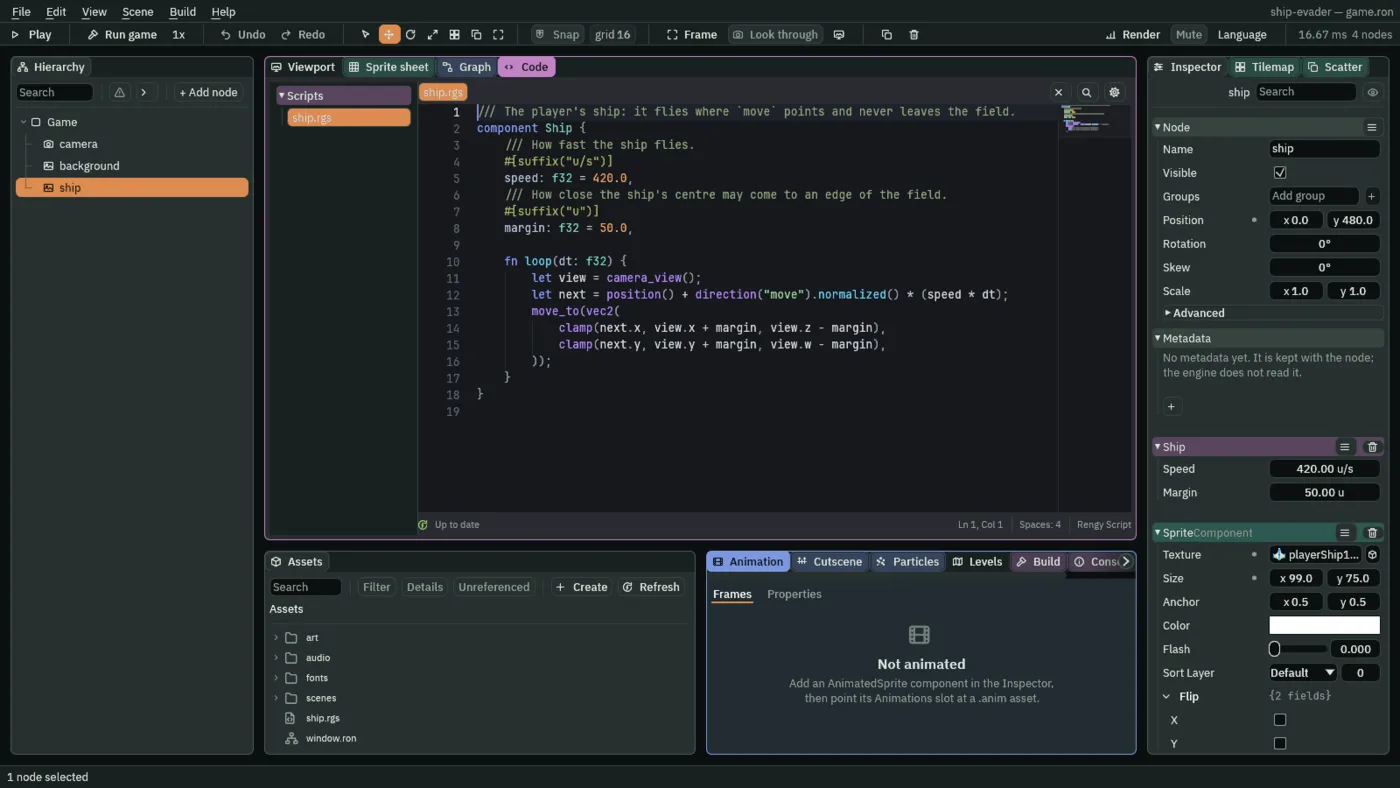
component Ship- The script is a component called
Ship. Its file is named after it, in lower case with underscores between words:ship.rgs. A file called anything else does not check. speedandmargin- Fields: the component’s rows in the Inspector, with these defaults.
#[suffix("u/s")]writes units a second beside the number, and the///line above each field is its tooltip. fn loop(dt: f32)- A hook: it runs on every step of the game, 60 a second, with
dtthe step’s length in seconds. - camera_view
- The field the camera shows, as four numbers:
.xits left edge,.yits top,.zits right and.wits bottom. Reading the edges from the camera keeps the script right if the field ever changes. - direction
- Where an action’s composite points, as a vector.
.normalized()makes it one unit long, so two keys at once, a diagonal, are no faster than one. - position, clamp and move_to
- Where the node was as the step began; a number held between two others; and where to put the node. Together they move the ship and keep its centre at least
marginfrom every edge.
Because the world’s y grows downward, the top edge, view.y, is the smaller number, and up the field is toward negative y.
Give the ship its script
- Click the Viewport tab, select
ship, press Add component, and choose Ship. It is listed under a rule, below the built-in components, once its script checks: a script with a mistake in it is not offered. - Press Ctrl+S. The scene stores the Ship’s two fields, Speed
420and Margin50.