Tutorials · Ship Evader · Chapter 16
Export
By the end
- Your game exported: a folder named after your project, holding a game that runs with no Rengy installed
- Where the game keeps its best score and its volumes, outside its own folder
- Exporting again, afresh
- The whole game, from the title to QUIT, as the people you send it to will play it
Export
Export writes your game to a folder of its own: your project, with its pictures and sounds prepared for the game to load, and a copy of the player that came with Rengy, named after your project. Nothing is compiled. Exporting has the whole of it.
- Save with File → Save all: Export copies the files as they are on disk.
- Click the Build tab, or choose View → Panels → Build if it is not there.
- In its Export section, a line under Export says where the game will be written, ending in
ship-evader/dist/ship-evader/ship-evader: a folder and a file both named after your project folder. - Press Export. When it is done, the editor opens the new folder in your file manager.
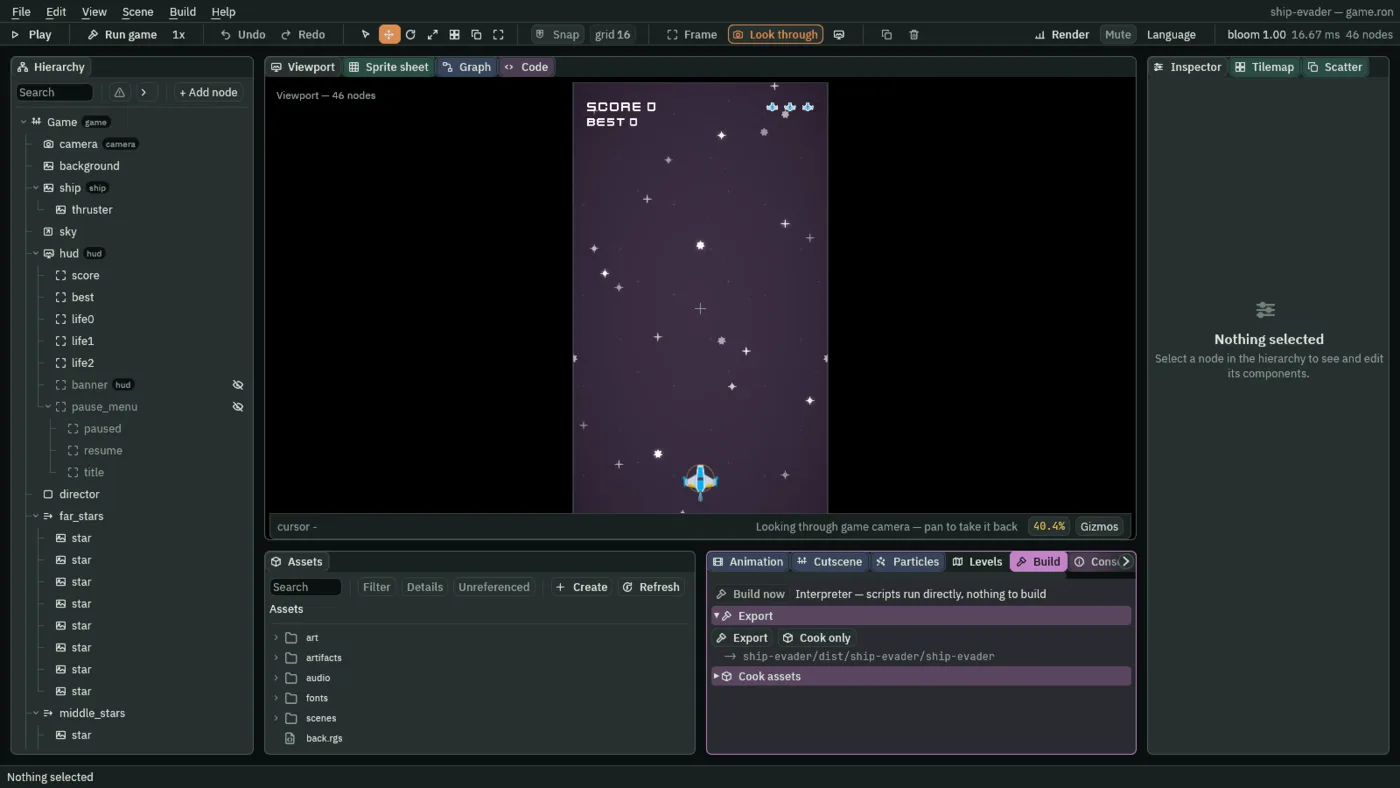

For a project made of scenes and Rengy Script, that is the whole form: Export, the line under it, and Cook only, which prepares a copy of the pictures and sounds in a cooked folder in your project to report their sizes. No game reads that folder, and the next export would copy it in, so delete it when you are done with it.
What is in the folder
ship-evader, orship-evader.exeon Windows- The game: a copy of the player, named after your project folder. It opens the project it sits beside, wherever the folder is moved, in a window 540 by 960 titled Ship Evader, from your
window.ron. - Your project’s files
- Everything in your project folder:
project.rengy, the scenes, the scripts, the artifacts, the pictures and sounds, and the.metabeside each picture, sound, scene, script and artifact.play-saved.ron, where Play keeps its saves, stays behind. dist/content/desktop- Your pictures and sounds, prepared for the game to load.
The export carries every .meta the game needs, so the game writes nothing in its own folder: it runs from a folder it cannot write to, such as a read-only drive. An export is for the kind of computer it was made on: a Windows editor exports a Windows game, and a Linux editor a Linux one. Export once from each to have both.
Run it
- In the folder Export opened, double-click
ship-evader. - On Linux, if double-clicking does not start it, run
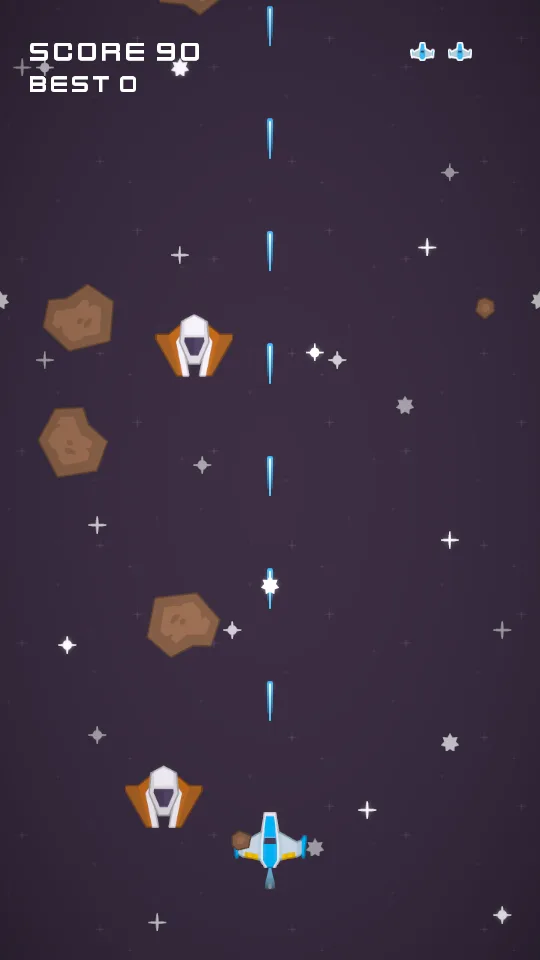
./ship-evaderin a terminal in that folder. - The game opens on its title, in its own window. Play it as a friend would, from the title to QUIT.
Where its saves live
Play until you set a best, close the game, and run it again: the title shows that best. An exported game keeps what its scripts save, its best score and its two volumes, in a file of its own in your account’s data folder, never in the export:
- Linux
~/.local/share/ship-evader/saved.ron, or$XDG_DATA_HOME/ship-evader/saved.ronwhenXDG_DATA_HOMEis set- Windows
%APPDATA%\ship-evader\saved.ron
That folder is named after the project’s name in project.rengy, and the export after the project folder. They agree because the folder you made in chapter 2 is ship-evader, and the project took its name from it. Delete the file to start the best again.
Build → Run / Stop game runs the same player from the editor, but keeps its saves with Play’s, in play-saved.ron, so trying the game never touches the export’s best.
Export again
Change something, save, and press Export again. Export empties its folder and writes it afresh, so a script you have since deleted does not linger in the game. It empties only a folder it made itself, which it marks with a small file in its dist: a folder holding anything else is refused, with nothing written. An export made by an older Rengy has no mark, so it is refused too; delete that folder by hand once, and export.
The game’s name is the project folder’s, and it must be a name every computer can use for a file. A folder name ending in a dot or a space, holding a colon, or a name Windows keeps for itself, such as con, is refused before anything is written: rename the folder. The exported folder is a project too, and exports again under its own name.
Zip the folder and send it. Whoever gets it unzips it anywhere and starts the game: they need no Rengy. The game is finished.