Tutorials · Ship Evader · Chapter 5
Firing
By the end
- A laser saved as an artifact: a node the game makes copies of while it runs
- A Spawner on the ship, which says what the name
lasermeans - A ship that fires about six lasers a second while Space is held, each flying up and removing itself
- A field the Inspector does not show, for the script’s own counting
On this page
The laser’s script
A laser has to exist many times over, each made as the ship fires it. You build it once and save it to a file, and the ship asks for copies. Start with what every copy does: fly up the field, and go once it is past the top.
- In Assets, press Create, choose New script, type
laser, and press Enter. The editor writeslaser.rgsinto the project folder. - Click the Code tab, then
laser.rgsin its Scripts list, replace everything in it with the script below, and press Ctrl+S.
/// A laser: it flies up the field, and removes itself once it is 100 units
/// past the top.
component Laser {
    /// How fast the laser flies.
    #[suffix("u/s")]
    speed: f32 = 900.0,

    fn loop(dt: f32) {
        // Up is toward negative y: the world's y grows downward.
        translate(vec2(0.0, -speed * dt));
        // camera_view().y is the top edge of the field.
        if position().y < camera_view().y - 100.0 {
            destroy_self();
        }
    }
}
translate moves the node by a vector each step: speed * dt is how far the laser flies in one, and it flies up, so toward negative y. destroy_self removes the node, once it is 100 units past the top edge, out of sight.
Make the laser once
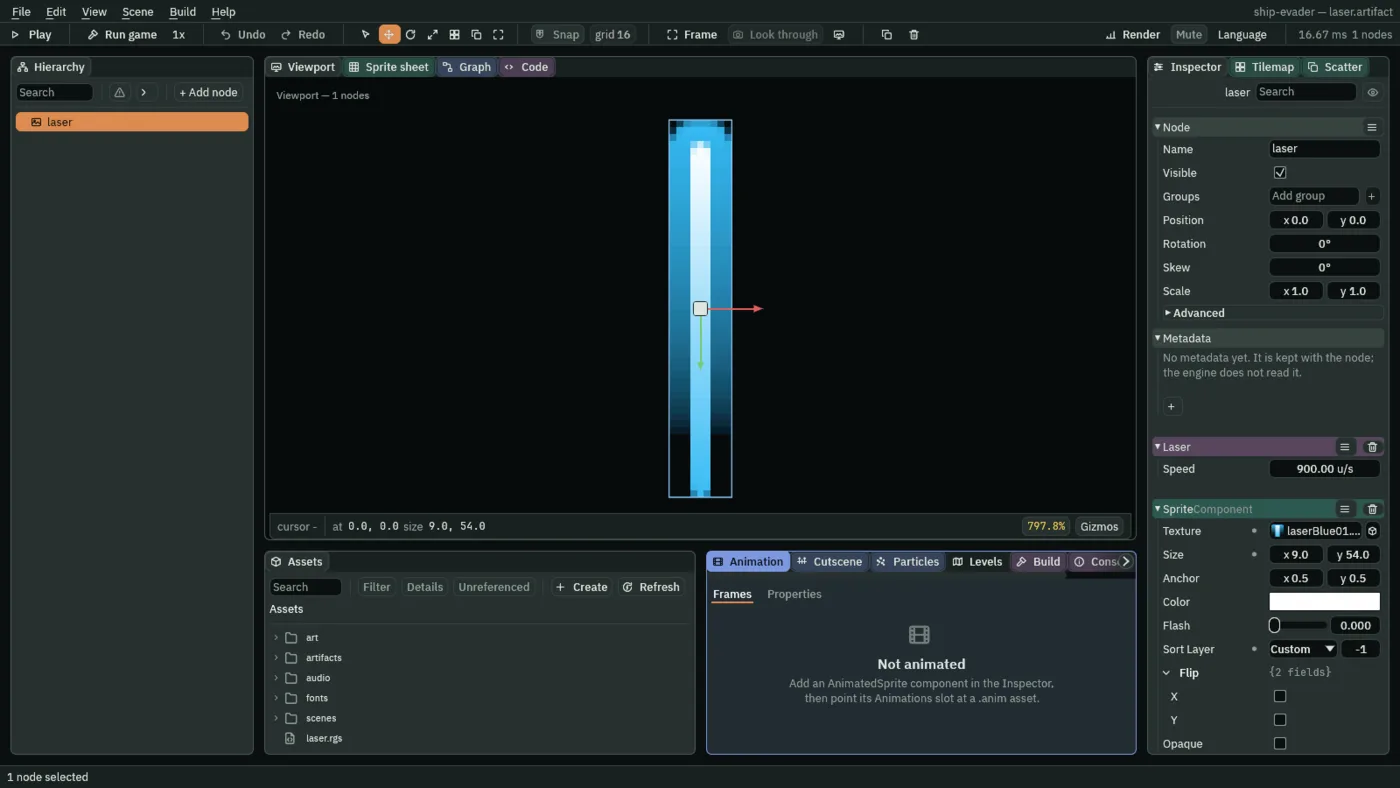
- Click the Viewport tab, select
ship, and dragart/laserBlue01.pngfrom Assets into the Viewport. It lands beside the ship, underGame. - Double-click its row in the Hierarchy, type
laser, and press Enter. - Set its Position to
0and0. A copy is placed wherever the ship asks for it, so the laser itself sits at the world’s origin. - Leave its Sprite’s Size at the picture’s own 9 by 54, and set Sort Layer to
-1, so a laser leaving the ship draws under its nose rather than over it. - Press Add component and choose Laser. Its Speed is
900.
Save it as an artifact
An artifact is a node and its children saved to a file of their own, which a scene or a script can copy. Scenes and nodes says more about them.
- Right-click
laserin the Hierarchy and choose Save as artifact…. - In the save dialog, make a folder called
artifacts, open it, and save the file aslaser.artifact. - Delete the laser left in the scene: select it, press Delete, and choose Delete. It is a copy of that file now, and the game makes copies of its own.
To change the laser later, double-click laser.artifact in Assets, and the editor opens it as the scene you are editing; if the open scene has edits not on disk, it asks Save the open scene? first. Save the laser with Ctrl+S, then double-click scenes/game.ron to go back to the game.
The ship’s Spawner
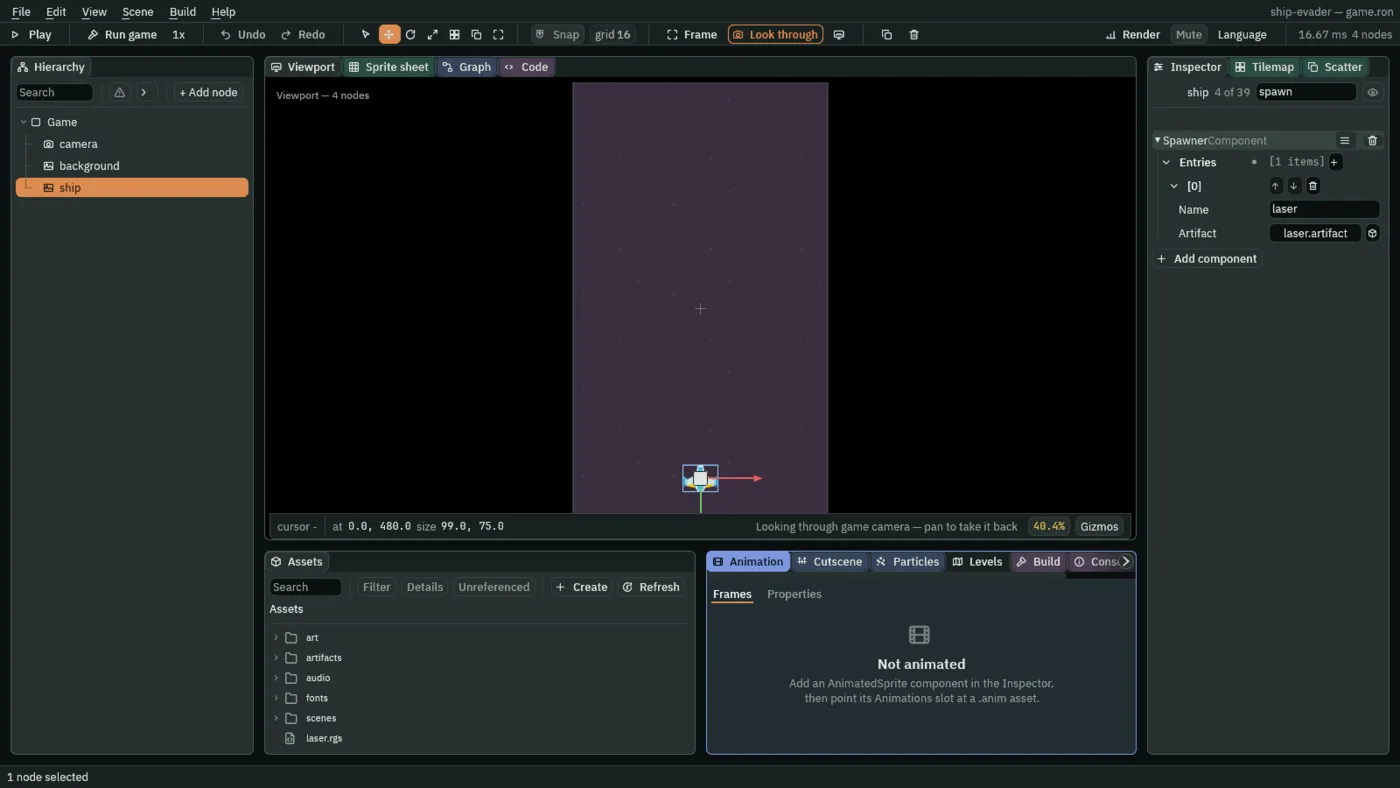
A script asks for a copy by a name, "laser", not by a file. The node’s Spawner says which artifact each name means. Making copies with spawn has the whole of it.
- Select
ship, press Add component, and choose SpawnerComponent. - Press + beside Entries, and open the new [0] row.
- Type
laseras the new entry’s Name, and dragartifacts/laser.artifactfrom Assets onto its Artifact.
Fire while Space is held
The ship’s script gains two fields and a few lines at the end of its loop. Click the Code tab, then ship.rgs in its Scripts list, replace everything in it with this, and press Ctrl+S:
/// The player's ship: it flies where `move` points, never leaves the field,
/// and fires lasers while `fire` is held.
component Ship {
    /// How fast the ship flies.
    #[suffix("u/s")]
    speed: f32 = 420.0,
    /// How close the ship's centre may come to an edge of the field.
    #[suffix("u")]
    margin: f32 = 50.0,
    /// Seconds between two lasers while fire is held.
    #[suffix("s")]
    fire_interval: f32 = 0.16,
    /// Seconds until the ship can fire again.
    #[hidden]
    cooldown: f32 = 0.0,

    fn loop(dt: f32) {
        let view = camera_view();
        let next = position() + direction("move").normalized() * (speed * dt);
        move_to(vec2(
            clamp(next.x, view.x + margin, view.z - margin),
            clamp(next.y, view.y + margin, view.w - margin),
        ));

        if cooldown > 0.0 {
            cooldown -= dt;
        }
        if held("fire") && cooldown <= 0.0 {
            // 50 units above the ship's centre: up is toward negative y.
            spawn("laser", position() + vec2(0.0, -50.0));
            cooldown = fire_interval;
        }
    }
}
- held
- Whether an action’s key is down on this step.
held("fire")stays true for as long as Space is held. - spawn
- Makes a copy of the artifact the Spawner calls
laser, at a point in the world: 50 units above the ship’s centre. The copy is a node of its own at the top of the scene, so it does not follow the ship; its own script flies it. cooldown- Seconds until the ship may fire again.
#[hidden]keeps it out of the Inspector: it is the script’s own counting, not something to tune. Each step takesdtoff it, and a laser fires once it has run out andfireis held, setting it tofire_intervalagain.
So holding Space fires a laser at once and then one every ten steps, about six a second. Click the Viewport tab, then press Ctrl+S: the scene stores the Ship’s new Fire Interval beside its Speed and Margin.