Tutorials · Ship Evader · Chapter 12
Sound and music
By the end
- Sounds named on an Audio Source, and played by name from a script
- The game’s music, on a channel of its own, playing on through a new game
- Buses, each sound’s own volume, and a cap on how many play at once
- Why every sound in this game is heard wherever it is made
On this page
Audio Sources
The explosions and the spark already play their sounds on their own, from an Audio Source set to Autoplay. A script can play an Audio Source’s sounds too: each row of its Triggers list is a Name and a Clip, and play_sound plays the row with that name. Audio has the whole of it.
- Select
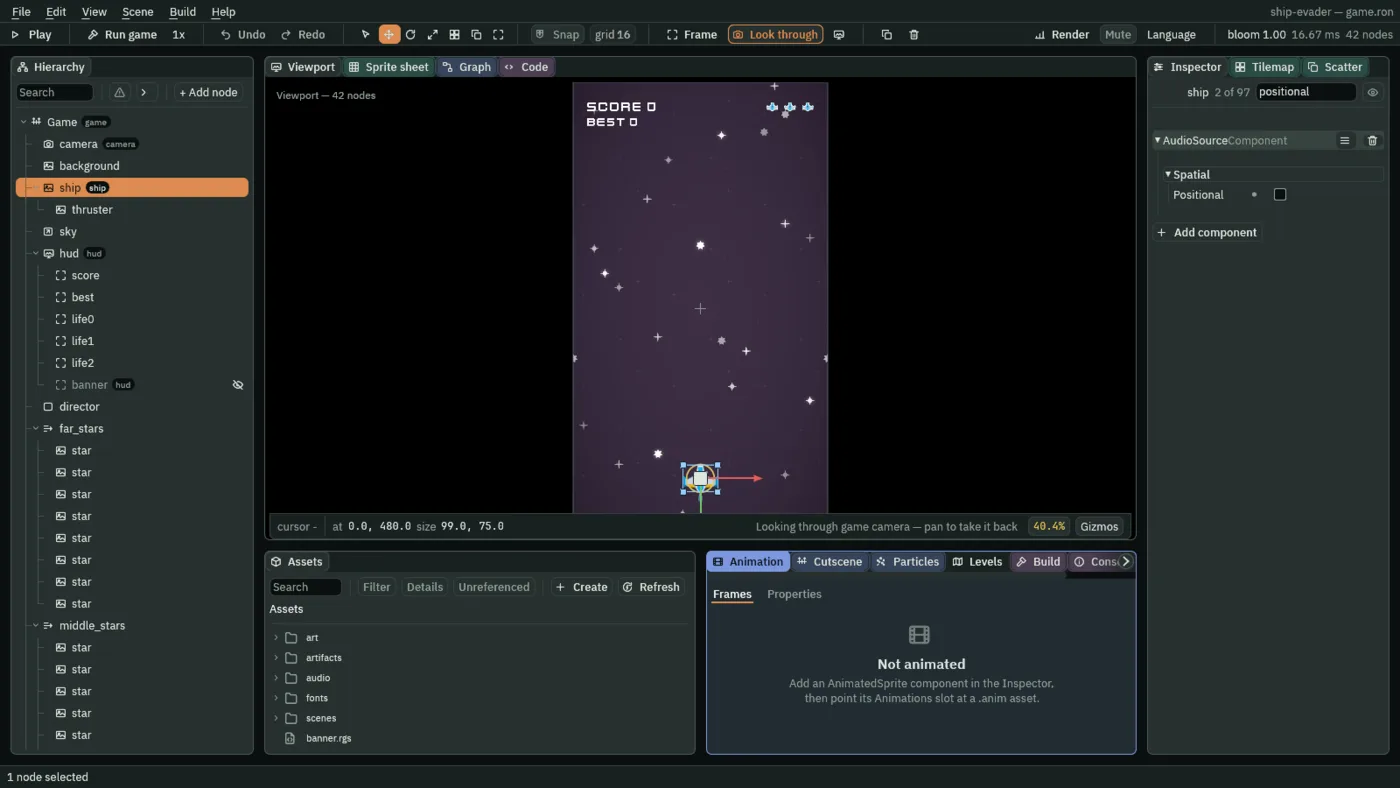
ship, press Add component, and choose AudioSourceComponent: it goes after the ship’s Area. - Keep Bus Sfx and Volume
1, untick Positional in its Spatial fold, and set Max Voices to3. - Press + beside Triggers twice.
- Open row [0]: Name
laser, Clipaudio/laserSmall_000.ogg, and under its Volume, Min and Max both0.5. - Open row [1]: Name
hit, Clipaudio/sfx_shieldDown.ogg, and under its Volume, Min and Max0.7. - Press Enter, then Ctrl+S to save the scene.
- Open
artifacts/gunner.artifact, selectgunner, and add an AudioSourceComponent on Sfx at Volume0.45with Positional unticked, and one trigger: Nameshot, Clipaudio/sfx_laser2.ogg. - Choose File → Save.
- Double-click
scenes/game.ronin Assets to go back to the game.
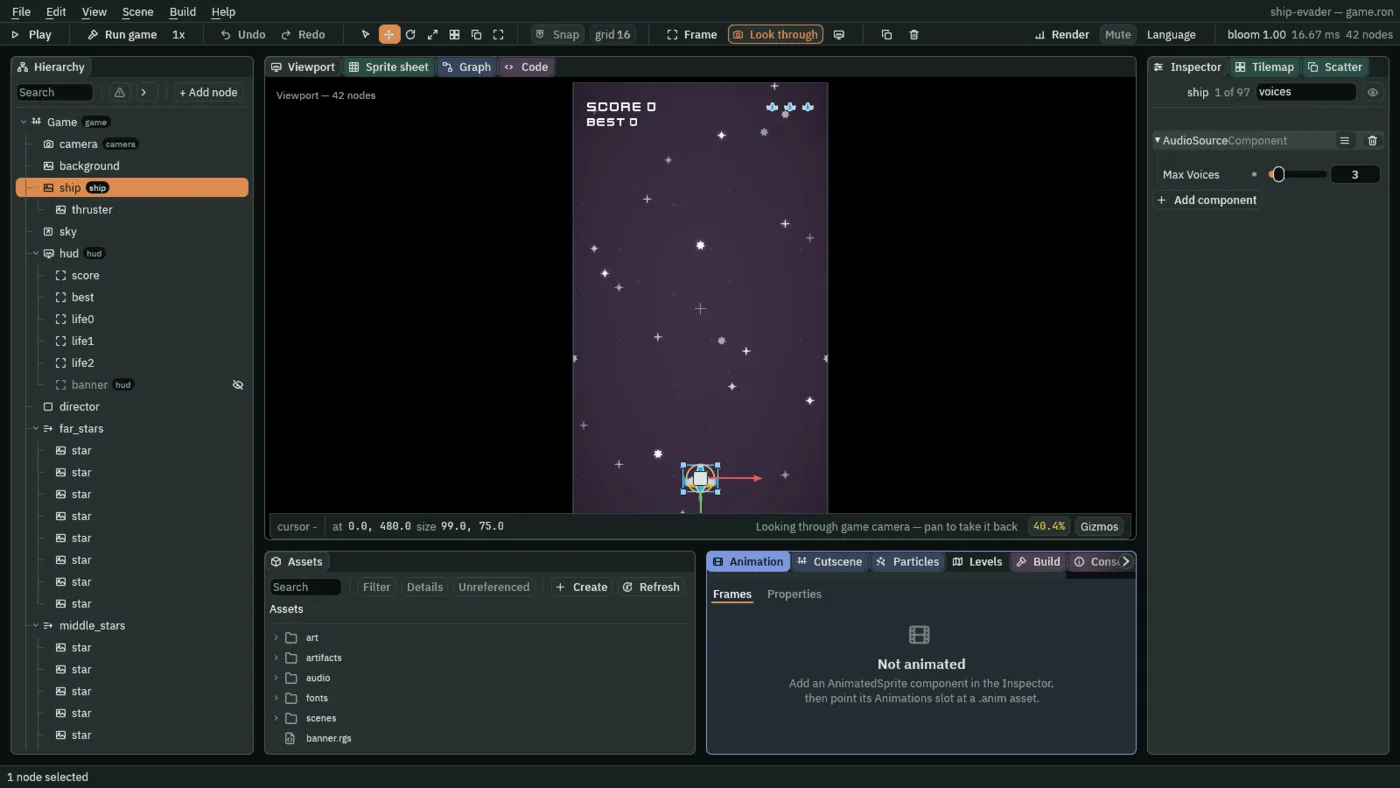
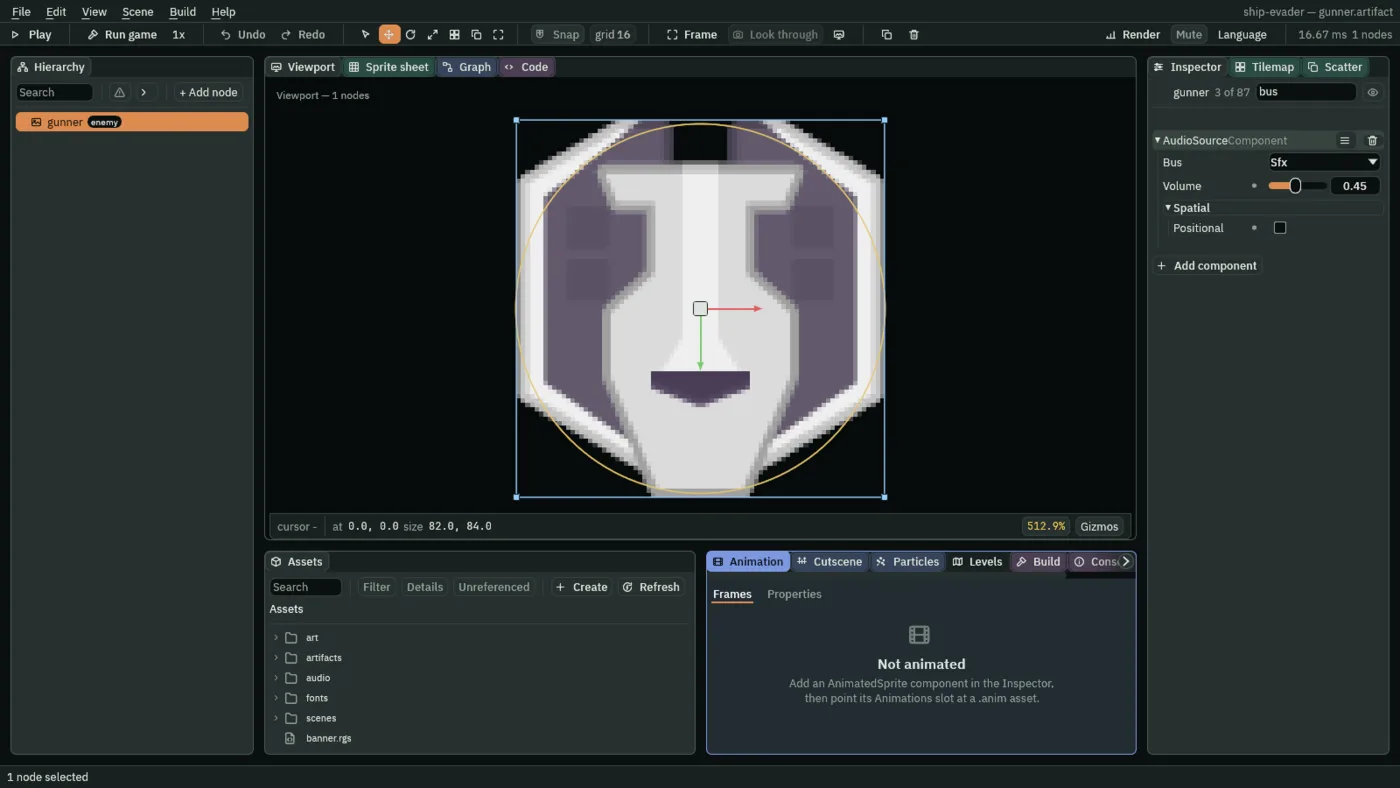
- Bus
- Which volume a sound answers to: Sfx for sound effects, Music for music, and Master over both. Chapter 15 gives the player a slider for each of the first two.
- A trigger’s Volume
- Times the source’s own: the ship’s laser plays at 1 × 0.5, its hit at 1 × 0.7.
- Max Voices
- How many of this source’s sounds may play at once: past it, the oldest gives way. Holding Space fires about six lasers a second, and each laser’s sound ends before two more are fired, so lasers keep two going and the third is there for a hit.
Heard wherever it is made
A Positional sound is louder the nearer it is to the listener, and here the listener is the camera, at the middle of the field. The ship starts 480 units below it, where a positional sound is about 48 decibels down, a whisper; from 512 units away it is silent. Every sound in Ship Evader is unticked, so each is heard at its own volume wherever it is made.
Playing them
Click the Code tab, then ship.rgs in its Scripts list. In it, the comment at the top names the two sounds; the laser plays as each laser is fired, after the spawn; and the hit plays on each hit the ship lives through, first thing in the if branch:
/// The player's ship: it flies where `move` points, never leaves the field,
/// fires lasers while `fire` is held, and keeps its position for whatever aims
/// at it. Whatever its Area meets costs it a life: it flashes white, then
/// blinks, and nothing can hit it while it does. On its last life it blows up.
/// Each whole second it stays alive adds 10 to the score. Its Audio Source
/// names its two sounds: the laser, played as each laser is fired, and the
/// hit, played on each hit it lives through.
component Ship : Area {
        if held("fire") && cooldown <= 0.0 {
            // 50 units above the ship's centre: up is toward negative y.
            spawn("laser", position() + vec2(0.0, -50.0));
            // The sound this node's Audio Source names "laser".
            play_sound("laser");
            cooldown = fire_interval;
        }
        if lives > 0.0 {
            // The sound this node's Audio Source names "hit".
            play_sound("hit");
- Press Ctrl+S to save
ship.rgs.
The last life plays only the big explosion’s rumble, which its artifact plays on its own. Click gunner.rgs in the same list. In it, the shot sounds as it is fired:
        if position().y > view.y && position().y < view.w {
            shot_countdown -= dt;
            if shot_countdown <= 0.0 {
                // The shot aims itself at the ship, and sounds as it goes.
                spawn("enemy_shot", position());
                play_sound("shot");
                shot_countdown = shot_interval;
            }
        }
- Press Ctrl+S to save
gunner.rgs.
No gunner comes at stage 1, so its shot is first heard after 20 s.
The music
- Click the Viewport tab, then select
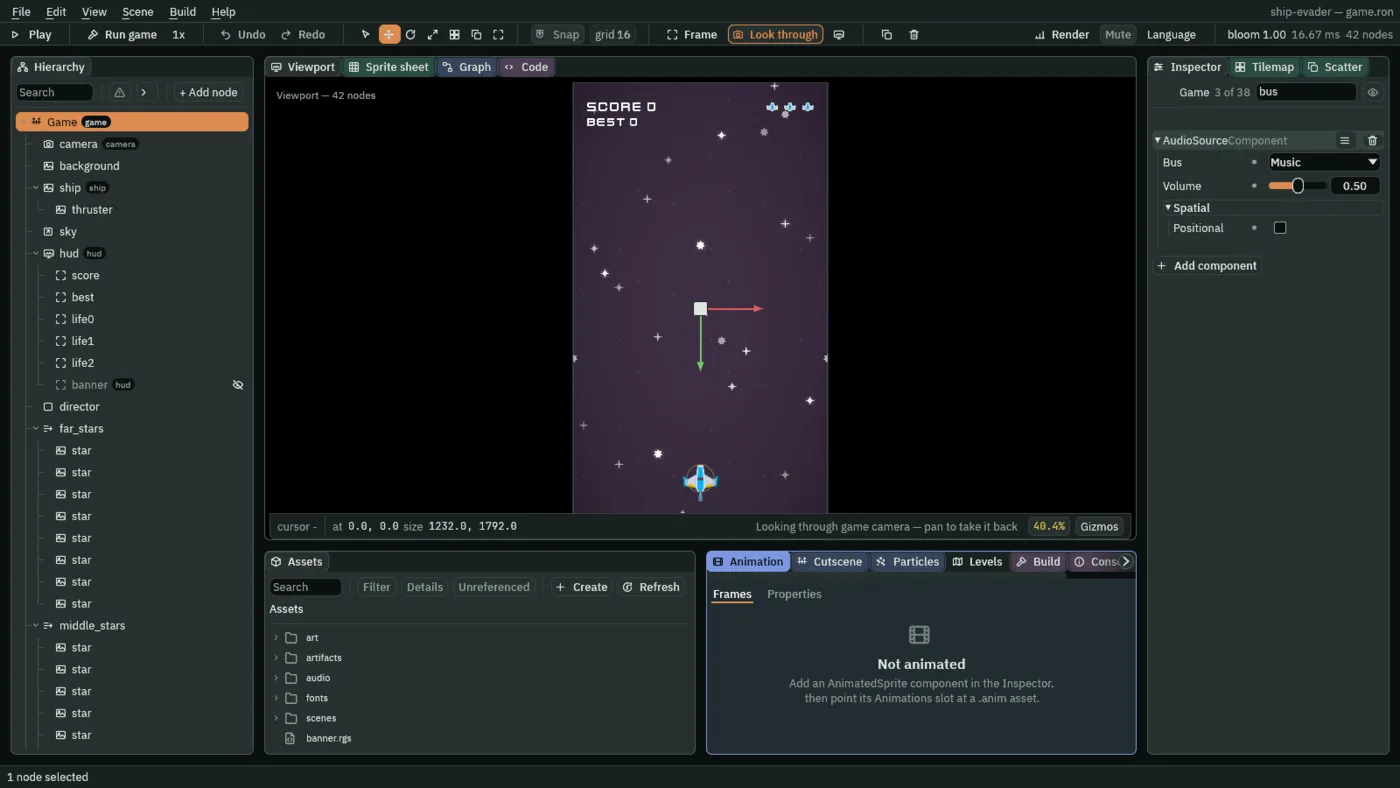
Game, press Add component, and choose AudioSourceComponent: it is listed above the Game script, since the Inspector lists components by name. - Set Bus to Music and Volume to
0.5, untick Positional, and leave Clip empty and Looping and Autoplay unticked. - Add one trigger: Name
music, Clipaudio/8bit-spaceshooter.mp3, and under its Volume, Min and Max1. - In the Code tab’s Scripts list, click
game.rgs, replace everything in it with the script below, and press Ctrl+S. - Save the scene with File → Save all.
/// The game itself, on the scene's root node: it starts the game's music, and
/// when the ship has lost its last life, it waits 1.5 s and starts the game
/// again.
///
/// The root, because it stays in the scene from the first step to the last.
/// The ship cannot do this itself: it is gone on its last life, and a node
/// that is gone runs no hooks. So the ship sends "game over" to the group
/// "game", which this node is in.
component Game {
    /// Seconds from the last life to the new game.
    #[suffix("s")]
    restart_delay: f32 = 1.5,

    fn on_create() {
        // The track this node's Audio Source names "music", on the channel
        // music plays on. A new game is a fresh copy of the scene and asks for
        // it again: asking for the track already playing leaves it playing,
        // so the music goes on from where it was.
        play_music("music");
    }

    fn loop() {
        await signal("game over");
        await wait(restart_delay);
        // Kept values outlast the scene, so the new game's are set here,
        // before the scene changes, and not by the new scene as it starts: it
        // begins with them already in place. The stage too: the sky reads it on
        // the new game's first step, before the new director has kept one. The
        // best score so far is saved for the next launch too.
        save_number("best", max(saved_number("best", 0.0), kept_number("score", 0.0)));
        keep_number("lives", 3.0);
        keep_number("score", 0.0);
        keep_number("stage", 1.0);
        change_scene("game");
    }
}
play_music plays a trigger as music: looping, on the Music bus, the same wherever it is made, and on the game’s one music channel. A new track would take over the channel at once. Asking for the track already playing leaves it playing, so when the game starts again, a fresh copy of the scene asking for the same music, it plays on unbroken. The track pauses for a moment where it loops back, every 82 s or so: that is the file.