Tutorials · Cameras and Framing · Chapter 3
Crisp pixels
By the end
- Why the watchman’s pixels swim as he walks in a window whose size is not a whole number of the street’s
- A Pixel Perfect on the camera’s node: Assets PPU
1, a reference of320by180, Upscale Render Texture and Crop Frame ticked - The street drawn
4,6or3screen pixels to an art pixel, the biggest whole number that fits the window, and every art pixel a whole block - What a Zoom on the Camera does under it
On this page
Pixels that swim
Chapter 2’s Letterbox shows 320 by 180 of the street in any window, and draws it as large as the window allows. At 1280 by 720 that is four screen pixels to a unit, a whole number. A laptop’s 1366 by 768 is not a whole number of the street: it draws 4.27 screen pixels to a unit. A screen pixel cannot be cut, so the art’s pixels come out 4 and 5 screen pixels wide by turns, and as the watchman moves, which of his are 4 and which are 5 changes from one frame to the next. His outline shimmers. That is swimming.

1366 by 768, a strip of the window at its own pixels. Watch his edges as he walks: his pixels change width from frame to frame.The street’s stone stands still, so it never shows: only a sprite that moves across the screen does. And the window decides it. A game in a window of 1280 by 720 looks crisp; the same game on another screen does not.
A Pixel Perfect
A Pixel Perfect draws the world at a size of its own, the reference, and then makes the picture bigger by a whole number, the biggest that fits the window. Every art pixel is then a whole block of screen pixels, the same size as every other.
- Select
camera. Press Add component and choose PixelPerfectComponent. It goes on the camera’s own node, after the Camera: it reads the Camera on its node. - Leave Assets PPU at
1, Reference Width at320and Reference Height at180, as they come. - Tick Upscale Render Texture and Crop Frame.
- Press Ctrl+S.
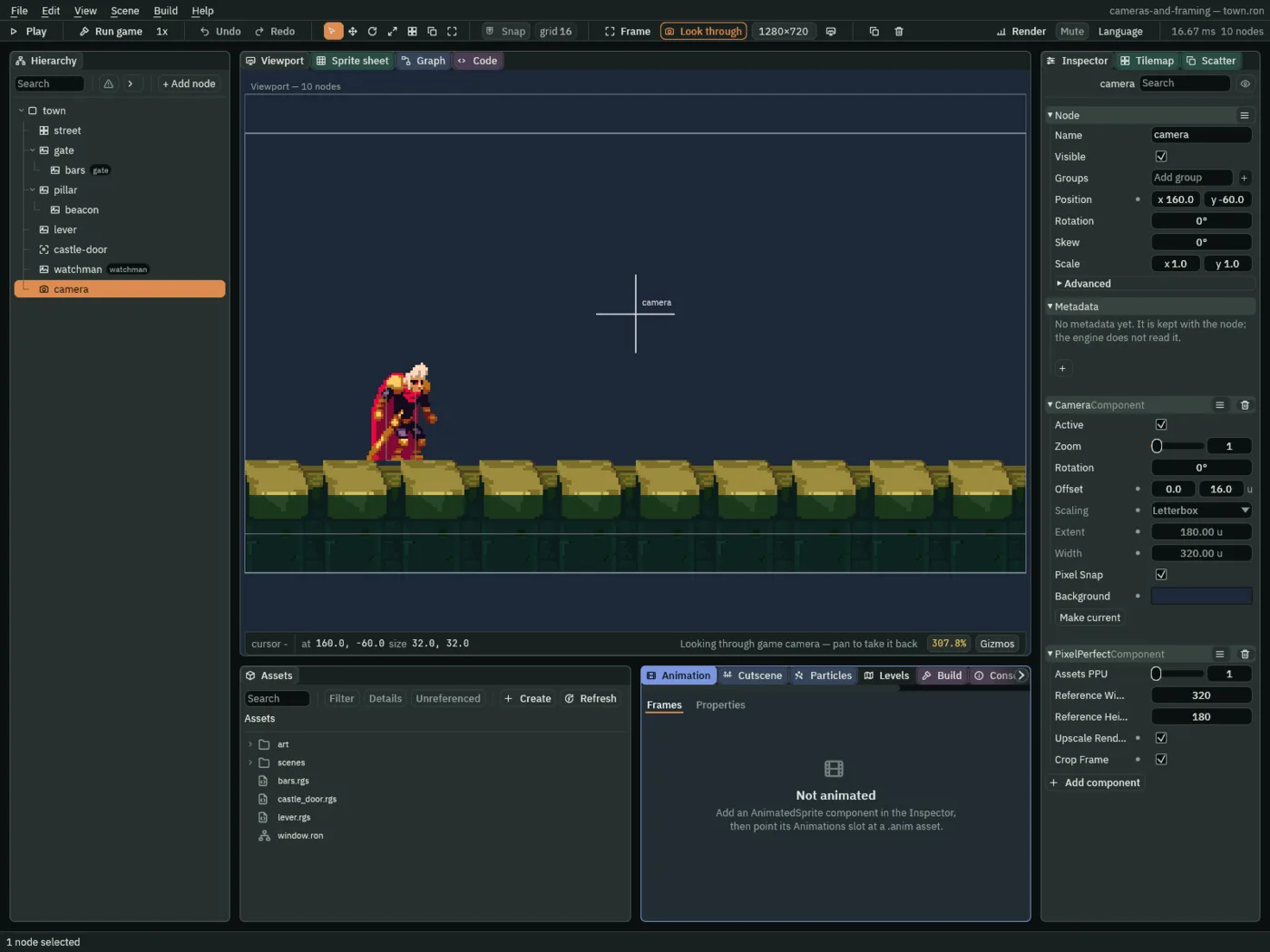
- Assets PPU
- Art pixels to a world unit.
1, as it comes, when sprites are sized in pixels, as every sprite in this engine is: the watchman’s38by48picture is38by48units. A game whose art is drawn at another scale would change it; this one never does. - Reference Width and Reference Height
- How much of the world the game is meant to show, in art pixels:
320by180, the street the Letterbox showed. The world is drawn at this size whatever the window, then made bigger by the whole number. - Upscale Render Texture
- Draws the world into a picture of the reference’s own size,
320by180, and scales that picture up once. Every pixel on the screen is then one of the art’s, and a sprite that turns, or a particle, is held to the grid too; a zoom out is still smoothed, since it puts more than one art pixel on each of the picture’s. Unticked, as it comes, the world is drawn straight at the window’s size, and a zoom or a turn is scaled smoothly, off the art’s grid. - Crop Frame
- Shows exactly the reference’s shape,
320by180, with the Background round it where the whole number leaves room, rather than more of the world. Unticked, as it comes, the leftover room shows more of the street.
Under a Pixel Perfect the Camera’s Scaling does nothing: the Pixel Perfect chooses the scale. So Letterbox, its Extent and its Width are greyed, and their hover says so. They are left as chapter 2 set them: change the Scaling now and nothing in the picture changes. Problems says nothing about it either, since nothing is wrong. The Camera’s Zoom and Rotation are still read, and the section on zoom below says how.
The Pixel Perfect shows its reference in the Viewport too. With Crop Frame ticked the picture is the reference itself, so the camera’s frame is all there is to see. Untick it and pick a window with room left over, and the reference shows inside the frame.
- With
cameraselected and Look through on, untick Crop Frame, and choose 4:3 1024×768 in the size picker. - Tick Crop Frame again, choose Window, the first in the size picker’s list, and press Ctrl+S.
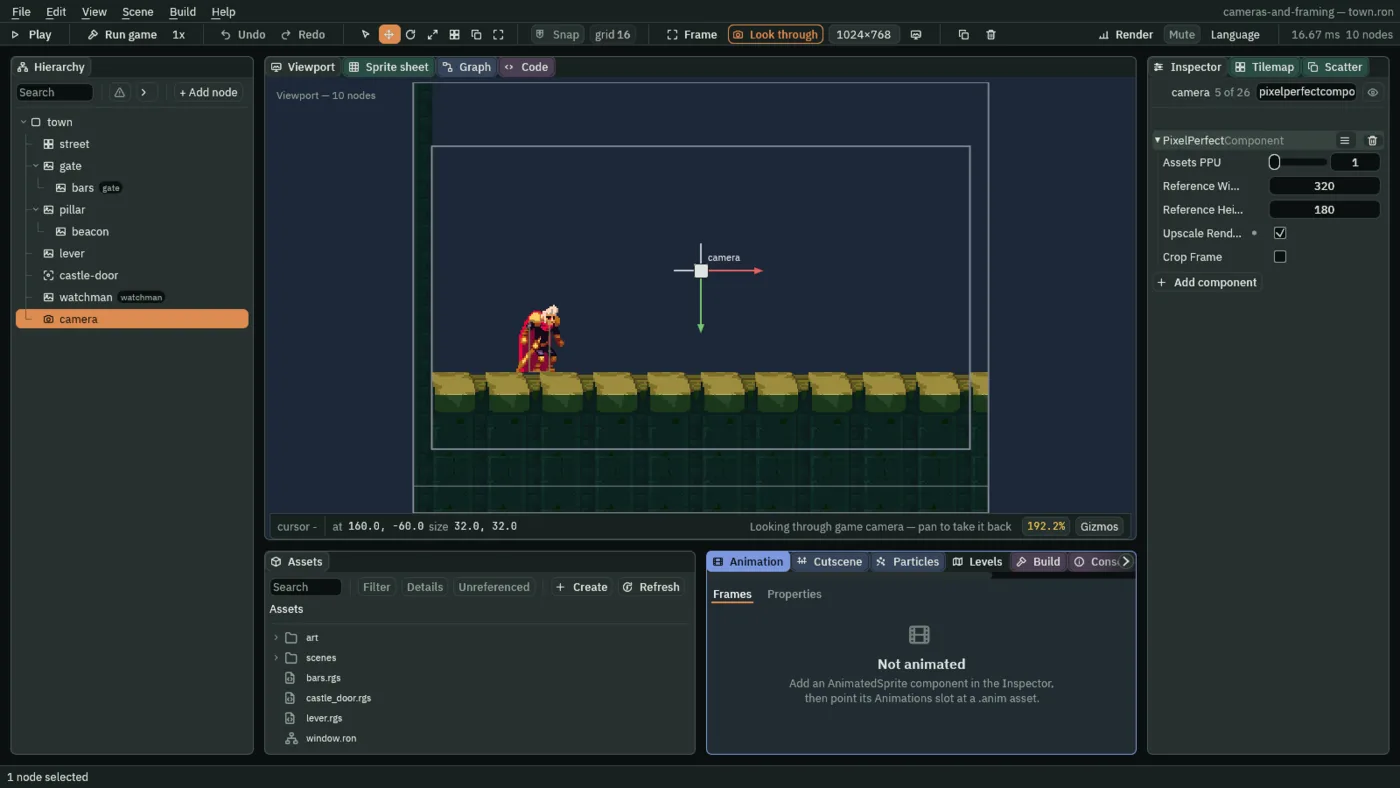
1024 by 768: the picture is 341.3 by 256 units, and the reference, 320 by 180, is the rectangle inside it. The thin line near the foot is the frame where the camera itself rests, 16 higher.- The reference rectangle
- What the Pixel Perfect draws in the Viewport while its camera is the one the game is drawn through: the reference, Reference Width by Reference Height art pixels (
320by180units here), made smaller by the Camera’s Zoom as the view is, round the middle of the picture and turned with it, in the frame’s own stroke. Where the picture is exactly the reference, with Crop Frame ticked or in a window of1280by720, the two are one rectangle, drawn once. Otherwise what lies outside it is the world the window shows beyond the reference.
A whole number in any window
The street is the same 320 by 180, from 0, -134 to 320, 46, in every window. What the window decides is the whole number, the biggest that fits, and where the picture sits:
| Window | Screen pixels to an art pixel | The picture: x, y, width, height |
|---|---|---|
1280 × 720 | 4 | 0, 0, 1280, 720 |
1920 × 1080 | 6 | the whole window |
1366 × 768, a laptop | 4 | 43, 24, 1280, 720 |
1024 × 768, four by three | 3 | 32, 114, 960, 540 |
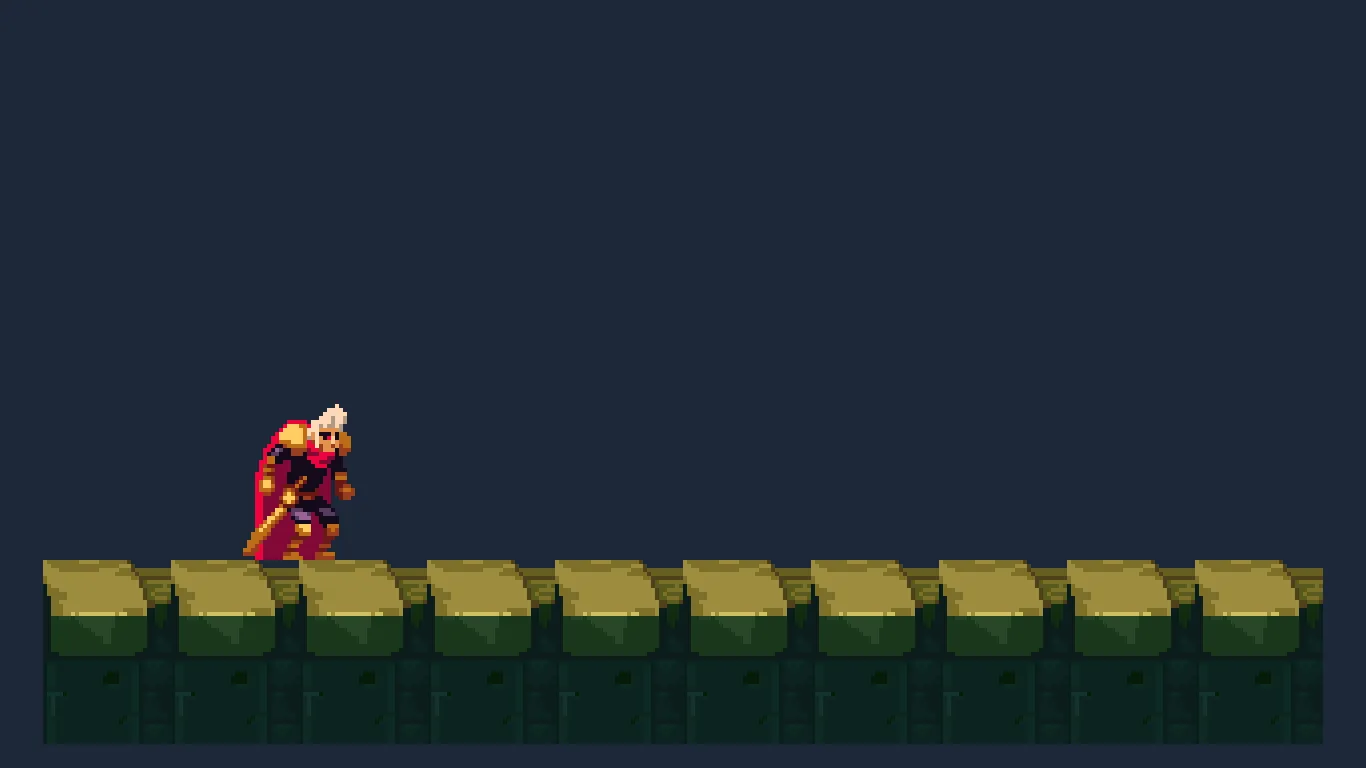
1366 by 768: four pixels to an art pixel, 1280 by 720 of picture, the Background round it.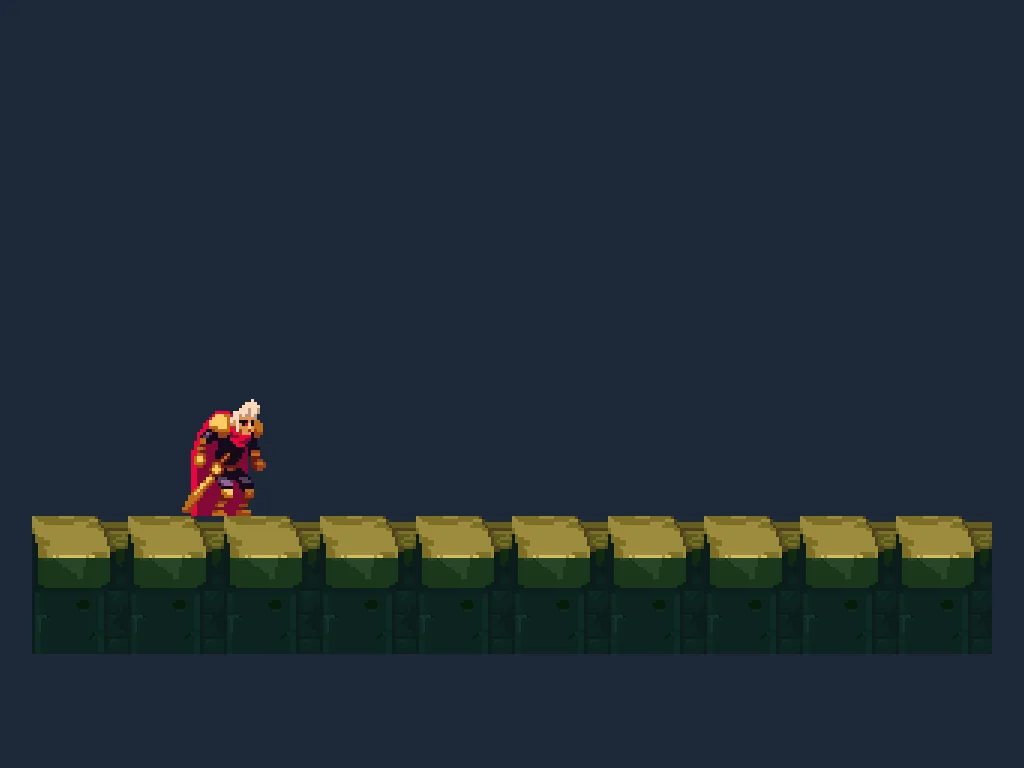
1024 by 768: three pixels to an art pixel, 960 by 540 of picture.At 1366 by 768 a Letterbox alone would have drawn 4.27 pixels to a unit; the Pixel Perfect draws 4 and leaves a border of 43 and 24 pixels. A smaller picture with whole pixels is the trade: in a window that is a whole number of the reference, 1280 by 720 or 1920 by 1080, there is no border at all.
Crisp

4 by 4 block as he moves.The world is drawn at 320 by 180, one art pixel to a unit, and the picture is made 4 times bigger. With the Camera’s Pixel Snap ticked, as it is, every sprite is drawn on that grid: as he walks, his feet are often between two art pixels, and his picture is drawn on whole ones all the same. So the same art pixel is always the same block, and nothing swims.
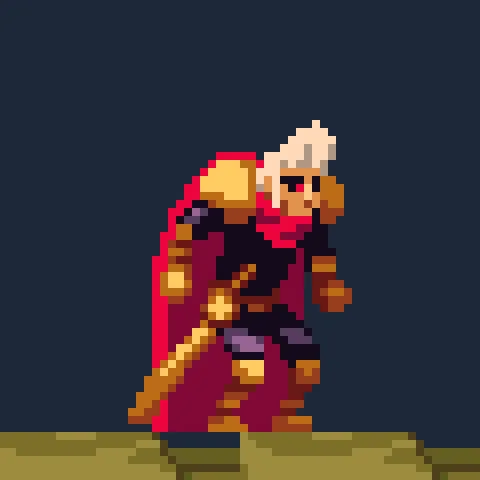
2560 by 1440 the whole number is 8: each art pixel an 8 by 8 block of one colour. This is the picture at its own pixels.To see it on your own screen, press Run game and drag the game’s window to any size: the street keeps its whole blocks, and the border round it grows and shrinks. The editor’s Viewport scales the game into its tab, as a phone’s narrow screen scales this page’s pictures, so it is the game’s own window that shows the art’s pixels as they are.
A zoom under it
The Pixel Perfect chooses the whole number; the Camera’s Zoom multiplies it. A Zoom of 2 at 1280 by 720 is 4 × 2 = 8 screen pixels to a unit, and a view of 160 by 90. Try it, then put it back.
- Set the Camera’s Zoom to
2, and click the Camera tab. - Set it back to
1, and press Ctrl+S.
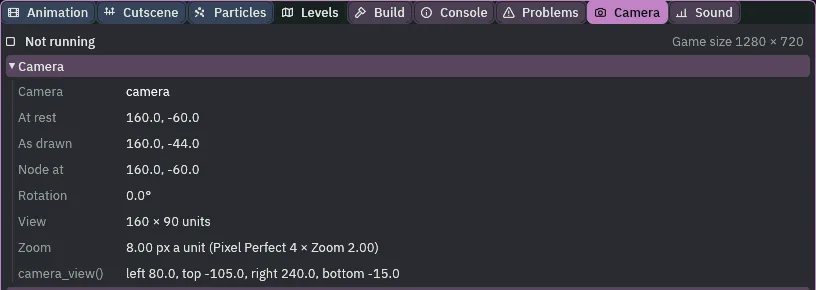
2 under the Pixel Perfect: 8 pixels a unit, the Pixel Perfect’s 4 times the Camera’s 2; a view of 160 by 90.At a Zoom of 1 the picture is pixel-perfect. At any other zoom it is not, and neither is it while a zoom is under way: the art is drawn at a size the window’s grid does not divide. With Upscale Render Texture ticked, the zoom, and a Rotation, happen inside the 320 by 180 picture, so what reaches the screen stays on the art’s chunky grid. Chapter 7’s vista zooms out this way, and chapter 8 tilts the camera.
The Pixel Perfect
| Node | Component | Field | Value |
|---|---|---|---|
camera | Pixel Perfect, after the Camera | Assets PPU | 1, as it comes |
| Reference Width, Reference Height | 320, 180, as they come | ||
| Upscale Render Texture | ticked | ||
| Crop Frame | ticked |
The Camera is chapter 2’s, untouched: Letterbox, Extent 180 and Width 320, which the Pixel Perfect leaves unread, Zoom 1, Offset 0, 16.