Tutorials · Cameras and Framing · Chapter 5
The town’s walls
By the end
- A Confiner on a node of its own,
town-walls, whose Bounds run from the town’s west wall to its east wall and from under the street to240above it - The castle given the town’s camera, copied and pasted, its Subject picked again and its Pixel Perfect’s reference
256by144 - Five rooms under one node,
rooms, a Confiner each, and the view sliding from one to the next over each room’s Blend - What Problems says about a Confiner on the camera’s own node, and about two rooms laid over each other
On this page
The town’s walls
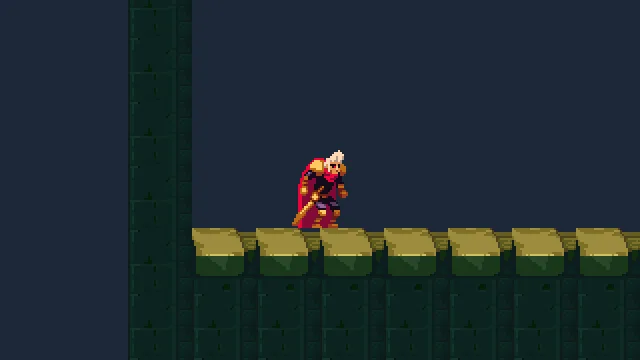
The rig follows the watchman wherever he goes, and past the town’s walls too. At his start the view shows 64 units of Background west of the west wall, since the rig centres him and the wall is only 64 from him:
A Confiner is a rectangle the view is kept inside: a room. The rig still moves the camera; the Confiner then holds the picture so no part of it shows past the rectangle.
- In the Hierarchy, select
town. Press + Add node and choose Camera Confiner. It lands undertown, last. Rename ittown-walls. - Set its Position to
1280and-56: the middle of the rectangle. - In its Confiner, set Bounds to
2624and368. Leave Blend at0. - Press Ctrl+S.
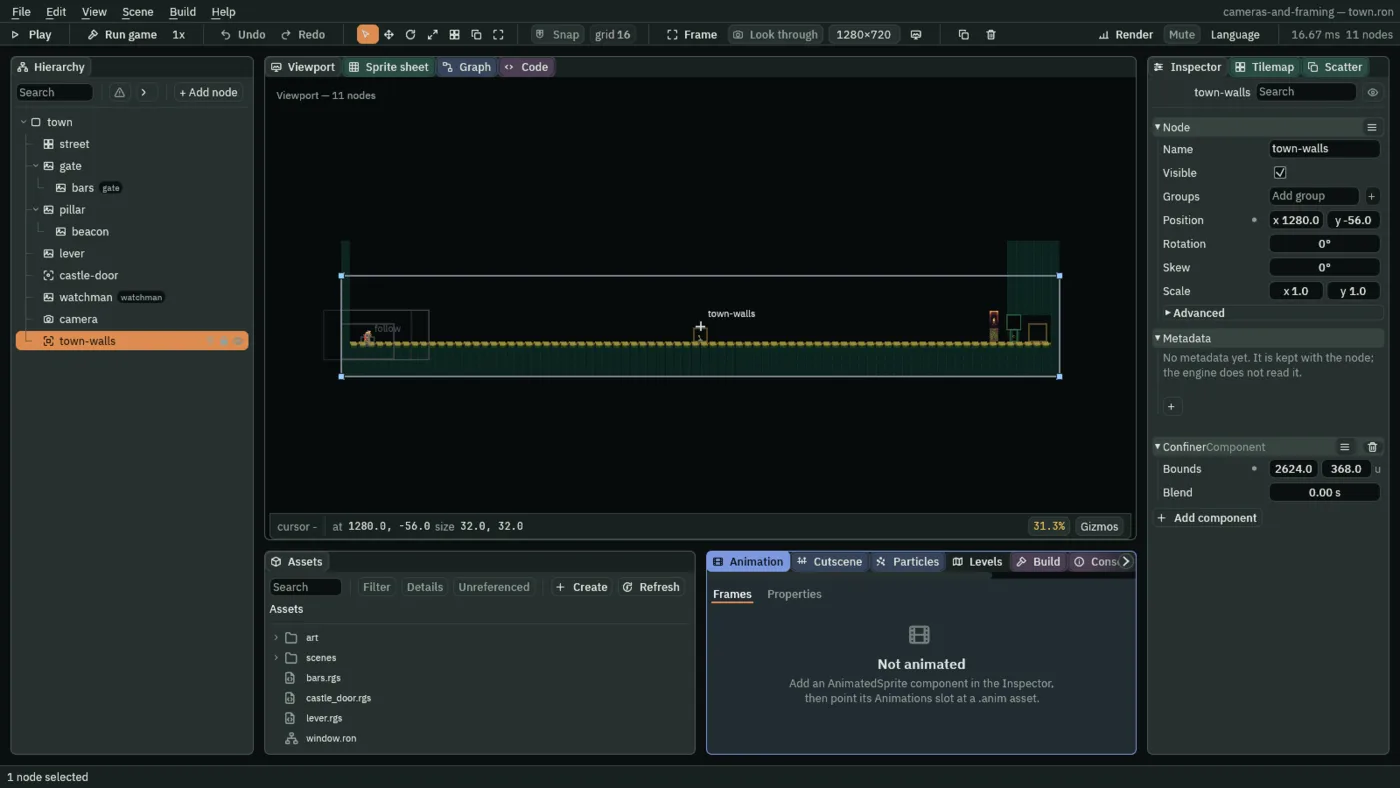
town-walls selected: its Bounds round the street, wall to wall.The Bounds are centred on the node: 2624 across from 1280 is x -32 to 2592, the west wall’s outer face to the east wall’s; 368 down from -56 is y -240, 240 above the street, to 128, the underside of the street’s stone. The view never shows past the walls, nor more than 240 above the street.
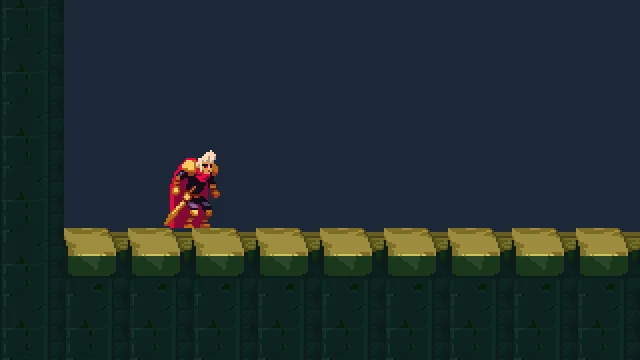
town-walls: the view starts at the wall’s outer face, and the watchman is left of the middle.
At his start the camera’s node is where the rig wants it, at his framed point; the room holds the camera 64 units east of it. Left to the rig alone, the view would show 123 units past the wall’s outer face once he stood against it. At the street’s east end he never reaches the wall: the castle door, in the gatehouse passage, takes him into the castle first. The view reaches the east wall’s outer face all the same, a view’s width before him.
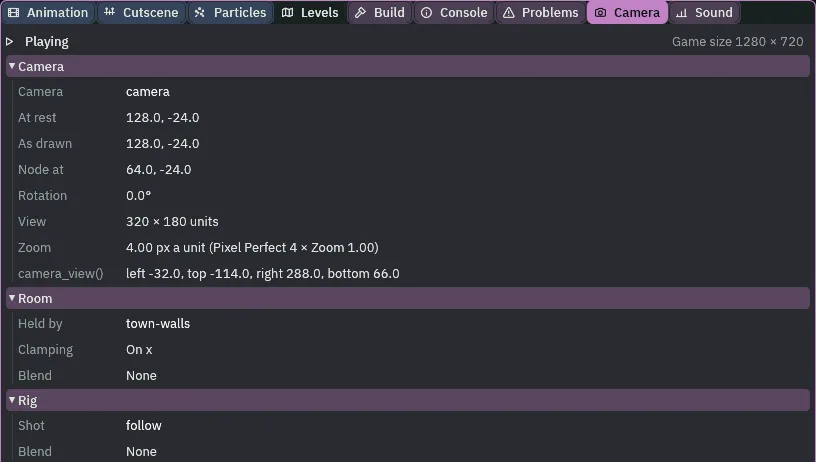
town-walls, Clamping On x. The node is at 64; the camera rests at 128.- Bounds
- The room’s size, across and down, in world units, centred on the Confiner’s node. The view is kept inside it. A room narrower or shorter than the view centres the view on it that way instead. Selected, the Confiner draws its Bounds, and each corner is a handle: drag one to resize the room.
- Blend
- Seconds the view takes to slide into this room when the camera arrives in it from another.
0, as it comes, cuts. The town is one room, so it never slides; the castle’s rooms use it. - The Camera tab’s Room rows
- Held by, the room holding the camera, or No room; Clamping, whether the room is holding the view in, and on which axis: On x, On y, On x and y or No; Blend, a slide into the room under way, from which room and how far, or None.

camera itself: one row in Problems.The castle’s camera
The castle has had no camera. It gets the town’s, rig and all, by copy and paste: the clipboard keeps what you copy when you open another scene.
- In the town’s Hierarchy, right-click
cameraand choose Copy. - In Assets, open
scenesand double-clickcastle.ron. - Right-click
castleand choose Paste as child. The camera lands undercastle, last, at64,-24, as the town’s stands: his framed point at the great hall’s west end, where he comes in. - In its rig’s framing, the Subject reads (missing #9) in red: it still points at the town’s watchman, who is not in this scene. Click Subject and choose this scene’s
watchman. - In its Pixel Perfect, set Reference Width to
256and Reference Height to144. - Press Ctrl+S.
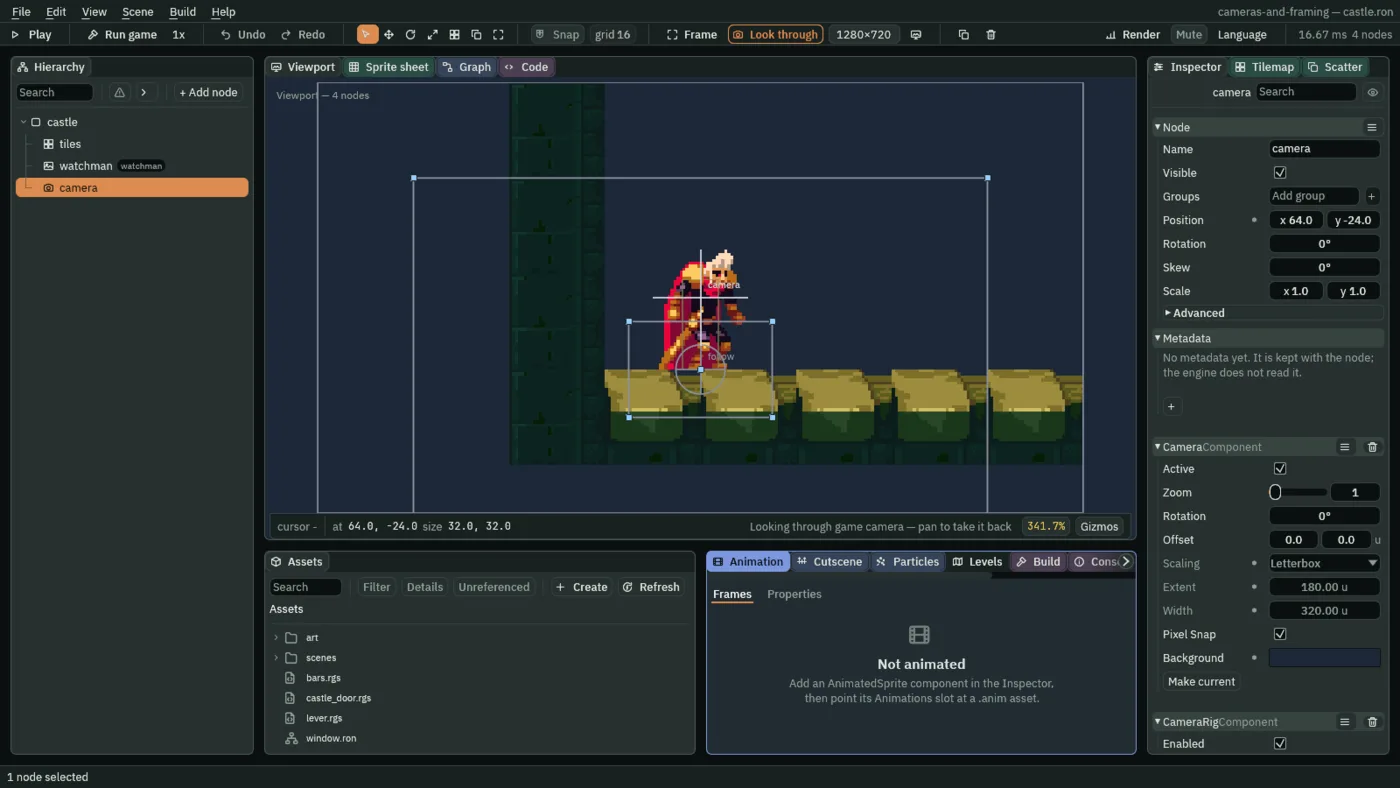
256 by 144.The castle’s rooms are smaller than the street, so the reference is too: 256 by 144, which a 1280 by 720 window shows at 5 screen pixels to an art pixel. The Camera, its rig and its framing are the town’s, but for the Subject; its Scaling, Extent and Width are the town’s Letterbox, unread under the Pixel Perfect as before.
Nothing holds the view yet. It is drawn from where the camera rests, at his framed point, so it shows 64 units of Background west of the hall’s wall and a strip under its floor, as chapter 4’s did west of the town’s wall. The rooms below hold it.
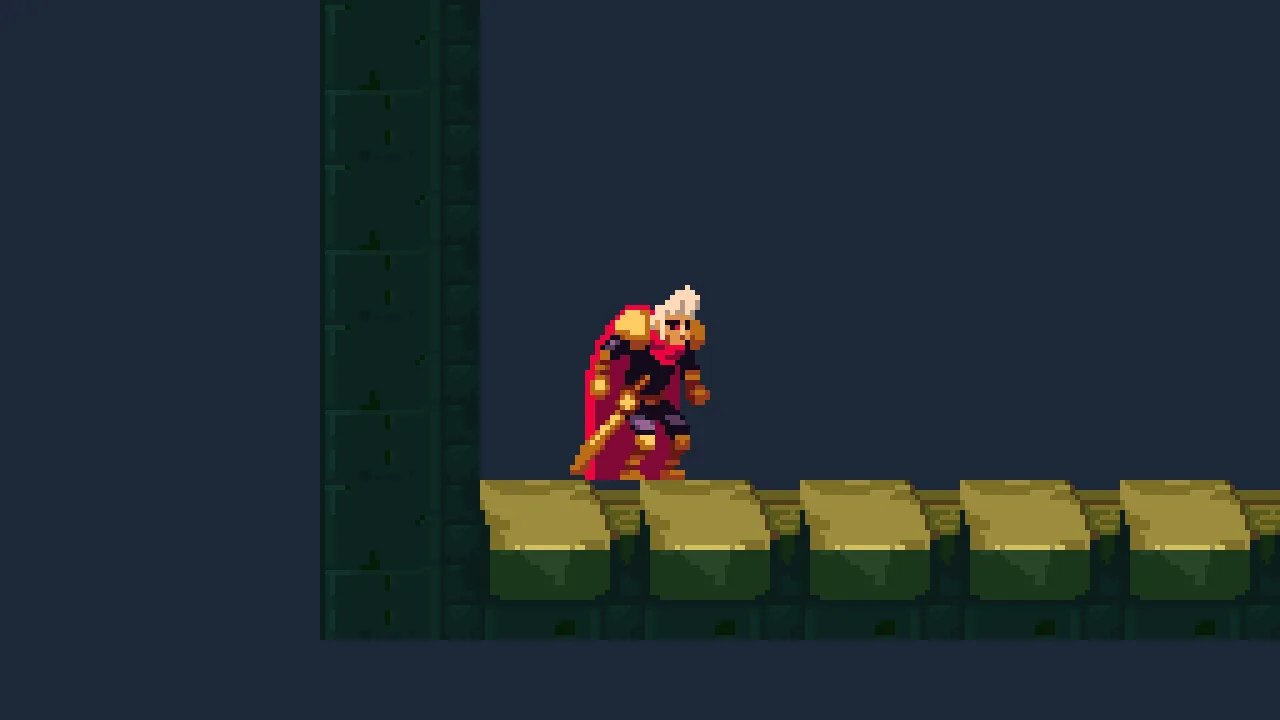
256 by 144 at five pixels to an art pixel, and the Background past its west wall.A room for each hall
One scene can hold several rooms, each a Confiner. The camera is held by the room whose Bounds hold its node, and when its node walks into the next room the view slides into it over that room’s Blend. The castle has five rooms, in a row, each a rectangle of its own; they meet at their walls and never overlap.
- Select
castle. Press + Add node and choose Node. Rename itrooms, and leave it at0,0. - Select
rooms, press + Add node and choose Camera Confiner. Rename itgreat-hall, set its Position, Bounds and Blend from the table below. - Do the same for
stair-shaft,cistern,lens-roomandbeacon-room, each underrooms, in that order. - Press Ctrl+S.
Node, under rooms | Position | Bounds | Blend |
|---|---|---|---|
great-hall | 320, -96 | 640, 256 | 0 |
stair-shaft | 736, -336 | 192, 736 | 0.6 |
cistern | 1024, -576 | 384, 256 | 0.4 |
lens-room | 1408, -624 | 384, 352 | 0.4 |
beacon-room | 1792, -768 | 384, 256 | 1 |
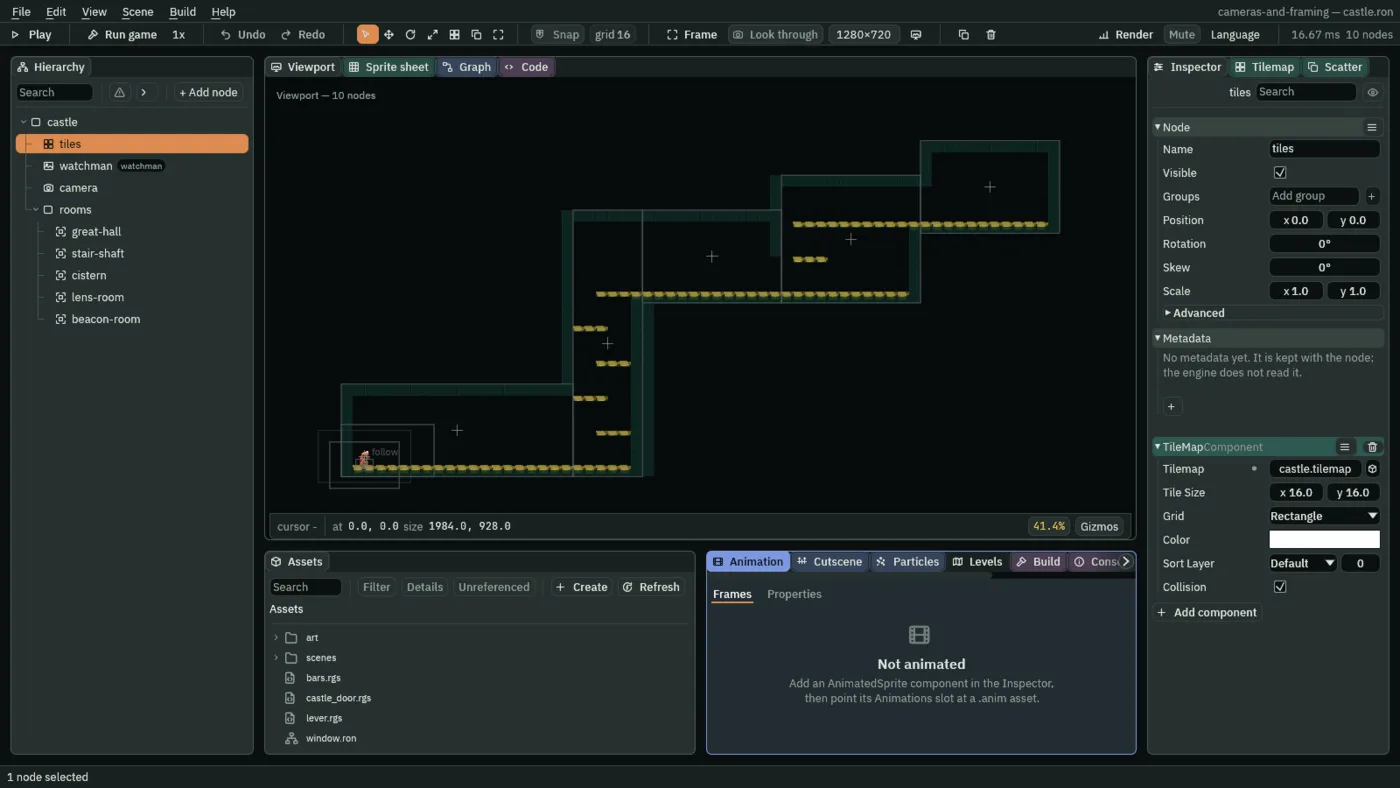
Each room is the rectangle of its hall, walls and floor and ceiling, and each Confiner sits at its rectangle’s middle with the rectangle’s size for its Bounds. The great hall is first in the Hierarchy, so it holds the camera as the castle opens, the view stopped with the hall’s west wall at its left edge. The stair shaft is 192 wide, narrower than the view’s 256: in it the view is centred across the shaft, and shows 32 units beyond it either side.

0.6 seconds.The hall holds the view with its east edge on the hall’s, x 640, until the camera’s node crosses into the shaft. Then the view slides from the hall’s hold, its middle at x 512, to the shaft’s, at 736, over the shaft’s Blend: 0.6 seconds, 36 steps, easing in and out, the watchman in the picture all the way. The cistern’s slide and the lens room’s take 0.4 seconds, 24 steps; the beacon room’s takes 1 second, the slow one, for the room at the top.
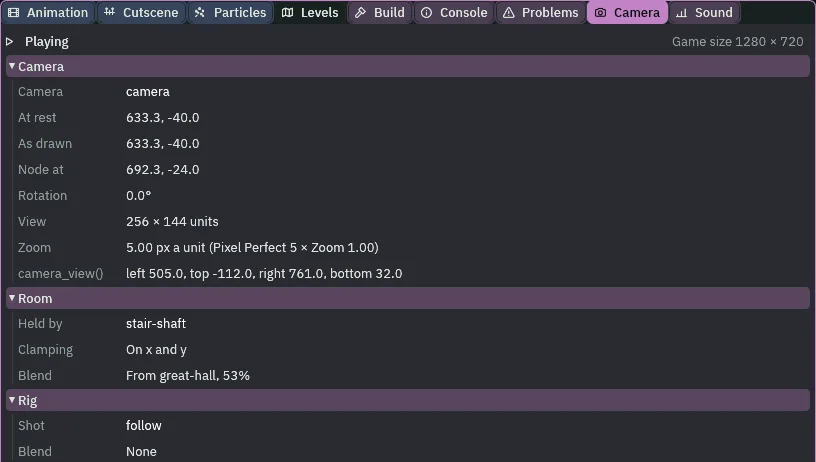
stair-shaft, Blend From great-hall, 53%.
The castle’s view is 144 tall, not the town’s 180, and the shaft is climbed by leaps. Through four leaps the view stays centred across the shaft and inside it, his feet are never within 40 of the picture’s bottom, and his body never leaves it. At the start of each leap the top of his head goes over the picture’s top, by 5.3 units at the worst: the lead is what holds the rest of him in. With no lead it goes 16.3 over.
A room is chosen by where the camera’s node is, not by where he is, and the node is where the rig has got to: a little behind him or ahead of him. Going up, it is behind: when he leaps, the node follows a moment later. So no line between two rooms could hold him in the picture across a leap up through a floor, and every way between the castle’s rooms crosses a wall instead. The way into the beacon room is a door at floor level, at the end of the lens room’s gallery, 300 units long: long enough for him to get up to his walk, so the camera is ahead of him at the wall. Crossing that door, the tightest the picture gets on his body is 6 units from its east edge.

100 wider, over the hall, and its Blend 0: one row in Problems.A rolled view in a room
A view that is tilted is kept inside its room by all four of its corners, not only its middle. Chapter 8 tilts the camera; to see it now, tilt the castle’s, and put it back.
- Select the castle’s
camera. In its rig’s framing, set Rotation to11.46. - With
castle.ronopen, press F5, and F5 again to stop. - Set Rotation back to
0, and press Ctrl+S.
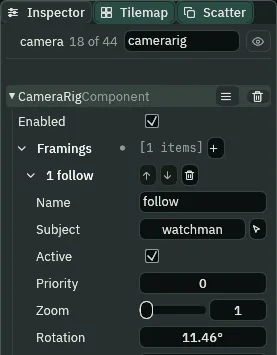
11.46°.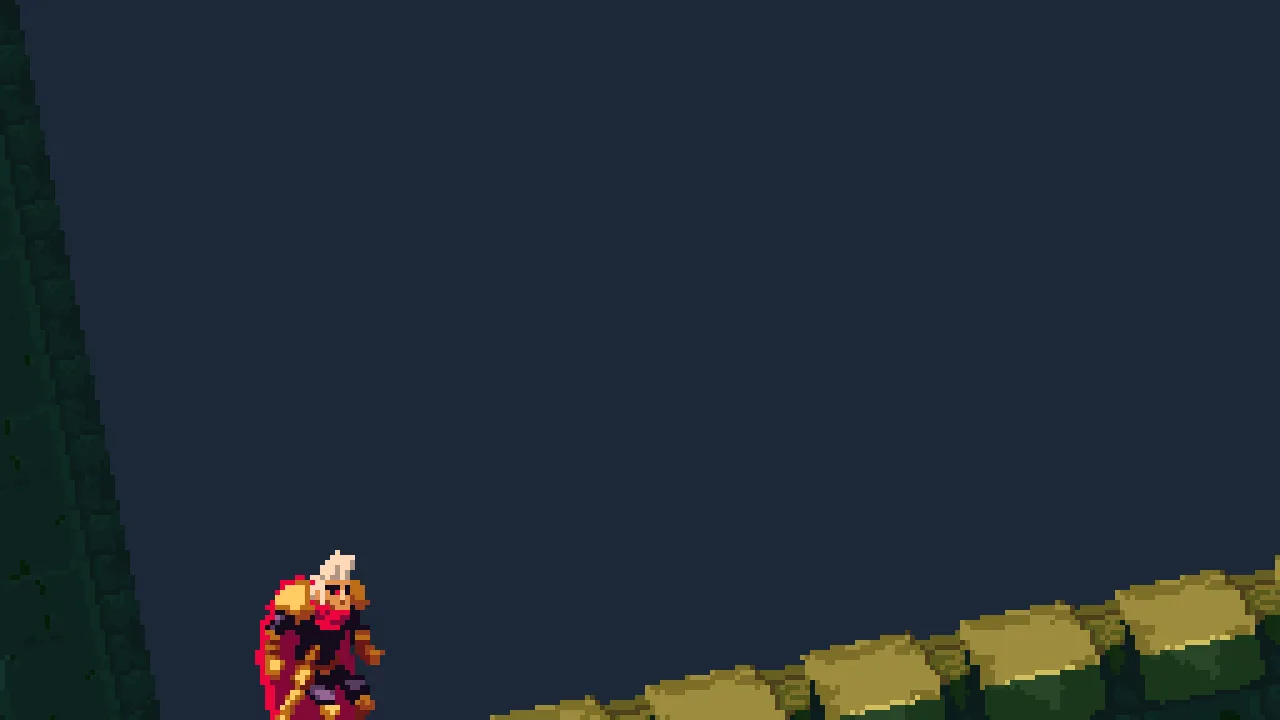
11.46°: the tilted view’s corners inside the hall, its west corner on the wall.The Inspector shows Rotation in degrees, two decimals. The tilted view needs more room than a level one, so the camera rests further from the wall than it would level, and the corner nearest the wall touches it.
Who moves the camera
The rig, every step, as in chapter 4: it moves the camera’s node after the watchman. Then the room holding the node holds the picture: it clamps where the camera rests so no corner of the view shows past the room, and slides it from one room to the next over a Blend. The rig follows him; the rooms only hold the picture. The Camera tab shows both: Node at, where the rig has put the node, and At rest, where the room holds the camera.
The walls and the rooms
| Scene | Node | Component | Field | Value |
|---|---|---|---|---|
| town | town-walls, last under town | Node | Position | 1280, -56 |
| Confiner | Bounds | 2624, 368 | ||
| Blend | 0, as it comes | |||
| castle | camera, the town’s pasted under castle | Node | Position | 64, -24 |
Camera Rig, framing follow | Subject | the castle’s watchman | ||
| Pixel Perfect | Reference Width, Reference Height | 256, 144 | ||
rooms, a Node under castle | Node | Position | 0, 0 | |
| its five rooms | Confiner | Position, Bounds, Blend | the table above |