Docs · Make it look right
Lighting and shadows
By the end
- A room that stays dark until a lamp lights it
- Crates that cast shadows away from the lamp
- A lamp that flickers, from a script
On this page
Make the room dark
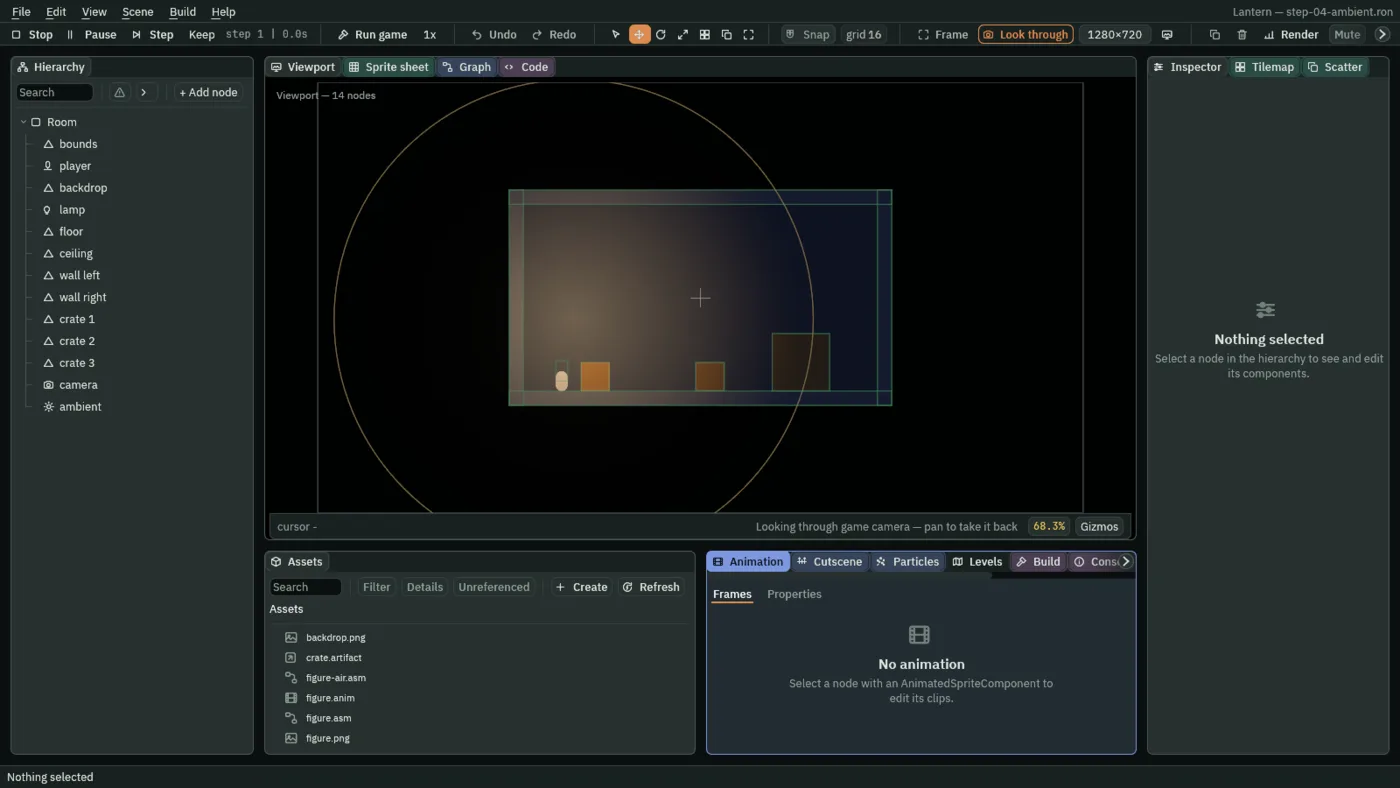
Lighting starts from darkness. Once a Light is on in a room, everything in it is drawn as dark as the room’s ambient colour, and each Light brings what it reaches back up toward its own colours. A room with no Light in it draws everything at its own colour, as your rooms have so far.
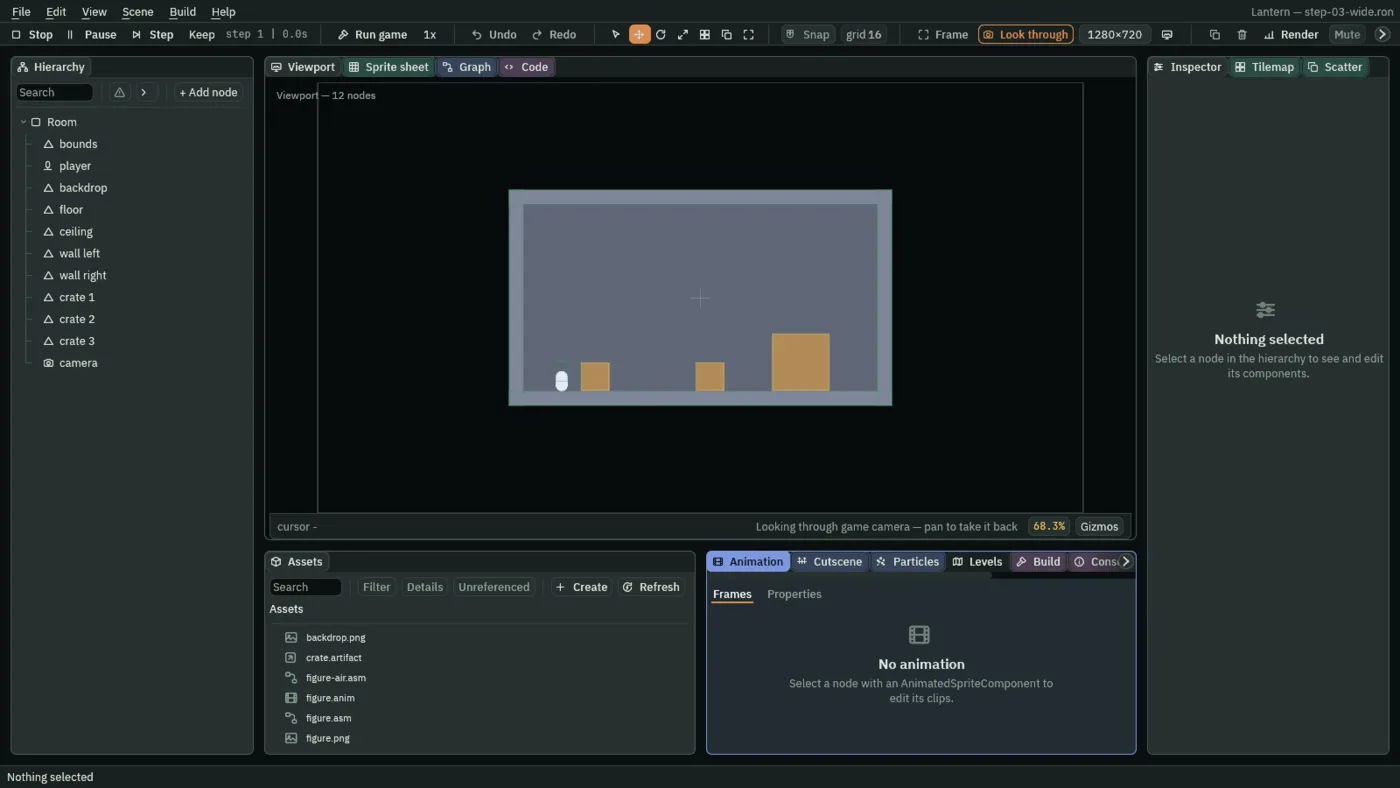
- In the Hierarchy, add a node with + Add node → Ambient Light.
- Set its Color to a very dark blue, close to black.
Nothing changes yet. The Ambient Light sets how dark the room is once it is lit, and the next section lights it.
- Color
- The colour a part of the room no light reaches is left at. Its alpha is ignored.
- Enabled
- Whether it sets the room’s darkness. Unticked, the room falls back to a dim blue rather than to full brightness.
Only the first enabled Ambient Light in the Hierarchy counts. A lit room without one uses the same dim blue.
A lamp
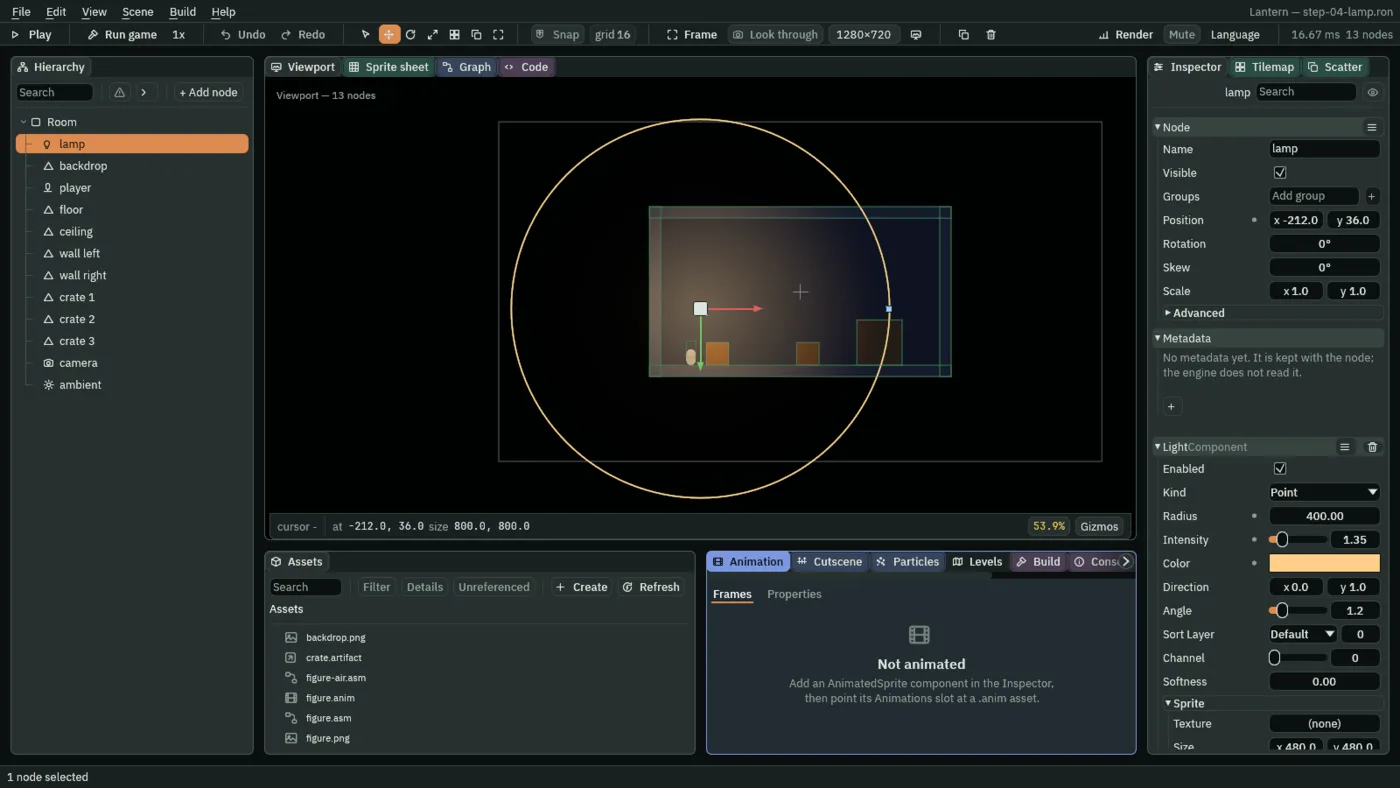
- Add a node with + Add node → Light, and drag it to where the lamp hangs.
- The room goes dark, apart from a warm pool around the lamp. The circle in the Viewport is the light’s Radius: drag the dot on it to make the light reach further.
- Enabled
- Whether it lights anything.
- Kind
- The shape it lights. See the next section.
- Radius
- How far it reaches, in world units. At
0a Point, Cone or Directional light lights nothing. For a Sprite or Freeform light it is only how far its shadows reach. - Intensity
- How bright it is at its middle.
- Color
- Its colour.
- Softness
- How wide the lamp itself is, in world units. At
0its shadows have hard edges; above it, they soften. - Channel
- How its light lands on the room.
0is the room’s own lighting, and where every lamp belongs until one needs to do something else.1adds its light on top, so it can brighten a wall past the wall’s own colour.2takes light away.3paints its colour over the room, as strongly as it reaches.
The shape of a light
| Kind | What it lights |
|---|---|
| Point | Everything around it, out to its Radius. The default. |
| Cone | A wedge pointing along Direction, Angle wide. The Angle is in radians: 1.57 is a quarter turn. The wedge’s edge fades over the outer fifth of each side. |
| Directional | Everything in view, evenly, from one Direction, like sunlight. It has no middle to fade from, and where its node stands does not matter. Its Radius is how far its shadows reach; at 0 it lights nothing. |
| Sprite | The rectangle Size, through the picture in Texture: where the picture is bright, the light gets through. With no picture, a soft glow fills the rectangle. Radius is only how far its shadows reach. |
| Freeform | A shape you draw, its Outline, softened for Falloff world units in from its edge, up to half the outline’s narrowest width. Radius is only how far its shadows reach. |
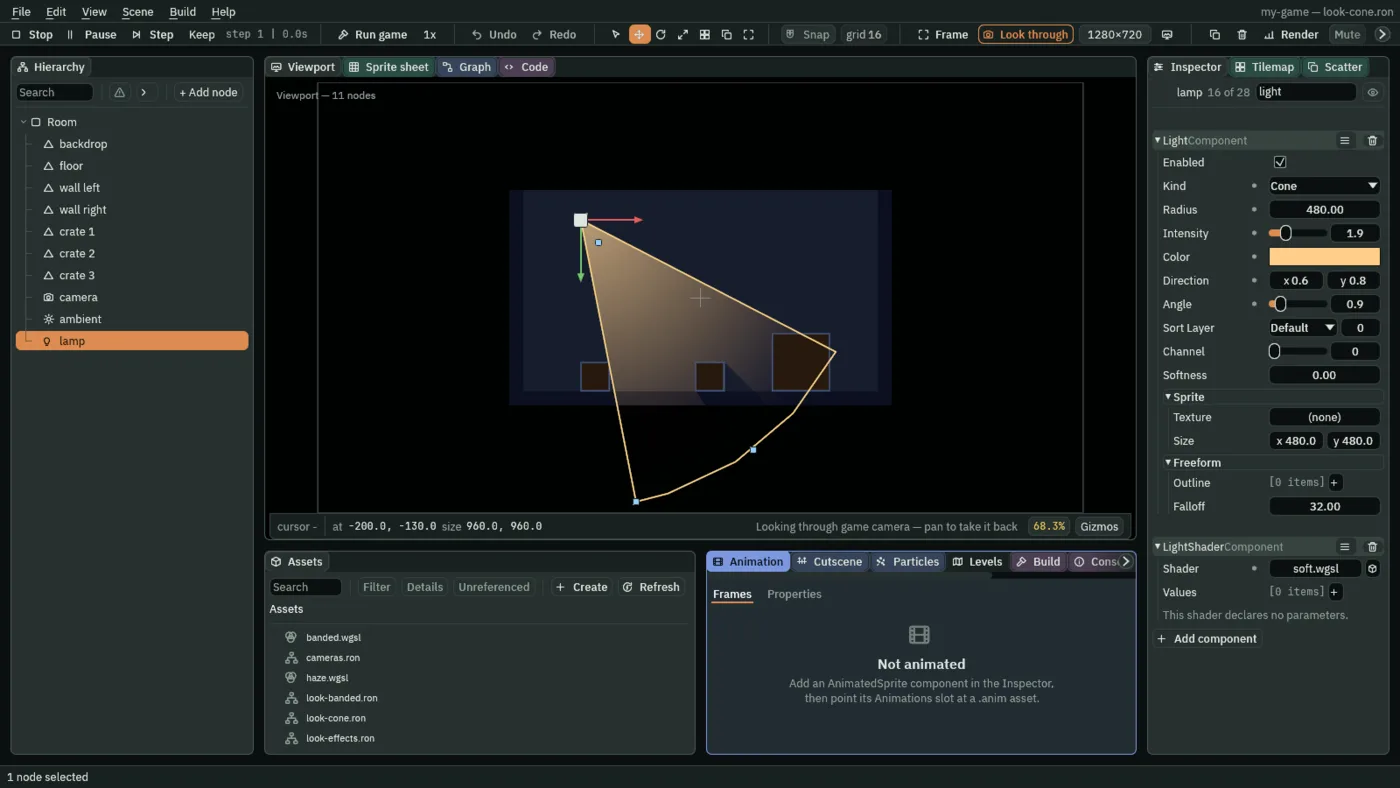
soft.wgsl for its light shader: the shader’s fade, and a hard edge to the wedge.In the Viewport, a Cone or Directional light has an arrow you drag to aim it, and a Cone has a handle for its width. A Freeform light’s points are handles too: double-click its edge to add a point, and press Backspace over one to take it away. A new Freeform light has no points, so start it with three: press + beside Outline three times and type where each goes.
Shadows
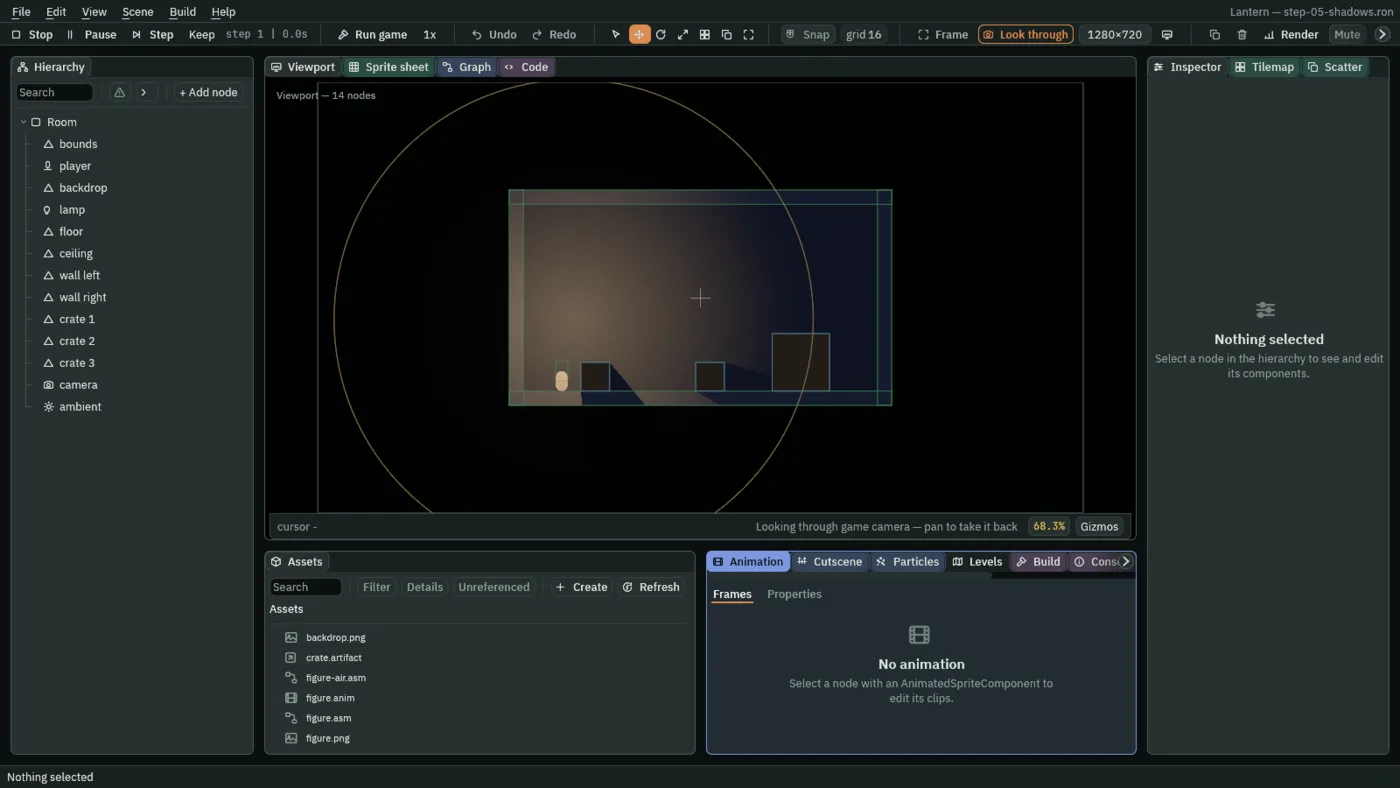
Light passes through everything until something blocks it. An Occluder is a box that blocks light: give one to each thing that should cast a shadow.
- Select a crate, press Add component, type
occluderand choose OccluderComponent. - Set its Size to the crate’s, or drag its handles in the Viewport. A shadow falls away from the lamp, and it moves when you move the crate or the lamp.
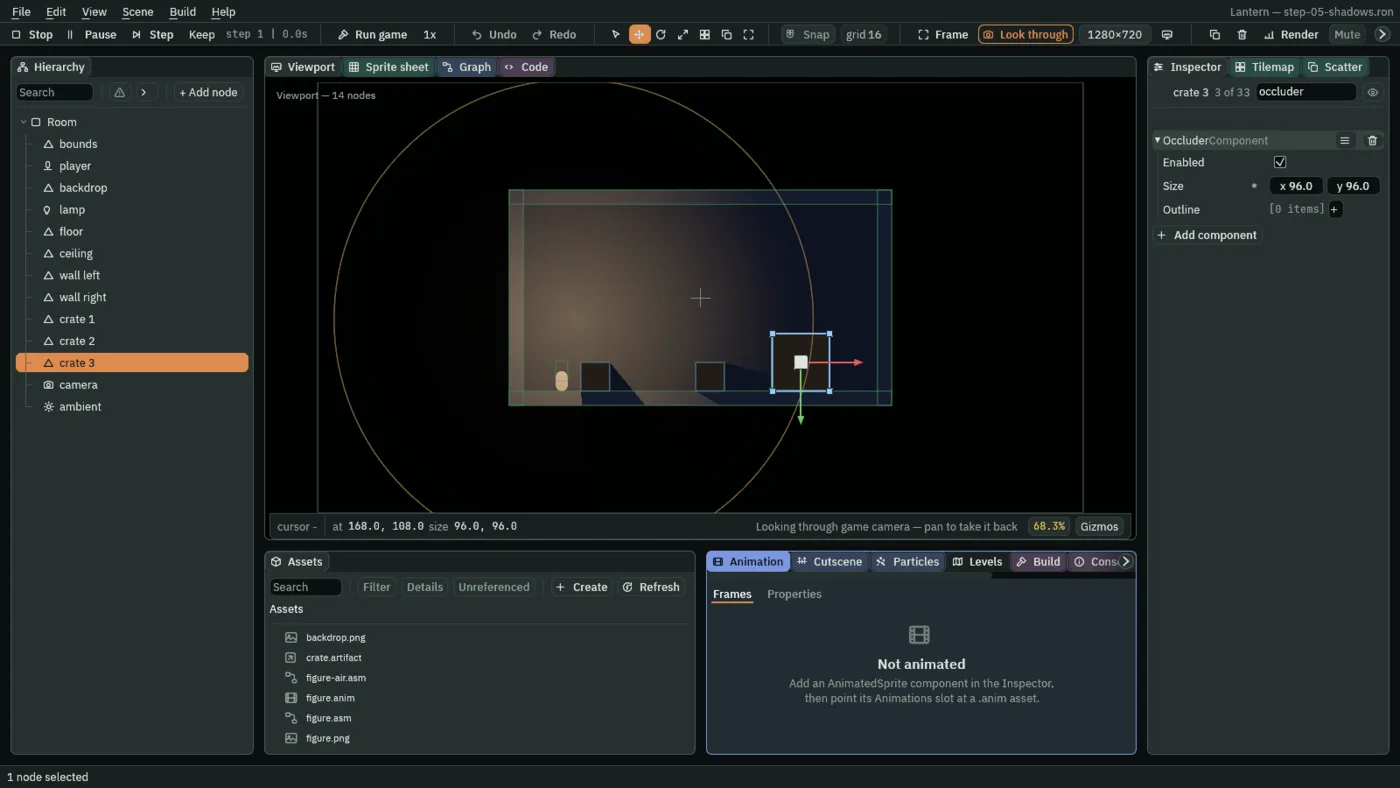
- Enabled
- Whether it blocks light.
- Size
- The box, in the node’s own units, centred on it.
- Outline
- A shape to cast from in place of the box: three points or more, in the node’s own units. The Viewport draws the shape that casts.
A shadow is only light that did not arrive. It is as dark as the ambient and never darker, and a second lamp shining into it lights it. The box, or the outline, scales and turns with its node, and casts as it is turned. Hide the node and its shadow goes too.
Nothing else casts: a Sprite or a Shape lets light straight through. The one exception is tiles, when their layer is marked Occluder: see Tilemaps.
Sprites in the light
Four rows on a Sprite change how light treats it.
- Unshaded
- Drawn at full brightness whatever the light: a lit window, a glowing sign, the lamp itself.
- Light Only
- Shows only as much of it as light reaches, and nothing where no light falls: dust in a beam, a mark that only shows by lamplight.
- Normal Map
- A picture of the surface’s slopes, so a Point, Cone or Directional light rakes across it, lighting the faces turned to it. Make one from the picture itself in its import settings: see Projects and assets.
- Specular
- How brightly the surface catches a highlight where a light faces it, from
0to1.
An exported game draws normal maps as the editor does. A Freeform light, and a light with a shader of your own, light a normal-mapped sprite flat. Depth from normal maps makes one for a castle wall.
A lamp a script can change
Every number and switch on a Light can be changed while the game runs. set_number writes a number onto another component on the same node, by the field names the Light reference lists: intensity, radius and the rest.
- In Assets, choose Create → New script, type
flickerand press Create. - In the Code panel, click
flicker.rgsin its Scripts list, replace its text with the script below, and press Ctrl+S. - Select the lamp, press Add component, type
flickerand choose Flicker. - Press Play. The lamp flickers.
/// Makes the Light on this node flicker like a flame.
component Flicker {
    /// How bright the flame burns between flickers.
    #[range(0.0..4.0)]
    brightness: f32 = 1.4,
    /// How far below that a flicker dips.
    #[range(0.0..1.0)]
    dip: f32 = 0.4,
    #[hidden]
    clock: f32 = 0.0,

    fn loop(dt: f32) {
        clock = clock + dt;
        // Two waves that never line up, so the flicker never repeats.
        let wave = (clock * 11.0).sin() * (clock * 7.3).sin();
        let level = brightness - dip * wave.abs();
        set_number("LightComponent", "intensity", level);
    }
}
The dip is smaller than the brightness, so the lamp never quite goes out. If it did, and it was the room’s only Light, the room would drop to its ambient for that instant.
For a slow swell rather than a flicker, a pulse does the work in one call. pulse_number takes a number field to a value and back again, forever:
/// Makes the Light on this node swell and fade, forever.
component Breathe {
    /// The brightness it swells to.
    brightest: f32 = 2.5,
    /// Seconds to swell, and the same again to fade.
    seconds: f32 = 1.5,

    fn on_create() {
        pulse_number("LightComponent", "intensity",
            brightest, seconds, .InOutSine);
    }
}
set_flag switches a lamp the same way: set_flag("LightComponent", "enabled", false). Switching off a room’s last Light leaves it as dark as its ambient.