Tutorials · Navigation and AI · Chapter 5
Walking it
By the end
- A Nav Agent on
catthat walks it from the hearth to its bowl as the game starts, through the kitchen door, facing its walk - Its Path Follow removed: one mover on the node, and the Problems row that two raise
- Its route seen in Play, and the cat sent down the hole to the cellar, where there is no way back up
On this page
A walker
Chapters 2 to 4 made a map, and nothing walked it. A Nav Agent walks its node to a point over that map, by the cheapest way the map offers: round walls and tables, along roads, across links. It needs no script. The cat gets one, to walk from the hearth to its bowl in the kitchen.
- Select
catin the Hierarchy. Click Add component and choose NavAgentComponent. - Set Target: click its x box once, so that its number is selected, type
424and press Enter; then click its y box once, type164and press Enter. That is the bowl, in the kitchen. - Tick Moving. Set Speed to
30and Arrive Distance to6the same way, and tick Face Walk. Use Links stays ticked.
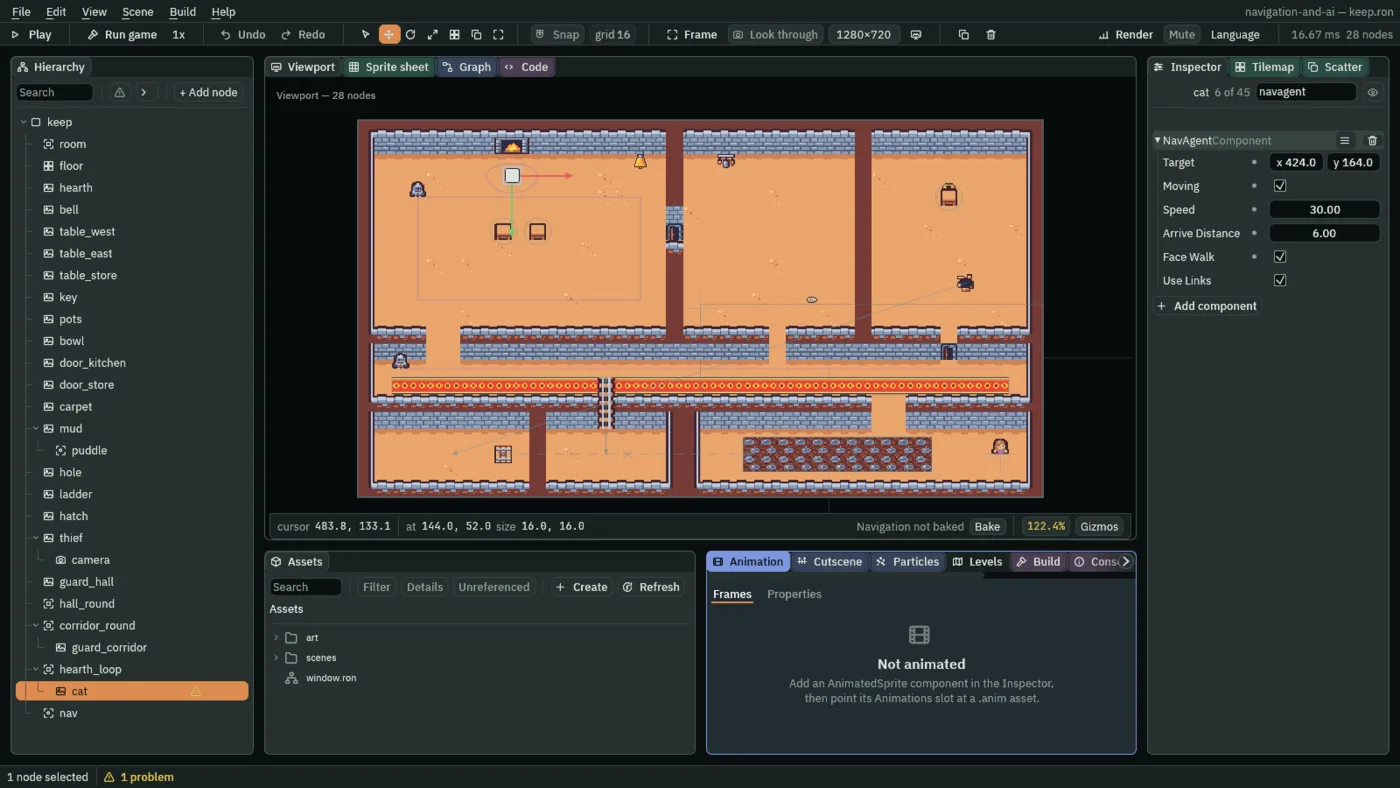
- Target
- The Nav Agent’s Target: where it walks to, in world units, in the world, not from its node or its parent. The cat is still
hearth_loop’s child, and its Target is the bowl all the same. A Target inside a wall is walked to the nearest floor. The way ends on the Target itself when its cell is floor. A new agent’s is0,0. - Moving
- The Nav Agent’s Moving: whether it walks to its Target now. Ticked, it plans a way and walks it; it unticks itself when it arrives, and when the map has no way there. Untick it to stand the walker where it is. A new agent’s is unticked, and stands until told; the cat’s is ticked, so it sets off as the game starts.
- Speed
- The Nav Agent’s Speed: how fast it walks, in world units a second, and how fast it is carried along a link that is not a teleport.
30is a cat in no hurry: the thief runs at70. A new agent’s is80; it cannot go under0. - Arrive Distance
- The Nav Agent’s Arrive Distance: how near its Target counts as there, in world units. Within
6of the bowl the cat stops and Moving goes off. Under a cell,8here, suits the keep: much more and a walker stops short of where you sent it. A new agent’s is4; it cannot go under0.5. - Face Walk
- The Nav Agent’s Face Walk: ticked, it mirrors the node’s Sprite to face left while the node walks left, and back while it walks right. The cat is drawn side-on, facing right, so it faces its walk. A new agent’s is unticked, which suits a picture seen from above.
- Use Links
- The Nav Agent’s Use Links: whether its way may cross Nav Links. Ticked, as a new agent has it and the cat keeps it, the hole and the ladder are part of its map. Unticked, it walks floor only, and the gallery and the cellar are out of its reach. Chapter 6 unticks it for the corridor guard.
The cat has no body, so its agent moves it by its position, along the way it planned: no wall holds it, and the way keeps it off them. A walker with a Character Body is moved by its velocity instead, so walls hold it too; chapter 6 gives the corridor guard one.
One mover a node
The cat still has the Path Follow that chapter 1 gave it. A warning triangle sits on its row in the Hierarchy, and the status bar says 1 problem. Click the 1 problem: the Problems tab opens on its row.
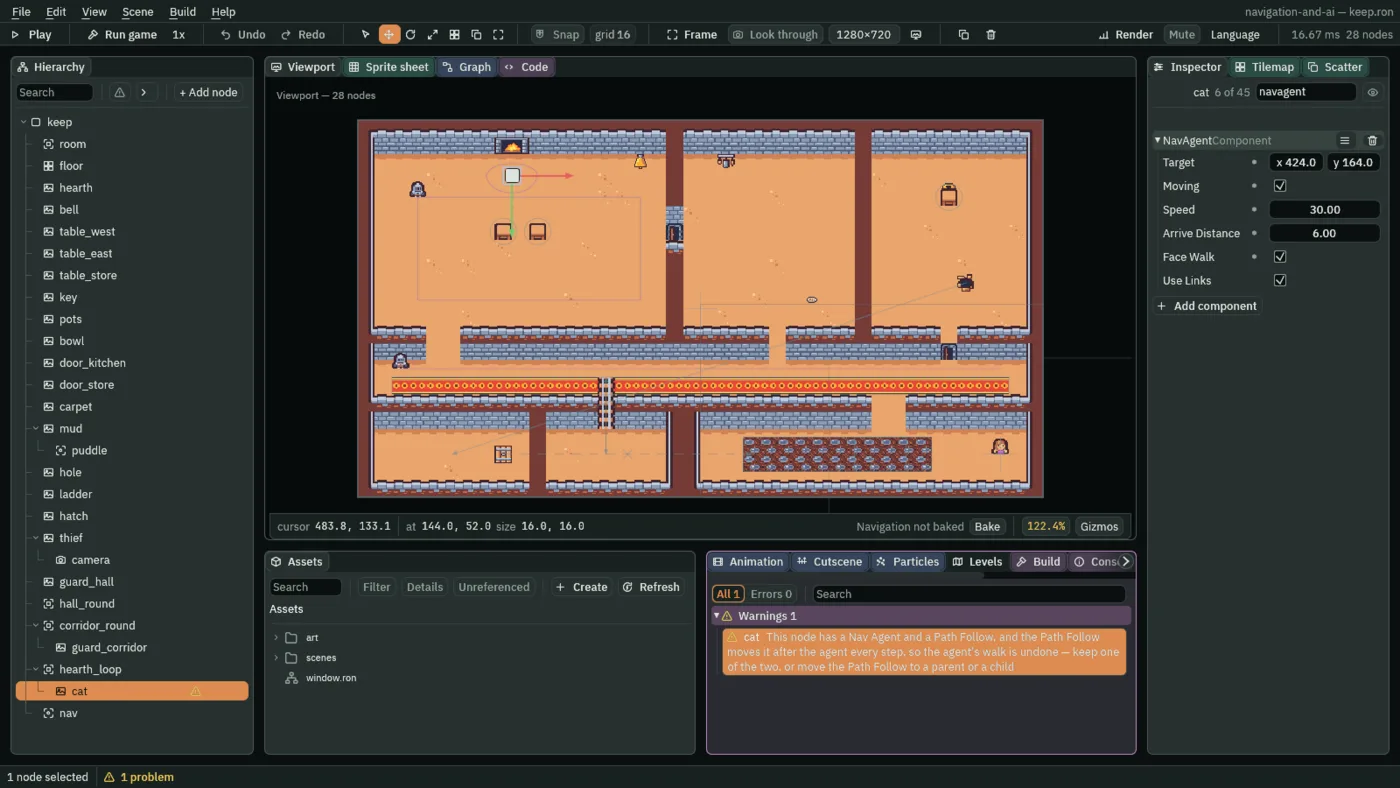
Each step the agent moves the cat towards the bowl, and then the Path Follow puts it back on the hearth loop. The cat would go round the hearth as before, and the agent’s walk would come to nothing. One of the two goes. Here it is the Path Follow.
- With
catselected, remove its PathFollowComponent with the bin icon at the right of its header. The row leaves the Problems tab, and the triangle leaves the cat’s row. - Press Ctrl+S.
Its way, in Play
A walker’s way is drawn while the game runs, by the Routes gizmo: a line through the points of its way, a cross on its Target and a ring as wide as its Arrive Distance. It is on in Play unless you turn it off in the strip’s Gizmos menu.
- Press F5 to play in the editor. The cat sets off from the hearth.
- Walk the thief up into the hall, to the kitchen door, so that the view holds both the hearth and the bowl.
- Select
cat. Press Bake on the strip, and in the strip’s Gizmos menu leave Routes and Navigation ticked and untick the rest.
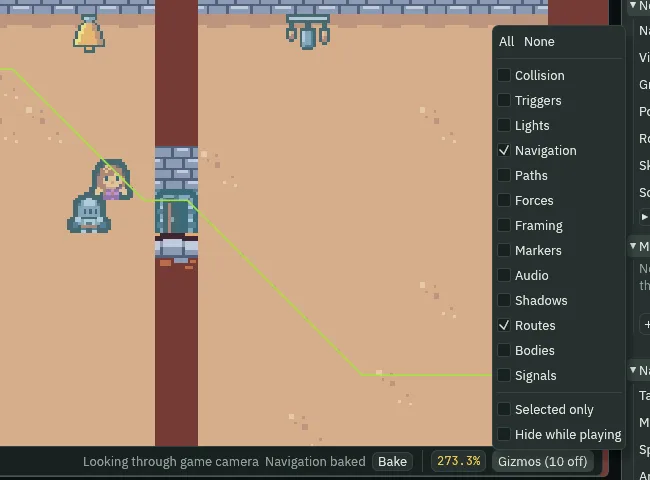
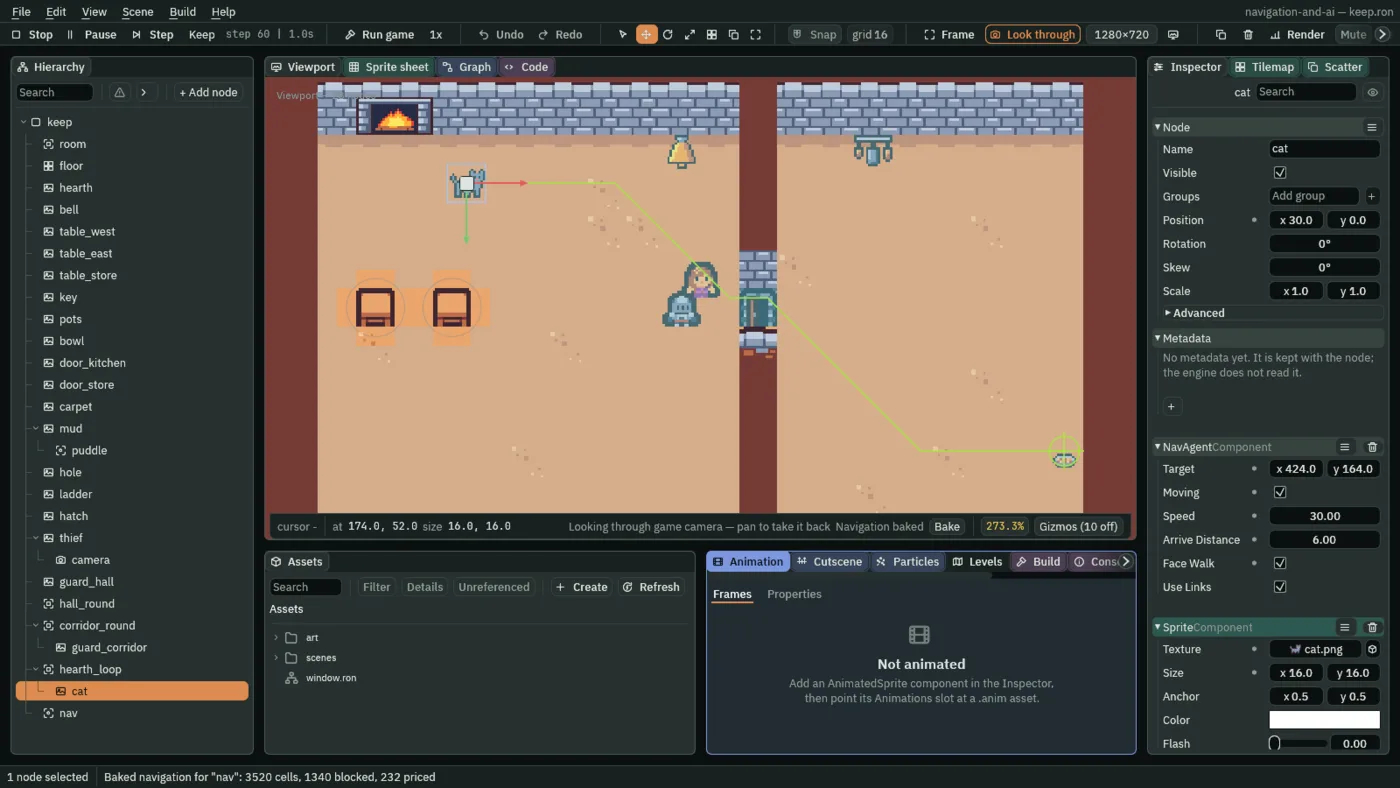
The way runs through the kitchen door, the one opening between the hall and the kitchen. It is a line through cell middles, not smoothed: the cat walks it as drawn, and its last point is the Target itself.
Sent to the cellar
A Target can be typed while the game runs, and the walker plans again. Sent to the cellar, the cat has one way there: down the hole.
- Still in Play, with
catselected, type88,312into Target, clicking each box once and pressing Enter: the middle of the cellar. If the cat has reached its bowl, Moving went off when it arrived; tick it again.
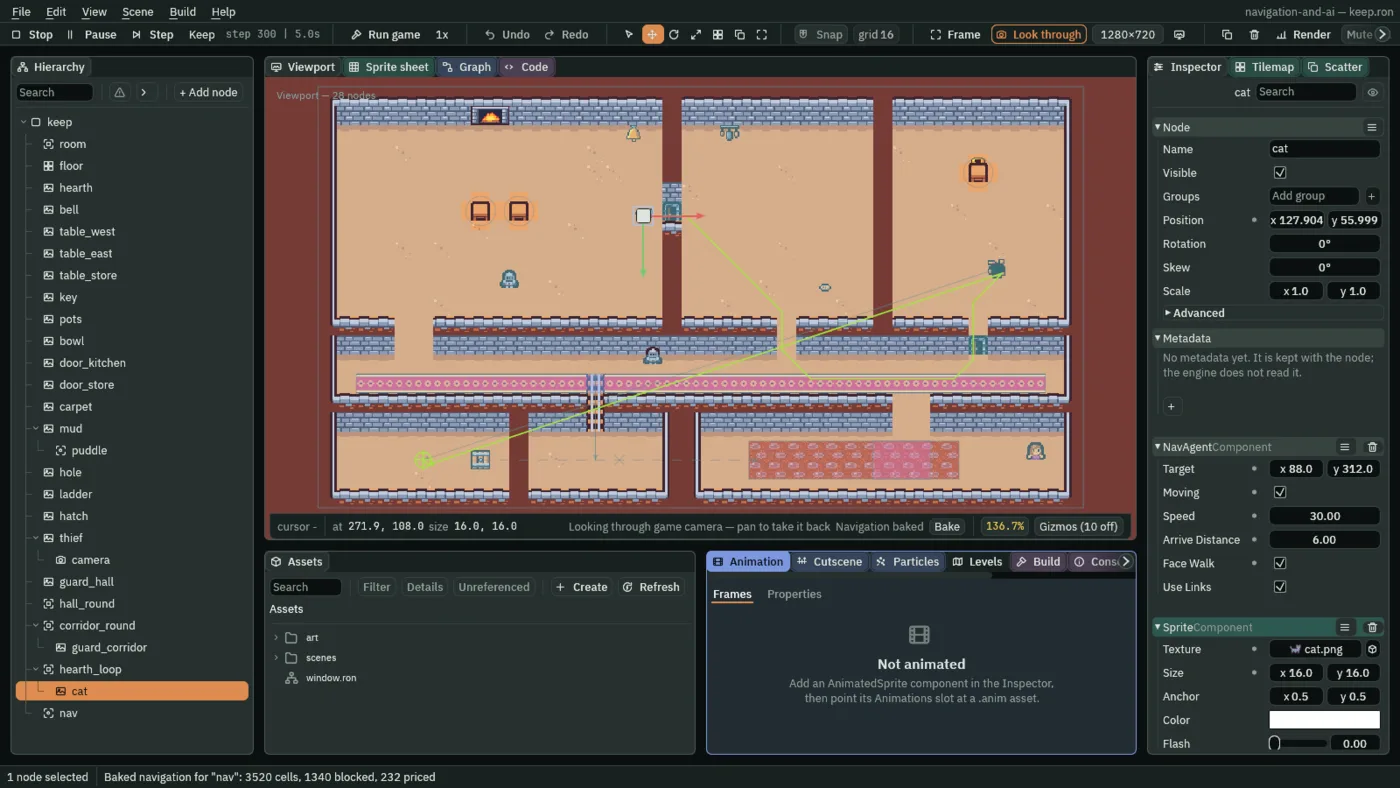
88, 312 from the start of Play, after 300 steps, 5 s: the way to the hole, and the drop to the cellar in one straight line. The camera was pulled back for this picture.The way goes through the kitchen, along the corridor and up into the store room, to the hole. There it crosses to the cellar in one line: the hole’s Teleport puts the cat there in one step, and it stops there. Now send it back.
- With the cat in the cellar, type
552,120into Target, the store room, and tick Moving. On the next step Moving goes off again, and no route is drawn: the hole goes one way, the hatch is shut, and there is no other way up. The cat stays where it is. - Press F5 again to stop. What you typed in Play goes with it: the cat’s Target is
424,164again.
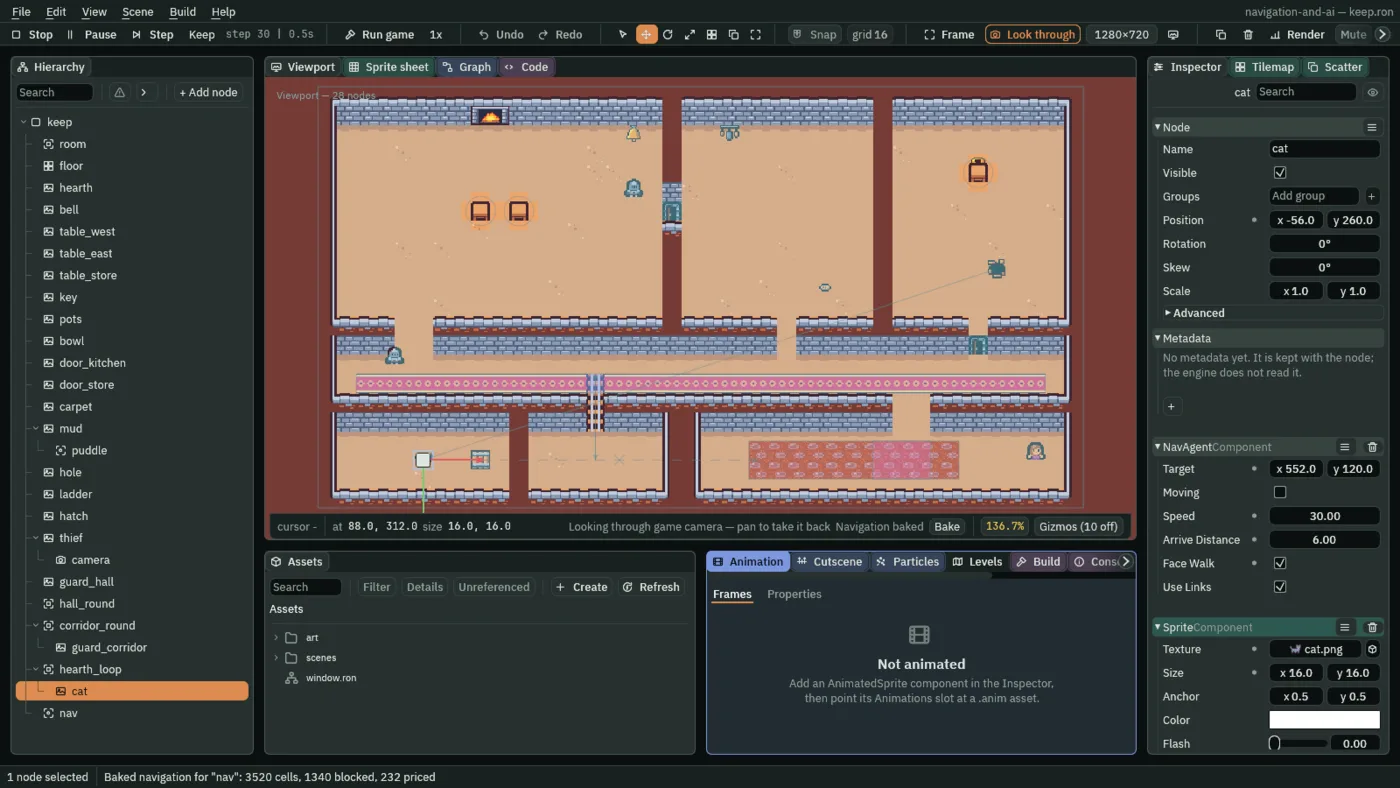
552, 120 from the start of Play. After 30 steps, half a second, Moving is off and there is no route. The camera was pulled back for this picture.The cat’s Nav Agent
| Node | Component | Field | Value |
|---|---|---|---|
cat | Nav Agent | Target | 424, 164 |
| Moving | ticked | ||
| Speed | 30 | ||
| Arrive Distance | 6 | ||
| Face Walk | ticked | ||
| Path Follow | removed |
Every other field is as it comes: Use Links ticked.