Tutorials · Navigation and AI · Chapter 2
A map of the floor
By the end
nav, a Nav Region over the whole keep: Size640,352, Cell Size8, Mask1, Clearance3- The map baked with the Bake button:
3520cells, the walls off it, every doorway open - What a cell size costs, what makes a wall, and what the clearance does and does not do
On this page
A region over the keep
A walker that finds its own way needs a map of where it may walk. A Nav Region is that map: a rectangle of the world cut into square cells, each one floor or wall. A walker plans its way from cell to cell over it. The keep needs one region, over all of it.
- Select
keep, press + Add node, and choose Nav Region. Rename itnav. - Set its Position to
320,176, the keep’s middle, and its Size to640,352, the whole keep. - Set Cell Size to
8. - Click Mask’s button. A list of the collision layers opens, every box ticked. Untick every box but the first,
0, so the button reads0, and click outside the list. The value saved is1. - Set Clearance to
3. Leave Allow Diagonals ticked. - Press Ctrl+S.
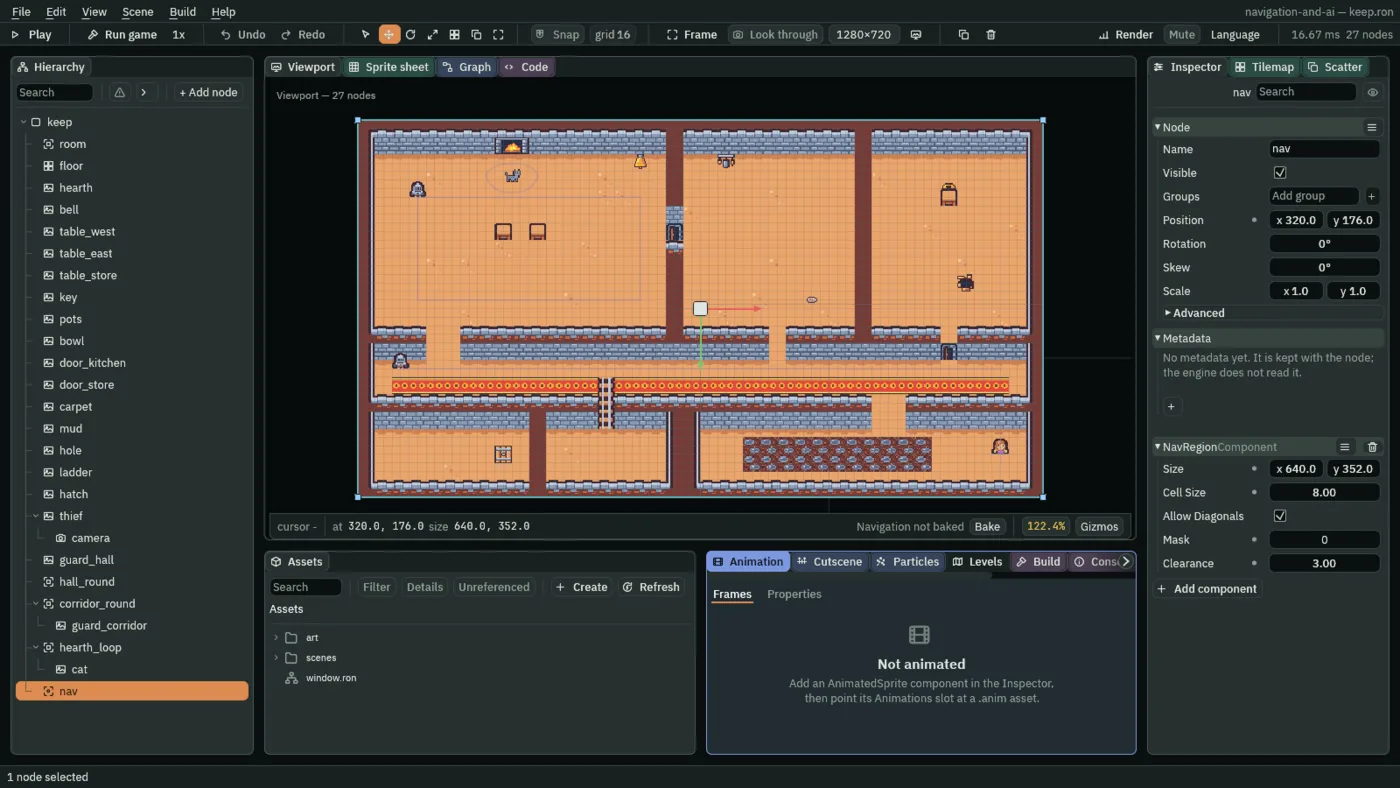
The next sections say what each of those numbers is for. The rectangle is centred on its node, so a region at 320, 176, 640 by 352, runs from 0, 0 to 640, 352, the keep’s edges.
- Size
- The Nav Region’s Size: its width and height in world units, centred on its node.
640,352is the whole keep. Everything outside it is off the map; a region larger than the room only adds cells of rock.
The keep is seen from above, and the map is of a floor: it knows no up and down. A platformer whose enemies jump between ledges is not what it does.
Baking
The editor does not keep the map up to date by itself. Baking works it out: every cell is looked at, and every cell a wall stands on is taken off the map. The strip under the Viewport says where the bake is, in one of four words: Baking navigation, with how far it has got, while it runs; Navigation stale, in the warning colour, when something it read has changed since; Navigation not baked, before the first bake; and Navigation baked. In Play, before the first bake, the strip leaves the words out and shows Bake alone.
- With
navselected, press Bake on the strip, or press Ctrl+Shift+B. The strip reads Navigation baked, and the status bar at the bottom of the window says what the bake found:3520cells,1304of them blocked. - Hover Navigation baked. It says the same, a line for each region:
"nav": 3520 cells, 1304 blocked, 0 priced.
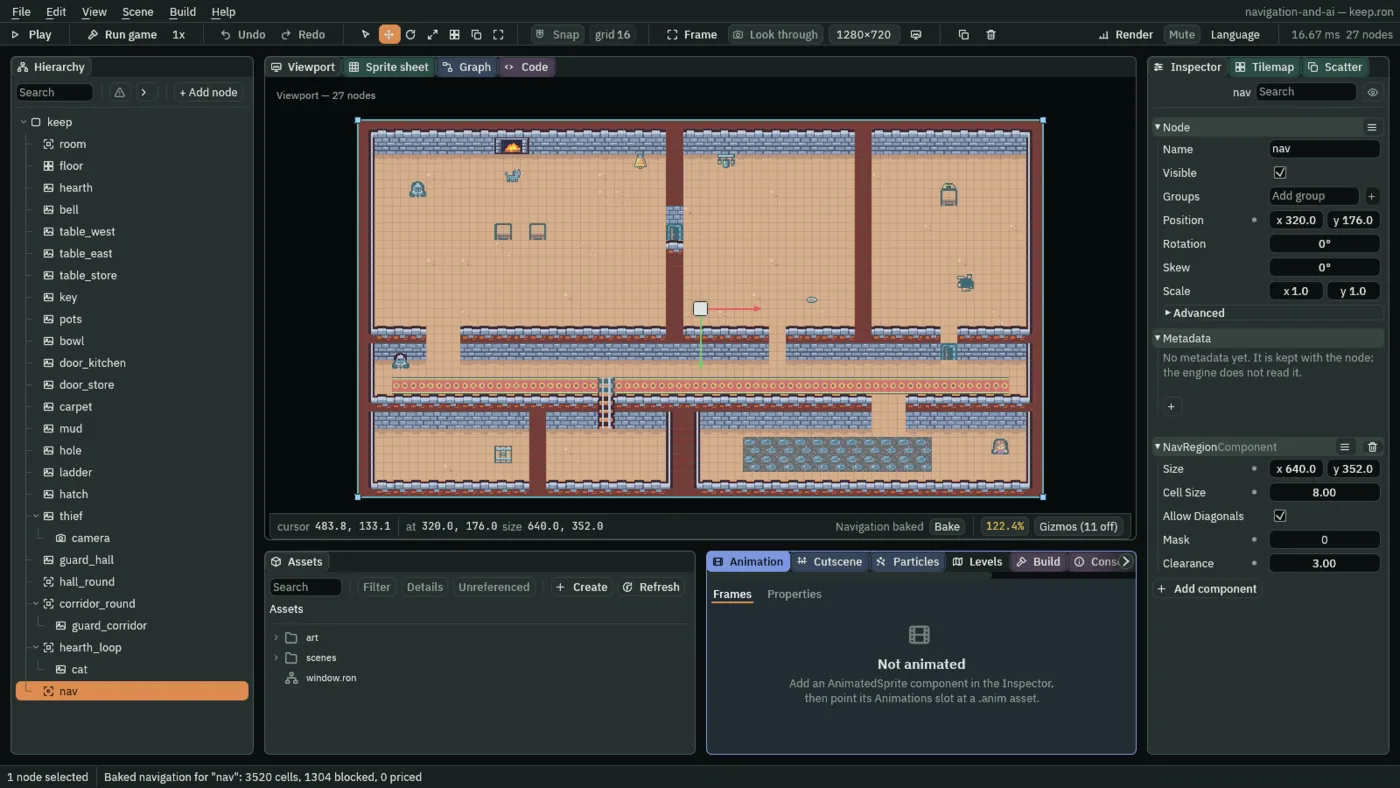
The pale wash is the overlay: the map as the bake left it. A washed cell is floor a walker may cross, and a cell left as it is drawn is off the map. Every room is washed, and the walls are not.
- The overlay
- The Nav Region’s map as its last bake left it, drawn over the Viewport while the region is selected: open floor washed pale over the grid of its cells, and every cell off the map left as it is drawn.
Cells of 8
The keep’s walls are tiles of 16, so a map of cells of 16 would follow them exactly. Its tables and the middles of its doorways are half a tile off that grid, and a map follows the room only as finely as its cells. Cells of 8 are half a tile, so those fall on the map too.
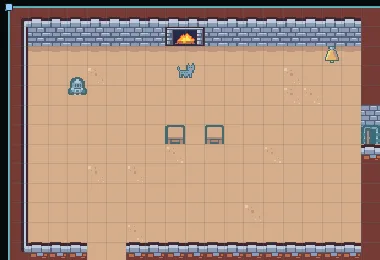
16: the great hall in cells twice as wide. The whole keep is 880 cells.- Cell Size
- The Nav Region’s Cell Size: how wide and tall each of its cells is, in world units. A walker’s way runs from cell middle to cell middle, so a cell is the finest thing the map can tell apart.
8, half a tile, suits the keep;16would do for a room with nothing off the tile grid. Halving it makes four times the cells, here3520instead of880, and every bake and every way found looks at all of them. - Allow Diagonals
- Whether a walker on the Nav Region may step to the four cells corner to corner with its own, as well as the four beside it. Ticked, a way cuts across a room on a slant; unticked, it goes in steps along the grid. Leave it ticked here: the rat in chapter 13 has it unticked.
What blocks
The walls are tiles on the floor node’s tilemap, and a tile layer is a wall on the map when it says so. The starter’s walls layer already does.
- Select
floorand click the Tilemap tab beside the Inspector. Its Layers list holdsfloor,wallsanddecoration. The button on thewallsrow readsSN: click it, and Solid and Blocks nav are ticked. Leave them so, click outside the list, and click the Inspector tab.
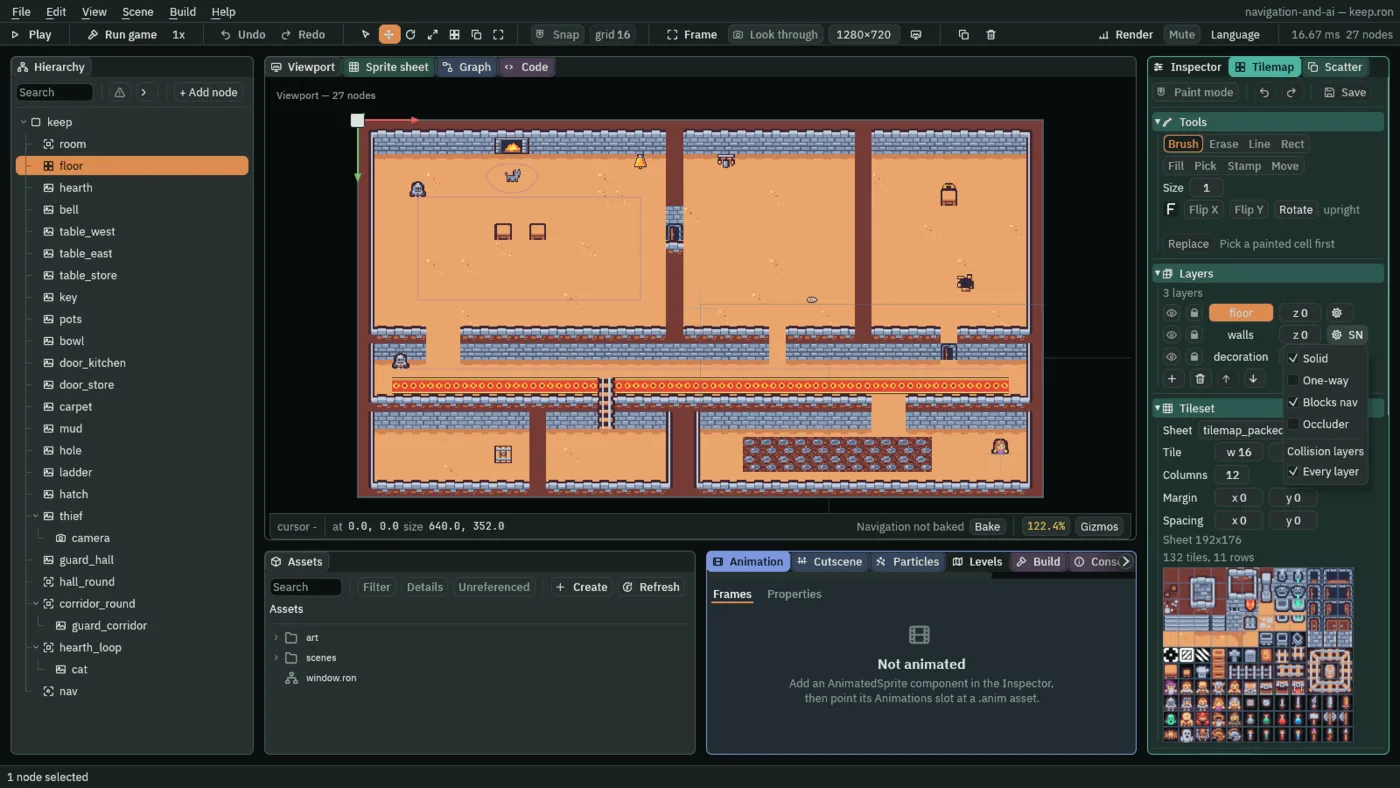
- Blocks nav
- A tile layer’s flag: its tiles are walls on every Nav Region whose Mask holds the layer’s collision layer. It is its own flag, not Solid: a layer of water could block the map and stop no one, and a solid layer can leave the map alone. A tile layer’s walls stand on every collision layer, so any Mask holds them.
- Mask
- Which collision layers wall off the Nav Region’s map: a solid Collider on a shown node, on a layer the mask holds, blocks the cells it covers, and one on any other layer does not. Its button lists the boxes ticked; a new region has every one. The keep’s is
1, which ticks one box, labelled0: the layer a Collider stands on unless it says otherwise, and the layer anything you add to block the map goes on.
Walkers are not walls, whatever their layer. A Collider on a node that has a Character Body or a Nav Agent never blocks the map, or every walker would stand in a hole of its own making. A walker the others must go round says so with a Nav Obstacle, which chapter 3 adds.
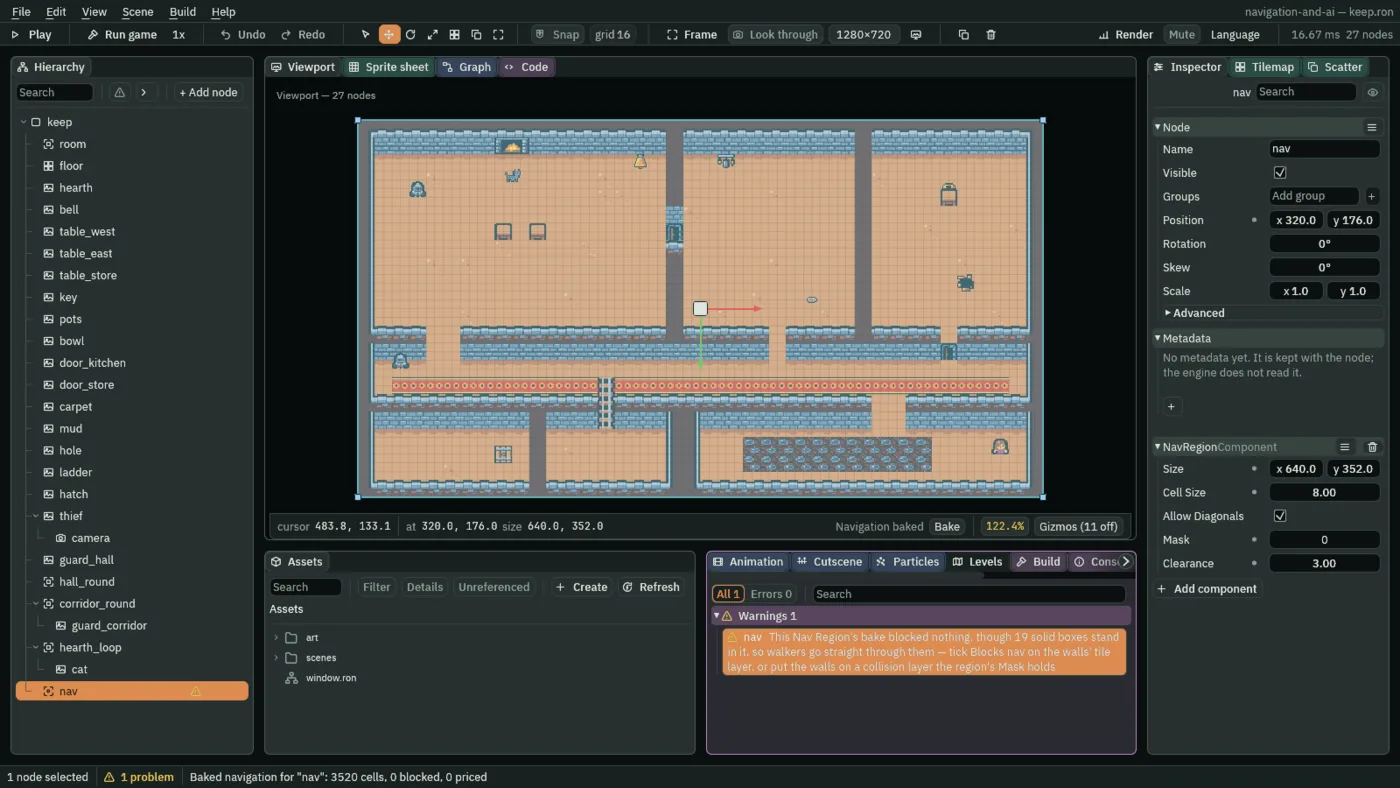
walls layer’s Blocks nav unticked: the bake blocks nothing, and the Problems tab says so.A region whose bake blocked nothing while solid things stand in it is almost always a mistake, so the Problems tab names it after the bake, and the status bar counts it. The row goes once the walls block the map again and the region is baked.
- The Problems row for a region that blocked nothing
- A warning on the Nav Region after a bake that blocked no cell though solid boxes stand in it, so walkers would go straight through them. It counts the boxes and says what to change: Blocks nav on the walls’ tile layer, or a collision layer the region’s Mask holds. The region’s row in the Hierarchy carries a warning sign, and the status bar counts it.
Keeping off the walls
A walker’s way runs through cell middles, and the walker is wider than a point. The thief’s and the guards’ boxes are 8 wide. Clearance grows the walls, before the cells are marked, so a way keeps its distance from them.
- Clearance
- How far the Nav Region grows every wall and obstacle when it bakes, in world units. A cell whose middle the grown wall reaches is off the map. Half a walker’s width,
4here, keeps its box off a wall; under half a cell, also4here, keeps a corridor one tile wide open. The keep’s is3, under both: a walker on the map brushes a wall by a unit, and every one-tile doorway keeps its cells.
The map
nav, a Nav Region under keep. Every other field is as a new Nav Region has it: Allow Diagonals ticked.
| Field | Value |
|---|---|
| Position | 320, 176 |
| Size | 640, 352 |
| Cell Size | 8 |
| Mask | 1: the box labelled 0 |
| Clearance | 3 |