Tutorials · Navigation and AI · Chapter 6
Orders
By the end
- The corridor guard on a Character Body and a Nav Agent, his Path Follow removed: one mover, and the Problems row that two raise
guard.rgs: his round walked from end to end by his script, along the carpet, and a noise near enough by road that sends him to it and backpots.rgson an Area round the pots: the thief, who now carries an Area of her own, knocks into them and everyone in the groupearshears itcat.rgs: the cat wanders to spots near by that it can reach, sits a while, and stops where it stands at a noise
On this page
A guard who walks by himself
Until now the corridor guard has gone up and down the corridor on his Path Follow, and nothing could send him anywhere else. From here a script gives the walkers their orders. Each script is a short file of Rengy Script, which the editor runs as it stands; Rengy Script covers the language, and each page from here prints its scripts whole and says what each line is for.
A script cannot walk a Path Follow anywhere: it can send a Nav Agent. So the corridor guard gets one, and a body under it, so that walls hold him as they hold the thief. The cat in chapter 5 had no body, and its agent moved it by its position; an agent on a body moves it by its velocity instead, and the body does the moving.
- Select
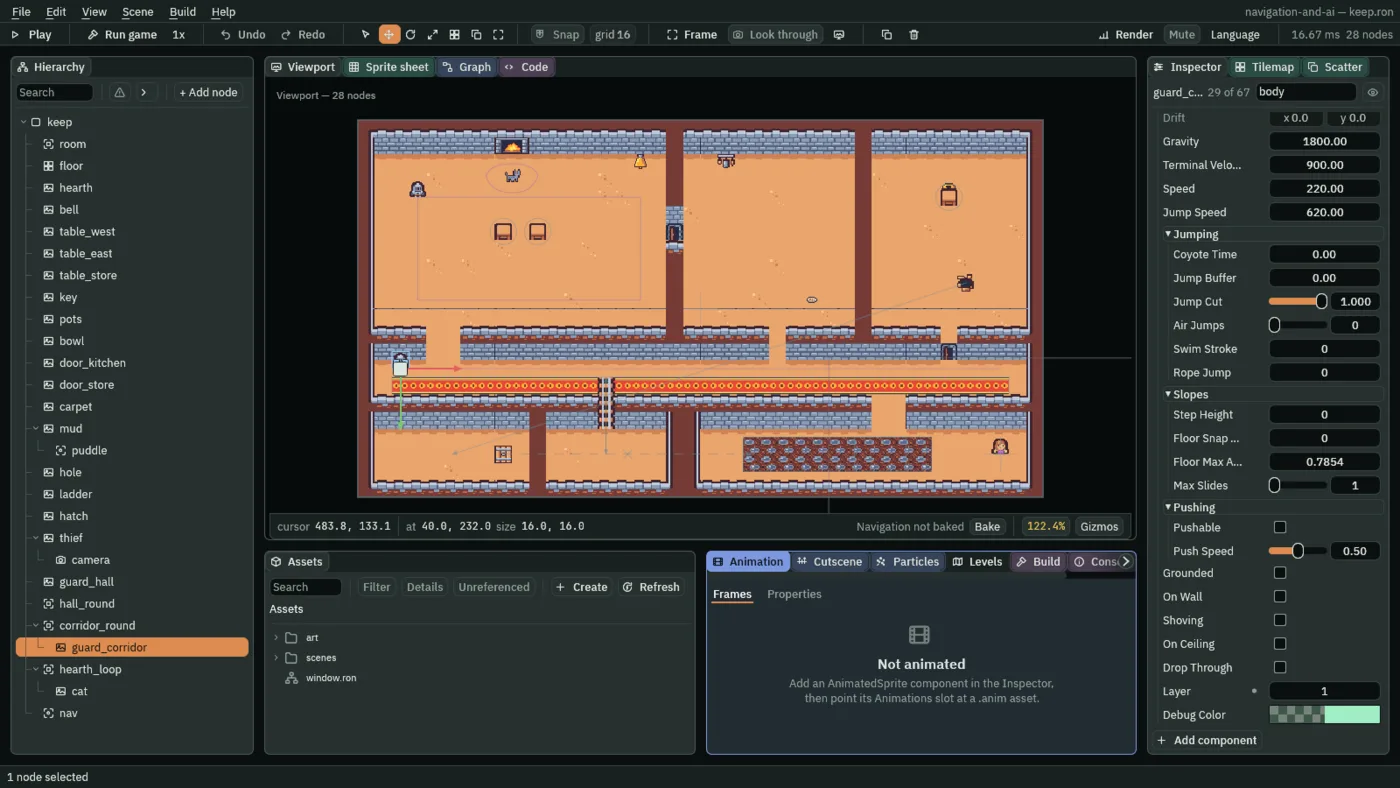
guard_corridorin the Hierarchy. Click Add component and choose CharacterBodyComponent. - Set its Size: click its x box once, so that its number is selected, type
8and press Enter; then its y box,6, Enter. Set Motion Mode to Floating and Driven By to Script. Scroll to the foot of the section, click the button beside Layer, untick the box labelled0and tick the one labelled1, then click outside the list: the value saved is2. Every other field stays as it comes.
- Character Body Size
- The box that walls hold, in world units, hung from the node’s feet: its bottom edge at the node, the box above it.
8by6is the thief’s box, the bottom of a figure 16 high. There is no offset to set: the box always stands on the feet. A new body’s is32by48, a platformer’s hero. - Character Body Motion Mode
- Grounded falls and stands on floors, as a platformer’s hero does; Floating has no gravity and moves the same way in every direction, as everything in a keep seen from above does: gravity does not pull it, and the jumping rows are a Grounded hero’s.
- Character Body Driven By
- Who sets its velocity. Keys reads WASD and the arrows, as the thief’s does; Script reads none of them, and leaves its velocity to a script or, here, to the Nav Agent on the same node. A new body’s is Keys: a guard left so would walk wherever you walked her.
- Character Body Layer
- The collision layers the body is on, a row of boxes behind a button, as the Nav Region’s Mask was in chapter 2.
2ticks the second box, labelled1: the layer the thief’s body is on. The walls are on1, the first box, labelled0, and so is a new body.
- With
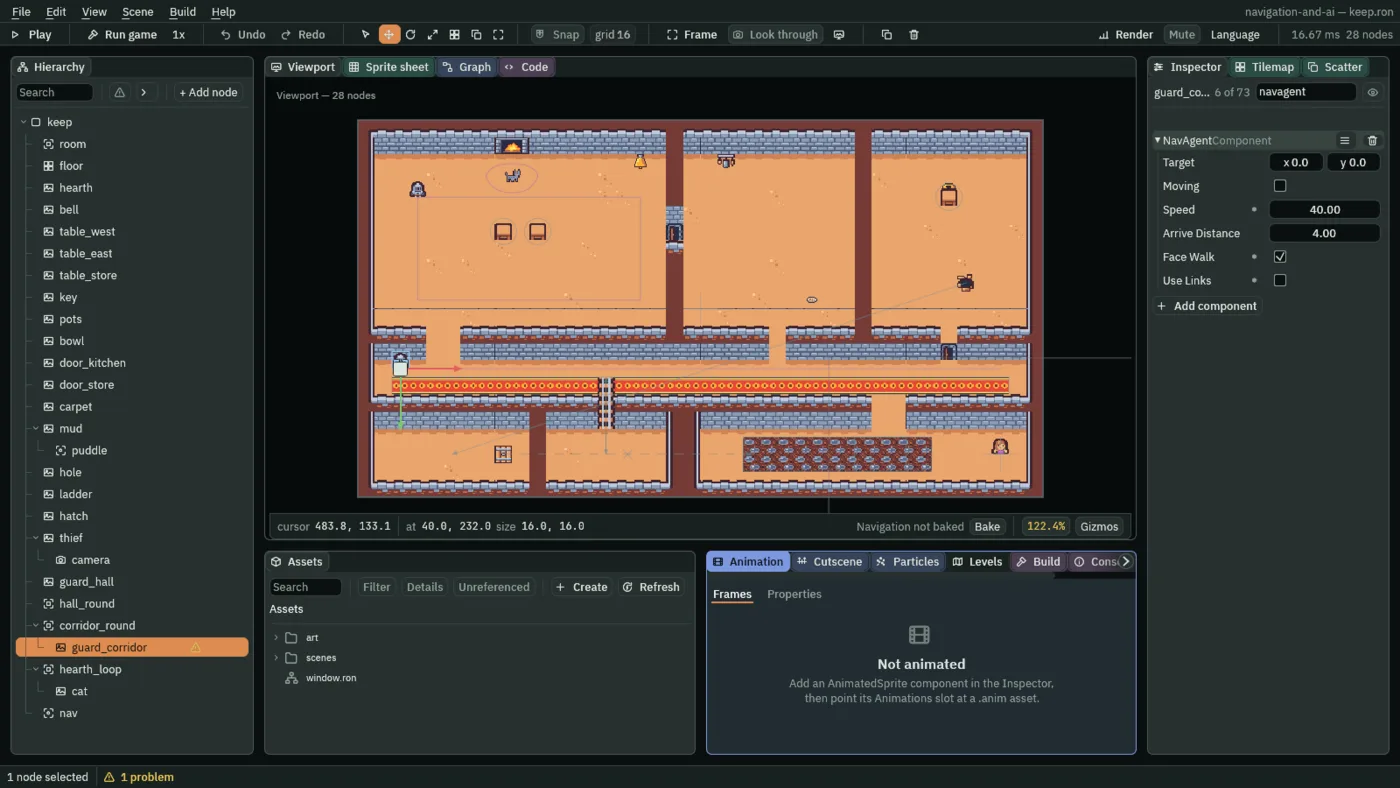
guard_corridorstill selected, click Add component and choose NavAgentComponent. - Set Speed to
40, his old pace, clicking its box once, typing and pressing Enter. Tick Face Walk. Untick Use Links. Target and Moving stay as they come: his script sets both.
- Use Links
- The Nav Agent’s Use Links, unticked here: his way may not cross a Nav Link. The hole and the ladder are not his, so he never drops into the cellar and never climbs down to the gallery; his map is floor only. The cat keeps it ticked.
- Speed
- The Nav Agent’s Speed, in world units a second:
40, the pace his Path Follow kept. On a body, the agent sets the body’s velocity to it, and the body walks. - Face Walk
- The Nav Agent’s Face Walk, ticked: his Sprite is mirrored to face left while he walks left. The guard is drawn facing right.
- Moving
- The Nav Agent’s Moving, left unticked: he stands until his script sends him, which ticks it.
One mover a node, again
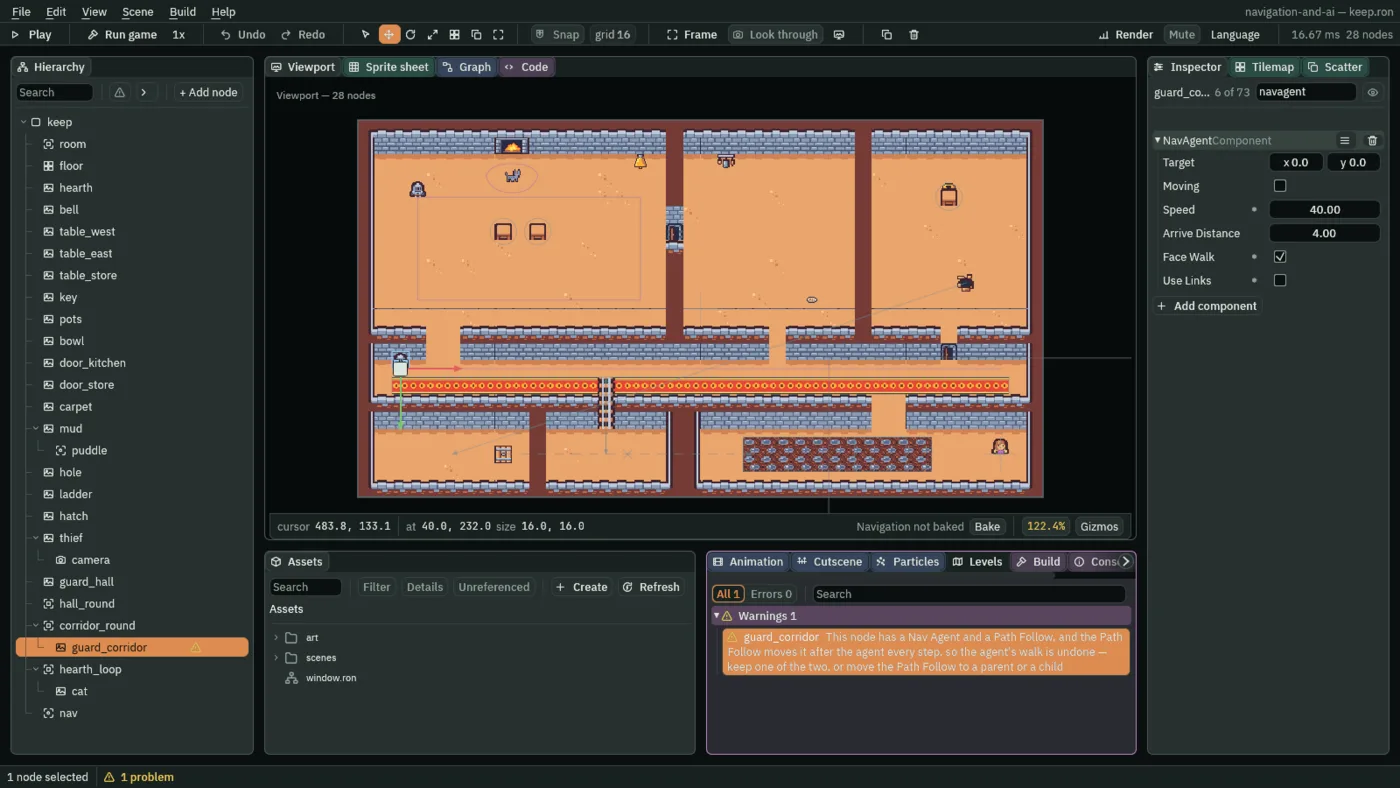
The corridor guard still has the Path Follow chapter 1 gave him, and now a Nav Agent too. His row carries the warning triangle, and the status bar says 1 problem. Click the 1 problem: the Problems tab opens on its row.
- With
guard_corridorselected, remove his PathFollowComponent with the bin icon at the right of its header. The row leaves the Problems tab, and the triangle leaves his row. - Press Ctrl+S.
He stays corridor_round’s child, and the path stays where it is, drawn in the Viewport: nothing follows it now, but it is the drawing of his round. Press F5 and he stands at his post: a Nav Agent walks only where it is sent, and nothing sends him yet.
His round, from a script
His script sends him to the far end of his round, and when that walk ends, to the other end, and so on for ever. It also listens for a noise, which the next section makes.
- In Assets, press Create, choose New script, type
guard, and press Enter. In the Code tab, replace everything inguard.rgswith the script below, and press Ctrl+S.
/// The corridor guard walks his round from end to end. A noise near enough
/// by road sends him to it the shortest way round; he looks about a moment,
/// and goes back to his round.
enum Errand { Round, Noise }

component Guard {
    /// One end of his round.
    post: Vec2,
    /// The other end.
    far: Vec2,
    /// How far by road a noise can be and still be heard.
    #[suffix("u")]
    hearing: f32 = 320.0,
    /// What he is about.
    #[readonly]
    errand: Errand = .Round,
    /// Whether he is walking to the far end.
    #[hidden]
    outward: bool = true,

    fn on_create() {
        walk_to(far);
    }

    fn on_signal() {
        if heard("noise") && errand == .Round {
            let noise = kept_point("noise", position());
            let way = road_distance(noise);
            if way >= 0.0 && way < hearing {
                errand = .Noise;
                walk_to(noise);
            }
        }
        if heard("nav:ended") {
            if errand == .Noise {
                if arrived() {
                    await wait(2.0);
                }
                errand = .Round;
            } else {
                outward = !outward;
            }
            if outward {
                walk_to(far);
            } else {
                walk_to(post);
            }
        }
    }
}
- Select
guard_corridor, click Add component and choose Guard. - Set Post to
40,232, where he stands, and Far to600,232, the corridor’s east end, each box clicked once, typed into and Enter. Hearing stays320. Errand is greyed: his script sets it. - Press Ctrl+S.
enum Errand { Round, Noise }- A list of names, one of which a field holds.
errandis.Roundwhile he walks his round and.Noisewhile he goes to a noise. The Inspector draws it as a list. component Guard- The script’s component, added to a node like any other. Each field in it is a row in the Inspector, named from the field:
postis Post. A field with= …starts at that value;postandfarhave none, so they start at0,0until you type them. #[suffix("u")],#[readonly],#[hidden]- How the Inspector draws the field under them.
#[suffix("u")]prints au, world units, after the number.#[readonly]draws it greyed, so you can watch it but not type into it.#[hidden]keeps it out of the Inspector:outward, which way he walks, is the script’s alone. fn on_create()- Runs once, on the first step the node exists: as the game starts, he is sent to
far. - walk_to
- Sends this node’s Nav Agent to a point in the world by the cheapest way round walls and across the links it may use: it sets the agent’s Target and ticks Moving, and the agent plans the way. It returns at once; the walk goes on by itself.
fn on_signal()and heardon_signalruns on a step when a signal has reached this node.heard("noise")is true on that step if the signal wasnoise. Several can arrive on one step, so the script asks about each.nav:ended- The signal a walker’s node hears when its walk ends, however it ends: it arrived, it found no way there, or it was stopped. It is heard on the step after the walk ended. Here it turns him round at an end of his round, and ends a walk to a noise.
- kept_point
- Reads a point kept under a name, as it stood when the step began:
kept_point("noise", position())is where the last noise was, or his own position if no noise was ever kept. The pots keep it, in the next section. - position
- Where this node is in the world, as the step began.
- road_distance
- How far this node would walk to a point by the cheapest way its agent may take, in world units, round walls and along the map: not as the crow flies.
-1when there is no way there. So a noise beyond a wall is as far as the walk round it, and one he cannot reach is never heard. - arrived
- Whether this node’s Nav Agent reached where it was last sent, as the step began. After
nav:ended, it tells a walk that got there from one that found no way, or was cut short. awaitwaitwait(2.0)waits two seconds;awaitin front holds the rest of the hook there until then. He stands at the noise, looking about, for two seconds, and only then goes back to his round.
Read from the top: he is sent to far as the game starts. When that walk ends, outward flips and he is sent to post; when that one ends, back to far. On a noise he hears while on his round, he is sent to it if the walk there is shorter than hearing; when that walk ends he waits two seconds if he got there, and goes back to the end he was walking to.
- Press F5. Walk the thief out of the courtyard to the corridor, and watch him go east from his post.
- Select
guard_corridor, press Bake on the strip, and in the strip’s Gizmos menu leave Routes and Navigation ticked and untick the rest. Press F5 again to stop.

far at the end. The camera was pulled back for this picture.His post and his far end are both on the corridor’s upper row, and the straight way between them runs along that row. His way does not: it steps down onto the carpet, runs its whole length, and steps up at the end. The carpet is the road chapter 3 priced at 0.5, so a unit of carpet costs half a unit of floor, and the way along it is the cheaper one. This is the road chapter 3 promised, walked.
A noise
The pots hang on the kitchen’s top wall. Knocked into, they keep where the noise was and tell everyone listening. They need an Area, a box that notices other Areas, and a script that hears what it notices.
- Select
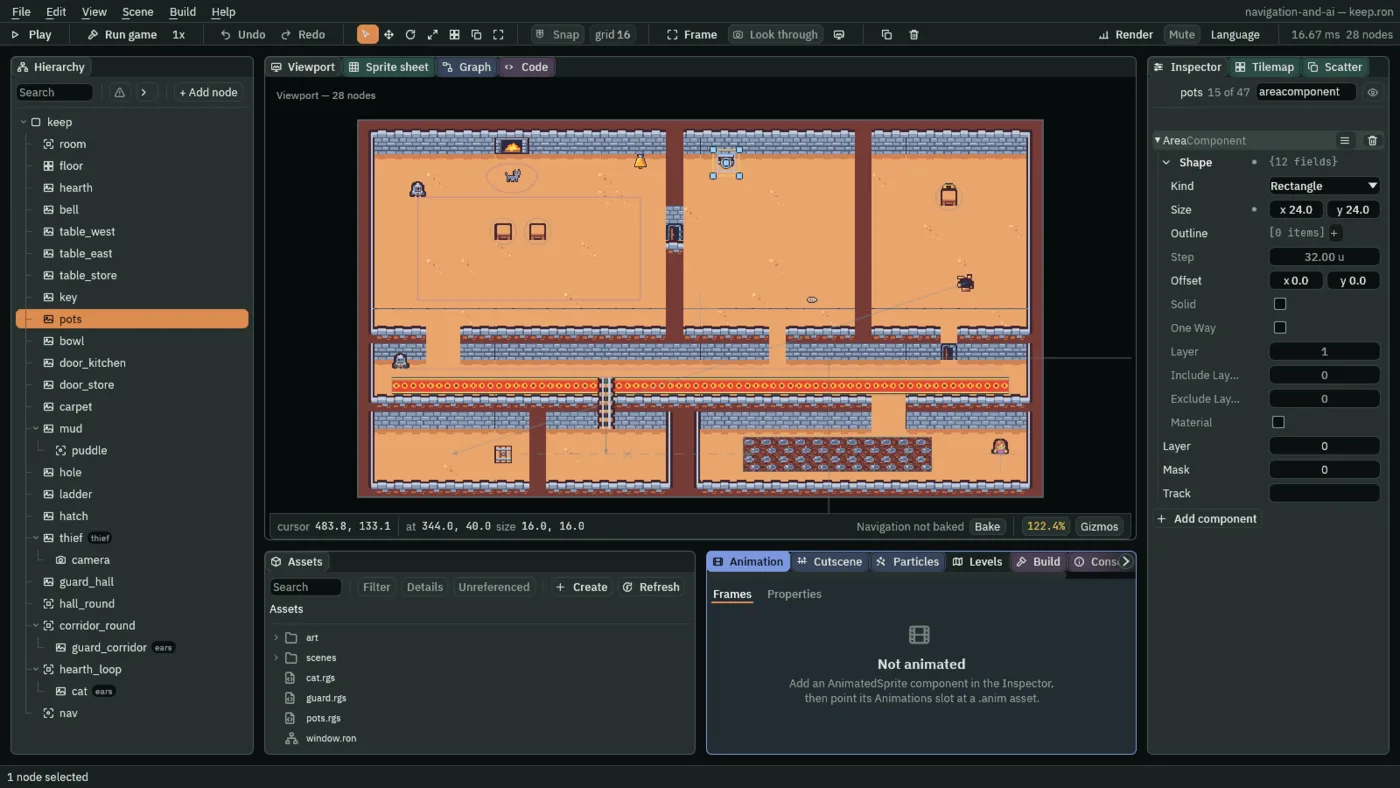
pots. Click Add component and choose AreaComponent. In its Shape, set Size to24and24. Every other field stays as it comes: Solid unticked, Offset0,0. - In Assets, press Create, choose New script, type
pots, and press Enter. In the Code tab, replace everything inpots.rgswith the script below, and press Ctrl+S.
/// The kitchen's pots and pans. The thief knocking into them makes a noise
/// that everyone listening hears, and where it was is kept.
component Pots : Area {
    fn on_enter(other: NodeId) {
        if in_group(other, "thief") {
            keep_point("noise", position());
            emit_to("ears", "noise");
        }
    }
}
- Select
pots, click Add component and choose Pots. It has no fields.
- Area Shape Size
- The box the Area notices with, in world units, about its node.
24by24reaches past the pots’ own picture, so walking into the wall under them knocks them. A new Area’s is64by64. - Area Layer and Mask
- Left as they come: the Area is on layer
1and notices Areas on layer1. The rows show it as the box labelled0, an unnamed layer’s box labelled by its place from0, as the Nav Region’s Mask did in chapter 2. component Pots : Area- A script with an Area base: it goes on a node that has an Area, and it hears what that Area meets. It has no fields.
- on_enter
- Runs on the step another Area starts to overlap this one, with that Area’s node as
other. Once: standing on in it does not run it again; stepping out and in again does. - in_group
- Whether that node was in the group as the step began.
in_group(other, "thief")is how the pots tell the thief from anything else that brushes them. - keep_point
- Keeps a point under a name until the game closes, for any script to read with
kept_point. It lands at the end of the step, so a script reads it from the next step on: the step the noise is heard. - emit_to
- Sends a signal to every node in a group. They hear it on the next step, in
on_signal, asheard("noise"). A node not in the group hears nothing.
The pots tell the group ears, so the guard and the cat go into it. They notice only what is in the group thief, so she goes into that. And she needs an Area of her own.
- Select
thief. Under Groups, typethiefand press Enter. Click Add component and choose AreaComponent. In its Shape, set Size to8and6, and Offset to0and-3: the box of her body, about its middle, three units up from her feet. - Select
guard_corridor. Under Groups, typeearsand press Enter. Selectcatand do the same. - Press Ctrl+S.
- The Area’s Shape Offset
- Where the Area’s box sits from its node, in world units. The thief’s node is at her feet, and
0,-3lifts the box’s middle three units, so that its bottom edge is her feet, as her body’s is. A new Area’s is0,0, its middle on the node, as the pots’ is. - Groups
- Names a node carries, for scripts to ask about. A node can carry several. The thief carries
thief; the corridor guard and the cat carryears.
- Press F5. Walk the thief straight to the kitchen: out of the courtyard, west along the corridor to the opening in its north wall under the kitchen, up through it and into the pots. If the corridor guard is near enough by road, he leaves his round for them. If he is not, step out of the pots and back in when he is nearer.
- Select
guard_corridorand watch Errand readNoise. Press F5 again to stop.
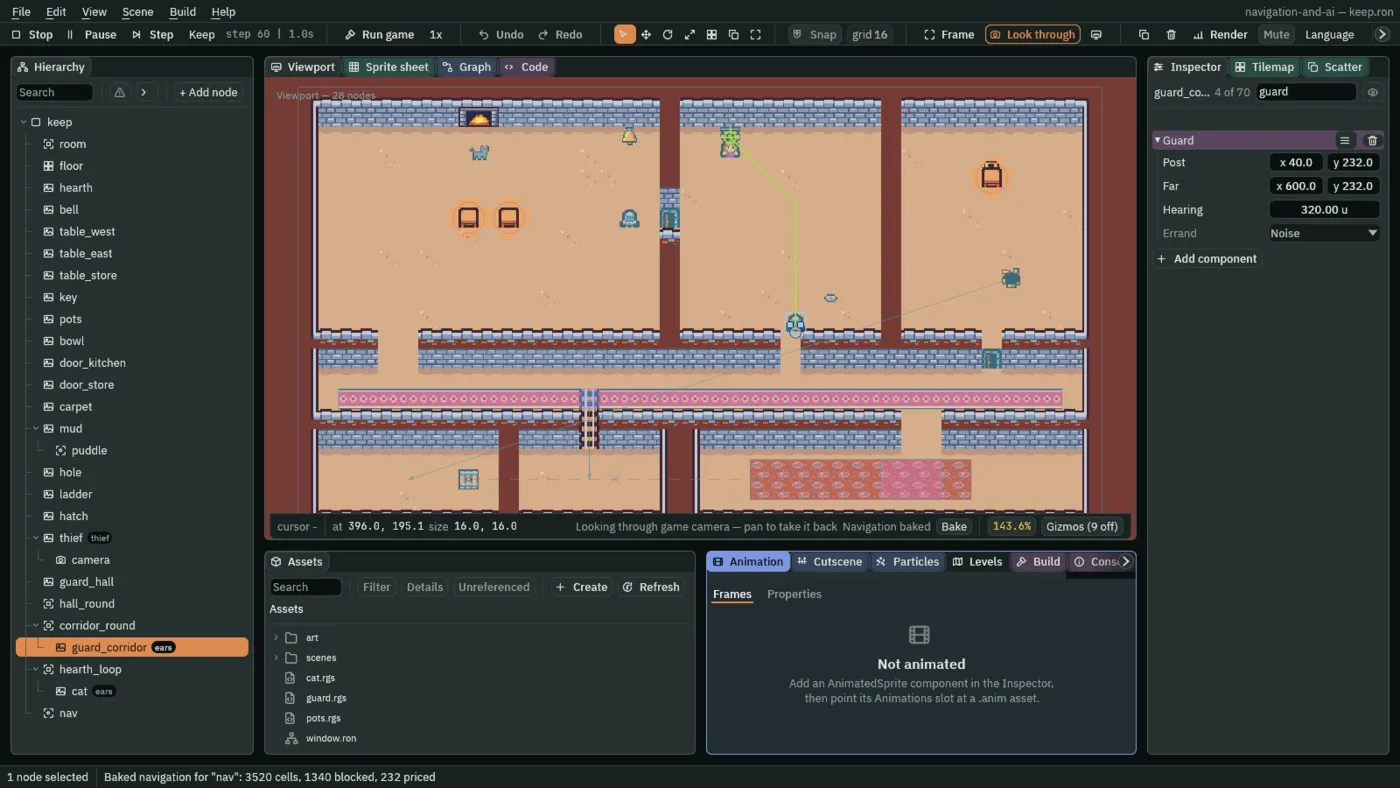
Noise. For this picture the thief was placed on the pots from the start, and the corridor guard under the kitchen’s opening, where his round takes him about 9 s in. The camera was pulled back for this picture.From his post the pots are further by road than his Hearing of 320: the corridor alone, from his post to the opening, is longer than that. From the corridor’s east end they are too far as well. Under the kitchen’s opening the same noise is near enough, and he goes the shortest way to it, stands two seconds, and goes back to his round.
The cat wanders
The cat has walked to its bowl, and stayed. Its script makes it wander instead: it picks a spot near by, walks there if it can reach it without going the long way round, sits a while, and picks again. Its agent stays as it is, and its script sends it, so Moving goes off.
- Select
cat. In its Nav Agent, untick Moving. Target keeps424,164; nothing walks there now, since the script sends the cat. - In Assets, press Create, choose New script, type
cat, and press Enter. In the Code tab, replace everything incat.rgswith the script below, and press Ctrl+S.
/// The cat wanders: it picks a spot near by that it can reach without going
/// the long way round, walks there, sits a while, and picks again. A noise
/// stops it where it stands.
component Cat {
    /// How far from where it sits it looks for a spot, each way.
    #[suffix("u")]
    reach: f32 = 80.0,
    /// The longest way round it will walk to reach a spot.
    #[suffix("u")]
    longest: f32 = 160.0,
    /// Steps left to sit before it picks again.
    #[readonly]
    sitting: i32 = 60,
    /// Whether it is on its way somewhere.
    #[hidden]
    walking: bool = false,

    fn loop() {
        if walking {
            sitting = 0;
        } else if sitting > 0 {
            sitting -= 1;
        } else {
            let spot = position() + vec2(random(-reach, reach), random(-reach, reach));
            if can_reach(spot) && road_distance(spot) < longest {
                walk_to(spot);
                walking = true;
            }
        }
    }

    fn on_signal() {
        if heard("noise") && walking {
            stop_walking();
        }
        if heard("nav:no_way") {
            sitting = 30;
        }
        if heard("nav:arrived") {
            sitting = 120;
        }
        if heard("nav:ended") {
            walking = false;
            if sitting == 0 {
                sitting = 180;
            }
        }
    }
}
- Select
cat, click Add component and choose Cat. Reach80and Longest160stay as the script declares them; Sitting is greyed. - Press Ctrl+S.
fn loop()- Runs on every step while the node exists. While the cat sits, it counts
sittingdown a step at a time; at0it tries a spot. - random
- A number from the first up to, not including, the second, new at every call and different every Play. Two calls give a spot up to
reach,80, from the cat each way. - vec2
- Builds a point, or a step, from its x and its y:
position() + vec2(…)is a spot that far from the cat. - can_reach
- Whether this node could walk to a point from where it stood as the step began, round walls and across the links its agent may use. A spot on an island, such as the cellar seen from the hall, is not reachable.
- stop_walking
- Stops this node’s Nav Agent where it stands, unticking Moving. The walk ends, and
nav:endedis heard on the next step. nav:arrived- The signal a walker’s node hears when it reached its Target, on the step after, with
nav:endedon the same step. The cat then sits120steps, two seconds. nav:no_way- The signal a walker’s node hears when its agent found no way to its Target and stopped, with
nav:endedon the same step. The cat then sits30steps and tries again. - Reach, Longest, Sitting
- The Cat’s fields. Reach is how far from where it sits it looks for a spot, each way, in world units:
80. Longest is the longest way round it will walk to one:160, so a spot just beyond a wall, which is near but a long walk, is let go. Sitting is the steps left to sit, greyed: the script counts it.
Each walk ends with nav:ended, and how long it sits after depends on how it ended: 120 steps after it arrived, 30 when there was no way, and 180 when a noise stopped it. While it walks, loop holds sitting at 0, which is how the script tells the last case: neither nav:arrived nor nav:no_way came with the end.
- Press F5. Walk the thief up into the hall, near the tables. Select
cat, and watch its ways: within a few seconds it walks to a spot near by, sits, and picks again. Press F5 again to stop.
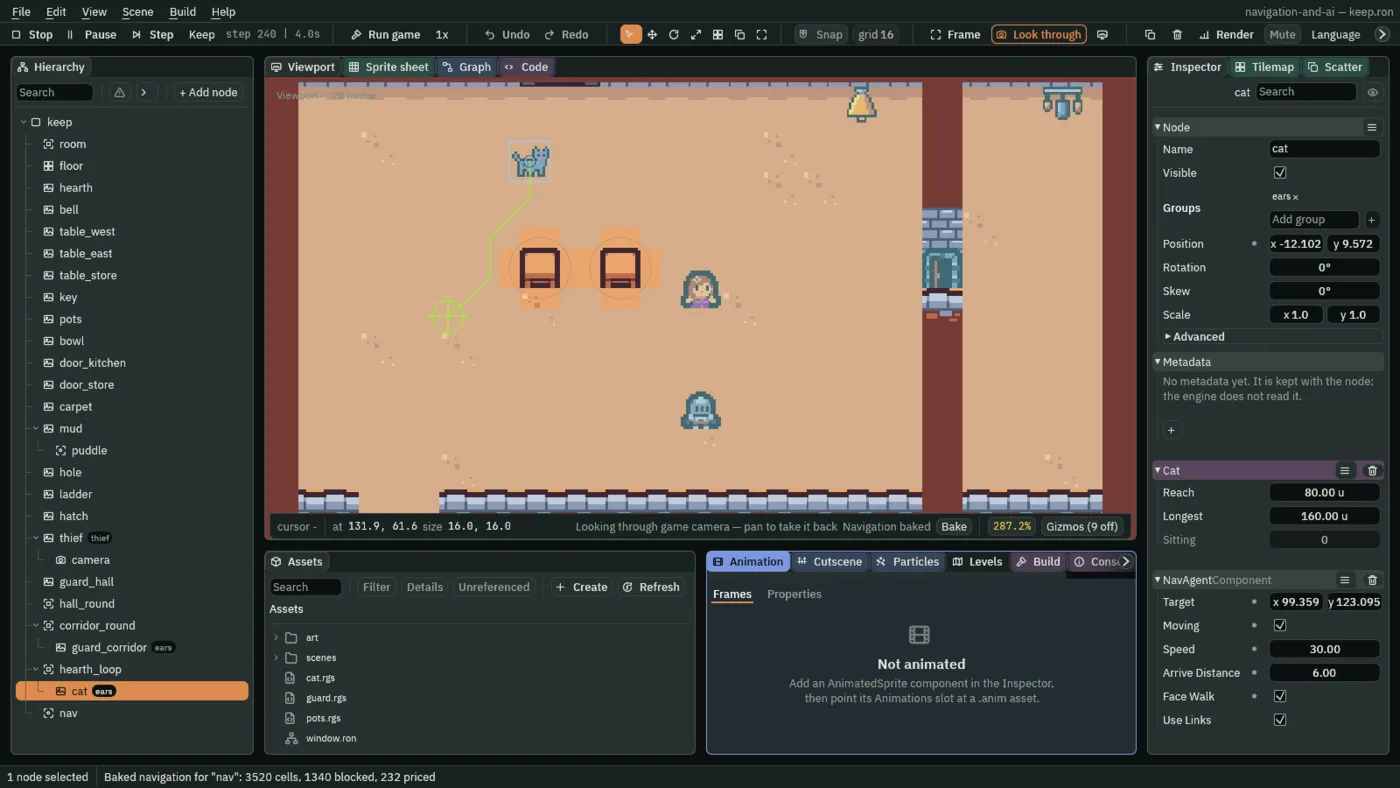
random gives other numbers every Play. For this picture the thief was placed in the hall from the start.What the chapter set
| Node | Component | Field | Value |
|---|---|---|---|
guard_corridor | Character Body | Size | 8, 6 |
| Motion Mode | Floating | ||
| Driven By | Script | ||
| Layer | 2: the box labelled 1 | ||
| Nav Agent | Speed | 40 | |
| Face Walk | ticked | ||
| Use Links | unticked | ||
| Guard | Post | 40, 232 | |
| Far | 600, 232 | ||
| node | Groups | ears | |
| Path Follow | removed |
| Node | Component | Field | Value |
|---|---|---|---|
pots | Area | Shape Size | 24, 24 |
| Pots | added | ||
thief | node | Groups | thief |
| Area | Shape Size | 8, 6 | |
| Shape Offset | 0, -3 | ||
cat | node | Groups | ears |
| Nav Agent | Moving | unticked | |
| Cat | added |
Every other field is as it comes, or as its script declares it: the guard’s Hearing 320, the cat’s Reach 80 and Longest 160.