Tutorials · Navigation and AI · Chapter 11
Reinforcements
By the end
- A Screen Notifier on each round guard: far from the view he sleeps, standing and hearing nothing, and
guard.rgsgives up a chase that leaves the view artifacts/reinforcement.artifact: a guard built once, Summoned ticked, whose notifier never puts him to sleepbarracks, a shut door with a Spawner andbarracks.rgs: each time the bell rings it sends out one more guard, two at mostbell_rest, a second Timer withrest.rgs, andbell.rgs: the bell tells the barracks, and rests ten seconds before it can count again
On this page
Guards who sleep off screen
The barracks will send guards out after the thief, and a keep where every guard walks his round all night, wherever she is, is busy for nothing: a guard she cannot see is a guard she cannot meet. A Screen Notifier knows whether the view reaches a rectangle round its node. With its Enabler ticked, the node sleeps while it does not: the guard stands where he is until the view comes near.
- Select
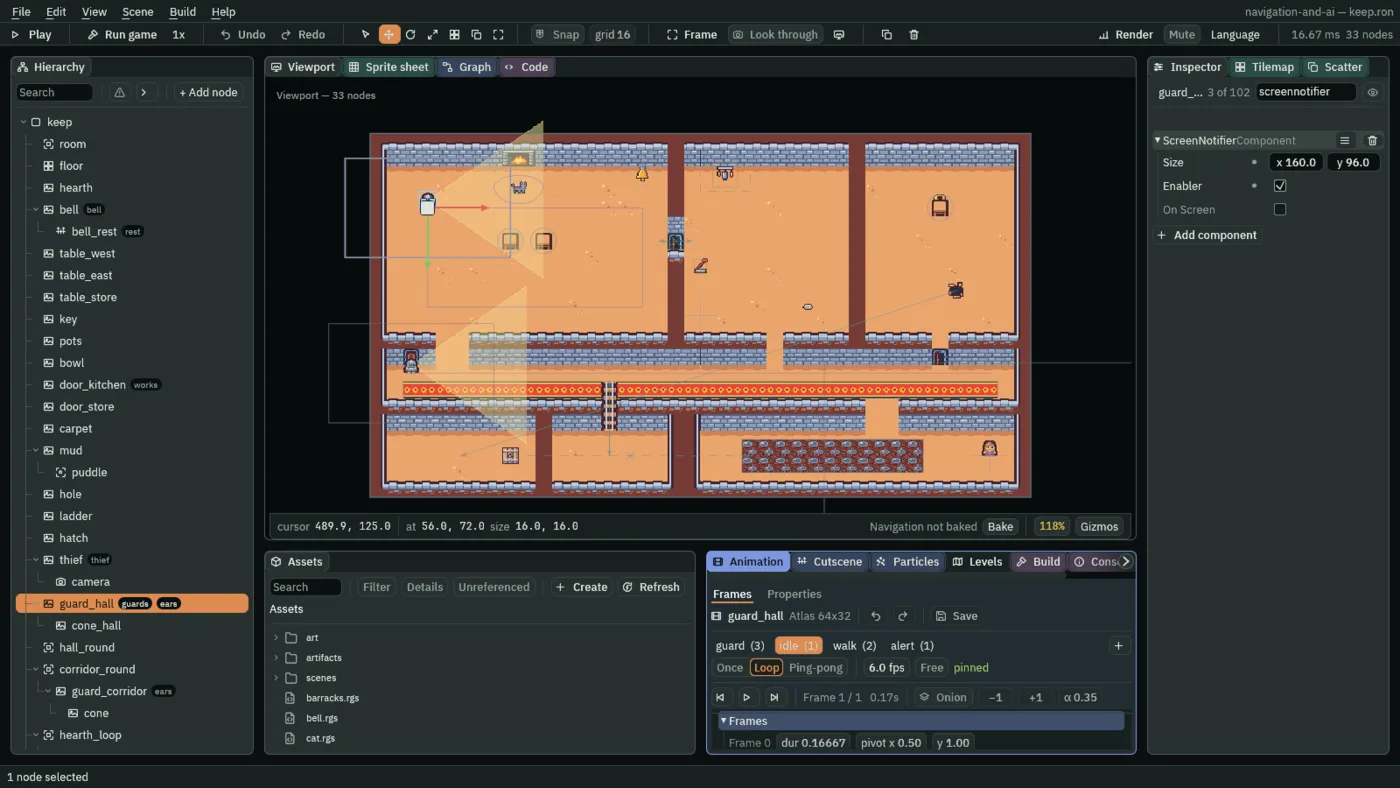
guard_hall. Click Add component and choose ScreenNotifierComponent. - Set its Size to
160and96, clicking each box once, typing and pressing Enter. Tick Enabler. On Screen is greyed. - Select
guard_corridorand do the same: Size160,96, Enabler ticked.
- The Screen Notifier’s Size
- The rectangle, in world units, centred on the node, that the view has to reach.
160by96is ten tiles by six, half the view each way: he wakes while any of it is in the view, a little before he comes into sight, and sleeps once none of it is. The editor draws it as a thin grey box round the node, in the Gizmos menu’s Framing colour, whether or not the node is selected; it is not drawn in the game. A new Screen Notifier’s is64by64. - The Screen Notifier’s Enabler
- Ticked, the node and the nodes under it sleep while the view does not reach the rectangle: his script and his Nav Agent are held, he stands, and nothing he is sent reaches him. Unticked, nothing sleeps: the notifier only tells a script when the rectangle comes into the view and leaves it. A new one’s is unticked.
- The Screen Notifier’s On Screen
- Greyed: ticked while the view reaches the rectangle, as the step began. You cannot type it; watch it in Play.
His script hears the notifier too. It needs one change for this chapter, a chase that ends when he leaves the view, and one for the next section, a guard the barracks sends.
- Click the Code tab, then
guard.rgsin its Scripts list. Replace everything in it with the script below, and press Ctrl+S. - Select each guard: his Guard has a new field, Summoned, unticked. Leave it so.
- Press Ctrl+S.
/// A guard's mind. He walks his round, corner to corner. A glimpse of the
/// thief, or a noise near enough by road, makes him suspicious: he creeps to
/// where he glimpsed her or heard it. Seen near enough to be sure, she is
/// chased at a run, and caught she is sent back to where she came in. Lost,
/// she is searched for about where he saw her last until his Timer runs out,
/// and then he goes back to his round. He tells the bell when he starts and
/// stops chasing, and when it rings he comes to search where she was last
/// seen. One the barracks sends comes running to search there as soon as he
/// is out.
enum Mode { Patrol, Suspicious, Chase, Search, Return }

component Guard : Screen {
    /// His round's first corner.
    a: Vec2,
    /// Its second.
    b: Vec2,
    /// Its third; a round of two corners never comes here.
    c: Vec2,
    /// Its fourth.
    d: Vec2,
    /// How many corners his round has: 2 or 4.
    corners: i32 = 4,
    /// How far by road a noise can be and still be heard.
    #[suffix("u")]
    hearing: f32 = 320.0,
    /// How far he sees.
    #[suffix("u")]
    sight: f32 = 112.0,
    /// How far to either side of straight ahead he sees, in radians.
    cone: f32 = 0.6,
    /// The collision layers that hide what is behind them.
    walls: i32 = 1,
    /// How near he must see her to be sure it is her.
    #[suffix("u")]
    sure: f32 = 64.0,
    /// How fast he walks his round.
    walk: f32 = 40.0,
    /// How fast he creeps when suspicious.
    creep: f32 = 24.0,
    /// How fast he runs after her.
    run: f32 = 72.0,
    /// Whether the barracks sent him: he starts by searching where she was
    /// last seen.
    summoned: bool = false,
    /// What is on his mind.
    #[readonly]
    mode: Mode = .Patrol,
    /// Whether the thief is in his cone, as this step began.
    #[readonly]
    sees: bool = false,
    /// Which way he faces: the way he last walked.
    #[hidden]
    facing: Vec2,
    /// Where he stood the step before.
    #[hidden]
    was: Vec2,
    /// Where he saw her last.
    #[hidden]
    last_seen: Vec2,
    /// The corner he is walking to, from 0.
    #[hidden]
    next: i32 = 0,
    /// Whether to set off for that corner this step.
    #[hidden]
    to_round: bool = true,

    fn on_create() {
        was = position();
        facing = vec2(0.0, 1.0);
        if summoned {
            mode = .Search;
            to_round = false;
            last_seen = kept_point("seen", position());
            start_timer();
            set_number("NavAgentComponent", "speed", run);
            walk_to(last_seen);
        }
    }

    fn on_screen_exit() {
        // Going to sleep mid-chase, he loses her: no frozen chase keeps the bell ringing.
        if mode == .Chase {
            mode = .Search;
            start_timer();
            emit_to("bell", "lost");
            walk_to(last_seen);
        }
    }

    fn loop() {
        let moved = position() - was;
        if moved.length() > 0.1 {
            facing = moved;
        }
        was = position();
        let thief = nearest("thief");
        let at = position_of(thief);
        let toward = at - position();
        // Returning, he has given up; he looks again on his round.
        sees = mode != .Return
            && thief != node(0)
            && toward.length() < sight
            && angle_between(facing, toward) < cone
            && can_see(at, walls);
        if sees {
            last_seen = at;
        }

        if mode == .Patrol || mode == .Return {
            if sees {
                mode = .Suspicious;
                set_number("NavAgentComponent", "speed", creep);
                walk_to(at);
            }
        } else if mode == .Suspicious {
            if sees && toward.length() < sure {
                mode = .Chase;
                set_number("NavAgentComponent", "speed", run);
                emit_to("bell", "spotted");
            }
        } else if mode == .Chase {
            if !sees {
                mode = .Search;
                start_timer();
                emit_to("bell", "lost");
                walk_to(last_seen);
            } else if toward.length() < 10.0 {
                emit_to("thief", "caught");
                emit_to("bell", "lost");
                mode = .Return;
                to_round = true;
            } else {
                keep_point("seen", at);
                walk_to(at);
            }
        } else if mode == .Search {
            if sees {
                stop_timer();
                mode = .Chase;
                set_number("NavAgentComponent", "speed", run);
                emit_to("bell", "spotted");
            }
        }

        if to_round {
            to_round = false;
            set_number("NavAgentComponent", "speed", walk);
            if next == 0 {
                walk_to(a);
            } else if next == 1 {
                walk_to(b);
            } else if next == 2 {
                walk_to(c);
            } else {
                walk_to(d);
            }
        }
        set_param_flag("alert", mode == .Chase || mode == .Search);
    }

    fn on_signal() {
        if heard("noise") && (mode == .Patrol || mode == .Return) {
            let noise = kept_point("noise", position());
            let way = road_distance(noise);
            if way >= 0.0 && way < hearing {
                mode = .Suspicious;
                set_number("NavAgentComponent", "speed", creep);
                walk_to(noise);
            }
        }
        if heard("alarm") && (mode == .Patrol || mode == .Return) {
            mode = .Search;
            last_seen = kept_point("seen", position());
            start_timer();
            set_number("NavAgentComponent", "speed", run);
            walk_to(last_seen);
        }
        if heard("nav:ended") {
            if mode == .Patrol || mode == .Return {
                if arrived() {
                    next += 1;
                    if next >= corners {
                        next = 0;
                    }
                }
                mode = .Patrol;
                to_round = true;
            } else if mode == .Suspicious {
                mode = .Return;
                to_round = true;
            } else if mode == .Search {
                let far = 40.0 * sqrt(random(0.0, 1.0));
                let turn = random(0.0, tau());
                let spot = last_seen + vec2(far * turn.cos(), far * turn.sin());
                if can_reach(spot) {
                    walk_to(spot);
                } else {
                    walk_to(last_seen);
                }
            }
        }
        // An arrival on the step the search runs out is the search's, so it is heard first.
        if heard("timer:fired") && mode == .Search {
            mode = .Return;
            to_round = true;
        }
    }
}
component Guard : Screen- A script with a Screen base. It goes on a node that has a Screen Notifier, as
pots.rgs, with its Area base, goes on a node with an Area, and it can hear the notifier’s rectangle leave the view. That is why the notifiers went on first. - on_screen_exit
- Runs on the step the notifier’s rectangle leaves the view, while he is still awake. A guard chasing her gives the chase up there: he turns to
Search, starts his search’s Timer, tells the belllost, and sends himself to where he saw her last. Then he sleeps where he stands. - Summoned
- The Guard’s new field: whether the barracks sent him. Unticked in the two round guards. Ticked, his
on_createstarts him searching at once, at a run, from the moment he exists: atkept_point("seen", position()), the point a chasing guard keeps underseenon every step of a chase, or his own position if no guard ever has.
- Press F5. Select
guard_hall, and typescreennotifierinto the Inspector’s search box and press Enter. The thief is at the courtyard gate, far from him: On Screen is unticked, and he stands where he started. - Walk her into the hall through the kitchen: west along the corridor’s carpet to the opening in its north wall under the kitchen, up through it, and west through the kitchen door. On Screen ticks, and he walks his round. Press F5 again to stop.
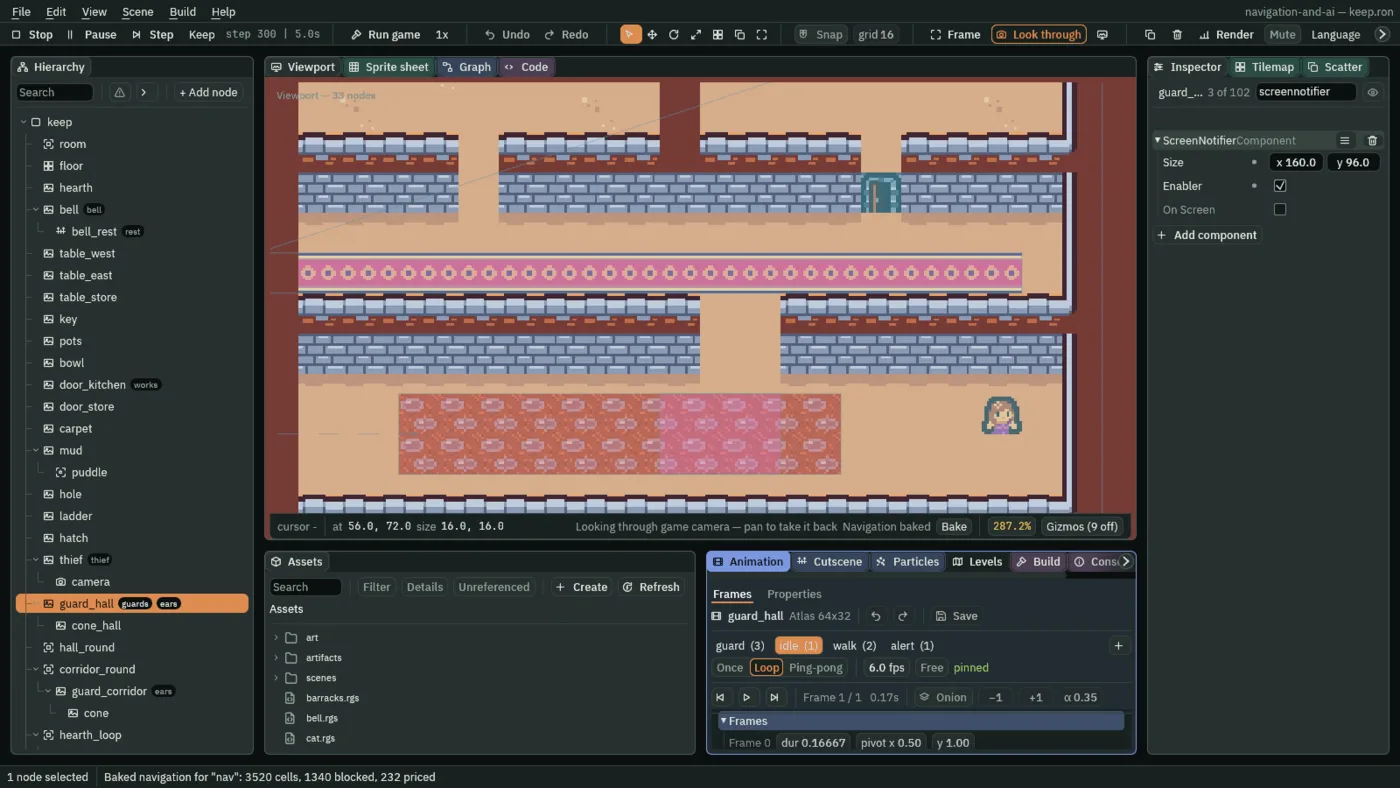
56, 72, the corner he started on.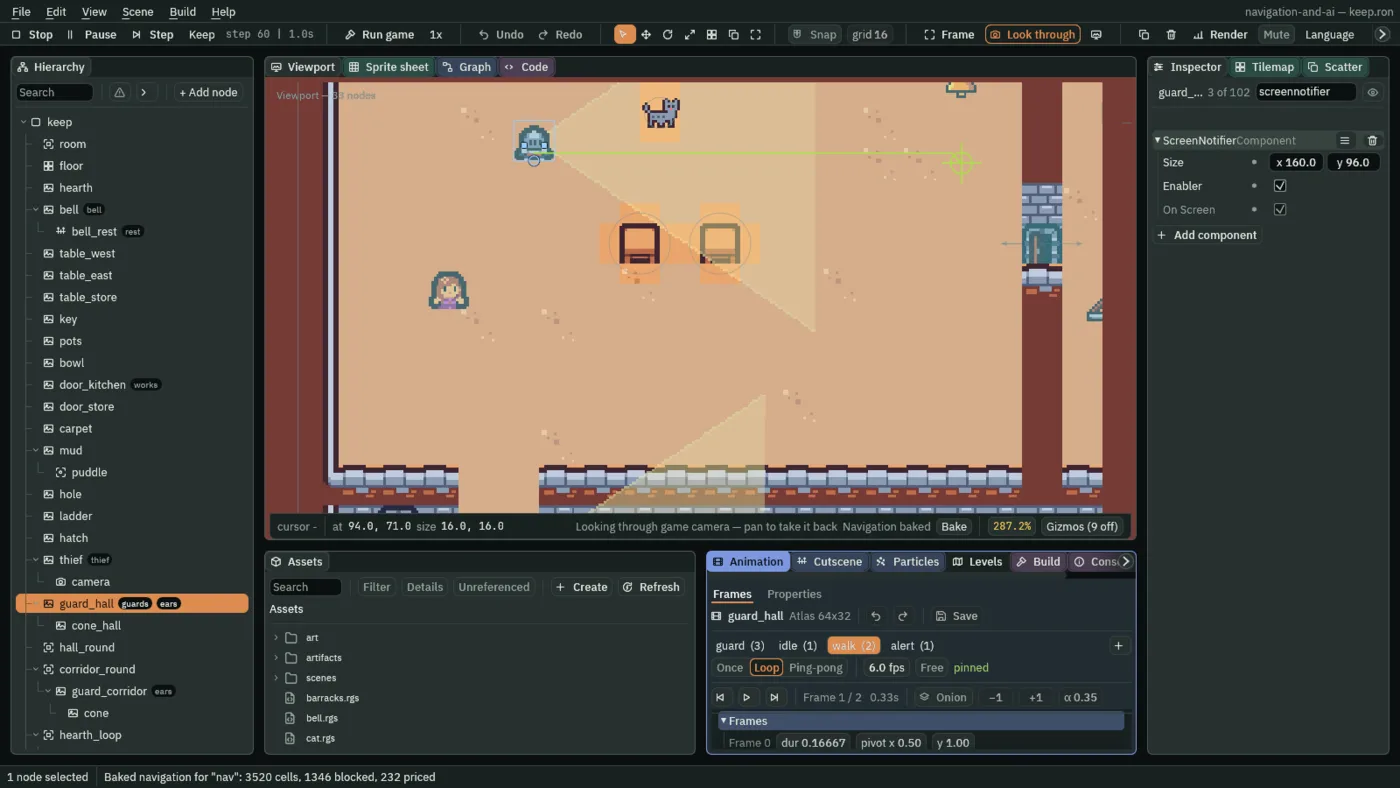
A guard saved for later
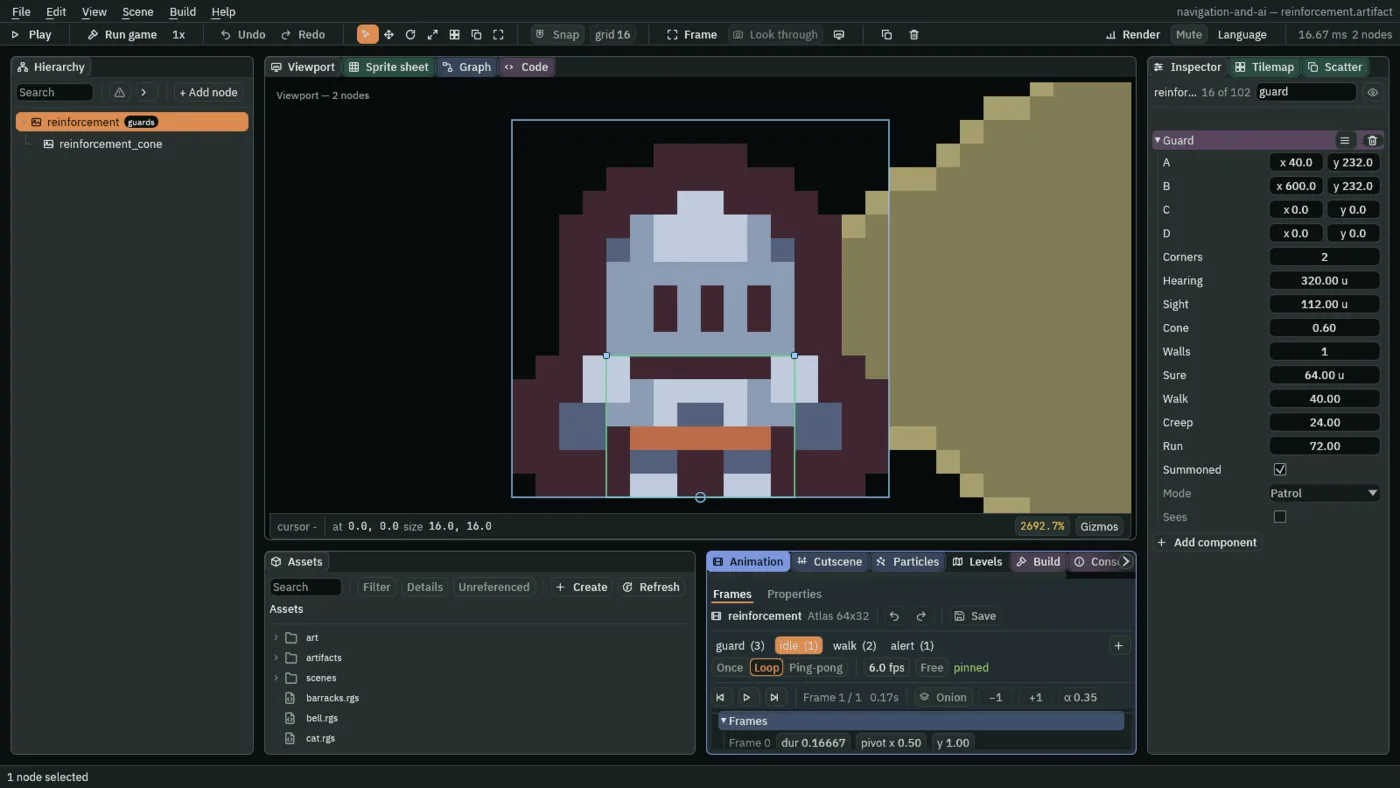
The barracks sends copies of one guard. He is saved as an artifact: a file holding a node and the nodes under it, which a Spawner copies into the game while it runs. You build him once in the keep, as the corridor guard is built, save him, and delete him.
- Select
keep, press + Add node, choose Sprite, and rename itreinforcement. Where he lands does not matter: each copy is put where the barracks says. - In his Sprite, drag
art/guard.pngfrom Assets onto Texture. Set Size to16,16, Anchor to0.5,1, his feet, and Sort Layer to2. - Under Groups, type
guardsinto Add group and press Enter; thenears, Enter. - Click Add component and choose CharacterBodyComponent. Set its Size to
8,6, Motion Mode to Floating, Driven By to Script, and Layer to2(untick the box labelled0, tick the one labelled1). - Click Add component and choose NavAgentComponent. Set Speed to
40, tick Face Walk and untick Use Links. - Click Add component and choose AnimatedSpriteComponent. Drag
art/guard.animonto Animations; Clip staysidle. Tick Frame Size. - Click Add component and choose StateMachineComponent. Drag
art/guard.asmonto its Graph. - Click Add component and choose TimerComponent. Set Wait Time to
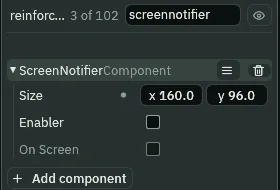
6, tick One Shot and untick Autostart: his search’s Timer, as the round guards’. - Click Add component and choose ScreenNotifierComponent. Set Size to
160,96. Leave Enabler unticked. - Click Add component and choose Guard. Set A to
40,232, B to600,232, and Corners to2: the corridor’s round. Tick Summoned. Every other field stays as the script declares it. - With
reinforcementselected, press + Add node, choose Sprite, and rename itreinforcement_cone. Set its Position to0,-8; dragart/cone.pngonto Texture; set Size to112,154, Anchor to0,0.5and Sort Layer to1. Click Add component and choose Cone. - Right-click
reinforcementin the Hierarchy and choose Save as artifact…. In the save dialog, make a folder calledartifacts, open it, and save the file asreinforcement.artifact. - The editor has put a copy of the artifact in the keep where your node was, under the same name. Delete that
reinforcement; his cone goes with him. - Press Ctrl+S.
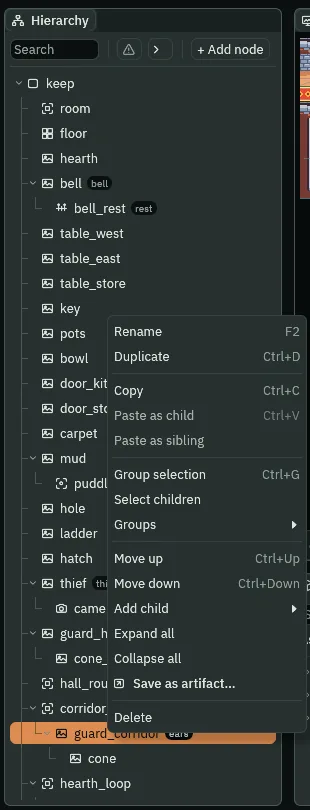
guard_corridor, the guard the reinforcement is built like: the finished keep keeps no reinforcement to right-click.To look at what you saved, double-click reinforcement.artifact in Assets: the editor opens it on its own, him and his cone. Double-click keep.ron in scenes to come back to the keep.
- Save as artifact…
- Writes the node and every node under it, with all their components and values, to an
.artifactfile, and puts a copy of the artifact in the scene in the node’s place: one step, which Undo takes back. A Spawner copies the file, not anything in the scene, so the copy in the keep is not needed. - The reinforcement’s Screen Notifier Size and Enabler
- The Screen Notifier’s Size,
160by96, the round guards’; its Enabler left unticked, so he never sleeps. The notifier still tells his script when he leaves the view, so a chase he leaves the view on ends, as a round guard’s does. - His Timer’s Wait Time, One Shot and Autostart
- The Timer’s Wait Time,
6, One Shot ticked, Autostart unticked: chapter 9’s search, which his script starts as he is made.
The barracks
The barracks is a shut door in the corridor’s north wall, at its west end, above the corridor guard’s post: the door_closed region from chapter 10, on a node of its own. Behind it are two guards. Each time the bell rings it sends one out, while it has one.
- Select
keep, press + Add node, choose Sprite, and rename itbarracks. Set its Position to40,216. - In its Sprite, drag
art/tilemap_packed.pngonto Texture, set Size to16,16, typedoor_closedinto Atlas Region, and set Sort Layer to1. - Under Groups, type
barracksinto Add group and press Enter. - Click Add component and choose SpawnerComponent. Press + beside Entries, open the new [0] row, type
guardas its Name, and dragartifacts/reinforcement.artifactfrom Assets onto its Artifact. - In Assets, press Create, choose New script, type
barracks, and press Enter. In the Code tab, replace everything inbarracks.rgswith the script below, and press Ctrl+S. - Select
barracks, click Add component and choose Barracks. Left stays2. - Press Ctrl+S.
/// The barracks. Each time the bell rings it sends out one more guard, as
/// long as it has one left.
component Barracks {
    /// How many guards it has left to send.
    left: i32 = 2,

    fn on_signal() {
        if heard("alarm") && left > 0 {
            left -= 1;
            spawn("guard", position() + vec2(0.0, 16.0));
        }
    }
}
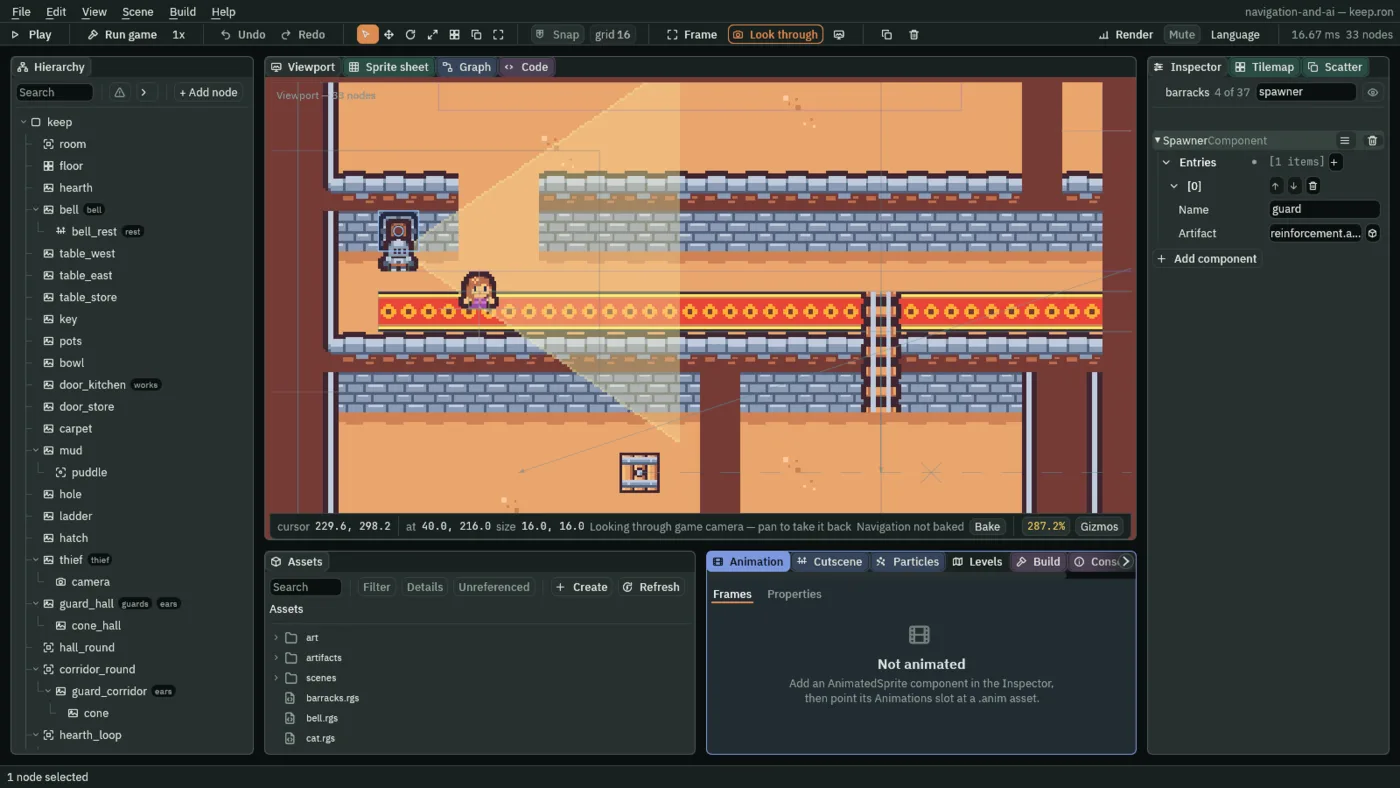
- The Spawner’s Entries
- The names a script on this node can pass to
spawn, each with the artifact it copies: here one,guard, copyingreinforcement.artifact. - spawn
- Makes a copy of the artifact the Spawner names, at a point in the world, at the end of the step. The copy is in the game from the next step, and its
on_createruns on the step after that.position() + vec2(0.0, 16.0)is a tile below the barracks: the corridor, at the corridor guard’s post. - Left
- The Barracks’ field: how many guards it has still to send,
2. Each alarm it answers takes one; at0it answers no more. heard("alarm")- The barracks hears
alarmsent to the groupbarracks. Nothing sends it yet: the bell’s alarm goes to the groupguards. The bell’s script changes in the next section.
A copy is the artifact as you saved it, so each reinforcement is the same guard: Summoned ticked, the corridor’s two corners, awake wherever he is. Made, he searches where she was last seen, at a run; when his search’s six seconds are up he returns to the corridor’s round and walks it, as the corridor guard does.
The bell rests
As it stands, a bell that has rung starts counting again at the next chase, and four more seconds of it would empty the barracks at once. After it rings, the bell now rests ten seconds before it can count again. A node has one Timer, and the bell’s counts the chase, so the rest is a Timer on a node of its own, under the bell.
- Select
bell, press + Add node, choose Node, and rename itbell_rest. It lands under the bell. - Under Groups, type
restinto Add group and press Enter. - Click Add component and choose TimerComponent. Set Wait Time to
10, tick One Shot, and untick Autostart. - In Assets, press Create, choose New script, type
rest, and press Enter. In the Code tab, replace everything inrest.rgswith the script below, and press Ctrl+S. - Select
bell_rest, click Add component and choose Rest. - Click the Code tab, then
bell.rgsin its Scripts list. Replace everything in it with the second script below, and press Ctrl+S. The Bell gains Chased, greyed. - Press Ctrl+S.
/// The bell's rest: once it has rung it cannot count again until this
/// Timer runs out.
component Rest {
    fn on_signal() {
        if heard("rang") {
            start_timer();
        }
        if heard("timer:fired") {
            emit_to("bell", "rested");
        }
    }
}
/// The alarm bell. Its Timer starts held, and counts down only while a
/// guard is chasing the thief. When it runs out the bell rings: every guard
/// comes to search where she was last seen, and the barracks sends one
/// more. Then it rests, and is ready to count again when its rest is over.
component Bell {
    /// Seconds left before it rings, as this step began.
    #[readonly]
    left: f32 = 0.0,
    /// Whether a guard is chasing her.
    #[readonly]
    chased: bool = false,

    fn loop() {
        left = time_left();
    }

    fn on_signal() {
        if heard("spotted") {
            chased = true;
            set_flag("TimerComponent", "paused", false);
        }
        if heard("lost") {
            chased = false;
            set_flag("TimerComponent", "paused", true);
        }
        if heard("timer:fired") {
            pulse_turn(0.3, 0.15, .InOutSine);
            emit_to("guards", "alarm");
            emit_to("barracks", "alarm");
            emit_to("rest", "rang");
        }
        if heard("rested") {
            quench();
            start_timer();
            set_flag("TimerComponent", "paused", !chased);
        }
    }
}
- The rest’s Wait Time, One Shot and Autostart
- The Timer’s Wait Time
10, its One Shot ticked and its Autostart unticked: it counts ten seconds, once, each time its script starts it, and not before. rangandrested- The bell tells the group
restthat itrang; the rest starts its Timer. When that fires, the rest tells the groupbell, chapter 9’s, that it hasrested. Each is heard on the step after it is sent. emit_to("barracks", "alarm")- The alarm, sent to the barracks too: it was going to the group
guardsonly. - quench
- Stops every anneal and pulse running on this node, wherever each stands: the bell stops swinging as its rest ends.
- Chased
- The Bell’s new field, greyed: whether a guard is chasing her, as the bell last heard. On
restedits Timer starts a fresh four seconds, held byset_flag("TimerComponent", "paused", !chased)unless a chase is on right then.
Read in the order of a chase: spotted ticks Chased and lets the bell’s Timer count. When it fires, the bell swings and tells the guards, the barracks and its rest. The rest counts ten seconds and says rested; the bell stops swinging, starts its four seconds again, and holds them unless the chase is still on. Until then its Timer, which fired once, counts nothing, however long the chase.
- Press F5. Walk the thief up into the corridor and west along the carpet as far as the ladder, and wait. The corridor guard wakes at his post at the corridor’s west end, comes into sight, and walks east towards her.
- Before he is near, walk her back east to the opening in the corridor’s north wall under the kitchen, and up through it, a tile or two into the kitchen. Wait there while he walks past below her, on his way to the corridor’s east end.
- Once he has passed, walk her back down onto the carpet under the opening, and wait there for him on his way back west. He glimpses her and creeps nearer; four tiles from her he is sure of her, and his red mark comes on.
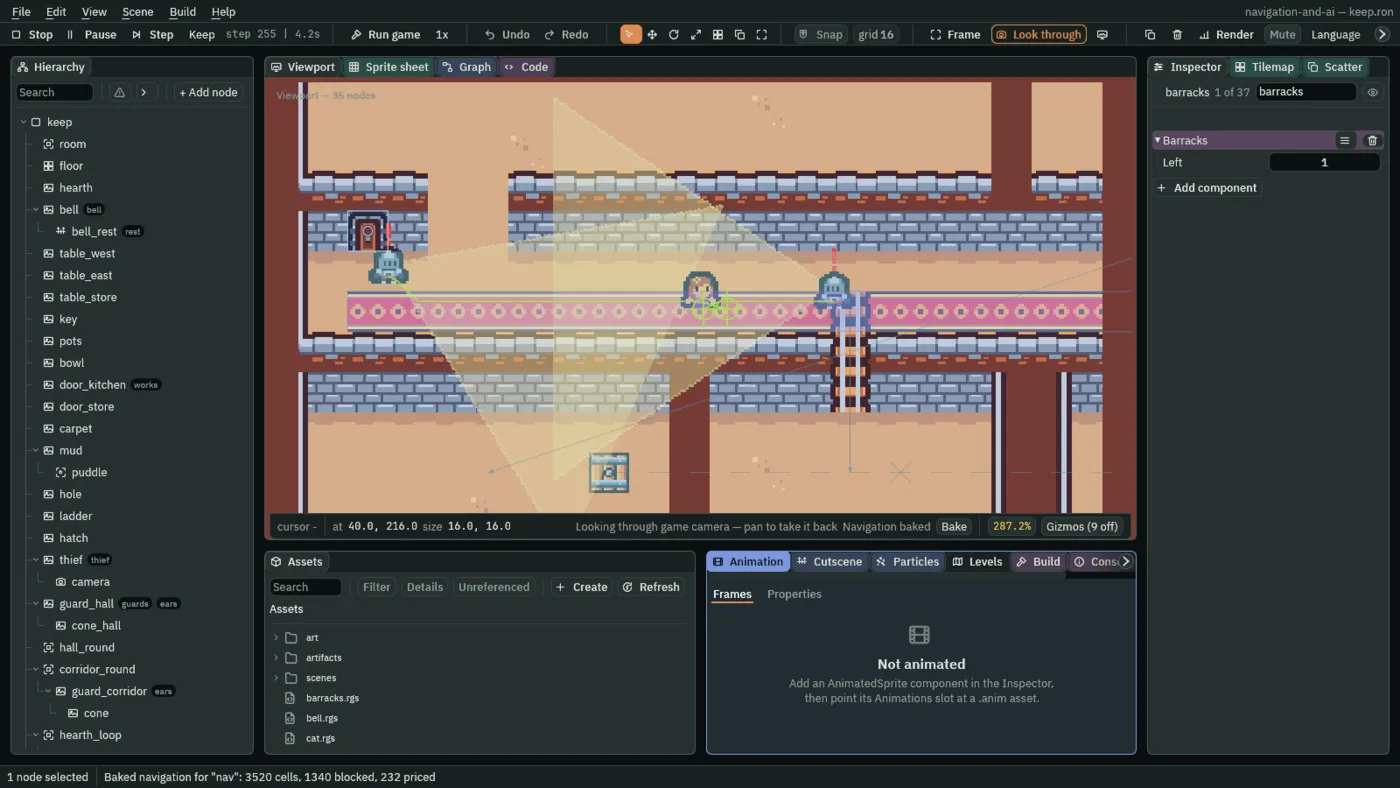
- Walk her west along the carpet ahead of him, holding A. Four seconds into the chase the bell rings: a guard comes out of the barracks’ door ahead of her, his red mark on, and runs to where she was last seen.
- Select
barracks, and typebarracksinto the Inspector’s search box: Left reads1. Selectbell_restand typetimerinto the search box: its Time Left counts down from10. Press F5 again to stop.
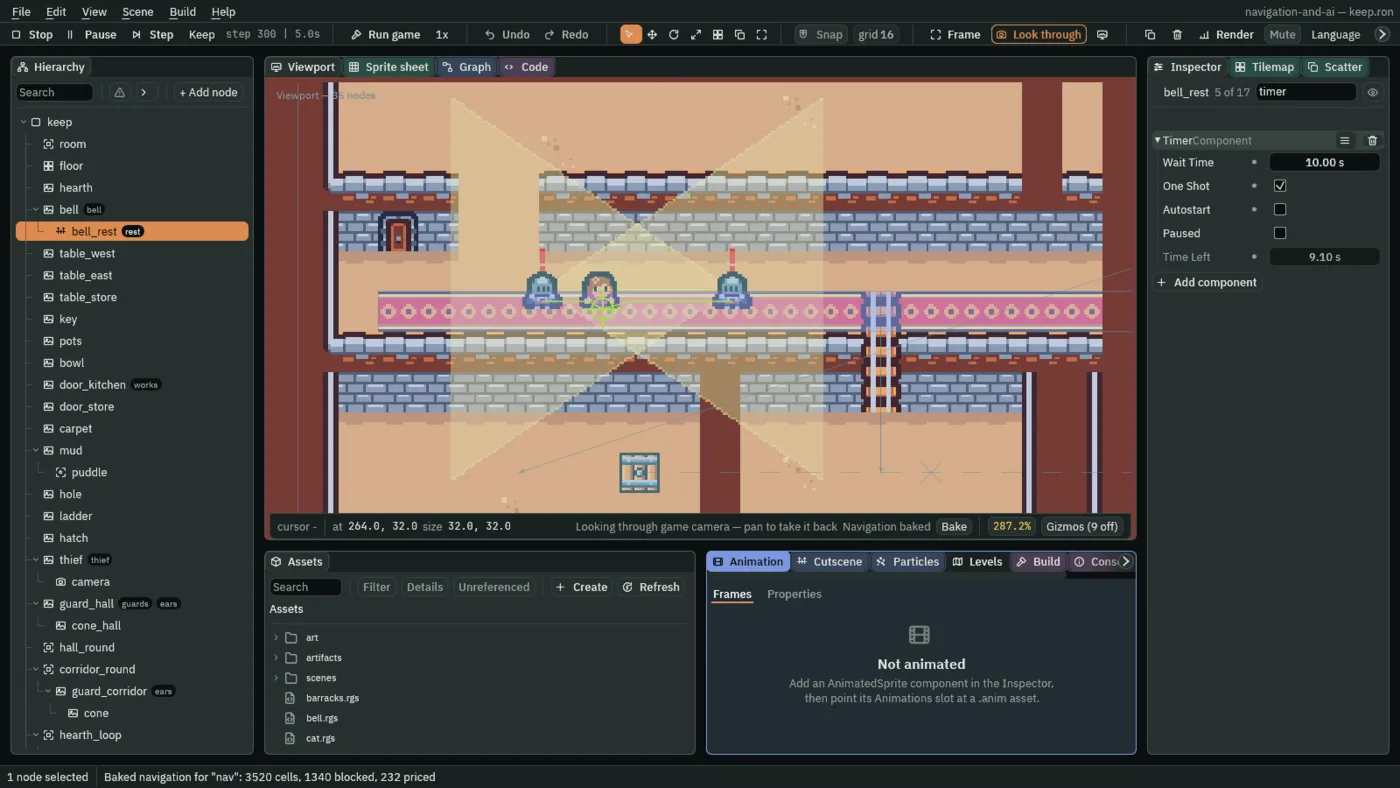
9.10 seconds left.What the chapter set
| Node | Component | Field | Value |
|---|---|---|---|
guard_hall | Screen Notifier | Size | 160, 96 |
| Enabler | ticked | ||
guard_corridor | Screen Notifier | Size | 160, 96 |
| Enabler | ticked |
| Node, in the artifact | Component | Field | Value |
|---|---|---|---|
reinforcement | node | Groups | guards, ears |
| Sprite | Texture | guard.png | |
| Size | 16, 16 | ||
| Anchor | 0.5, 1 | ||
| Sort Layer | 2 | ||
| Character Body | Size | 8, 6 | |
| Motion Mode | Floating | ||
| Driven By | Script | ||
| Layer | 2: the box labelled 1 | ||
| Nav Agent | Speed | 40 | |
| Face Walk | ticked | ||
| Use Links | unticked | ||
| Animated Sprite | Animations | guard.anim | |
| Frame Size | ticked | ||
| State Machine | Graph | guard.asm | |
| Timer | Wait Time | 6 | |
| One Shot | ticked | ||
| Autostart | unticked | ||
| Screen Notifier | Size | 160, 96 | |
| Guard | A | 40, 232 | |
| B | 600, 232 | ||
| Corners | 2 | ||
| Summoned | ticked | ||
reinforcement_cone, under reinforcement | node | Position | 0, -8 |
| Sprite | Texture | cone.png | |
| Size | 112, 154 | ||
| Anchor | 0, 0.5 | ||
| Sort Layer | 1 | ||
| Cone | added |
| Node | Component | Field | Value |
|---|---|---|---|
barracks, under keep | node | Position | 40, 216 |
| Groups | barracks | ||
| Sprite | Texture | tilemap_packed.png | |
| Size | 16, 16 | ||
| Atlas Region | door_closed | ||
| Sort Layer | 1 | ||
| Spawner | Entries, first row | guard, reinforcement.artifact | |
| Barracks | added | ||
bell_rest, under bell | node | Groups | rest |
| Timer | Wait Time | 10 | |
| One Shot | ticked | ||
| Autostart | unticked | ||
| Rest | added |
Every other field is as it comes, or as its script declares it: the reinforcement’s Enabler unticked and his Guard’s Hearing, Sight and the rest at the script’s values; the round guards’ Summoned unticked; the barracks’ Left 2.