Tutorials · Sound and Music · Chapter 2
Near and far
By the end
torch_leftwith a place in the room again: heard from its side, at its Volume inside its Min Distance of24and gone past its Max Distance of192, fading Linear between them, set with its two ringstorch_rightcrackling a little faster on an Inverse fall, and the well’s drip on a Logarithmic one- Every Rolloff defined, Custom and its curve among them, and Blend and Pan tried and put back
- An Audio Listener on the knight, so the crypt is heard from his feet and not from the camera
On this page
A torch with a place
With Positional ticked, a sound has a place: it is louder the nearer the knight is to it, silent beyond a distance you choose, and heard from the side it is on. Two distances say how, and the Viewport draws them as two rings round the source while it is selected.
- Select
torch_left. In its Audio Source, open Spatial and tick Positional. Max Distance brightens, and Blend, Rolloff and Min Distance appear under it. - Select
stoneand press F over the Viewport to see the whole crypt, then clicktorch_leftin the Hierarchy again: the view stays, and its ring is drawn round the torch: Max Distance,512for now, with a small square grab on its right. Min Distance is0, so it has no ring yet. - Drag that grab, the small square on the ring’s right, until Max Distance reads
192, or type192into it. - Set Rolloff to Linear.
- Type
24into Min Distance. A small ring appears round the flame, with its grab on its left: drag it to try other sizes, and leave it at24. - Press Ctrl+S.
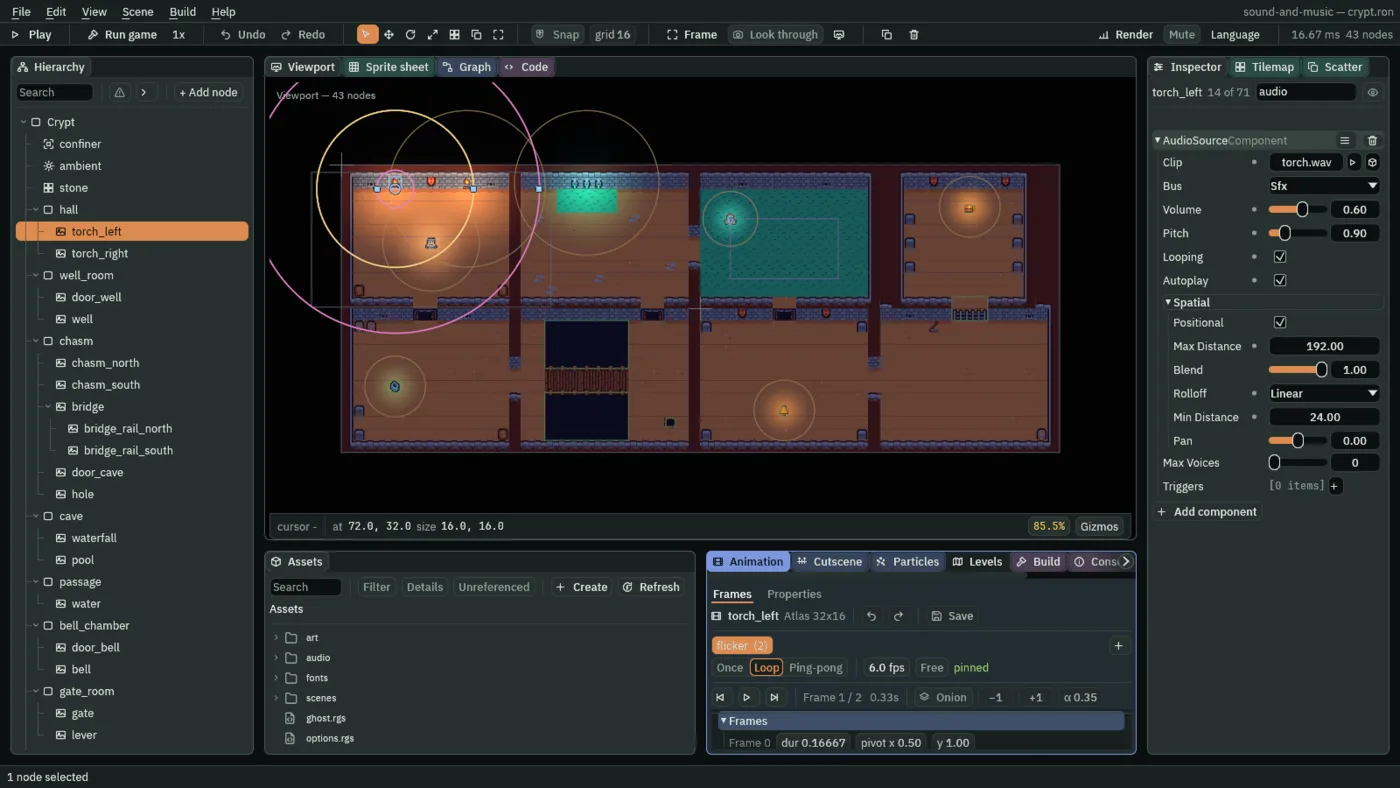
torch_left’s two rings: Min Distance 24 round its flame, Max Distance 192 out across the hall and just past the well room’s door.- Positional
- In the Spatial group: ticked, as a source comes, the sound is quieter the farther it is from where the room is heard, and leans to the ear on its side; unticked, it is the same everywhere, as chapter 1’s torch was. The rows from Max Distance to Min Distance are about how a placed sound is heard, and are dimmed or hidden when Positional is off; Pan works either way. A sound with a place is heard from the knight’s feet once he has an Audio Listener, below, and from the camera until then.
- Max Distance
- How far the source is heard, in world units: past it, silent.
192is twelve cells: across the hall, and gone just past the well room’s door. A source past its reach still plays, at nothing, so walking back brings it back where it was in its loop. The large ring, with its grab on the right. A new source’s is512. - Min Distance
- How near the source is at its full Volume, in world units: inside it, nothing is taken off for distance.
24is a cell and a half round the flame, so under the torch he hears it as loud as chapter 1’s. The small ring, with its grab on the left; at0it has no ring. A new source’s is0. - Rolloff
- How the sound fades between the two rings, measured as how far across the gap he is, from
0at Min Distance to1at Max Distance. Quadratic, as a source comes: falls fast at first, then eases into silence with no edge at the large ring. Linear: the same amount lost every step, so it arrives at silence still falling, an edge you can hear, which suits a sound that must be gone at a known place, as this torch is past the well room’s door. Inverse: a real fire’s fall, most of it lost in the first steps away, then hanging on faintly, and brought down to nothing at the large ring. Logarithmic: the same number of decibels lost every step, from none at the small ring to120at the large one, which sounds like a thing going steadily away. Custom: a curve you draw. - Custom, and its curve
- The Rolloff for a shape none of the other four give: choose it and a curve row appears under it, a small picture of the curve whose fold arrow opens it into a canvas, Min Distance at its left end and Max Distance at its right. The sound’s level at each distance is the curve’s height there, from
0to1. Double-click the line to add a point, drag a point to shape it, and right-click it to remove it. Until it has a point, the source falls as Quadratic does. No sound in the crypt needs one; chapter 12’s gallery has a bell that carries far, and draws its curve there.
A second fire
The right torch gets the same crackle, but not the same fire. A Pitch a little over 1 plays it faster and higher, so the two are never heard as one recording copied, and an Inverse fall makes it a small flame: loud right beside it, then faint across the room.
- Select
torch_right, press Add component and choose AudioSourceComponent. - Set Clip to
torch.wav, Volume to0.6and Pitch to1.1, and tick Looping and Autoplay. Leave Bus on Sfx and Positional ticked. - Set Max Distance to
192, Rolloff to Inverse and Min Distance to8, the size of its flame. - Press Ctrl+S.
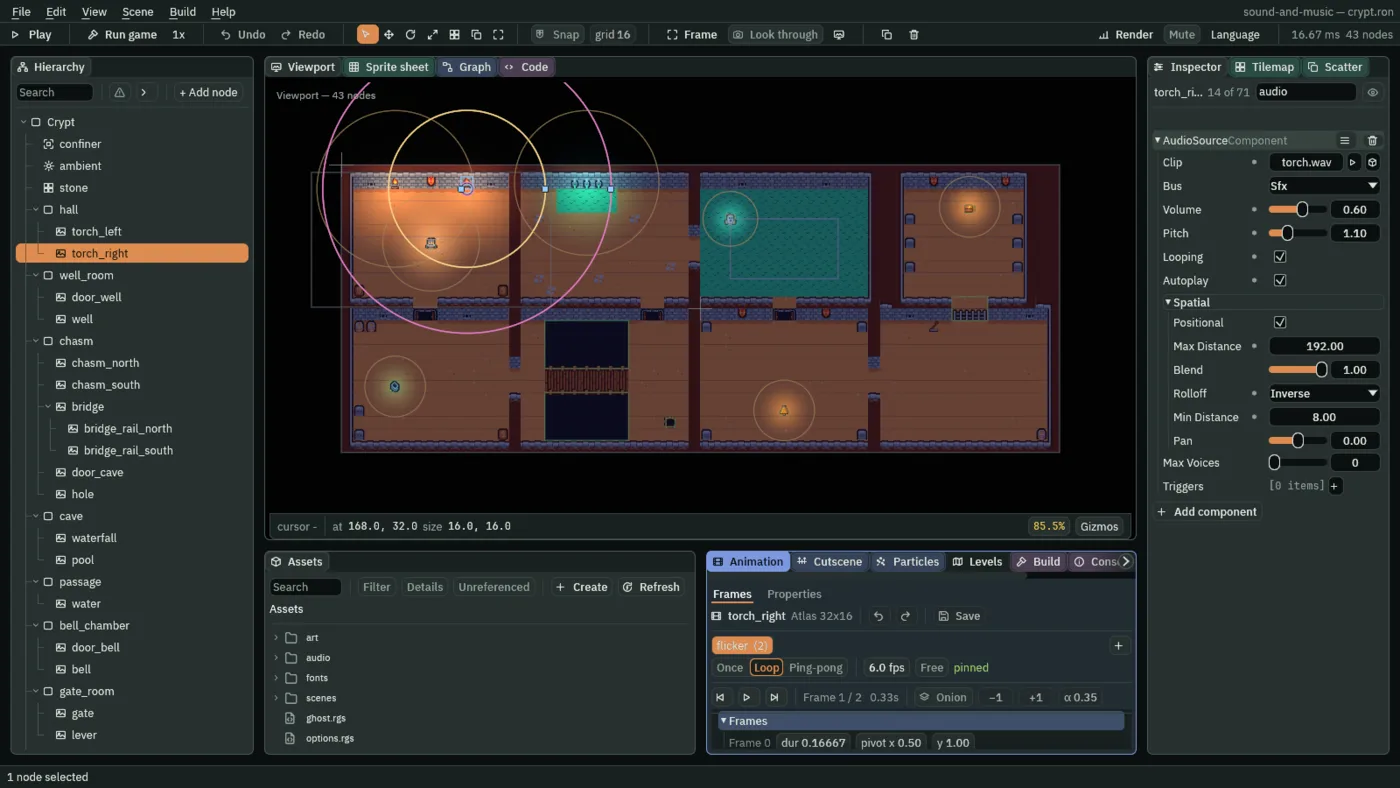
torch_right: Pitch 1.1, Inverse, Min Distance 8.At Pitch 1.1 its four-second loop plays in 3.64 s, and the left one’s in 4.44 s, so the two crackles drift past each other rather than beat as one.
The dripping well
The well room’s well drips. drip.wav, five drips in five seconds made to loop, came with the starter in audio.
- In Assets, click
drip.wavinaudio, set its Stream to Never in Details and press Save, as chapter 1 did for the crackle: it is five seconds, and plays all the while. - Select
wellinwell_room, press Add component and choose AudioSourceComponent. - Set Clip to
drip.wav, Volume to0.8, and tick Looping and Autoplay. - Set Max Distance to
320, Rolloff to Logarithmic and Min Distance to16, a cell round the well. - Press Ctrl+S.
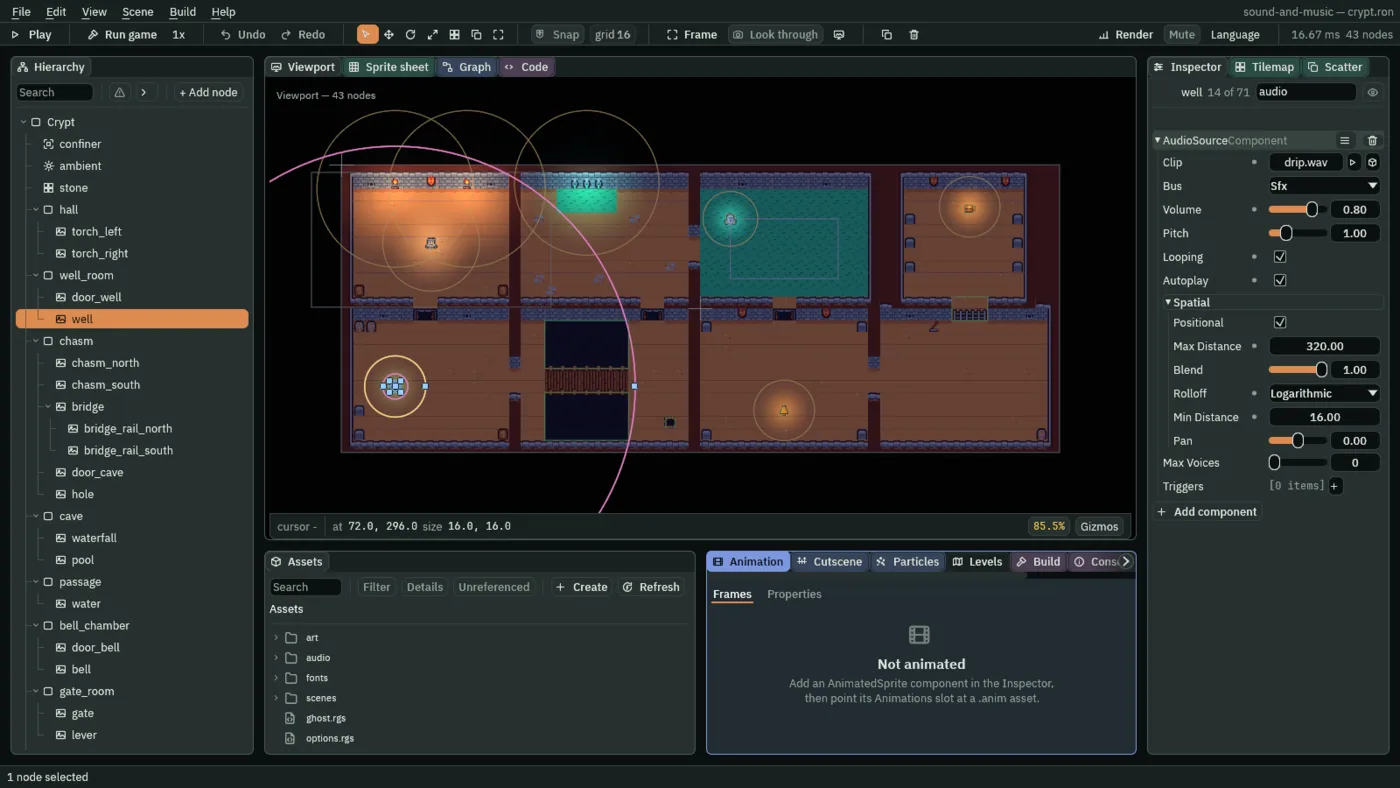
320, Logarithmic, Min Distance 16.The large ring reaches into the hall, and yet the drip is not heard there. Logarithmic loses the same number of decibels every step, 120 across the gap, about 0.4 a unit: by the hall, 190 from the well, more than 60 dB has gone, and that is silence. It is heard only as he comes near the well, which is what a drip in a well should do.
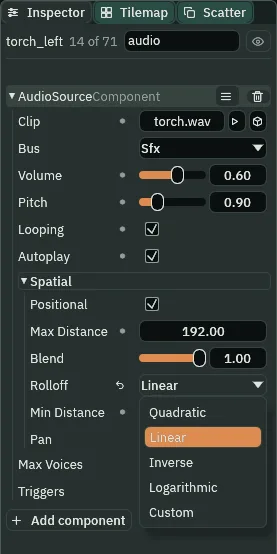
Quadratic is where every source starts, and no sound in this chapter keeps it: each has a fall of its own, and chapter 7’s waterfall is the sound that keeps it.
Ears for the knight
A placed sound is heard from somewhere. With no Audio Listener in the scene, that is the camera. The knight’s camera follows him, but near the crypt’s walls the confiner holds it off him, so it would hear the room from a place he is not. An Audio Listener on the knight hears from his feet.
- Select
knight, press Add component and choose AudioListenerComponent. Its one field, Enabled, comes ticked. - Press Ctrl+S.
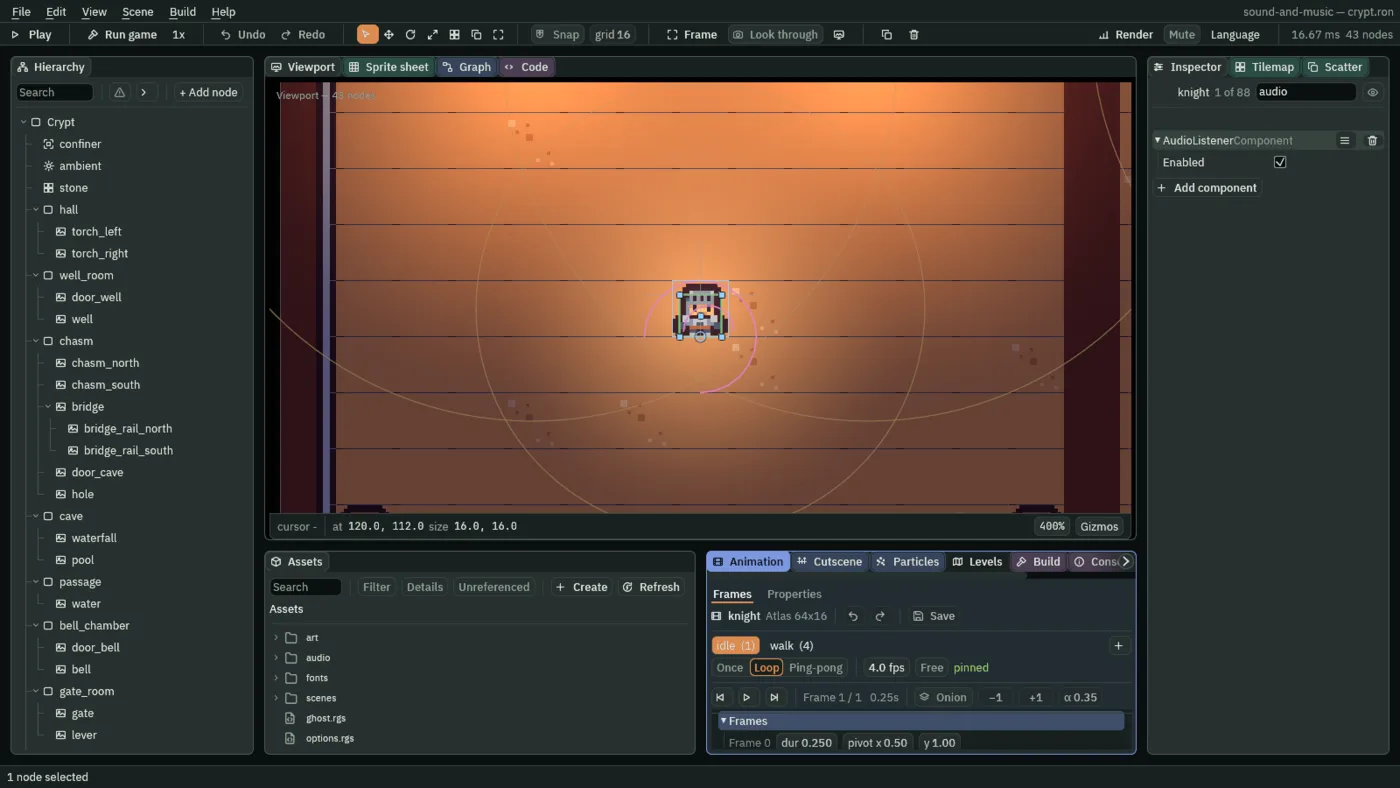
- The Audio Listener’s Enabled
- Whether the crypt is heard from this node. Ticked, as it comes, every placed sound is measured from the knight’s feet and panned by his side. Unticked, or with no Audio Listener at all, the camera hears instead. By the hall’s west wall the two differ: the
confinerholds the camera atx160, east of him, so without his Listener the left torch would be heard on his left when it is on his right.
Near and far, heard
- Press F5 and click the Sound tab.
- Walk east to the end of the hall, then down through the south door into the well room and to the well.
- Press F5 again to stop.
What it sounds like
Two wood-fire crackles, a little louder on the left at first; then they slide across into the left ear and drop back, and stay there, quieter, on the left.
What it sounds like
Two crackles fading fast and stopping; a moment of silence; one faint drip, then two clear drips into water close by.
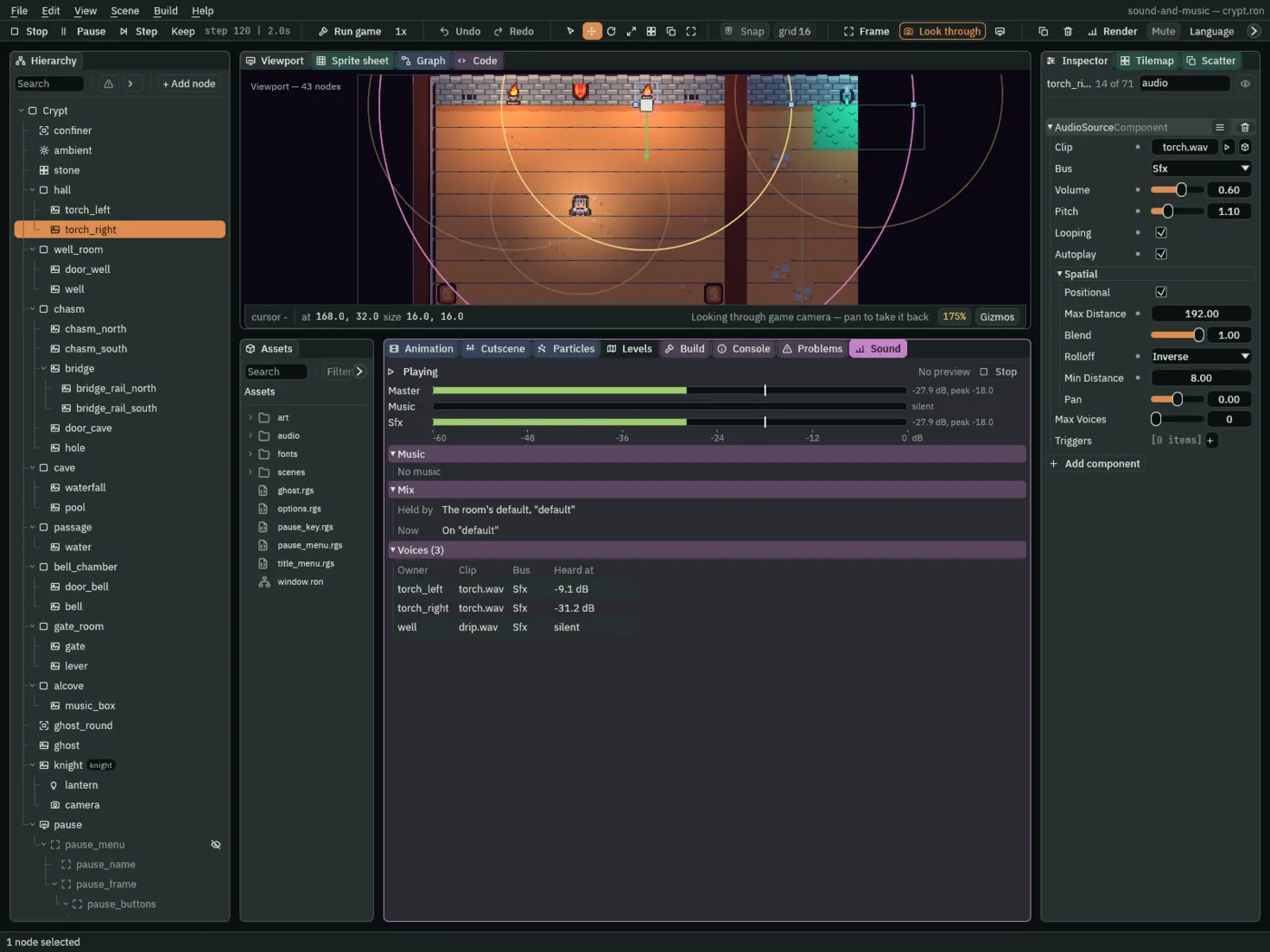
torch_left at -9.1 dB, torch_right at -31.2 dB on its Inverse, the well silent from the hall.At his start the torches are each 93 from him. The left one, on Linear, is 0.41 of the way across its gap from 24 to 192, so it keeps 0.59 of its Volume: -9.1 dB. The right one, on Inverse, has lost all but a twentieth of its Volume in those few steps: -31.2 dB. Walk up under the left torch, against the wall, and it reads -4.4 dB, chapter 1’s: inside its Min Distance, nothing is taken off.
Blend and Pan, tried and put back
Two more fields in Spatial, each tried here and left as it comes, because every sound in the crypt is a thing in its room and where it stands already says how loud it is and which side it is on.
- Blend
- How much of the source’s place is used, from
0, none, to1, all, as it comes. At0.5half the sound is placed and half is heard the same everywhere, past Max Distance too. Try it: set the well’s Blend to0.5and walk to the bridge’s east bank, past its reach. The drip is still heard, about6dB under its Volume; at1there is nothing there. Set it back to1. Chapter 12’s bell uses a Blend under1, so a tenth of its toll is heard in every room. - Pan
- A lean added to the side the sound is heard from, from
-1, all left, to1, all right;0, as it comes, adds none. The place gives its own lean: how far to his side the source is, against its Max Distance. Try it: settorch_left’s Pan to-0.75and stand right under it, where its place gives it no side. It is heard on the left, by more than3dB. Set it back to0. Chapter 4’s doors use a Pan of their own, for a recording that leans.
Near and far
| Node | Component | Field | Value |
|---|---|---|---|
torch_left | Audio Source | Positional | ticked |
| Max Distance | 192 | ||
| Rolloff | Linear | ||
| Min Distance | 24 | ||
torch_right | Audio Source | Clip, Bus | audio/torch.wav, Sfx |
| Volume, Pitch | 0.6, 1.1 | ||
| Looping, Autoplay, Positional | ticked, ticked, ticked | ||
| Max Distance | 192 | ||
| Rolloff | Inverse | ||
| Min Distance | 8 | ||
audio/drip.wav | its Details | Stream | Never |
well | Audio Source | Clip, Bus | audio/drip.wav, Sfx |
| Volume, Pitch | 0.8, 1 | ||
| Looping, Autoplay, Positional | ticked, ticked, ticked | ||
| Max Distance | 320 | ||
| Rolloff | Logarithmic | ||
| Min Distance | 16 | ||
knight | Audio Listener | Enabled | ticked |
On all three sources, Blend is 1 and Pan 0, as they come; torch_left keeps its Clip, Volume 0.6 and Pitch 0.9 from chapter 1.