Tutorials · Sound and Music · Chapter 1
A sound in the room
By the end
- The starter open in the editor: a crypt of eight rooms, a title screen, a knight in the entrance hall, and not a sound
torch.wavheard in the Assets panel, its length and its waveform read, and its Stream set to Never- An Audio Source on
torch_leftthat crackles from the moment the crypt opens, looping, on the Sfx bus, at a Volume of0.6and a Pitch of0.9 - The Sound tab read while the game plays: a meter for each bus, and each sound heard with its owner and its level
On this page
The crypt you start from
Sound and Music does not start from an empty folder. It starts from a crypt, seen from above, with a knight standing in its entrance hall, a ghost drifting through it and a title screen in front of it, all of it built and none of it making a sound. Everything you add from here is something heard.
The starter is sound-and-music.zip; the overview says what is in it.
- Download the starter and unzip it somewhere outside your other projects. You get one folder,
sound-and-music. - Open Rengy. In the launcher, choose Open project… and pick the
sound-and-musicfolder. - The editor opens the project’s startup scene,
scenes/title.ron. In Assets, openscenesand double-clickcrypt.ron. - In the Hierarchy, select
stone, move the pointer over the Viewport and press F to frame it: the whole crypt. - Press F5. The knight stands in the entrance hall; walk him with W, A, S and D. Nothing makes a sound. Press F5 again to stop.
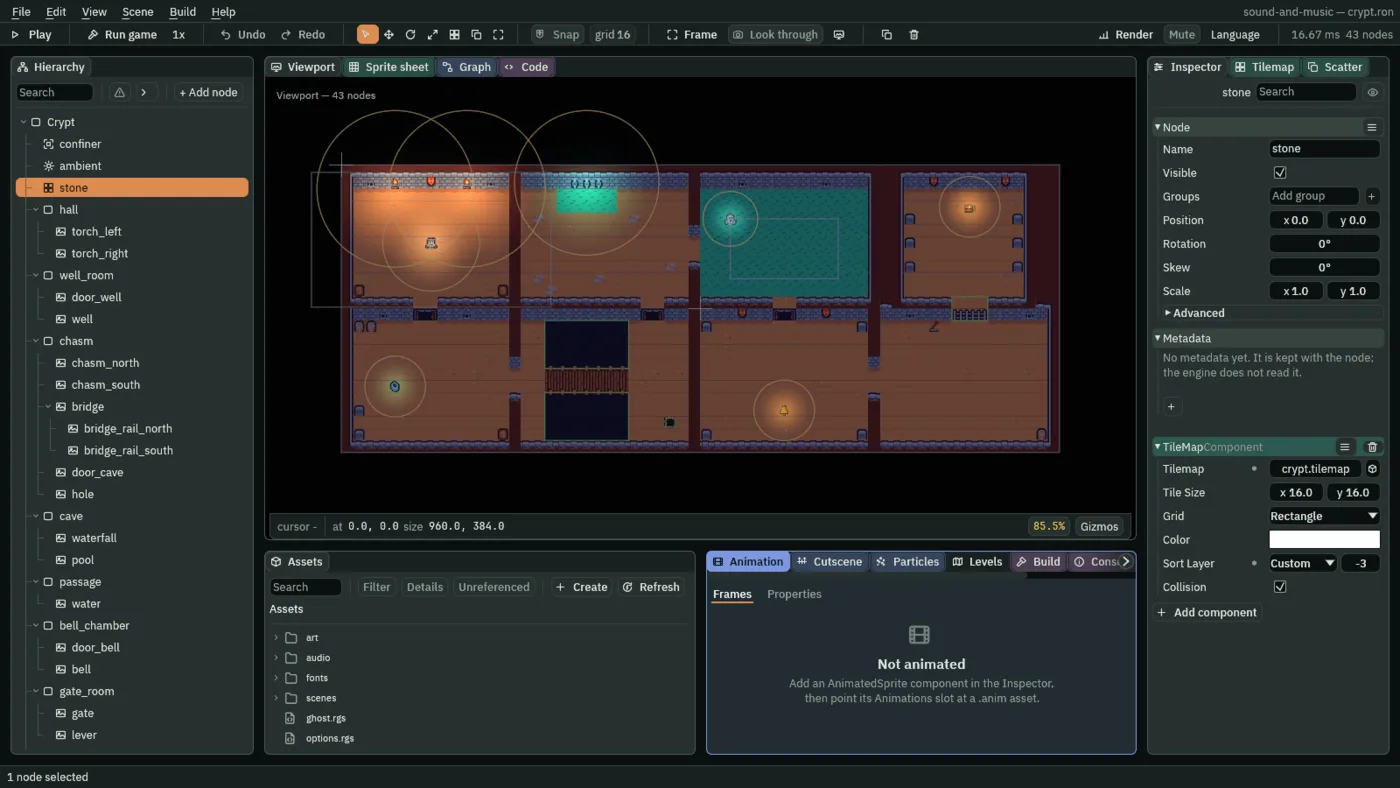
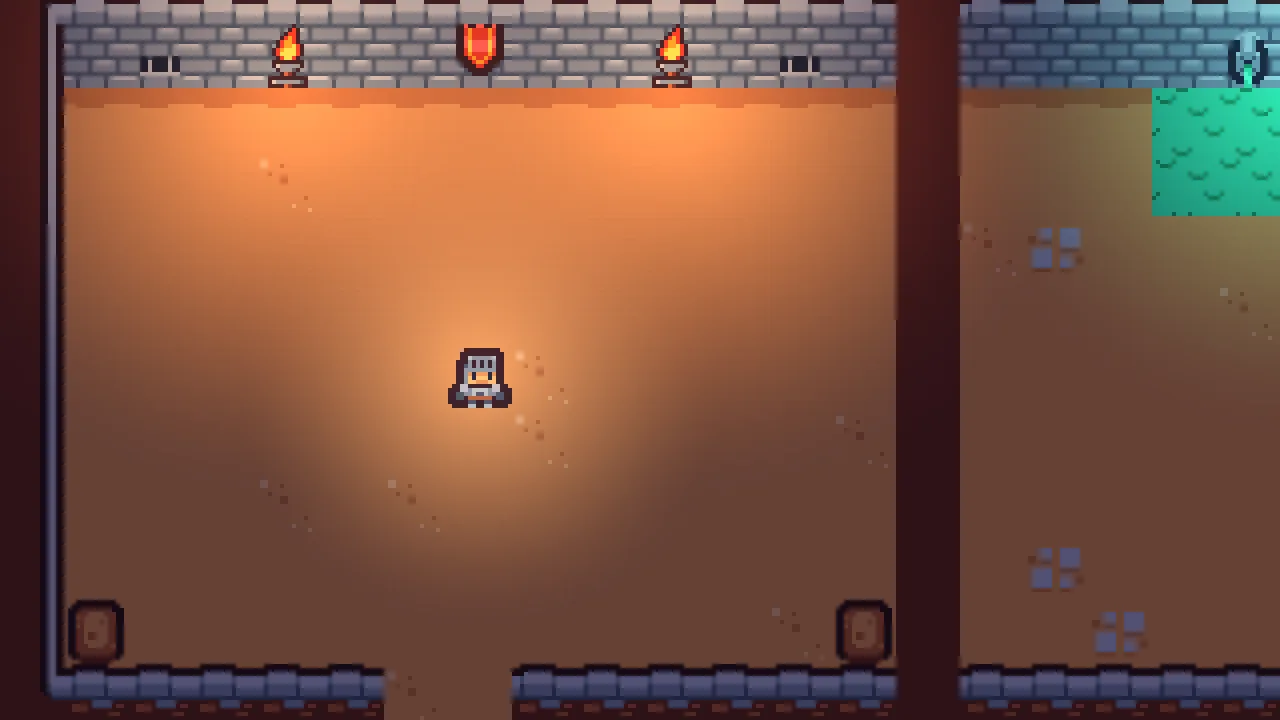
60 (1.00 s) of Play: the knight where the starter puts him, in the entrance hall.The crypt is 960 by 384 world units, eight rooms of about 224 by 160, each tile 16. Its rooms are Nodes at their middles, holding what stands in them. The knight’s way snakes through them column by column, which is the order the chapters give them sound:
| Room | Node | What stands in it | The way in |
|---|---|---|---|
| The entrance hall | hall | torch_left and torch_right, on the north wall | where the knight starts, 120, 112 |
| The well room | well_room | door_well, well | down through door_well |
| The bridge | chasm | bridge over the chasm, door_cave, hole | east through an arch |
| The cave | cave | waterfall, pool | up through door_cave |
| The flooded passage | passage | water, and the ghost’s round | east through an arch |
| The bell chamber | bell_chamber | door_bell, bell | down through door_bell |
| The gate room | gate_room | gate, lever | east through an arch |
| The music box’s alcove | alcove | music_box | up through gate, shut |
The knight walks on W, A, S and D at 80 units a second, seen from above: his camera, his child, shows 320 by 180 world units, and the confiner keeps it inside the crypt. The ghost follows a closed path round the flooded passage, ghost_round, and sends him back to the hall if it touches him. Esc opens the pause menu. Every position on these pages is in world units, with 0, 0 at the crypt’s top left and y growing downward.
The title, scenes/title.ron, is the project’s first scene: Run game starts there, and its Play button opens the crypt. Its Options panel has three sliders, Master, Music and Sfx, that set nothing yet. Play in the editor’s toolbar plays the scene that is open, so with crypt.ron open, F5 drops you straight into the crypt.
The starter holds no Audio Source, no Audio Listener, no Audio Mix and no Audio Zone. Its audio folder holds fifteen sounds made for this tutorial, each a .wav: the torch’s crackle, the well’s drip, the gate’s grind, the crypt’s music, the music box’s tune and the others the later chapters use. Each chapter says when it first uses one. The other sounds are Kenney’s and two pieces of music, which you download as the chapters need them.
Hearing a sound before it is placed
Rengy plays .ogg (Ogg Vorbis), .wav and .mp3 files. It does not read FLAC, so convert that first. A sound file you copy into the project folder appears in Assets once you press Refresh, and the Assets panel plays it to you before any node does.
- In Assets, open the
audiofolder and clicktorch.wav. - Press Details in the panel’s bar. The panel opens a strip under the list for the file you clicked: its name, its kind, Audio, its path, and under them Play, Stop, its length and its waveform.
- Press Play. The crackle plays once, four seconds of it. Press Stop to cut it short. One clip is heard at a time: pressing Play on another stops this one.
- Under the waveform, click Never beside Stream, then press Save at the foot of the strip.
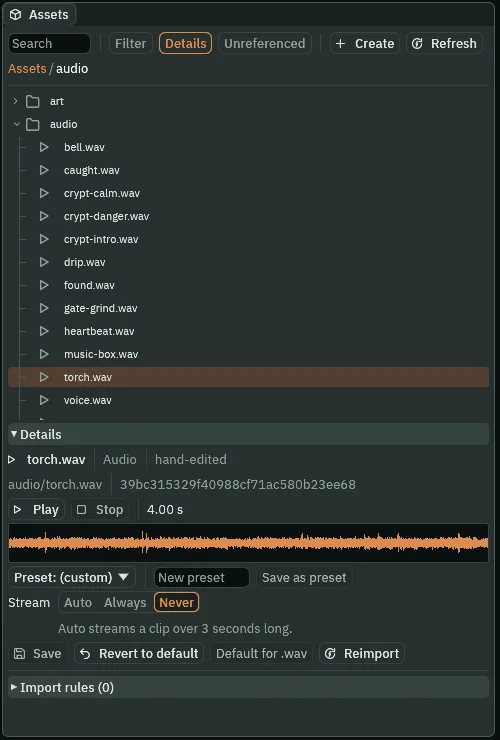
torch.wav in Details: four seconds, as decoded, and Stream saved on Never.- Play and Stop, in Details
- Hear the clip on its own, in the editor, and stop it. Nothing in the project changes. A file the editor cannot read says so in place of its waveform, and its Play is greyed.
- The length and the waveform
- How long the clip plays, in seconds, as the editor decoded it, and its loudness drawn across that time. The crackle’s waveform is the same height from end to end: it has no start and no end to hear, which is what lets it loop.
- Stream
- How a game holds the clip while it plays. Never decodes it whole into memory as the game opens, so nothing is read from the file while it plays. Always reads it from its file a little at a time while it plays, so a long track costs little memory. Auto, as every clip comes, streams a clip over three seconds long and holds a shorter one whole. Saving writes it into the clip’s
.meta, beside it in the folder, and marks it hand-edited; Revert to default puts Auto back.
Mute, near the right end of the toolbar, silences the editor: what you hear in Details and what Play plays. It is the editor’s own switch, and changes nothing in your project.
A torch that crackles
An Audio Source gives a node sounds. The hall’s left torch, torch_left, gets one, playing the crackle for as long as the crypt is open.
- In the Hierarchy, open
halland selecttorch_left. Press Add component and choose AudioSourceComponent. - Click its Clip slot and choose
torch.wavfrom the list, or dragtorch.wavfrom Assets onto the slot. The ▶ beside the slot plays it, as Details did. - Leave Bus on Sfx. Set Volume to
0.6and Pitch to0.9. Click a number to type into it, and press Enter. - Tick Looping and Autoplay.
- Open Spatial and untick Positional. Chapter 2 ticks it again.
- Press Ctrl+S.
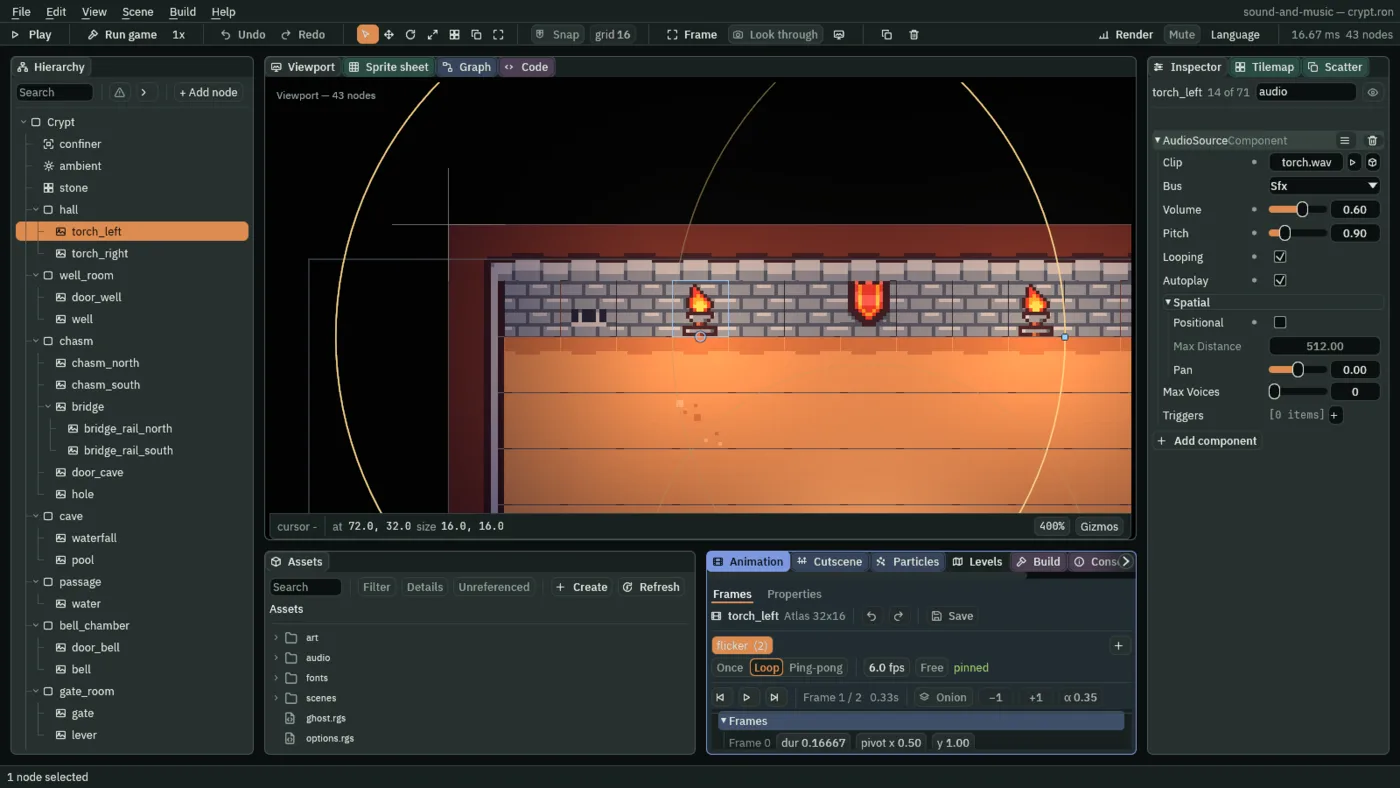
audio typed into the Inspector’s search box so it shows nothing else.- The Audio Source’s Clip
- The sound the source plays by itself, when Autoplay starts it. It is the source’s own sound; a script, or the frames of an animation, play other sounds through its triggers, from chapter 3. Empty, as a new source comes, the source plays nothing by itself.
- Bus
- Which of the game’s three volumes the sound answers to: Sfx, as a source comes, for sounds in the room; Music for music; or Master, the one every sound goes through last. A sound in the room is an effect, so the torch stays on Sfx. Chapter 5 puts music on Music, and chapter 6 gives each bus its own slider and its own effects.
- The Audio Source’s Volume
- The source’s own loudness, from
0, silent, to1, the clip as it was recorded, before distance and the bus.0.6leaves room for what the next chapters bring into the hall: a second torch, the well, his steps and music. A new source’s is1. - The Audio Source’s Pitch
- The speed the clip plays at, which is also how high it sounds:
2is twice as fast and an octave up,0.5half as fast and an octave down. At0.9the four-second crackle plays in4.44s, a touch slower and lower: a bigger, slower fire. A new source’s is1. - Looping
- Plays the source’s own Clip again from its start the moment it ends, until something stops it. The crackle is made to join, so a loop of it has no seam to hear. It is about the Clip that Autoplay starts; chapter 4 says what it means for a script’s sounds.
- Autoplay
- Starts the source’s own Clip as the node comes into the game: as the crypt opens, in the editor’s Play and in an exported game. Unticked, as a source comes, its Clip waits for nothing and never plays.
- Positional
- In the Spatial group: whether the source has a place in the room, heard louder near it and from its side. Ticked, as a source comes. Unticked, the crackle is heard the same wherever the knight is, from both sides alike: Max Distance is dimmed, and the rows that shape the fall are hidden until it is ticked. Chapter 2 is all about it.
Hearing it in the game
- Press F5. The crackle starts with the room.
- Click the Sound tab, the last of the tabs in the dock under the Viewport, after Problems; the arrow at the end of the row of tabs scrolls to it when the dock is narrow. While the game plays, it shows what is sounding.
- Walk the knight around, as far as you like. The crackle does not change.
- Press F5 again to stop.
4.4 and 8.9 seconds: there is none. What it sounds like
A soft wood-fire crackle, steady and even, the same in both ears, from the first instant to the end, with no pause anywhere.
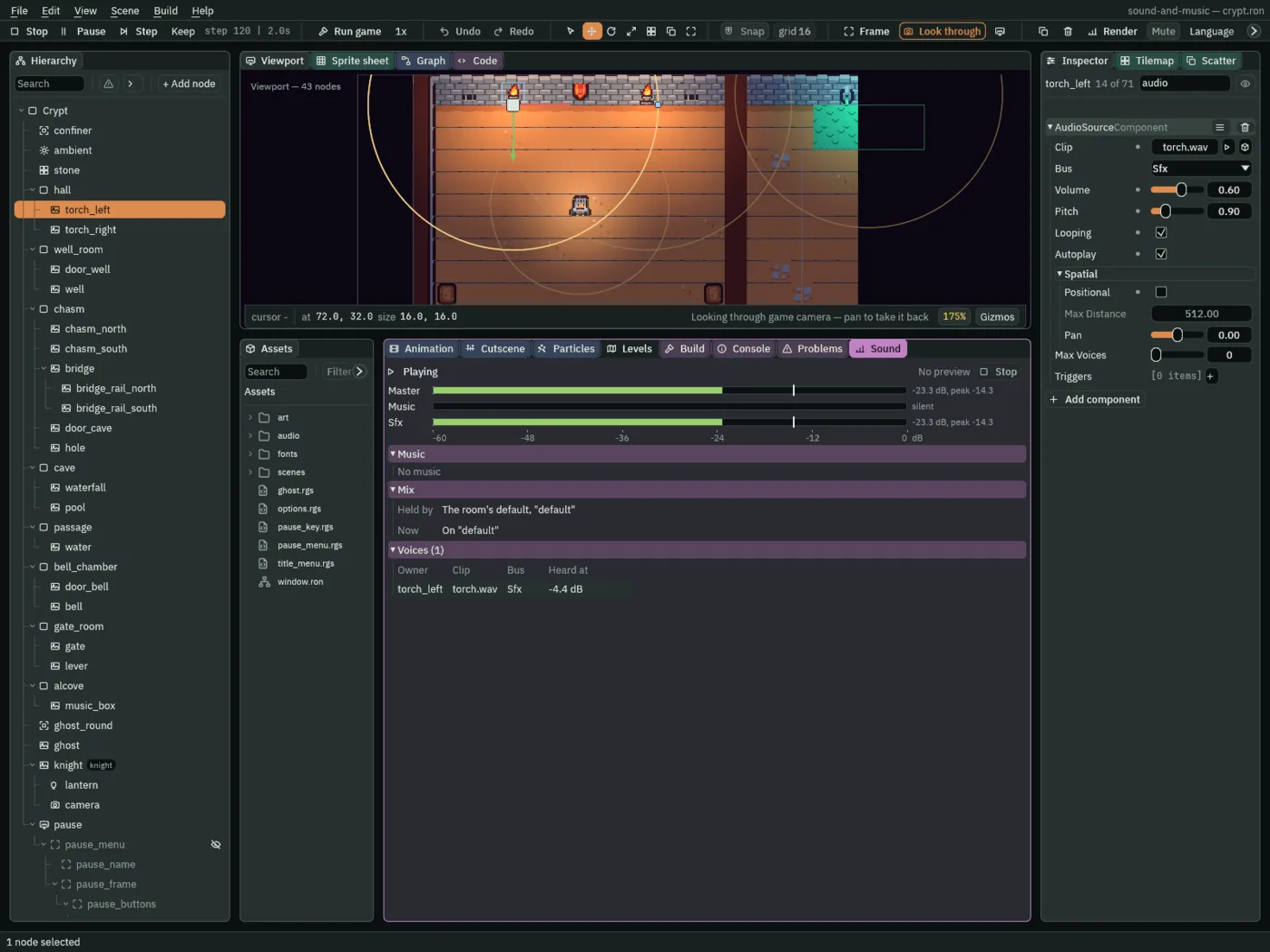
-4.4 dB, and the Sfx and Master meters moving with it.- The Sound tab’s meters
- One a bus, Master, Music and Sfx: a bar for how loud the bus is now, on a scale from
-60dB on the left to0dB, the loudest a game can play, on the right, with its reading beside it; and a tick for the loudest moment of the last second, its peak. A bus with nothing on it reads silent. Outside Play the meters are the Details preview’s. - The Music and Mix bands, in the Sound tab
- What the music plays, and who asked for it: none yet, until chapter 5. Which mix the game hears and who chose it: the room’s own, until chapter 6 gives the crypt one.
- Voices, in the Sound tab
- Every sound playing now, a row each: its Owner, the node whose source plays it; its Clip; its Bus; and what it is Heard at, in decibels against the clip as it was recorded: its Volume, and in later chapters its distance and its mix. The torch’s
0.6is-4.4dB. A voice too quiet to hear, under-60dB, reads silent.
Positional is unticked, so where the knight stands changes nothing. Put him under the gate at the far end of the crypt, 840, 224, as far as he can go before chapter 4 opens it, and the torch is heard as loud as in the hall, from both sides alike: the same -4.4 dB, the same meters.
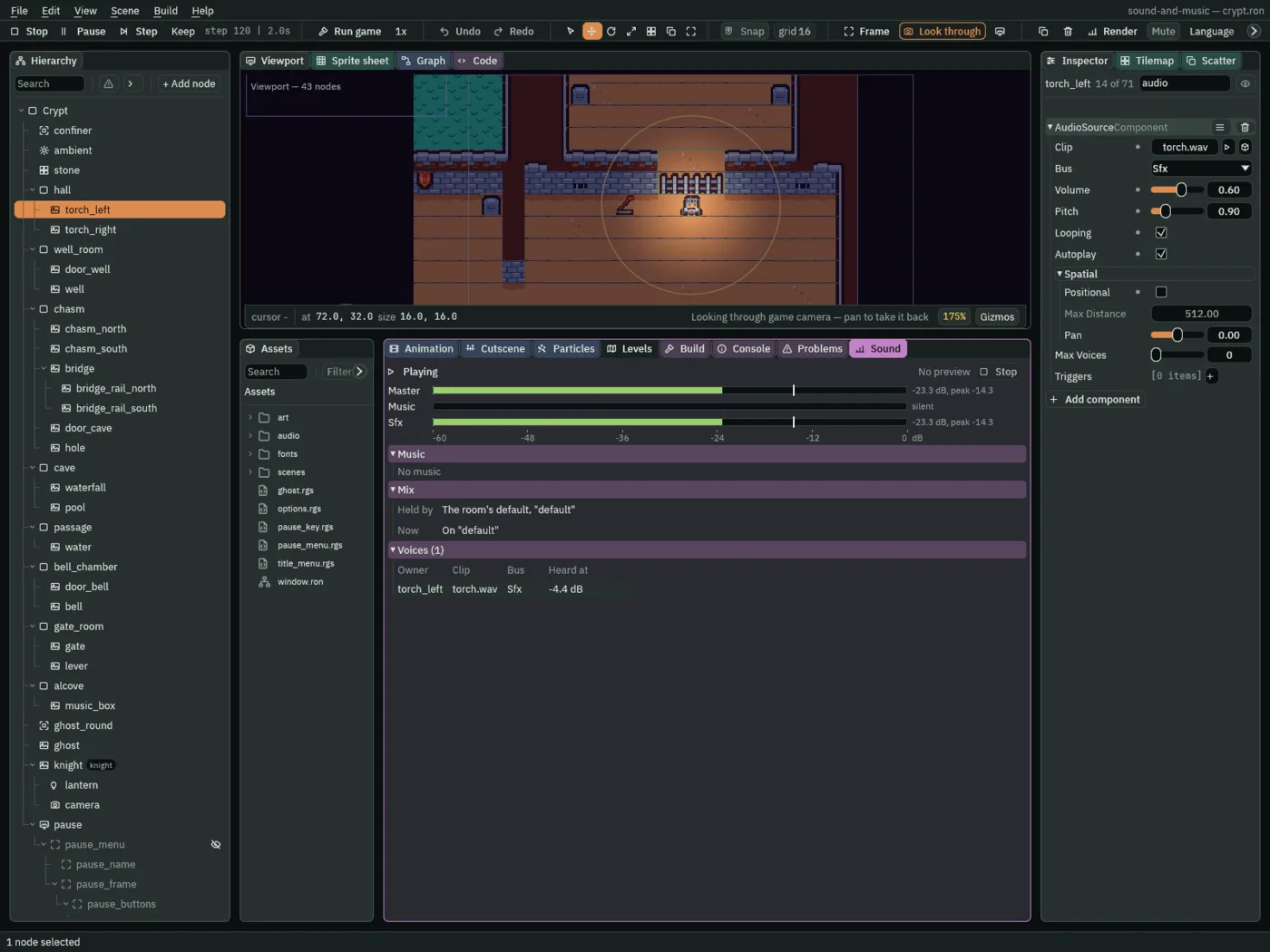
-4.4 dB.To hear the difference, tick Positional, press F5 and walk him east: the crackle fades as he goes, and under the gate, more than 512 from the torch, its Max Distance, it is gone. A source with a place in the room is heard from that place. Untick it again, and press Ctrl+S. That place is the next chapter.
The torch
| Node | Component | Field | Value |
|---|---|---|---|
audio/torch.wav | its Details | Stream | Never |
torch_left | Audio Source | Clip | audio/torch.wav |
| Bus | Sfx | ||
| Volume | 0.6 | ||
| Pitch | 0.9 | ||
| Looping, Autoplay | ticked, ticked | ||
| Positional | unticked |
Every other field of the source is as it comes: Max Distance 512, Blend 1, Rolloff Quadratic, Min Distance 0, Pan 0, Max Voices 0 and no Triggers. Chapters 2 and 3 set them.