Tutorials · Sound and Music · Chapter 12
A gallery of sound
By the end
- A third button on the title, Gallery, and two levels after the crypt, each a scene of its own: the gallery and the jukebox’s room
- A radio heard through a wall: a zone whose snapshot ticks a HighPass and a BandPass on Sfx
- A ghost’s whisper through a script’s mix that ticks a Distortion, and lets go
- A machine whose hum’s Pitch and Volume wind up and down for ever, with
pulse_number - A fanfare that hands over to calm at its end, an AtEnd in the gallery’s own music asset
- A short cutscene whose audio cues play its music, a bow, and stop the music
- A bell carried across the rooms by a Custom rolloff, every field of its curve set, and a Blend that keeps a tenth of it beyond its reach
- His steps on boards, each take once a round: Shuffle
- A jukebox of four songs in a Playlist, shuffled from a Seed, leaning to its side under a Panner on Music, and ducking under the innkeeper’s line
On this page
- Two scenes beside the crypt
- Nine pictures from the sheet
- A third button
- The gallery
- The gallery’s music
- The gallery’s mix
- A radio through the wall
- A ghost’s whisper
- A machine that winds up and down
- A fanfare handed over
- A short cutscene with audio cues
- A sound that carries far
- Steps on boards
- The jukebox’s room
- Who decides what you hear
- The gallery, case by case
- Check it works
Reference
Two scenes beside the crypt
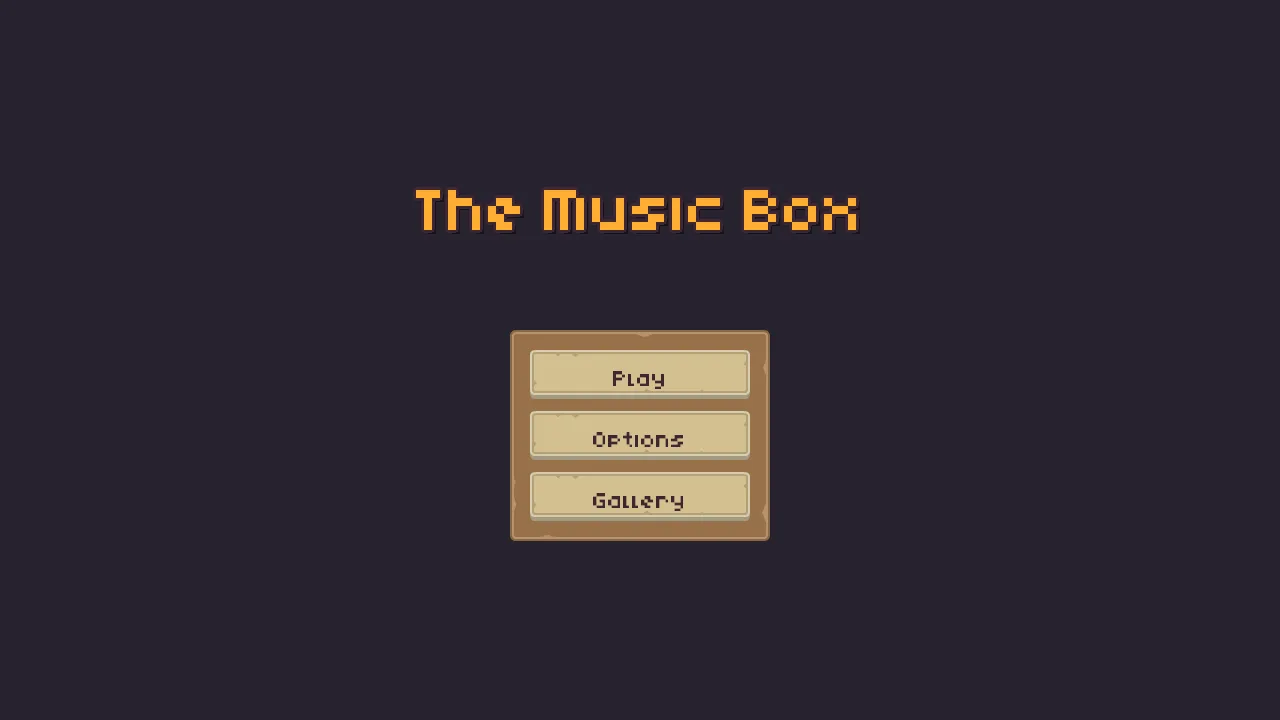
The crypt is finished. This chapter leaves it as chapter 11 left it, and adds two scenes beside it, scenes/gallery.ron and scenes/jukebox.ron. Each case in them is a small thing you know, a radio, a whisper, a machine, a chest, a show, a bell, a jukebox, and each sets something the crypt leaves as it comes, so that by the end you have used every sound control there is. The title gets a third button, Gallery; Escape in either scene goes back to the title.

The gallery’s sounds come from two downloads: the radio’s song, Heavy Boss Battle 1, and five of Kenney’s Music Jingles, the chest’s fanfare and the jukebox’s four songs; and five steps on boards, from Impact Sounds, which chapter 3 had you download. Two of the starter’s made sounds come in too: whisper.wav, a ghost’s breathy whisper, 2.6 seconds, and voice.wav, a line of dialogue with no words, 2.15 seconds.
- Download Heavy Boss Battle 1 and Music Jingles from their pages below. Copy the files the list names into your project’s
audiofolder, each from where it says, the five steps on boards from Impact Sounds with them, and press Refresh in the Assets panel. - Leave them all on Auto, as they come: the song is long and streams, and each jingle and step is short and is held whole.
Nine pictures from the sheet
The gallery’s things are cut from Tiny Dungeon’s sheet, as chapter 4 cut the shut door.
- In Assets, double-click
art/tilemap_packed.png. In the Sprite sheet tab’s Grid band, set Cell to16by16. - For each row of the table below, click its cell on the sheet, or drag across the cells for one bigger than a cell, type its name into Name in the Regions band, and press Name it.
| Region | x, y | Size | What it is |
|---|---|---|---|
radio | 96, 64 | 16 × 16 | the radio |
machine | 112, 64 | 16 × 16 | the machine |
jukebox | 48, 80 | 16 × 32, two cells down | the jukebox |
chest | 80, 112 | 16 × 16 | the chest |
performer | 0, 112 | 16 × 16 | the performer |
innkeeper | 32, 112 | 16 × 16 | the innkeeper |
table | 0, 96 | 16 × 16 | the listening room’s table |
stool | 16, 96 | 16 × 16 | its stool |
dais | 0, 48 | 48 × 16, three cells across | the stone bench the performer stands on |
A third button
- Open
scenes/title.ron. Selectoptions, undertitle_menu, and press Ctrl+D: a copy under it. Rename itgallery. - In its Text, set Text to
Gallery. In its Button, set Action togallery. - In its Focus, set Up and Previous to
options, and Down and Next toplay. Selectplayand set its Up and Previous togallery; selectoptionsand set its Down and Next togallery. The three are a ring. - Select
title_frameand set its Rect’s Offset Max y from480to541:61taller, a button and its gap. - Double-click
title_menu.rgsand replace everything in it with the script below. Press Ctrl+S.
/// The title's menu: Play opens the crypt, Gallery opens the gallery of sound,
/// and Options swaps this menu for the options panel, whose Back swaps it
/// back. A press clicks, and a move of the focus round the menu blips: the
/// triggers of this node's Audio Source.
component TitleMenu {
    /// Whether the menu is showing, so that it blips for its own focus moves
    /// and not for the options panel's.
    #[hidden]
    shown: bool = true,

    fn loop() {
        // A click on Play, Gallery or Options, or Enter or Space while it
        // holds the focus, presses its action on the game's next step. A
        // sound asked for on the step that changes scene plays on after it.
        if pressed("play") {
            play_sound("click");
            change_scene("crypt");
        }
        if pressed("gallery") {
            play_sound("click");
            change_scene("gallery");
        }
        if pressed("options") {
            play_sound("click");
            hide();
            shown = false;
        }
        // A click on the options panel's Back, Enter or Space while it holds
        // the focus, or Escape through its Shortcut.
        if pressed("back") {
            show();
            shown = true;
        }
        // W or S, or the Up and Down arrows, move the focus round the menu.
        if shown && (pressed("ui_up") || pressed("ui_down")) {
            play_sound("select");
        }
    }
}
The gallery
The gallery is 1296 by 192: one band of eight rooms, west to east, each a floor nine cells square, from y 32 to 176, with an arch two rows tall, y 96 to 128, through each wall between them. Each room is a Node at its middle, and everything in it is its child.
- Click the Levels tab. Type
Galleryinto the box in the panel’s bar and press Add level. The new row names a scene for it,scenes/gallery.ron, and warns that the file does not exist. Press Create scene under the warning: the editor writes an emptygallery.ronand opens it. - Click + Add node and choose Node. Rename it
Gallery. - Select
Gallery, click + Add node and choose Camera Confiner. Rename itconfiner, set its Position to648,96, the gallery’s middle, and its Bounds to1296,192. Until the camera arrives with the knight,confinercarries a warning, and Problems reads “This Confiner works on the active camera and this scene has no active Camera”: leave it. - Select
Gallery, click + Add node and choose Tilemap. Rename itstone, and set its Sort Layer to-3, as the crypt’sstonehas it: under the rooms’ boards, which come below on-2. - With
stoneselected, open the Tilemap tab beside the Inspector. Dragart/tilemap_packed.pngfrom Assets onto New tilemap…. The editor writes a new tilemap beside the sheet,art/tilemap_packed.tilemap, and pointsstoneat it; the status line at the foot of the window names the file. Its Tileset fold reads the sheet as it is: tiles16by16,12columns, no Margin. - Before you change anything in it, rename it: in Assets, right-click the new file, choose Rename, and type
gallery.tilemap.stonestill shows it. - In the Layers fold, the new tilemap has two layers,
backandground. Double-clickback: its name turns into a box, the name selected. Typefloorand press Enter. Renamegroundwallsthe same way.walls, the second layer, is the solid one as it comes: the gear button at the end of its row readsSN, Solid and Blocks nav, and a click on it shows the two ticked.floor’s gear reads nothing. - Click
walls, then the + under the rows, which adds an empty layer over the selected one:layer 1, afterwalls. Rename itdecoration. Its gear reads nothing: it stops nobody. - Under Tools, click Rect. Choosing a tool turns on Paint mode at the top of the tab: a drag in the Viewport now paints, and selects nothing.
- Paint the table below, a layer at a time: click the layer’s name first, so it is the one you paint on. For each tile the table names, hover the tiles in the picker at the tab’s foot until the tooltip reads its number,
#41for the wall’s face, and click it: the Tile line over the picker shows it. Then drag over the cells it covers, from inside the first to inside the last: both corner cells are painted. Columns count from0at x0and rows from0at y0, a cell every16; the cursor row under the Viewport reads where the pointer is. - Press the tab’s Save, which writes the tilemap, and Ctrl+S for the scene. Physics and Mechanisms paints a gallery tile by tile too, if you want the tab at more length.
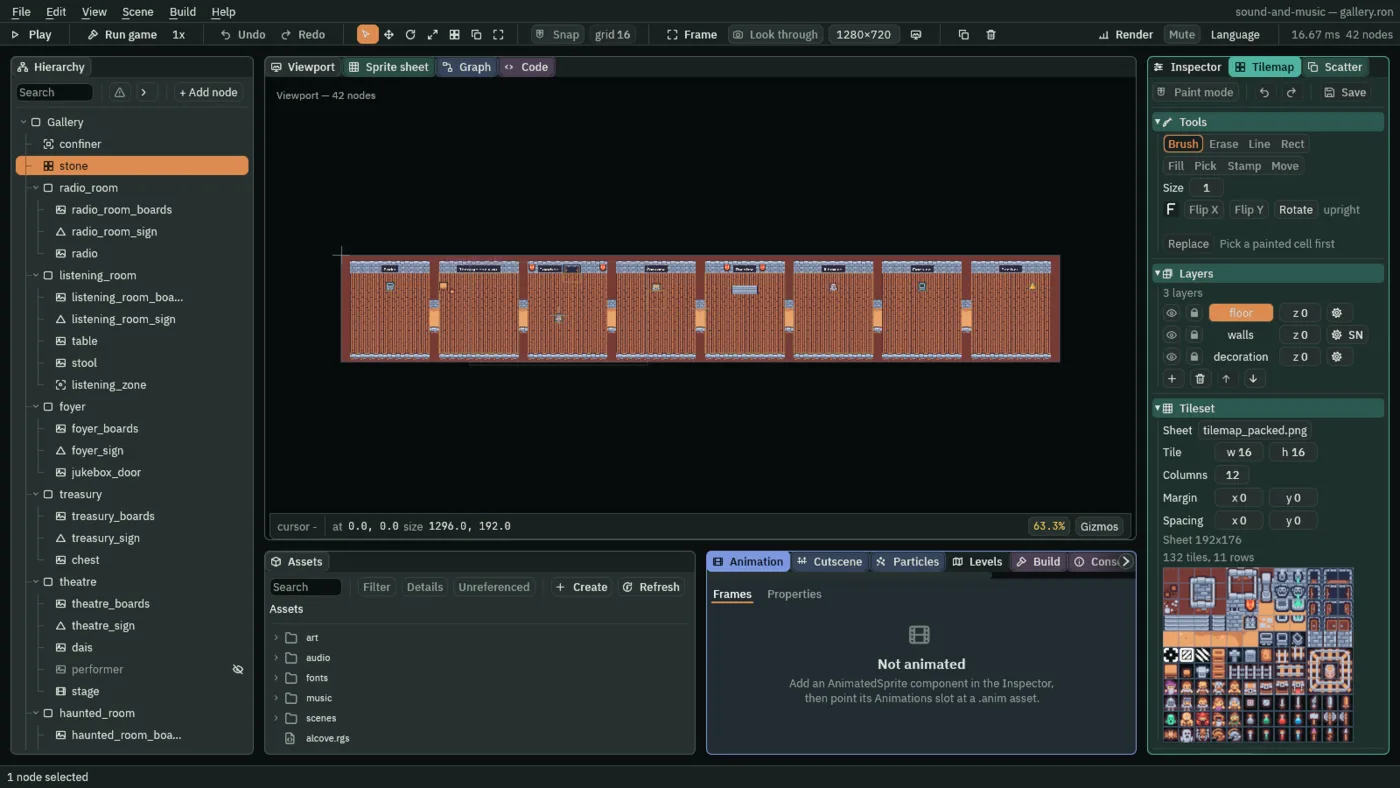
floor, walls, solid, and decoration.| Layer | Rows | Columns | Tiles, by the picker’s number |
|---|---|---|---|
walls | 0 | 0 to 80 | #1 in every tenth column, 0, 10 … 80, and the wall’s top, #3, between |
| 1 | 0 to 80 | #1 in every tenth column, and the wall’s face, #41, between | |
| 2 to 4, 9 and 10 | 0, 10 … 80 | #1 | |
| 5 | 0 and 80; 10 … 70 | #1 at the two ends; #41 over each arch | |
| 6 and 7 | 0 and 80 | #1: the arches are open | |
| 8 | 0 and 80; 10 … 70 | #1 at the two ends; #27 under each arch | |
| 11 | 0 to 80 | #1 in every tenth column, and the wall’s foot, #27, between | |
floor | 2 | each room’s 9 | #51, the floor under the wall |
| 3 to 10, and the arches’ 6 and 7 | each room’s 9, and 10 … 70 | #49, the plain floor, or #50, the same with a few pebbles, in any cells you like; #51 under each arch, on row 6 | |
decoration | 1 | 21, 29, 43, 47 | the banner, #30, either side of the foyer’s door and the theatre’s sign |
- For each room of the table below, select
Gallery, add a Node with its name at its Position, and under it a Sprite,<room>_boards: Textureart/planks.png, Atlas Regiondeck, Draw Mode Tiled, Size144,144, Tile Size16,16, Sort Layer-2. - Copy
knightfromcrypt.ron, his camera under him, and paste him underGalleryat the foyer’s start,392,120. Hislanterncomes with him: select it and delete it. The gallery has no lights, and one would make it a lit scene, dark but for the circle round him. - Make
leave.rgswith the script below: in Assets, click Assets in the path bar, then Create → New script, typeleaveand press Enter. Every script this chapter makes is made so, at the project’s top beside the others. SelectGallery, press Add component and choose Leave.
| Room (node) | Position | Holds | Its sign says |
|---|---|---|---|
radio_room | 88, 104 | radio | Radio |
listening_room | 248, 104 | listening_zone; table at -64, -48 and stool at -48, -40, against the radio room’s wall | Through the wall |
foyer | 408, 104 | jukebox_door; the knight’s start | Jukebox, left of the door |
treasury | 568, 104 | chest | Fanfare |
theatre | 728, 104 | stage, performer, dais | Theatre |
haunted_room | 888, 104 | ghost | Whisper |
machine_room | 1048, 104 | machine | Machine |
belfry | 1208, 104 | bell | Far bell |
/// Escape, which the input map calls pause, leaves the gallery for the title.
/// It sits on the root of each of the gallery's two scenes.
component Leave {
    fn loop() {
        if pressed("pause") {
            change_scene("title");
        }
    }
}
So a visitor can tell the rooms apart, each has a sign in its north wall, <room>_sign, 80 above the room’s middle; the foyer’s is 32 west of it, left of the door.
- Select a room, click + Add node and choose Shape. Rename it
<room>_signand set its Position to0,-80. Set its Kind to Rectangle, its Size to the sign’s width by12, its Color to the pack’s navy,38,43,68, its Outline to1in the pack’s dark outline,63,38,49, and its Sort Layer to0. - On the same node, press Add component and choose WorldTextComponent: Text the room’s sign, Scale
0.25, Color the pack’s beige,236,227,206, Offset0,0, Pixel Size unticked, Sort Layer1, Outline Width0. - The width is the words’ and
4either side:30for Radio,78for Through the wall,42for the rest.
A World Text draws in the project’s font, Kenney Mini, here at 32 px; at Scale 0.25 its letters sit on the art’s own pixel grid. Pixel Size off makes the sign part of the wall, its size the room’s. table, stool and dais are Sprites of their regions with no Collider: they are to be seen and walked past. Every Sprite this chapter puts in a room, table and stool here, and the radio, the chest, the performer, the machine, the bell, the foyer’s door and the jukebox’s room’s own, goes on Sort Layer 1, over the boards; the ghost on 2, as the knight is, and the dais on -1, under the performer.
The gallery’s music
The gallery has a music asset of its own, music/gallery.data, made as the crypt’s was: a fanfare that plays once, and calm. It opens on the fanfare, and nothing follows it: the gallery is quiet, so each case is heard clean. Only the chest plays the fanfare again, and then calm.
- In Assets, click the
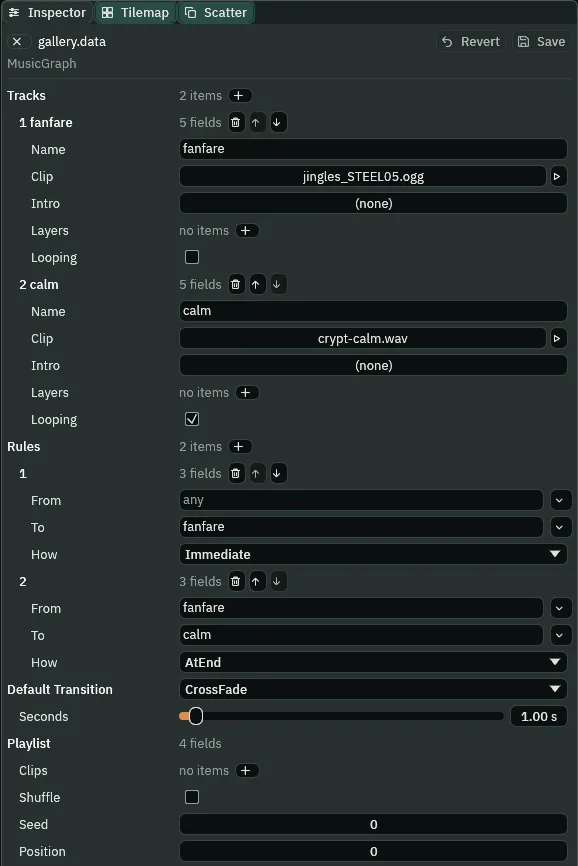
musicfolder, so the path bar readsAssets / music. Choose Create → New data asset → Music, typegalleryover the name and press Enter:music/gallery.data, made as chapter 10 madecrypt.data, and open in the Inspector. - Its Tracks:
fanfare, Clipjingles_STEEL05.ogg, Looping unticked; andcalm, Clipcrypt-calm.wav, Looping ticked. - Its Rules: (any) to
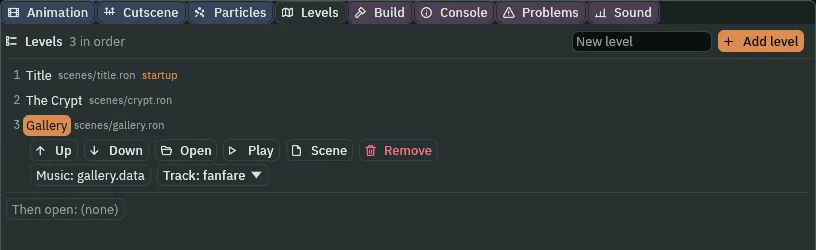
fanfare, Immediate; andfanfaretocalm, AtEnd. Leave the Default Transition as it comes, a CrossFade of1second, and the Playlist empty. Press Save. - In the Levels tab, on the Gallery row, drop
gallery.dataon Music and pickfanfarein Track.
The gallery’s mix
The gallery has a mix of its own, mix, under its root, with the safety on Master the crypt has, and three slots on Sfx, each unticked, for two of the cases: a HighPass and a BandPass for the radio, a Distortion for the whisper. Music has no slots.
- Select
Gallery, click + Add node and choose Audio Mix. Rename itmix, give it the slots of the table below, each set as chapter 6’s and chapter 7’s were, and the two snapshots after it, each made as chapter 7’s were: + beside Snapshots, its Name, a press of + beside Master’s Effects and three beside Sfx’s, and then the switches ticked as it says. Press Ctrl+S.
| Bus | Slot | Effect | Values | Enabled |
|---|---|---|---|---|
| Master | 1 | Compressor | Threshold -1 dB, Ratio 20, Attack 0, Release 0.1 s | ticked |
| Sfx | 1 | HighPass | Cutoff 400 Hz, Resonance 0.707 | unticked |
| 2 | BandPass | Cutoff 1200 Hz, Resonance 1.0 | unticked | |
| 3 | Distortion | Drive 12, Mix 0.7 | unticked |
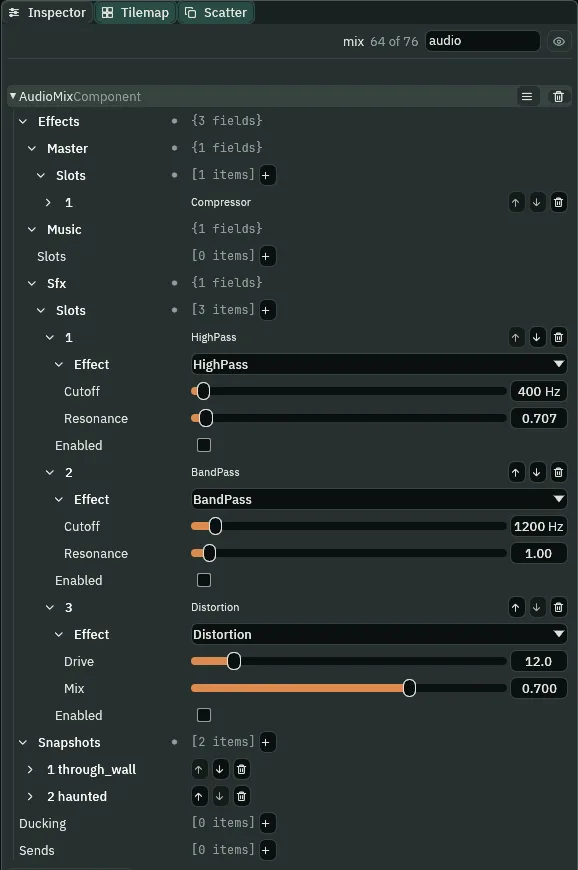
- A BandPass’s Cutoff
- The middle of the band it lets through, in hertz: here
1200. Below it and above it, the sound falls away. - A BandPass’s Resonance
- How narrow the band is: higher is narrower, at the same level in its middle.
1here. - A Distortion’s Drive
- How hard the sound is pushed into the clipper that flattens its peaks: higher is rougher. A quiet sound comes out louder as well as rougher, as the whisper does below.
- A Distortion’s Mix
- How much of what comes out is clipped rather than the sound as it came, from
0, none, to1, all of it: here0.7.
Two snapshots, each with every Volume 1 and no Send Amounts: through_wall, Master on, Sfx on, on, off; and haunted, Master on, Sfx off, off, on.
A radio through the wall
A song plays on a radio in the radio room. Next door, through the wall, it sounds thin, a radio’s band; in its own room, whole.
- Under
radio_room, add a Sprite,radio, at0,-48(the world’s88,56), of the regionradio, with a Collider14by12, Offset0,2. - Press Add component and choose AudioSourceComponent: Clip
heavy_boss_battle_1_bpm200_0.ogg, Bus Sfx, Volume0.8, Looping, Autoplay and Positional ticked; Max Distance256, Rolloff Linear, Min Distance16. - Under
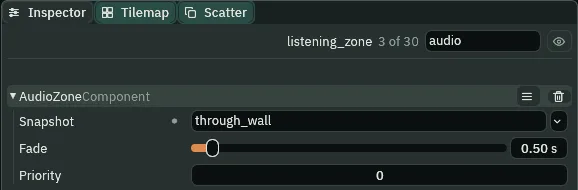
listening_room, click + Add node and choose Audio Zone. Rename itlistening_zone; set its Area’s Size to144,144, the room’s floor, and its Snapshot tothrough_wall. Leave Fade0.5and Priority0, as they come.
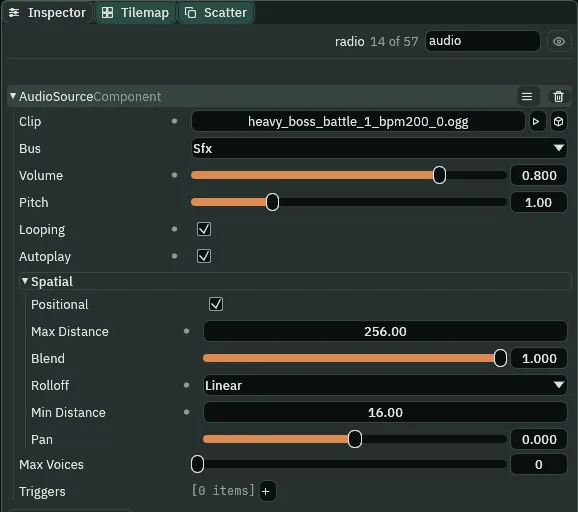
256.
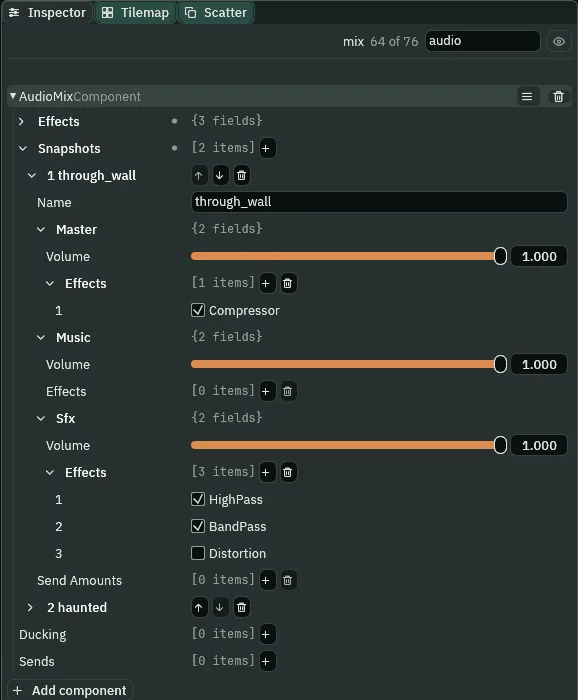
through_wall: the HighPass and the BandPass on.| Field | Value | Why |
|---|---|---|
| Clip | heavy_boss_battle_1_bpm200_0.ogg | a song in the next room |
| Bus | Sfx | a sound in the room, as the music box is; and the chain the snapshot ticks is Sfx’s |
| Volume | 0.8 | with the BandPass’s Resonance at 1, it keeps the thinned song audible through the wall |
| Max Distance, Rolloff, Min Distance | 256, Linear, 16 | gone at a known distance, short of the foyer |
What it sounds like
A short bright steel-drum fanfare and a faint bell’s toll; footsteps on wooden boards; a thin, tinny rock song with no bass, quiet, as if from a small speaker next door; more footsteps, and the song is suddenly full and loud, drums and bass and all.
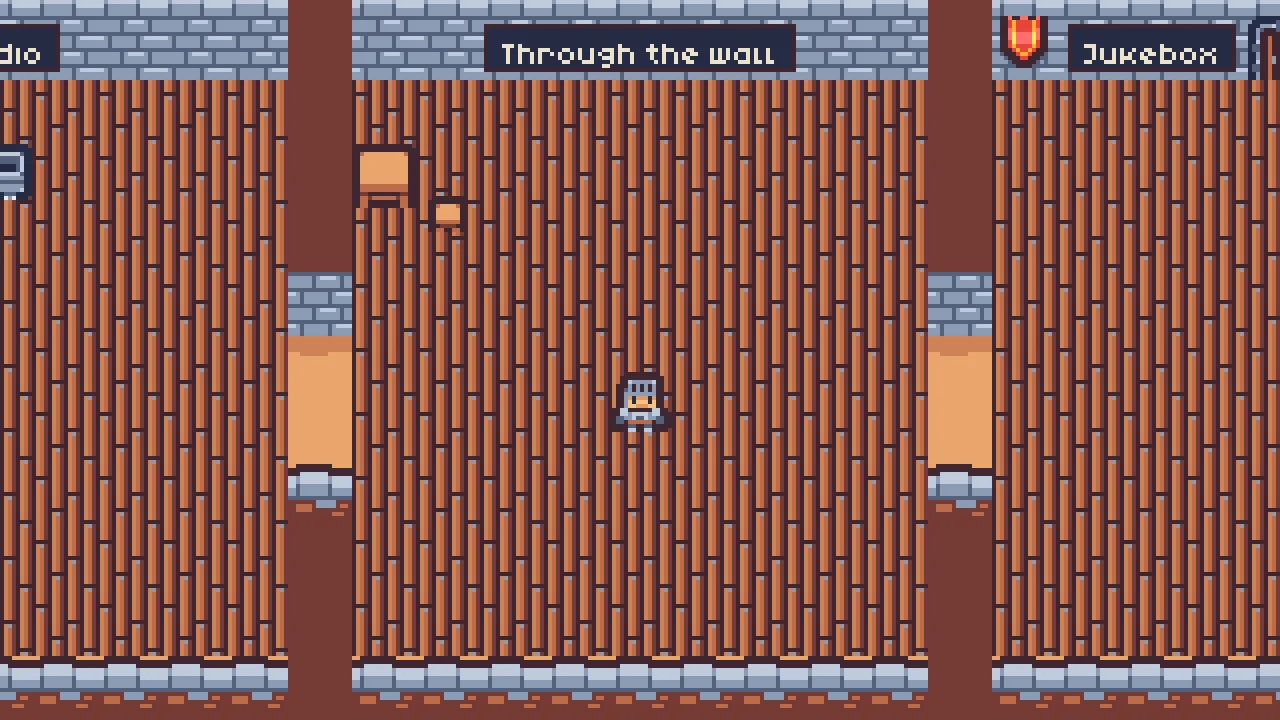
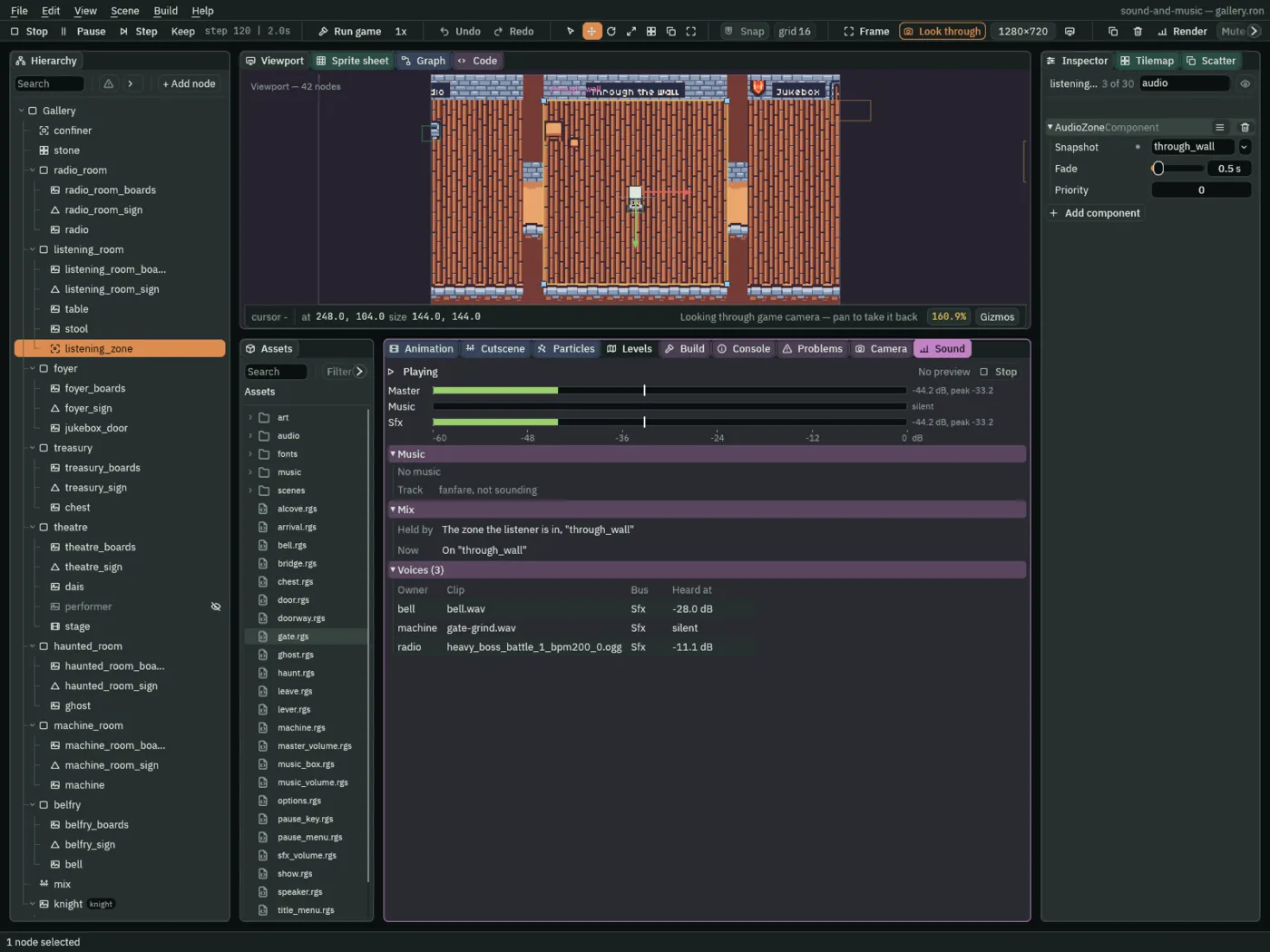
through_wall.A ghost’s whisper
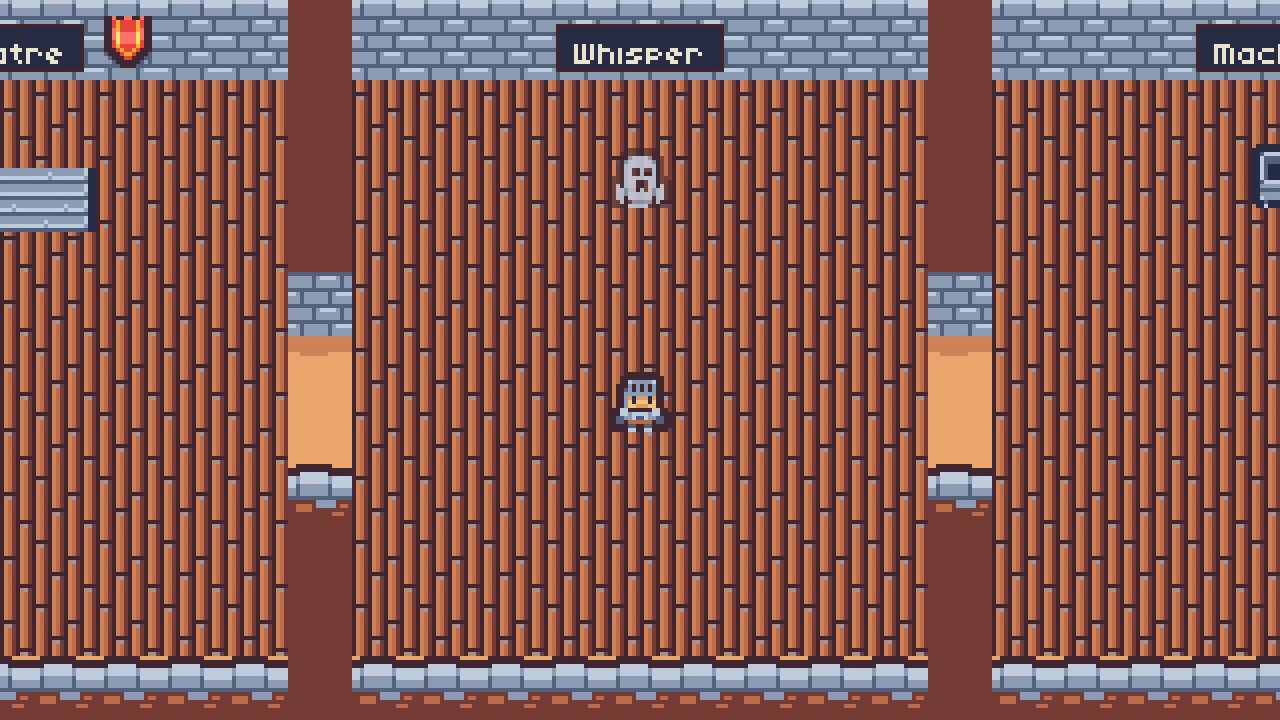
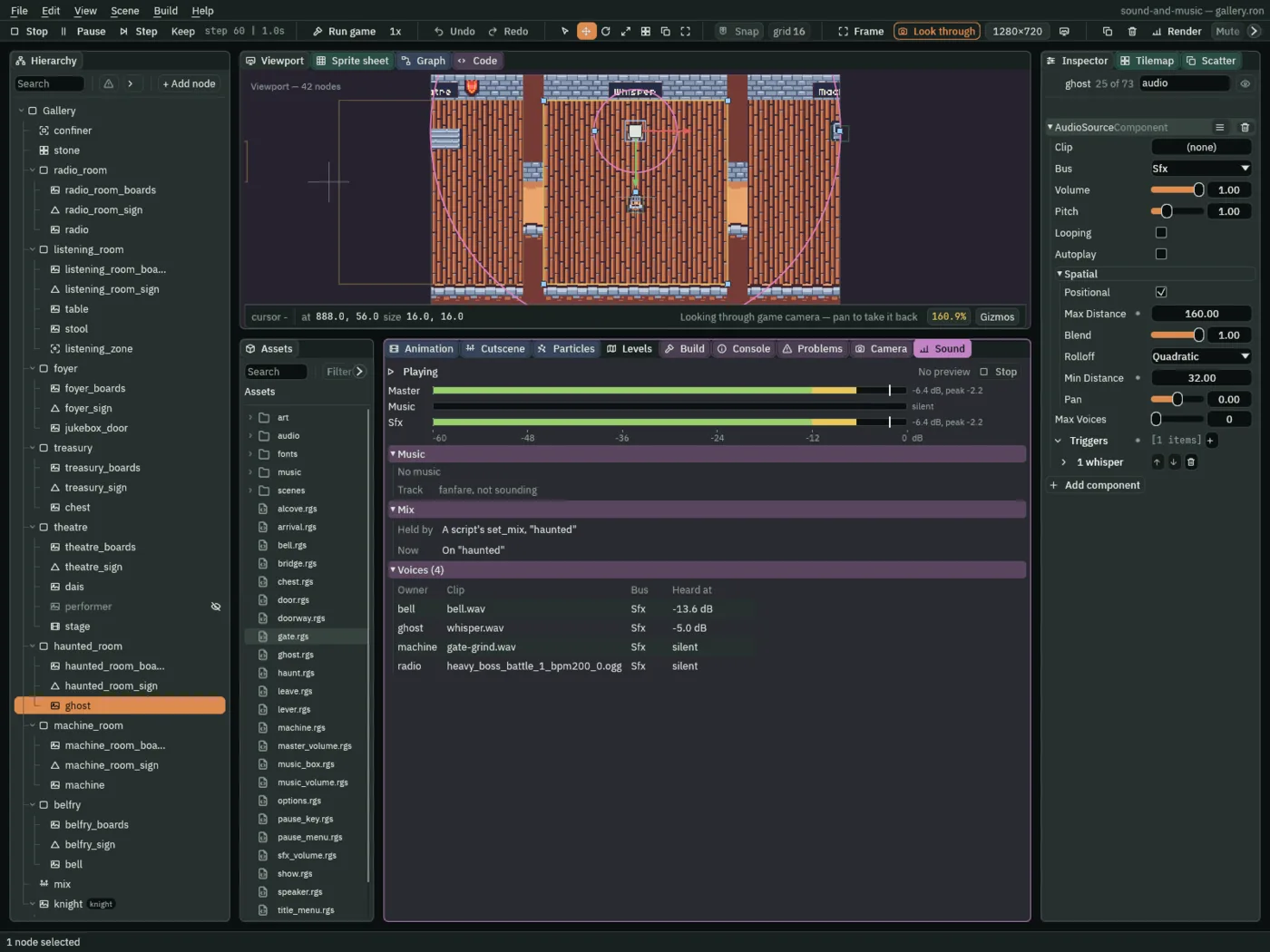
A ghost haunts the room east of the theatre. Walked into, it whispers, and while it whispers the whole of Sfx turns rough: a script’s mix.
- Under
haunted_room, add a Sprite,ghost, at0,-48, of the regionghost, its Color alpha0.8. Add an AreaComponent, Size144,144, Offset0,48: the room’s floor. - Add an AudioSourceComponent: no Clip, Bus Sfx, Volume
1, Positional ticked, Max Distance160, Rolloff Quadratic, Min Distance32; and a triggerwhisper, its Clipwhisper.wav. - Make
haunt.rgswith the script below, and add Haunt toghost. Leave its Haunting at3s.
/// The ghost in the haunted room. As the knight comes in, it whispers, and
/// while it whispers the gallery's mix is haunted: that snapshot's Distortion
/// roughens everything on Sfx, the whisper, his steps and the bell far off.
/// Then it lets the mix go, back to the room's own.
component Haunt : Area {
    /// How long the mix stays haunted: the whisper's 2.6 s and a little more.
    #[suffix("s")]
    haunting: f32 = 3.0,

    fn on_enter(other: NodeId) {
        if in_group(other, "knight") {
            // The mix holds haunted, whatever zone he is in, until the
            // script lets it go.
            set_mix("haunted", 0.25);
            play_sound("whisper");
            await wait(haunting);
            clear_mix(1.0);
        }
    }
}
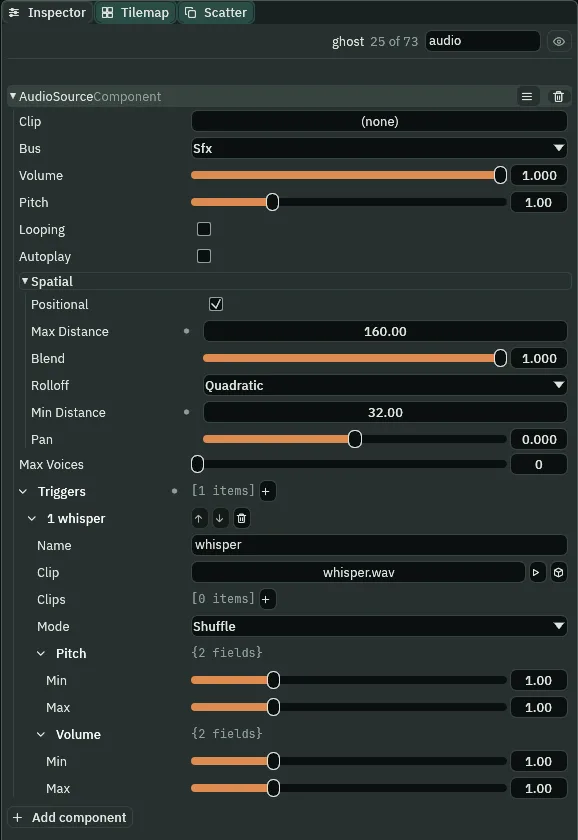
whisper.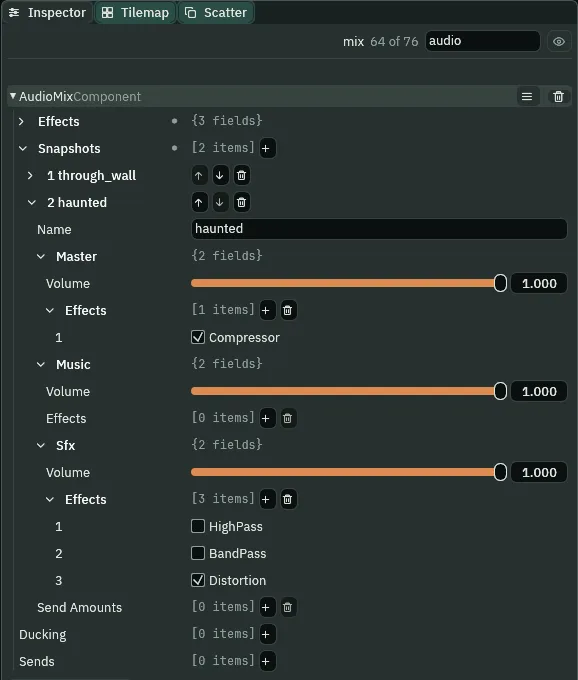
haunted: the Distortion on.What it sounds like
A short steel-drum fanfare; a harsh, buzzing, breathy whisper over a bell’s ring; then the ring rings on clean.
haunted leaves the Distortion unticked: listen for the whisper soft and clean, the difference the Distortion makes. What it sounds like
The same short fanfare; a soft, breathy whisper over a bell’s ring; the ring rings on.
haunted.A machine that winds up and down
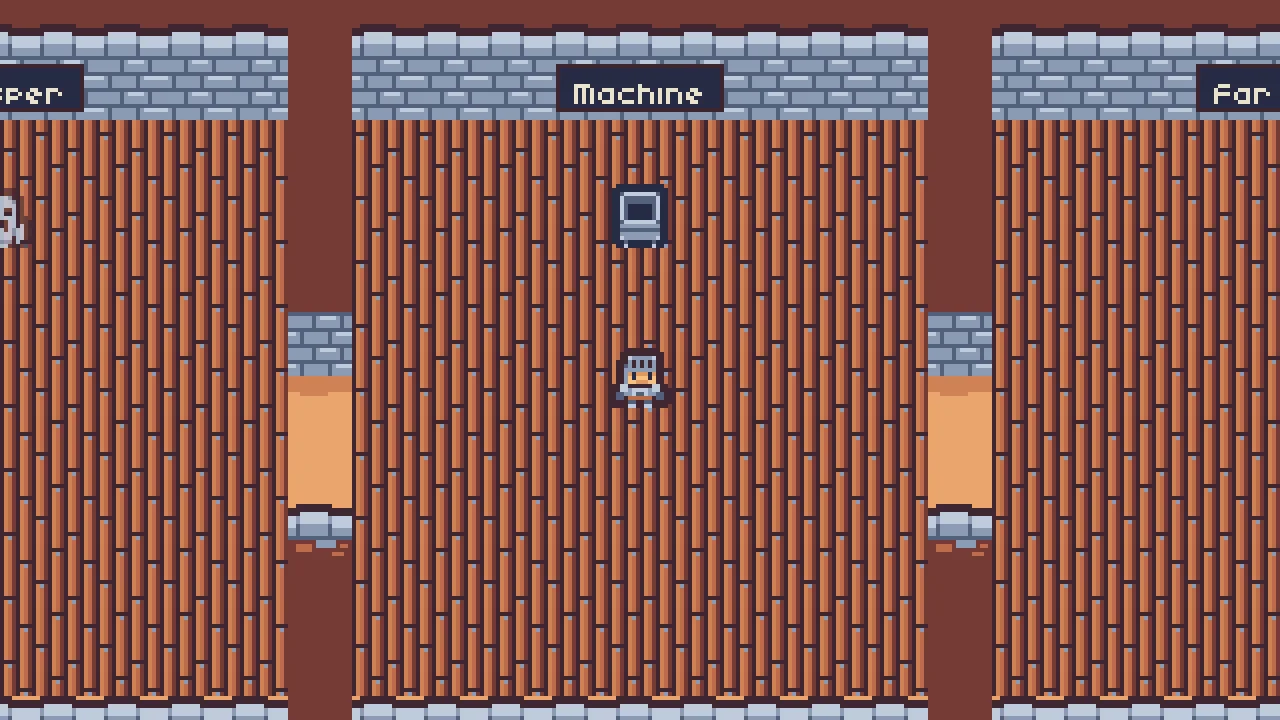
A machine hums, winding up and down for ever: louder and faster, then quieter and slower. Its hum is the gate’s grind, chapter 4’s, set low and slow; a script pulses its Pitch and Volume while it plays.
- Under
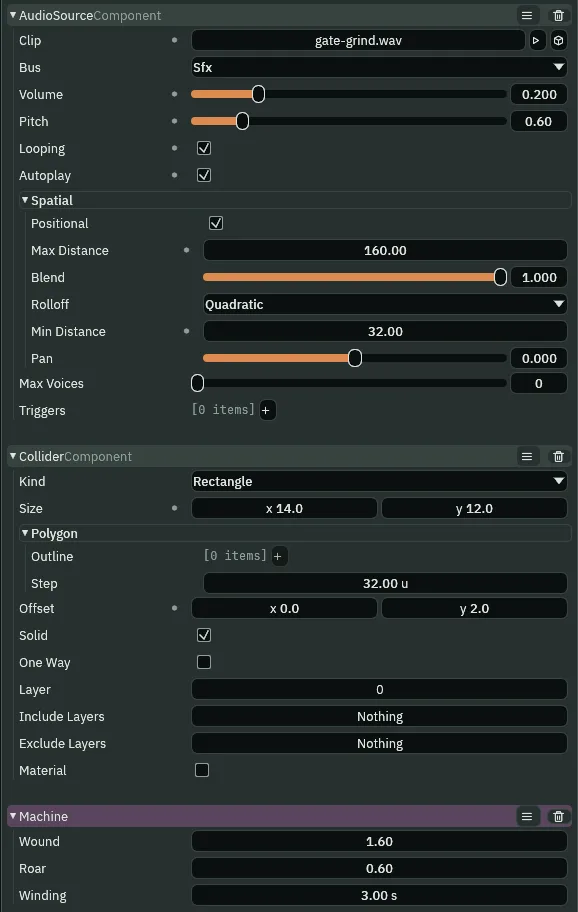
machine_room, add a Sprite,machine, at0,-48, of the regionmachine, with a Collider14by12, Offset0,2. - Add an AudioSourceComponent: Clip
gate-grind.wav, Bus Sfx, Volume0.2, Pitch0.6, Looping, Autoplay and Positional ticked; Max Distance160, Rolloff Quadratic, Min Distance32. - Make
machine.rgswith the script below, and add Machine tomachine, leaving its fields as they come.
/// The machine in the machine room. Its hum is its Audio Source's own loop,
/// set low and slow; this winds it up and down for ever, its Pitch up to
/// wound and back and its Volume up to roar and back, each over winding
/// seconds, so it speeds up as it grows louder.
component Machine {
    /// How fast it runs wound up, as a Pitch.
    wound: f32 = 1.6,
    /// How loud it is wound up, as a Volume.
    roar: f32 = 0.6,
    /// How long it takes to wind up, and again to wind down.
    #[suffix("s")]
    winding: f32 = 3.0,

    fn on_create() {
        pulse_number("AudioSourceComponent", "pitch", wound, winding, .InOutSine);
        pulse_number("AudioSourceComponent", "volume", roar, winding, .InOutSine);
    }
}
- pulse_number
- Anneals a number field of a component on the script’s own node to a value and back, over its seconds each way, on its curve, for ever. Two of them run side by side here, the Audio Source’s
pitchto Wound and itsvolumeto Roar, each over Winding seconds on an InOutSine curve, so the hum speeds up as it grows louder. A playing sound hears its Pitch and Volume change as they change; chapter 4’s gate wound its Pitch once, withanneal_number. - Wound, Roar and Winding, the machine’s
- How high the Pitch winds,
1.6; how loud the Volume grows,0.6; and the seconds it takes each way,3.
What it sounds like
A short fanfare and a bell’s toll; a low mechanical hum rises in pitch and loudness, falls back, rises and falls again, while the bell tolls and rings away.
A fanfare handed over
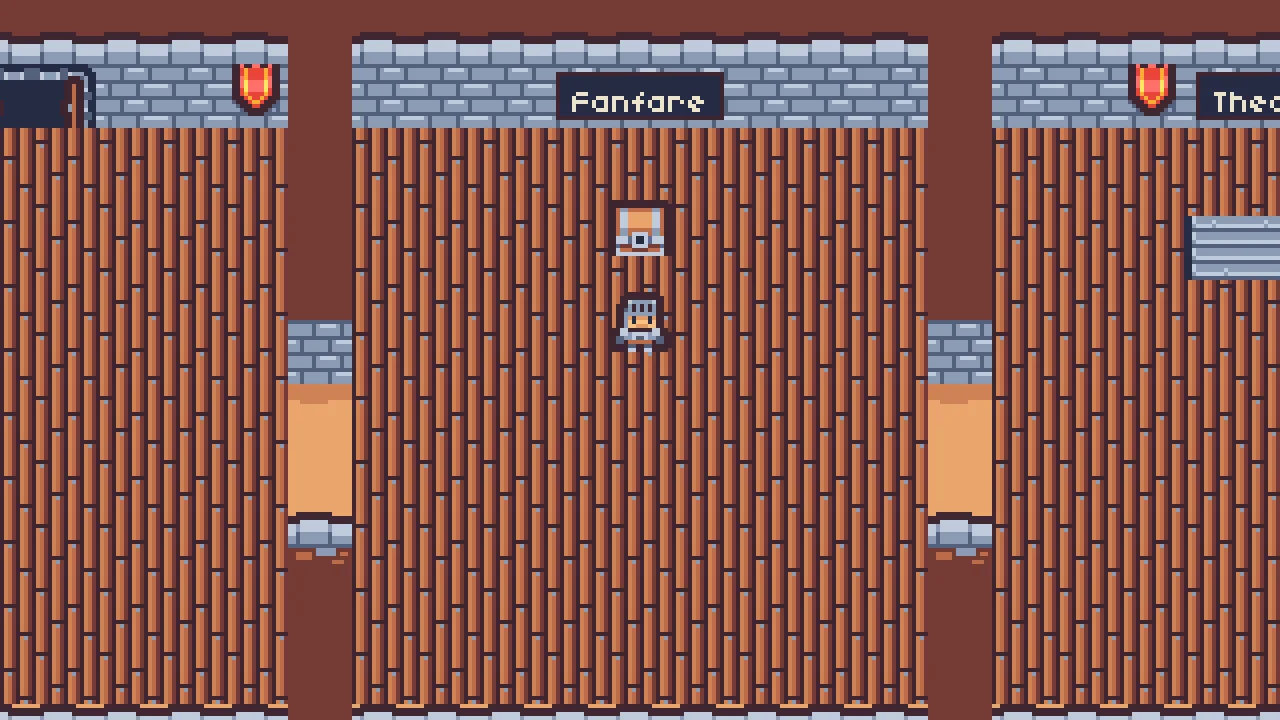
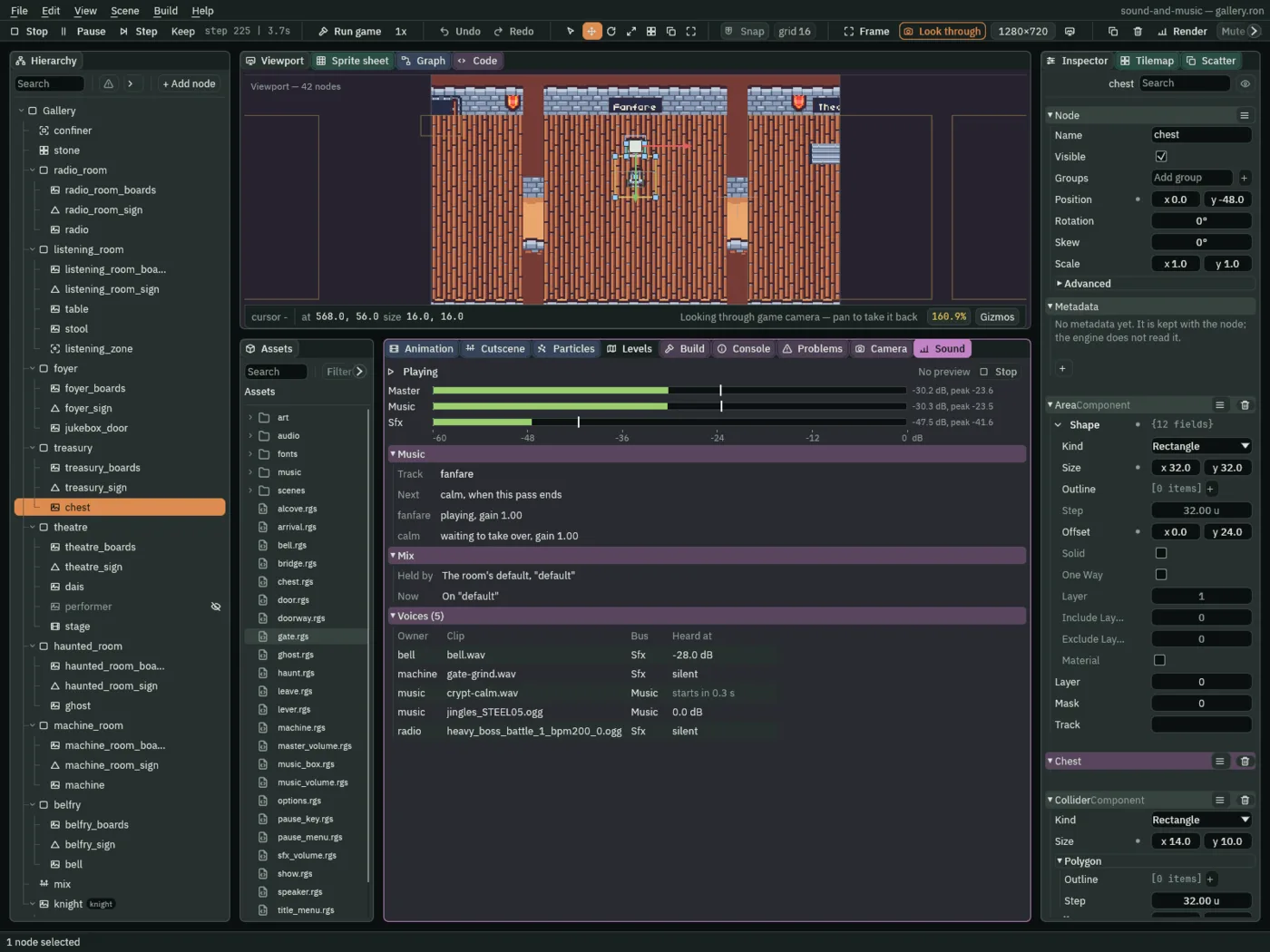
A chest in the treasury plays the gallery’s fanfare as he walks up to it, and calm takes over at the fanfare’s end, with no gap: the asset’s AtEnd, heard.
- Under
treasury, add a Sprite,chest, at0,-48, of the regionchest, with a Collider14by10, Offset0,3, and an AreaComponent32by32, Offset0,24: the floor in front of it. - Make
chest.rgswith the script below, and add Chest tochest.
/// The chest in the treasury. Walked up to, it plays the gallery's fanfare,
/// once, and calm takes over as the fanfare ends, with no gap between them.
/// Walking away stops the music.
component Chest : Area {
    fn on_enter(other: NodeId) {
        if in_group(other, "knight") {
            // A track of the gallery's music asset, its Looping unticked: it
            // plays once. The rule to it from any track is Immediate.
            play_music("fanfare");
            // Asked at once, calm waits: the rule from the fanfare to calm is
            // At End, so calm comes in as the fanfare's one pass ends.
            play_music("calm");
        }
    }

    fn on_exit(other: NodeId) {
        if in_group(other, "knight") {
            stop_music();
        }
    }
}
What it sounds like
A short bright steel-drum fanfare; footsteps on boards; the fanfare again, and straight out of its last note a gentle music-box melody over a soft pad.
A short cutscene with audio cues
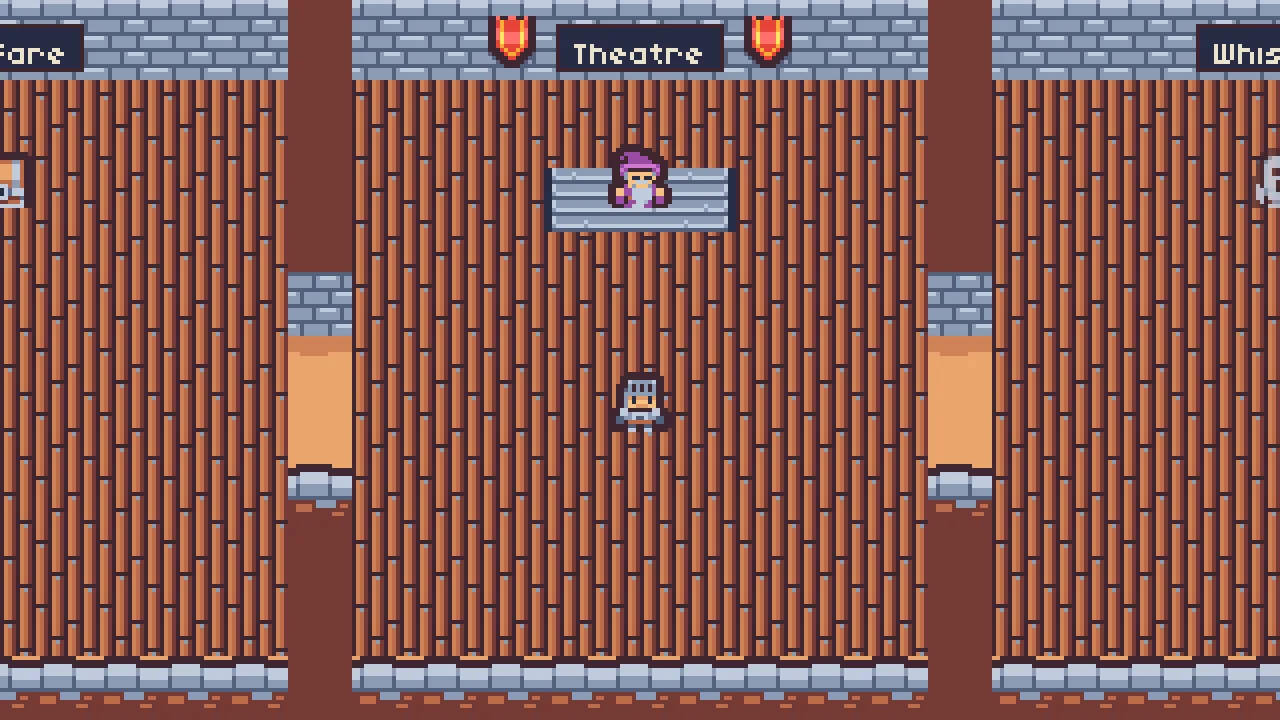
A show in the theatre: walked into, it plays its music, a performer appears, bows to a fanfare, and goes, and the music stops. Its cues are a cutscene’s, made in the Cutscene tab as Animation and Cutscenes teaches it.
- Under
theatre, adddais, a Sprite of the regiondaisat0,-42on Sort Layer-1, andperformer, a Sprite of the regionperformerat0,-48, with Visible unticked. - Select
theatre, click + Add node and choose Cutscene. Rename itstageand set its Position to0,-56. - With
stageselected, open the Cutscene tab and press New cutscene: it writesscenes/stage.timeline, beside the scene, named after the node, and points Timeline at it. - Type
4.5into the length box beside its name, in the tab’s bar: the show is4.5seconds long. - Add an AudioSourceComponent: Bus Sfx, Volume
1, Positional unticked; a triggertheme, its Clipabandoned_castle_music_-_starninjas_6.ogg, and a triggerbow, its Clipjingles_STEEL05.ogg. - Add an AreaComponent, Size
144,144, Offset0,56: the theatre’s floor. Makeshow.rgswith the script below and add Show. - In the Cutscene tab, on
stage, add an Audio track onstagewith three cues, and an Activation track onperformer, as the table below. Press the tab’s Save.
| Track | At | Cue |
|---|---|---|
Audio, on stage | 0.5 s | Play music theme |
3.0 s | Play sound bow | |
4.0 s | Stop music | |
Activation, on performer | 1.0 s to 3.5 s | shown |
/// The theatre's show, its cutscene: the knight walking into the theatre
/// starts it. Its Audio track plays the show's music, the performer's bow and,
/// at the end, stops the music. Walked into again while it plays, it plays on;
/// once it is over, the next visit plays it again.
component Show : Area {
    fn on_enter(other: NodeId) {
        if in_group(other, "knight") {
            await play_cutscene();
        }
    }
}
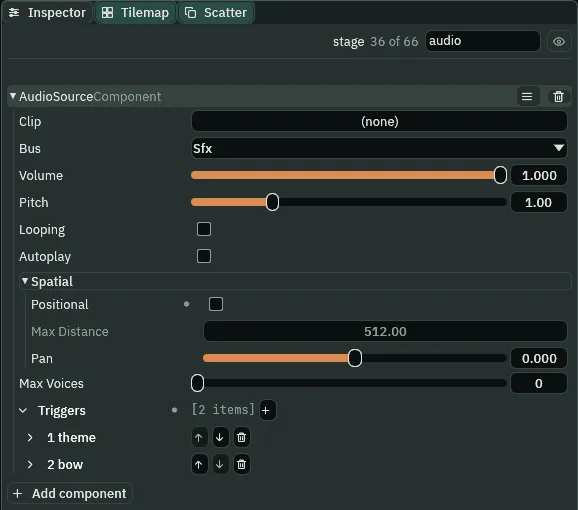
theme and bow.
- A Play music cue
- Asks the level’s music asset for a track of the cue’s name first, by its rules; only if the asset has none, it plays the node’s trigger of that name as the music, on the music channel. The gallery’s asset has no track
theme, so the stage’s trigger plays, the title’s music, one music at a time. - A Play sound cue
- Plays the node’s trigger of that name as a sound, through the node’s Audio Source, on its Bus: the bow, on Sfx, over the music.
- A Stop music cue
- Stops the music, whoever asked for it, as
stop_music()does.
What it sounds like
Footsteps on boards; a gentle castle melody begins; a bright steel-drum fanfare plays over it; then the melody stops, and only a far-off bell is left.
A sound that carries far
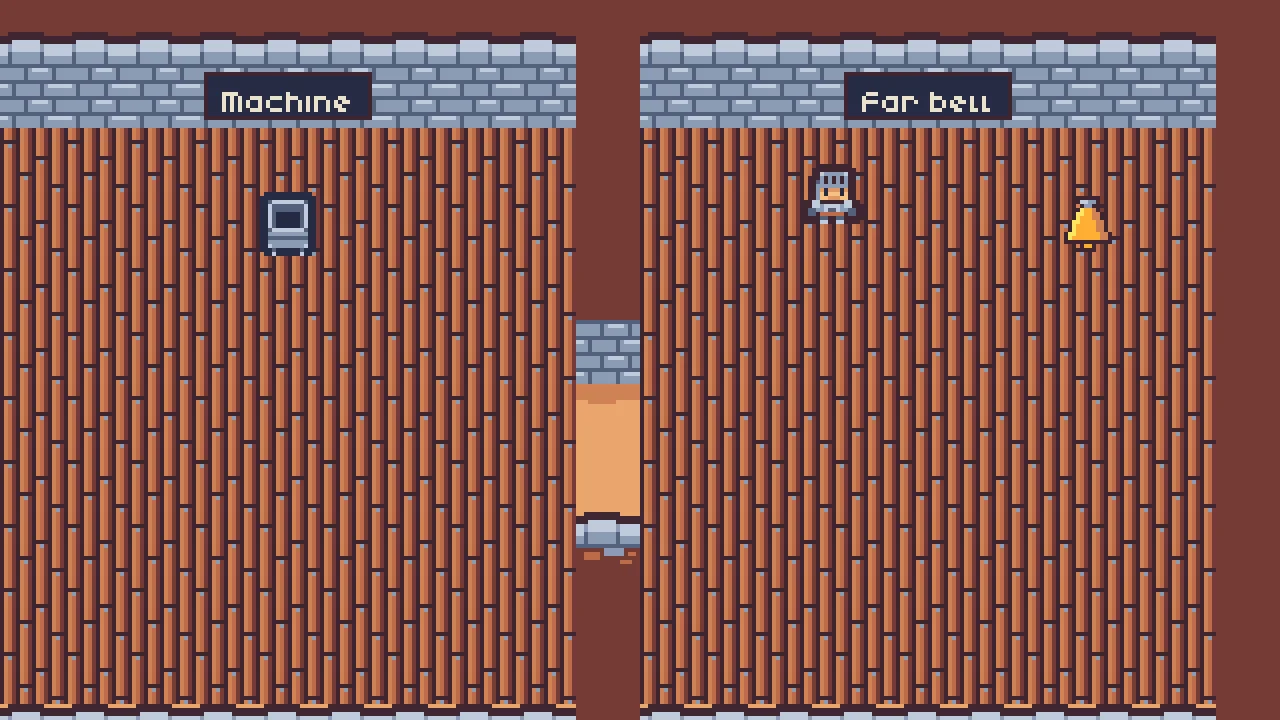
A bell in the belfry, at the gallery’s east end, tolls every six seconds and is heard far down the gallery: a Custom rolloff holds it up across the rooms, where a Quadratic would let it go, and its Blend keeps a tenth of it even past its reach.
- Under
belfry, add a Sprite,bell, at40,-48(the world’s1248,56), ofart/bell.png, with a Collider12by8, Offset0,3. - Add an AudioSourceComponent: Clip
bell.wav, Bus Sfx, Volume0.4, Looping, Autoplay and Positional ticked; Max Distance576, Min Distance32, Blend0.9, and Rolloff Custom. - Open the Curve’s fold under Rolloff: its canvas, from
0at Min Distance to1at Max Distance. Double-click the line to add a key, drag it, or select it and type its numbers in the fields under the canvas. Make the four keys of the table below. - Select each key that leaves on a curve or a step, open Shape under the canvas, and choose its segment under Segment leaving this key. Press Ctrl+S.
| x | y | in | out | Segment leaving this key |
|---|---|---|---|---|
0.0 | 1.0 | 0 | 0 | Constant |
0.15 | 0.6 | 0 | -0.2 | Cubic |
0.8 | 0.35 | -0.8 | 0 | Linear |
1.0 | 0.0 | 0 | 0 | Linear |
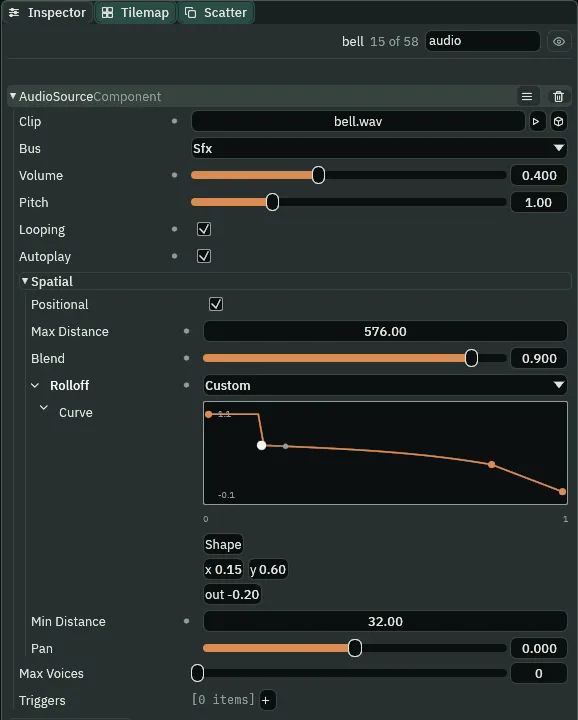
0.15, y 0.6, out -0.2.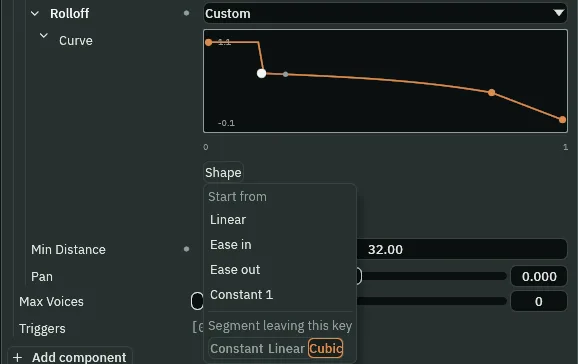
- A curve key’s x
- Where the key sits along the canvas, left to right: for a rolloff,
0at Min Distance and1at Max Distance. - A curve key’s y
- What the curve reads at the key, bottom to top: for a rolloff, the share of the sound heard there,
1all of it. - A curve key’s in and out
- The slopes the curve arrives at the key on and leaves it on. Each is shown, as an arm on the canvas and a field under it, only where a Cubic segment reads it: out on a key whose own segment is Cubic, in on the key after one. Drag an arm, or type the slope; hold Shift while dragging an arm to break it from the other.
- Segment leaving this key, in the Shape menu
- How the curve is filled in from the selected key to the next. Constant holds the key’s value to the next key and steps there; Linear runs straight; Cubic bends by the two keys’ slopes. The menu’s Start from seeds the whole curve from a shape.
Flat to 114 away, where the wall into the machine room is; a step down there, standing in for the wall, which itself stops no sound; an ease, and a slow fall to nothing at 576. The gain is the Volume times the curve, blended by Blend: at 0.9, a tenth of the Volume, 0.04, still sounds past 576, where a Blend of 1 is silent. In the theatre, 520 away, the toll is more than twice what a Quadratic gives there: that is what Custom is for.
What it sounds like
A short fanfare; then silence but for a faint, low bell tolling at six and twelve seconds, ringing away each time.
Steps on boards
The gallery’s floors are boards, and his steps on them are five takes of a step on wood. The pasted knight still plays the crypt’s steps on stone; his trigger changes.
- Select the gallery’s
knight. In his Audio Source’s triggerstep, dropfootstep_wood_000.oggon its Clip, and the other four on the four takes of its Clips, each at Weight1. - Set its Mode to Shuffle, and its Pitch and Volume ranges each to
1to1, as a trigger comes. Press Ctrl+S.
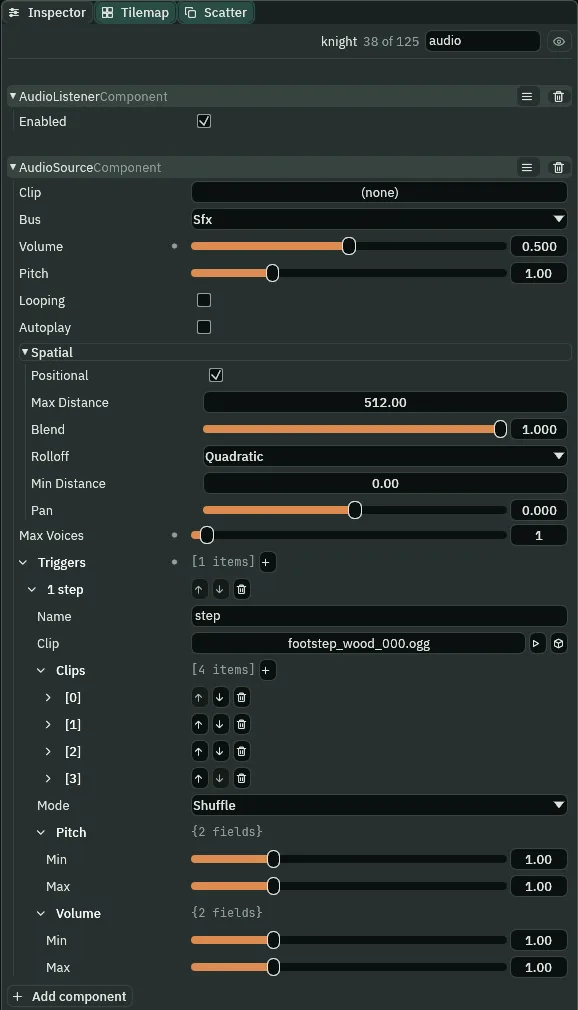
Shuffle, a trigger’s Mode as it comes, plays every take once in each round of five, and never one twice running, not even across a round’s end. Weight has nothing to say here: the five takes are alike. His walk’s step track, chapter 3’s, fires it: the radio’s, the chest’s and the show’s clips above have his steps in them.
The jukebox’s room
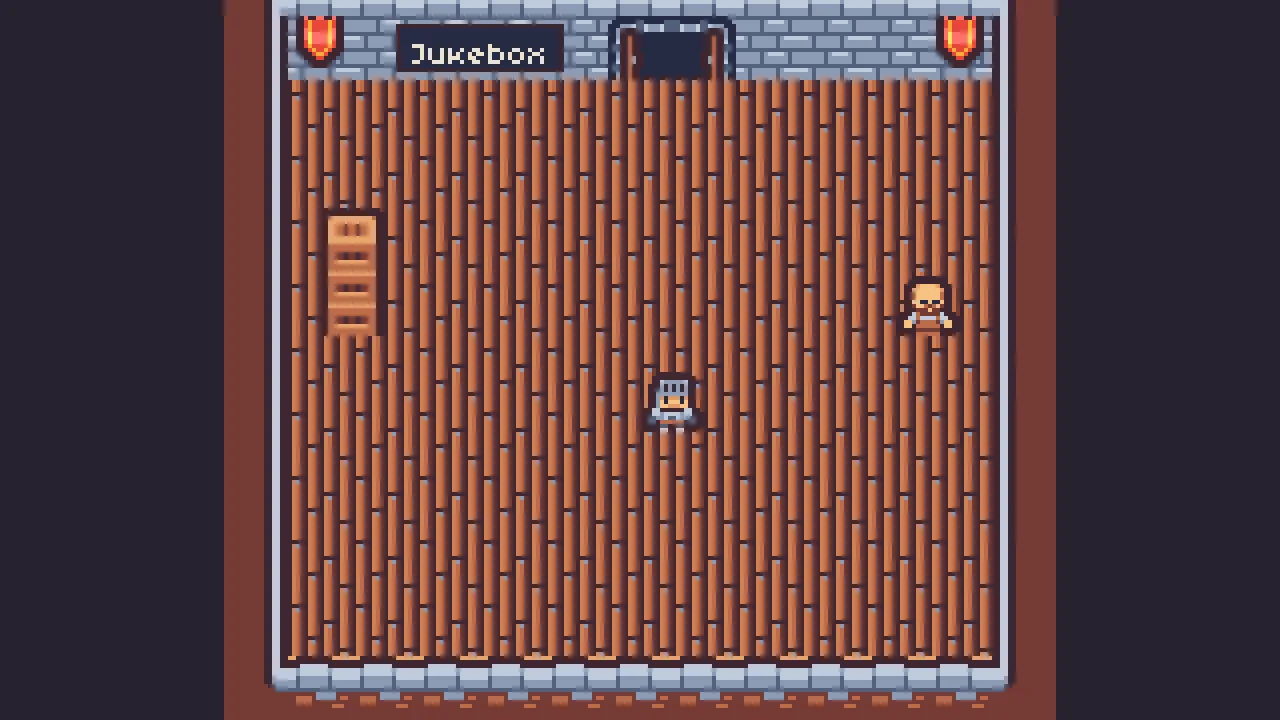
A door in the foyer’s north wall leads to the jukebox’s room, a scene and a level of its own. The jukebox plays four short songs, shuffled, never one twice running, leaning to its side of the room; when the innkeeper speaks, it makes room for him.
- Under
foyer, add a Sprite,jukebox_door, at8,-80(the world’s416,24), of the regiondoor_open, with an AreaComponent32by16, Offset0,16. Makedoorway.rgswith the script below, add Doorway, and set its To tojukebox. - In the Levels tab, add a level
Jukeboxand press Create scene:scenes/jukebox.ron. Build its room as the two tables below: one room,11by9cells, from x16to192and y32to176. - Its
stoneis made as the gallery’s: a Tilemap on Sort Layer-3, and New tilemap… fromart/tilemap_packed.png. This time the editor writesart/tilemap_packed-2.tilemap, as the status line says: the gallery’s file kept the first name’s id, so that name is not free. Rename itjukebox.tilemap, give it the same three layers, and paint it as the first table below. Press the tab’s Save. - In Assets, click
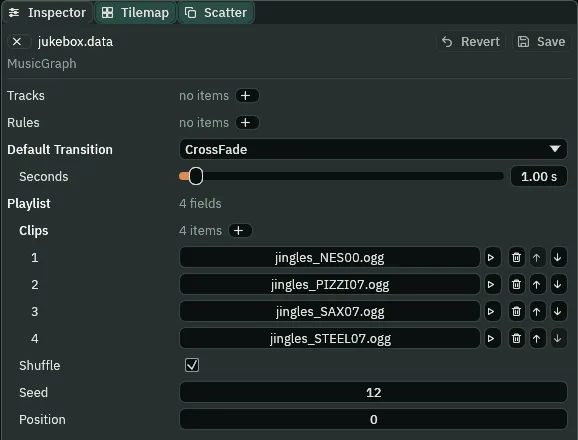
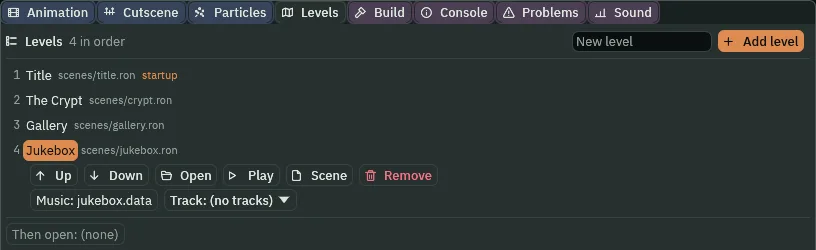
musicand makejukebox.datain it the same way: Create → New data asset → Music,jukebox, Enter. Leave its Tracks and Rules empty. Press + beside its Playlist’s Clips: a first item at its default. Dropjingles_NES00.oggon it; press + three times more and dropjingles_PIZZI07.ogg,jingles_SAX07.oggandjingles_STEEL07.oggon the three. Tick Shuffle, set Seed to12, and leave Position at0. Press Save. - On the Jukebox row in Levels, drop
jukebox.dataon Music. Its Track list reads(no tracks).
/// A door to a room that is a scene of its own: walked into, it opens that
/// scene. The jukebox's room is one, since its music is its own level's.
component Doorway : Area {
    /// The scene the door leads to, by its name.
    to: String = "",

    fn on_enter(other: NodeId) {
        if in_group(other, "knight") {
            change_scene(to);
        }
    }
}
| Layer | Rows | Columns | Tiles, by the picker’s number |
|---|---|---|---|
walls | 0 | 0; 1 to 11; 12 | the wall’s corner, #2; its top, #3; the other corner, #4 |
| 1 | 0; 1 to 11; 12 | the wall’s west side, #14; its face, #41; its east side, #16 | |
| 2 to 10 | 0 and 12 | #14 in column 0 and #16 in column 12: the two sides | |
| 11 | 0; 1 to 11; 12 | the foot’s corner, #26; the wall’s foot, #27; the other corner, #28 | |
floor | 2 | 1 to 11 | #51, the floor under the wall |
| 3 to 10 | 1 to 11 | #49, or #50 in any cells you like | |
decoration | 1 | 1 and 11 | the banner, #30, at each end of the north wall |
| Node | Component | Value |
|---|---|---|
Jukebox, the root | Leave | leave.rgs |
confiner | Camera Confiner | at 104, 96, Bounds 208, 192 |
stone | Tilemap | at 0, 0: art/jukebox.tilemap, Sort Layer -3, painted as the table above |
boards | Sprite | at 104, 104: planks.png’s deck, Tiled, Size 176, 144, Tile Size 16, 16, Sort Layer -2, as the gallery’s |
jukebox_sign | Shape, WorldText | at 64, 24: a gallery room’s sign, 42 wide, Jukebox |
jukebox | Sprite, Collider | at 32, 80: the region jukebox; a Collider 14 by 28 |
innkeeper | Sprite, Collider | at 176, 88: the region innkeeper; a Collider 12 by 8, Offset 0, 4 |
| Area | 48 by 48, Offset -8, 0 | |
| Audio Source | no Clip, Sfx, Volume 1, Positional unticked; trigger line = voice.wav | |
| Speaker | speaker.rgs | |
exit | Sprite, Area, Doorway | at 112, 24: door_open, an Area as the door’s; To gallery |
mix | Audio Mix | Music slot 1: Panner, Pan -0.5, Width 1, ticked; a Ducking row as it comes |
knight | at 112, 120: the crypt’s knight, with no Audio Source, no Audio Listener and no lantern |
/// The innkeeper, by the jukebox. As the knight comes up to him he says his
/// line, and the jukebox makes room for it: the mix's Ducking row holds the
/// Music bus down while anything on Sfx is over its Threshold, as his words
/// are. In the two breaths between them his voice falls silent and the
/// jukebox lifts a little; the Release keeps it from coming all the way back.
component Speaker : Area {
    fn on_enter(other: NodeId) {
        if in_group(other, "knight") {
            play_sound("line");
        }
    }
}
- The music asset’s Playlist
- Clips played one after another, each once a pass, round and round, under the level’s tracks from the level’s opening, or alone in an asset with no tracks, as here. Its songs are the game’s music, on the Music bus, from nowhere.
- The playlist’s Clips
- The songs, in the order they were added; each + adds a slot, and a clip is dropped on it.
- The playlist’s Shuffle
- Ticked, it plays the clips in a new order each pass, each clip once in a pass and never one twice running, not even across a pass’s end. Unticked, in the order they were added.
- Seed
- Where the shuffle is drawn from. The same seed is the same order, so the room plays the same songs in the same order every time it opens.
- Position
- How far through its pass the playlist stands, as it was saved:
0, the start. The game keeps its own place as it plays and never writes it back to the asset.
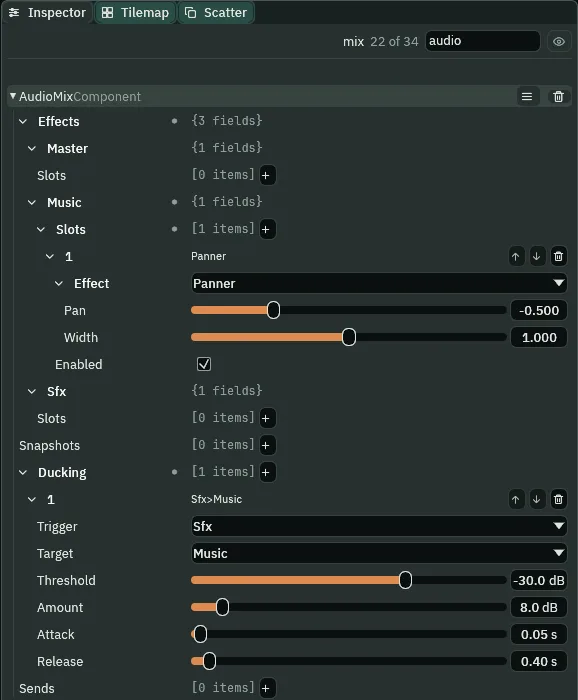
The Panner is the one you can hear: the songs are music, with no place of their own, so the Music bus’s Panner at Pan -0.5 leans them to the jukebox’s west side, the left at full and the right at half; Width 1 changes nothing on these jingles, whose two channels are the same. The Ducking row is the row as it comes: while Sfx is over -30 dB, Music comes down 8 dB.
What it sounds like
Short jingles one after another, louder in the left ear: pizzicato strings, an eight-bit tune, steel drums and a saxophone, then the strings, the eight-bit tune and the saxophone again.
What it sounds like
Jingles playing; a man’s wordless voice speaks a line of seven syllables, and the music sinks under it; as the voice stops, the music rises back.
Who decides what you hear
The gallery, case by case
| Node | Component | Field | Value |
|---|---|---|---|
title_menu › gallery | Text, Button | Text, Action | Gallery, gallery |
| Focus | Up, Down, Next, Previous | options, play, play, options | |
title_frame | Rect | Offset Max y | 541 |
title_menu | TitleMenu | title_menu.rgs, rewritten | |
| Gallery, in Levels | the level | Scene, Music, Track | scenes/gallery.ron, music/gallery.data, fanfare |
| Jukebox, in Levels | the level | Scene, Music | scenes/jukebox.ron, music/jukebox.data |
music/gallery.data | Music | Tracks, Rules | fanfare (jingles_STEEL05.ogg, Looping unticked), calm; any → fanfare Immediate, fanfare → calm AtEnd |
music/jukebox.data | Music | Playlist | four jingles, Shuffle ticked, Seed 12, Position 0 |
Gallery › mix | Audio Mix | Sfx slots | HighPass 400/0.707, BandPass 1200/1.0, Distortion 12/0.7, each unticked |
| Snapshots | through_wall (Sfx on, on, off), haunted (Sfx off, off, on) | ||
radio | Audio Source | Clip, Bus, Volume | heavy_boss_battle_1_bpm200_0.ogg, Sfx, 0.8 |
| Max Distance, Rolloff, Min Distance | 256, Linear, 16 | ||
listening_zone | Audio Zone | Snapshot, Fade, Priority | through_wall, 0.5, 0 |
ghost | Audio Source | trigger whisper | whisper.wav; Max Distance 160, Quadratic, Min Distance 32 |
| Haunt | Haunting | 3 s | |
machine | Audio Source | Clip, Volume, Pitch | gate-grind.wav, 0.2, 0.6 |
| Machine | Wound, Roar, Winding | 1.6, 0.6, 3 s | |
chest | Area, Chest | 32 by 32, Offset 0, 24; chest.rgs | |
stage | Timeline | Timeline | scenes/stage.timeline: Play music theme at 0.5, Play sound bow at 3, Stop music at 4; performer shown 1 to 3.5 |
| Audio Source | triggers | theme, bow; Positional unticked | |
bell | Audio Source | Volume, Max Distance, Min Distance | 0.4, 576, 32 |
| Blend, Rolloff | 0.9, Custom: four keys, Constant, Cubic, Linear, Linear | ||
knight (gallery) | Audio Source | trigger step | five steps on wood, Shuffle |
innkeeper | Audio Source, Speaker | trigger line | voice.wav; speaker.rgs |
Jukebox › mix | Audio Mix | Music slot 1 | Panner, Pan -0.5, Width 1 |
| Ducking | Sfx over Music, -30 dB, 8 dB, 0.05 s, 0.4 s |