Tutorials · Sound and Music · Chapter 7
Echoes and water
By the end
- The waterfall’s roar in the cave and the water in the flooded passage, each a placed loop, the waterfall falling away Quadratic
- Three effects added to the crypt’s mix, each unticked: a LowPass on Master, a Reverb and a Delay on Sfx
- Three Snapshots,
cave,passageandwell: each bus’s Volume and a switch for each of its effects - Three Audio Zones, each with its Snapshot, Fade and Priority: the cave rings, the passage muffles, the well answers each step
- Who decides what you hear when two zones overlap
On this page
The waterfall and the water
Two more of the starter’s sounds: waterfall.wav, a roar, and water.wav, the lap of the flood, each a loop of 4 seconds. Each belongs to its room: the waterfall on the cave’s north wall, the water over the flooded passage.
- In Assets, click
waterfall.wavinaudio, set its Stream to Never in Details, and press Save. Do the same forwater.wav. Each is over three seconds, so Auto would stream it; a short loop held whole, as the crackle and the drip are, plays its seam with no gap. - Select
waterfall, incave. Press Add component and choose AudioSourceComponent. Set Clip towaterfall.wavand Volume to0.5, and tick Looping and Autoplay. Leave Bus on Sfx, Positional ticked and Rolloff on Quadratic, as they come. Set Max Distance to192and Min Distance to32. - Select
water, inpassage, and give it the same: Clipwater.wav, Volume0.6, Looping and Autoplay ticked, Max Distance176, Min Distance112. - Press Ctrl+S.
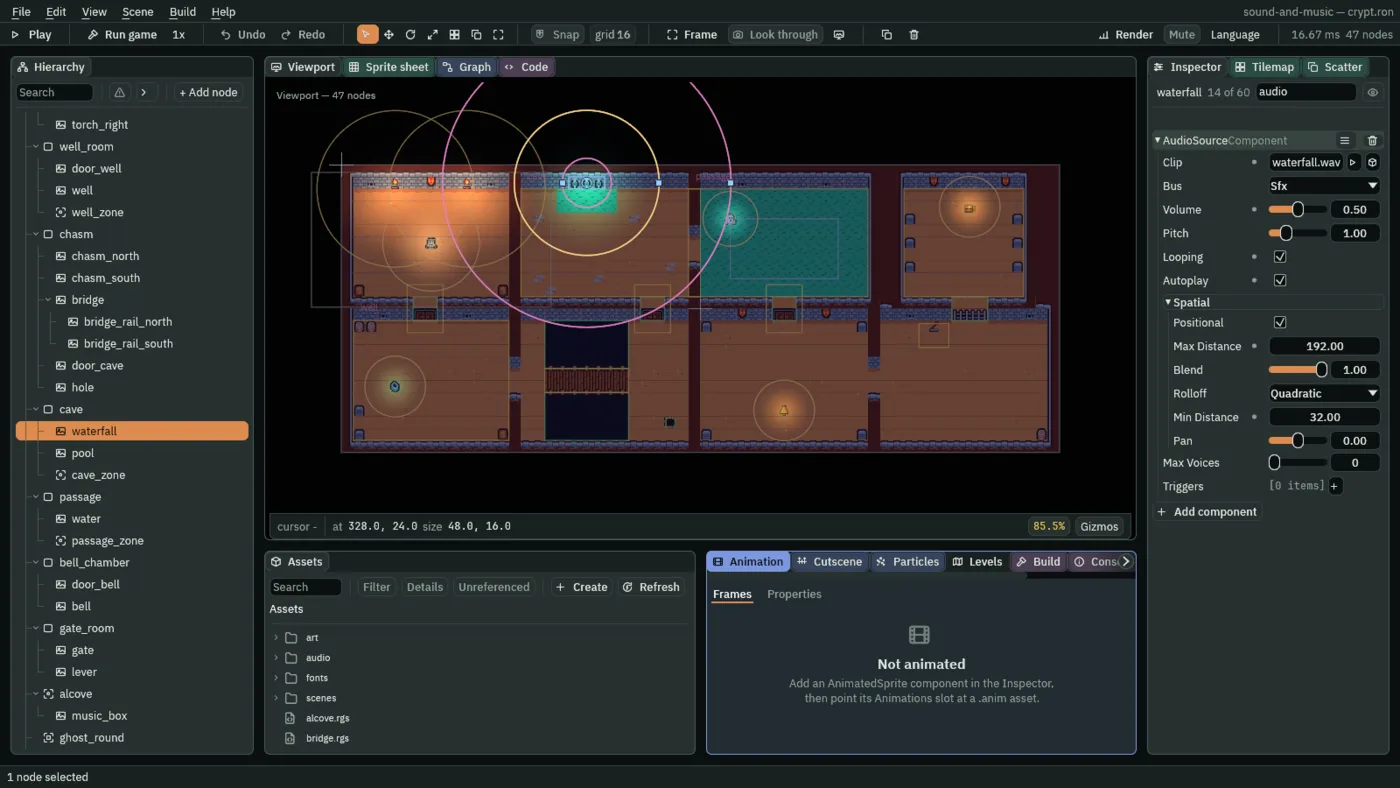
32 round the pool, Max Distance 192 across the cave.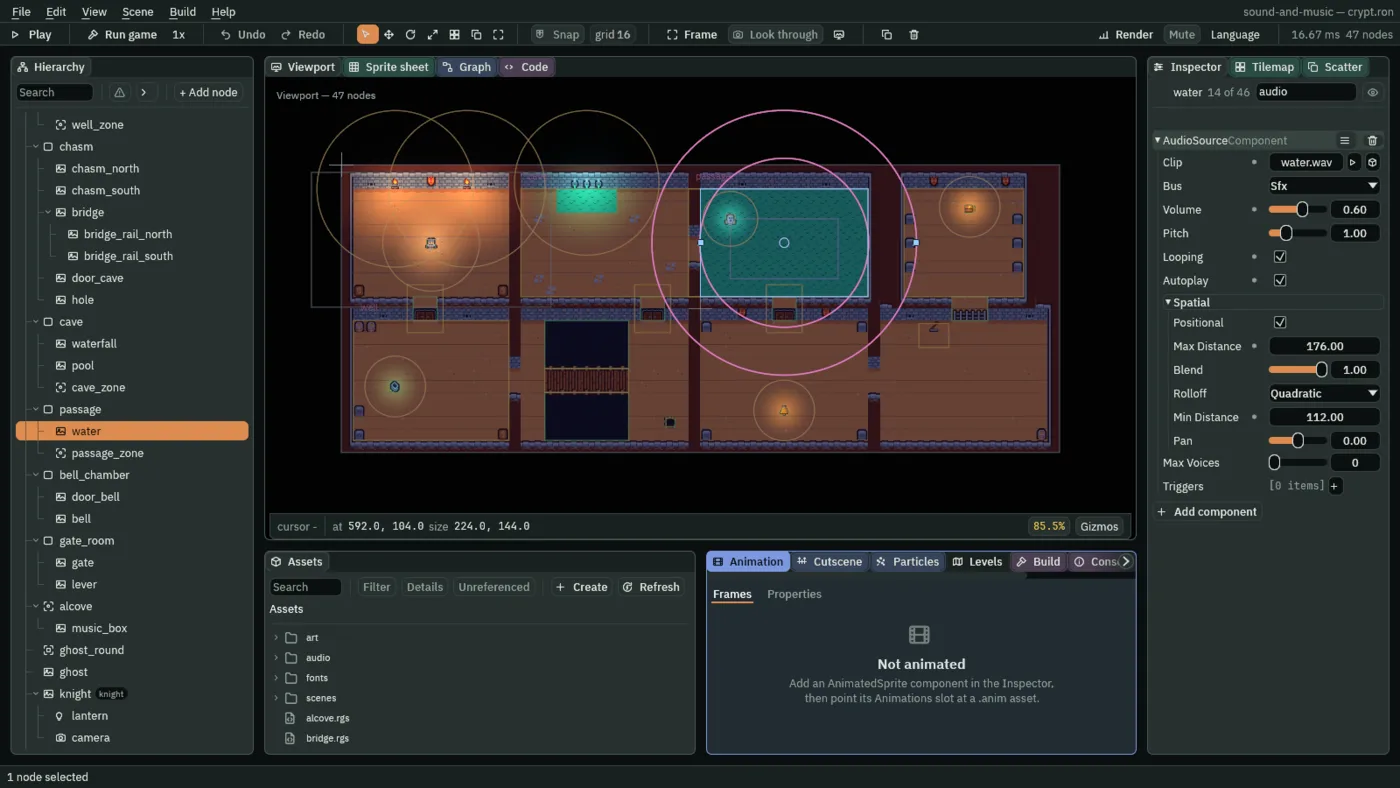
112, nearly the whole passage, and Max Distance 176.Three effects, switched off
Each room that sounds like itself needs an effect: the cave a Reverb, its walls answering; the flooded passage a LowPass, everything dulled; the well room a Delay, each step answered once and again. All three go into the crypt’s mix now, each unticked, and the rooms switch them on in the next section. The mix’s own default, what a room in no zone hears, is the chains as their Enabled boxes say: dry and clear.
- Select
mix. On Master, press + beside Slots: a second slot, a Gain of0dB as a slot comes. Set its Effect to LowPass, its Cutoff to800and its Resonance to0.707, and untick its Enabled. - On Sfx, press + beside Slots: a third slot, after the Panner. Make it a Reverb: Size
0.8, Decay3, Damping0.3, Mix0.5. Untick its Enabled. - Press + again: a fourth. Make it a Delay: Time
0.4, Feedback0.3, Mix0.4. Untick its Enabled. - Press Ctrl+S.
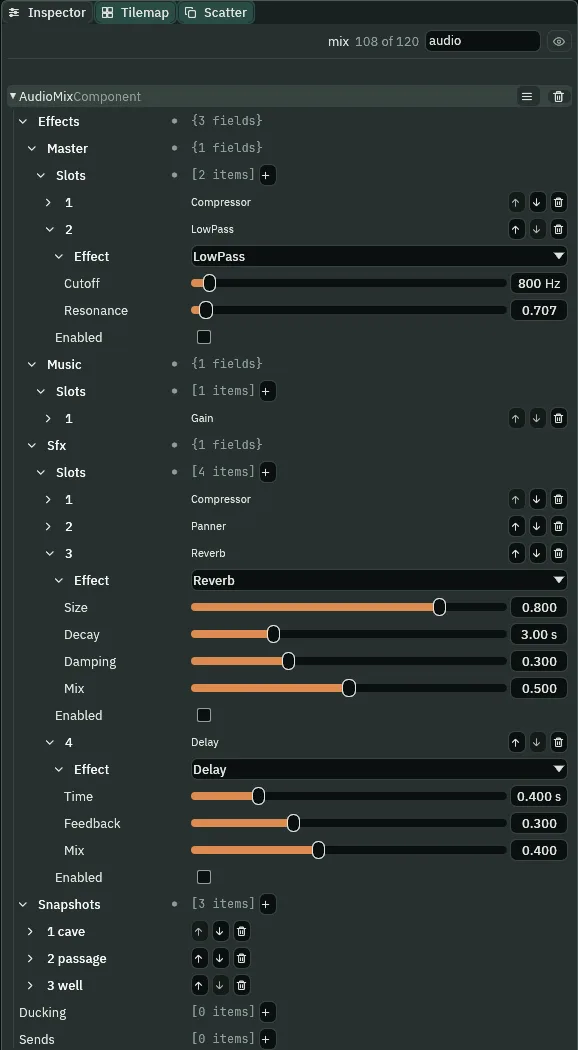
- The LowPass’s Cutoff
- Above this, in hertz, the sound is rolled away; under it, it passes. At
800, the body of the music and of the water passes and their brightness goes: a sound heard through water, or through a wall. From20to20000. - The LowPass’s Resonance
- How the filter treats the frequencies at its Cutoff:
0.707is flat, rolling away smoothly; higher lifts a peak there, a ringing edge. From0.05to24. - The Reverb’s Size
- How far apart the walls are,
0a narrow shaft and1a cavern. The cave is big:0.8. - The Reverb’s Decay
- How long the room’s tail takes to fall sixty decibels, all but out of hearing, in seconds: here
3. It is its own field, apart from Size: a small tiled room can ring long, and a big soft one hardly at all. - The Reverb’s Damping
- How much faster the highs die in the tail than the lows:
0is bare stone, every frequency ringing alike,1a room full of soft things. The cave’s0.3is wet rock. - The Reverb’s Mix
- How much of what comes out is the room rather than the sound as it came: at
0.5, half each. The dry half is quieter than the sound alone, so a step in the cave lands softer and rings on. - The Delay’s Time
- How long until the first repeat, in seconds:
0.4, a well deep enough to answer. - The Delay’s Feedback
- How much of each repeat feeds the next:
0is one echo; at0.3each repeat is three tenths as loud as the one before, and they fade out quickly. Up to0.95. - The Delay’s Mix
- How much of what comes out is the echo rather than the sound as it came: at
0.4, two parts echo to three of the step, so the answer is a little softer than the step.
Three snapshots
A snapshot is a named mix: each bus’s volume, and which of its effects are on. The mix can slide to one, and back. The crypt gets three, one for each room with an effect: cave, passage and well. Each switches on its room’s effect and leaves every other slot as the chain has it.
- Select
mixand press + beside Snapshots: a snapshot with no name, every Volume at1and no switches. Open it and typecaveinto its Name. - Open its Master, and press + beside its Effects twice: two switches, one for each of Master’s slots, each as its slot is, Compressor ticked and LowPass unticked. Press the + beside Music’s Effects once, and beside Sfx’s four times. Then tick Sfx’s third, Reverb.
- Press + beside Snapshots again: a new snapshot, empty as the first was. Name it
passage, and give it the same pressescavegot: + beside Master’s Effects twice, beside Music’s once and beside Sfx’s four times, each press a switch as its slot is. Then tick Master’s second, LowPass. - Press + beside Snapshots once more: a third, empty too. Name it
well, give it the same seven presses, tick Sfx’s fourth, Delay, and set Music’s Volume to0.5. - Press Ctrl+S.
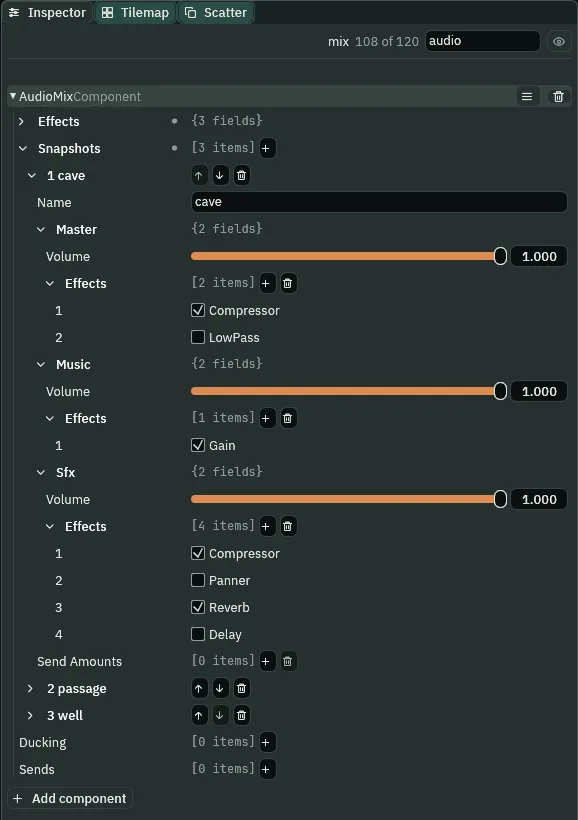
cave snapshot: a switch for every slot, each named by its slot’s effect, and the Reverb ticked.| Snapshot | Master: Volume, switches | Music: Volume, switches | Sfx: Volume, switches |
|---|---|---|---|
cave | 1; on, off | 1; on | 1; on, off, on, off |
passage | 1; on, on | 1; on | 1; on, off, off, off |
well | 1; on, off | `0.5`; on | 1; on, off, off, on |
- The Audio Mix’s Snapshots
- The named mixes the mix can slide to. A zone slides it to one while the knight stands inside it, and a script can ask for one (chapter 9). Besides these, every mix has one of its own,
default: the chains as their Enabled boxes say, every bus at1, which a room in no zone hears. - A snapshot’s Name
- What a zone, or a script, calls it:
cave,passage,well. A zone whose Snapshot names none the mix has does nothing, and the Problems tab says so. - A snapshot’s Master: its Volume and its Effects
- Volume is the bus’s level in this mix, from
0to1; the slide takes it there from wherever the mix stands. Effects is a list of switches, one for each slot of Master’s chain, in order: ticked, the slot is on in this mix, unticked, off. Each reads its slot’s place and effect,1 Compressor,2 LowPass. - A snapshot’s Music: its Volume and its Effects
- The same for Music: the well’s takes it to
0.5, so the well’s answer, softer than the step, is heard over the music; its one switch keeps the Gain on. - A snapshot’s Sfx: its Volume and its Effects
- The same for Sfx, four switches: the Compressor on in all three, the Panner off, and the Reverb or the Delay on in its own room.
Three zones
An Audio Zone slides the whole mix to a snapshot while the listener is inside its Area, and back to the room’s default as he leaves. The + Add node menu’s Audio Zone comes with both: an Area, which is where, and the zone, which is what.
- Select
cave. Press + Add node and choose Audio Zone. Rename itcave_zone. In its Area’s Shape, set Size to240,144and Offset to8,0: the cave and the arch to its east. Leave Layer and Mask as they come: each reads0, the first layer, the knight’s. - In its AudioZoneComponent, set Snapshot to
cave: type it, or choose it from the list beside the field, which holds the mix’s snapshots. Set Fade to1.5. - Select
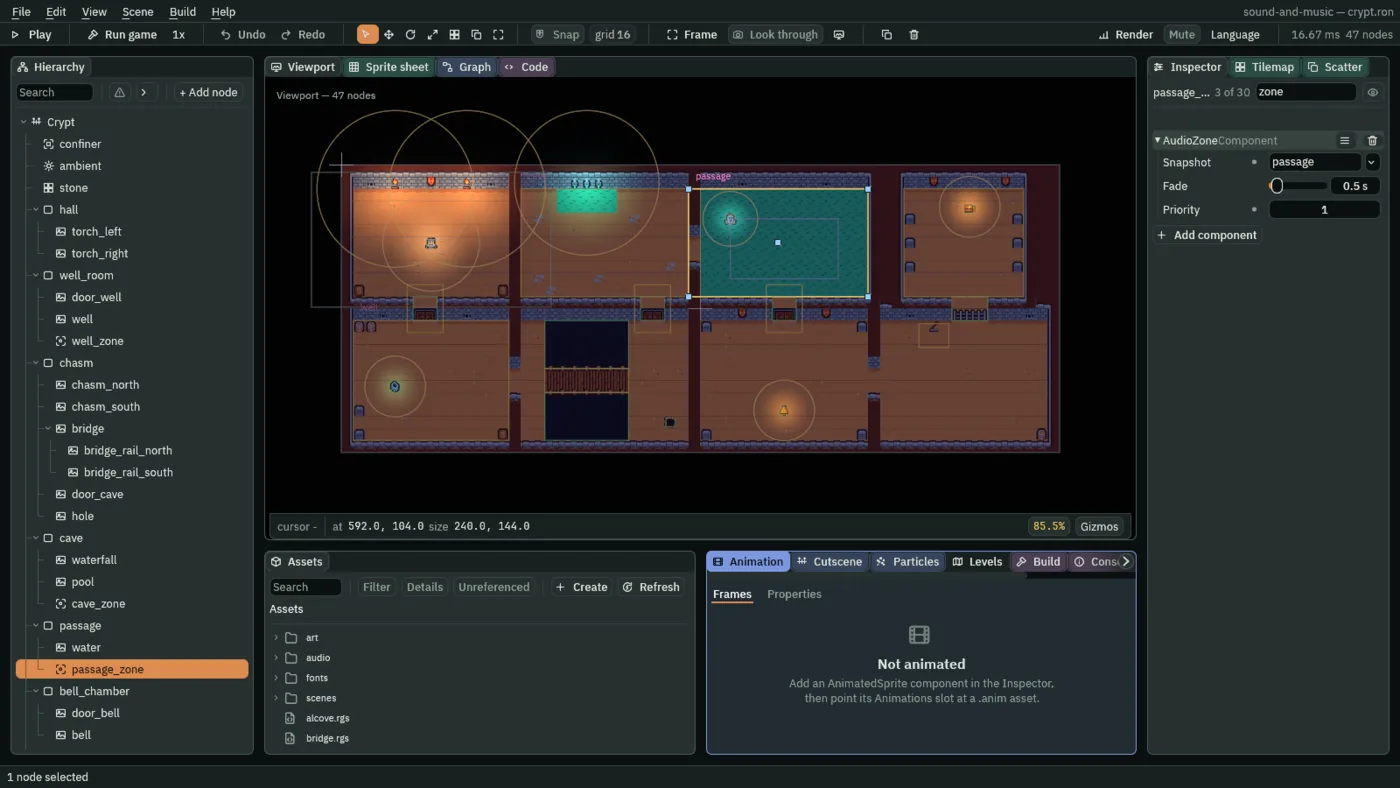
passage, add an Audio Zone and rename itpassage_zone: Size240,144, Offset-8,0, the arch and the passage; Snapshotpassage, Fade0.5as it comes, Priority1. - Select
well_room, add an Audio Zone and rename itwell_zone: Size208,160, the well room’s floor; Snapshotwell, Fade0.25. - Press Ctrl+S.
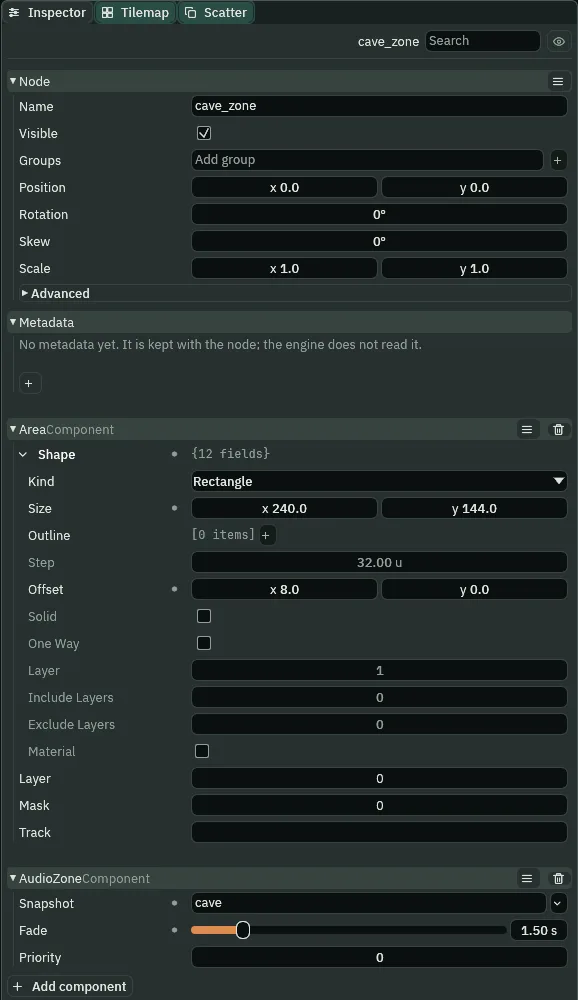
cave_zone: an Area over the cave and the arch, and the zone that names cave.- The Audio Zone’s Snapshot
- The snapshot of the scene’s mix the zone slides to while the listener is inside its Area. Empty, as a zone comes, it does nothing.
- The Audio Zone’s Fade
- How long the slide takes, in seconds, both in and out: from
0to10,0.5as a zone comes. What slides over it is the volumes, and from chapter 8 the send; a switch is on from the slide’s first step, and on the way out stays on until the slide is over. So the cave’s Reverb rings from his first step in, and on as he leaves until the slide back is over; in chapter 8 its1.5carries the music’s ring in. The well room’s0.25takes the music down to its0.5over a quarter of a second, and its Delay answers from his first step in. - The Audio Zone’s Priority
- Where two zones overlap, the higher wins:
0as a zone comes. The passage’s1wins the arch. On a tie, the first zone in the Hierarchy wins: without the1, the cave’s, and the arch would ring.
The cave’s and the passage’s zones both take in the arch between them, so the way from one to the other is never in neither: a gap would slide the mix back to the default and out again in a step. They overlap in the arch, and the passage’s Priority wins it: the mix turns to the passage’s within a step of his feet passing the arch’s west edge. The entrance hall and the bridge room are in no zone, and keep the default.
Rooms that sound like rooms
- Press F5 and click the Sound tab.
- Walk below the cave’s door and about; then up into the cave, and about again. Walk east through the arch into the passage. Go back, down through the bridge room and west through the arch into the well room, and step by the well.
- Press F5 to stop.
What it sounds like
Calm music, and footsteps on stone, each short and clean, then the music alone.
What it sounds like
The same calm music with a distant roar under it; footsteps, each followed by a wash of echo that fills the gaps between them and fades away after the last.
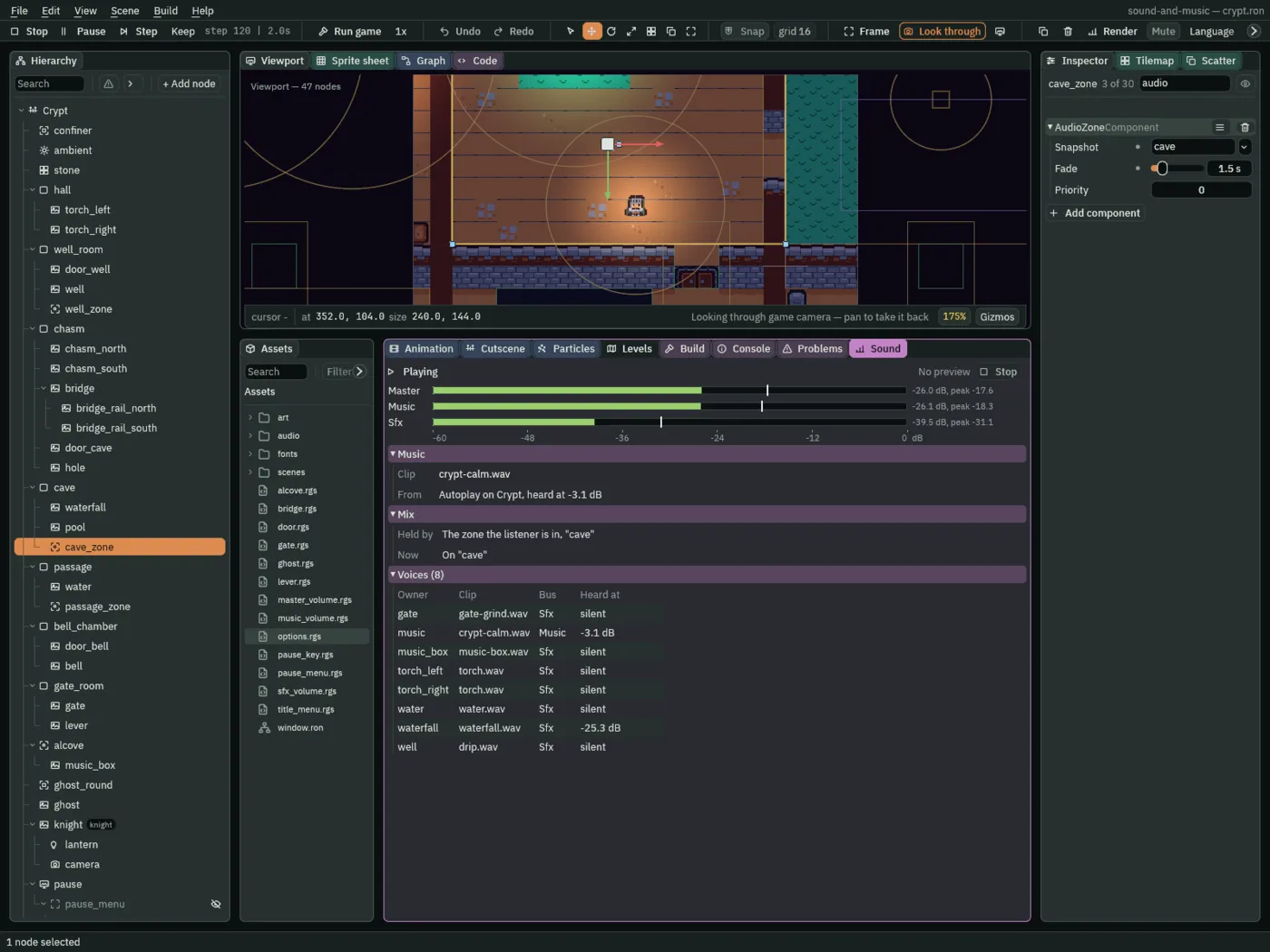
cave.What it sounds like
Calm music and a distant roar; footsteps; then the music, the lapping water and the steps all go dull and dark together, at about the same loudness, as if heard from under water.
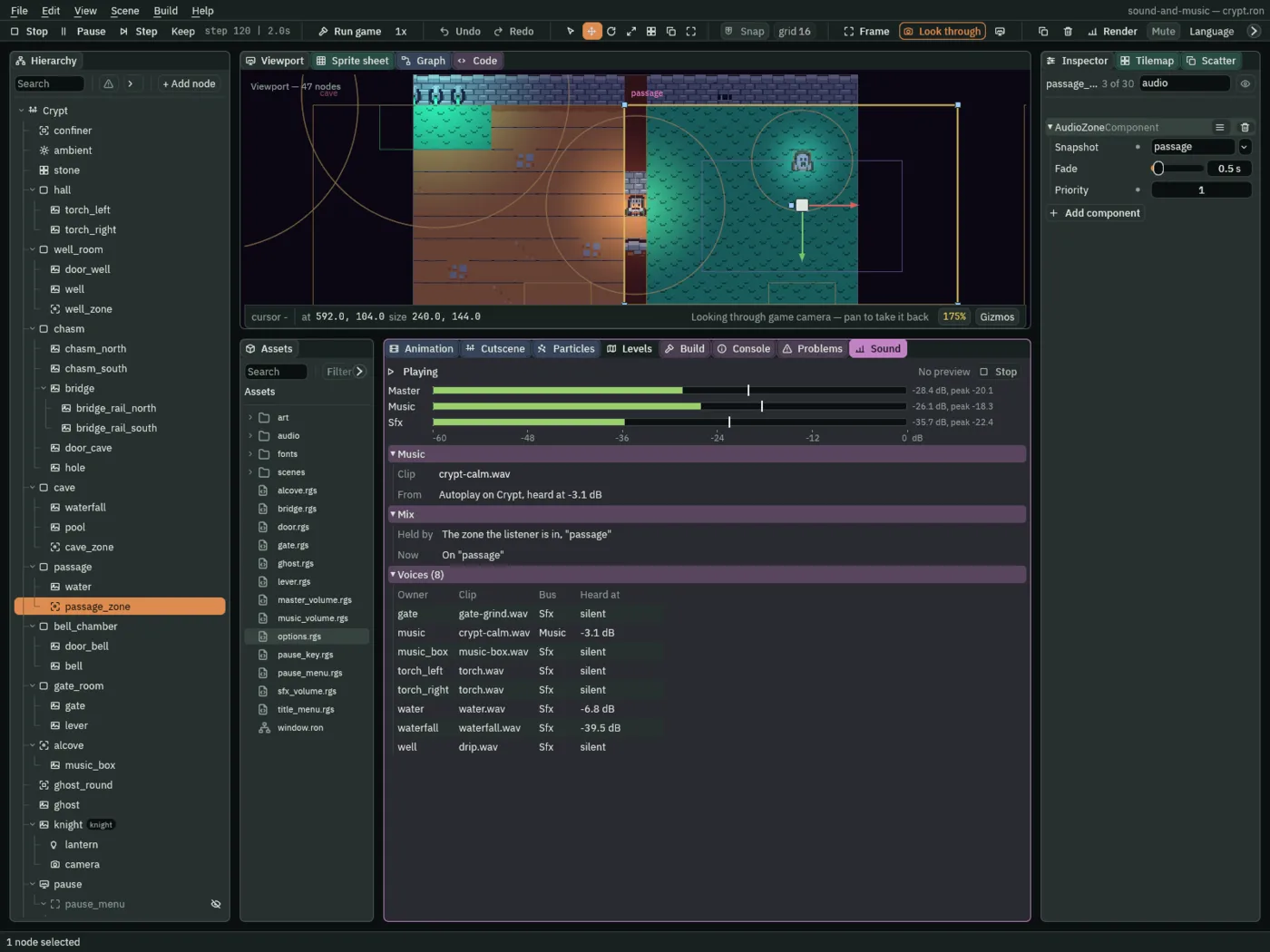
What it sounds like
Calm music and footsteps on stone; through the arch the music grows quieter and each step starts to echo; then two single steps, each followed by two fading echoes.
By the well, the answer comes 0.4 s after his foot lands, 3.5 dB under the step, two parts of echo to three of the step; and again 0.4 s later, three tenths as loud. The music there is 6 dB under what it is on the bridge room’s bank, the well’s Volume of 0.5. In the passage, what is over twice the LowPass’s 800 Hz is far under what it is with the LowPass unticked, and what is under half of it is the same.
- Held by, in the Sound tab’s Mix band
- Who has the mix now, and the snapshot they asked for: The zone the listener is in, here
"cave"; The room’s default,"default", in no zone; or, from chapter 9, A script’s set_mix. - Now, in the Mix band
- Where the mix stands: On a snapshot once it has slid there, or Sliding to one, with how far it has got.
Who decides what you hear
The rooms
| Node | Component | Field | Value |
|---|---|---|---|
audio/waterfall.wav, audio/water.wav | their Details | Stream | Never |
waterfall | Audio Source | Clip, Volume | audio/waterfall.wav, 0.5 |
| Looping, Autoplay | ticked, ticked | ||
| Max Distance, Rolloff, Min Distance | 192, Quadratic, 32 | ||
water | Audio Source | Clip, Volume | audio/water.wav, 0.6 |
| Looping, Autoplay | ticked, ticked | ||
| Max Distance, Rolloff, Min Distance | 176, Quadratic, 112 | ||
mix | Audio Mix | Master slot 2 | LowPass: 800 Hz, 0.707; unticked |
| Sfx slot 3 | Reverb: 0.8, 3 s, 0.3, 0.5; unticked | ||
| Sfx slot 4 | Delay: 0.4 s, 0.3, 0.4; unticked | ||
| Snapshots | cave, passage, well, as the table above | ||
cave_zone, under cave | Area | Shape Size, Offset | 240, 144; 8, 0 |
| Audio Zone | Snapshot, Fade, Priority | cave, 1.5, 0 | |
passage_zone, under passage | Area | Shape Size, Offset | 240, 144; -8, 0 |
| Audio Zone | Snapshot, Fade, Priority | passage, 0.5, 1 | |
well_zone, under well_room | Area | Shape Size | 208, 160 |
| Audio Zone | Snapshot, Fade, Priority | well, 0.25, 0 |