Tutorials · Sound and Music · Chapter 11
Layers
By the end
- A Layers row on calm and on danger: a heartbeat,
heartbeat.wav, as long as both, silent until a script turns it up - Why a track with layers takes no Intro, and the Problems row that says so
- A track
arrival, the intro running into calm’s tune once, that the crypt opens on, and an AtEnd rule that hands it over to calm with no gap ghost.rgsturning the heartbeat up band by band as the ghost nears, withset_music_layer, and the level kept as calm and danger change places- The crypt exported: a folder of its own with the player in it, which opens on the title and plays the music asset
On this page
A heartbeat
The last of the crypt’s music came with the starter: heartbeat.wav, a low lub-dub on every beat, eight bars, 24 seconds, as long as calm and danger to the frame. Leave it on Auto, as it comes.
It is not a track of its own. It plays with calm, and with danger, in step with each, silent until the ghost is near: a layer.
Layers
- In Assets, double-click
music/crypt.datato open it in the Inspector. - On
1 calm, press + beside Layers: a layer,1, as a layer comes, at Volume1. Typeheartbeatin its Name, dropheartbeat.wavon its Clip, and set its Volume to0. - On
2 danger, press + beside its Layers, empty too, and do the same:heartbeat,heartbeat.wav, Volume0. Press Save.
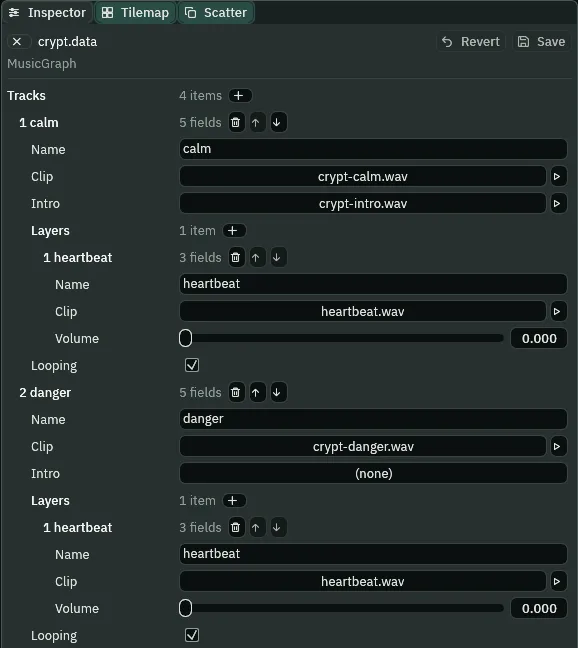
heartbeat, at Volume 0; calm still has its Intro.- A track’s Layers
- Clips that play with the track, from its first sample and in step with it, each at its own level, a row each. A script turns one up and down by its name. A track with layers starts about a tenth of a second after it is asked for, so that every layer starts on the same sample as its track.
- A layer’s Name
- What
set_music_layercalls it by. The level belongs to the name, not to the track: two tracks with a layer of the same name share its level, so the heartbeat keeps it as calm and danger change places. - A layer’s Clip
- The sound the layer plays, in step with the track’s Clip. It must be as long as the track’s, or it drifts out of step as they loop; the Problems tab lists a layer that is not.
- A layer’s Volume
- How loud the layer starts, from
0, silent, to1, as loud as the track. A new layer comes at1. Here0: the script turns it up.
Open the Problems tab. With a layer on calm, it has a row:

A track with layers takes no Intro. Its layers start on the same sample as its Clip, so that they play in step; an intro played first would put the Clip after them, out of step. So the game drops calm’s, and the Problems tab says so. The row sits on torch_left, as chapter 10’s did: the asset’s rows sit on the first node in the Hierarchy that touches sound. So the intro moves.
An arrival
The crypt still opens on the intro running into calm’s tune, but as a track of its own, arrival, with no layers, which hands over to calm at the end of its first pass.
- Press + beside Tracks:
5, a copy ofcaught, the row above, with Looping unticked. Name itarrival, dropcrypt-calm.wavon its Clip andcrypt-intro.wavon its Intro, and tick Looping. - On
1 calm, click its Intro slot and pick(none)to empty it. The Problems row goes. - Press + beside Rules: rule
7, a copy of rule 6,foundtocalm, AtEnd. Set its From toarrival. Press Save. - In the Levels tab, click The Crypt row and pick
arrivalin its Track list.
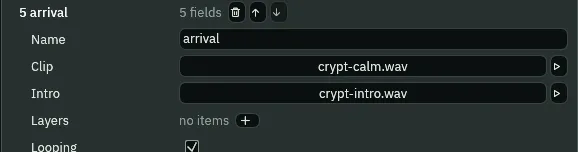

7: from the arrival to calm, at its end.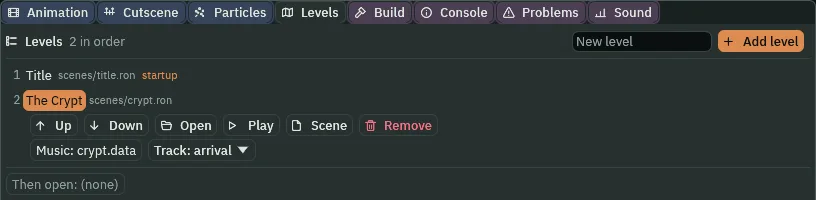
arrival.Nothing asks for calm yet, so the arrival would loop calm’s tune with no heartbeat, its intro every time round. A script on the crypt’s root asks for calm as the crypt opens, and the rule makes it wait for the arrival’s end.
- In Assets, click Assets in the path bar, so the script is written at the project’s top, then click Create, choose New script, type
arrivaland press Enter. Replace everything inarrival.rgswith the script below, and press Ctrl+S. - Select
Crypt, the root, press Add component and choose Arrival. Press Ctrl+S.
/// The crypt's arrival. The crypt's level opens its music on the track
/// arrival: the intro, running into calm's tune, with no heartbeat under it.
/// As the crypt opens, this asks for calm, and the rule from arrival to calm
/// is At End: calm waits for the arrival's end, and comes in there, its
/// heartbeat with it, with no gap.
component Arrival {
    fn on_create() {
        play_music("calm");
    }
}
The heartbeat’s bands
The ghost already reads how far the knight is. It now sets the heartbeat by that distance, in four bands:
| Distance from him | Heartbeat |
|---|---|
under 48 | all of Loudest |
under 96 | half of Loudest |
under 160 | a quarter of Loudest |
| beyond | silent |
- In Assets, double-click
ghost.rgs. Replace everything in it with the script below, and press Ctrl+S. - Select
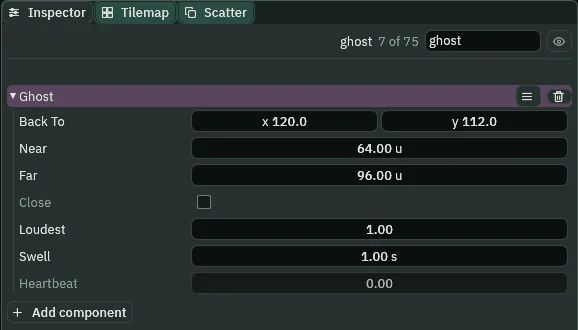
ghost: its Ghost now has Loudest1, Swell1s and Heartbeat. Leave them.
/// The ghost, drifting its round through the flooded passage. Near the
/// knight it turns the crypt's music to danger, and once it is far from him
/// again, back to calm; and the nearer it comes, the louder the heartbeat
/// under the music. A knight its Area touches is caught: the music cuts to a
/// sting, and he is sent back to where he started, in the entrance hall.
component Ghost : Area {
    /// Where a knight the ghost touches is sent back to: his start in the
    /// entrance hall.
    back_to: Vec2,
    /// How near the knight the ghost turns the music to danger.
    #[suffix("u")]
    near: f32 = 64.0,
    /// How far from him it turns the music back to calm. Farther than near,
    /// so a ghost drifting along the edge does not turn it back and forth.
    #[suffix("u")]
    far: f32 = 96.0,
    /// Whether it has turned the music to danger, or to the sting that waits
    /// for calm, so that it asks for each change once and not on every step.
    #[readonly]
    close: bool = false,
    /// How loud the heartbeat beats with the ghost at its nearest: 1 is as
    /// loud as the music, 0 silent.
    loudest: f32 = 1.0,
    /// How long the heartbeat takes to swell or fall to a new level.
    #[suffix("s")]
    swell: f32 = 1.0,
    /// How loud it last asked the heartbeat to be, so that it asks once each
    /// time the knight crosses into another band, and not on every step.
    #[readonly]
    heartbeat: f32 = 0.0,

    fn loop() {
        let knight = nearest("knight");
        if knight != node(0) {
            let apart = position().distance(position_of(knight));
            // danger and calm are tracks of the crypt's music asset, the
            // level's Music: its rules say how one turns into the other.
            if !close && apart < near {
                play_music("danger");
                close = true;
            } else if close && apart > far {
                play_music("calm");
                close = false;
            }
            // The heartbeat is a layer of calm and of danger: silent beyond
            // 160, then a quarter, a half and all of loudest within 160, 96
            // and 48, each band twice as loud as the one outside it.
            let level = 0.0;
            if apart < 48.0 {
                level = loudest;
            } else if apart < 96.0 {
                level = loudest * 0.5;
            } else if apart < 160.0 {
                level = loudest * 0.25;
            }
            if level != heartbeat {
                // The level belongs to the layer's name, not to a track, so
                // the heartbeat keeps it as calm and danger change places.
                set_music_layer("heartbeat", level, swell);
                heartbeat = level;
            }
        }
    }

    fn on_enter(other: NodeId) {
        if in_group(other, "knight") {
            // The sting cuts in at once, whatever is playing.
            play_music("caught");
            // Still close: once he is far from the ghost, it asks for calm,
            // which waits for the sting's end.
            close = true;
            move_node(other, back_to);
        }
    }
}
- set_music_layer
set_music_layer("heartbeat", level, swell)fades the layer namedheartbeattolevel, from0to1, overswellseconds, on every track playing; the level is kept for any track that starts later with a layer of that name. Each ask starts its fade again from where the layer is.- Loudest, the ghost’s
- How loud the heartbeat beats with the ghost at its nearest:
1is as loud as the music,0silent. The bands are shares of it. - Swell, the ghost’s
- How long the heartbeat takes to rise or fall to a new band’s level, in seconds.
- Heartbeat, the ghost’s
- The level it last asked for, so that it asks once each time the knight crosses into another band.
#[readonly]: the script writes it. It is the level asked, not the level heard while the swell is on its way.
Heard
Press F5, walk through the cave into the flooded passage, a step in from the arch, and wait for the ghost.
What it sounds like
The soft intro and the music-box melody, footsteps, the music turning muffled; then darker music with a low lub-dub heartbeat that grows loud, then softens; the darker music eases back into the gentle melody and the heartbeat fades away.
Wait on: the ghost goes round, and comes back. This time calm is playing, with its heartbeat, as it comes near, and turns to danger with the heartbeat at the same level.
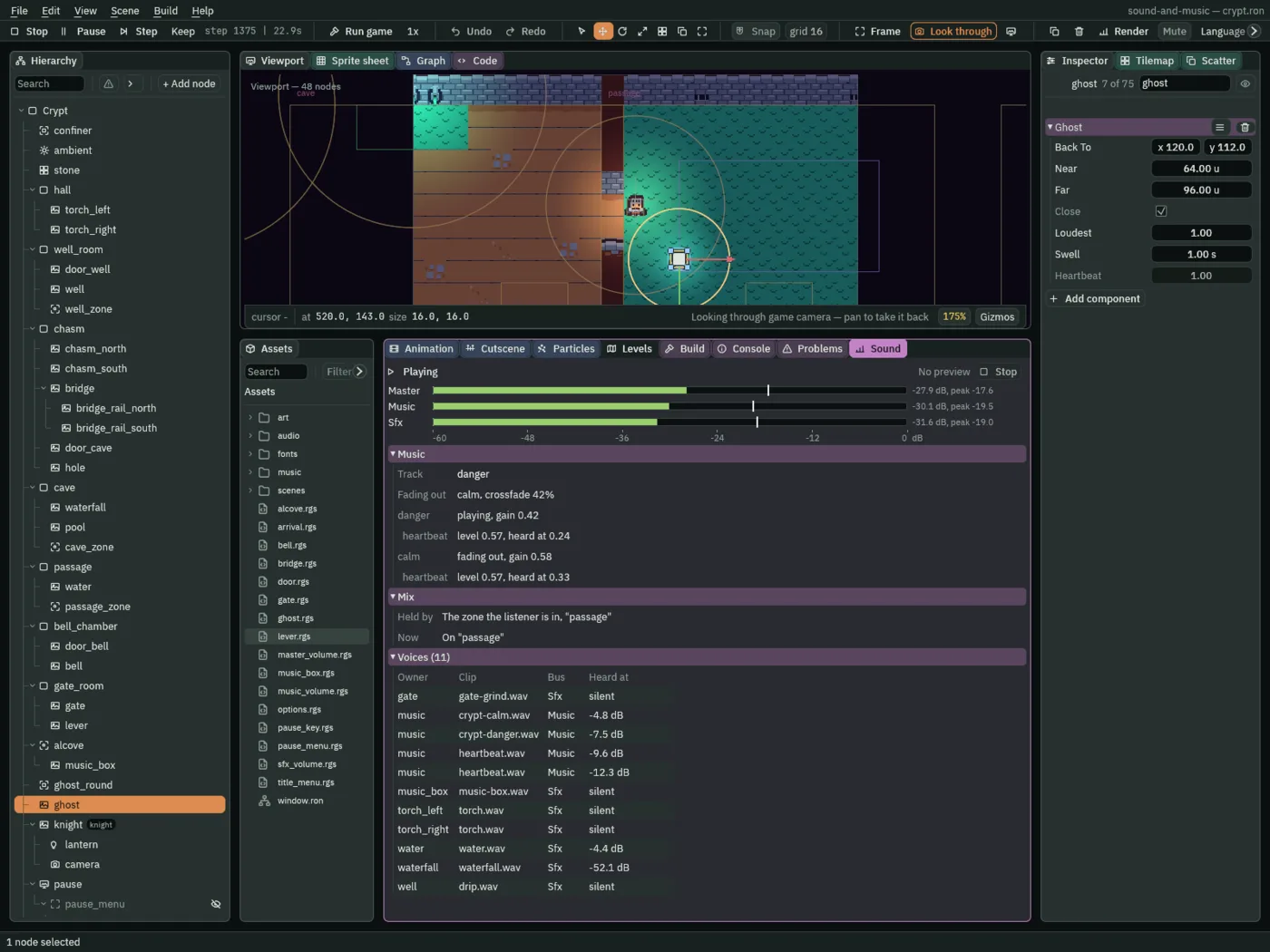
- A layer’s row, in the Sound tab’s Music band
- Under each track sounding, its layers: the level the layer is at, which
set_music_layermoves, and what it is heard at, that level times its track’s gain in a crossfade. Halfway through, both heartbeats sound, each at its track’s share.
What it sounds like
Water lapping, and a soft swell under it turning into darker music with a throbbing pad and a low heartbeat growing loud; a falling run on a music box and a sagging chord; then at once the gentle music-box melody over a soft pad, with a fire crackling.
The crypt, exported
The crypt’s music now follows the game, and a game is something you hand to someone who has no editor. Export writes it to a folder of its own: your project, its sounds prepared for the game, the music assets and the heartbeat among them, and a copy of the player that came with Rengy, named after your project’s folder. Nothing is compiled: the scripts run as they are. Exporting has the whole of it.
- Press F5 again to stop, and save with File → Save all: Export copies the files as they are on disk.
- Click the Build tab, in the dock under the Viewport.
- In its Export section, the line under Export says where the game will be written,
sound-and-music/dist/sound-and-music/sound-and-music: your project’s folder, thendist, then a folder and a file both named after it. - Press Export. When it is done, the editor opens the new folder in your file manager.
- Double-click
sound-and-music, orsound-and-music.exeon Windows. On Linux, if double-clicking does not start it, run./sound-and-musicin a terminal in that folder.

The exported game is the same player running the same files, and every clip on these pages was recorded from one: it opens on the title with its music, Play opens the crypt on the arrival, and calm comes in at its end.
Who decides what you hear
The layers
| Node | Component | Field | Value |
|---|---|---|---|
music/crypt.data | Music | calm’s Layers | heartbeat: Clip heartbeat.wav, Volume 0 |
calm’s Intro | none | ||
danger’s Layers | heartbeat: Clip heartbeat.wav, Volume 0 | ||
track arrival | Clip crypt-calm.wav, Intro crypt-intro.wav, Looping ticked | ||
| rule 7 | arrival → calm, AtEnd | ||
| The Crypt, in Levels | the level | Track | arrival |
Crypt | Arrival | arrival.rgs | |
ghost | Ghost | ghost.rgs, rewritten: Loudest 1, Swell 1 s, Heartbeat |