Tutorials · Animation and Cutscenes · Chapter 2
A state machine
By the end
art/knight.asm: a graph with the statesidle,run,landandair, andriseandfallinsideair- Ten transitions in order, each with its condition and its blend
- A State Machine on the knight, so that he runs, jumps, falls and lands with no field of his to set
- The graph rehearsed in the Graph tab, and played
On this page
A graph for the knight
The knight has nine clips and nothing that chooses between them but a name you type. A State Machine chooses for him. It holds a graph: a box for each thing he can be doing, called a state, each naming the clip to play, and arrows between them that say when he stops doing one and starts another. The graph is a file of its own, a .asm, that you build in the Graph tab.
- Select
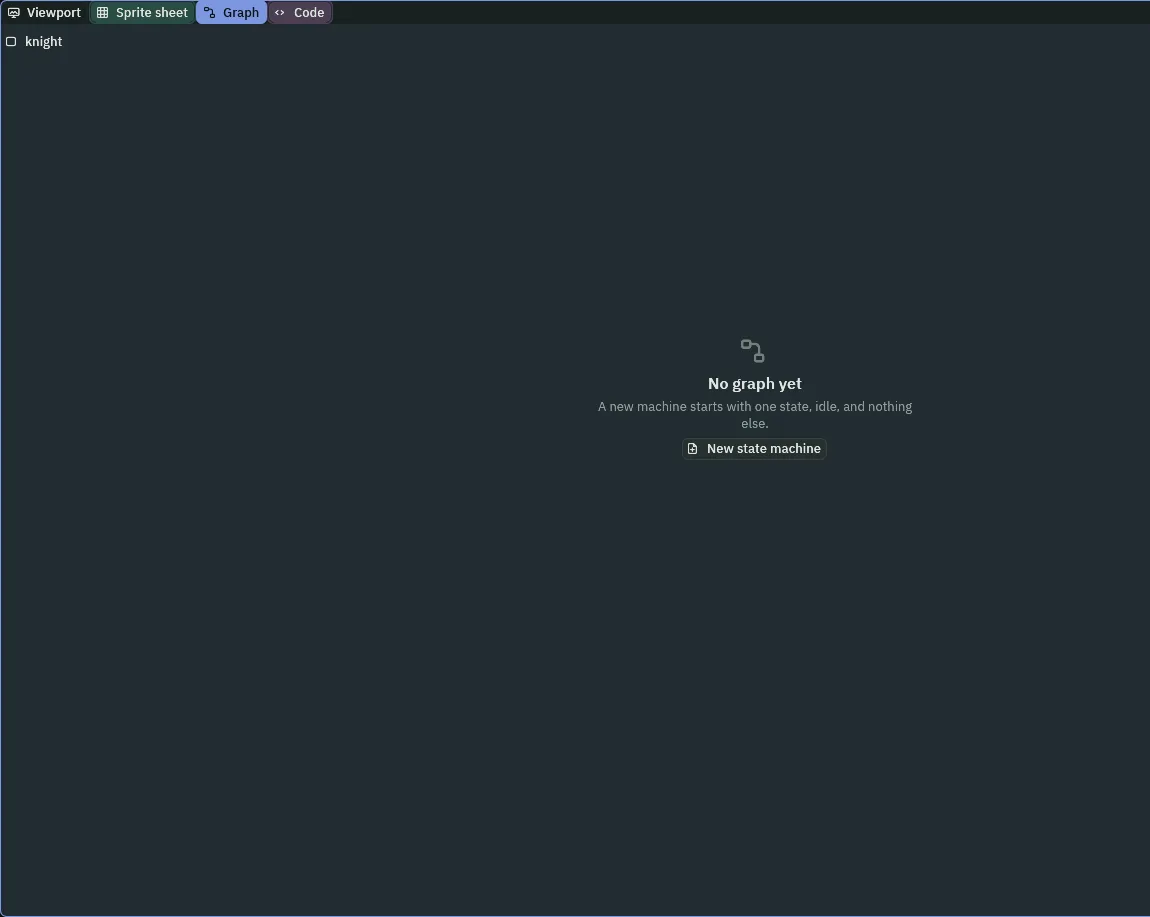
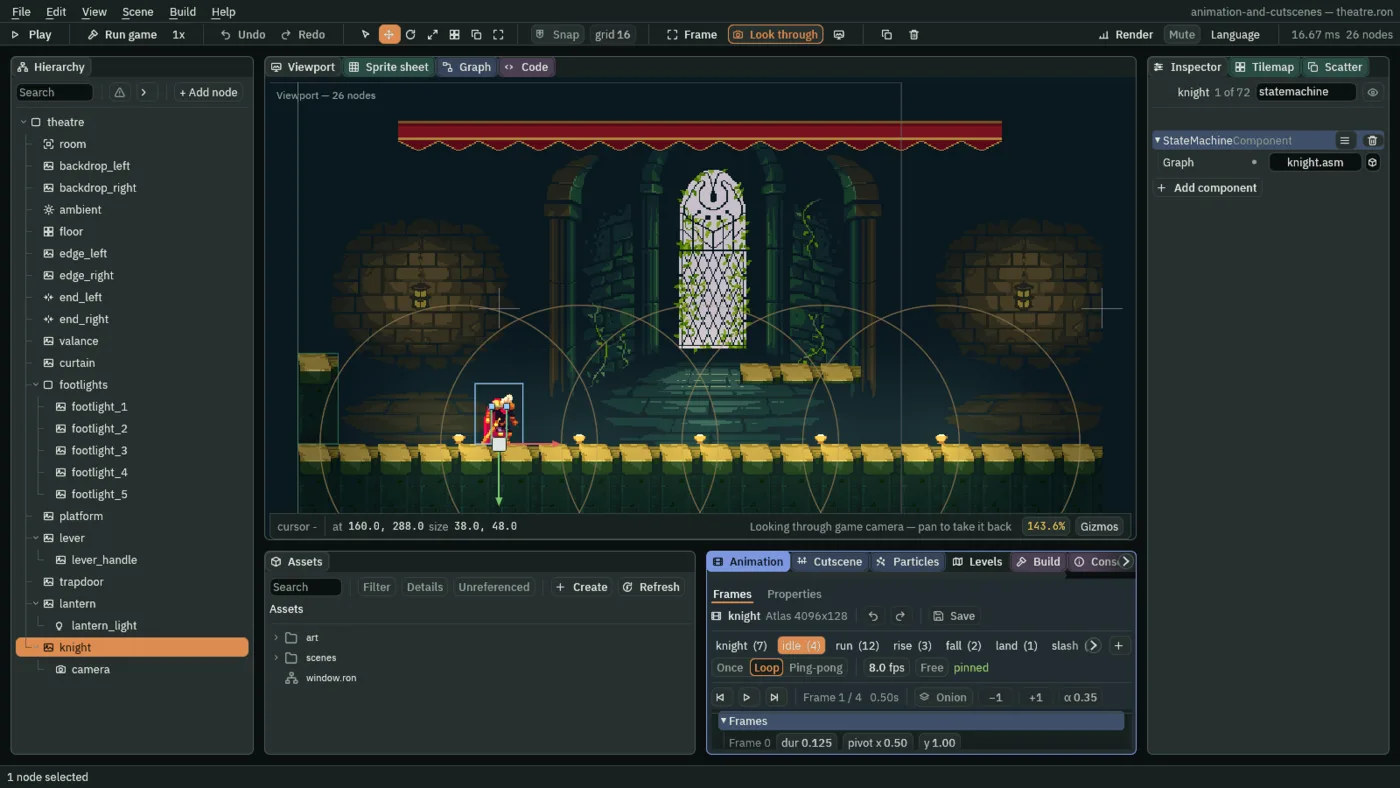
knight, click Add component and choose StateMachineComponent. Its Graph is empty. - Click the Graph tab, in the row with Viewport and Sprite sheet at the top of the window. It says there is no graph yet.
- Click New state machine. It writes
art/knight.asmbesideart/knight.anim, with one state,idle, that plays the clipidle, and puts it in the State Machine’s Graph.
- Graph
- The State Machine’s Graph: the
.asmfile that decides which clip the node’s Animated Sprite plays. Hereart/knight.asm. Empty, the State Machine does nothing, and the Graph tab offers to make one. A graph names clips of the animation beside it, soknight.asmgoes next toknight.animand works for every node that plays that animation.
States, and a state inside a state
The knight does four things for now: he stands, runs, is in the air, and lands. Slashing and being hurt come in chapter 5. The graph gets a state for each of the four. The air is two clips, a rise and a fall, so air is a sub-graph: a state that is a graph of its own, with its own states, entry and arrows.
- In the row under the Graph tab’s bar, type
runinto the State box andruninto the Clip box, and press Add state. A box calledrunappears, with its clip written under its name. (Left empty, Clip takes the state’s own name, which is the same here.) - Add
landthe same way, with the clipland. - Type
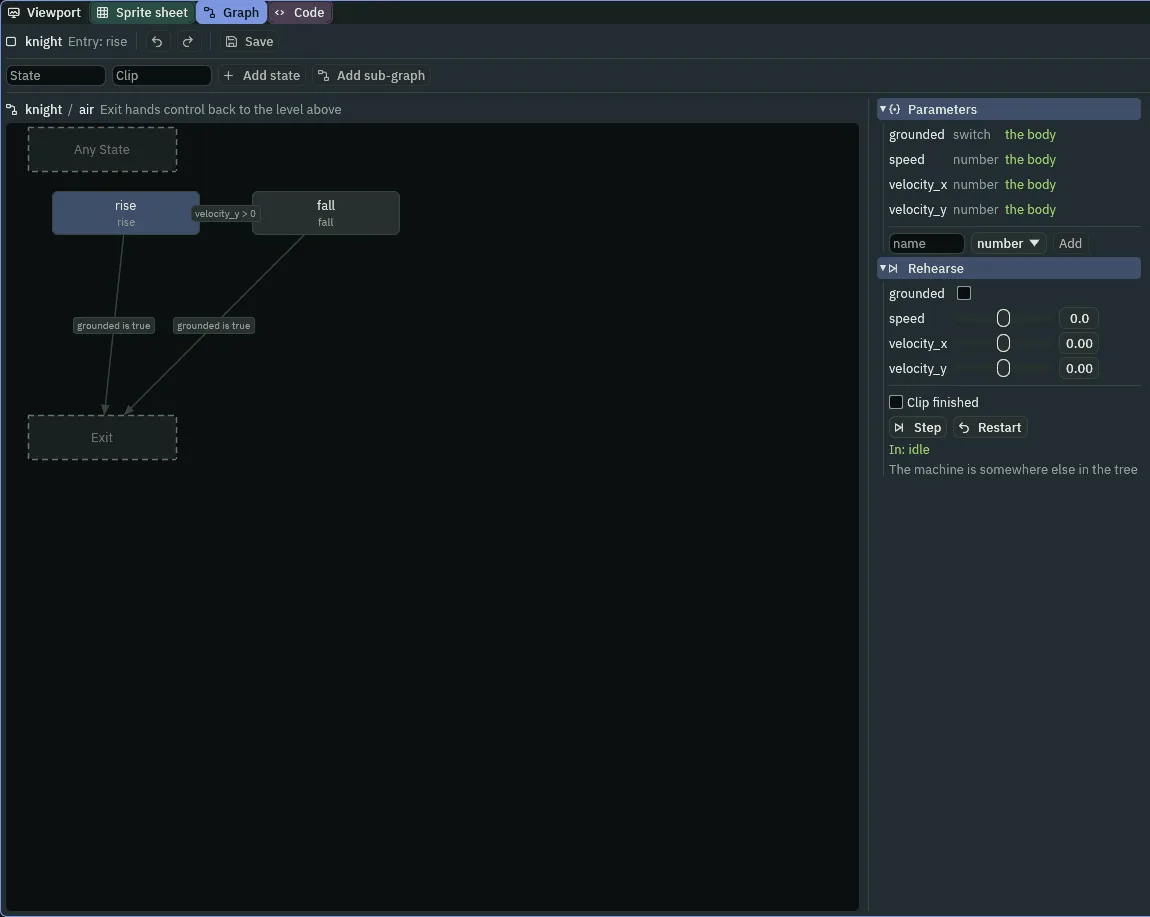
airinto the State box, leave Clip empty, and press Add sub-graph. The tab opens the new graph, one level down: the bar above the canvas readsknight / air. - Add
rise, with the cliprise, andfall, with the clipfall. If the bar says Entry is notrise, selectriseand press Set entry. - Click
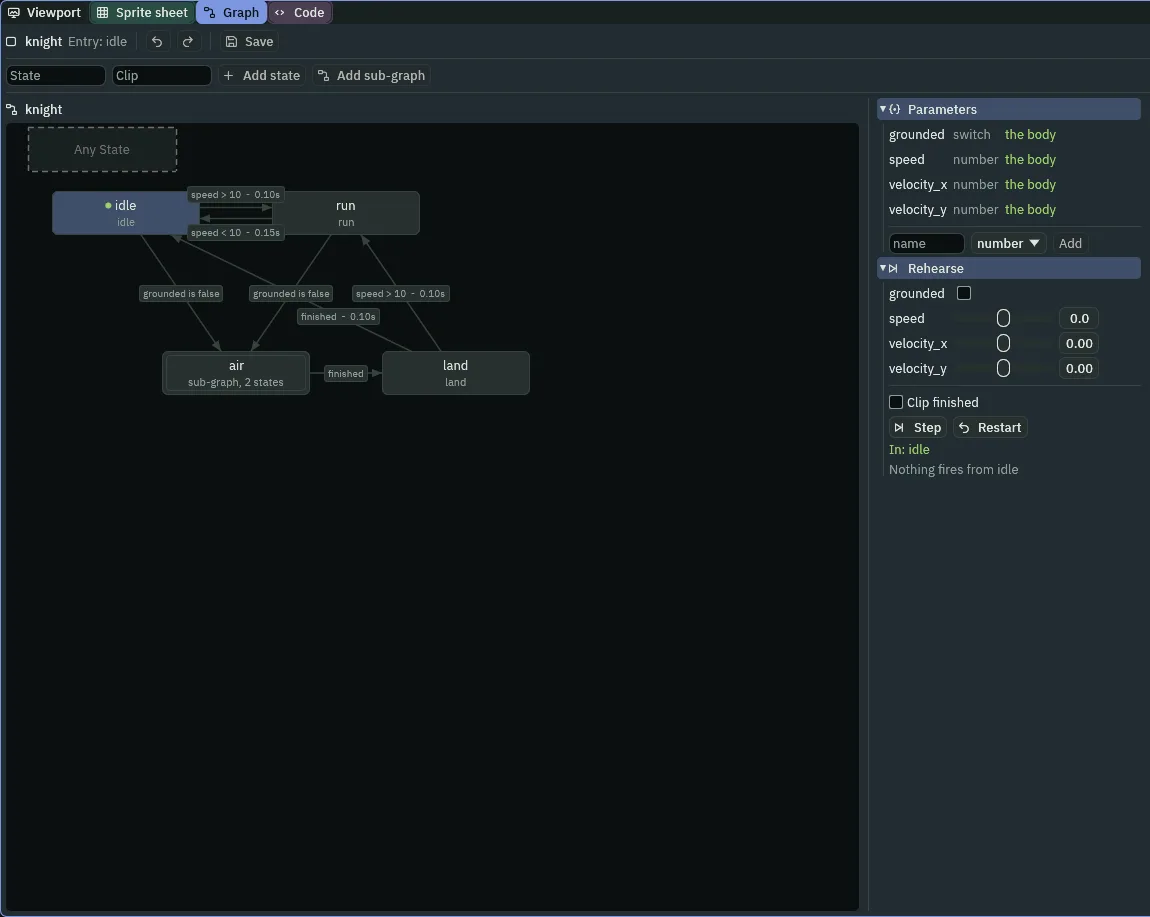
knightin the bar above the canvas to go back up. A new box lands on the first free place of a grid; drag the boxes where you like. In the picture,idleandrunare on top andairandlandunder them.
air: rise, fall and Exit.- State and Clip
- A state is a box with a name and the name of the clip it plays. While the knight is in it, his Animated Sprite plays that clip. The two boxes in the bar make a state; the name must be new, and the clip is one of the animation’s own,
runforrun. A state’s clip can be changed afterwards by selecting it and choosing another clip’s chip. - Entry
- The state the graph starts in. The bar names it,
Entry: idle, and Set entry on any other state moves it. Every graph and every sub-graph has one:air’s isrise, so the knight enters it rising. - Sub-graph
- A state that holds a graph. Double-click its box, or press Open, to look inside; the bar shows where you are, and clicking a name in it goes up. Inside, a state called Exit ends the sub-graph and hands control back to the level above, which decides what comes next.
- Any State
- The dashed box at the top left of a graph. It is not a state: an arrow from it can fire from every state but the one it enters. Nothing in the knight’s graph uses it yet. Chapter 5 does.
What his body tells the graph
A graph decides from numbers and switches, which it calls parameters. The knight has a Character Body, and a Character Body on a node with a State Machine writes four of them every step, before the graph reads them. The Graph tab lists them at the top right, marked the body.
| Parameter | Kind | What the body writes |
|---|---|---|
grounded | switch | on while he stands on something, off in the air |
speed | number | how fast he is moving sideways, in units a second, never below 0 |
velocity_x | number | his sideways velocity, negative to the left |
velocity_y | number | his vertical velocity, negative going up and positive coming down |
The arrows, in order
An arrow is a transition: it leaves one state, enters another, and fires when its condition holds. The graph looks at its arrows in a fixed order, from the top of the Transitions list, and takes the first whose condition holds. Order is priority, and a new arrow is added at the end of the list.
- Select
idle. In its band over the Transitions list, press Link, then clickair: the row under the bar says Linking from idle — click a state, and the click ends it. A rowidle to airappears in the list, with the condition Always. - In that row, click Is. Type
groundedinto the box, and untick the checkbox, so it readsfalse: the arrow now fires when he is not on the ground. - Add the rest of the root’s arrows the same way, in this order, with the condition and the blend of the table below. A blend is the box with an
safter its number, in the row’s head: click it once, which selects its number, type the new one and press Enter. - Open
air. Add its three arrows in order,risetofall,riseto the dashed Exit, andfallto Exit. Go back up toknight. - Press Save in the Graph tab’s bar, and Ctrl+S.
| Order | Graph | From | To | Condition | Blend |
|---|---|---|---|---|---|
0 | knight | idle | air | grounded Is false | 0 |
1 | run | air | grounded Is false | 0 | |
2 | idle | run | speed > 10 | 0.1 | |
3 | run | idle | speed < 10 | 0.15 | |
4 | air | land | Finished | 0 | |
5 | land | run | speed > 10 | 0.1 | |
6 | land | idle | Finished | 0.1 | |
0 | air | rise | fall | velocity_y > 0 | 0 |
1 | rise | Exit | grounded Is true | 0 | |
2 | fall | Exit | grounded Is true | 0 |
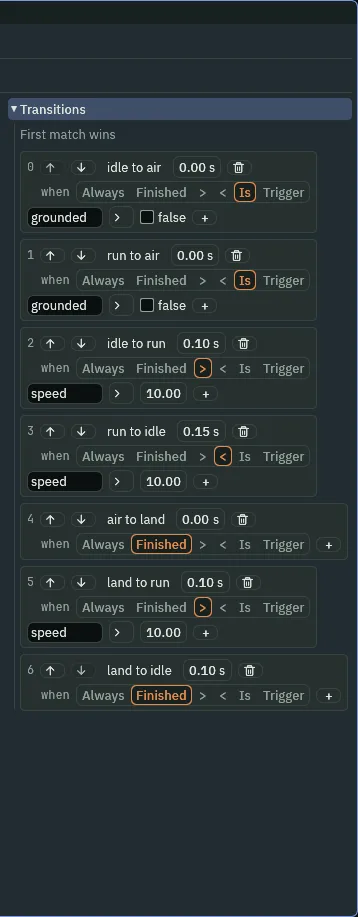
- Condition
- The test that decides whether an arrow fires, chosen in the row. Always fires at once. Finished fires when the state’s clip has run out, or, for a state that holds a graph, when that graph has reached Exit. > and < compare a number parameter with a value you type. Is compares a switch with on or off. Trigger fires on a one-shot the game raises, which chapter 5 uses.
- Blend
- How long the cross-fade lasts, in seconds: the old state’s clip fades out while the new one fades in.
0is a cut. About0.1to0.15suits two poses that are close, asidleandrunare, and a longer one blurs a quick move. A blend never needs more than a few steps of the game. - First match wins
- The Transitions list is the priority. The graph tries the arrows leaving the state it is in, top to bottom, and takes the first whose condition holds. The up and down arrows in a row move it, and the number is its place.
Rehearse it
The Graph tab can run a graph without the game. The Rehearse section under the parameters has a slider or a box for each, and the graph reads them as the game would.
- In Rehearse, drag the speed slider to the right, past
10. - Press Step. The graph takes the first arrow that fires from
idle: the section says In: run, and Took: idle to run, and the arrow lights green. - Press Restart to go back to
idle. The values you set stay.
The green dot by a state’s name is where the rehearsal stands. It does not follow the game: in Play, watch Clip in the Inspector.
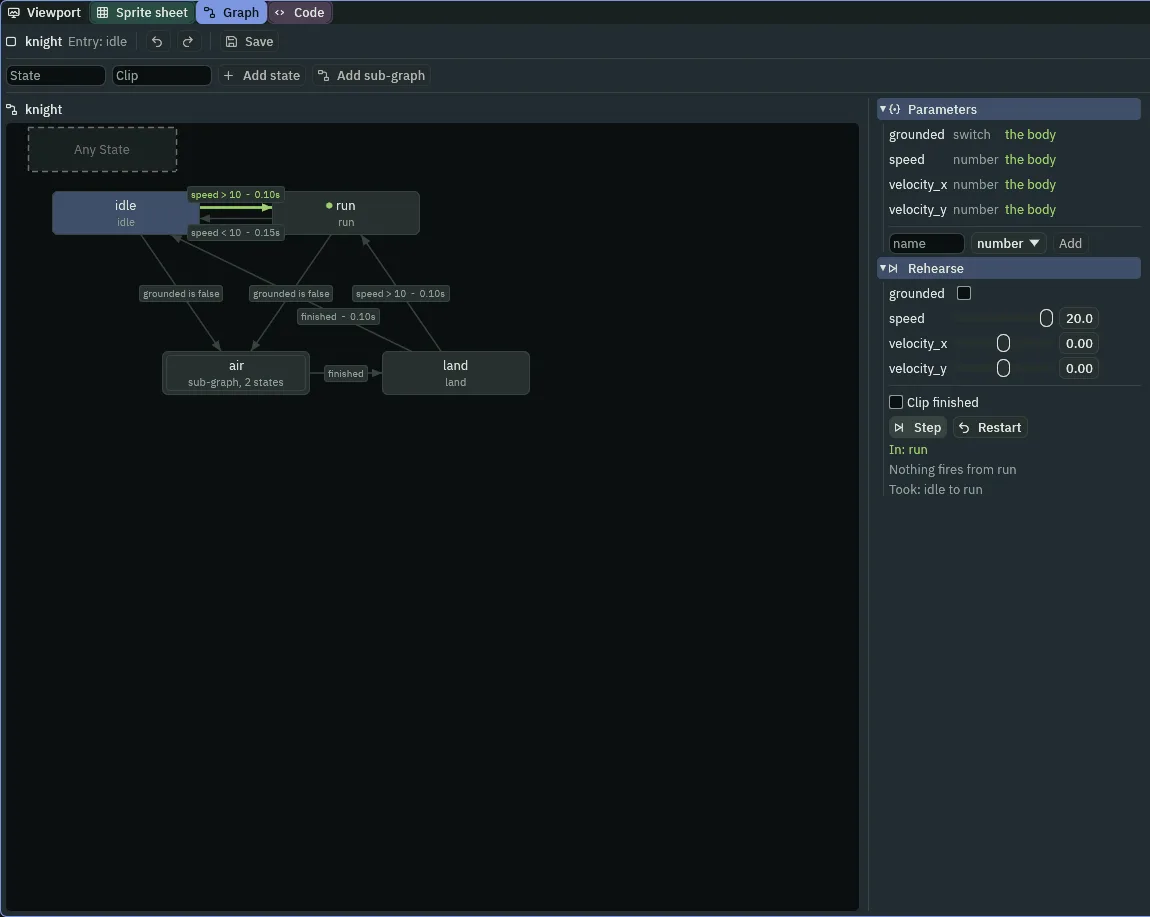
20, one Step: the graph has taken idle to run.- Step and Restart
- Rehearse’s two buttons. Step takes whichever arrow fires from the state the rehearsal is in, spending any trigger it read, and says where it ended. Restart puts the rehearsal back in the entry state and leaves the numbers as you set them.
- Clip finished
- A checkbox in Rehearse, for the one condition no parameter stands in for: whether the state’s clip has run out. Tick it and press Step to take a Finished arrow.
He plays it
- Select
knight, and press F5. - Hold D. The Inspector’s Clip changes from
idletorunby itself. Let go, and it goes back. - Press Space. It reads
rise, thenfall, thenland, thenidle. - Press F5 again to stop. Clip is
idleagain in your project.
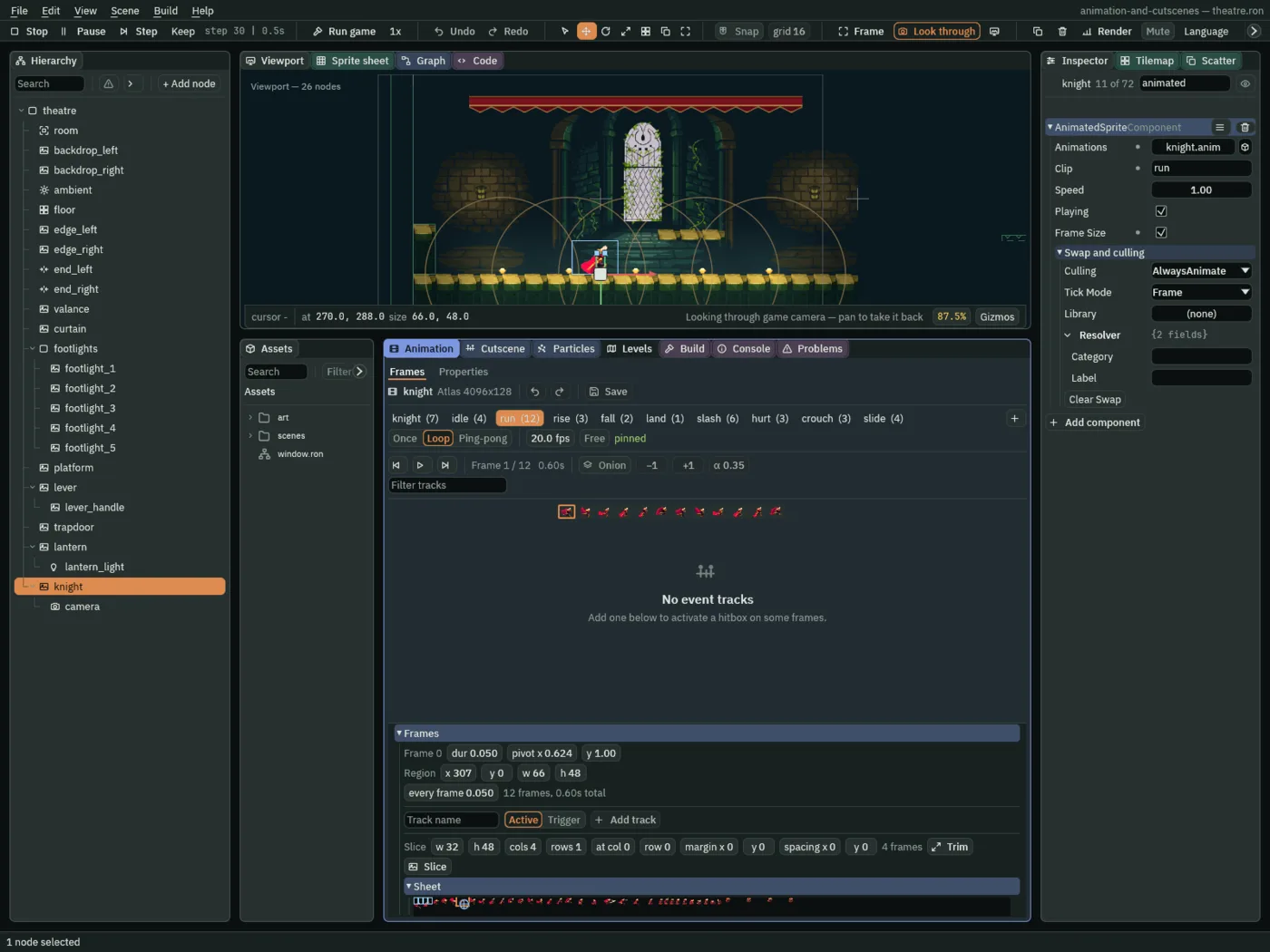
run and written it into Clip.The graph, as this chapter leaves it
| Where | What | Value |
|---|---|---|
knight | State Machine Graph | knight.asm |
knight.asm | entry | idle |
| states | idle (idle), run (run), land (land), air (a sub-graph) | |
air | entry | rise |
| states | rise (rise), fall (fall) | |
| transitions | as the table above, in its order |
The boxes’ places on the canvas are yours: they change nothing but how the graph reads.
Check it works

idle to run, one step at a time: steps 30 to 36 (0.5 s to 0.6 s), a tenth of a second. D goes down at step 30, the graph takes idle to run and the blend shows from step 31, and it is whole at step 36.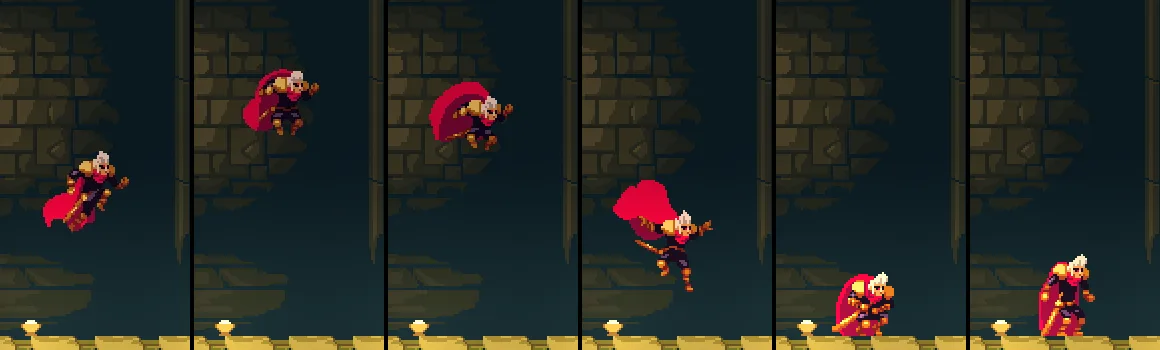
36 (0.6 s, rise), 48 (0.8 s, the top of the rise), 56 and 68 (0.93 s and 1.13 s, fall), 72 (1.2 s, land) and 90 (1.5 s, idle). Space goes down at step 30 (0.5 s).