Tutorials · Animation and Cutscenes · Chapter 11
Cutting the strings
By the end
- A Physical Bone on each of the marionette’s fourteen bones, sized to its limb, with Gravity
1200and Damping0.5 - The rig’s rest pose captured from
torso, so a rig that goes limp stands back up as it was built - An Area, an Audio Source and a script on
marionette: the knight’s slash cuts its strings - A marionette that buckles, collapses and lies still when cut, and stands back at its rest pose five seconds later
On this page
A body for every bone
Until now something has always moved the marionette’s bones: a clip, a layer, a chain. A Physical Bone is the other way a bone moves. It gives the bone a body that gravity pulls on, and while that body is switched on the bone belongs to it: no clip, no layer and no chain moves a bone that has fallen. Switched off, the component does nothing at all, so the marionette dances and reaches exactly as it did.
The switch is the Physical Bone’s Limp, and a script turns it on. You will not tick it in the scene: a rig saved limp would begin every game lying on the floor. This section gives every bone a body. The next gives the rig a pose to stand back up in, and the one after gives it a blow that makes it fall.
- In the Hierarchy, make sure the whole rig shows under
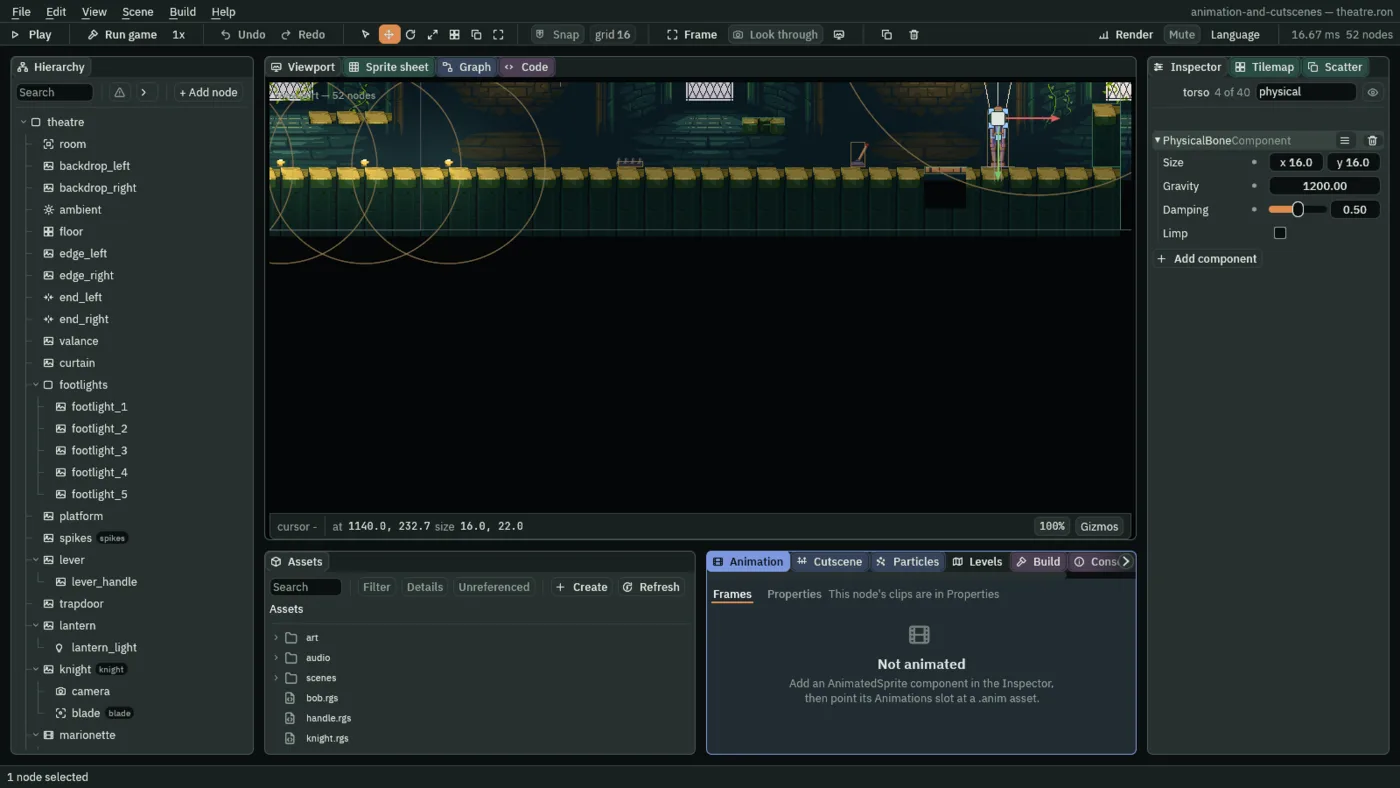
marionette. Selecttorso, then Ctrl-click the thirteen bones under it:head,upper_arm_left,lower_arm_left,hand_left,upper_arm_right,lower_arm_right,hand_right,upper_leg_left,lower_leg_left,foot_left,upper_leg_right,lower_leg_rightandfoot_right. Fourteen nodes are selected. - Click Add component and choose PhysicalBoneComponent. It goes on all fourteen.
- With the fourteen still selected, set Gravity to
1200and Damping to0.5. What you set now is set on all of them. Limp stays unticked. - Select
torsoalone and set its Size to16,16. Selectheadand set14,14. - Select
upper_arm_left, then Ctrl-clickupper_arm_right,hand_leftandhand_right, and set Size to6,6. - Select both lower arms and set Size to
5,5. Select both upper legs:7,7. Select both lower legs:6,6. Select both feet:10,12.
- Size
- A Physical Bone’s Size: the box the bone has as a body while it is limp, in world units, centred on its joint and about as thick as the limb. It is a box on the joint, not the picture along the bone, so a bone that lies down rests on the boards at its own thickness. A new one is
8,8. The torso’s is16,16, the head’s14,14, the limbs’ between5and7, and the feet’s10,12. - Gravity
- How hard a Physical Bone’s body is pulled down while it is limp, in world units a second a second. Down counts as positive here: a positive number pulls the bone to the boards. A new one is
900; the marionette’s is1200, a brisk fall. - Damping
- How much of its motion against its parent bone, and of its swing, a limp bone loses each step, from
0to1.0lets a limb swing on and on;1holds it dead against its parent. It is what settles a fallen rig instead of leaving it twitching. A new one is0.2; the marionette’s is0.5. - Limp
- The switch. Ticked, the bone falls as a body pinned to its parent bone, and nothing else moves it; unticked, it is the rig’s again, and it stands back at its Bone’s rest pose. A scene keeps it unticked, and a script turns it on: the ragdoll call below does it for every bone at once.
A rest pose to stand up in
Going limp is the easy half. Standing back up is the other. When the script calls ragdoll(false), every bone goes back to its rest pose, the Rest Position, Rest Rotation and Rest Scale in its Bone. A bone keeps the rest it was added with, which is no pose at all, until you capture one, and the rig you built in chapter 8 never did. Left like that, it would stand up with every limb folded onto its parent’s joint. The editor already says so.
- Look at the Hierarchy:
torsohas a warning mark beside it, and the status bar at the bottom of the window says1 problem. Click it: the Problems tab opens in the bottom dock.
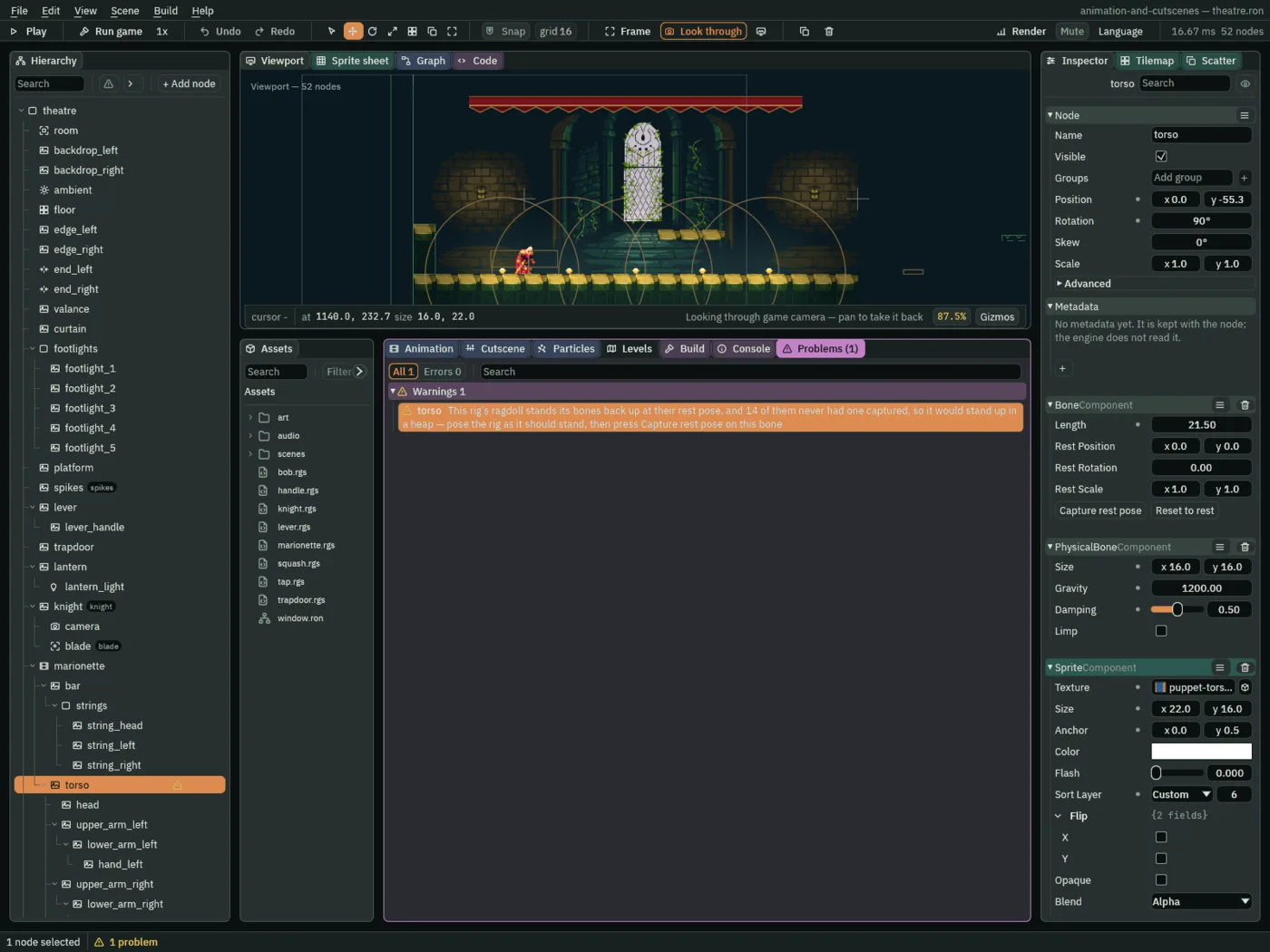
torso, with the rest rows at their defaults.The row is raised once, on the rig’s root bone, torso, the bone whose parent is not a bone. That is where the button goes, because it captures every bone at or under the node you press it on, and everything in the rig is under torso.
- Select
torso. In its Bone, press Capture rest pose. The1 problemin the status bar goes, and so does the warning. If you left Record on, leave it: it keys only what you edit in a row, never a button.
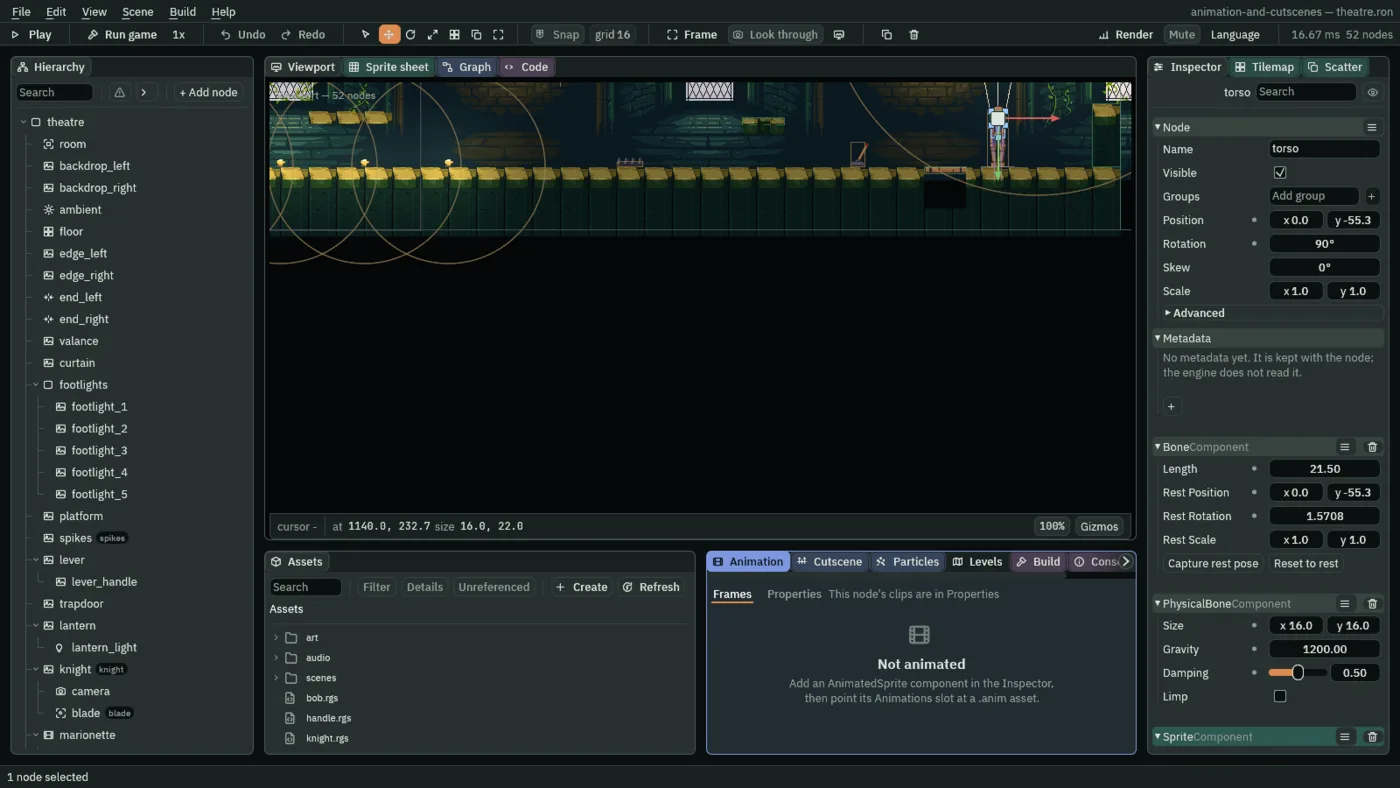
- Capture rest pose and Reset to rest
- Two buttons in a Bone, each acting on every bone at or under the node it is pressed on. Capture rest pose copies where each bone stands now, its Position, Rotation and Scale, into its rest fields. Reset to rest does the opposite and puts each bone back at its captured pose, which is how you tidy a rig you have been posing by hand. Both are one undo step.
- Rest Position
- The Bone’s Rest Position: where the bone sits, in its parent’s space, when nothing is driving it. Capture copies the node’s Position into it, so
torso’s is0,-55.3, up from the marionette’s feet, and each limb’s is its joint’s place on its parent. A new Bone’s is0,0, which is why an uncaptured rig stands up in a heap. Nobody types it. - Rest Rotation
- The Bone’s Rest Rotation, the rotation of its rest pose, shown in radians, the unit it is stored in; the node’s own Rotation, above it, shows degrees.
torso’s is1.5708, a quarter turn, the90°above it;head’s is3.1416, half a turn. Radians are degrees times about0.01745. - Rest Scale
- The Bone’s Rest Scale, the scale of its rest pose. It is
1,1on every bone of this rig, so Capture leaves it where it was, and a Bone starts there too.
Every bone now holds the pose it was built in. Nothing you typed produced them, and nothing about the rig looks different: they are what the rig goes back to.
The cut
What cuts the strings is the knight’s blade. His slash switches a hitbox on for two frames, chapter 4’s Area called blade, in the group blade. For the blade to cut anything, the marionette needs three things: an Area of its own for the blade to enter, a sound for the snap, and a script that listens.
The snap is chop.ogg from RPG Audio, the pack that gave you the curtain’s cloth and the slash’s swish. Copy it before the next step.
- Select
marionette, click Add component and choose AreaComponent. Set its Shape’s Size to24,64and its Offset to0,-32. That is a box 24 wide and 64 high standing on the boards where the marionette stands. Its other rows stay as they come. - Click Add component again and choose AudioSourceComponent. Leave Bus on Sfx and Autoplay off. Press
+beside Triggers, open the new row, set Name tosnap, and dragchop.oggfrom Assets onto its Clip, as you did for the footsteps.
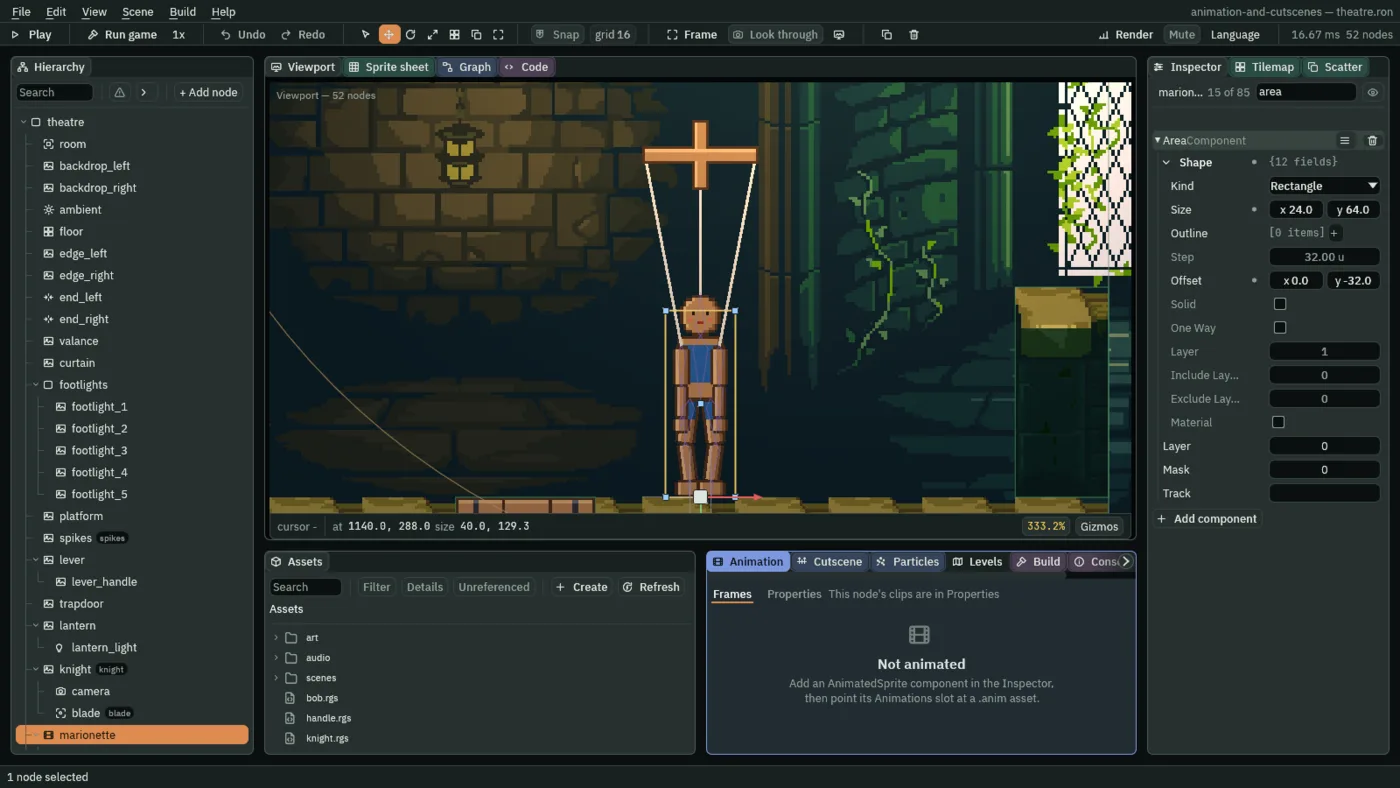
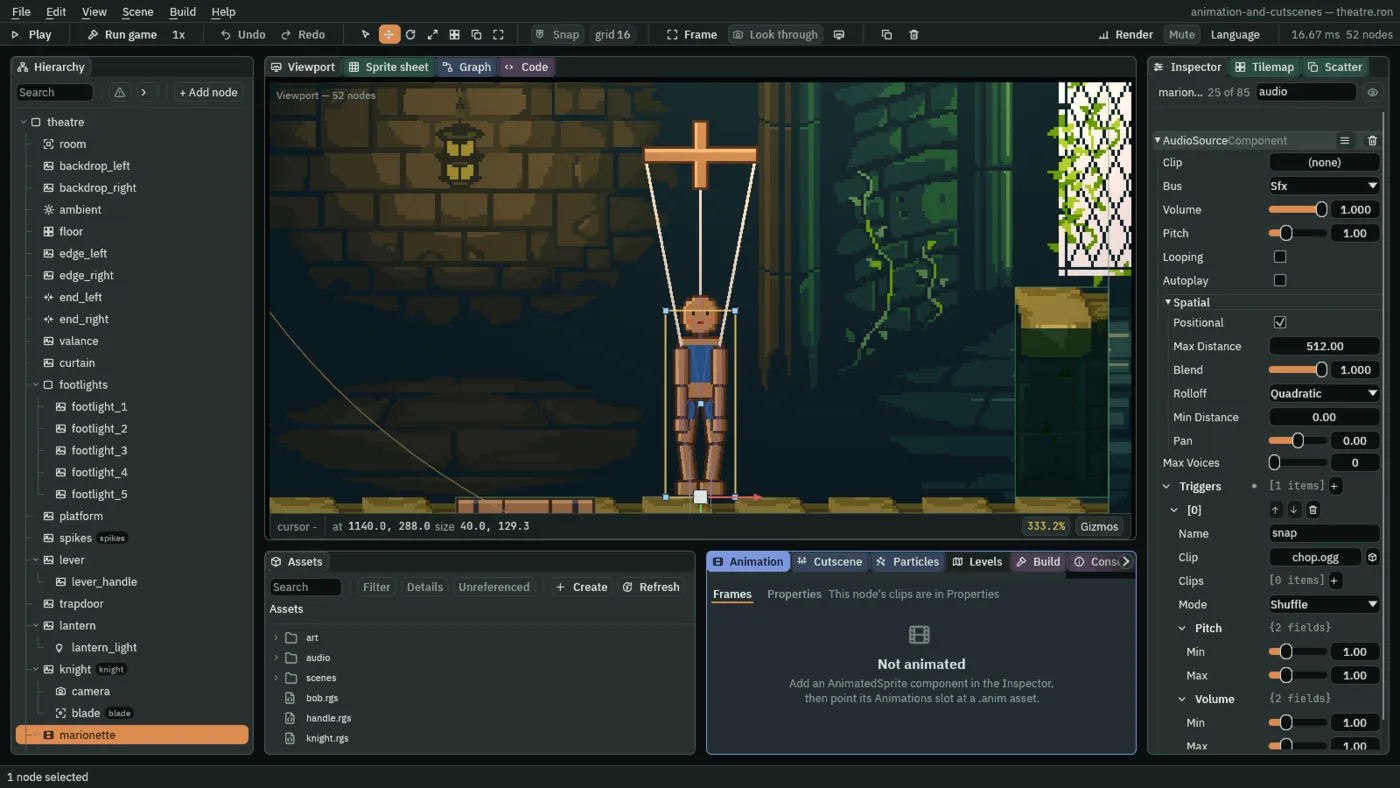
snap, bound to chop.ogg.Now the script. marionette.rgs already flips the dance on and off every three seconds, from chapter 9. It gains a base, two fields and a hook.
- Open
marionette.rgsin the Code tab, replace everything in it with the script below, and press Ctrl+S. - Select
marionette. Its Marionette component has a new Strings row, empty. Click it and choosestringsfrom the list, or dragstringsfrom the Hierarchy onto the slot. The row shows the node’s name.
/// The marionette's puppeteer: it rests three seconds, then dances three,
/// turn and turn about. A blade that reaches it cuts its strings: it falls
/// limp, and five seconds later it is strung up again, at rest.
component Marionette : Area {
    /// Seconds into this turn.
    #[hidden]
    clock: f32 = 0.0,
    /// Whether it dances this turn.
    #[hidden]
    dancing: bool = false,
    /// The strings a cut takes away.
    #[node_path]
    strings: i32 = 0,
    /// Whether its strings are cut.
    #[hidden]
    cut: bool = false,

    fn on_enter(other: NodeId) {
        if in_group(other, "blade") && !cut {
            cut = true;
            play_sound("snap");
            set_visible(node(strings), false);
            ragdoll(true);
            await wait(5.0);
            ragdoll(false);
            set_visible(node(strings), true);
            cut = false;
        }
    }

    fn loop() {
        clock += dt;
        if clock >= 3.0 {
            clock = 0.0;
            dancing = !dancing;
            set_param_flag("dancing", dancing);
        }
    }
}
component Marionette : Area says the script belongs on a node with an Area, and gives it the hooks an Area has, among them on_enter, which the engine calls when another Area starts overlapping this one, with that Area’s node as other. A field marked #[node_path] is a node picker in the Inspector; strings is the node you just picked, and cut is marked #[hidden], the script’s own memory, with no row.
When something enters the marionette’s Area, the hook asks whether it is in the group blade with in_group, which chapter 5 used for the spikes. Only the knight’s blade is: his own Area, which is in the group knight, passes through unnoticed. If it is the blade, the marionette is cut. play_sound, from chapter 5, plays the snap binding. The strings are hidden. ragdoll(true) turns every Physical Bone limp. Five seconds later ragdoll(false) stands them back up, and the strings are shown again. The loop hook, chapter 9’s, runs through all of it, so the dance’s clock goes on counting while the marionette lies there.
- ragdoll
- Turns every Physical Bone on this node and under it limp with
true, and stands them back up withfalse. The run carries it out as the step ends, so the bones are bodies from the next step.ragdoll(false)also puts every Bone under the node back at its rest pose at once, so the rig is upright and at rest on the step it is called, not eased there. - wait
- Suspends the hook for that many seconds, then carries on from the same line. It is awaited:
await wait(5.0). While the hook waits,loopkeeps running, and the hook is not entered again: a second blade that reaches the marionette while it is down starts nothing. - set_visible
- Shows or hides another node, here the one
node(strings)names, and the nodes under it go with it: the three strings. The node is hidden from the step the call runs on. - node
- Turns the pick a
#[node_path]field holds into the node the other calls take. A field with nothing picked is0, which names nobody. The scene file keeps the pick as the node’s number,31forstrings.
set_param_flag, in loop, is chapter 9’s: it flips the switch the base layer’s graph reads. Here is one cut, as the game plays it. The knight walks to the marionette and slashes; the strip starts a moment before his blade lands.

It falls from the pose it was in at that moment, the planted feet of chapter 10 and all, so a cut at another moment of its dance is a slightly different fall. Some end lying on the back, as this one does a little later; some end sitting up against their own legs. Either is right: the bodies decide.
Down, and back up
The bodies keep moving for a while, swinging and settling, and then they stop. From about 220 steps after the cut, three and two thirds seconds, every bone holds its place: the limp rig has come to rest on the boards, and the engine holds it there instead of letting it drift. These three frames are 36 steps apart, from 8.3 s to 9.5 s of the run, and they are the same picture.
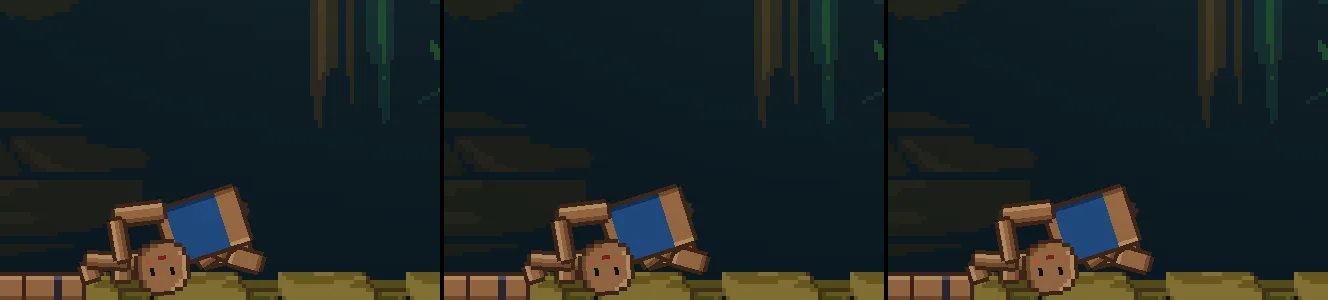
Five seconds after the cut the wait ends. ragdoll(false) stands the rig back up at its rest pose, at once, in one step, the strings come back, and the layers take the bones back from where the rest pose leaves them: the rig dances on from standing.

The bones, the rest pose and the cut
The physical bones
| Node | Component | Field | Value |
|---|---|---|---|
torso | Physical Bone | Size | 16, 16 |
head | Size | 14, 14 | |
upper_arm_left, upper_arm_right | Size | 6, 6 | |
lower_arm_left, lower_arm_right | Size | 5, 5 | |
hand_left, hand_right | Size | 6, 6 | |
upper_leg_left, upper_leg_right | Size | 7, 7 | |
lower_leg_left, lower_leg_right | Size | 6, 6 | |
foot_left, foot_right | Size | 10, 12 | |
| all fourteen | Gravity | 1200 | |
| Damping | 0.5 | ||
| Limp | unticked |
The rest pose, as Capture rest pose writes it
| Node | Rest Position | Rest Rotation |
|---|---|---|
torso | 0, -55.3 | 1.5708, the node’s 90° |
head | 0, 0 | 3.1416, 180° |
upper_arm_left | 3.5, 6.5 | 0 |
lower_arm_left | 13, 0 | 0 |
hand_left | 11, 0 | 0 |
upper_arm_right | 3.5, -6.5 | 0 |
lower_arm_right | 13, 0 | 0 |
hand_right | 11, 0 | 0 |
upper_leg_left | 21.5, 3.5 | 0.12, 6.88° |
lower_leg_left | 15, 0 | -0.24, -13.75° |
foot_left | 13, 0 | 0.12, 6.88° |
upper_leg_right | 21.5, -3.5 | -0.12, -6.88° |
lower_leg_right | 15, 0 | 0.24, 13.75° |
foot_right | 13, 0 | -0.12, -6.88° |
Rest Scale is 1, 1 on every bone. Capture rest pose wrote all of it: you typed none.
The cut
| Node | Component | Field | Value |
|---|---|---|---|
marionette | Area | Shape Size | 24, 64 |
| Shape Offset | 0, -32 | ||
| Audio Source | Triggers, Name | snap | |
| Triggers, Clip | chop.ogg | ||
| Marionette | Strings | strings, kept as its number, 31 | |
| Cut | hidden, false |
Every other field of every node is as it comes.