Tutorials · Animation and Cutscenes · Chapter 10
Reaching
By the end
- IK on
hand_right, a chain of three that reaches for the lantern’s light and, out of its reach, points at it - IK on both legs and both feet, reaching for marks on the boards, so the knees bend outward and the soles stand flat through the idle’s sag
tap.rgsonmark_right: a target a script moves, which the right foot follows- The base layer’s clips keying the chains on in
idleand off indance
On this page
A hand that goes where it is told
A clip says where each bone turns. It does not say where the hand ends up, and that is what an arm reaching for a lantern is: the hand’s place first, and whatever the elbow and the shoulder must do to get it there. IK, inverse kinematics, is the other way round. You name a target and a chain of bones, and each step the bones turn so that the chain’s tip is on the target, or as near as the bones reach.
It goes on the node at the tip of the chain, here the hand. It is solved last in a step, after the scripts and after the layers, so a target that a script moved this step is reached this step, and on the bones of its chain it has the last word.
Reaching for the lantern
The lantern in the right wing has a light under it, a node called lantern_light, and it swings (chapter 3). The marionette’s right hand is the tip of a chain of three bones: the hand, the forearm and the upper arm.
- Select
hand_right, click Add component and choose IkComponent. - Set Target to
lantern_lightand Chain to3. Leave Bend on Positive and Weight at1. - Untick Enabled. The idle will switch it on in the third section, and the dance will switch it off again.
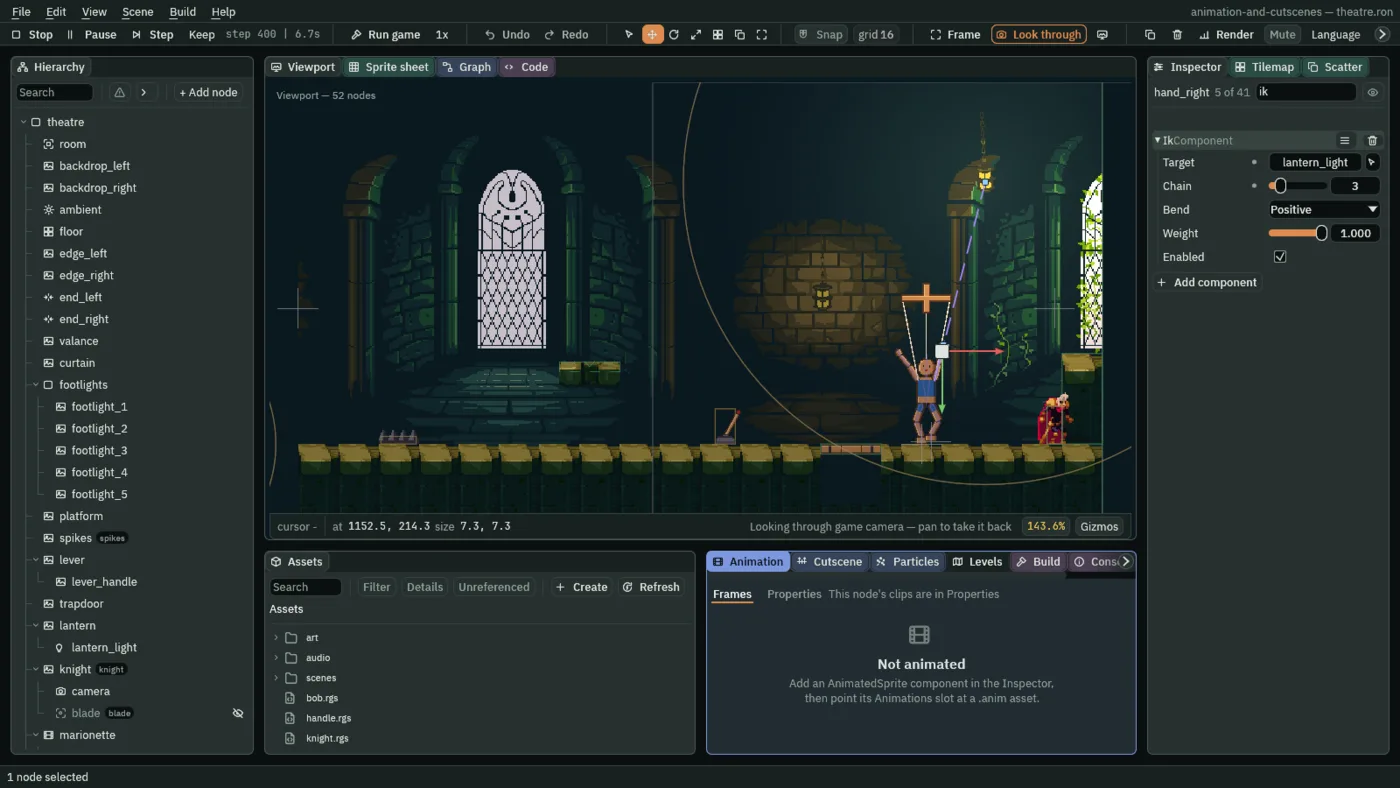
- Target
- The Ik’s Target: the name of the node the chain reaches for. It is found by name, anywhere in the scene, the first node with that name. Choose a node that is not in the rig, so that nothing in the rig carries it away: a light, or a mark on the boards.
- Chain
- The Ik’s Chain: how many bones it covers, counting its own node’s and then its parents, from
1to16.3on the hand is the hand, the forearm and the upper arm. A chain of one bone turns that bone to point at the target. Two is a limb, which can fold in the middle. More is a tail. A new IK’s is2. - Bend
- The Ik’s Bend: which way a two-bone chain folds, Positive or Negative. It matters only to a chain of two; the arm’s is three, so its Bend stays as it comes, Positive. The legs, below, fold their knees one way each.
- Weight
- The Ik’s Weight, from
0to1: how much of the pose the chain works out is applied.1is all of it,0none, and between the two the clips’ pose and the reached pose are mixed. The arm’s is1. The legs’ and the feet’s are0as they are saved, and the idle keys them to1. - Enabled
- The Ik’s Enabled: whether the chain runs right now. Unticked, it does nothing, whatever its Weight. The arm’s is unticked as it is saved, and the idle keys it on.
Feet on the boards
Chapter 9’s idle sinks the whole body three units, and the legs sink with it. The same tool puts the feet back. A leg is a chain of two, the shin and the thigh, and its tip, the ankle, is told to reach for a mark on the boards that the body does not carry. As the body sags the knees bend outward, and the ankle stays where the mark is.
- Select
theatre, click + Add node and choose Node. Rename itmark_leftand set its Position to1136.26,282. Selecttheatreagain and do the same formark_right, at1143.74,282. They are where the ankles stand, a foot’s length above the boards. - Select
mark_left, click + Add node and choose Node. Rename itsole_leftand set its Position to0,6. Do the same undermark_rightforsole_right. A foot is6long, so each is one foot below its mark, which is where its sole should be. - Select
lower_leg_left, click Add component and choose IkComponent. Set Target tomark_left, Bend to Negative and Weight to0. Chain stays2and Enabled stays ticked. Do the same onlower_leg_rightwith Targetmark_right, and Bend left as it comes. - Select
foot_leftand add an IkComponent with Targetsole_leftand Weight0. Do the same onfoot_rightwith Targetsole_right, Bend Negative and Weight0.
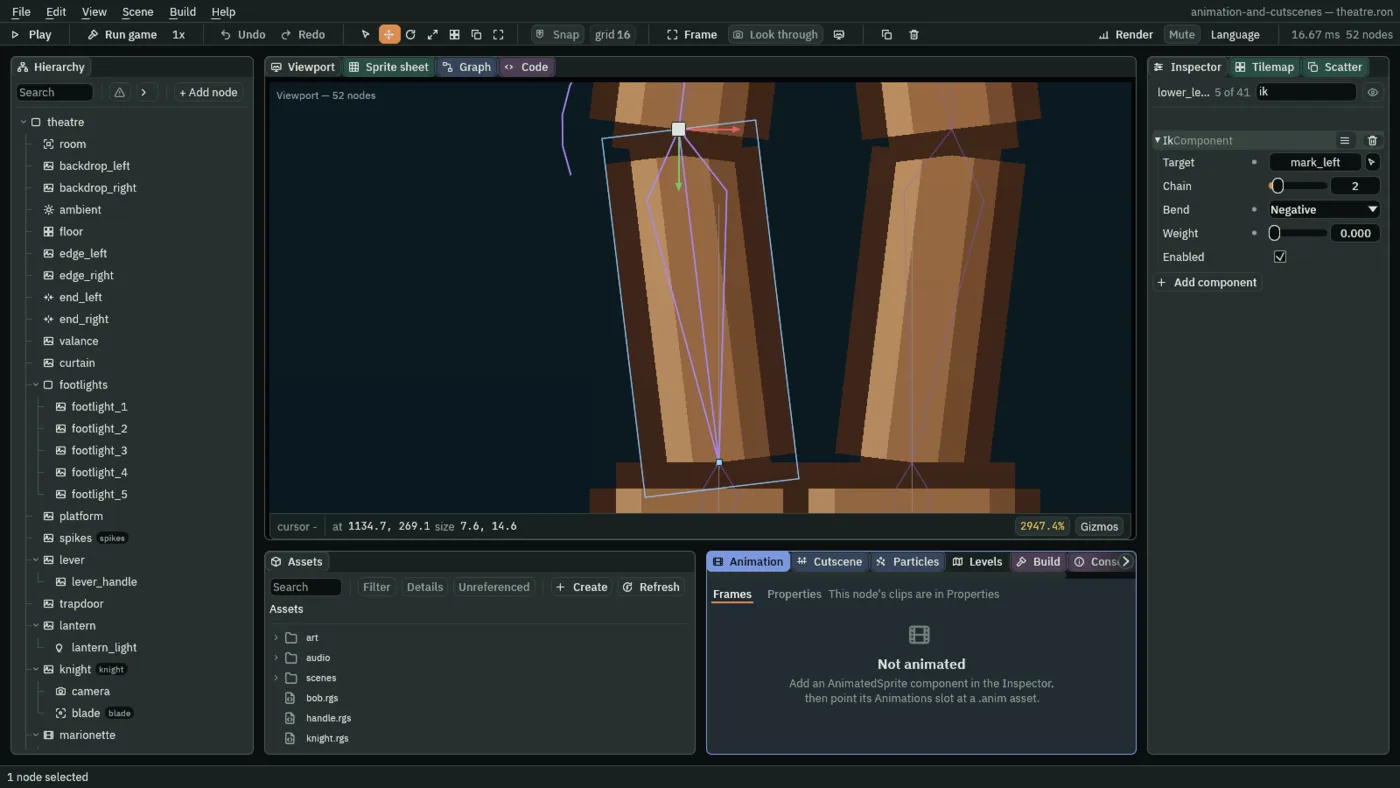
0 until the idle keys it.The feet have chains of their own. A foot’s chain is the foot and its shin, folding at the ankle, and it reaches for the sole’s spot, one foot below the ankle’s mark. That is what lays the foot flat: a foot that points straight down stands on its sole. The ankle folds the opposite way round from the knee, so each foot’s Bend is the opposite of its leg’s.
The right foot is to tap. Its mark is the thing that moves, so the script goes on mark_right, and the foot follows it. Add a script called tap: in Assets press Create, choose New script, type tap and press Enter. In the Code tab, replace everything in tap.rgs with the script below, press Ctrl+S, and add the Tap component to mark_right.
/// The spot the marionette's right foot reaches for: it rises and falls for
/// good, so the foot taps the boards.
component Tap {
    fn on_create() {
        pulse_by(vec2(0.0, -5.0), 0.3, .OutQuad);
    }
}
- on_create
- A hook that runs once, when its node is made. The pulse it starts goes on after it.
- pulse_by
- Moves this node by a vector and back, for ever, taking the number of seconds each way. Here it is up
5units,0.3seconds up and0.3down, so a round takes0.6. The vertical axis runs down, so up is-5. It starts a pulse and returns at once. - vec2
- Makes a vector of two numbers:
vec2(0.0, -5.0)is no way across and five up. .OutQuad- The curve of the move: quick at the start of each way and slowing as it arrives, as a foot lifts and settles. Chapter 6 lists the curves.
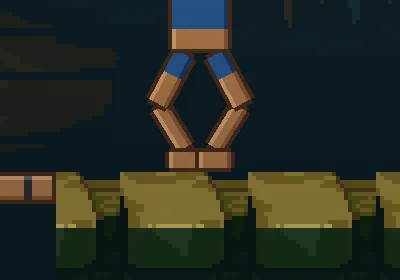
468, 7.8 seconds in: with the chains the soles stand on the boards, flat.Keyed on and off
The chains are always there. They should work only when the marionette rests. In the dance the legs are meant to kick and the right arm to swing, and a chain that held the ankle on a mark would flatten both. The base layer decides which clip plays, so its clips switch the chains: idle keys them on, and dance keys them off.
- Select
marionette, open the Properties mode of the Animation tab, open the clipidleand turn Record on. - With the playhead at
0, selecthand_rightand tick the Enabled of its IK. Selectlower_leg_leftand set the Weight of its IK to1, and do the same onlower_leg_right,foot_leftandfoot_right. Each edit is a key inidle. - Open the clip
danceand key the same five at0with the values the chains are saved with: Enabled unticked and each Weight0. The Inspector already shows those, and an edit that changes nothing keys nothing, so tick Enabled and untick it again, and set each Weight to1and then to0. The second edit replaces the first. - Each of the ten new rows begins on Linear. Open its interpolation menu and choose Step.
- Press Capture RESET, so that the
RESETclip knows the five as the chains are saved. Turn Record off, press Save in the bar, and press Ctrl+S.
| Clip | Track | Mode | 0 |
|---|---|---|---|
idle | hand_right enabled | Step | ticked |
lower_leg_left weight | Step | 1 | |
lower_leg_right weight | Step | 1 | |
foot_left weight | Step | 1 | |
foot_right weight | Step | 1 | |
dance | hand_right enabled | Step | unticked |
lower_leg_left weight | Step | 0 | |
lower_leg_right weight | Step | 0 | |
foot_left weight | Step | 0 | |
foot_right weight | Step | 0 | |
RESET | the same five | Linear | unticked and 0 |
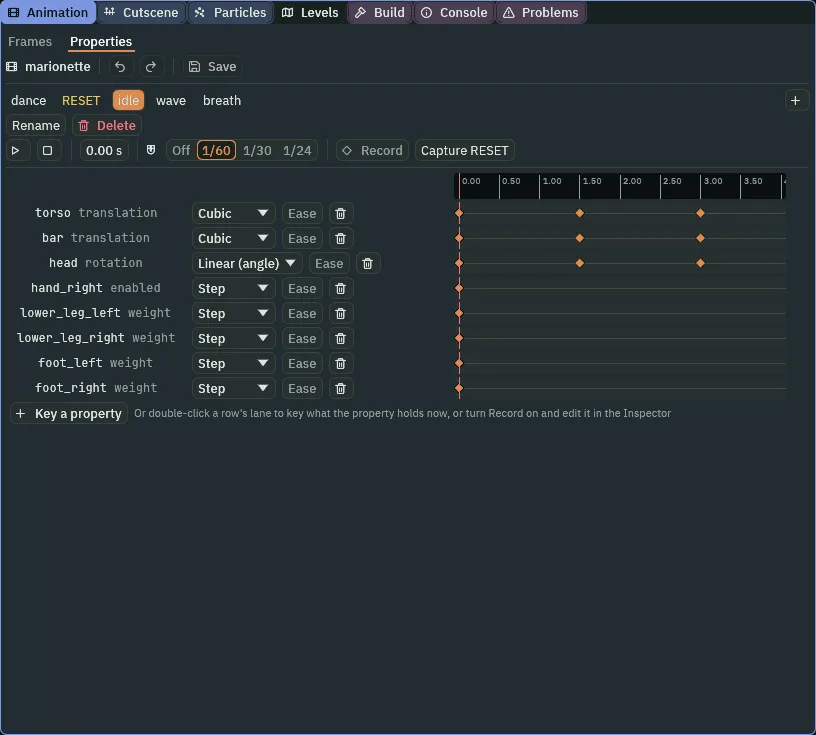
idle clip. The last five rows, hand_right enabled to foot_right weight, are the chains’ switches.The chains as built
The IK components
| Node | Target | Chain | Bend | Weight | Enabled |
|---|---|---|---|---|---|
hand_right | lantern_light | 3 | Positive | 1 | unticked |
lower_leg_left | mark_left | 2 | Negative | 0 | ticked |
lower_leg_right | mark_right | 2 | Positive | 0 | ticked |
foot_left | sole_left | 2 | Positive | 0 | ticked |
foot_right | sole_right | 2 | Negative | 0 | ticked |
The marks
| Node | Under | Position | Component |
|---|---|---|---|
mark_left | theatre | 1136.26, 282 | |
sole_left | mark_left | 0, 6 | |
mark_right | theatre | 1143.74, 282 | Tap |
sole_right | mark_right | 0, 6 |
Every other field of every node is as it comes. The keys are in the table of the third section.
Check it works
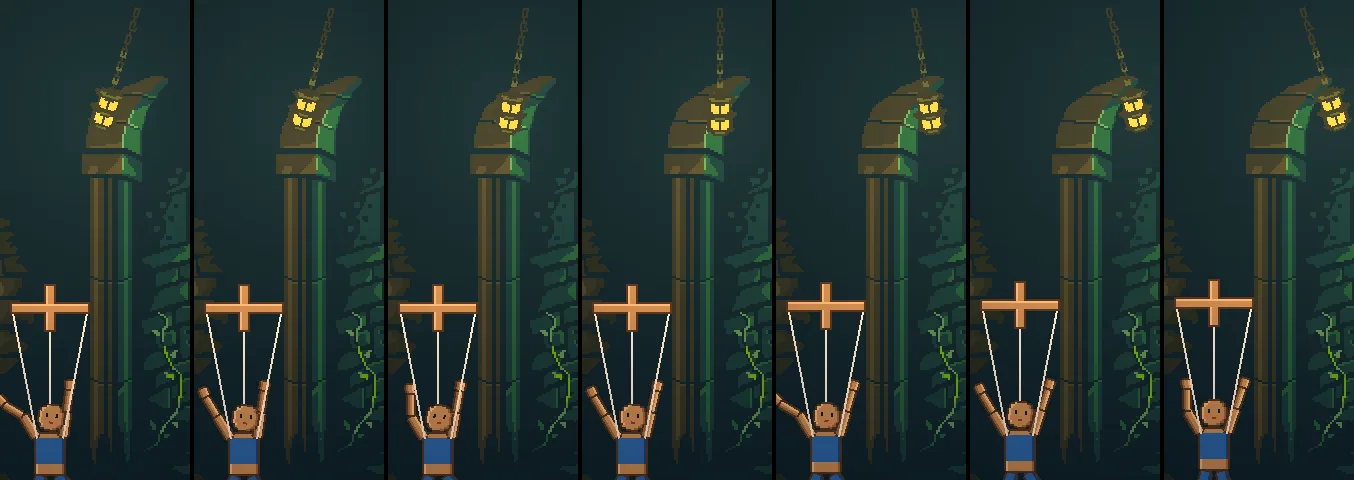
15 steps, a quarter of a second, apart, from step 450 to step 540, which is 7.5 to 9 seconds in: the lantern swings from one end of its arc to the other and the arm follows it.
5 steps apart, from step 396 to step 431, which is 6.6 to 7.18 seconds in: the right foot rises with its mark and comes down.