Tutorials · Animation and Cutscenes · Chapter 9
Layers
By the end
- Three more clips in
marionette.propanim:idle, a slow sag of the cross and the torso;wave, the left arm; andbreath, a rise to add on top - Animation Layers on
marionettewith three rows:base, driven by a graph,arms, masked to the left arm, andbreath, Additive at0.6and masked tobarandtorso scenes/marionette_base.asm:idleanddance, switched bydancing; andmarionette.rgs, which flips the switch every three seconds
On this page
Three jobs at once
The marionette dances, and does nothing else. Chapter 8 gave it one clip on one Property Animation, and one clip says one thing at a time. What the marionette needs is three things at once: something that decides whether it rests or dances, a left arm that waves over both, and a breath on top of everything.
Animation Layers play several clips at once, the bottom layer first, each laid over what is under it. A layer says which clip it plays, how much of it counts, whether it replaces or adds, and which nodes it may move. This chapter builds three, each with one of the three jobs.
Three more clips
Each layer plays one clip of marionette.propanim, so there are three to add beside dance. Select marionette, open the Properties mode of the Animation tab and turn Record on, as in chapter 8. Add the clips one at a time: press the + beside the clip tabs, type the name and press Enter. Then take the rows of its table in turn. For each key, type its time into the time box, 0.00 s, beside the Play and Stop buttons, and press Enter, select the node in the Hierarchy, and type its value in the Inspector: a Rotation in degrees, or a Position. The edit is the key. A row begins on Linear, so open its interpolation menu and choose the mode the table names. Some keys hold the value the node already shows, idle’s first keys and wave’s held upper arm among them, and an edit that changes nothing keys nothing: type another number first, then the one you want, and the second replaces the first.
idle
idle is the marionette at rest, 3 seconds long. The cross and the torso sink three units and come back, the legs, which hang from the torso, sinking with it, and the head turns a little. The torso and the bar are keyed together, so the strings stay taut.
| Track | Mode | 0 | 1.5 | 3 |
|---|---|---|---|---|
torso translation | Cubic | 0, -55.3 | 0, -52.3 | 0, -55.3 |
bar translation | Cubic | 0, -105.3 | 0, -102.3 | 0, -105.3 |
head rotation | Linear (angle) | 180 | 186.88 | 180 |
wave
wave is the left arm, 1 second long. The upper arm is held up the whole time, at 148.97 degrees, and the forearm and the hand swing to and fro on the end of it.
| Track | Mode | 0 | 0.5 | 1 |
|---|---|---|---|---|
upper_arm_left rotation | Linear (angle) | 148.97 | 148.97 | 148.97 |
lower_arm_left rotation | Linear (angle) | 28.65 | -28.65 | 28.65 |
hand_left rotation | Linear (angle) | 0 | 17.19 | 0 |
breath
breath is 2.4 seconds long, a rise of a unit and a half and back. Its keys are different from every other key in the file. They are not places. They are amounts, to be added to wherever the torso and the bar already are.
| Track | Mode | 0 | 1.2 | 2.4 |
|---|---|---|---|---|
torso translation | Cubic | 0, 0 | 0, 1.5 | 0, 0 |
bar translation | Cubic | 0, 0 | 0, 1.5 | 0, 0 |
Record keys what you type, so the breath is keyed by typing the amount where a place would go: select torso and set its Position to 0, 0 at 0, to 0, 1.5 at 1.2 and to 0, 0 at 2.4, and the same on bar. Record leaves the torso where it stands, so nothing needs putting back.
Last, press Capture RESET again. The RESET clip is what stands under every clip that does not key a property, and it must know about every property any of the clips keys. It now holds twelve tracks: the eight turns of the dance and four more, the torso and the bar at their places, the head turned 180 and the left hand at 0. It writes the values the nodes were built with, not the pose at the playhead. Then turn Record off and press Save in the bar.
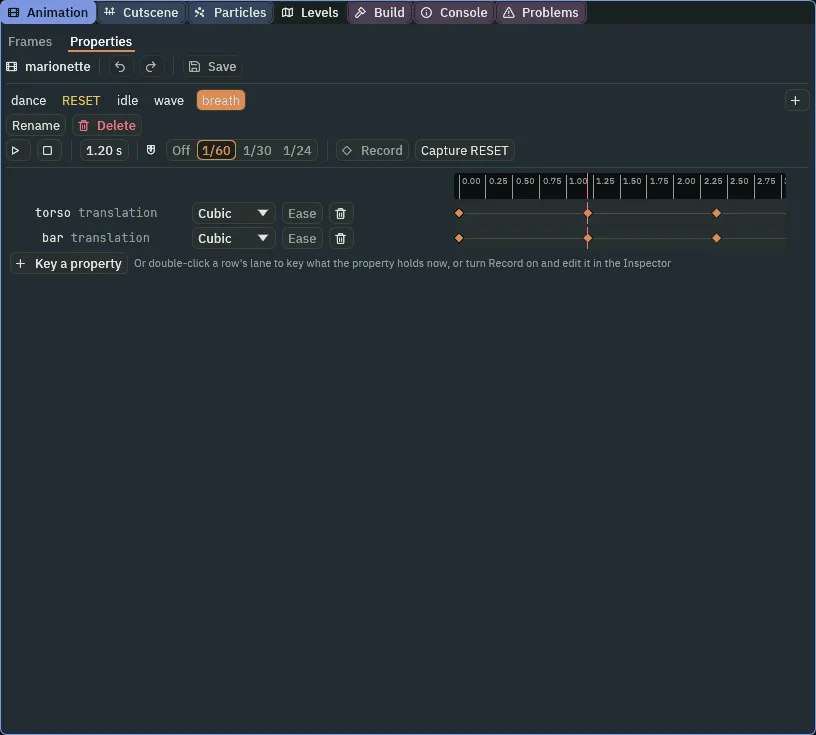
breath at its peak, 1.2 seconds in. The clip is 2.4 long.A stack of layers
The layers go on marionette itself, in one list. The list runs from the bottom layer up: the first row is the base, and each row after it is laid over the rows before it.
- Select
marionette, click Add component and choose AnimationLayersComponent. - Press the + beside Layers three times. Open each row with the arrow at its left.
- In
[0]set Name tobaseand Clip toidle: the row reads1 basefrom now on, its place and its name. Leave Weight at1and Blend on Override. Graph waits for the next section. - In
[1]set Name toarmsand Clip towave. Leave Weight at1and Blend on Override. Under Mask Nodes press + three times and typeupper_arm_left,lower_arm_leftandhand_left, one in each. - In
[2]set Name tobreath, Clip tobreath, Weight to0.6and Blend to Additive. Under Mask Nodes press + twice and typebarandtorso.
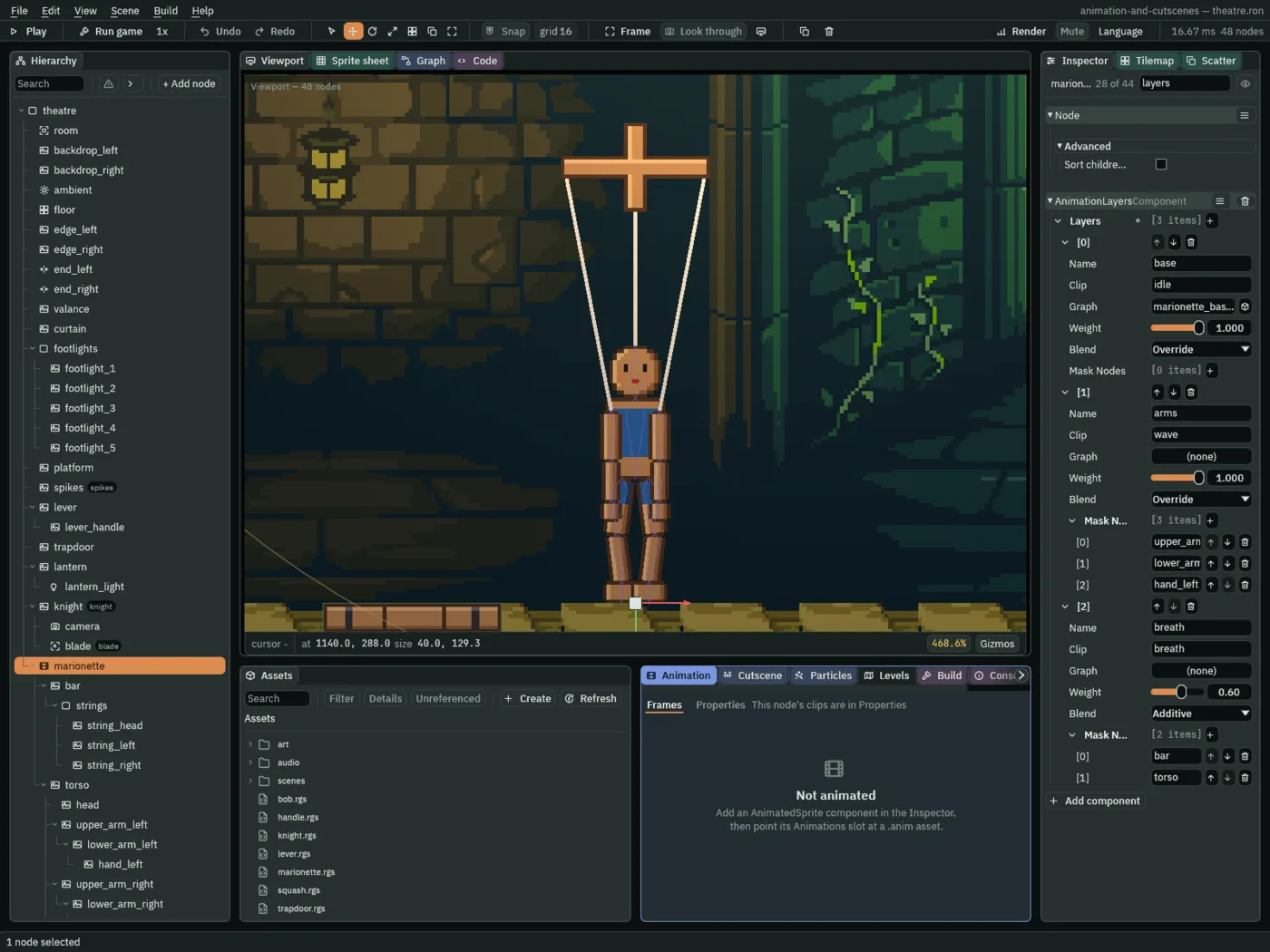
base is the next section’s.- Layers
- The Animation Layers’ Layers: the rows, bottom first. The first row is the bottom layer, and each later row is laid over the rows before it. The marionette’s are
base,armsandbreath, which the rows read as1 base,2 armsand3 breath. - Name
- A layer’s Name: what a script calls it. A script reaches a row’s fields by it:
layers.arms.weightis the arms layer’s Weight. - Clip
- A layer’s Clip: the clip it plays, by name. All three are property clips of
marionette.propanim. With a Graph on the row it is the clip the layer starts on, until the graph chooses another. - Graph
- A layer’s Graph: the
.asmthat drives the layer, or none. The State Machine’s Graph is the same kind of file, and chapter 2 built one: on a node’s own State Machine it chooses the sprite’s clip, and on a layer it chooses the layer’s. A layer with one plays whichever clip the graph’s state names.basehas one, made in the next section;armsandbreathhave none and play their Clip all the time. - Weight
- A layer’s Weight, from
0to1: how much of the layer counts. At1an Override layer replaces what is under it and an Additive layer adds all of its values. At0the layer is off. At0.6the breath adds three fifths of itself. - Blend
- A layer’s Blend: Override lays the layer’s values over what is under it, by its Weight, and Additive adds them to it, by its Weight. Additive means something only to property clips: a layer of sprite frames ignores it. The breath is the one Additive layer.
- Mask Nodes
- A layer’s Mask Nodes: the names of the child nodes this layer may move. Empty means every node.
armsmay move only the left arm’s three bones, so the right arm is the base’s;breathmay move onlybarandtorso.
A graph on a layer
The base layer has two states to be in. It rests, and it dances. Chapter 2 built a graph for the knight and chapter 5 gave it parameters a script raises. A layer can have a graph too. It is the same tool, a .asm that decides which clip is playing, but it decides the layer’s clip, not the sprite’s.
- Select
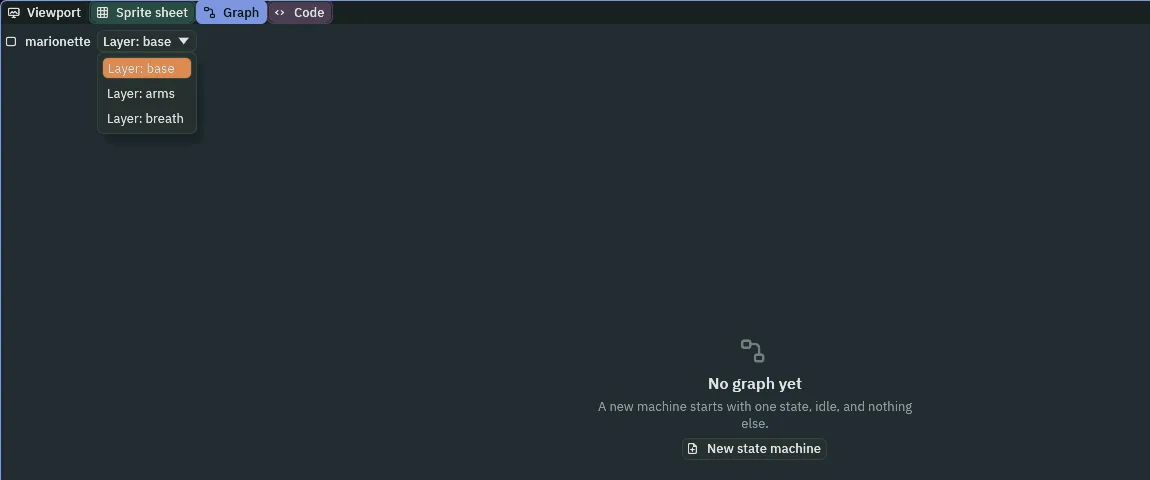
marionetteand open the Graph tab. The bar holds a picker of the node’s graphs, one for each layer. It opens onLayer: base, which has no graph yet and says so. - Press New state machine. It writes
scenes/marionette_base.asmand fills the base row’s Graph. The new machine has one state,idle, playing the clip of that name. - In the row over the canvas, type
danceinto the State box anddanceinto the Clip box, and press Add state. Drag the new box to the right ofidle, so that the edges between them have room for their words. - Under Parameters type
dancing, set the kind to switch and press Add. It starts off. - Select
idle, press Link and clickdance. In the transition’s row choose Is, typedancingin the name box, and leave its box ticked: true. Set its blend to0.3. - Select
dance, press Link and clickidle. Choose Is, typedancingin the name box, and untick its box, so that it reads false. Set its blend to0.3. Press Save in the Graph tab’s bar, and Ctrl+S.
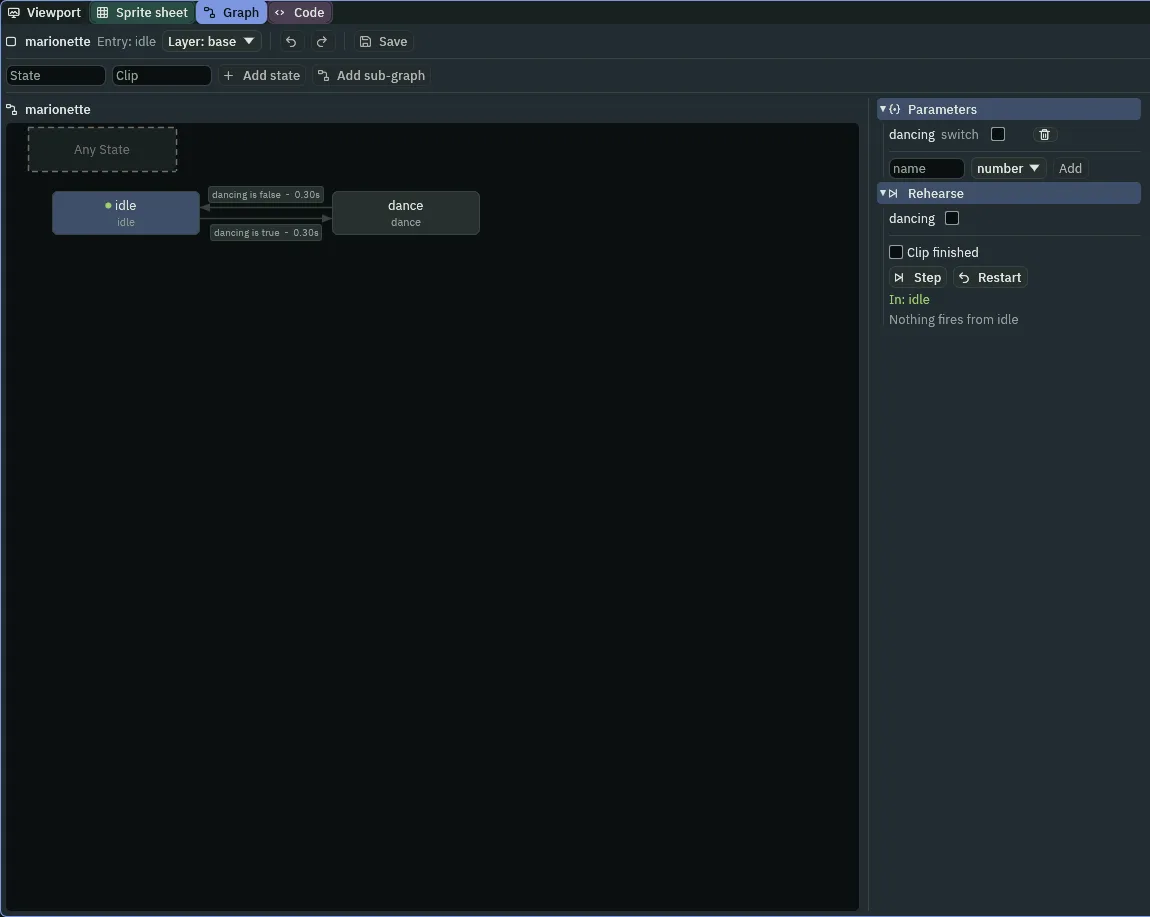
A graph on a layer reads the node’s parameters, the way the knight’s did, and nothing in the scene raises dancing. A script does, and it is the whole script: the marionette rests for three seconds, dances for three, and goes on, turn and turn about. In Assets press Create, choose New script, type marionette and press Enter. In the Code tab replace everything in marionette.rgs with the script below and press Ctrl+S. Then select marionette, click Add component and choose Marionette. It shows no field: clock and dancing are hidden, kept by the script, and start at 0 and off.
/// The marionette's puppeteer: it rests three seconds, then dances three,
/// turn and turn about, by the switch its base layer's graph reads.
component Marionette {
    /// Seconds into this turn.
    #[hidden]
    clock: f32 = 0.0,
    /// Whether it dances this turn.
    #[hidden]
    dancing: bool = false,

    fn loop() {
        clock += dt;
        if clock >= 3.0 {
            clock = 0.0;
            dancing = !dancing;
            set_param_flag("dancing", dancing);
        }
    }
}
clockanddancing- Two fields, both
#[hidden], since they are the script’s own counting and not something to set.clockis the seconds into this turn,dancingwhether this turn is a dance. clock += dtdtis the seconds since the last step, soclockcounts up in real seconds. At3it starts again from0anddancingturns over.- set_param_flag
- Sets the switch
dancingthat this node’s State Machine and layers read, from the next step. It is the switch the graph declared, so the base layer’s two edges,dancingis true anddancingis false, are the ones it throws. The script calls it once a turn, whendancingchanges.
The layers decide
The layers and the graph
The layers
| Row | Field | Value |
|---|---|---|
1 | Name | base |
| Clip | idle | |
| Graph | marionette_base.asm | |
| Weight | 1 | |
| Blend | Override | |
2 | Name | arms |
| Clip | wave | |
| Weight | 1 | |
| Blend | Override | |
| Mask Nodes | upper_arm_left, lower_arm_left, hand_left | |
3 | Name | breath |
| Clip | breath | |
| Weight | 0.6 | |
| Blend | Additive | |
| Mask Nodes | bar, torso |
The base graph
| What | Value |
|---|---|
| Entry | idle |
| States | idle playing idle, dance playing dance |
| Parameter | dancing, a switch, starting off |
Transition 0 | idle to dance, dancing is true, blend 0.3 |
Transition 1 | dance to idle, dancing is false, blend 0.3 |
The script
| Node | Component | Field | Value |
|---|---|---|---|
marionette | Marionette | clock | hidden, starts 0 |
dancing | hidden, starts off |
Every other field is as it comes.
Check it works
The marionette is at rest for its first three seconds, and then dances for three. In the strip it is at rest, its head turning a little, and the left arm is up, its forearm waving to and fro.

8 steps, 0.13 of a second, apart, from step 384 to step 440, which is 6.4 to 7.33 seconds in. The left arm is held up and its forearm swings.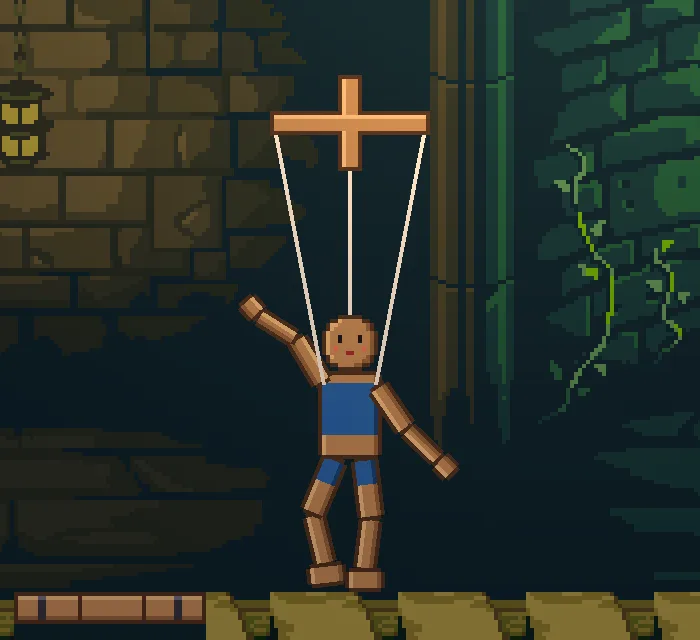
331, 5.5 seconds in: the legs and the right arm dance, the left arm waves.Look at the feet in the idle. The body sinks by its three units, and the legs hang from the body.
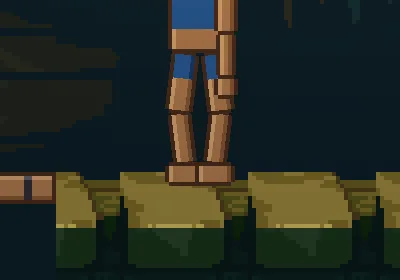
468, 7.8 seconds in: the soles are a little way into the boards. Chapter 10 plants them.