Tutorials · Crypt Knight · Chapter 12
The sword
By the end
- An
attackaction, on J and X - The knight’s sheet packed again, with six clips: idle, run, jump, fall, hurt and slash
- An event track on the slash that is set on its swing’s two frames, and a reach, an Area, that is live only while the track is
- A knight who slashes once he has the sword, plays his hurt clip when hurt, and is pushed back by a slash that lands
- Creatures that notice they are struck
On this page
A slash that hurts only when it swings
The knight swings his sword sideways: J or X, once he has taken the sword at the end of the Crypt. A slash is six frames of art, a third of a second. What it reaches is not the whole of it: the blade only cuts on the two frames where it is out in front of him, the third and the fourth. Before and after, it is wound up or wound down, and touching a creature then should not count as a hit.
So the swing has two parts that the clip keeps together: its frames, which are the picture, and an event track, a row of cells, one a frame, that is set on frames 2 and 3. The reach is an Area on a node of its own, under the knight, that names the track: it is live only on the frames where the track is set. A creature’s Area looks for the reach’s layer, and a creature the reach meets is struck.
The slash needs two new strips of the knight, for it and for the hurt that has so far been only a blink, which means the sheet of chapter 7 is made again.
An attack action
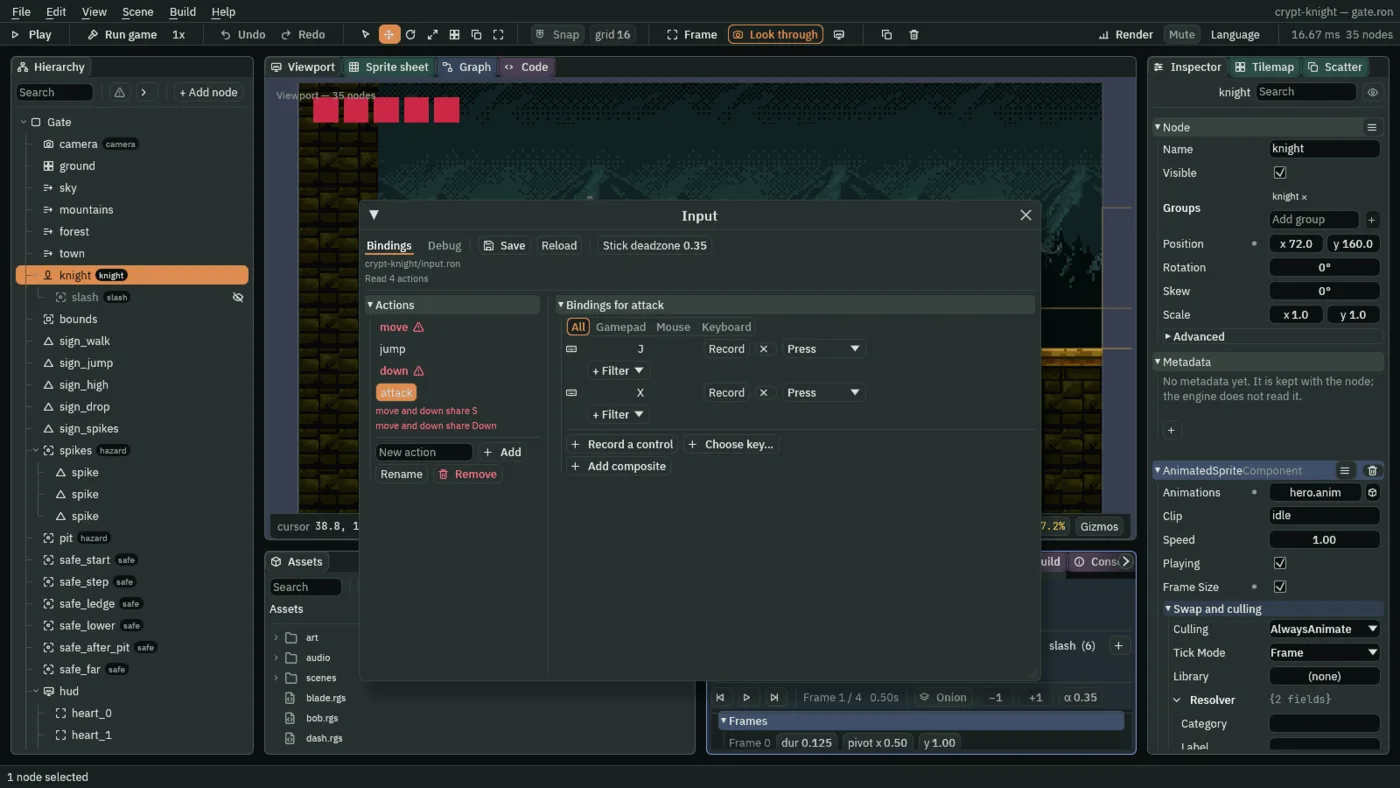
- Choose View → Input map…. Type
attackinto New action and press Add. - With
attackselected, press Record a control and press J. Press Record a control again and press X. - Press Save, and close the window.
Pack the sheet again
An Animated Sprite plays clips of one picture, and the knight’s sheet holds idle, run and jump. The attack and the hurt are two more strips of the same collection, so the sheet is made again from all five: the old one is deleted and Make Animation… writes it again under the same name. Its id comes from its name and place, so the knight in every scene, which names it, finds the new one where the old one was.
- Copy the two pictures above into
art, and press Refresh in Assets. - In Assets, open
art, right-clickhero.pngand choose Delete. The window lists the scenes that still use it: confirm. Do the same forhero.anim. - Right-click
gothic-hero-attack.pngand choose Make Animation…. It opens with that picture ticked. Tickgothic-hero-hurt.png,gothic-hero-idle.png,gothic-hero-jump.pngandgothic-hero-run.pngtoo: five in all, played in name order. - Set Name to
hero, leave Frames a second and Loop as they are, and press Create. It writesart/hero.png, a sheet of the five strips side by side, again 2048 by 128, andart/hero.anim, one clip calledherothat plays them.
The five strips sit at these places, which are the Margin to set in the Sprite sheet: the jump strip at x 0, the run strip at 307, the attack strip at 1101, the idle strip at 1679 and the hurt strip at 1833. The idle strip is not where it was in chapter 7, since it is packed between the others.
- Select
knight, so that the Animation panel showshero.anim, and double-clickart/hero.pngin Assets: the Sprite sheet tab opens on it. - Idle. Set Cell to
38and48, Margin to1679and0. Drag across the first four cells of the top row: Selected 4 x 1. Press From selection; name itidle,8 fps, Loop; press Generate 1 and Clear. - Run. Cell
66and48, Margin307and0. Drag from cell0, 0to11, 0: Selected 12 x 1. From selection;run,14 fps, Loop; Generate 1 and Clear. - Jump. Cell
61and77, Margin0and0. Drag from cell0, 0to2, 0: Selected 3 x 1. From selection;jump,12 fps, Once; Generate 1 and Clear. - Fall. Keep that grid. Drag from
3, 0to4, 0: Selected 2 x 1. From selection;fall,8 fps, Once; Generate 1 and Clear. - Hurt. Cell
48and48, Margin1833and0. Drag from0, 0to2, 0: Selected 3 x 1. From selection;hurt,10 fps, Once; Generate 1 and Clear. - Slash. Cell
96and48, Margin1101and0. Drag from0, 0to5, 0: Selected 6 x 1. From selection;slash,18 fps, Once; Generate 1 and Clear. - In the Animation panel, press Save. The panel lists
hero (5),idle (4),run (12),jump (3),fall (2),hurt (3)andslash (6).
The attack and hurt strips are 96 and 48 wide, and the knight is drawn in them off to one side, so each frame’s pivot x, the point of it that sits on the knight’s node, is not the middle. The pivots are measured from where the soles are in each strip, so that the body stays where idle’s is. And the jump and fall frames need their pivots again, as in chapter 7, since the clips were made again.
| Clip | Frames | Pivot to set |
|---|---|---|
jump | 0, 1 and 2 | y 0.987, 0.870 and 0.623 |
fall | 0 and 1 | y 0.545 and 0.779 |
hurt | 0, 1 and 2 | x 0.61 on each, and y stays at 1 |
slash | 0 to 5 | x 0.47 on each, and y stays at 1 |
- In the Animation panel, click jump. Under Frames, double-click the y box of the pivot, type
0.987, and press Enter. Press Next frame, and set y to0.870; again,0.623. Click fall:0.545, Next frame,0.779. - Click hurt. Double-click the pivot x box, type
0.61, press Enter, press Next frame, and do it again, for all three frames. - Click slash. Set pivot x to
0.47, Next frame, and so on, for all six. - Press Save, and Ctrl+S.
The slash now has to say which of its frames are the cut. The Animation panel needs room for that: drag the border between the Viewport and the panels at the foot of the window up, to give the panel more height.
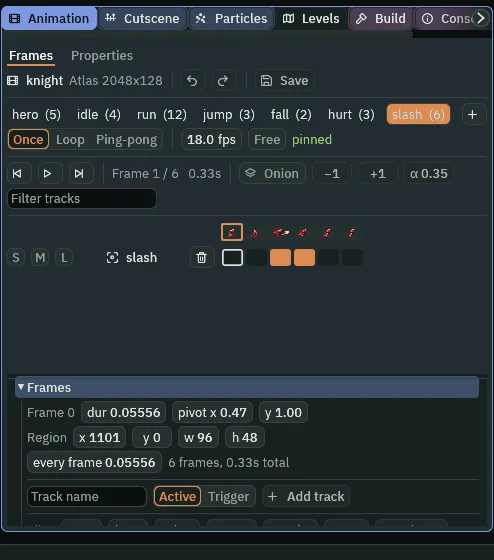
- With slash chosen, under the frame strip type
slashinto Track name, choose Active, and press Add track. A row calledslashappears in the grid above, with a cell for each of the clip’s six frames. - Drag across the third and fourth cells, frames 2 and 3, counting from 0, in the
slashrow: they fill with orange. Frames 2 and 3 are the swoosh and the full reach of the swing. - Press Save, and Ctrl+S.
- Active track
- A track is a row of the clip’s frames, set on some. An Active one is a state held across its frames: while the clip is on a set frame, the track is on. A Trigger one fires once as its frame begins. Chapter 14 will use a Trigger for a sound.
The sword’s reach
The reach is an Area on a node of its own, under the knight, so that it moves with him. It is on a new layer, 2, which only a creature looks for, and it names the track slash. A node’s Area that names a track is shown by the clip only on the frames where the track is set, and a hidden node’s Area overlaps nothing: so the node is hidden, and the reach is live for those two frames and no others. A script writes only its own node, and the reach has to turn with the knight, so the reach’s own small script sets its offset, to the side the knight faces, which the knight keeps each step.
- In Assets, press Create, choose New script, type
blade, and press Enter. - In the Code tab’s Scripts list, click
blade.rgs, replace everything in it with the script below, and press Ctrl+S.
/// The knight's sword's reach: an Area on a node of its own under the knight,
/// which the slash clip's `slash` track shows on the swing's two frames. It
/// reaches out on the side the knight faces, which the knight keeps as
/// `facing`.
component Blade {
    /// How far from the knight the middle of the reach is.
    #[suffix("u")]
    reach: f32 = 22.0,

    fn loop() {
        set_point("AreaComponent", "shape.offset", vec2(kept_number("facing", 1.0) * reach, -16.0));
    }
}
- Click the Viewport tab. Select
knight, press + Add node, and choose Area: it lands underknight. Rename itslashand untick its Visible: the clip shows it, below. Under Groups, typeslash. - In its Area, set the Shape’s Size to
32and24, and its Offset to22and-16: a box in front of the knight, at the height of his sword arm. - Set the Area’s own Layer to
2, untick0in its Mask so it reads Nothing, and set its Track toslash. - Press Add component and choose Blade. Leave its Reach at
22. - With
slashselected, press Ctrl+C, then Ctrl+S. Openscenes/crypt.ron, right-clickknight, choose Paste as child, and press Ctrl+S: the Crypt’s knight carries the same reach.
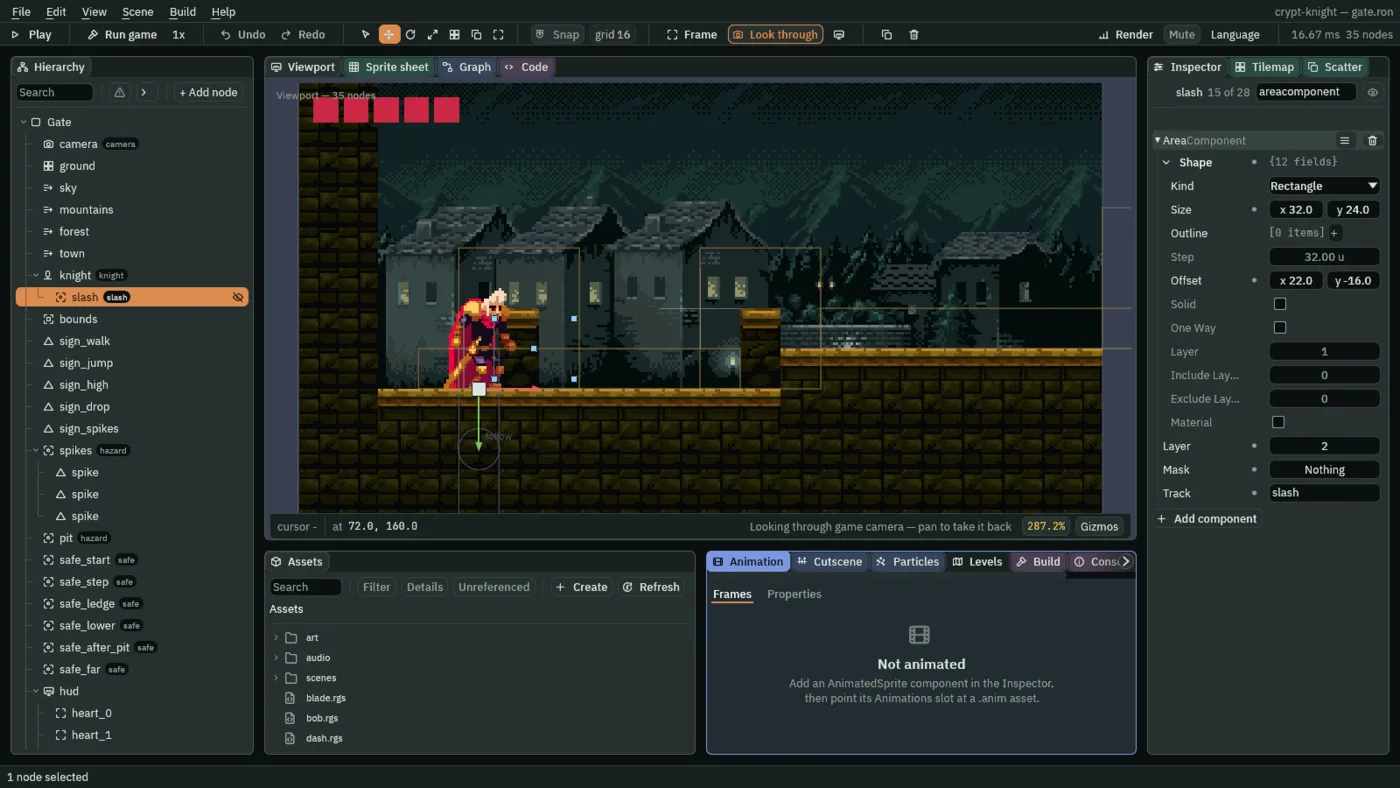
The layers are now three: 0 for what hears the knight, 1 for what hurts him, and 2 for what his sword reaches. A creature looks for layer 2, and the reach looks for none.
The knight swings
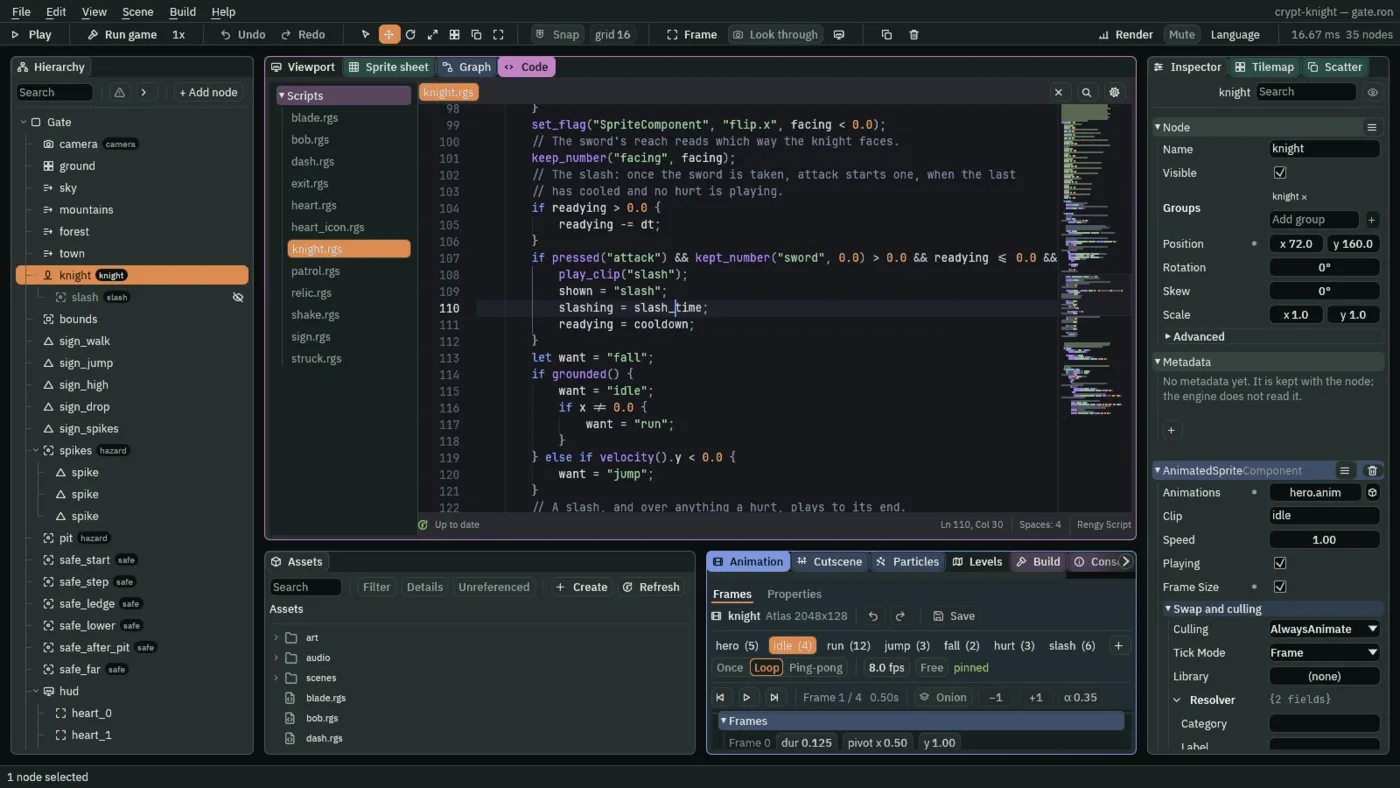
Open knight.rgs. The slash is a clip the script starts, as it starts the others, with two differences: a slash plays to its end, however the knight moves meanwhile, and a hurt plays over it. First the comment at the top, which now says so: replace its first ten lines with these.
/// The knight: runs where `move` points, jumps on `jump`, jumps lower when
/// `jump` is let go early, drops through a ledge when `down` is held as it
/// jumps, jumps once more in the air once the relic is taken, faces the way it
/// last moved, and shows the clip for what it is doing. Once the sword is
/// taken, `attack` slashes, and a slash that lands pushes the knight back a
/// little. It keeps where it last stood on safe ground. A spike or a pit costs
/// it a heart and puts it back there; an enemy costs it a heart and hops it
/// back. A hurt shakes the camera, blinks the knight and plays its hurt clip,
/// and nothing can hurt it while it blinks. A heart it picks up heals one.
/// With no hearts left, the level is lost.
Then the fields, replacing the one hopping, which now also counts a slash’s push, and adding eight: the slash’s cooldown and length, the hurt’s length, how hard and how long a landed slash pushes the knight back, and three counters.
    /// Seconds of the hop, or of a slash's push back, still to run.
    #[hidden]
    hopping: f32 = 0.0,
    /// Seconds from one slash to the next.
    #[suffix("s")]
    cooldown: f32 = 0.4,
    /// How long the slash clip plays: six frames at 18 a second.
    #[suffix("s")]
    slash_time: f32 = 0.33,
    /// How long the hurt clip plays: three frames at 10 a second.
    #[suffix("s")]
    hurt_time: f32 = 0.3,
    /// How fast a slash that lands pushes the knight back.
    #[suffix("u/s")]
    recoil_speed: f32 = 80.0,
    /// How long that push lasts.
    #[suffix("s")]
    recoil_time: f32 = 0.1,
    /// Seconds until the knight may slash again.
    #[hidden]
    readying: f32 = 0.0,
    /// Seconds of the slash clip still to play.
    #[hidden]
    slashing: f32 = 0.0,
    /// Seconds of the hurt clip still to play.
    #[hidden]
    hurting: f32 = 0.0,
In loop, a landed slash first. What a slash strikes tells the knight, and the knight is pushed back, away from the way he faces, with his steering held:
        // A slash that landed: what it struck says "recoil" to the group
        // "knight", heard a step later. The push goes the opposite way to the
        // way the knight faces, and steering waits for it to end.
        if heard("recoil") {
            set_number("CharacterBodyComponent", "velocity.x", -facing * recoil_speed);
            hopping = recoil_time;
        }
The two comment lines of the hopping branch change, to say what else it is for:
            // Hopping back from a hurt, or pushed back by a slash: the push
            // keeps its own speed.
Then, after the line that flips the Sprite, the slash itself. The knight keeps the way he faces for the reach; counts down the cooldown; and a press of attack slashes if he has the sword, the cooldown is over and no hurt is playing:
        // The sword's reach reads which way the knight faces.
        keep_number("facing", facing);
        // The slash: once the sword is taken, attack starts one, when the last
        // has cooled and no hurt is playing.
        if readying > 0.0 {
            readying -= dt;
        }
        if pressed("attack") && kept_number("sword", 0.0) > 0.0 && readying <= 0.0 && hurting <= 0.0 {
            play_clip("slash");
            shown = "slash";
            slashing = slash_time;
            readying = cooldown;
        }
And the clip he shows. After the if chain that chooses want, two blocks: a slash, and over anything a hurt, each plays to its end, and holds want there until it has.
        // A slash, and over anything a hurt, plays to its end.
        if slashing > 0.0 {
            slashing -= dt;
            want = "slash";
        }
        if hurting > 0.0 {
            hurting -= dt;
            want = "hurt";
        }
Last, in on_enter, two lines under } else {, where a hurt costs a heart: the hurt clip plays over whatever he was doing.
                // The hurt clip plays over whatever the knight was doing.
                hurting = hurt_time;
Press Ctrl+S.
- play_clip
"slash"andshown - Starts the slash from its first frame. Setting
shownto"slash"tells the code below that the clip on show is already the slash, so it does not start it again.slashingis how long it plays, 0.33 seconds, and the swing is the same length wherever he is: running, standing, in the air. pressed("attack")andkept_number("sword", 0.0)- A press of J or X, and the sword: the relic of chapter 11 keeps a
1undersword, and until it does, a press does nothing.readyingis the cooldown, 0.4 seconds, andhurtingis whether the hurt clip is playing: a hurt knight cannot swing. keep_number("facing", facing)- The reach, a different node, cannot read the knight’s
facing, a field of his script. So the knight keeps it, as a kept value, every step, andBladereads it back. heard("recoil")- What a slash strikes says
"recoil"to the groupknight, as a heart says"heal", and the knight hears it a step later, and is pushed back atrecoil_speedforrecoil_time: 80 units a second for a tenth of a second, which is 8 units.
Creatures that are struck
The hounds, the skull and the wolf do not die. The knight evades them in the Crypt and does not fight them: only the beast of chapter 13 has health. A creature that is struck tells the knight, so that the knight is pushed back, and chapter 14 makes it flash. Its script is one short hook.
- In Assets, press Create, choose New script, type
struck, and press Enter. - In the Code tab’s Scripts list, click
struck.rgs, replace everything in it with the script below, and press Ctrl+S.
/// A creature the knight's sword can strike: a slash that lands on it pushes
/// the knight back.
component Struck : Area {
    fn on_enter(other: NodeId) {
        if in_group(other, "slash") {
            // The knight is in the group "knight", and is pushed back a step
            // later.
            emit_to("knight", "recoil");
        }
    }
}
- Click the Viewport tab, and in
scenes/crypt.ronselecthound_1. - In its Area, click the Mask row, and tick
2, so that it reads 2: it now looks for the reach. - Press Add component and choose Struck.
- Do the same for
hound_2,skullandwolf, and press Ctrl+S.
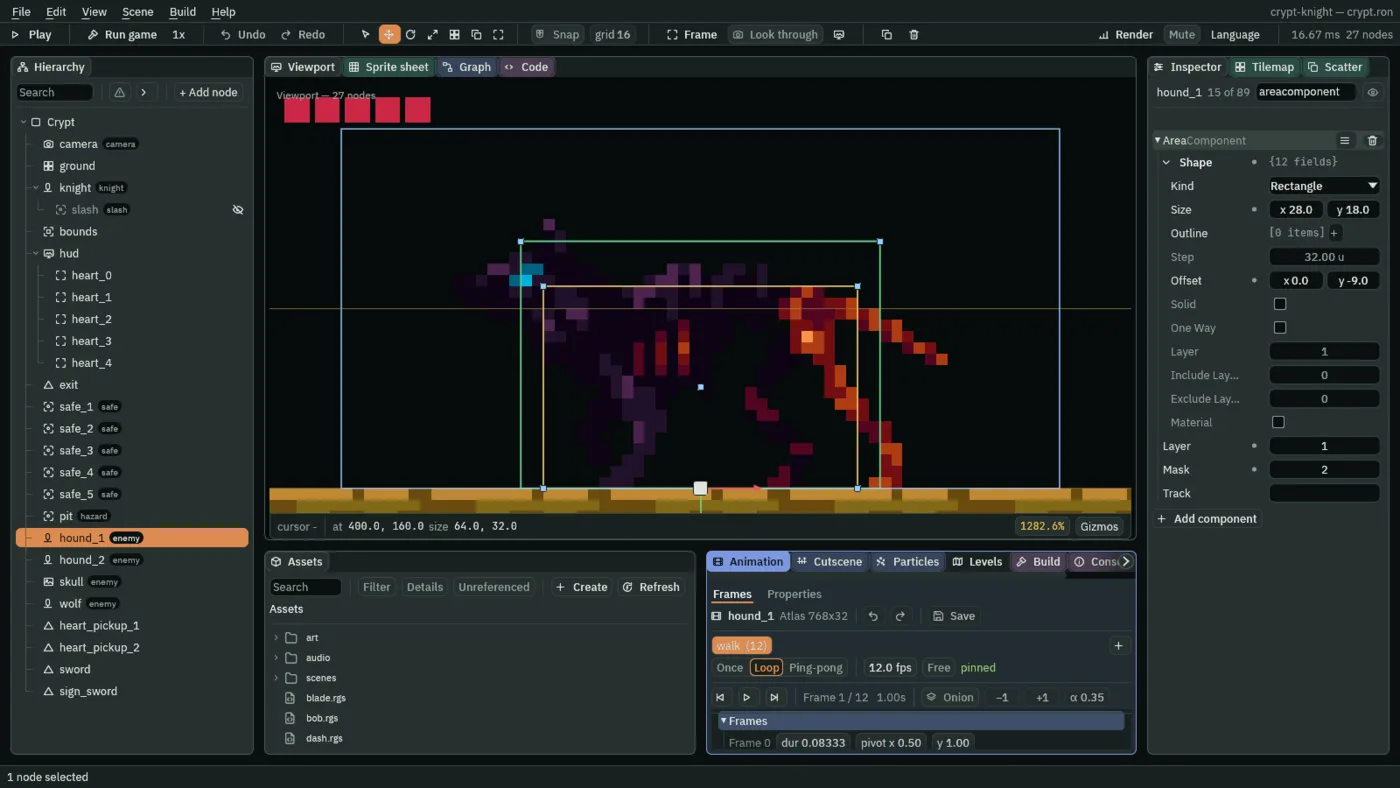
A creature’s Area is on layer 1, where the knight’s looks for it, and looks for layer 2, where the reach is. Both are Areas that notice Areas, and the reach is live for two frames of each swing.
Check it works
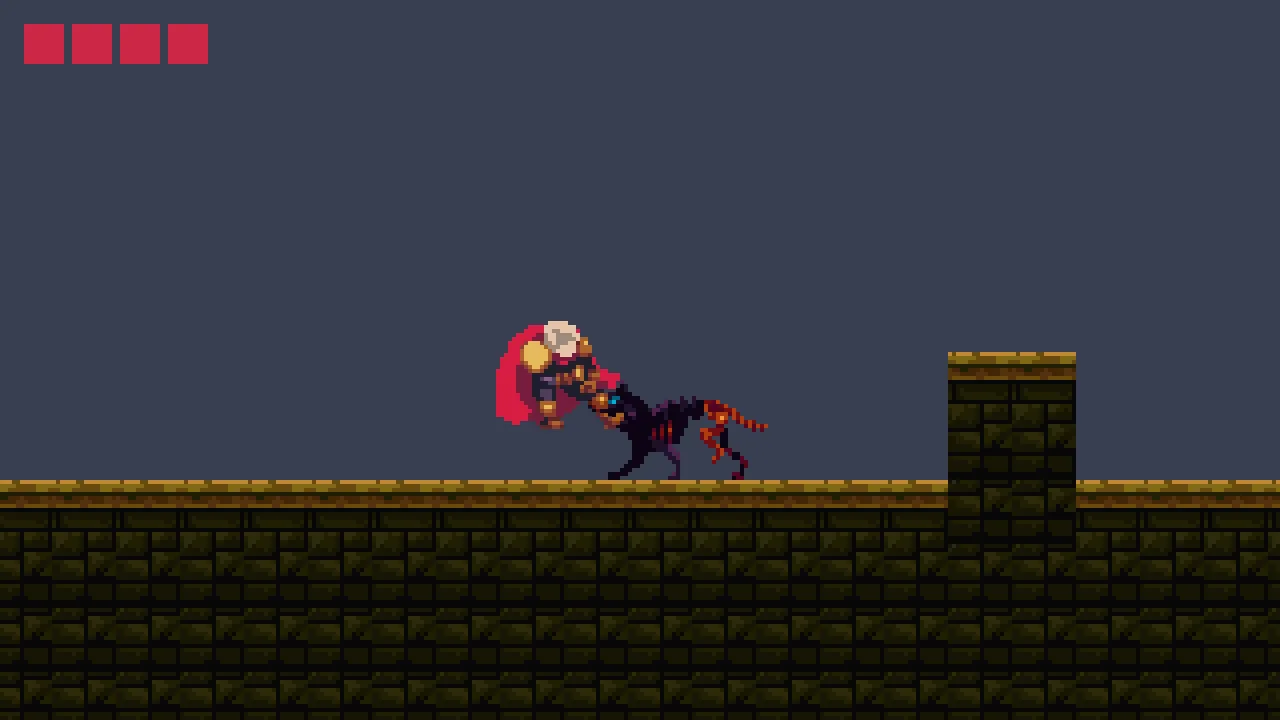
The sword is at the end of the Crypt. To skip the walk, set the knight’s Position in crypt.ron to 1460 and 160, past the second pillar, press Ctrl+S and F5, run right to the altar and take the sword, and set it back to 72 and 160 when you have seen it.