Worlds and Levels
Make one game, Hollowmere, seen from the side, to the last world control: a vale blocked out in grey boxes and dressed with tiles, hills, water and stone, a sky, a meadow, a market and words; a crypt painted in tiles that move, hurt and light it, its murals shown in the dark by a lantern, its levers wired, its rocks spawned and its far rooms built as the pilgrim nears them; and a gallery of seven small cases.
On this page
Hollowmere
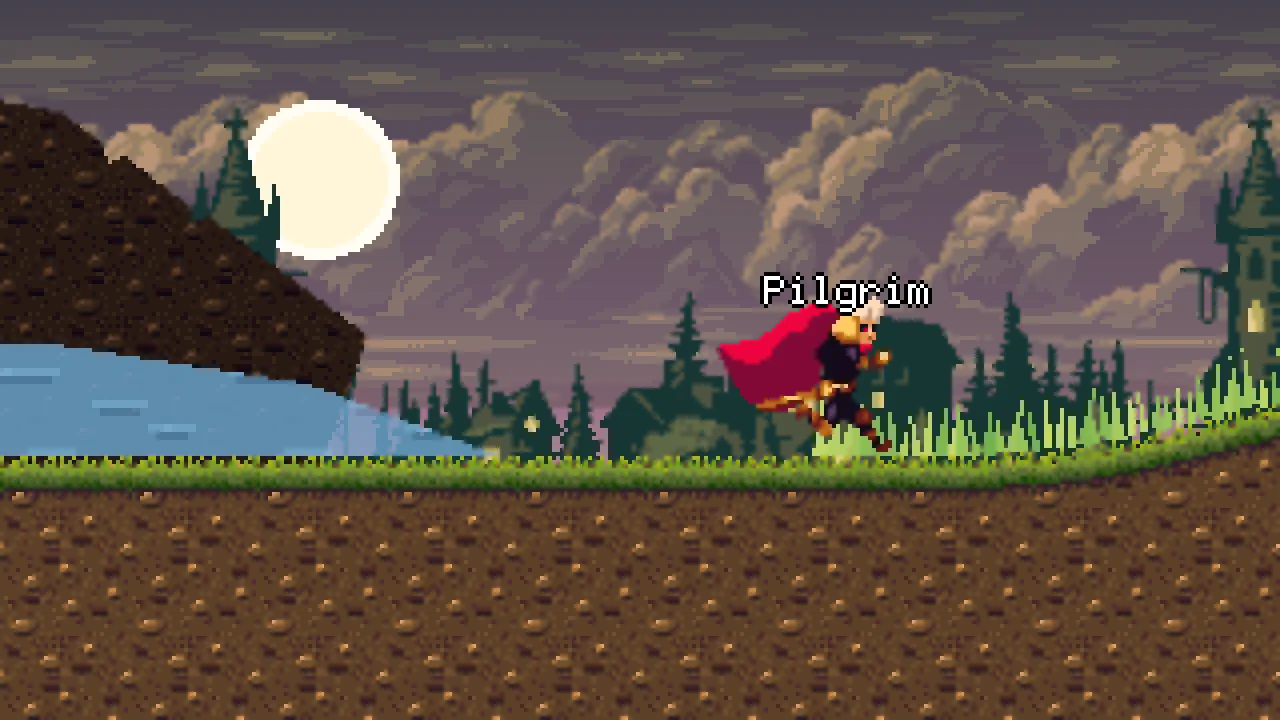
Worlds and Levels makes one game, Hollowmere, seen from the side. A pilgrim crosses a vale about ten screens wide, from his hut to a chapel door: rolling hills, a mere of still water under the cliff of a fallen tower, a meadow, a market of carts and stalls, signposts, and a ravine that a lever lays a drawbridge over, under a sky fading from night to dawn with a town and clouds drifting behind. Below the chapel is the crypt, painted in tiles: a stair down, flooded halls whose water moves, spikes, ledges to jump up through, and torches that light it. East of the halls it runs on in the dark: a gallery of murals that only his lantern shows, a cracked wall he strikes down, two gates each opened by its own lever, a rockfall, two far rooms built only as he nears them, and a tower door with a keyhole, beyond which a bell hangs. Ringing it ends the game.
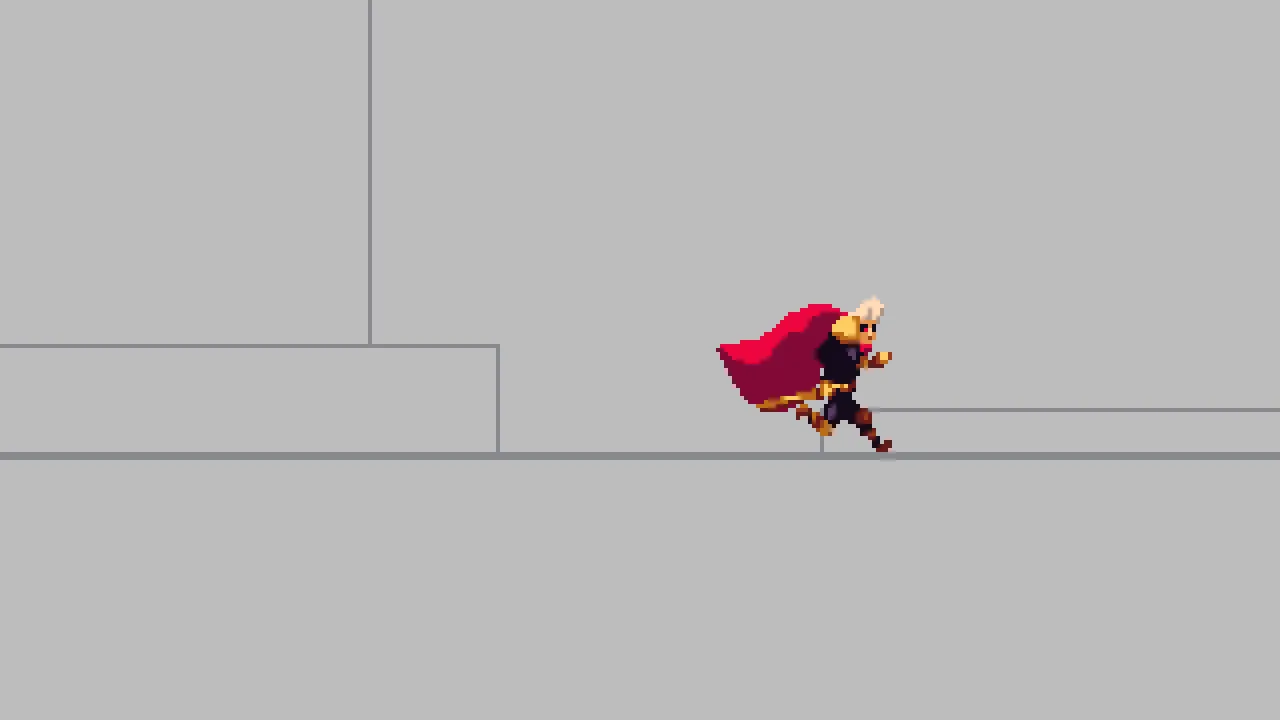
You start from a starter in which the pilgrim has nothing to stand on: the first time you run the game, he falls. Chapter 1 blocks the whole vale out in grey boxes he can walk from end to end, and the chapters after it replace them with the real thing one by one, so the game can be walked at every step: the hut and the chapel in tiles, the hills as Sprite Shapes, the mere and the cliff as Polygons, the sky and the banners as Meshes, the meadow as one MultiMesh, the carts in Sorting Groups, and the signposts’ words in World Text. The crypt is painted, made to do things, lit, wired and streamed, and the finished game is exported and runs on its own. A last chapter builds seven small cases in four scenes of their own: an isometric room, a staggered map, two boards of hexes, a dungeon cut from a sheet with gutters, a damage counter, a far ridge and a spyglass, each a recipe to take into your own game.
The tutorial is for learning every world tool to the end. Every field of the twelve components a world is built from (the TileMap, the Sprite Shape, the Polygon, the Mesh, the MultiMesh, the Sprite Mask, the Sorting Group, the Shape, the World Text, the Signal, the Spawner and the Placeholder), and a Sprite’s Mask, Channel and Inside, is defined with what it does, its unit and the value Hollowmere gives it. Every editor tool for building a world, every option of the Grid, Kind, Align, Effect Mode and Fit dropdowns, every builtin a script calls to read and write tiles, build, spawn, signal and set words, and every setting a map’s file holds is in the tables of tools below, linked to the chapter that defines it or the script that calls it.
What you need
- Rengy, installed, on Windows or Linux. Getting started installs it and shows you round the editor.
- The starter, worlds-and-levels.zip: the vale and the crypt, each with the pilgrim and his camera and nothing to stand on; the chapel door and its script, which takes him down into the crypt; and the pictures: the pilgrim’s, and every one drawn for the tutorial, which the chapters use as they come to them. Unzip it somewhere outside your other projects; in the editor’s launcher, choose Open project… and pick the
worlds-and-levelsfolder. - The three downloads below, as the chapters ask for them: from Gothicvania, the Old Dark Castle’s sheet in chapter 2, Gothic Horror’s tiles in chapter 6 and its town and clouds in chapter 7; from Kenney Fonts, the signposts’ face in chapter 10; and from Tiny Dungeon, its sheet in chapter 14. Each chapter that needs files lists them and where each is in its download.
- Nothing else. Most chapters are clicks. The scripts, from chapter 4 on, are Rengy Script, which the editor runs as it is, with nothing to install.
| Download | By | What the game takes from it | Needed from | Licence |
|---|---|---|---|---|
| Gothicvania Patreon’s Collection | ansimuz | The vale’s stone, the fallen tower behind the mere, the town at night and the clouds behind the vale, and the hero the pilgrim is made from | Chapter 2 | CC0 |
| Kenney Fonts | Kenney | The signposts’ lettering, Kenney High | Chapter 10 | CC0 |
| Tiny Dungeon | Kenney | The gallery’s dungeon, and its knight and orc | Chapter 14 | CC0 |
The three downloads are in the public domain (CC0). The pilgrim is the Gothicvania collection’s Gothic hero, made once in the editor: his idle, run, jump and jump-climb sheets are packed into the one sheet the starter holds, with his clips and his graph, and are not copied. The crypt’s stone, the torch, the hills’ turf and earth, the mere’s water, the banners, the cart, its wheel and the stall, the murals, the lantern’s light, the keyhole, the bell, the lever, the gates’ bars, the cracked block, the rock, the gallery’s tiles and the spyglass’s shade were drawn for these tutorials, and the slab on the ravine’s lips was cut from Gothic Horror’s sheet; all of them are in the starter.
Three parts
You can stop after any of them: each leaves you a vale and a crypt that work. The chapters below are listed by part.
- Basic, chapters 1 to 5: a vale you can walk and a crypt that works. The whole vale blocked out in grey; the hut, the chapel and the crypt’s first hall painted in tiles from a sheet; the crypt’s halls painted in minutes with a terrain, a fill that varies and a pattern; tiles that move, hurt, hold him up only from above, light the crypt and cast its shadows; and rolling hills whose outline is their art and their collision at once.
- Simple, chapters 6 to 10: the vale dressed. The cliff and the mere as Polygons; a sky coloured point by point and banners cut from one sheet, as Meshes, with a town and clouds drifting behind; a meadow of more than a hundred blades in one draw; carts a Sorting Group keeps whole; and signposts, a name tag and a “+1” in World Text.
- Pro, chapters 11 to 14: a crypt that reacts and builds itself. Murals only the lantern shows and a keyhole to the bell, through Sprite Masks; levers whose Signals lay a drawbridge, raise two gates and take the tower door away, and a cracked wall struck down; rocks a Spawner drops, far rooms Placeholders build as he nears them, a bell that ends the game, and the game exported; and last, a gallery of seven small cases.
How each chapter teaches
- Every control is defined. A list of terms in each chapter says what a field or a tool does, its unit where it has one, and the value Hollowmere gives it.
- Grey first. Chapter 1 blocks the vale out in grey, as a level designer does, and each chapter after it says which grey stand-in it replaces, if any, so the game can be walked from end to end at every step.
- Which tool for which job. Tiles, the Sprite Shape, the Polygon, the Mesh and the MultiMesh overlap, so each of their chapters opens with when to reach for its tool rather than the others. The table below sets the five side by side.
- What collides, what draws, what sorts. Everything that draws is asked the same three questions where it is introduced, because the answers differ: a Shape draws but collides with nothing, a Sprite Shape does both with a Collider on its node, and a tile layer by its flags. Where the Problems tab catches a mix-up, the chapter shows its row.
- Motion is watched. Where a chapter says something about motion, such as the water playing its frames or the drawbridge laid plank by plank, it plays a recording of the game with a line under it saying what to watch, and the same in words for a reader who cannot see it.
- Before and after. Where a setting’s effect is not obvious, a picture with it and one without show what it changes. Where a result surprises, the chapter says why, and where a cost bites, on a phone above all, it says what it costs.
- Each thing you build ends in a table of its values, so you can build it again in your own game.
- Every picture is a capture of the editor or the game, and every animation a recording of the exported game, never a mock-up.
Which tool for which job
Five tools draw the shape of a world, and they overlap: any of them could make a floor or a hill. Each chapter of the five opens with when to reach for its tool rather than the others, and asks of it what collides, what draws and what sorts. Side by side:
| Tool | Reach for it for | What collides | What draws | What sorts |
|---|---|---|---|---|
| Tiles, chapter 2 | a grid of art: buildings, rooms, floors and walls | each Solid layer, while the map’s Collision is ticked, its eye open or not | every layer whose eye is open, tinted by the map’s Color | the map as one node on its Sort Layer, its layers inside it by their z |
| Sprite Shape, chapter 5 | a curve with edges: a slope, a crest, a hill’s rounded end | a row of boxes along its outline, with Collide ticked and a Collider on its node | edge art along its faces, corner pieces at its sharp turns, and its fill | as one node on its Sort Layer |
| Polygon, chapter 6 | a flat outline you fill: a pool, a slope seen from the side, a backdrop | nothing | its outline, filled with a picture or a colour | as one node on its Sort Layer |
| Mesh, chapter 7 | a shape you colour and map yourself, point by point | nothing | its triangles, coloured by its points and its Texture | as one node on its Sort Layer, before a picture it ties with |
| MultiMesh, chapter 8 | many copies of one shape: grass, pebbles, rubble, stars | nothing: he walks through the grass | the Polygon or Mesh on its node at each of its Placements, in one draw | on that shape’s Sort Layer |
The rest are asked the same where they come in. A Shape alone collides with nothing, and a Block is a Shape with a Collider of its size. A Sorting Group draws nothing of its own and sorts what is under it as one. World Text draws its words and collides with nothing. A Sprite Mask draws nothing of its own, and shows the sprites that read it only inside its shape, or only outside it.
The world tools
Besides the components, the editor, the scripts and a map’s own file have tools of their own for building a world. Each is taught where it is first needed, and each is a row in one of the four tables below, so the one you are looking for is a link away.
In the editor
| Tool | Where it is | Taught in |
|---|---|---|
| New tilemap…: a map started from a sheet dropped on it, cut in 16-pixel tiles, with two layers | the Tilemap tab, on a Tilemap node with no map | Chapter 2 |
| The Tileset band and the picker: how the sheet is cut, and its tiles to click | the Tilemap tab | Chapter 2, chapter 14 |
| Paint mode and the painting tools: Brush, Erase, Line, Rect, Fill and Pick, on T, B, E, L, U, G and I | the Tilemap tab’s Tools band | Chapter 2 |
| A wide brush: the Tools band’s Size, stepped with [ and ] | the Tilemap tab’s Tools band | Chapter 3 |
| The picker’s block: a drag across the picker, which holds the tiles it covers | the Tilemap tab’s picker | Chapter 3 |
| Save as pattern… and the Patterns list: a held block filed on the sheet under a name | the Tilemap tab’s Tools band | Chapter 3 |
| Stamp, Move, Flip X, Flip Y and Rotate, on S, M and R; Rotate turns the tile and the held block a quarter clockwise at each press | the Tilemap tab’s Tools band | Chapter 3 |
| Replace: one tile swapped for another, inside a lifted block or over the whole layer, and Esc to let the block go | the Tilemap tab’s Tools band | Chapter 3 |
| A layer’s row: its eye, its padlock, its gear and the flags under it, its z, and its order | the Tilemap tab’s Layers band | Chapter 2, chapter 4 |
| The Terrains band: a terrain armed, Add blob, the eight squares round the held tile, and Re-solve | the Tilemap tab | Chapter 3 |
| The Variety band: a Set painted by weight, Add, Seed, Reroll, and its Scatter | the Tilemap tab | Chapter 3 |
| The Tile band: the held tile’s own settings, and Add value, a row added to its Data: a Bool, an Int, a Float or a Text | the Tilemap tab, under the picker | Chapter 4, chapter 14 |
| Save and Ctrl+S: the map’s strokes written to its file, and with Ctrl+S the scene too | the Tilemap tab, and the keyboard | Chapter 2 |
| Undo and Redo: one history for strokes, the tab and the Inspector | the Tilemap tab’s arrows, Ctrl+Z and Ctrl+Y, and the toolbar | Chapter 2 |
| The collision overlay: the boxes a map’s Solid layers make, and the status line’s count of them | the Viewport in Paint mode, and the status line | Chapter 2 |
| Layer names and the Collision matrix: which named collision layers meet | the Physics tab of File → Project settings… | Chapter 4, chapter 13 |
| The sorting layers: the project’s names for each Sort Layer, back to front, one renamed with a double-click and one added with Add layer | the Layers tab of File → Project settings… | Chapter 1 |
| Fit to tilemap: a Confiner’s Bounds set to a map’s painted cells | under a Confiner, in the Inspector | Chapter 4 |
| Snap: a node, a corner or a point dragged onto the grid, and an anchor ring onto its shape’s edges, thirds and middle | the toolbar, with the grid’s spacing beside it | Chapter 1, chapter 5 |
| A Block’s linked handles and its anchor ring: its Shape and its Collider sized as one | the Viewport, with the Select tool | Chapter 1 |
| Points: dragged, inserted with a double-click on an edge, deleted with Delete, and the first ones put down by clicks | the Viewport, on a Sprite Shape or a Polygon | Chapter 5, chapter 6 |
| The Sprite sheet tab: a picture cut in cells, by Detect grid or by its Cell, Margin and Spacing; a clip made of cells with From selection and Generate 1, and a region named with Name it | a picture double-clicked in Assets | Chapter 4, chapter 6, chapter 14 |
| Generate physics shape: a Polygon traced from the picture a Sprite shows | a Sprite’s Physics shape fold, in the Inspector | Chapter 6 |
| Make a Mesh: a Polygon made a Mesh of its triangles | under a Polygon’s rows, in the Inspector | Chapter 7 |
| The Scatter panel with its Target on MultiMesh: a stroke’s copies added to a MultiMesh’s Placements | the Scatter tab beside the Inspector, with the Scatter tool, U | Chapter 8 |
| A font’s Size and Distance field: the pixels it is read at, and whether it also bakes a distance field; untick As the project’s to set either, and Save writes them | the Import panel, under Assets with Details pressed and the font clicked | Chapter 10 |
| A Signal’s wires, and the Gizmos menu’s Signals, which shows them | the Viewport, while a node with a Signal is selected | Chapter 12 |
| Save as artifact…: a node and everything under it written into an artifact, and a copy of it put in its place | a node’s right-click menu, in the Hierarchy | Chapter 4, chapter 12 |
| A drop: an artifact dragged from Assets into the Viewport, a copy of it where it lands, in the selected node’s parent, at the head of its list | the Viewport | Chapter 12 |
| Instantiate now: the artifact under a Placeholder built by hand | a Placeholder, in the Inspector; it acts in Play | Chapter 13 |
| Sort children by Y: a node’s children drawn in the order of their place down the screen | a node’s Advanced fold, in the Inspector | Chapter 14 |
| The rows for a world set up wrong | the Problems tab | Chapter 2, chapter 5, chapter 9, chapter 14 |
The options
Every option of the five dropdowns a world’s components have, written as the Inspector prints it:
| Option | Where it is | Taught in |
|---|---|---|
| Rectangle | the TileMap’s Grid | Chapter 2 |
| Isometric | the TileMap’s Grid | Chapter 14 |
| IsometricStaggered | the TileMap’s Grid | Chapter 14 |
| HexPointyTop | the TileMap’s Grid | Chapter 14 |
| HexFlatTop | the TileMap’s Grid | Chapter 14 |
| Rectangle | the Shape’s Kind | Chapter 1 |
| Circle | the Shape’s Kind | Chapter 1 |
| Capsule | the Shape’s Kind | Chapter 1 |
| Left | the World Text’s Align | Chapter 10 |
| Center | the World Text’s Align | Chapter 10 |
| Right | the World Text’s Align | Chapter 10 |
| Copies | the World Text’s Effect Mode | Chapter 10 |
| DistanceField | the World Text’s Effect Mode | Chapter 10 |
| Stretch | a Sprite Shape fill’s Fit, and the Polygon’s | Chapter 5, chapter 6 |
| Tile | a Sprite Shape fill’s Fit, and the Polygon’s | Chapter 5, chapter 6 |
In a script
The builtins a script calls to read and write a map’s tiles, to build and spawn, to signal and to set words, each linked to a chapter whose script calls it:
| Builtin | Where it is | Taught in |
|---|---|---|
tile_at(): the tile painted in a cell of a map’s layer, as the step began | a script | Chapter 12, chapter 14 |
set_tile(): a tile painted into a cell, from the next step, for the run only | a script | Chapter 12, chapter 14 |
clear_tile(): a cell emptied, from the next step | a script | Chapter 12 |
cell_at(): the cell of a map a point in the world falls in | a script | Chapter 4, chapter 14 |
cell_centre(): where the middle of a cell is in the world | a script | Chapter 14 |
tile_number(): a tile’s Data row as a number | a script | Chapter 14 |
tile_flag(): a tile’s Data row as a flag | a script | Chapter 4 |
tile_text(): a tile’s Data row as text | a script | Chapter 14 |
build_placeholder(): what this node’s Placeholder stands for, built | a script | Chapter 13 |
spawn(): a copy of an artifact this node’s Spawner names, at a point | a script | Chapter 13, chapter 14 |
emit(): a name said to whoever this node’s Signal names | a script | Chapter 12, chapter 13 |
heard(): whether a name reached this node this step | a script | Chapter 12 |
set_text(): words written into a component on this node | a script | Chapter 10, chapter 13, chapter 14 |
In a map’s file
Besides its painted cells, a map’s .tilemap holds how its sheet is cut, each layer’s flags and order, each tile’s own settings, and its terrains and patterns:
| Setting | Where it is | Taught in |
|---|---|---|
| The sheet’s Tile: one tile’s size on the sheet, in pixels | the Tilemap tab’s Tileset band | Chapter 2 |
| The sheet’s Columns: tiles to a row | the Tilemap tab’s Tileset band | Chapter 2 |
| The sheet’s Margin: the border round the whole sheet | the Tilemap tab’s Tileset band | Chapter 2 |
| The sheet’s Spacing: the gap between its tiles | the Tilemap tab’s Tileset band | Chapter 14 |
| A layer’s Solid: its tiles collide | a layer’s gear, in the Layers band | Chapter 2 |
| A layer’s One-way: its tiles hold a body from above only | a layer’s gear, in the Layers band | Chapter 4 |
| A layer’s Blocks nav: its tiles are walls to finding a way | a layer’s gear, in the Layers band | Chapter 4 |
| A layer’s Occluder: its tiles cast shadows | a layer’s gear, in the Layers band | Chapter 4 |
| A layer’s Collision layers: the collision layers its tiles are on | a layer’s gear, in the Layers band | Chapter 4 |
| A hidden layer: its eye shut, in the game too | a layer’s eye, in the Layers band | Chapter 4 |
| A layer’s z: its order inside the map | the Layers band | Chapter 2, chapter 4 |
| A tile’s Tint: a colour multiplied into its art | the Tile band | Chapter 4 |
| A tile’s Art origin: where its art is drawn in its cell | the Tile band | Chapter 4, chapter 14 |
| A tile’s Z offset: added to its layer’s order | the Tile band | Chapter 4 |
| A tile’s Y sort: where in its cell it counts for sorting by Y | the Tile band | Chapter 14 |
| A tile’s Weight: how often it comes up in a set | the Tile band | Chapter 3 |
| A tile’s Animation: the frames it plays | the Tile band | Chapter 4 |
| A tile’s Data: named values a script reads | the Tile band | Chapter 4, chapter 14 |
| A tile’s Scene: a scene or an artifact it places | the Tile band | Chapter 4 |
| A tile’s Draws as: another tile’s art drawn instead | the Tile band | Chapter 4, chapter 14 |
| A terrain: tiles filed by the neighbours their art joins | the Terrains band | Chapter 3 |
| A pattern: a block of tiles saved under a name | the Patterns list, in the Tools band | Chapter 3 |
How long it takes
The fourteen chapters take about 15 hours at the keyboard: chapters 1 to 11 take between half an hour and an hour and a quarter each, and chapters 12 to 14 about an hour and a half, the gallery a case at a sitting. Every chapter ends at a place you can stop, with a Check it works box that says what you should see.
The chapters
Part 1 · Basic
A vale blocked out in grey and a crypt painted, alive with tiles that do things, under real hills.
- 1 Block it out The vale you start from, where the pilgrim has nothing to stand on; the sorting layers named once, back to front; and the whole vale blocked out in grey boxes he can walk from the hut to the chapel door. 45 min
- 2 A tilemap The hut and the chapel painted in tiles from one sheet, in place of their grey boxes; the Tilemap tab, its layers and its six painting tools; and the crypt’s first hall under the chapel, solid and walkable. 60 min
- 3 Painting faster The crypt’s halls painted in minutes: a terrain that picks every edge and corner, a fill varied by weight, a pillar saved as a pattern and stamped along the halls, and a wall swapped for wet stone in one press. 45 min
- 4 Tiles that do things The crypt comes alive tile by tile: water that moves and lets the wall show through, spikes that send him back, ledges he jumps up through and drops down, torches that are lights, walls that cast their shadows, and a camera kept inside the crypt. 75 min
- 5 Hills The grey ground becomes rolling hills: Sprite Shapes whose outline is the art, the fill and the collision at once, turf bending over the crests, earth tiled under it, and the ravine’s lips capped with slab. 75 min
Part 2 · Simple
A dressed vale: water and stone, a sky made to measure, a meadow, a market and words.
- 6 Water and stone The grey cliff and mere become two Polygons: a fallen tower traced from its picture and filled with dark stone, and still water drawn point by point, tiled and see-through, the tower showing through it. 45 min
- 7 Made to measure The grey sky becomes a Mesh you colour point by point, fading from night to dawn and holding still on the screen; clouds and a town drift behind the vale; and four banners, each a pennant made a Mesh, show their own cuts of one sheet. 75 min
- 8 The meadow The grey meadow becomes grass: one blade, drawn as a Polygon, painted along the hill a hundred and more times with the Scatter brush, each turned, sized and tinted its own way, and all of it one draw. 40 min
- 9 Stacked and grouped The grey carts and stalls become pictures: three carts, each a bed and a wheel that a Sorting Group keeps together, so no cart is ever drawn through another, and two stalls, each a single picture. 35 min
- 10 Words in the world The grey signposts turn wood and get words in a carved face, each lined up on its board; the pilgrim gets a name tag that rides on his head; and the mere’s sign a “+1” that rises and fades the first time he passes. 60 min
Part 3 · Pro
The crypt in the dark, shown by a lantern and a keyhole; levers that lay a bridge, raise grates and open a door; a wall struck down; rocks that fall, rooms built as he nears them, and a bell that ends the game; and last, a gallery of worlds: an isometric room, boards of hexes, a dungeon and a far ridge through a spyglass.
- 11 In the dark The crypt runs on east into the dark: a gallery of murals that only the pilgrim’s lantern shows, a long stretch of nothing, and a tower whose door has a keyhole to peer through at the bell. 75 min
- 12 Cause and effect Levers, and the things they work: a drawbridge laid plank by plank over the ravine, two gates whose grates slide up, and the tower door taken away; and a cracked wall the pilgrim strikes down, block by block, in one blow. 90 min
- 13 Spawning and streaming Rocks that fall from the crypt’s ceiling while the pilgrim is under them, far rooms built only as he nears them, and a bell that swings when he rings it and ends the game; then the vale’s ground drawn as a phone wants it, and the whole game exported. 85 min
- 14 A gallery of worlds Seven small cases in four scenes of their own: an isometric room and a staggered map, two boards of hexes, a dungeon cut from a sheet with gutters and a damage counter in it, and a far ridge seen through a spyglass. Each puts the world tools to one more use. 90 min