Tutorials · Interfaces · Chapter 15
Export
By the end
- The project named
the-delve - The game exported, opening on its title, saves and language kept between launches
Name the game
Every project has a Name, and the starter’s is interfaces, after its folder. An exported game uses it for one thing: the folder where it keeps its saved values. A game that is going out under a name of its own sets it before it exports.
- Choose File → Project settings…. The Project settings window opens on its General tab.
- Set Name to
the-delve. The window writesproject.rengyas you type, so there is nothing to save. - Leave Game package empty. The Delve is scenes and Rengy Script, and nothing is compiled.
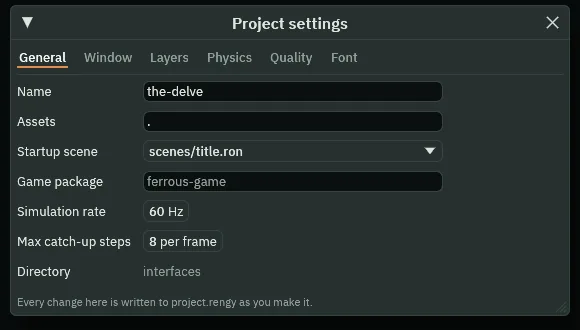
- Name
- The name the project goes by. An exported game keeps its saved values in a folder of that name in your account’s data folder, so a name every computer can use for a folder is safest, as
the-delveis. It is not the exported game’s own name, which follows the project’s folder.
The export is named after the project’s folder, not its Name, and the Build panel has no Game box to say otherwise. That box appears only for a project with a game package, which names the game it builds, and The Delve has none. So the game exports as interfaces and keeps its saves in the-delve.
Export the game
Export writes the game to a folder of its own: your project, with its pictures and sounds prepared for the game to load, and a copy of the player that came with Rengy, named after your project’s folder. Nothing is compiled: the scripts run as they are, and the Build panel says so. Exporting has the whole of it, and Crypt Knight’s export walks through the same steps.
- Save with File → Save all: Export copies the files as they are on disk.
- Click the Build tab, or choose View → Panels → Build if it is not there.
- In its Export section, a line under Export says where the game will be written, ending in
interfaces/dist/interfaces/interfaces: your project’s folder, thendist, then a folder and a file both named after it. - Press Export. When it is done, the editor opens the new folder in your file manager.
- Double-click
interfaces, orinterfaces.exeon Windows. On Linux, if double-clicking does not start it, run./interfacesin a terminal in that folder.
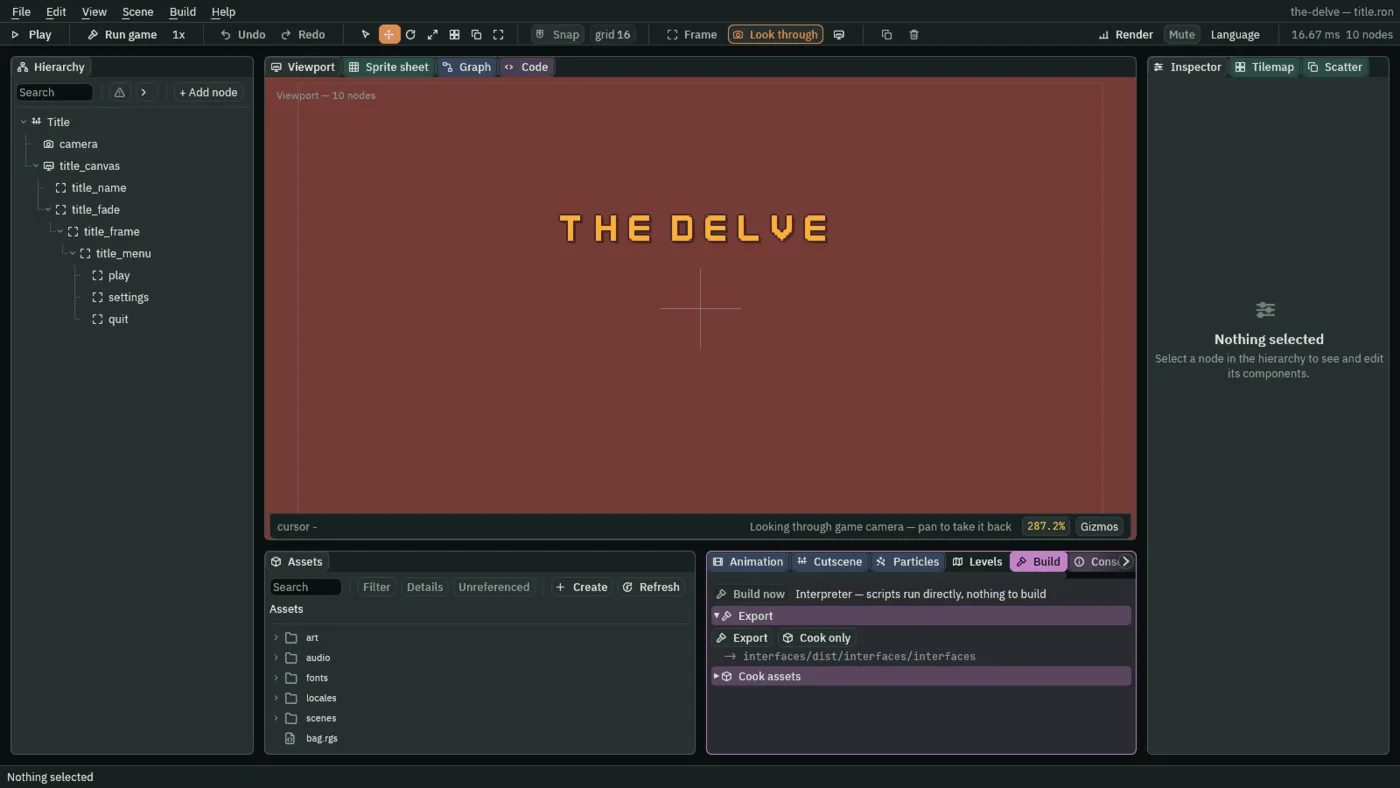

Cook only prepares a copy of the pictures and sounds in a cooked folder in your project, to report their sizes. No game reads that folder, and the next export would copy it in, so delete it when you are done with it.
The first export also gives every script its small .meta file, as the editor does for every picture. If you open your project’s folder afterwards, there is one beside each .rgs. Leave them there: the export carries them, so the game writes nothing in its own folder. A project folder whose name a computer cannot use for a file, such as one holding a colon, is refused before anything is written: rename the folder.
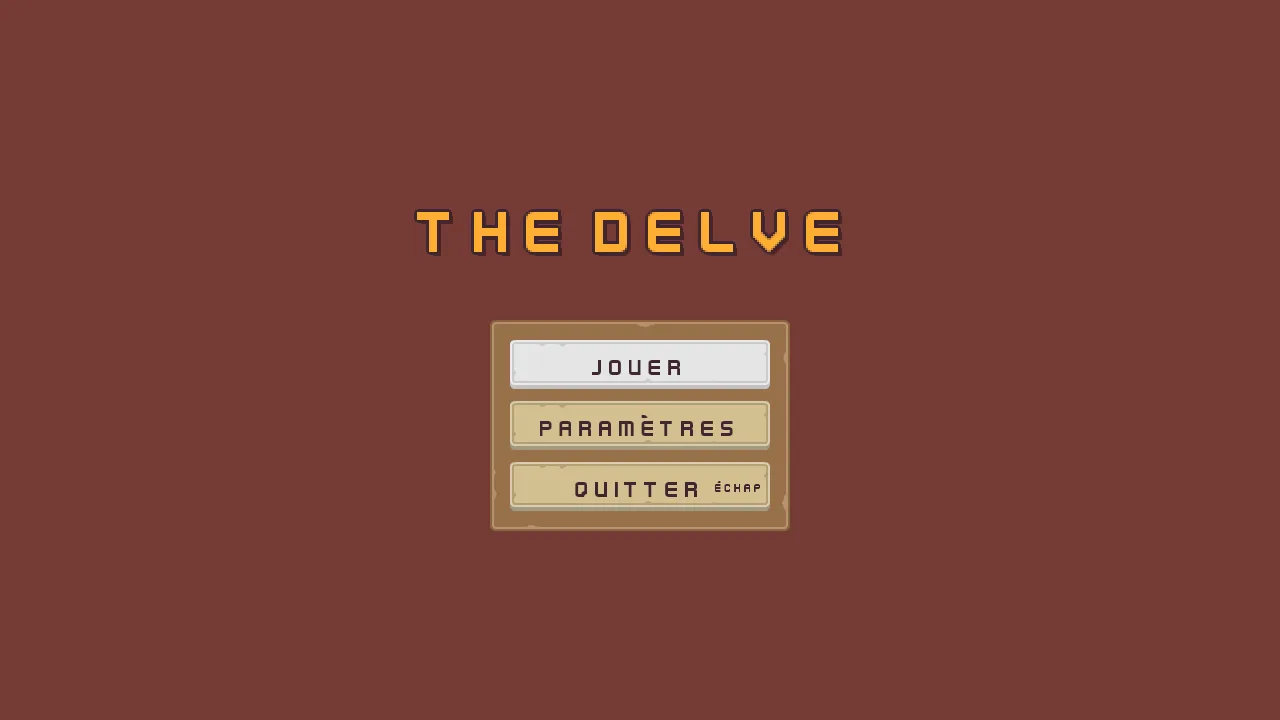
The export is the same player running the same files, so it opens on the title as the editor’s Play does, and in French once French has been chosen in Settings.
Where its saves live
An exported game keeps what its scripts save, the slots’ names and runs, the settings and the language, in a file of its own in your account’s data folder, never in the export:
- Linux
~/.local/share/the-delve/saved.ron, or$XDG_DATA_HOME/the-delve/saved.ronwhenXDG_DATA_HOMEis set- Windows
%APPDATA%\the-delve\saved.ron
That folder is named after the project’s Name, and the export after the project’s folder. Here they differ, the-delve and interfaces. Delete the file to start the game from nothing.
Build → Run / Stop game runs the same player from the editor, but keeps its saves with Play’s, in play-saved.ron in your project, so trying the game never touches the export’s.