Interfaces
Build the whole interface of a small dungeon game, one control at a time: a HUD, a bag, a title screen, settings that are saved, a hotbar, tooltips, a pause menu and its questions, drag and drop, a scrolling journal, three named save slots, the game in French and every screen without a mouse, then a gallery of six screens.
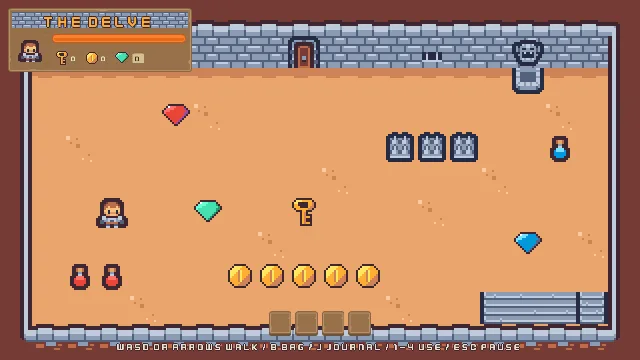
The Delve
Interfaces builds the whole interface of one small game, The Delve: a single dungeon room seen from above, where a hero walks, picks up potions, an elixir, a key, gems and coins, opens a locked door, rests at a shrine and leaves by the stairs. You start from a starter with the room built and the hero walking, and no interface at all. By the end the game has a HUD, a bag, a hotbar, tooltips, a title screen, settings that are saved, a pause menu and the questions it asks, drag and drop, a scrolling journal, three named save slots and two languages, and every screen works without a mouse. A last chapter then finishes six small screens of their own, each a recipe to take into your own game.
The tutorial is for learning every interface control to the end. Each one is defined with what it does, its unit and the value The Delve gives it, and shown working, by the mouse and by the keys. A note says why wherever a result surprises you. Each thing you build ends with its values in a table, so you can build it again in your own game.
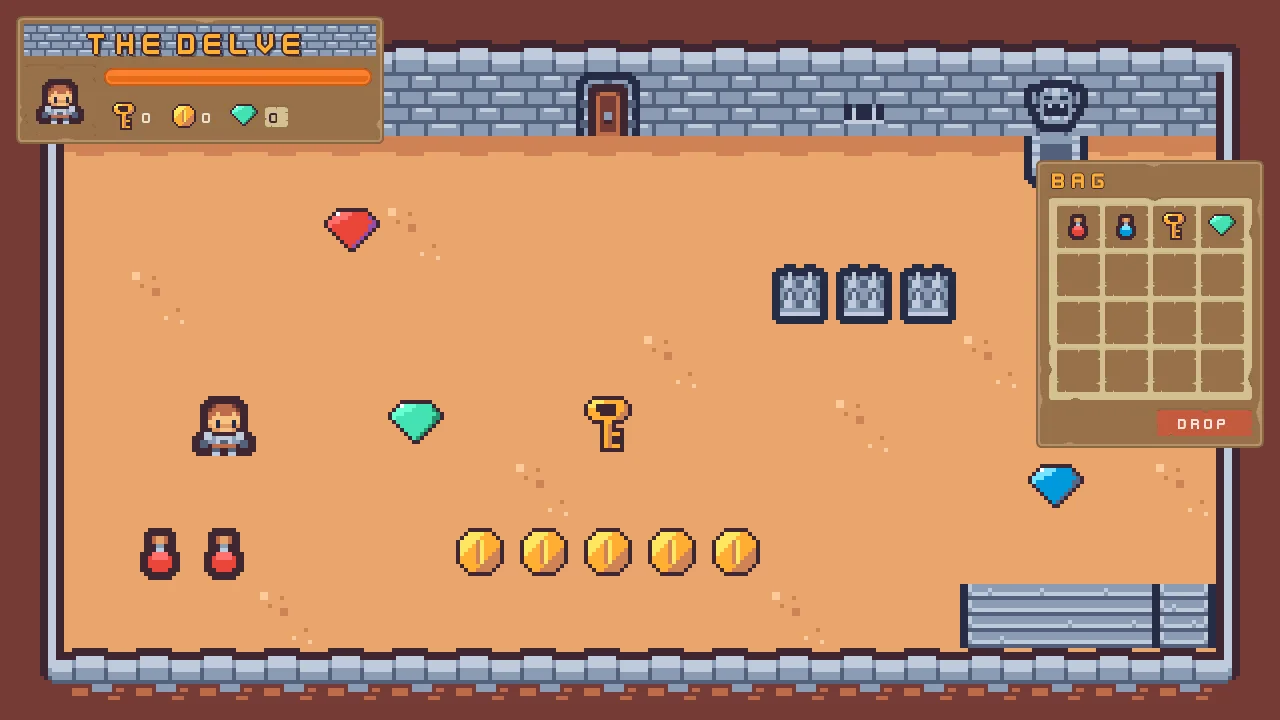
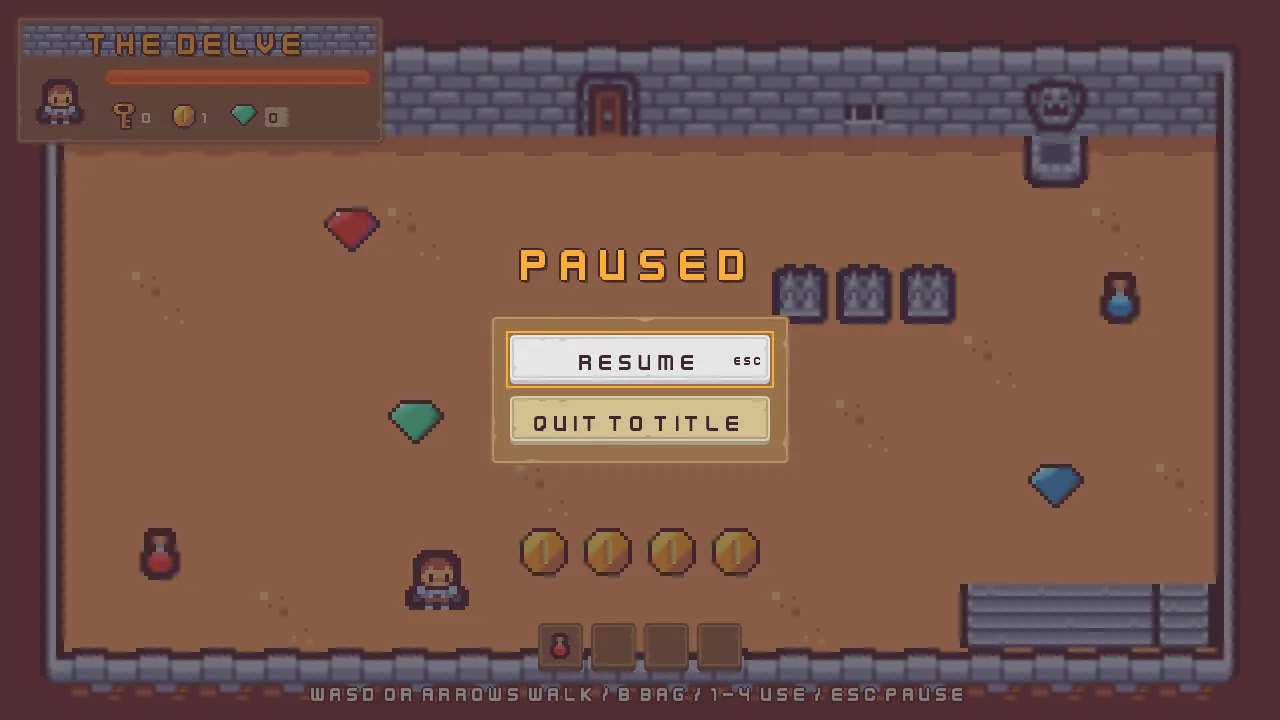
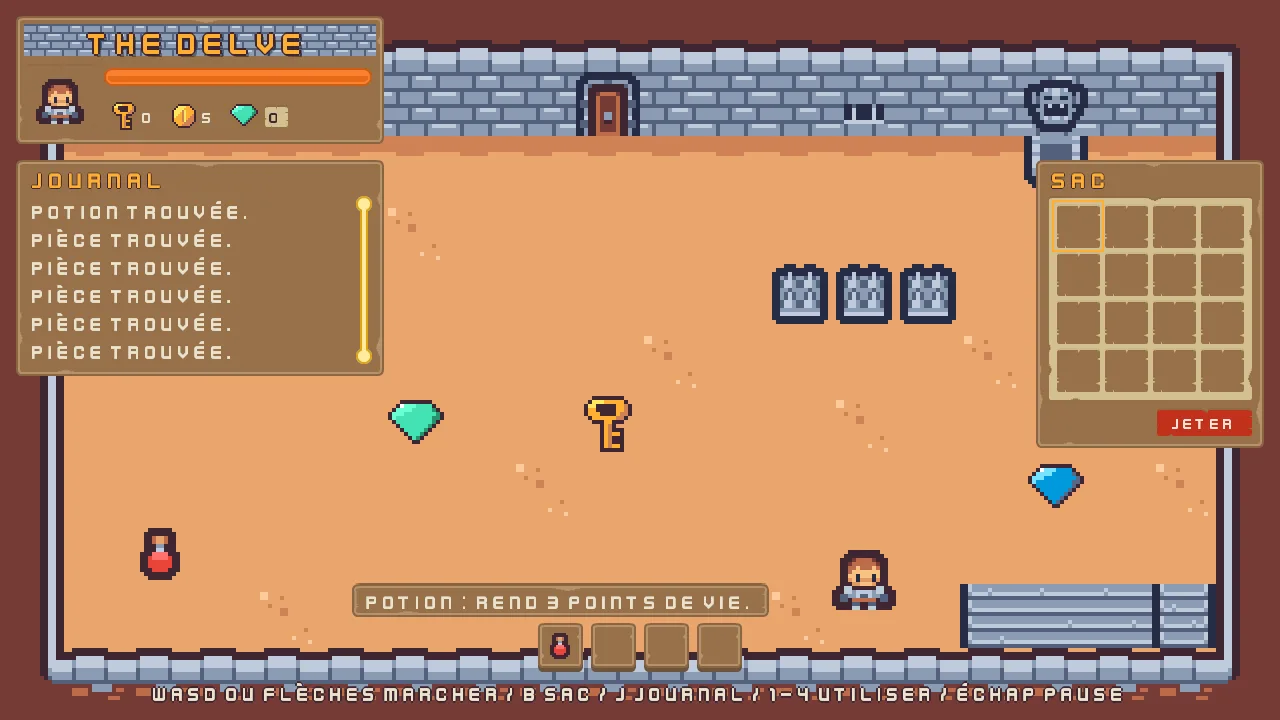
Each part ends on a game that works at its level:
What you need
- Rengy, installed, on Windows or Linux. Getting started installs it and shows you round the editor.
- The starter, interfaces.zip: the room built, the hero walking, the pickups placed, and every picture the room uses, with five more the chapters use later. Unzip it somewhere outside your other projects; in the editor’s launcher, choose Open project… and pick the
interfacesfolder. - Four free downloads, below. Each chapter says which files to copy from them, and where they go in the project.
- Nothing else. Part 1 is all clicks. From chapter 5 the game’s logic is short Rengy Script files, which the editor runs as they are, with nothing to install.
| Download | By | What the game takes from it | Needed from | Licence |
|---|---|---|---|---|
| Tiny Dungeon | Kenney | The room’s tiles, the hero, the door, the shrine, the spikes and the stairs, and the two flasks | The starter (already in it) | CC0 |
| UI Pack: RPG Expansion | Kenney | The panels, the buttons, the slots and the menus’ plates, and the slot icons | Chapter 1 | CC0 |
| UI Pack | Kenney | The interface’s font, the tick boxes, the sliders’ and the scrollbar’s tracks, the text field, the list’s arrow, the stars and the arrows | Chapter 1 | CC0 |
| Interface Sounds | Kenney | The menus’ click and back | Chapter 5 | CC0 |
| Abandoned Castle Music (Loop) | StarNinjas | The music on every screen | Chapter 6 | CC0 |
Every pack is in the public domain (CC0). Tiny Dungeon’s sheet is already in the starter. The key, the gems, the coin, the brick, the health bar’s two pictures, the items’ strip and the padlock were drawn or put together for this tutorial from the packs’ own pixels, and they are in the starter too.
Three parts
You can stop after any of them: each leaves you a game that works. The chapters below are listed by part.
- Basic, chapters 1 to 4: a HUD and a bag that look finished and do nothing yet. A canvas and a plate, counters and a health bar, a grid of slots, and one palette over all of it.
- Simple, chapters 5 to 9: a playable game with menus. A title screen, settings that are saved, a hotbar, tooltips, a pause menu and its questions.
- Pro, chapters 10 to 16: the full game. Drag and drop, a scrolling journal, three named save slots, the game in French, every screen by keys and a gamepad, the export, then a gallery of six screens.
How long it takes
The sixteen chapters take about sixteen hours at the keyboard: most take fifteen minutes to an hour and twenty, and the gallery about five hours, a screen at a sitting. Every chapter ends at a place you can stop, with a Check it works box that says what you should see.
The chapters
Part 1 · Basic
A HUD and a bag that look finished and do nothing yet: a canvas and a plate, counters and a health bar laid out for you, a grid of slots, and one palette over all of it.
- 1 A canvas and a plate Lay a plate on the room for the HUD: a canvas that fits any window, a rectangle anchored to its corner, a nine-sliced panel, a tiled strip of bricks and a title with an outline and a shadow. 20 min
- 2 The HUD Fill the plate: a portrait that stays square, counters in a row, a gem counter that grows with its digits, and a health bar that only shows. 25 min
- 3 The bag A bag window with sixteen slots in a grid, the first four holding pictures cut from a sheet by name, and a clip that keeps what overflows inside. 20 min
- 4 One palette One palette for every panel and word: a theme on the HUD’s canvas, roles for gold titles and a danger button, and Apply theme. 20 min
Part 2 · Simple
A playable game with menus: a title screen, a settings screen whose choices are saved, a hotbar that uses what you pick up, tooltips, a pause menu and the questions it asks.
- 5 The title screen The game opens on a title: buttons with a picture for each state, a menu the arrows walk, Escape to quit, a fade, and your first scripts. 35 min
- 6 Settings A settings screen: sliders for the music and the effects, tick boxes, a list for the text size, a ring round the focused control, every choice saved and applied. 80 min
- 7 The hotbar The HUD comes alive: counters that count, a hotbar the keys use, potions that heal, an elixir that hastens, and a cooldown ring. 55 min
- 8 Tooltips Tooltips that say what an item does and what the locked door wants, after a delay, beside what they describe, in the HUD’s own style. 20 min
- 9 Pause and confirm Escape pauses behind a menu, Quit asks first, and every bag slot opens a menu of its own: Use, Drop and Inspect. 60 min
Part 3 · Pro
The full game: drag and drop, a scrolling journal, three named save slots, the whole game in French, every screen by keys and a gamepad, the export, then a gallery of six screens to take into your own game.
- 10 Drag and drop Drag items between the bag and the hotbar: the item under the pointer, drops that land, and drops that are refused. 30 min
- 11 The journal A journal that writes down each find, scrolls with the wheel and its bar, and keeps the newest line in view. 45 min
- 12 Save slots Three named save slots on the title: a name typed into a field, saved with the run, given back by Continue, and deleted after a question. 80 min
- 13 Two languages The whole game in French: string tables, a key on every word, counts filled into sentences, and a list that switches the language. 70 min
- 14 No mouse needed Every screen by keys alone and by a gamepad: where the ring may go, pad buttons for every action, and a journal scrolled by the keys. 65 min
- 15 Export Name the game, export it, and play the export from its title to Quit, in either language, its saves kept by the player. 15 min
- 16 A gallery of interfaces Six small screens finished with what you have learned — a shop, a dialogue box, a level select, rings and meters, key hints and a three-answer quit — each a recipe to take into your own game. 295 min